hemalathac15/Cyber_Scanner
GitHub: hemalathac15/Cyber_Scanner
基于 MCP 协议的本地 AI 安全分析微服务,通过 RAG 流水线编排网页爬取、CVE 情报检索和小语言模型推理,生成结构化的风险评估与修复方案。
Stars: 0 | Forks: 0
# Cyber_Scanner
一个由 AI 驱动的 MCP 安全微服务和本地 RAG pipeline,它基于结构化的 JSON schema 编排自动化的网页爬取、语义记忆索引(FAISS + Sentence-Transformers)、实时的 MITRE CVE API 遥测查找,以及本地 SLM 分析推理(gemma2:2b)。
Cyber Scanner 是一个轻量级的本地安全分析工具,具有真正的 **Model Context Protocol (MCP)** 客户端-服务端架构。该项目编排了网页爬取、语义记忆索引、实时漏洞遥测检索和本地 Small Language Model (SLM) 推理,以生成结构化的风险和修复方案。
## 🏗️ 系统架构
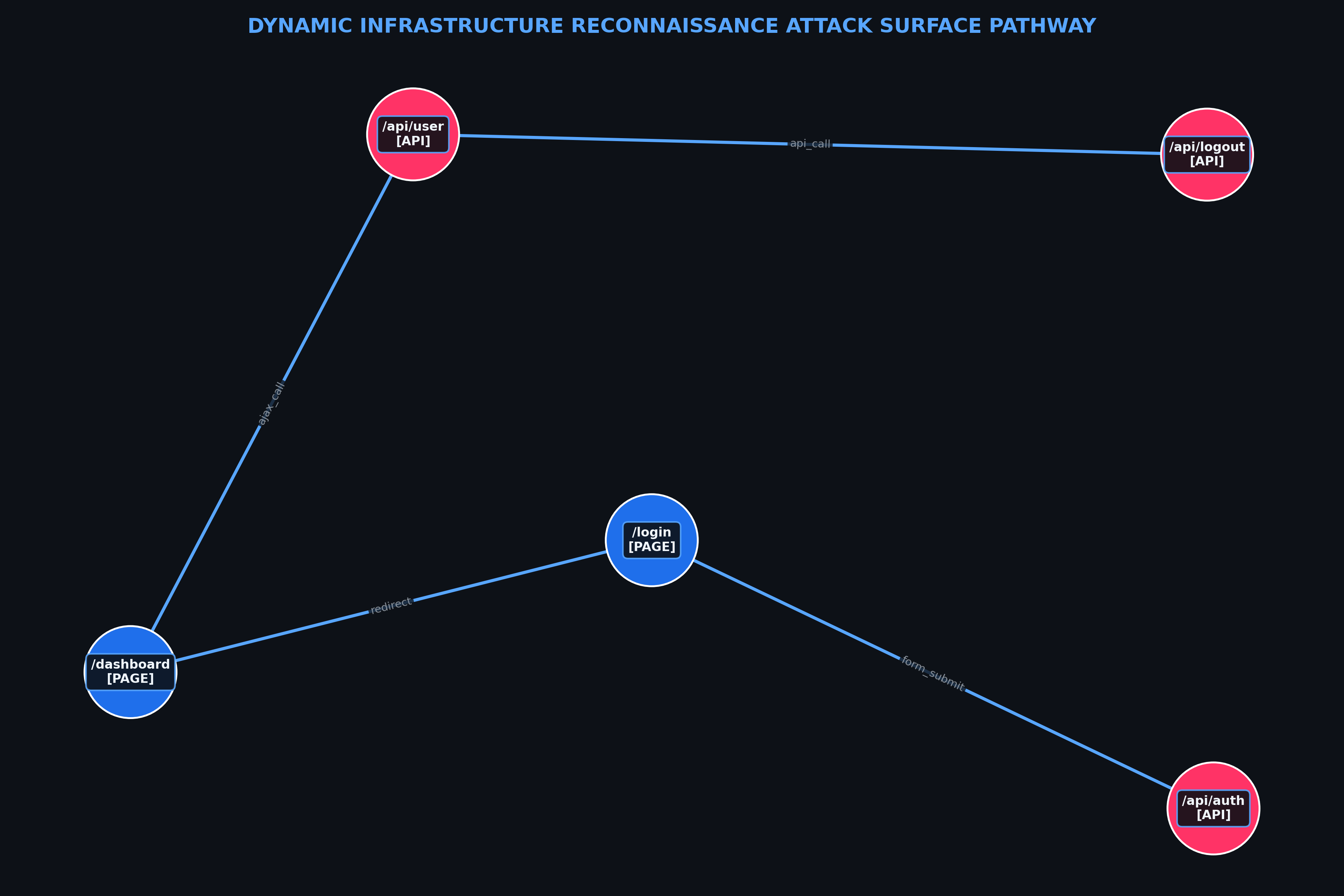
下图说明了异步测试客户端如何从 FastMCP server 请求工具,协调 FAISS 本地数据库,从 MITRE API 获取数据,并查询 Ollama:
 ## 🚀 核心特性
* **MCP Server 集成:** 由 `cyber_scan_server.py` 使用 **FastMCP** 框架驱动,通过标准输入/输出 (`stdio`) 无缝暴露安全自动化工具。
* **智能爬虫与本地 RAG:** 通过 `BeautifulSoup` 进行动态网页爬取,自动分块文本并通过 `SentenceTransformer` 创建密集向量 embedding,以查询内存中的 `FAISS` 数据库。
* **实时遥测核心:** 与 **MITRE CVE API** 直接集成,以实时拉取经过认证的真实漏洞记录(例如,CVE-2024-3094)。
* **本地 AI 情报层:** 与本地 **Ollama** 引擎通信,拉取 `gemma2:2b` 以执行防御性影响评估,并输出确定性的、有效的 JSON payload。
* **自动化验证客户端:** 一个健壮的 `test_mcp_client.py` 模拟测试套件,用于干净地执行所有脚本步骤并将遥测数据捕获到本地 JSON 数据存储中。
## 📁 项目结构
```
cyber_scanner/
├── .venv/ # Python Virtual Environment (Ignored in Git)
├── outputs/ # Automated pipeline data package dumps
│ ├── crawler_output.json
│ ├── retrieval_output.json
│ ├── graph_output.json
│ └── final_context_package.json
├── cyber_scan_server.py # Core FastMCP Server defining the security tool registry
├── test_mcp_client.py # Asynchronous MCP Client processing pipeline execution
├── render_graph.py # Dynamic node-and-edge matrix rendering utility
├── .gitignore # Explicitly configured to exclude environments and caches
└── README.md # Project documentation
Prerequisites
Python 3.10 to 3.14
Git
Ollama Desktop App (Installed and running in the background)
🛠️ Setup & Installation
1. Clone the Repository
PowerShell
git clone [https://github.com/hemalathac15/Cyber_Scanner.git](https://github.com/hemalathac15/Cyber_Scanner.git)
cd Cyber_Scanner
2. Configure the Isolated Virtual Environment
Windows (PowerShell):
PowerShell
python -m venv .venv
.\.venv\Scripts\Activate.ps1
macOS / Linux:
Bash
python3 -m venv .venv
source .venv/bin/activate
3. Install All Ecosystem Dependencies
Ensure your package manager is updated and run the installation script block to satisfy all server-side AI and infrastructure prerequisites:
PowerShell
python -m pip install --upgrade pip
python -m pip install mcp fastmcp requests beautifulsoup4 numpy sentence-transformers torch faiss-cpu fastapi uvicorn pydantic ollama
4. Fetch the Local SLM Intelligence Engine
Make sure your Ollama instance is active in the background, then pull down the required ultra-lightweight reasoning model:
PowerShell
ollama pull gemma2:2b
💻 Usage
To execute the entire pipeline simulation—which initializes the background MCP server, runs the web crawler sandbox, performs vector searches, verifies CVE truth data, maps a network topology graph, and runs the SLM risk generator—execute the main test runner:
PowerShell
python test_mcp_client.py
Viewing Pipeline Outputs
Upon successful execution, the script will write clean, production-ready matrices directly to the outputs/ folder. You can evaluate the finalized automated reporting matrix inside outputs/final_context_package.json:
JSON
{
"query_id": "q_12345",
"context": [
{
"doc_id": "doc_456",
"content": "ALERT: System scan flagged a match for structural risk.\nContext details:\n{ \n \"cve_id\": \"CVE-2024-3094\",\n \"status\": \"Found\",\n \"source\": \"MITRE Ground Truth API\",\n \"description\": \"Malicious code was discovered in the upstream tarballs of xz, starting with version 5.6.0. \r\nThrough a series of complex obfuscations, the liblzma build process extracts a prebuilt object file from a disguised test file existing in the source code, which is then used to modify specific functions in the liblzma code. This results in a modified liblzma library that can be used by any software linked against this library, intercepting and modifying the data interaction with this library.\"\n},",
"source": "MITRE Ground Truth API",
"chunk_id": "c_001",
"score": 0.92
}
],
"suggested_remediations": [
"Implement strict input validation, upgrade affected components to the latest patched version, or deploy specific WAF rules."
],
"references": [
"doc_456"
]
}
---
### 如何在 GitHub 上更新此项
Run this clean terminal command chain to push your newly polished documentation straight to your repository:
```powershell
# 1. 暂存修改后的 README 文件
git add README.md
# 2. 提交文档更改
git commit -m "Docs: Update README with comprehensive setup instructions, local RAG architecture, and architecture diagrams"
# 3. 推送到你的 live main branch
git push origin main
---
## 📊 示例 Pipeline 执行
Here is a live sample log demonstrating the client discovering the FastMCP tools, crawling a test asset, running a semantic vector search, fetching CVE definitions, and extracting an automated mitigation package via `gemma2:2b`.
## 🚀 核心特性
* **MCP Server 集成:** 由 `cyber_scan_server.py` 使用 **FastMCP** 框架驱动,通过标准输入/输出 (`stdio`) 无缝暴露安全自动化工具。
* **智能爬虫与本地 RAG:** 通过 `BeautifulSoup` 进行动态网页爬取,自动分块文本并通过 `SentenceTransformer` 创建密集向量 embedding,以查询内存中的 `FAISS` 数据库。
* **实时遥测核心:** 与 **MITRE CVE API** 直接集成,以实时拉取经过认证的真实漏洞记录(例如,CVE-2024-3094)。
* **本地 AI 情报层:** 与本地 **Ollama** 引擎通信,拉取 `gemma2:2b` 以执行防御性影响评估,并输出确定性的、有效的 JSON payload。
* **自动化验证客户端:** 一个健壮的 `test_mcp_client.py` 模拟测试套件,用于干净地执行所有脚本步骤并将遥测数据捕获到本地 JSON 数据存储中。
## 📁 项目结构
```
cyber_scanner/
├── .venv/ # Python Virtual Environment (Ignored in Git)
├── outputs/ # Automated pipeline data package dumps
│ ├── crawler_output.json
│ ├── retrieval_output.json
│ ├── graph_output.json
│ └── final_context_package.json
├── cyber_scan_server.py # Core FastMCP Server defining the security tool registry
├── test_mcp_client.py # Asynchronous MCP Client processing pipeline execution
├── render_graph.py # Dynamic node-and-edge matrix rendering utility
├── .gitignore # Explicitly configured to exclude environments and caches
└── README.md # Project documentation
Prerequisites
Python 3.10 to 3.14
Git
Ollama Desktop App (Installed and running in the background)
🛠️ Setup & Installation
1. Clone the Repository
PowerShell
git clone [https://github.com/hemalathac15/Cyber_Scanner.git](https://github.com/hemalathac15/Cyber_Scanner.git)
cd Cyber_Scanner
2. Configure the Isolated Virtual Environment
Windows (PowerShell):
PowerShell
python -m venv .venv
.\.venv\Scripts\Activate.ps1
macOS / Linux:
Bash
python3 -m venv .venv
source .venv/bin/activate
3. Install All Ecosystem Dependencies
Ensure your package manager is updated and run the installation script block to satisfy all server-side AI and infrastructure prerequisites:
PowerShell
python -m pip install --upgrade pip
python -m pip install mcp fastmcp requests beautifulsoup4 numpy sentence-transformers torch faiss-cpu fastapi uvicorn pydantic ollama
4. Fetch the Local SLM Intelligence Engine
Make sure your Ollama instance is active in the background, then pull down the required ultra-lightweight reasoning model:
PowerShell
ollama pull gemma2:2b
💻 Usage
To execute the entire pipeline simulation—which initializes the background MCP server, runs the web crawler sandbox, performs vector searches, verifies CVE truth data, maps a network topology graph, and runs the SLM risk generator—execute the main test runner:
PowerShell
python test_mcp_client.py
Viewing Pipeline Outputs
Upon successful execution, the script will write clean, production-ready matrices directly to the outputs/ folder. You can evaluate the finalized automated reporting matrix inside outputs/final_context_package.json:
JSON
{
"query_id": "q_12345",
"context": [
{
"doc_id": "doc_456",
"content": "ALERT: System scan flagged a match for structural risk.\nContext details:\n{ \n \"cve_id\": \"CVE-2024-3094\",\n \"status\": \"Found\",\n \"source\": \"MITRE Ground Truth API\",\n \"description\": \"Malicious code was discovered in the upstream tarballs of xz, starting with version 5.6.0. \r\nThrough a series of complex obfuscations, the liblzma build process extracts a prebuilt object file from a disguised test file existing in the source code, which is then used to modify specific functions in the liblzma code. This results in a modified liblzma library that can be used by any software linked against this library, intercepting and modifying the data interaction with this library.\"\n},",
"source": "MITRE Ground Truth API",
"chunk_id": "c_001",
"score": 0.92
}
],
"suggested_remediations": [
"Implement strict input validation, upgrade affected components to the latest patched version, or deploy specific WAF rules."
],
"references": [
"doc_456"
]
}
---
### 如何在 GitHub 上更新此项
Run this clean terminal command chain to push your newly polished documentation straight to your repository:
```powershell
# 1. 暂存修改后的 README 文件
git add README.md
# 2. 提交文档更改
git commit -m "Docs: Update README with comprehensive setup instructions, local RAG architecture, and architecture diagrams"
# 3. 推送到你的 live main branch
git push origin main
---
## 📊 示例 Pipeline 执行
Here is a live sample log demonstrating the client discovering the FastMCP tools, crawling a test asset, running a semantic vector search, fetching CVE definitions, and extracting an automated mitigation package via `gemma2:2b`.
## 🚀 核心特性
* **MCP Server 集成:** 由 `cyber_scan_server.py` 使用 **FastMCP** 框架驱动,通过标准输入/输出 (`stdio`) 无缝暴露安全自动化工具。
* **智能爬虫与本地 RAG:** 通过 `BeautifulSoup` 进行动态网页爬取,自动分块文本并通过 `SentenceTransformer` 创建密集向量 embedding,以查询内存中的 `FAISS` 数据库。
* **实时遥测核心:** 与 **MITRE CVE API** 直接集成,以实时拉取经过认证的真实漏洞记录(例如,CVE-2024-3094)。
* **本地 AI 情报层:** 与本地 **Ollama** 引擎通信,拉取 `gemma2:2b` 以执行防御性影响评估,并输出确定性的、有效的 JSON payload。
* **自动化验证客户端:** 一个健壮的 `test_mcp_client.py` 模拟测试套件,用于干净地执行所有脚本步骤并将遥测数据捕获到本地 JSON 数据存储中。
## 📁 项目结构
```
cyber_scanner/
├── .venv/ # Python Virtual Environment (Ignored in Git)
├── outputs/ # Automated pipeline data package dumps
│ ├── crawler_output.json
│ ├── retrieval_output.json
│ ├── graph_output.json
│ └── final_context_package.json
├── cyber_scan_server.py # Core FastMCP Server defining the security tool registry
├── test_mcp_client.py # Asynchronous MCP Client processing pipeline execution
├── render_graph.py # Dynamic node-and-edge matrix rendering utility
├── .gitignore # Explicitly configured to exclude environments and caches
└── README.md # Project documentation
Prerequisites
Python 3.10 to 3.14
Git
Ollama Desktop App (Installed and running in the background)
🛠️ Setup & Installation
1. Clone the Repository
PowerShell
git clone [https://github.com/hemalathac15/Cyber_Scanner.git](https://github.com/hemalathac15/Cyber_Scanner.git)
cd Cyber_Scanner
2. Configure the Isolated Virtual Environment
Windows (PowerShell):
PowerShell
python -m venv .venv
.\.venv\Scripts\Activate.ps1
macOS / Linux:
Bash
python3 -m venv .venv
source .venv/bin/activate
3. Install All Ecosystem Dependencies
Ensure your package manager is updated and run the installation script block to satisfy all server-side AI and infrastructure prerequisites:
PowerShell
python -m pip install --upgrade pip
python -m pip install mcp fastmcp requests beautifulsoup4 numpy sentence-transformers torch faiss-cpu fastapi uvicorn pydantic ollama
4. Fetch the Local SLM Intelligence Engine
Make sure your Ollama instance is active in the background, then pull down the required ultra-lightweight reasoning model:
PowerShell
ollama pull gemma2:2b
💻 Usage
To execute the entire pipeline simulation—which initializes the background MCP server, runs the web crawler sandbox, performs vector searches, verifies CVE truth data, maps a network topology graph, and runs the SLM risk generator—execute the main test runner:
PowerShell
python test_mcp_client.py
Viewing Pipeline Outputs
Upon successful execution, the script will write clean, production-ready matrices directly to the outputs/ folder. You can evaluate the finalized automated reporting matrix inside outputs/final_context_package.json:
JSON
{
"query_id": "q_12345",
"context": [
{
"doc_id": "doc_456",
"content": "ALERT: System scan flagged a match for structural risk.\nContext details:\n{ \n \"cve_id\": \"CVE-2024-3094\",\n \"status\": \"Found\",\n \"source\": \"MITRE Ground Truth API\",\n \"description\": \"Malicious code was discovered in the upstream tarballs of xz, starting with version 5.6.0. \r\nThrough a series of complex obfuscations, the liblzma build process extracts a prebuilt object file from a disguised test file existing in the source code, which is then used to modify specific functions in the liblzma code. This results in a modified liblzma library that can be used by any software linked against this library, intercepting and modifying the data interaction with this library.\"\n},",
"source": "MITRE Ground Truth API",
"chunk_id": "c_001",
"score": 0.92
}
],
"suggested_remediations": [
"Implement strict input validation, upgrade affected components to the latest patched version, or deploy specific WAF rules."
],
"references": [
"doc_456"
]
}
---
### 如何在 GitHub 上更新此项
Run this clean terminal command chain to push your newly polished documentation straight to your repository:
```powershell
# 1. 暂存修改后的 README 文件
git add README.md
# 2. 提交文档更改
git commit -m "Docs: Update README with comprehensive setup instructions, local RAG architecture, and architecture diagrams"
# 3. 推送到你的 live main branch
git push origin main
---
## 📊 示例 Pipeline 执行
Here is a live sample log demonstrating the client discovering the FastMCP tools, crawling a test asset, running a semantic vector search, fetching CVE definitions, and extracting an automated mitigation package via `gemma2:2b`.
Click to expand full terminal log output
```text Loading Embedding Model (all-MiniLM-L6-v2).... Starting MCP server 'Cyber-Scanner' with transport 'stdio' --- 🔍 Discovering Available MCP Tools --- Found Registered Tool: crawl_and_extract_signals Found Registered Tool: query_knowledge_layer Found Registered Tool: lookup_cve_ground_truth Found Registered Tool: generate_attack_graph Found Registered Tool: analyze_vulnerability_with_slm --- 🌐 Step 1: Running Smart Web Crawler --- Targeting URL for security signals: [https://httpbin.org](https://httpbin.org) { "url": "[https://httpbin.org](https://httpbin.org)", "method": "GET", "status_code": 200, "content_type": "text/html; charset=utf-8", "technologies": ["nginx", "jquery", "php"] } 💾 Saved structured crawler format to outputs\crawler_output.json --- 🧠 Step 2: Querying In-Memory FAISS Vector Database --- Executing semantic search for: 'vulnerability or security signals' { "query_id": "q_30641", "results": [ { "doc_id": "doc_0", "score": 0.36, "chunk": "httpbin.org A simple HTTP Request & Response Service... Powered by Flasgger", "metadata": { "vuln_type": "Context Discovery", "severity": "medium" } } ], "total_results": 1 } 💾 Saved retrieval structure context matrix to outputs\retrieval_output.json --- 🛡️ Step 3: Fetching Official CVE Ground Truth --- Querying Mitre API for: CVE-2024-3094 { "cve_id": "CVE-2024-3094", "status": "Found", "source": "MITRE Ground Truth API" } --- 🤖 Step 5: Invoking Local SLM Intelligence Agent --- { "query_id": "q_12345", "context": [ { "doc_id": "doc_456", "source": "MITRE Ground Truth API", "score": 0.92 } ], "suggested_remediations": [ "Implement strict input validation, upgrade affected components to the latest patched version, or deploy specific WAF rules." ] } 💾 Saved final context package analysis matrix to outputs\final_context_package.json ├── .gitignore # Configured to exclude local venv files └── README.md # Project documentation ```标签:AI风险缓解, GitHub, GPT, MCP, Python, RAG, Splunk, 威胁情报, 实时处理, 密码管理, 开发者工具, 无后门, 漏洞管理, 逆向工具