Teycir/CheckAPIs
GitHub: Teycir/CheckAPIs
一款纯客户端运行的 LLM API 密钥验证工具,支持多家主流供应商,可即时检查密钥有效性并返回模型、延迟和速率限制等信息。
Stars: 6 | Forks: 1
一款隐私优先的工具,可即时验证 LLM API key —— 纯客户端运行,无需服务器,不留日志。
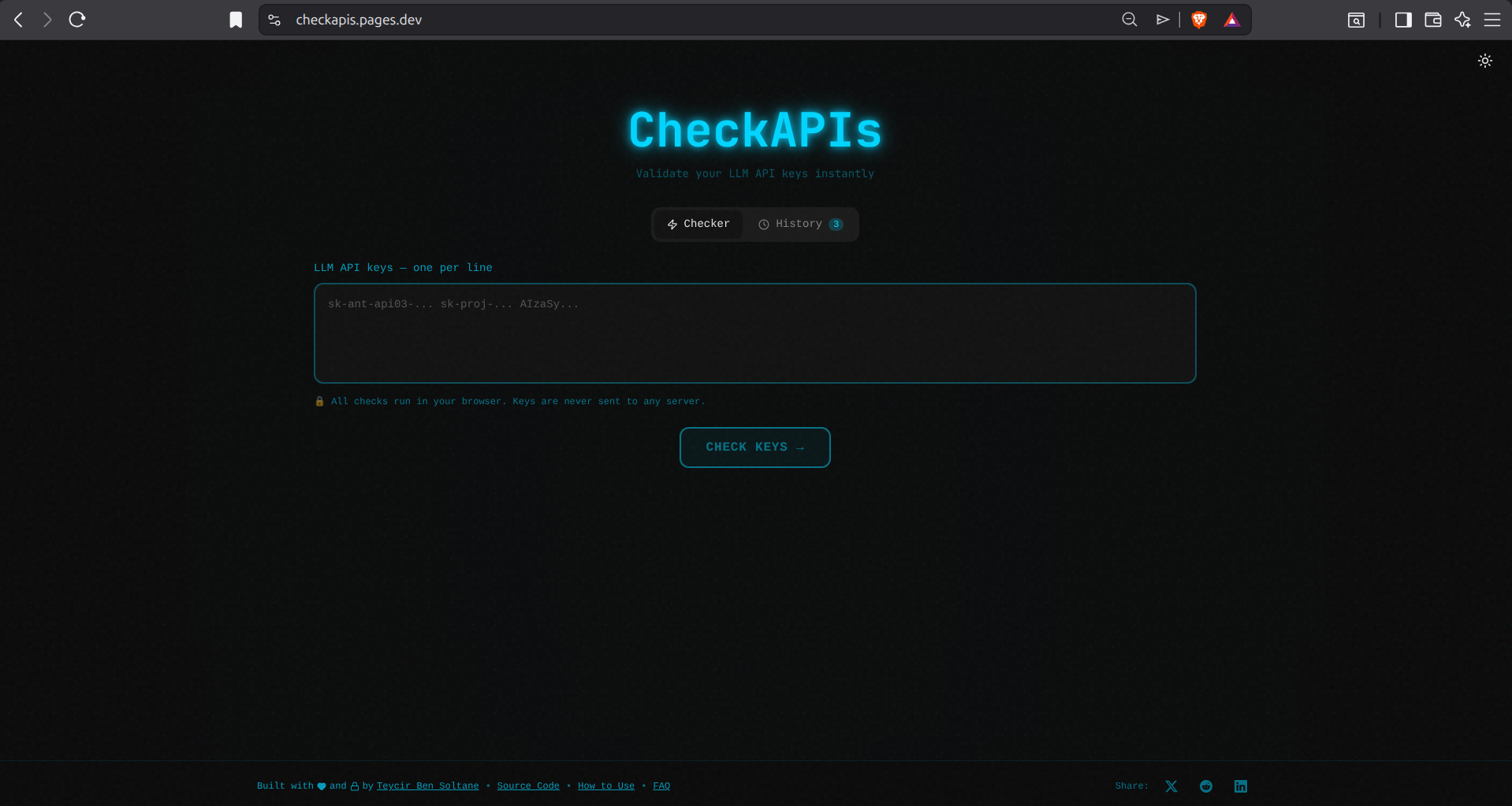
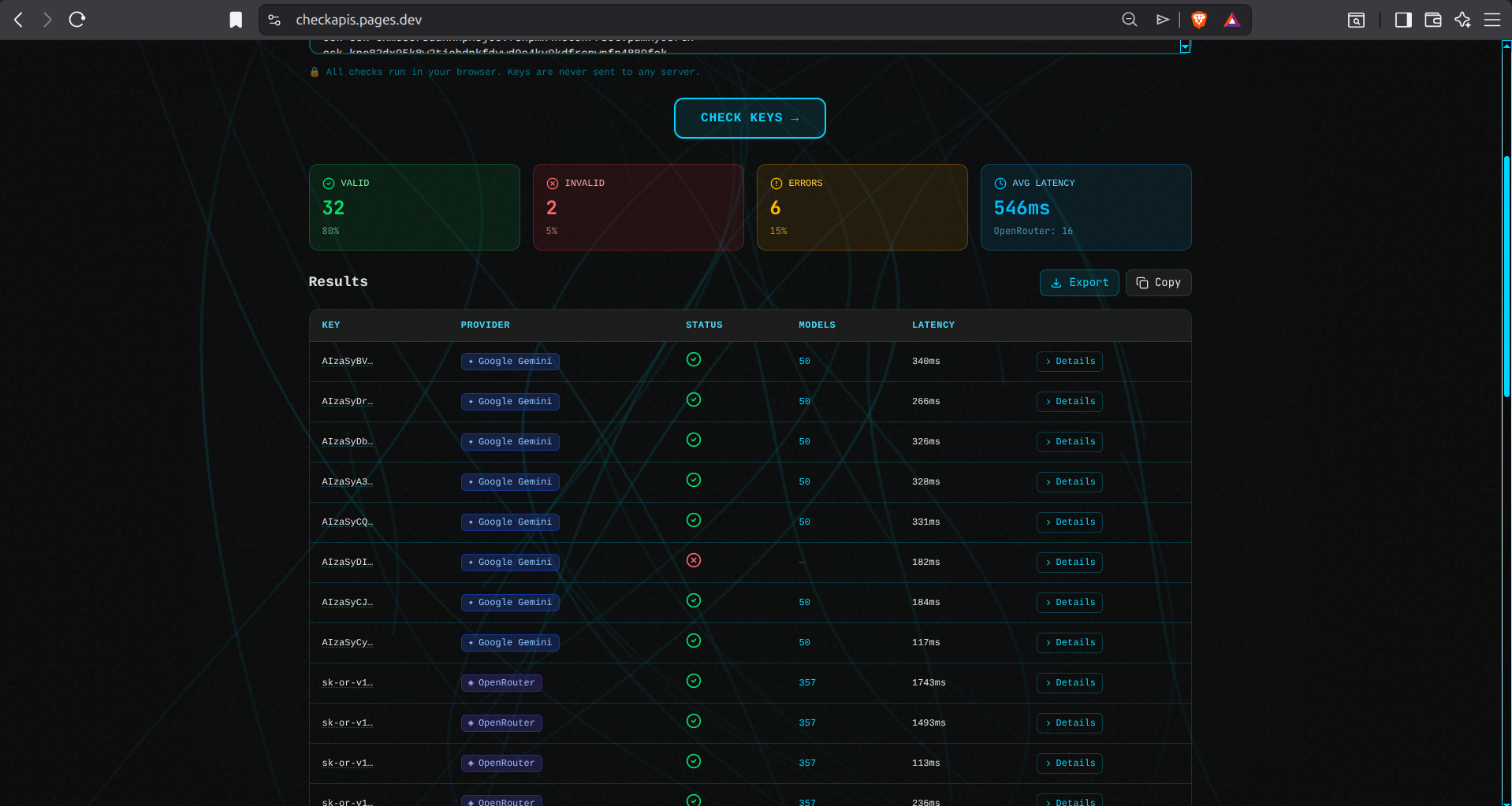
## 功能 - **零摩擦**:粘贴 key → 点击按钮 → 获取结果 - **多供应商支持**:OpenAI、Anthropic、Google Gemini、Groq、Perplexity、HuggingFace、Replicate 等 - **隐私优先**:所有检查均在浏览器客户端运行 - **详细结果**:查看模型、延迟、速率限制和错误消息 - **深色模式**:内置主题切换 - **API 访问**:可通过 curl 或任何 HTTP 客户端使用 - **CLI 工具**:用于自动化和脚本编写的命令行界面 ## 截图
### 登录页面
### 验证结果
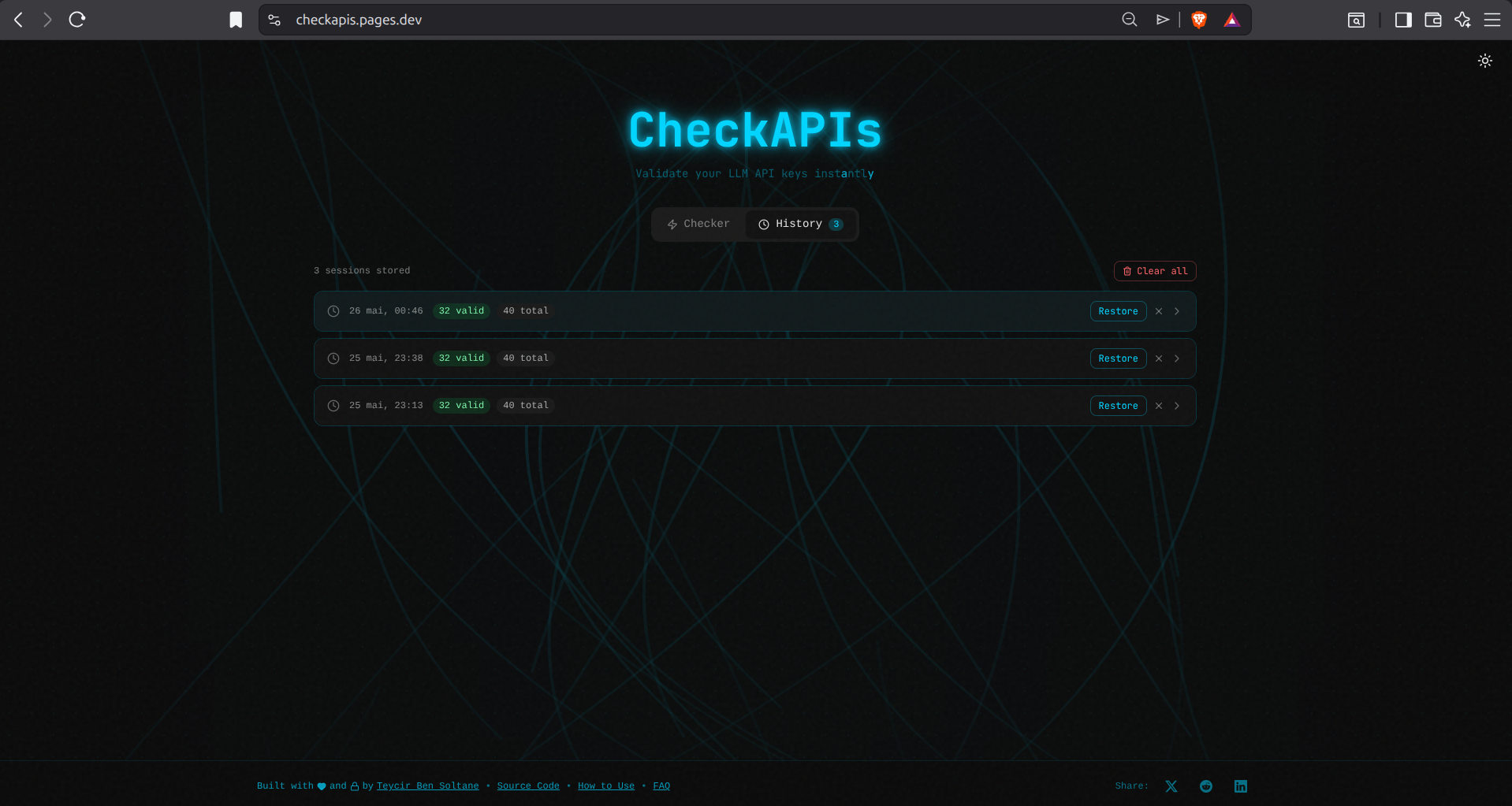
### 历史记录面板
## API 用法
CheckAPIs 可通过 HTTP API 进行编程调用:
```
# 检查单个 key
curl -X POST https://checkapis.pages.dev/api/check \
-H "Content-Type: application/json" \
-d '{"keys": ["sk-proj-..."]}'
# 检查多个 key
curl -X POST https://checkapis.pages.dev/api/check \
-H "Content-Type: application/json" \
-d '{"keys": ["sk-proj-...", "sk-ant-api03-...", "AIzaSy..."]}'
```
**响应:**
```
{
"success": true,
"count": 1,
"results": [
{
"key": "sk-proj-...",
"provider": "openai",
"valid": true,
"models": ["gpt-4", "gpt-3.5-turbo"],
"latency": 245,
"rateLimit": "5000"
}
]
}
```
**速率限制**:每个 IP 每分钟 20 次请求。完整文档请参阅 [docs/API.md](./docs/API.md)。
## CLI 用法
```
# 安装和构建
npm run build:cli
# 验证 key
node dist/cli/cli/index.js sk-proj-...
node dist/cli/cli/index.js -f keys.txt
cat keys.txt | node dist/cli/cli/index.js --json
```
完整 CLI 文档请参阅 [docs/CLI.md](./docs/CLI.md)。
## 支持的供应商
- OpenAI
- Anthropic (Claude)
- Google Gemini
- Groq
- Perplexity
- HuggingFace
- Replicate
- Together AI
- Cohere
- Mistral
- AWS Bedrock(仅检测)
- Azure OpenAI(仅检测)
## 开发说明
```
npm install
npm run dev
```
打开 [http://localhost:3000](http://localhost:3000)
## 构建
```
npm run build
```
静态文件将生成在 `out` 目录中。
## 部署到 Cloudflare Pages
### 通过 Dashboard
1. 构建项目:`npm run build`
2. 前往 [Cloudflare Pages](https://dash.cloudflare.com/pages)
3. 创建新项目
4. 上传 `out` 目录
### 通过 Wrangler CLI
```
npm install -g wrangler
wrangler pages deploy out --project-name=checkapi
```
或使用部署脚本:
```
./scripts/deploy.sh
```
### 通过 GitHub Actions
将你的 GitHub 仓库连接到 Cloudflare Pages。构建设置如下:
- **构建命令**:`npm run build`
- **构建输出目录**:`out`
- **根目录**:`/`
详细说明请参阅 [docs/DEPLOYMENT.md](./docs/DEPLOYMENT.md)。
## 隐私与安全
- 所有 API key 验证均在你的浏览器中进行
- key 永远不会发送到任何代理服务器
- key 永远不会被记录或存储
- 显示的 key 始终会被截断(仅显示前 8 个字符)
## SEO 与 LLM 可见性
CheckAPI 针对传统搜索引擎和 AI 驱动的搜索(ChatGPT、Claude、Perplexity)进行了优化:
- **结构化数据**:带有 FAQPage、WebApplication 和 Organization 标记的 JSON-LD schema
- **LLM 优化**:用于直接 AI 爬虫访问的 llms.txt 文件
- **AI 爬虫权限**:明确允许 GPTBot、Claude-Web、PerplexityBot
- **Open Graph**:动态社交分享图片
- **Sitemap 与 Robots**:针对爬取效率进行了优化
完整文档请参阅 [docs/SEO.md](./docs/SEO.md)。
## 技术栈
- Next.js 16 (App Router)
- TypeScript
- Tailwind CSS
- Lucide React(图标)
- 用于 Cloudflare Pages 的静态导出
## 项目结构
```
├── app/ # Next.js app router pages
├── cli/ # CLI tool
│ ├── index.ts # CLI entry point
│ └── tsconfig.json # CLI TypeScript config
├── components/ # React components
├── docs/ # Documentation
│ ├── API.md # API documentation
│ ├── CLI.md # CLI documentation
│ ├── DEPLOYMENT.md
│ ├── RATE_LIMITING.md
│ └── roadmap.md
├── functions/ # Cloudflare Pages Functions
│ └── api/
│ └── check.js # API endpoint with rate limiting
├── lib/ # Utility functions
│ ├── cli.ts # Node-compatible exports
│ └── index.ts # Browser exports
├── public/ # Static assets
├── scripts/ # Deployment and utility scripts
├── tests/ # Test scripts
└── wrangler.toml # Cloudflare configuration
```
## 许可证
MIT
## 🌐 相关项目
探索更多隐私优先和安全工具:
### 隐私与加密
- **[Timeseal](https://github.com/Teycir/Timeseal)** - 带有死人开关的定时加密保险库。AES-256 分割密钥加密,临时密封。
- **[Sanctum](https://github.com/Teycir/Sanctum)** - 具有密码学合理否认性的零信任加密保险库。XChaCha20-Poly1305,Argon2id。
- **[GhostChat](https://github.com/Teycir/GhostChat)** - 通过 WebRTC 的真正 P2P 加密聊天。无服务器,无存储,阅后即焚消息。
- **[xmrproof](https://github.com/Teycir/xmrproof)** - Monero 支付验证,100% 客户端处理。
### 安全工具
- **[BurpAPISecuritySuite](https://github.com/Teycir/BurpAPISecuritySuite)** - 用于 API 安全测试的 Burp Suite 扩展。15 种攻击类型,108+ payload,BOLA/IDOR 检测。
- **[Mcpwn](https://github.com/Teycir/Mcpwn)** - 针对 Model Context Protocol 服务器的自动化安全扫描器。检测 RCE、路径遍历、prompt 注入。
- **[SeekYou](https://github.com/Teycir/SeekYou)** - 用于 IP/域名/ASN 侦察的 OSINT 工具。
- **[DiffCatcher](https://github.com/Teycir/DiffCatcher)** - Git 仓库发现,diff 捕获,代码元素提取。
### MCP 安全服务器
- **[burp-mcp-server](https://github.com/Teycir/burp-mcp-server)** - 适用于 Burp Suite Professional 的 MCP 服务器。通过 AI 助手进行漏洞扫描。
- **[nuclei-mcp](https://github.com/Teycir/nuclei-mcp)** - 适用于 Nuclei 的 MCP 服务器。多目标扫描,严重性过滤。
- **[nmap-mcp](https://github.com/Teycir/nmap-mcp)** - 适用于 Nmap 的 MCP 服务器。隐秘侦察,漏洞/NSE 扫描。
- **[frida-mcp](https://github.com/Teycir/frida-mcp)** - 适用于 Frida 的 MCP 服务器。动态插桩,SSL pinning 绕过。
## 💼 提供的服务
- 🔒 **隐私优先开发** - P2P 应用程序、加密通信、零知识系统
- 🚀 **Web 应用程序开发** - 使用 Next.js、React、TypeScript 进行全栈开发
- 🔧 **WebRTC 解决方案** - 实时通信、视频/音频流、数据通道
- 🛡️ **安全工具开发** - Burp 扩展、渗透测试工具、自动化框架
- 🤖 **AI 集成** - LLM 驱动的应用程序、智能自动化、定制 AI 解决方案
**联系我**:[teycirbensoltane.tn](https://teycirbensoltane.tn) | 承接自由职业项目和咨询业务
**由 [Teycir Ben Soltane](https://teycirbensoltane.tn) 用 💚 构建**
标签:API密钥验证, LLM, SOC Prime, Syscall, Unmanaged PE, Web开发, 开发工具, 自动化攻击