jhanvipatel2905/wireshark-network-analysis
GitHub: jhanvipatel2905/wireshark-network-analysis
使用 Wireshark 对恶意软件 PCAP 流量进行系统化分析的实战取证项目,涵盖协议分析、TCP 流重建及 IOC 识别。
Stars: 0 | Forks: 0
# Wireshark 恶意软件流量分析
## 项目概述
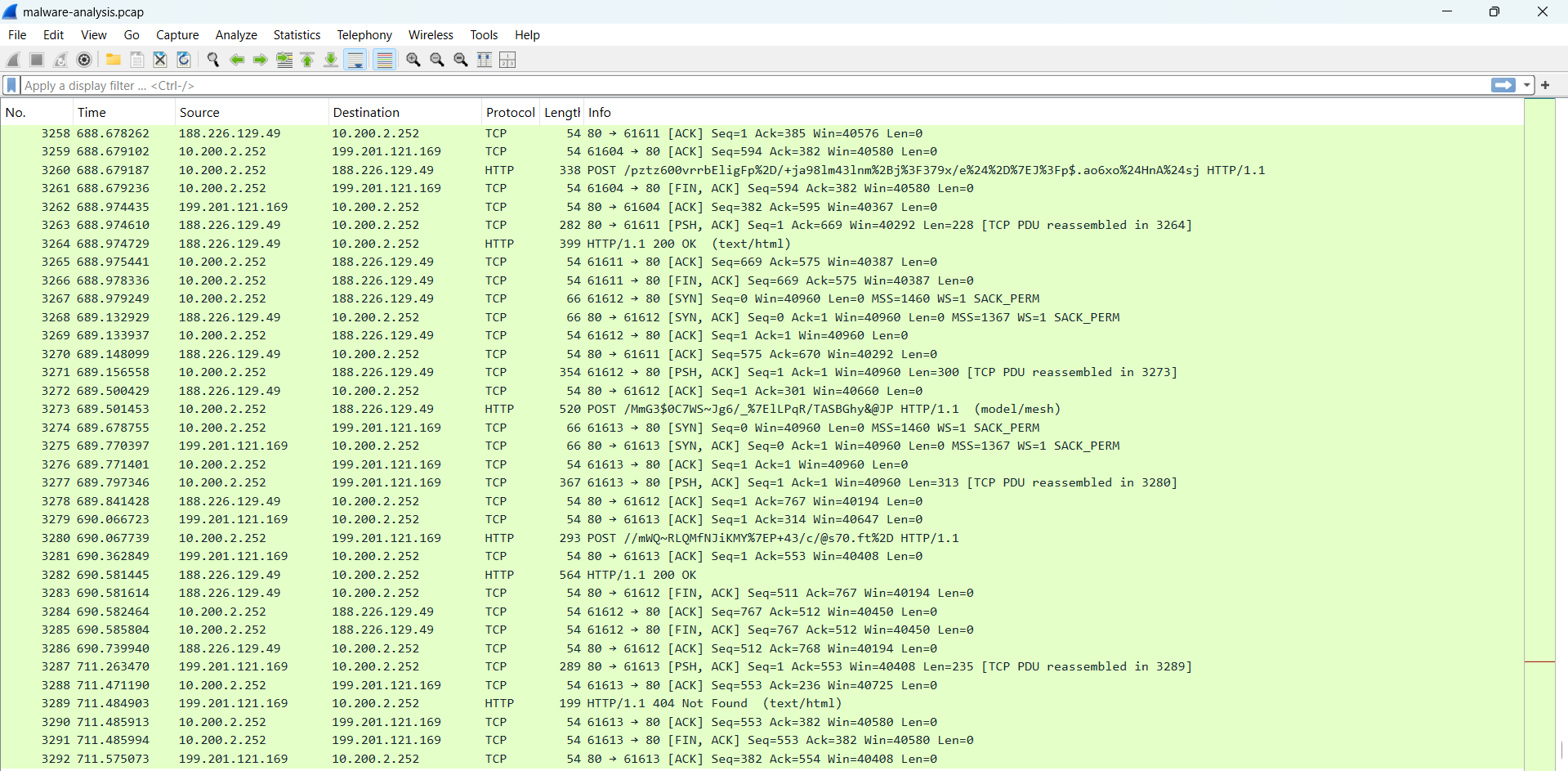
本项目侧重于使用 Wireshark 分析可疑网络流量,以识别潜在的恶意活动、可疑的 HTTP 通信、可执行 payload 传递以及基于网络的失陷标示 (IOC)。
本次调查使用了恶意软件流量捕获文件,涉及协议分析、TCP 流重建、数据包检查、HTTP 对象分析和 IOC 记录。
# 目标
- 分析可疑的数据包捕获 (PCAP) 流量
- 调查基于 HTTP 的通信
- 识别可疑的可执行文件下载
- 执行 TCP 流重建
- 提取失陷标示 (IOC)
- 了解恶意软件流量行为
# 使用的工具
- Wireshark
- Protocol Hierarchy Statistics
- TCP Stream Analysis
- HTTP Object Export
- Packet Inspection Filters
# 展示的技能
- 网络流量分析
- 恶意软件流量调查
- 数据包检查
- 协议分析
- IOC 识别
- HTTP 流量调查
- TCP 流重建
- 安全文档编写
# 调查步骤
## 1. 初始流量检查
在 Wireshark 中打开数据包捕获文件以观察:
- 数据包数量
- 活跃协议
- 源和目标通信
- 整体流量行为
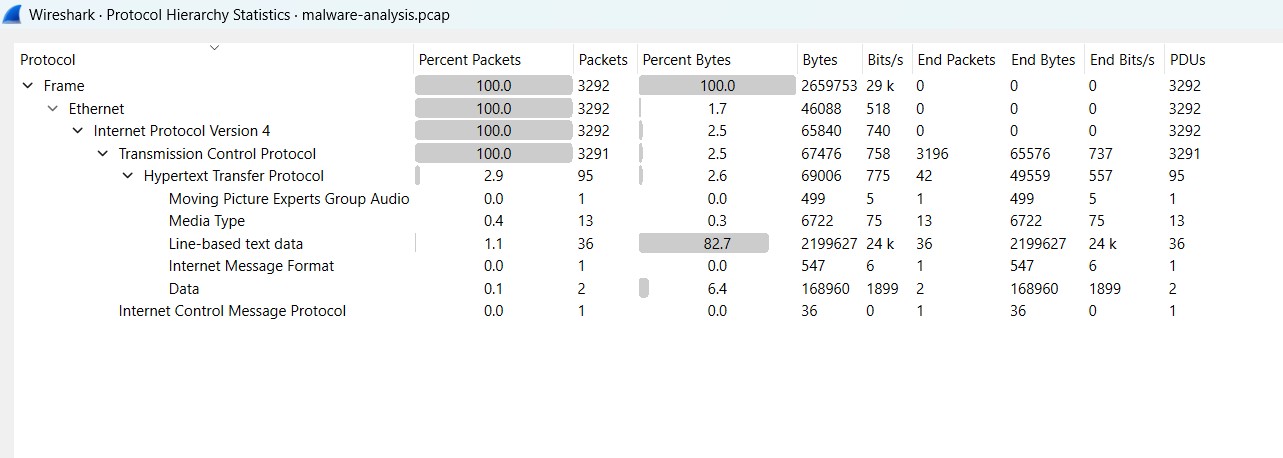
## 2. 协议层级分析
分析协议层级统计数据,以识别捕获中的主导协议。
观察到的协议包括:
- TCP
- HTTP
- DNS
- IPv4
TCP 被确定为主导协议。
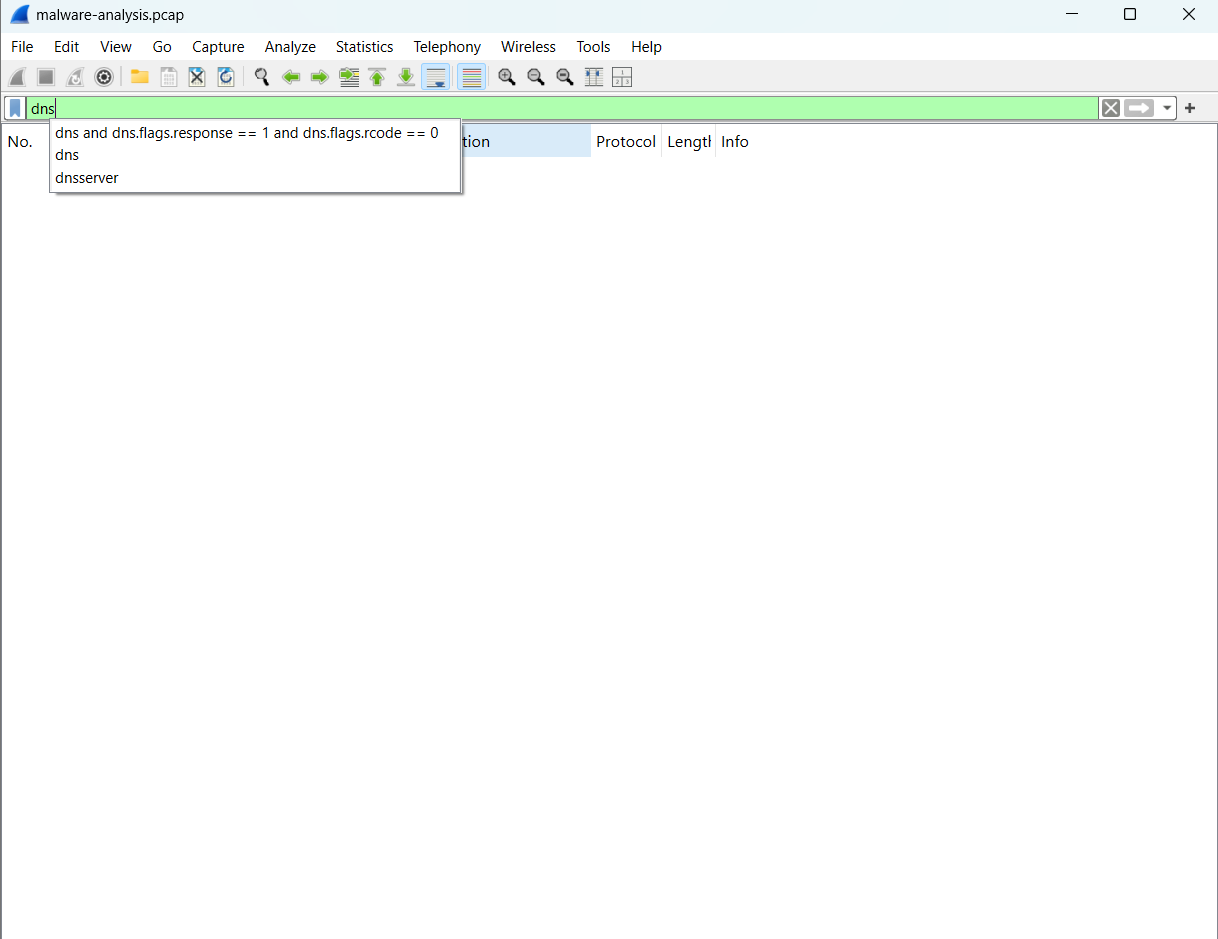
## 3. DNS 分析
检查了 DNS 流量以识别基于域名的通信模式。
观察到极少的 DNS 活动,暗示可能存在直接的 IP 通信。
## 4. HTTP 流量分析
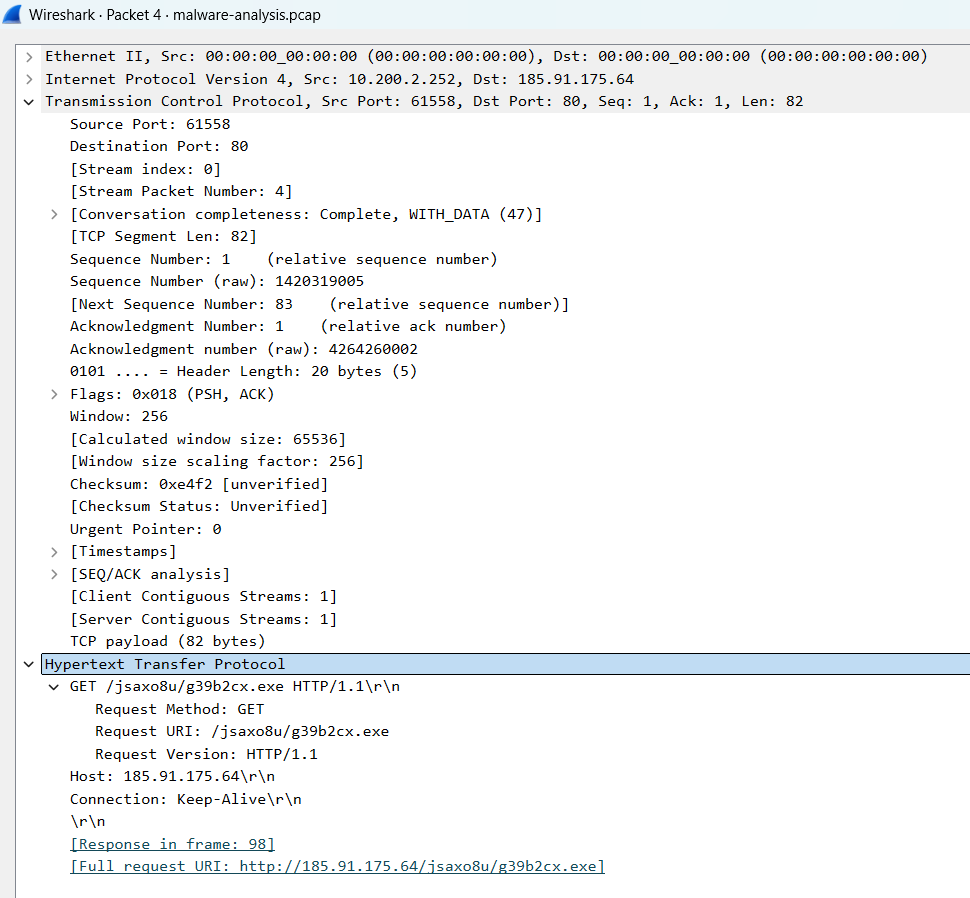
HTTP 流量检查揭示了可疑的可执行文件下载活动。
识别出的可疑请求:
```
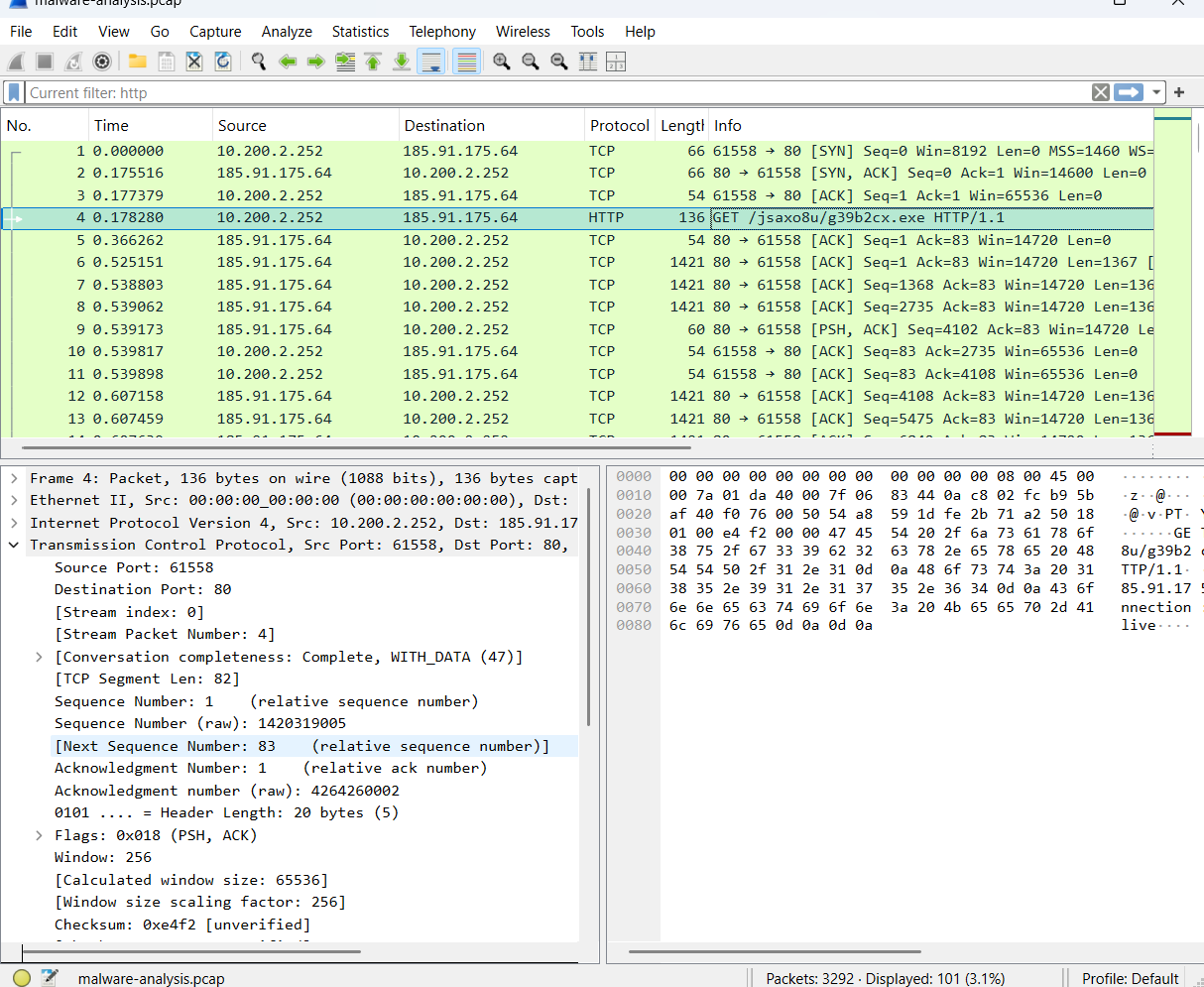
GET /jsaxo8u/g39b2cx.exe HTTP/1.1
```
观察结果:
- 可执行 payload 下载
- 直接的 IP 通信
- 随机化的文件名
- 未加密的 HTTP 传输
## 5. TCP 流重建
TCP 流分析重建了系统之间的通信,并揭示了可执行 payload 内容。
观察到的标示:
```
This program cannot be run in DOS mode
```
这表明了 Windows 可执行文件传输行为。
## 6. HTTP 对象分析
导出 HTTP 对象以识别与可疑通信相关的传输文件。
在分析过程中观察到了二进制 payload 传递行为。
## 7. 数据包检查
详细的数据包检查确认了:
- 通过端口 80 的 HTTP 通信
- 可执行 payload 传输
- 与外部主机的通信
- 可疑的请求行为
# 失陷标示 (IOC)
类型 值 观察结果
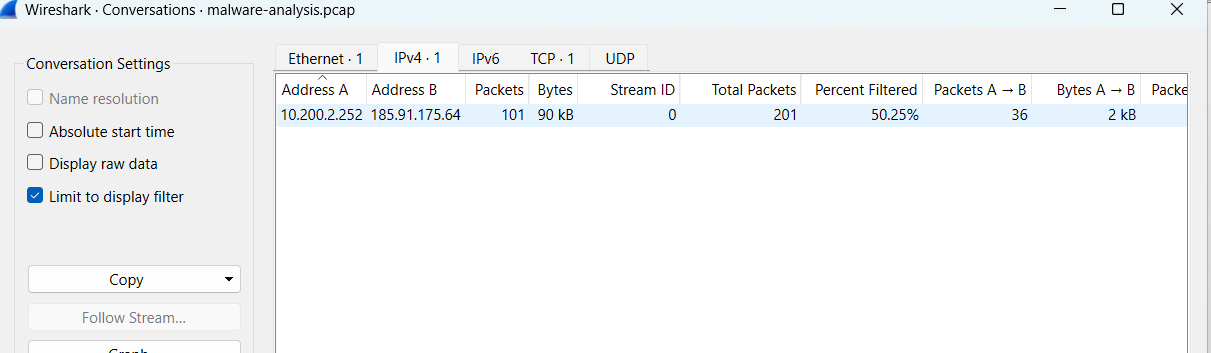
External IP 185.91.175.64 可疑的通信主机
Executable File g39b2cx.exe 潜在的恶意 payload
Protocol HTTP 未加密通信
Content-Type application/octet-stream 二进制可执行文件传输
HTTP Request GET /jsaxo8u/g39b2cx.exe 可疑的 payload 请求
# 包含的截图
- 打开的 PCAP 分析
- Protocol Hierarchy Statistics
- DNS 分析
- HTTP 分析
- TCP 流重建
- 导出的 HTTP 对象
- IP 会话
- 数据包详情
- IOC 文档
# 项目结构
```
wireshark-network-analysis/
│
├── screenshots/
├── reports/
├── pcap-files/
└── README.md
```
# 关键发现
调查揭示了几个与潜在恶意软件传递活动相一致的可疑标示,包括:
- 可疑的 HTTP 通信
- 可执行 payload 传输
- 二进制内容传递
- 直接的 IP 通信
- 与可疑外部主机的交互
# 结论
本项目演示了如何使用 Wireshark 进行恶意软件流量分析、数据包检查、TCP 流重建、IOC 提取以及可疑网络活动调查。
该分析工作流程模拟了现实世界中用于识别潜在恶意网络行为的 SOC 和 DFIR 调查技术。
# 报告
详细的调查结果请参见位于 `final-doc.pdf` 中的调查报告。
# 截图
## 打开的 PCAP 文件
## 协议层级分析
## DNS 分析
## HTTP 流量分析
## TCP 流重建

## 导出的 HTTP 对象

## IP 会话分析
## 数据包详情检查
## IOC 文档

标签:DAST, IP 地址批量处理, PCAP分析, Wireshark, 句柄查看, 威胁情报, 开发者工具, 恶意软件分析, 网络信息收集, 网络安全, 隐私保护