gmsmeghana/Linux-Permissions-Privilege-Escalation
GitHub: gmsmeghana/Linux-Permissions-Privilege-Escalation
一个 Linux 文件权限与权限提升的实战教学项目,通过实验演示 SetUID 滥用、PATH 劫持和 capability 泄露等提权技术。
Stars: 0 | Forks: 0
# Linux 文件权限与权限提升 — SetUID、umask 与 Capability 泄露
深入探讨 **Linux 文件权限管理**和**权限提升技术**,包括 SetUID 滥用、PATH 劫持和 capability 泄露。涵盖 Linux 访问控制的底层机制,以及如何利用配置不当获取提升的权限。
## 工具与环境
| 工具 | 用途 |
|------|---------|
| Ubuntu Linux | 实验环境 |
| chmod / chown | 权限管理 |
| umask | 默认权限控制 |
| SetUID binaries | 权限提升途径 |
| GCC | 编译 exploit 代码 |
## Part A — Linux 文件权限
### 第 1 步 — 文件所有权与基本权限
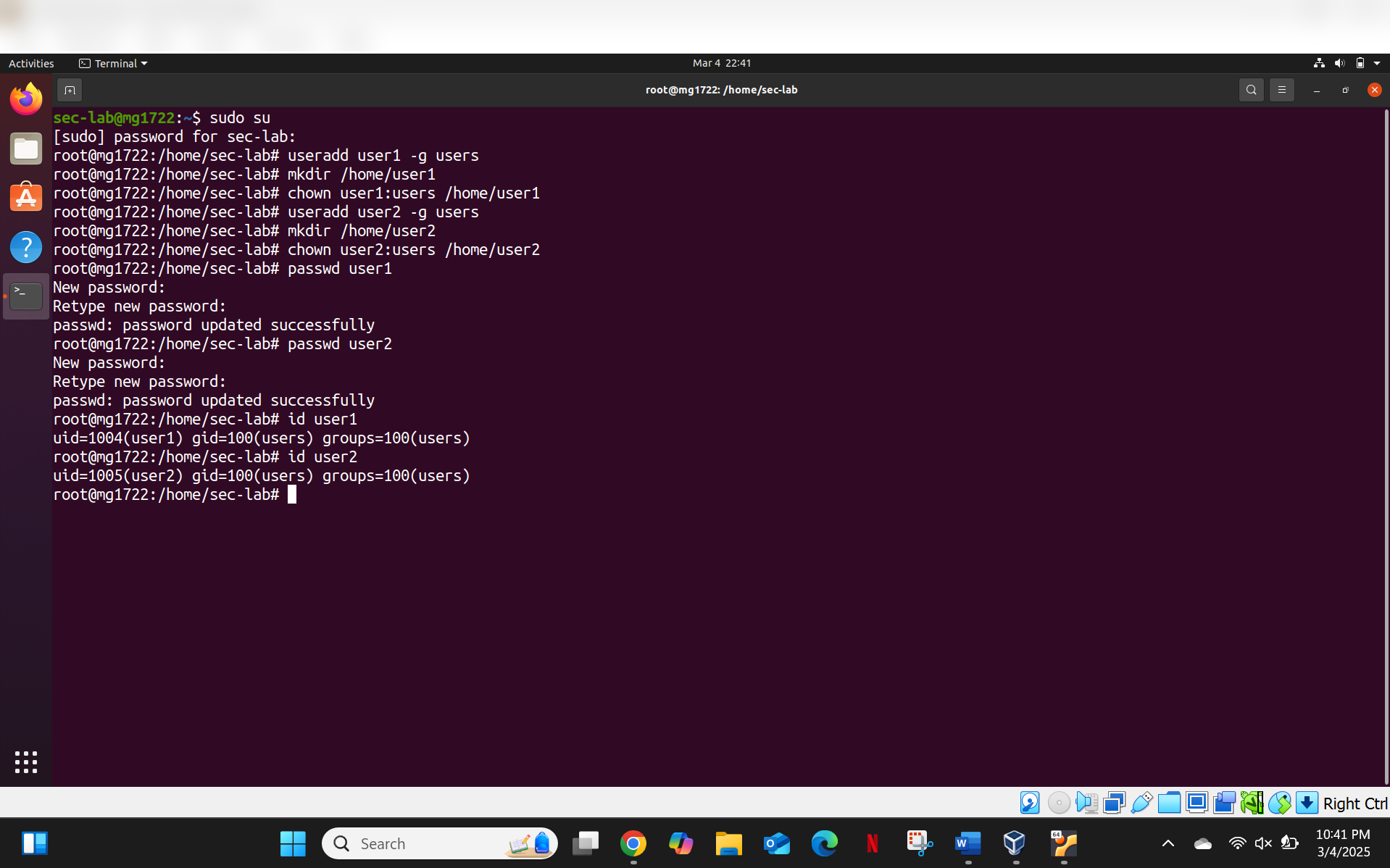
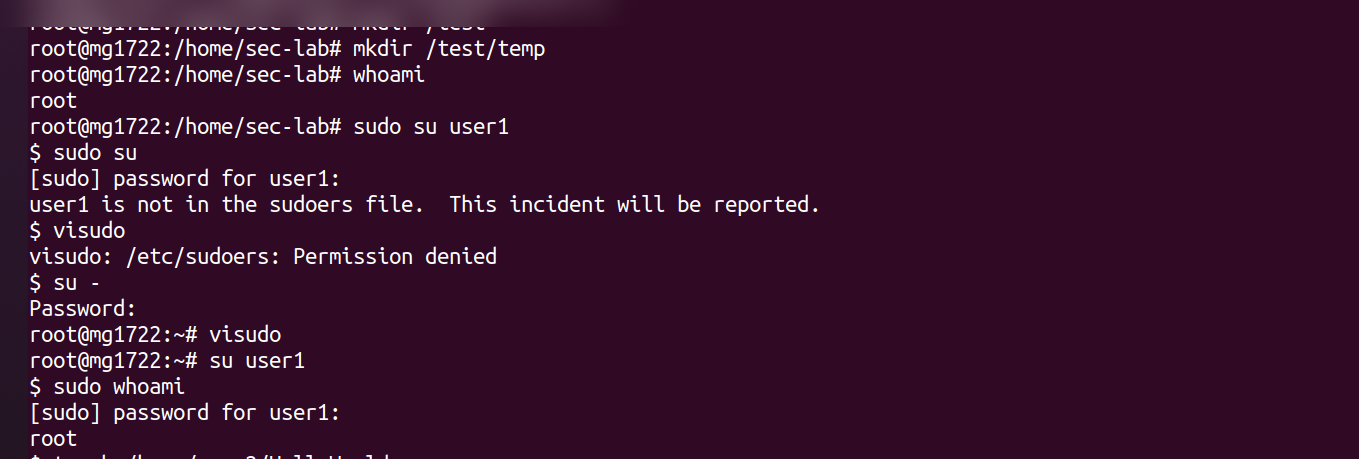
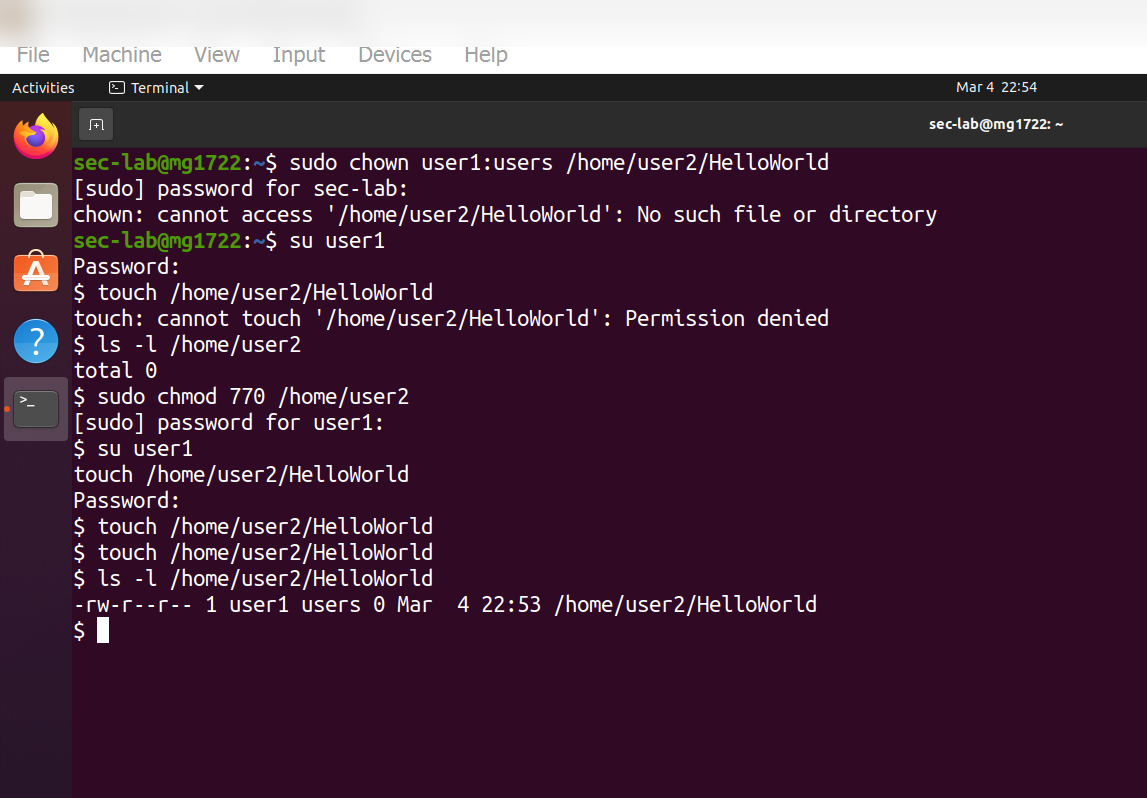
在多个用户账户下创建文件和目录,以观察所有权和权限的继承:
**所有权分析:**
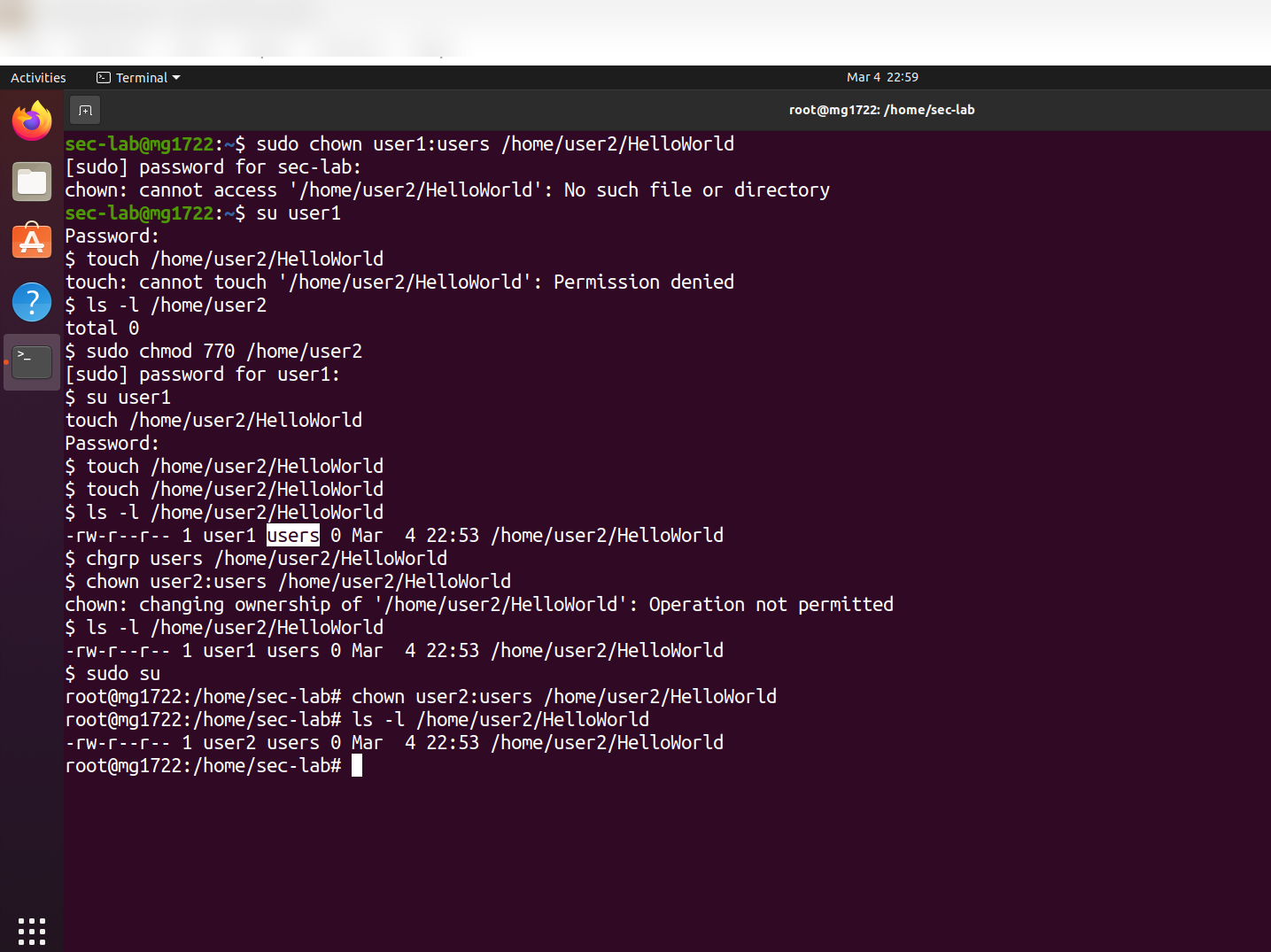
- `Hello world` — 属于 `user1`,组为 `users`
- 执行 `chown` 后 — 所有权转移给 `user2`,组为 `users`
### 第 2 步 — 目录权限分析
检查了多个用户家目录的权限:
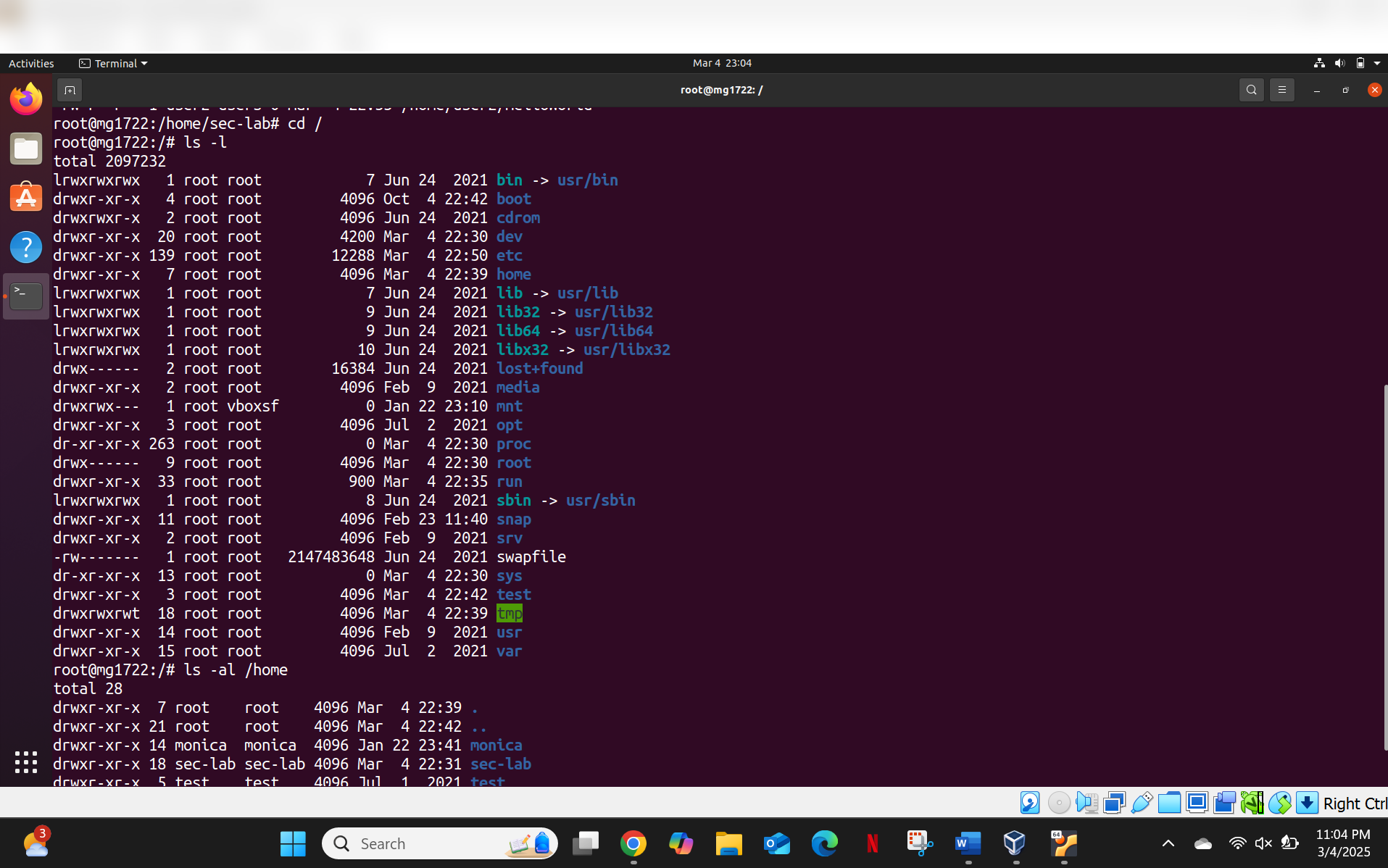
| 目录 | 权限 | 含义 |
|-----------|-------------|---------|
| `/home/user1` | `drwxr-xr-x` | 所有者:完全访问;组/其他人:读取 + 执行 |
| `/home/user2` | `drwxrwx---` | 所有者 + 组:完全访问;其他人:无访问权限 |
| `/home/test` | `drwxr-xr-x` | 所有者:完全访问;组/其他人:读取 + 执行 |
### 第 3 步 — 跨用户访问测试
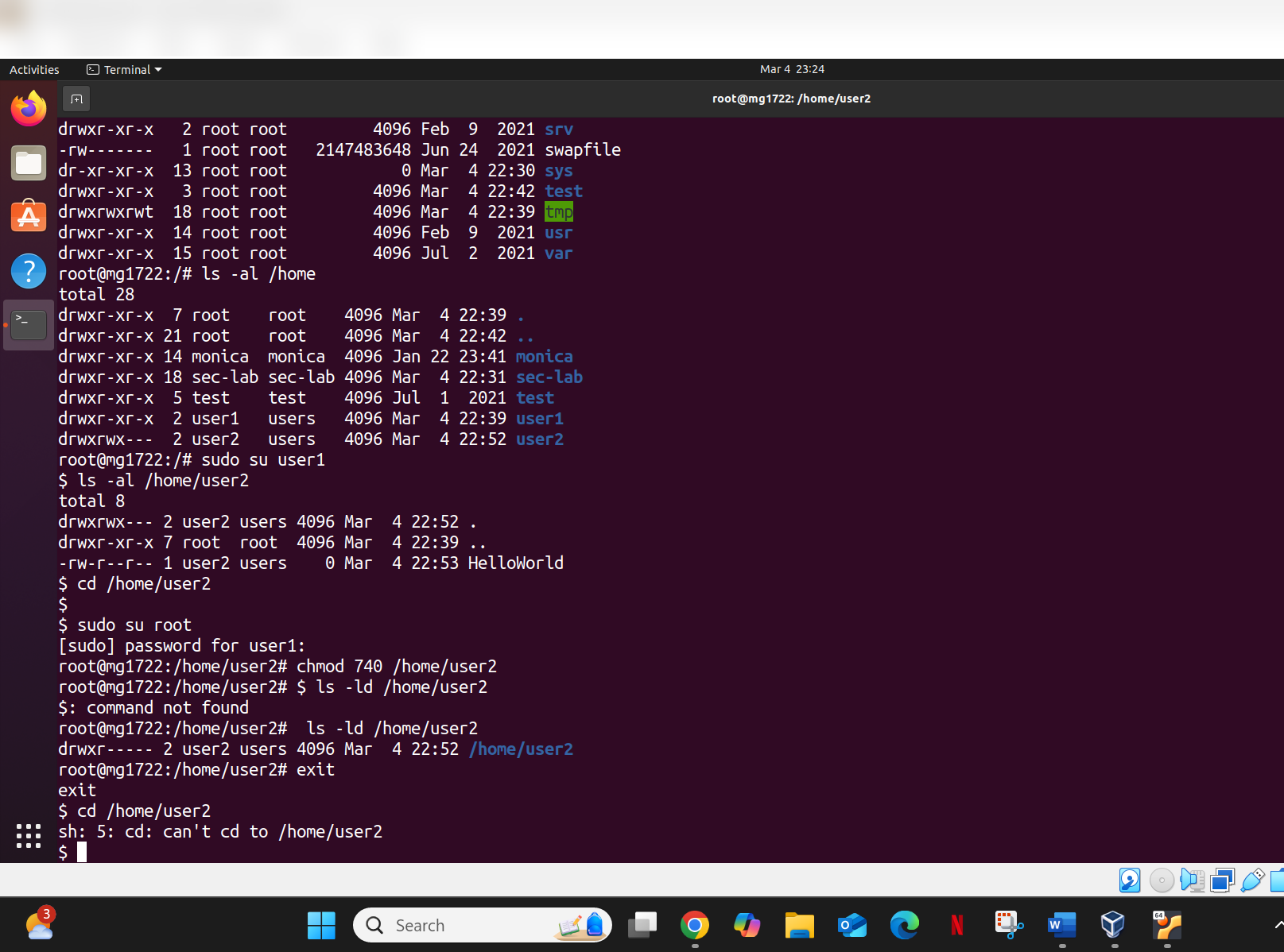
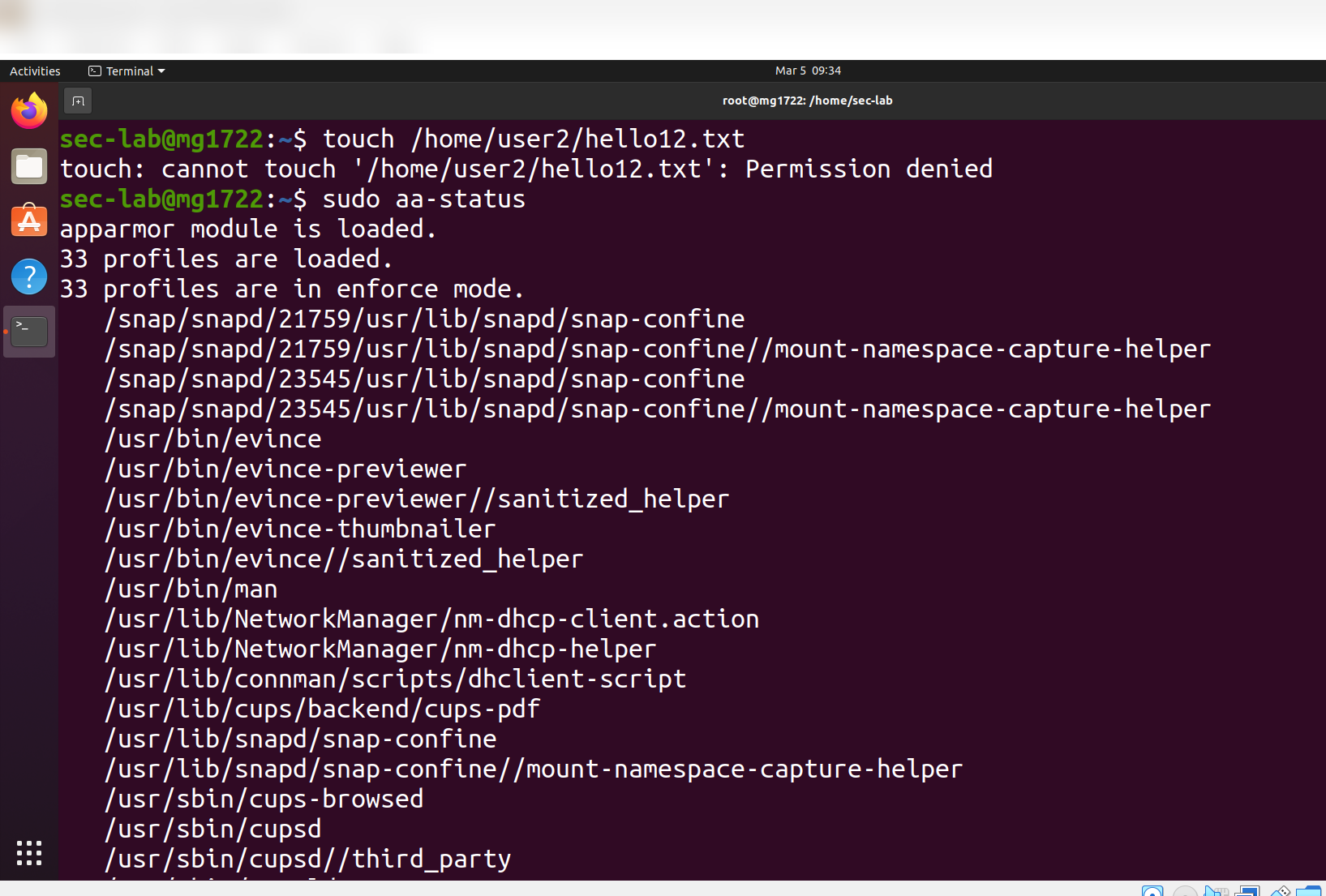
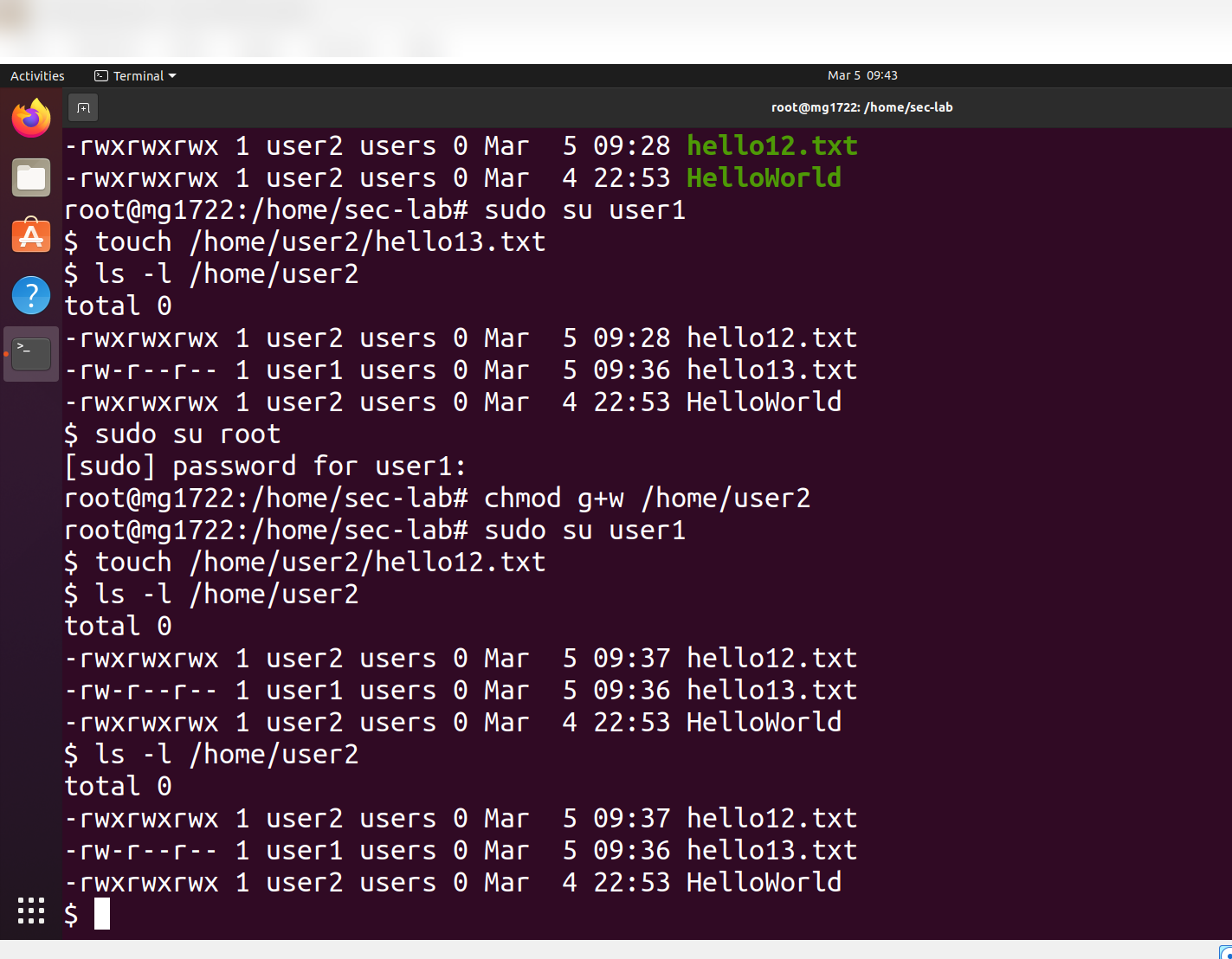
测试了在不同权限设置下,`user1` 是否能访问 `user2` 的家目录:
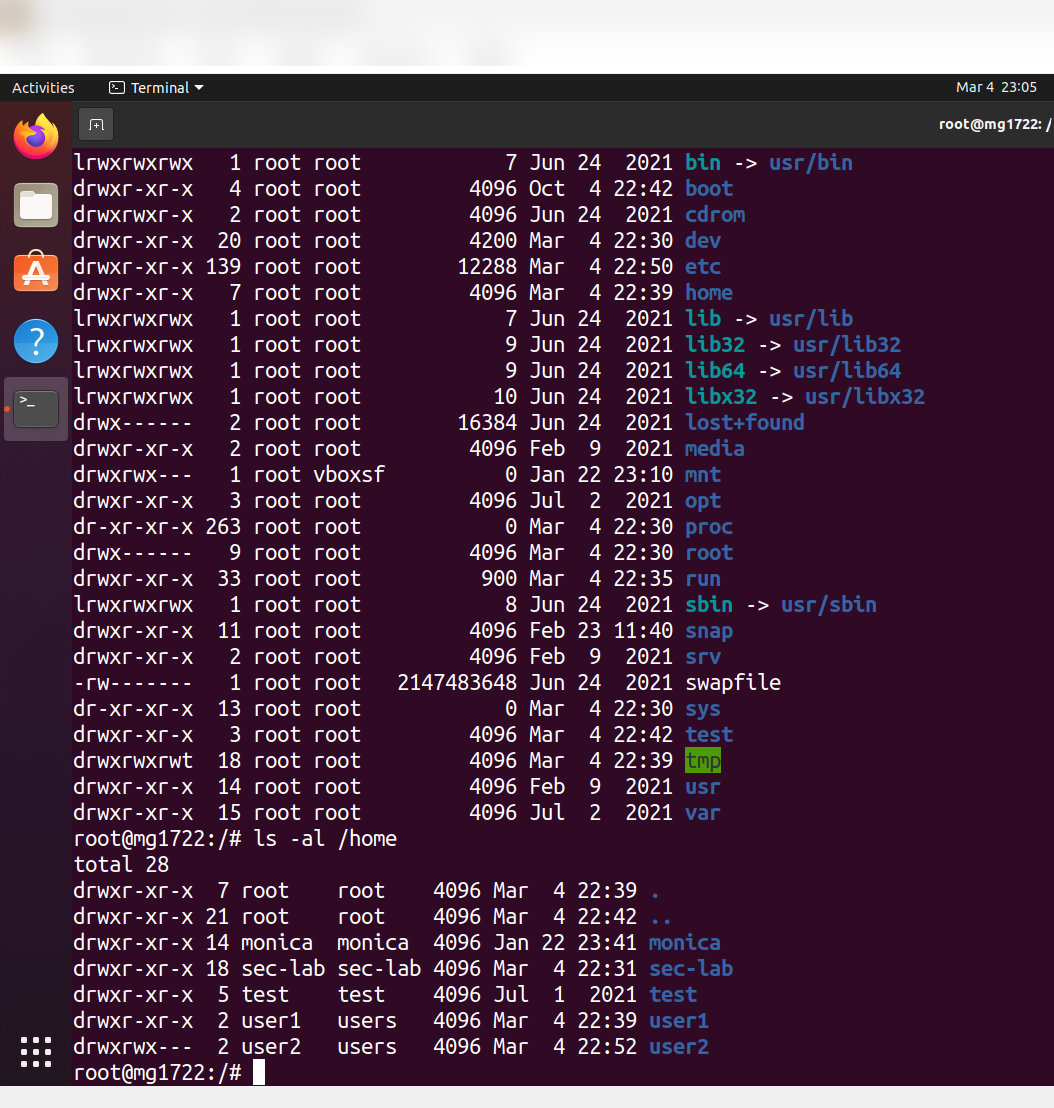
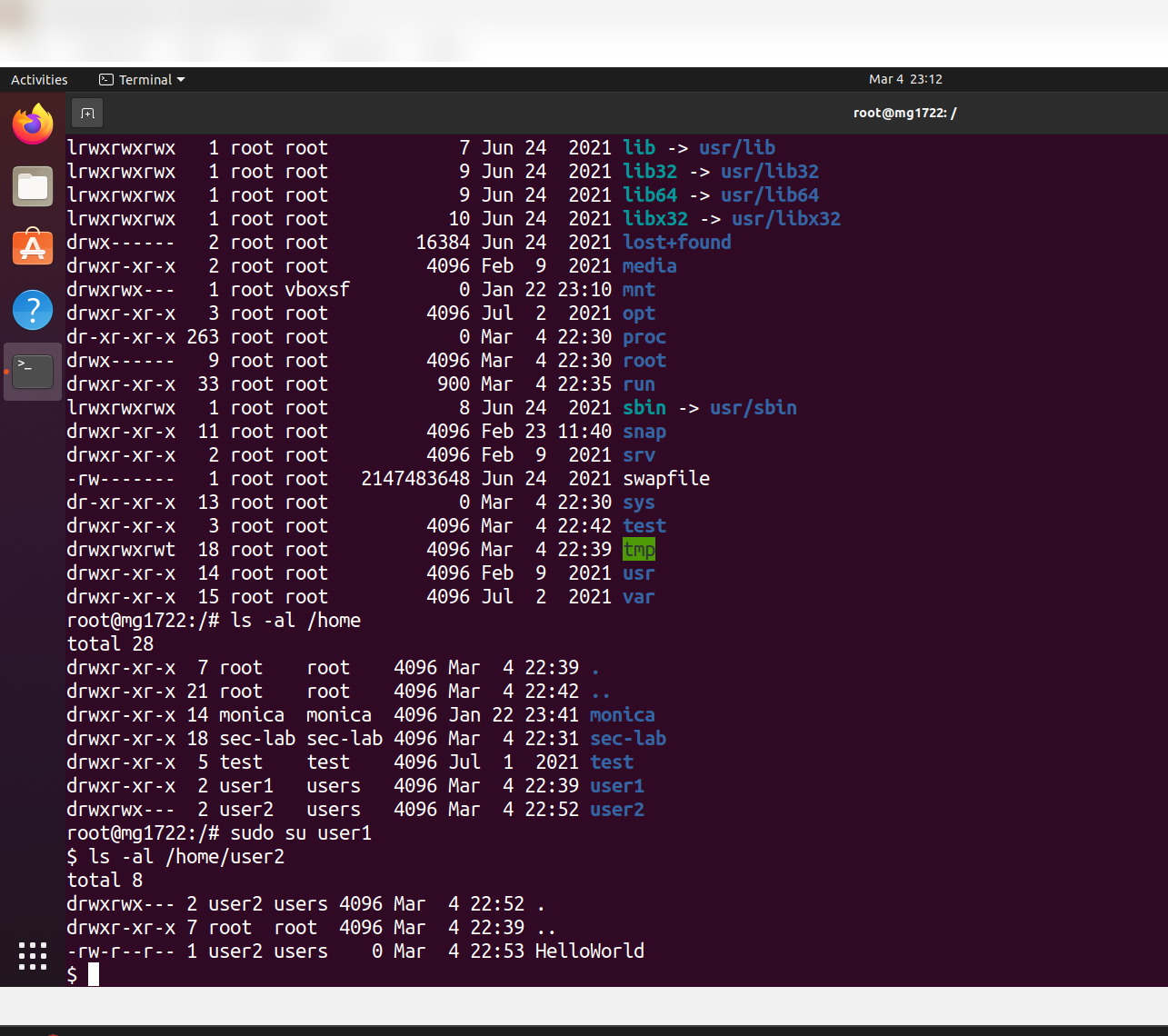
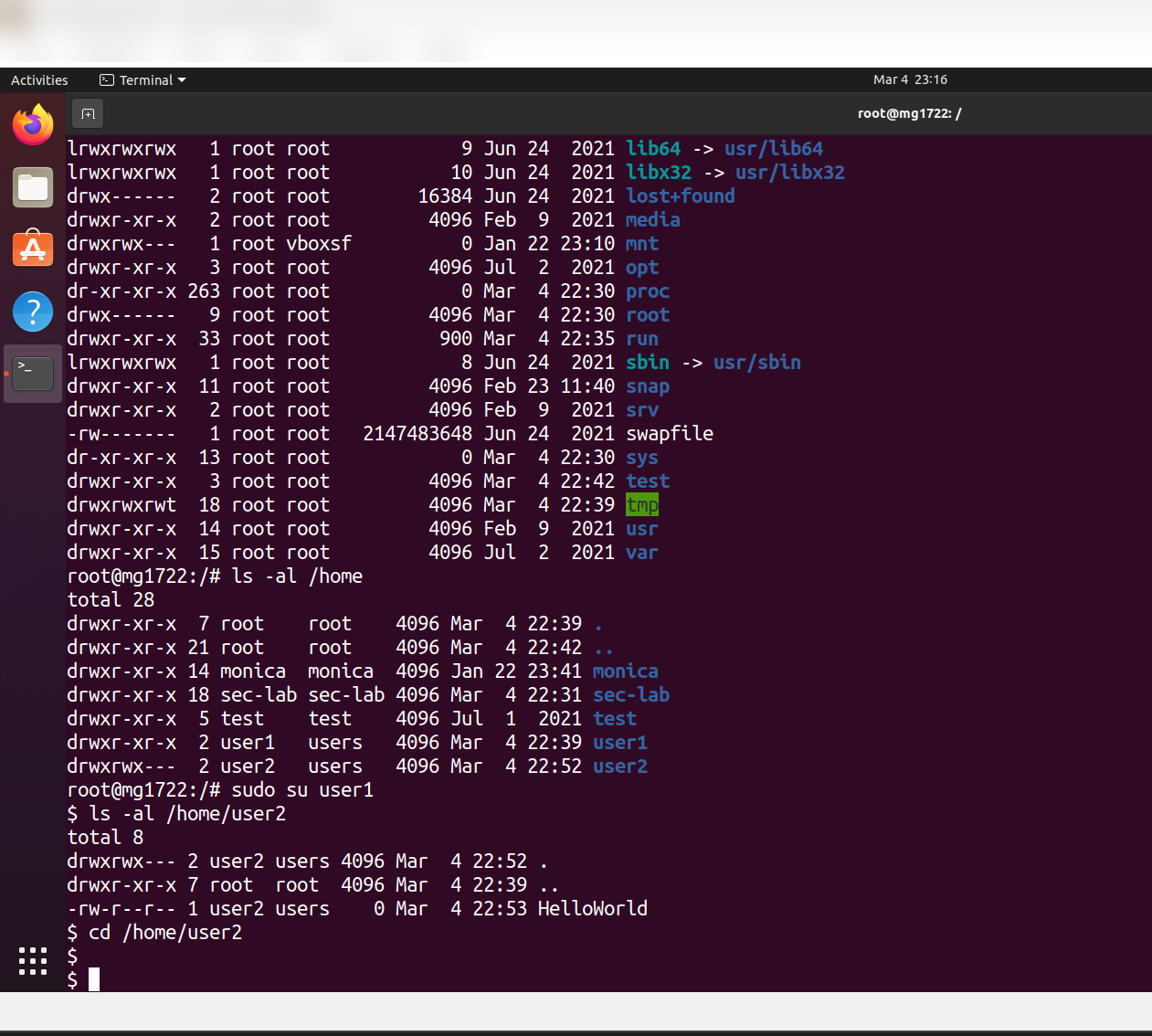
**发现:**
- 当组权限允许时,`user1` 可以 `cd` 进入 `/home/user2`
- 执行 `chmod 700 /home/user2` 后,访问被正确拒绝
- 将权限修改为 `755` 后,`user1` 可以列出目录内容并创建文件
### 第 4 步 — 文件读写权限测试
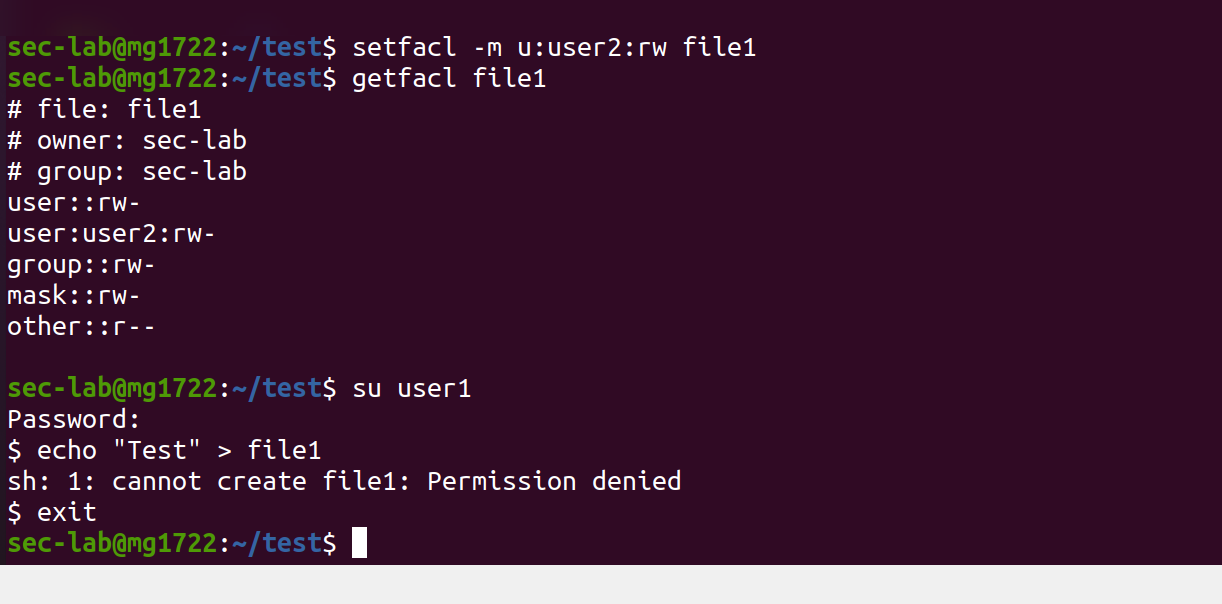
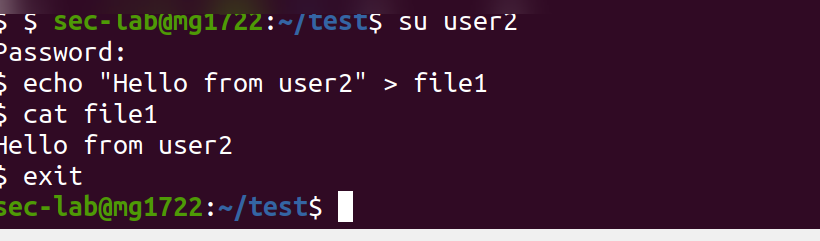
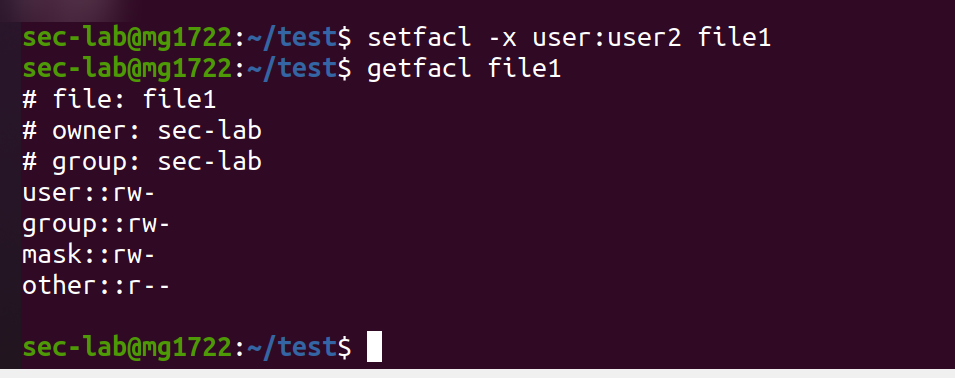
测试了用户之间对共享文件的读写访问权限:
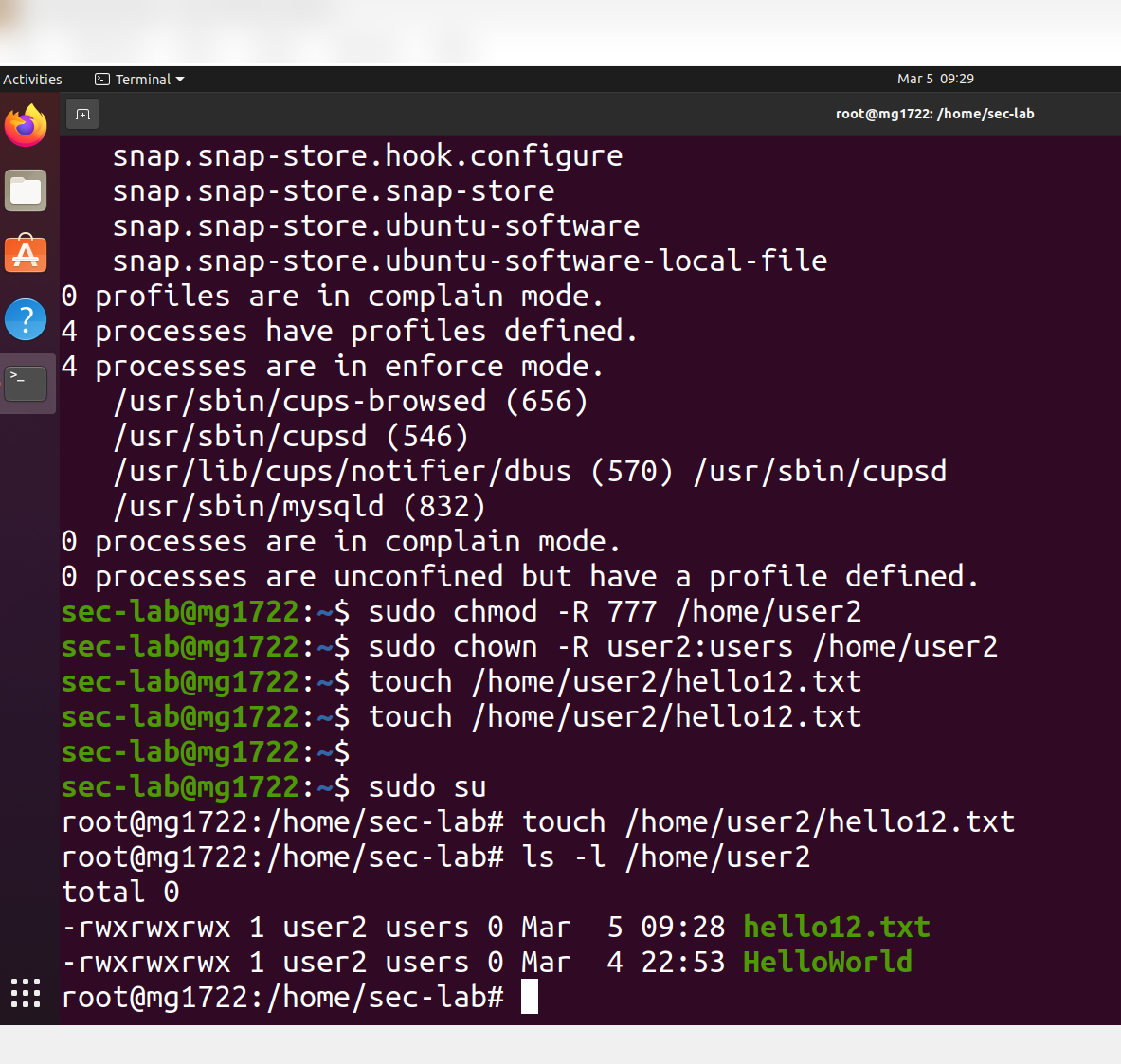
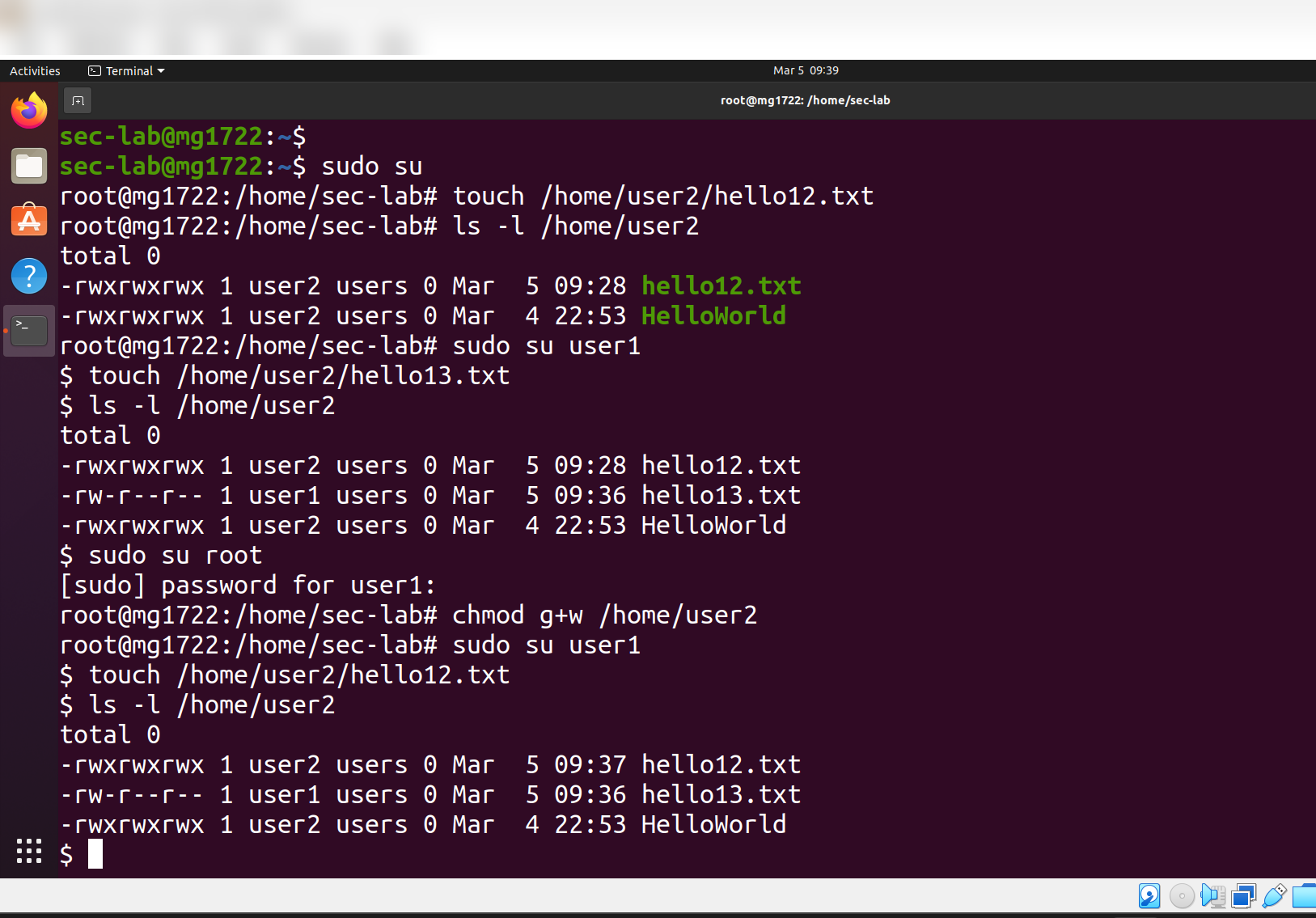
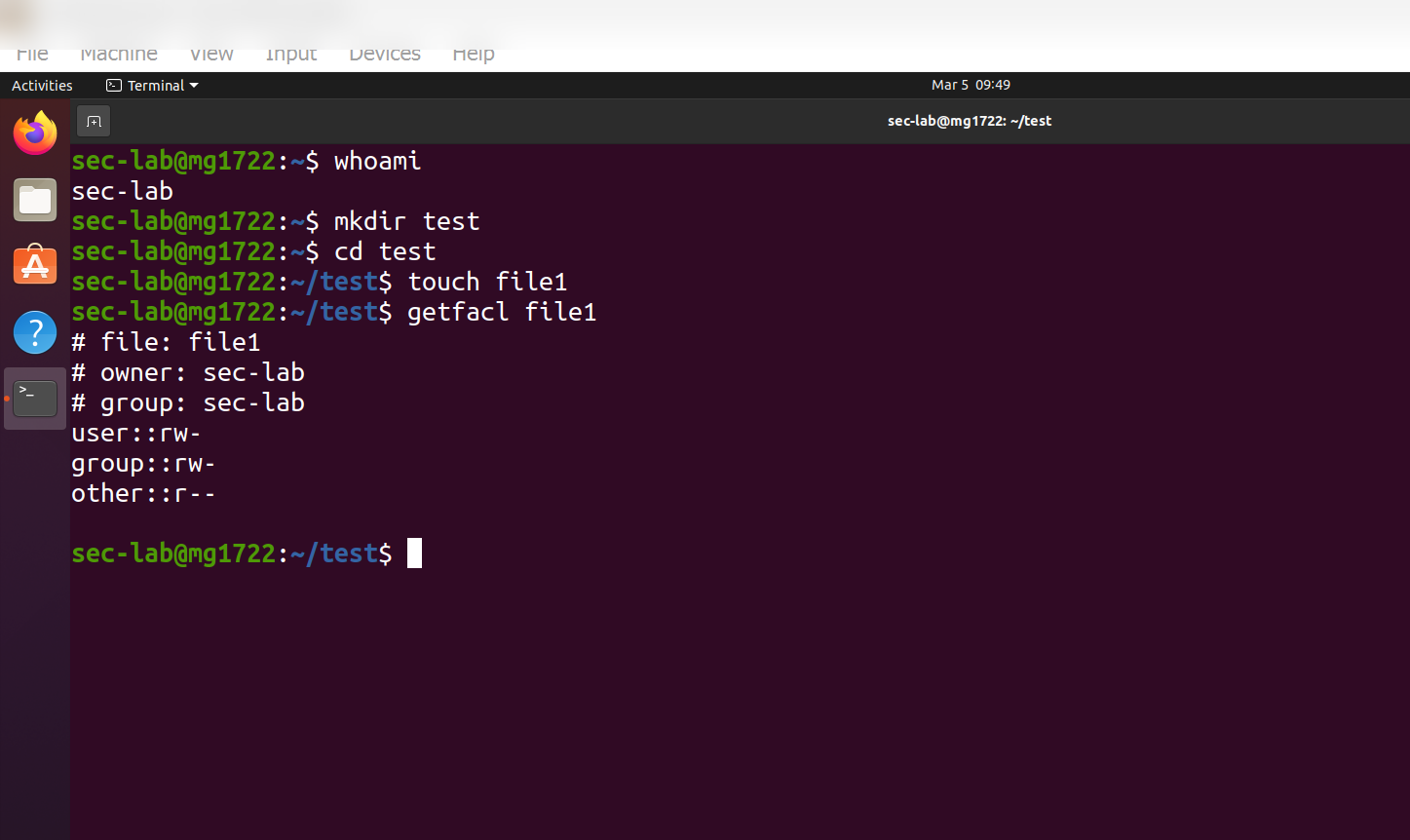
**结果:** 如果没有写权限,`user1` 无法修改 `file1`。`user2`(所有者)保留完全访问权限。
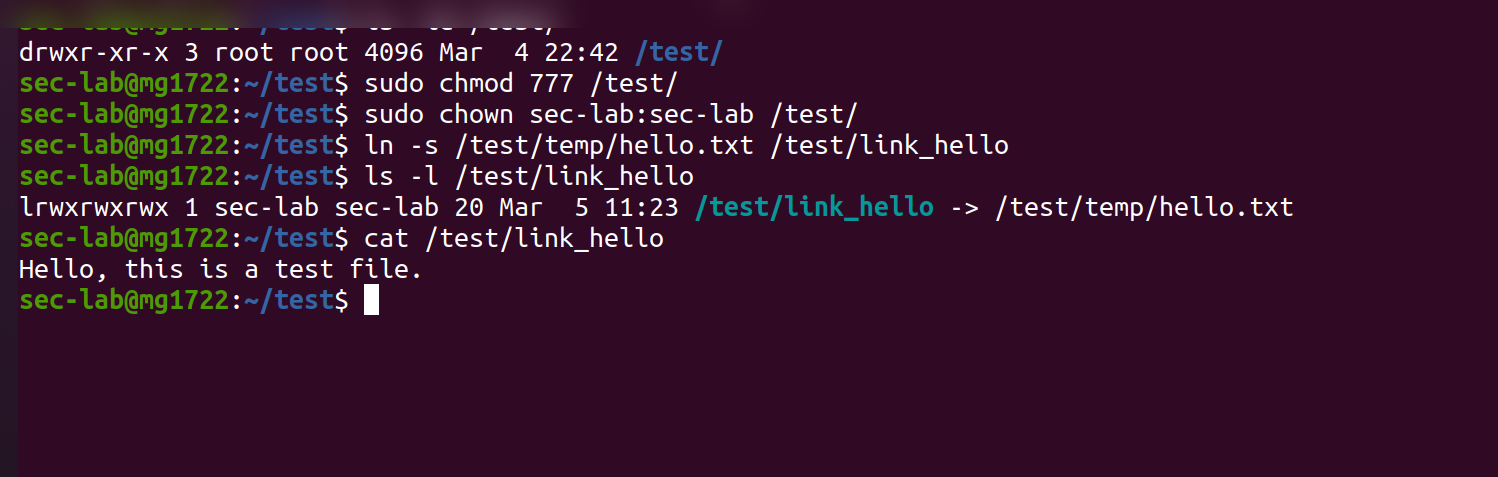
### 第 5 步 — 符号链接
创建并分析了符号链接 — 确认 symlink 继承目标文件的权限,而不是拥有自己的权限:
```
lrwxrwxrwx -> /test/temp/hello.txt
```
无论 symlink 显示的权限如何,`hello.txt` 的实际权限始终为 `-rw-rw-r--`。
### 第 6 步 — umask — 默认权限控制
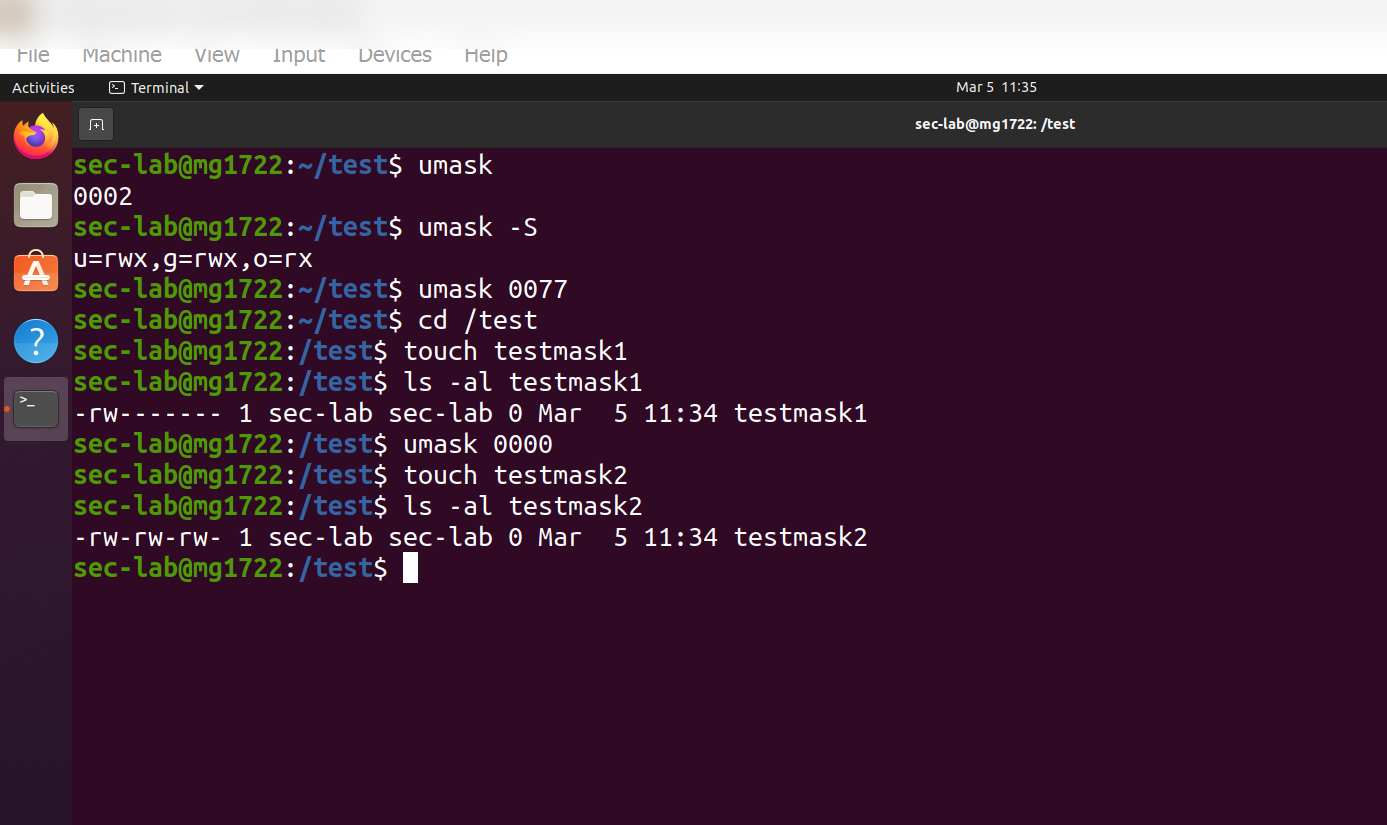
测试了不同 `umask` 值对新创建文件和目录的影响:
| umask | 新文件权限 | 新目录权限 |
|-------|---------------------|--------------------------|
| `0002`(默认) | `664` (rw-rw-r--) | `775` (rwxrwxr-x) |
| `0077`(限制) | `600` (rw-------) | `700` (rwx------) |
| `0000`(开放) | `666` (rw-rw-rw-) | `777` (rwxrwxrwx) |
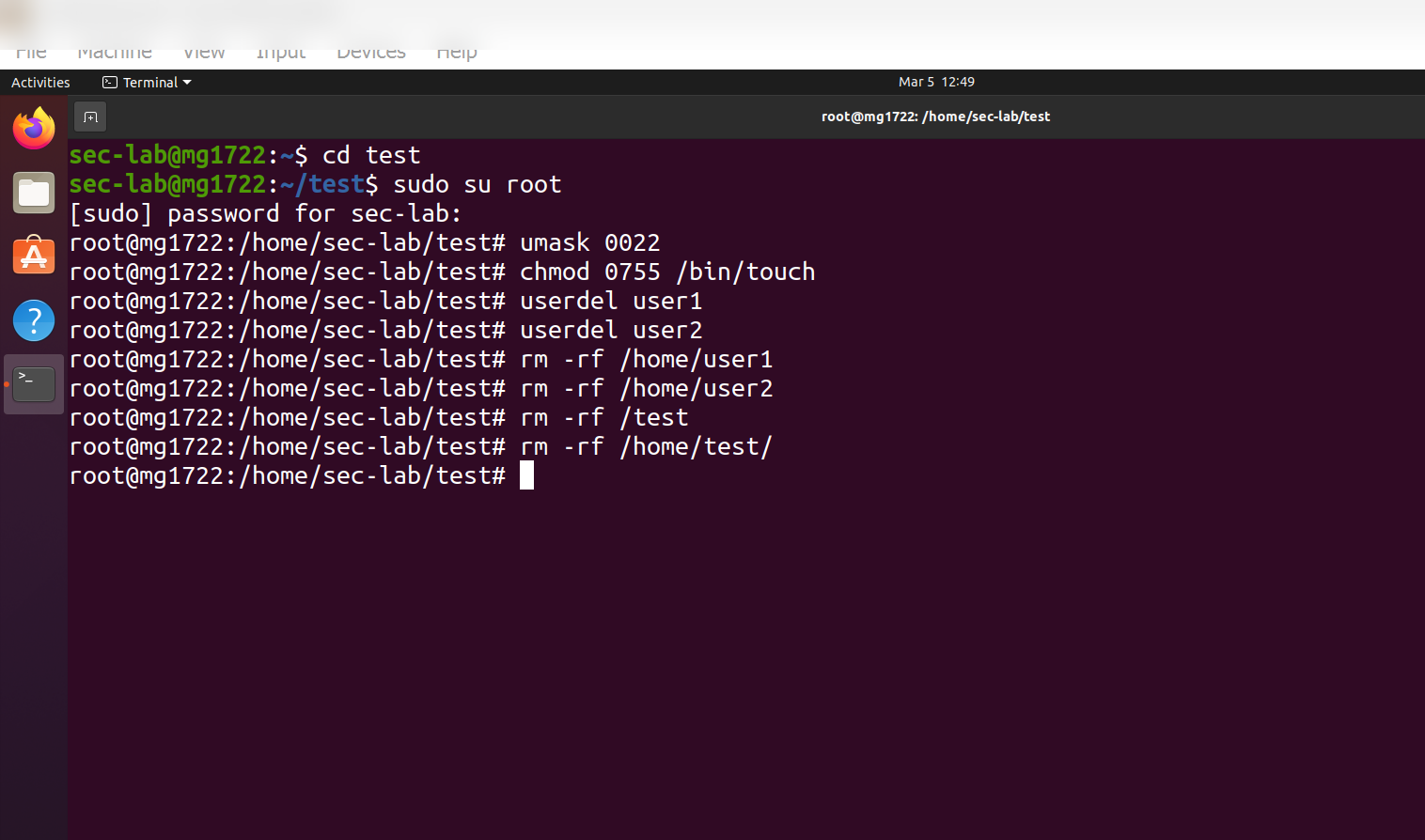
**`umask 0000` 的安全风险:** 所有用户都可以读取和修改任何新文件 — 这在多用户环境中是严重的配置失误。对于敏感文件,最佳实践是使用 `umask 0022` 或 `0077`。
## Part B — 权限提升
### 第 1 步 — SetUID Binaries
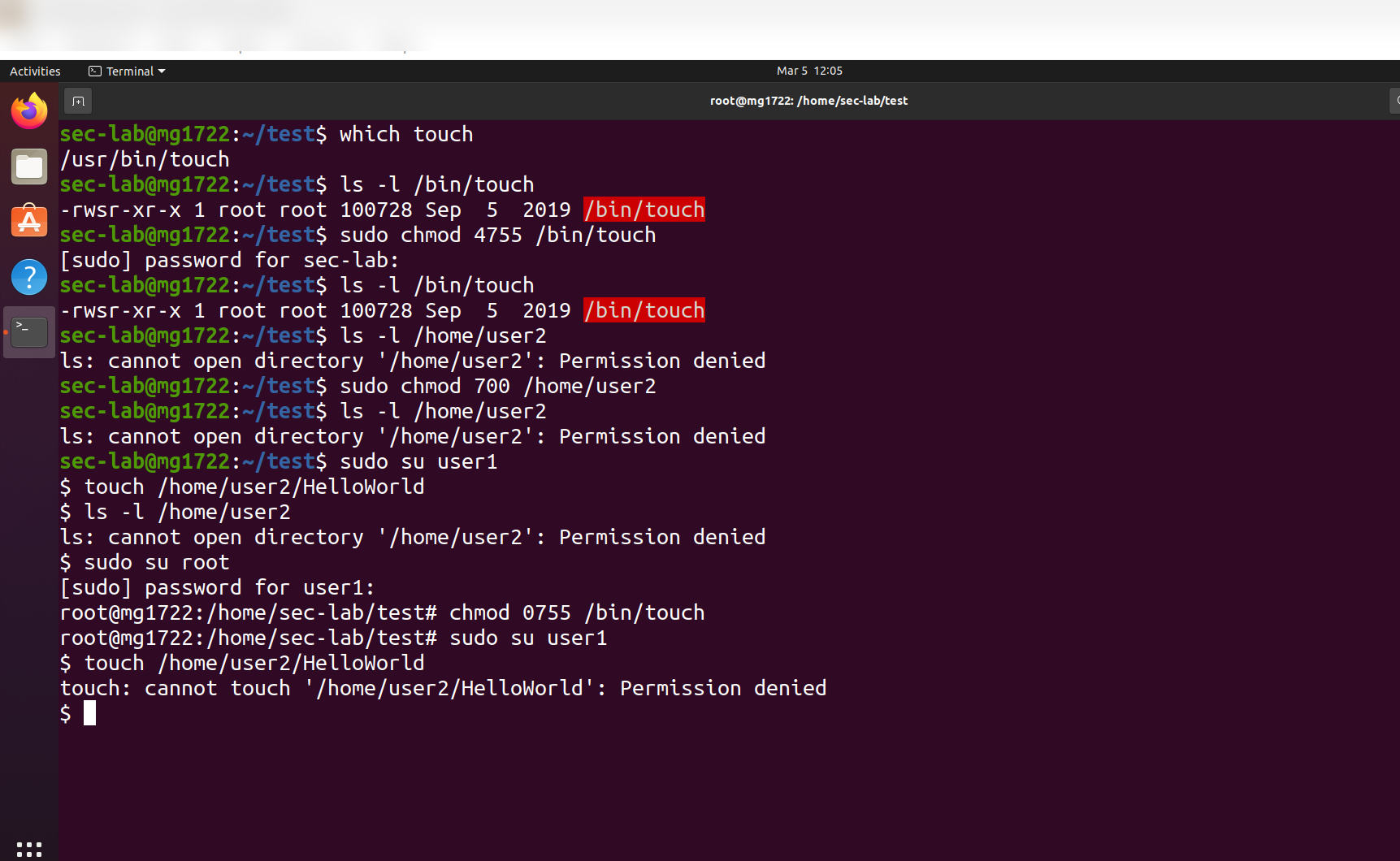
**SetUID** 允许程序以文件所有者的权限运行,而不是执行用户的权限。需要 SetUID 的关键系统 binaries:
| Binary | 为什么需要 SetUID |
|--------|---------------------|
| `passwd` | 必须写入 `/etc/shadow`(仅限 root) |
| `chsh` | 必须编辑 `/etc/passwd`(仅限 root) |
| `su` | 必须对特权资源进行身份验证 |
| `sudo` | 必须检查 `/etc/sudoers` 以获取提升的权限 |
如果没有 SetUID,普通用户将无法执行所有这些操作。
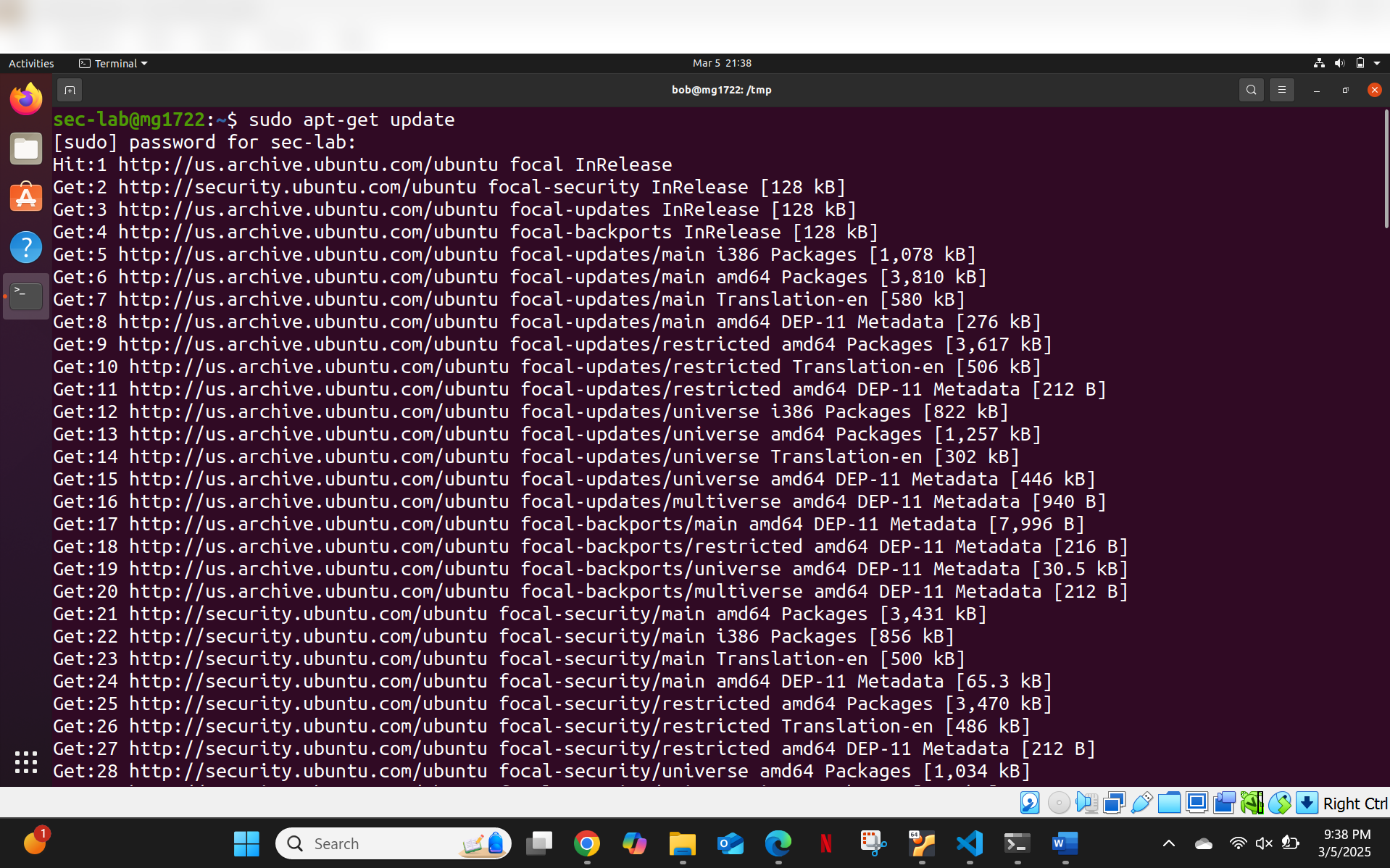
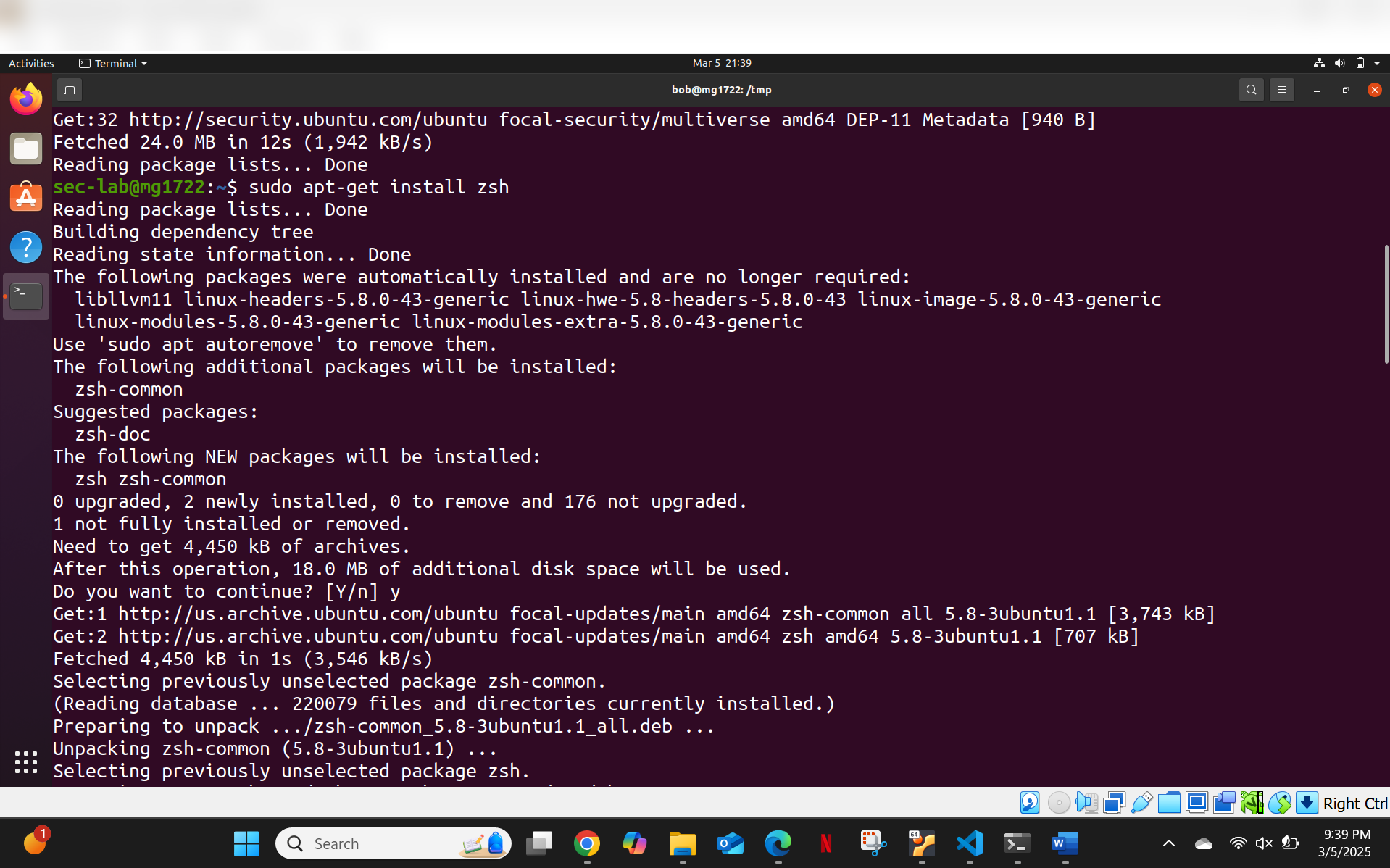
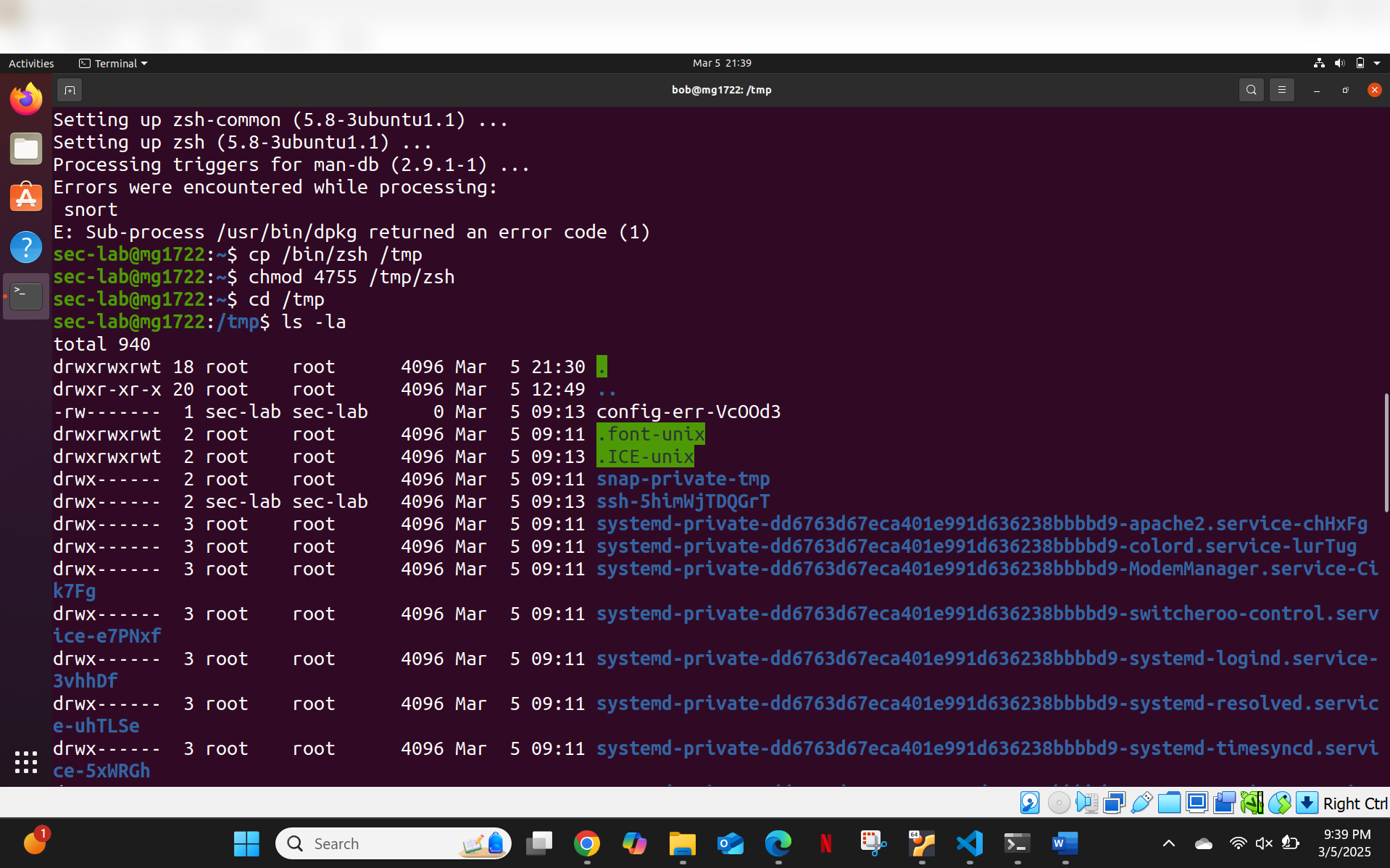
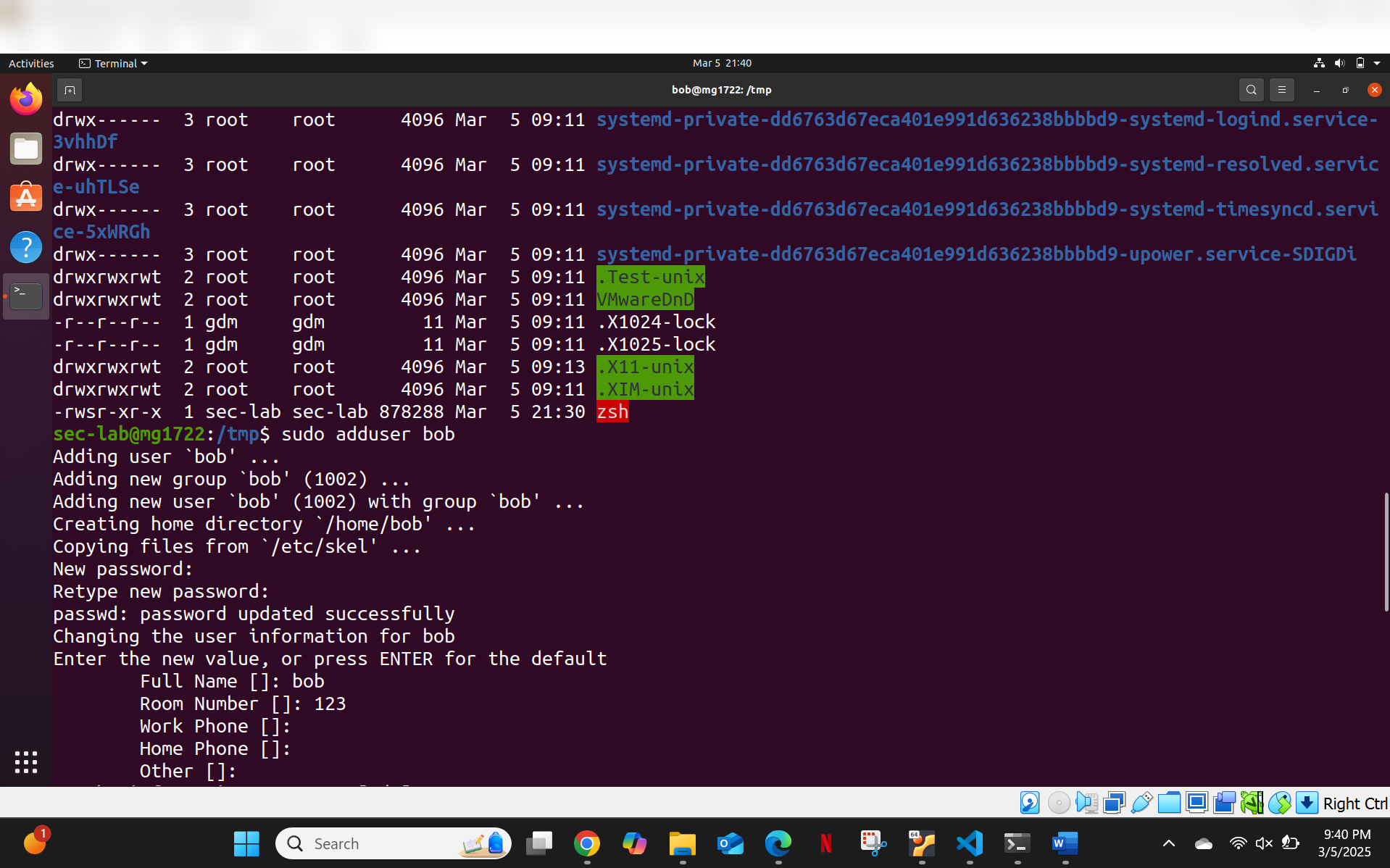
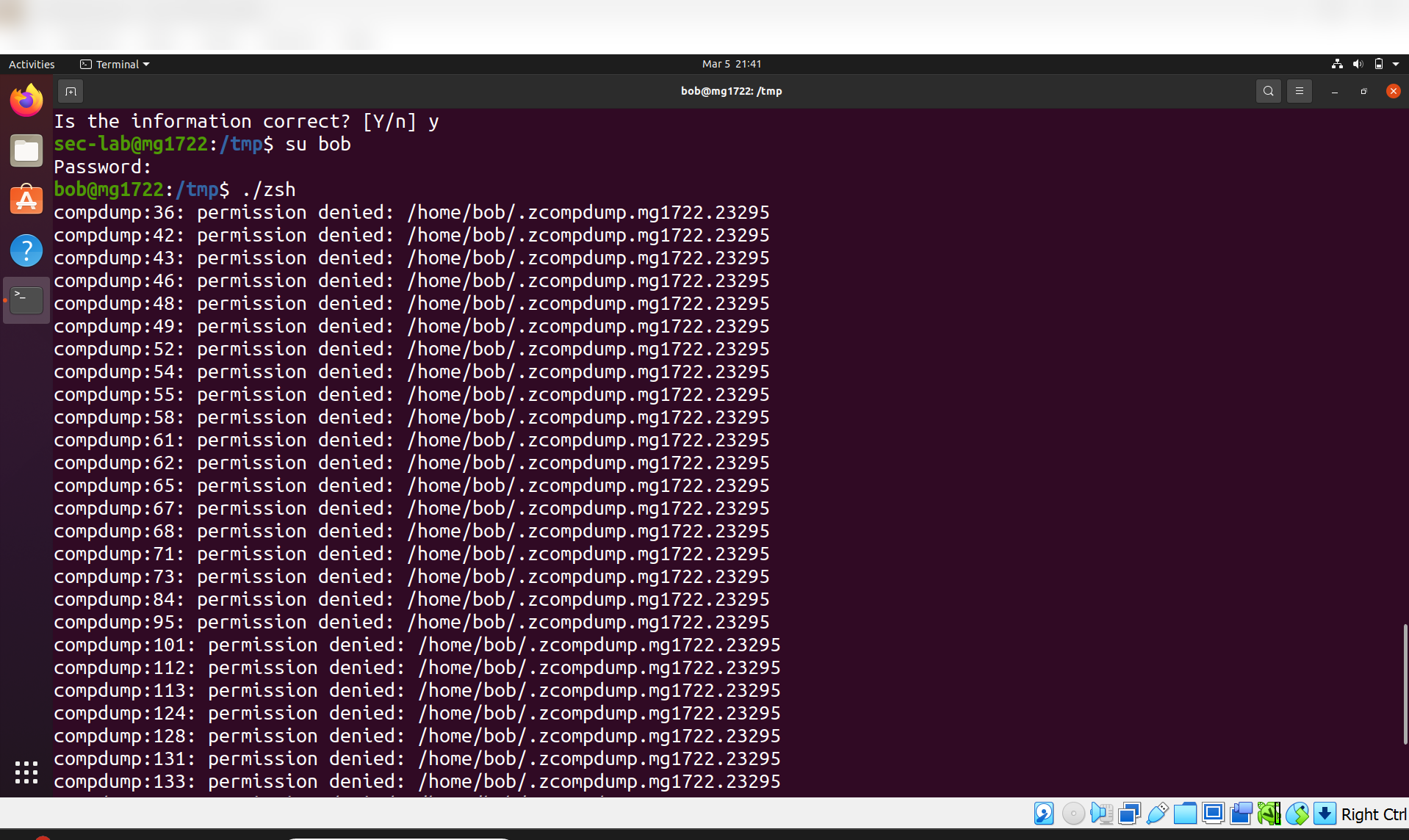
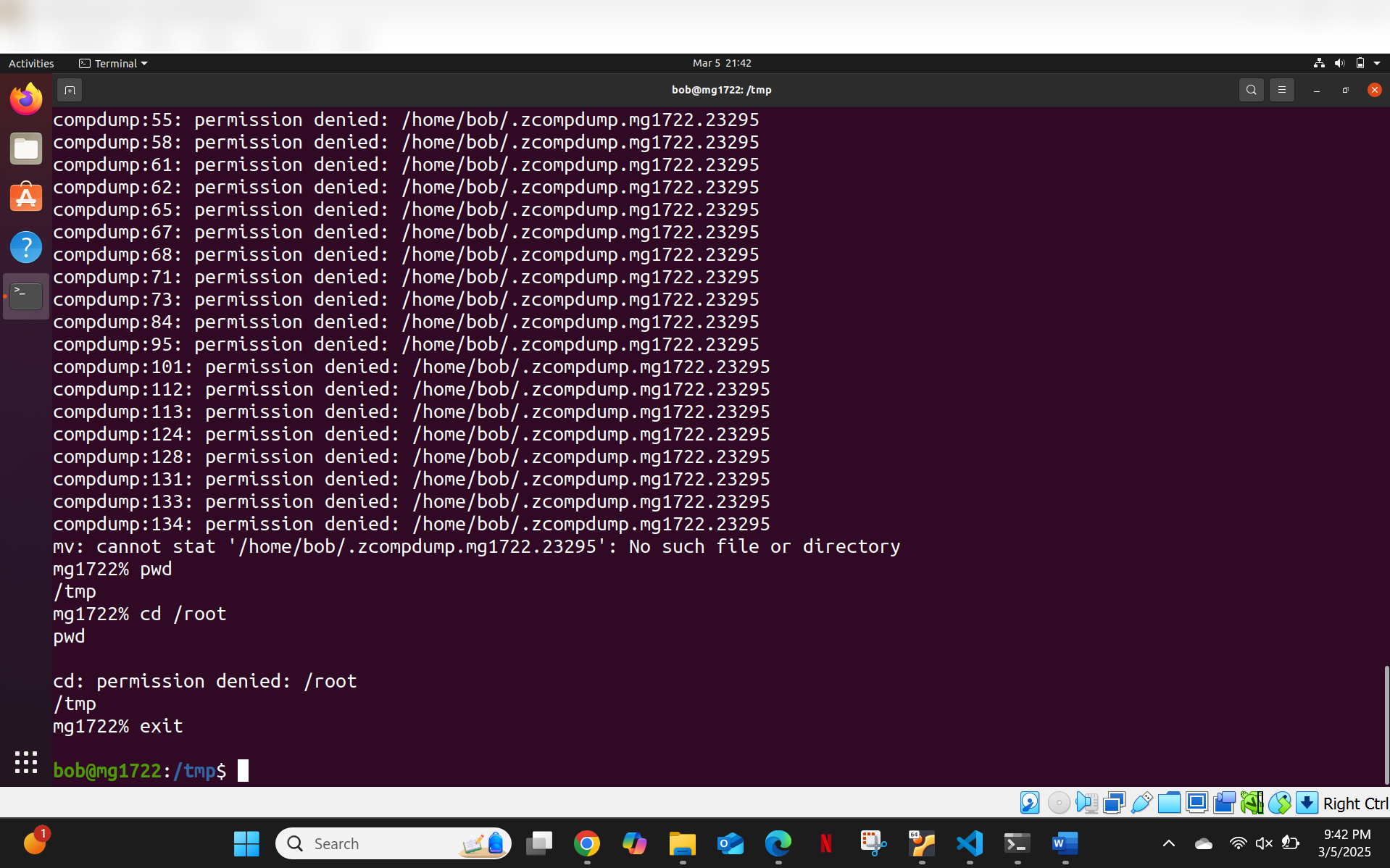
**结果:** Bash 会检测其是否在 SetUID 环境中运行,并自动放弃提升的权限 — 这是一种内置保护机制,可防止以这种方式直接获取 root shell 访问权限。
### 第 2 步 — 通过 SetUID 进行 PATH 劫持
滥用了一个在没有绝对路径的情况下调用 `ls` 的 SetUID 程序。通过修改 `PATH` 变量,使其指向一个名为 `ls` 的恶意 binary(实际上是一个 shell),从而获得了提升的权限:
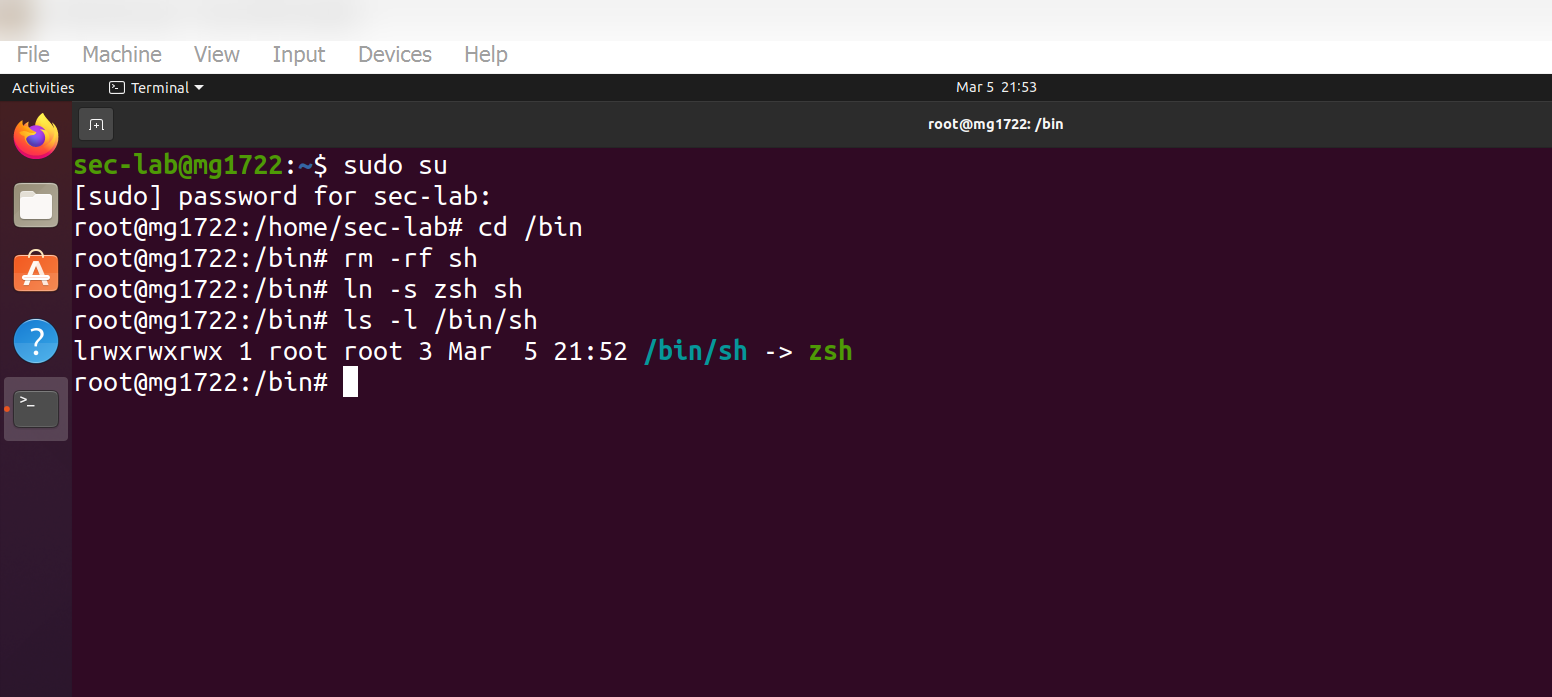
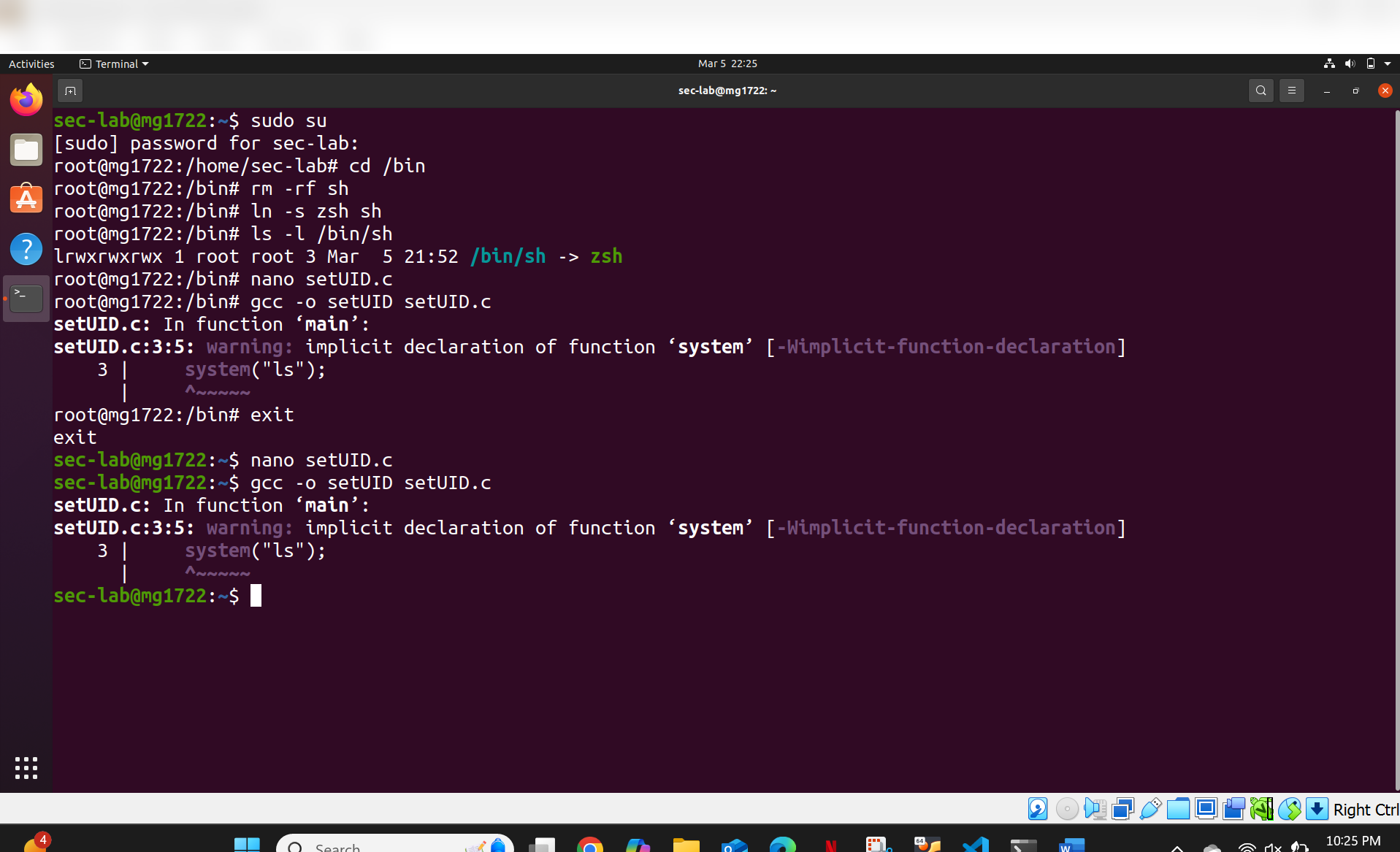
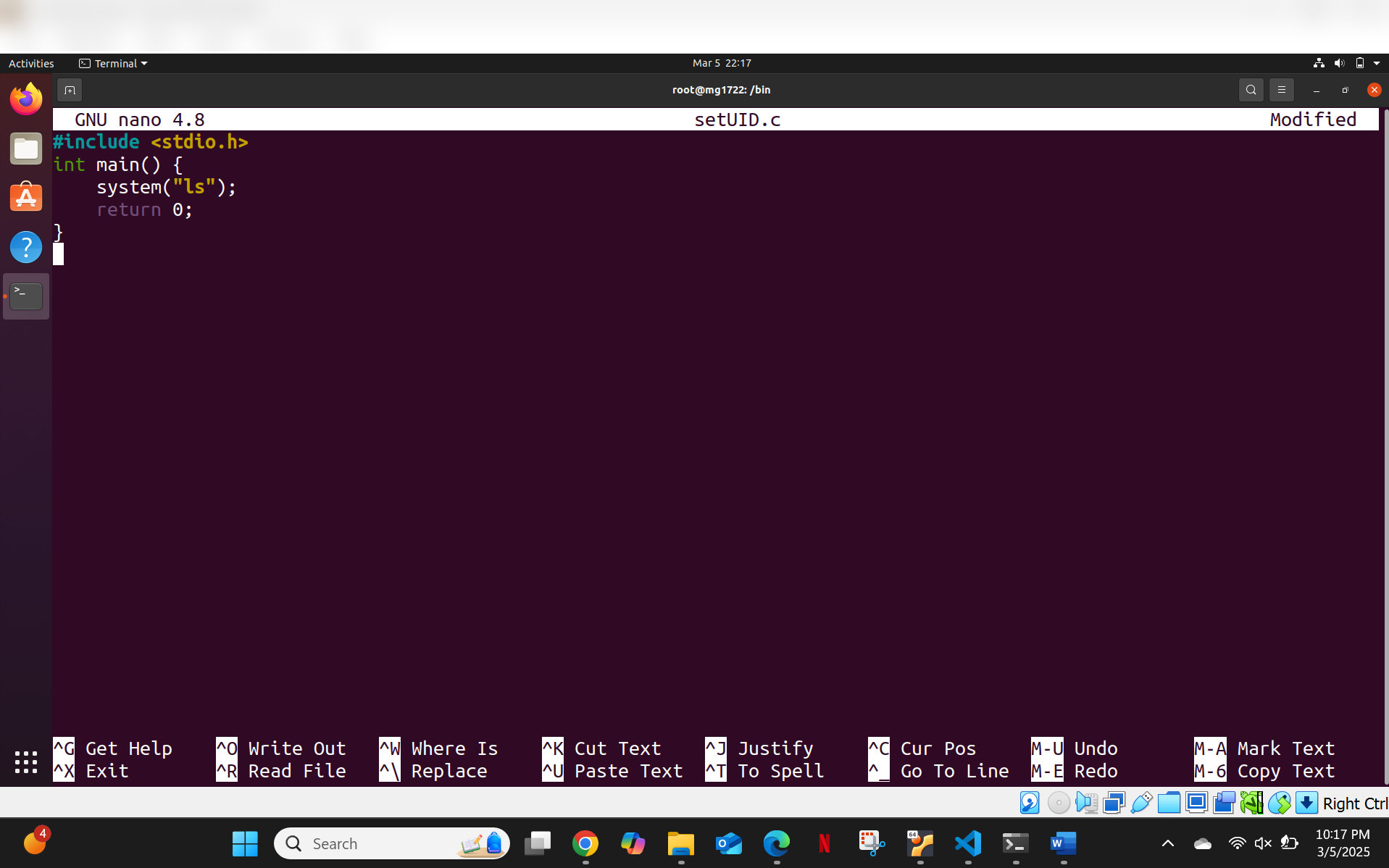

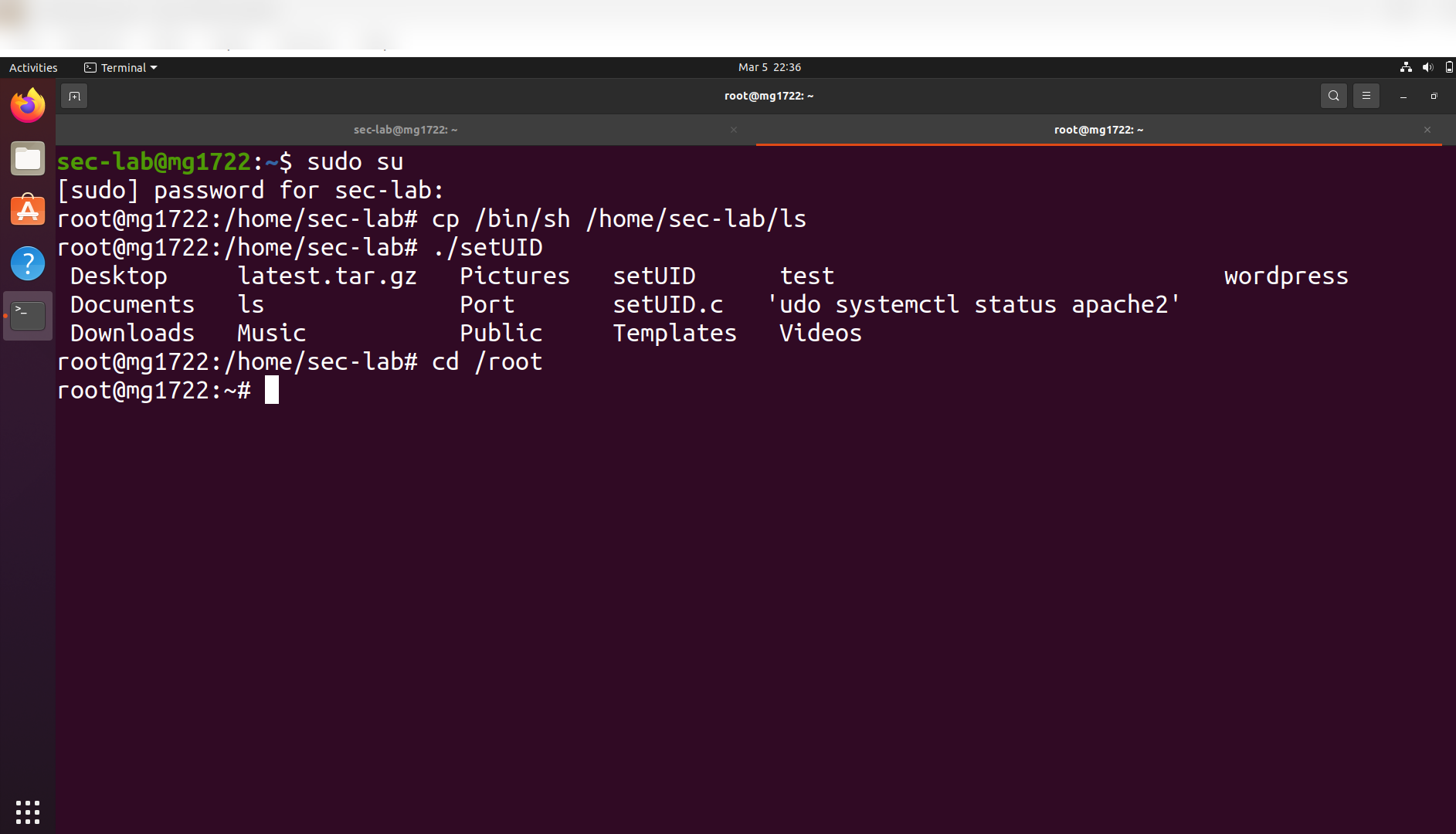
**结果:** 该程序执行了恶意的 `ls` binary 而非真正的 `ls`,从而生成了一个 root shell。这说明了为什么 SetUID 程序在进行系统调用时必须始终使用**绝对路径**。
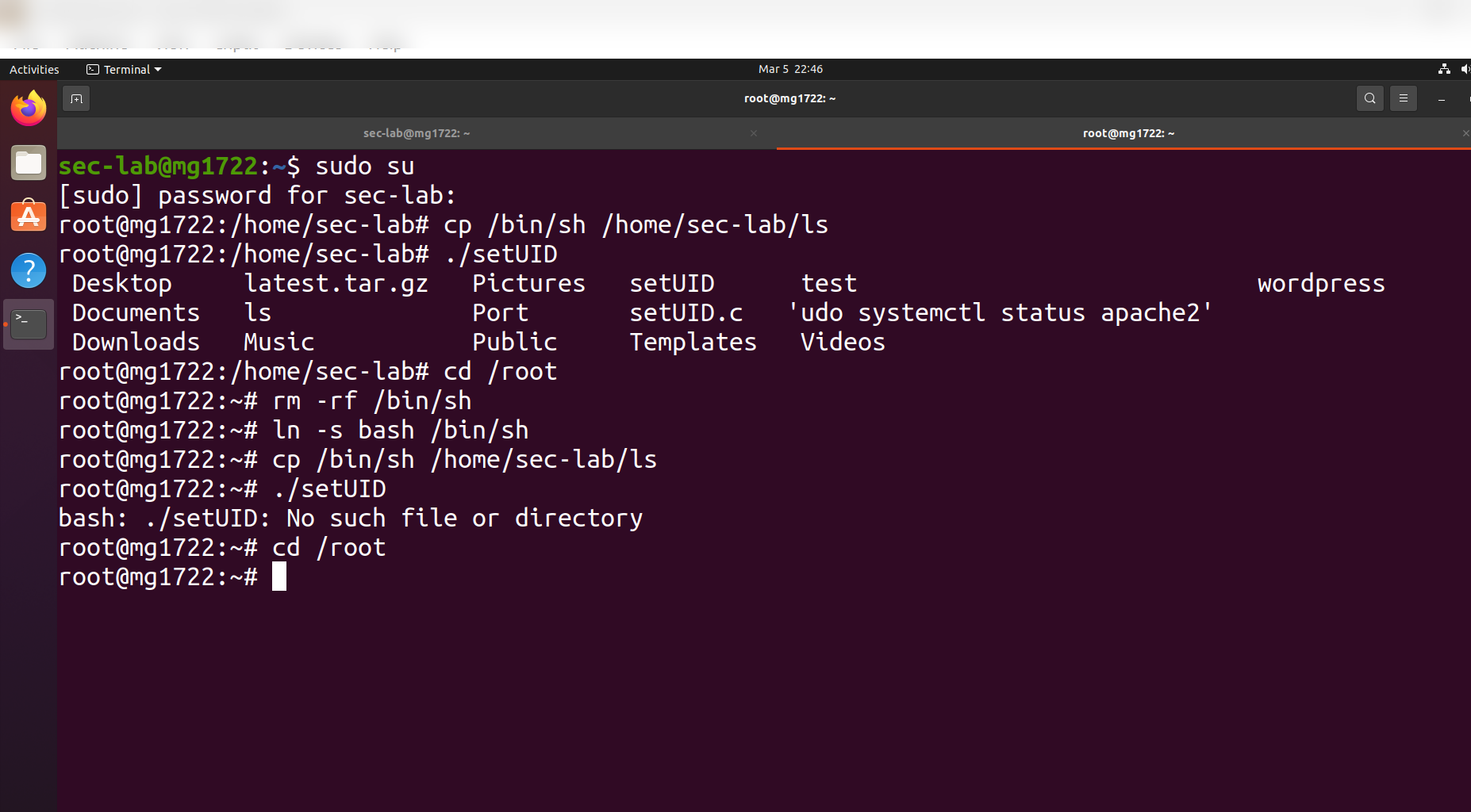
### 第 3 步 — Capability 泄露
分析了一个存在漏洞的 SetUID C 程序(`hack2.c`),该程序在放弃权限后会泄露文件描述符的访问权限:
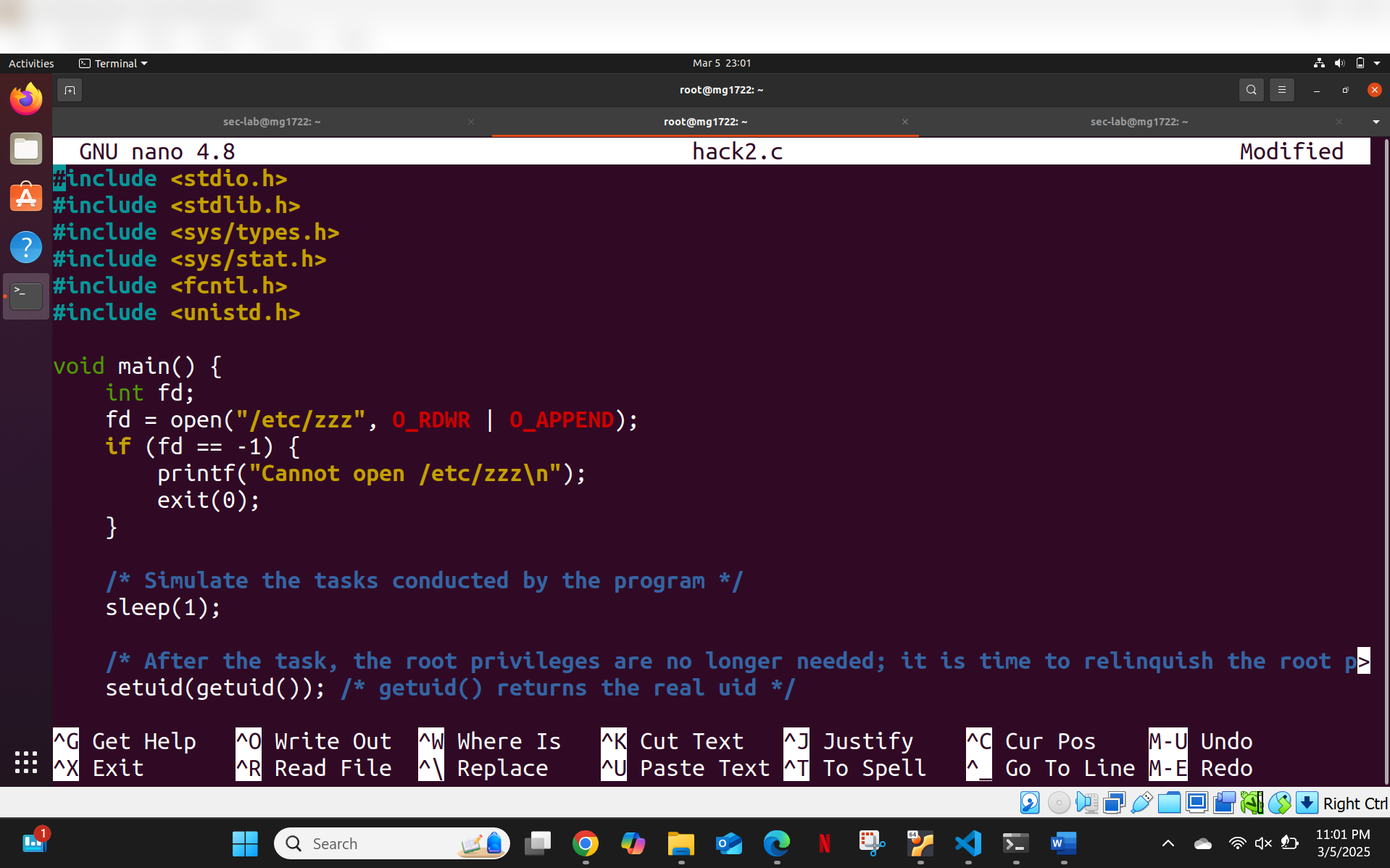
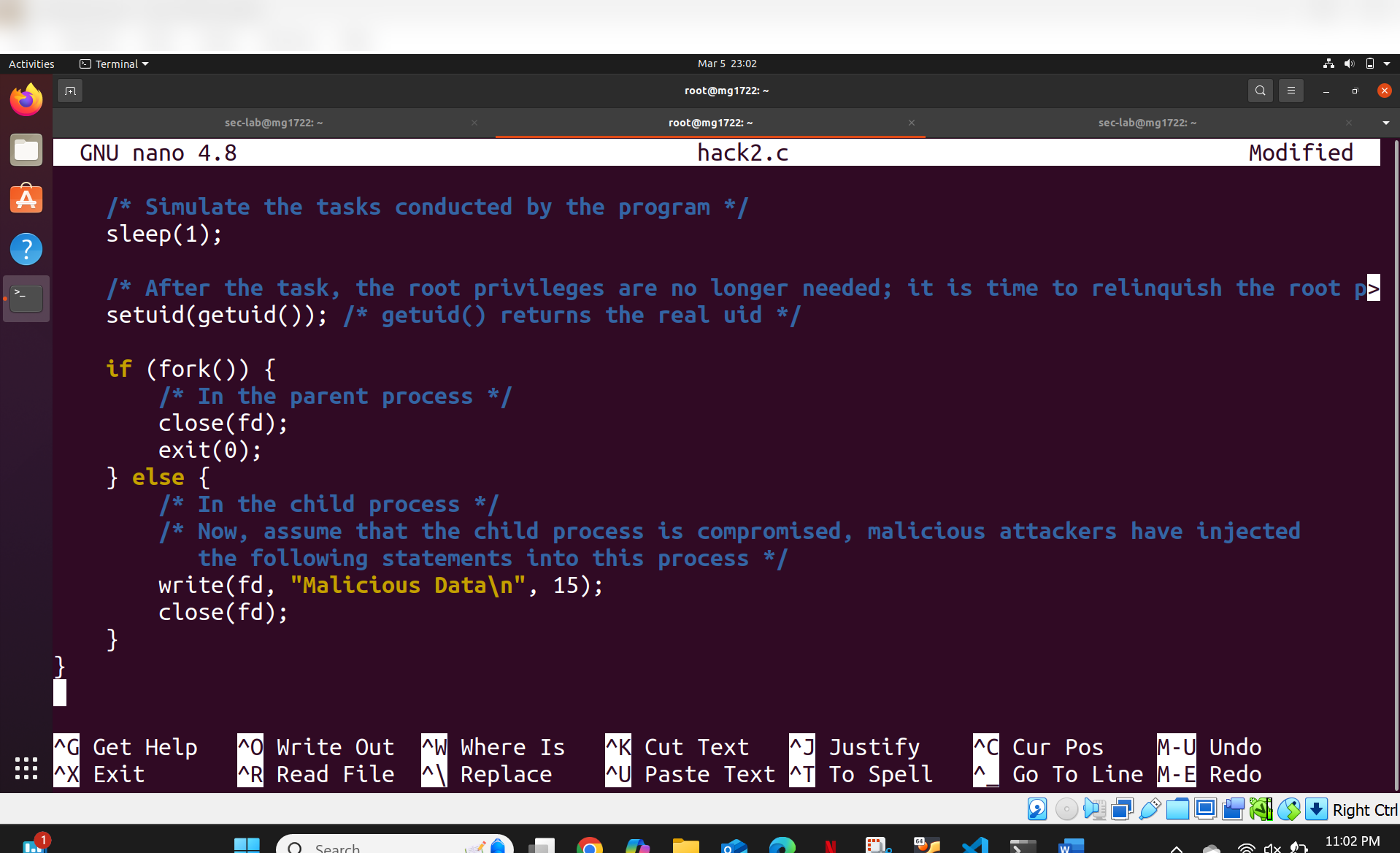
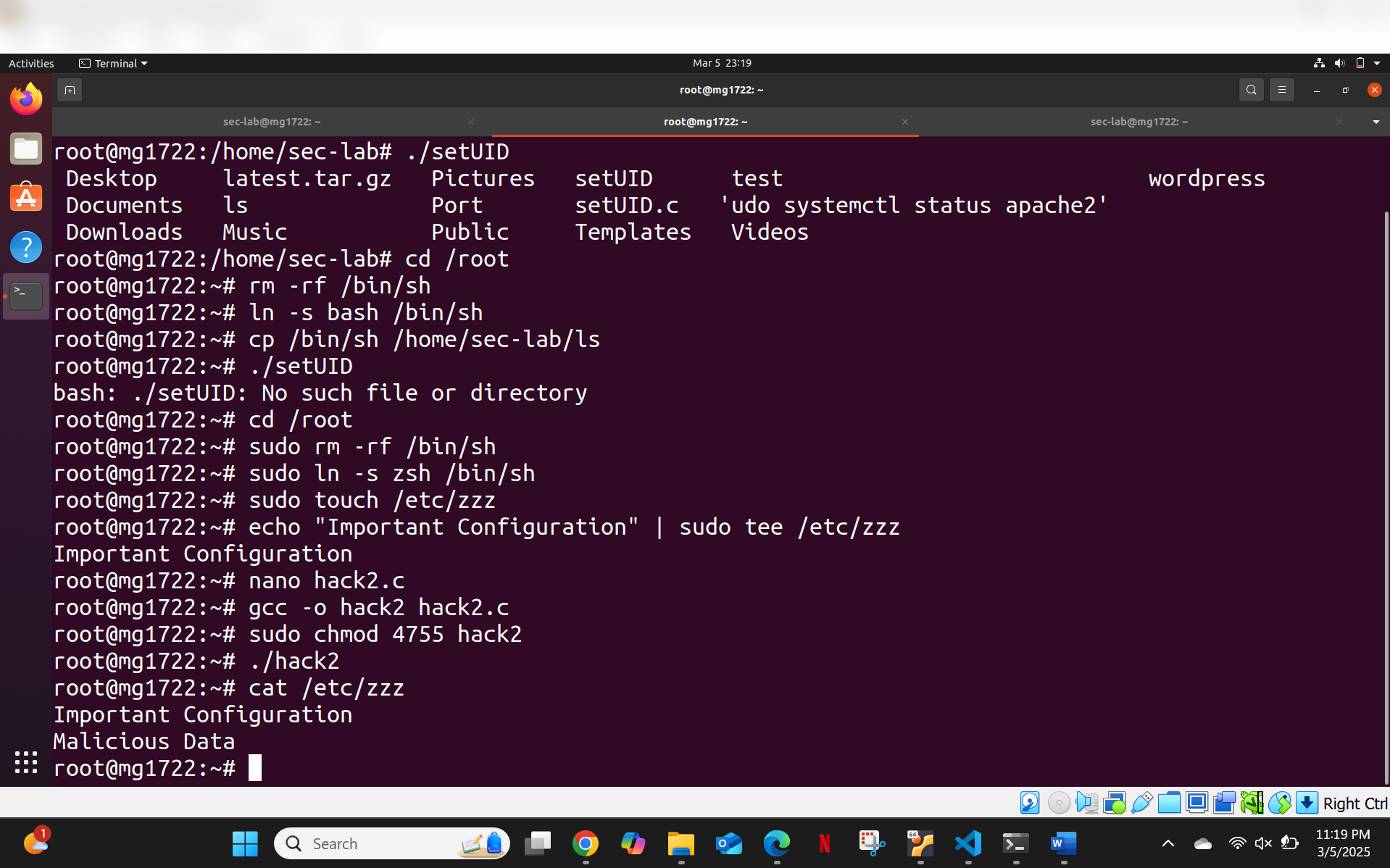
**漏洞解析:**
1. 程序以读/写权限打开 `/etc/zzz`(属于 root)
2. 使用 `setuid(getuid())` 放弃 root 权限
3. Fork 一个子进程 — 该进程**继承了打开的文件描述符**
4. 子进程(现在以普通用户身份运行)向 `/etc/zzz` 写入 `"Malicious Data"`
**根本原因:** 程序在放弃权限之前未能关闭文件描述符。即使在父进程放弃其提升权限之后,子进程仍保留对特权资源的访问权限 — 这是一个典型的 **capability 泄露**漏洞。
## 关键要点
- 文件权限配置失误是最常见的 Linux 权限提升途径之一
- SetUID binaries 必须始终使用绝对路径,以防止 PATH 劫持攻击
- `umask 0000` 是一个严重的安全风险 — 应始终使用限制性的默认配置
- 在放弃权限之前,必须显式关闭文件描述符,以防止 capability 泄露
- 了解 Linux 访问控制的工作原理对于系统加固和渗透测试都是至关重要的
## 免责声明
所有权限提升技术均在受控、隔离的实验环境中进行。这些技术只能用于您拥有或获得明确授权进行测试的系统。
标签:子域名枚举, 应用安全, 权限管理, 模型越狱, 特权提升, 系统安全, 自动化部署