mosele789/Azure-Sentinel-SOC-Lab-Brute-Force-Detection-Log-Analysis
GitHub: mosele789/Azure-Sentinel-SOC-Lab-Brute-Force-Detection-Log-Analysis
在 Azure 云中构建 SOC 实验室,利用 Sentinel 和 KQL 分析 Windows 安全事件,实现对暴力破解登录的检测与告警。
Stars: 0 | Forks: 0
# Azure Sentinel SOC 实验室 – 暴力破解检测与日志分析
## 概述
本项目演示了如何使用 Microsoft Azure 和 Microsoft Sentinel 部署和配置基于云的安全运营中心 (SOC) 实验室。该实验室旨在通过摄入 Windows 安全事件日志、使用 Kusto Query Language (KQL) 分析身份验证活动,以及针对暴力破解登录尝试创建自定义检测规则,来模拟真实的安全监控。
该项目侧重于基础的 SOC 分析师技能,包括遥测数据摄入、日志分析、威胁检测、事件关联和告警工程。
## 目标
- 在 Microsoft Azure 中部署 Windows 虚拟机
- 配置 Microsoft Sentinel SIEM 集成
- 将 Windows 安全事件日志摄入 Log Analytics Workspace
- 使用 KQL 查询分析身份验证遥测数据
- 检测失败的登录尝试和暴力破解行为
- 创建自定义分析和检测规则
- 将告警映射到 MITRE ATT&CK 技术
- 获得基于云的 SOC 操作的实践经验
## 架构
互联网
↓
Azure Windows 虚拟机
↓
Azure Monitor Agent (AMA)
↓
Log Analytics Workspace
↓
Microsoft Sentinel SIEM
↓
KQL 查询与检测规则
↓
安全告警与事件关联
# 阶段 1 — Azure 环境设置
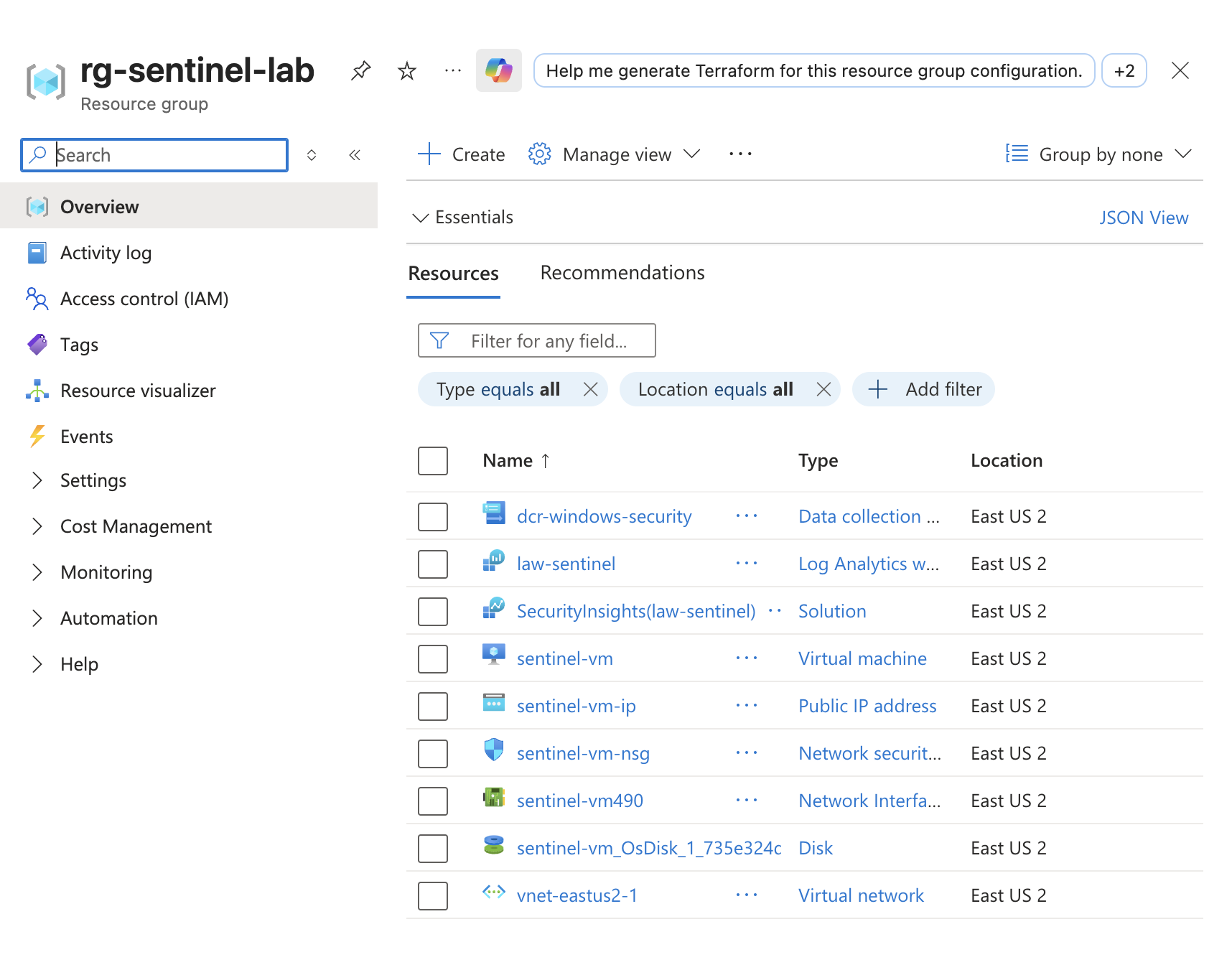
## 步骤 1 — 创建 Azure 资源组
创建了一个专用的资源组,用于组织与 SOC 实验室环境相关的所有云资源。
### 目的
- 集中管理资源
- 简化部署和清理
- 提高资源可见性
### 包含的资源
- Windows 虚拟机
- Log Analytics Workspace
- Microsoft Sentinel
- 网络组件
## 步骤 2 — 部署 Windows 虚拟机
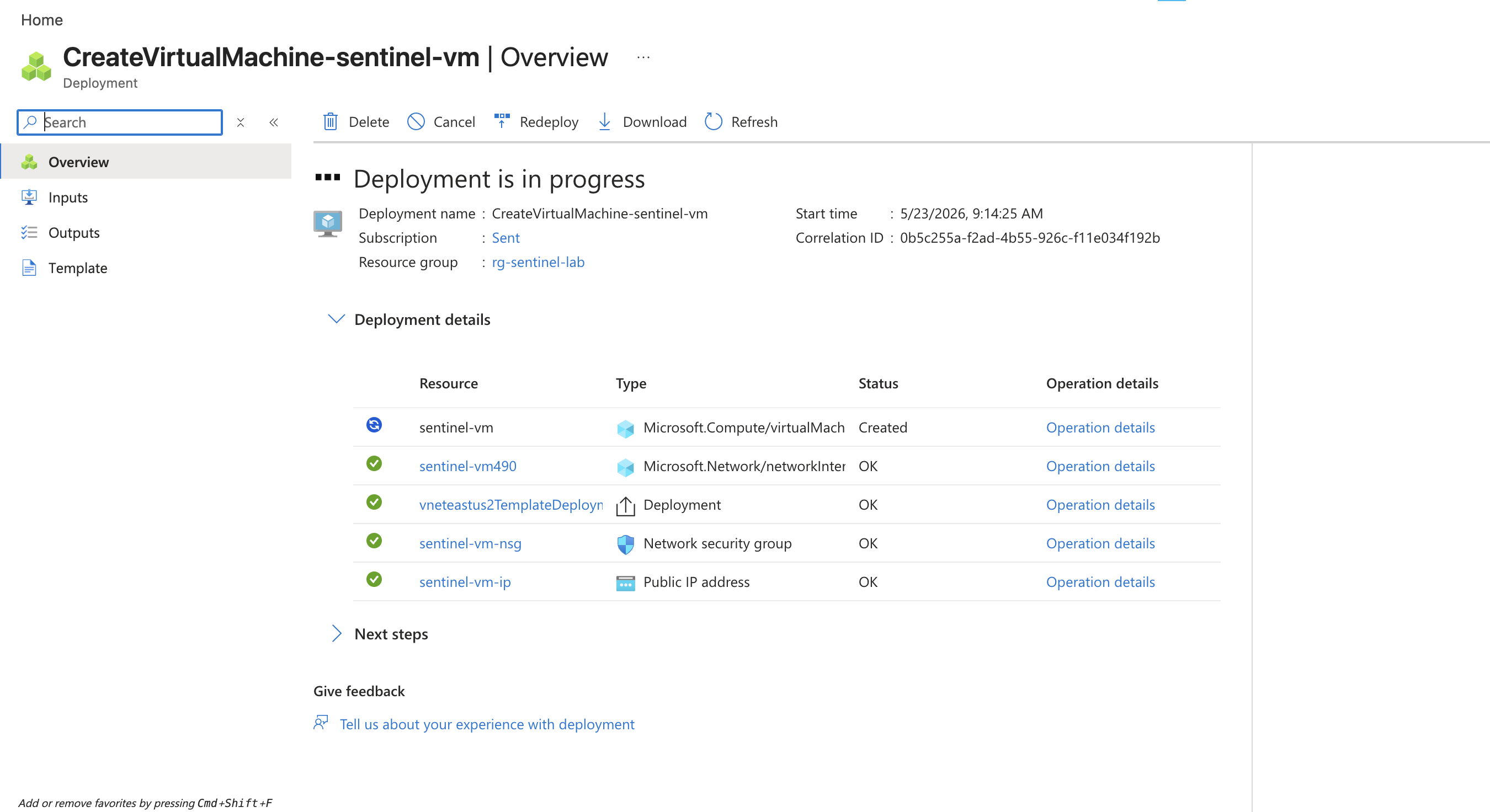
在 Microsoft Azure 中部署了一台基于 Windows 的虚拟机,用于模拟生成安全遥测数据的企业终端。
### 配置
- Windows 操作系统
- 公网 IP 地址
- 启用 Remote Desktop Protocol (RDP)
- 配置了用于入站访问的 Azure 网络
### 目的
该虚拟机作为受监控的终端,用于捕获身份验证事件和生成安全日志。
# 阶段 2 — Microsoft Sentinel 配置
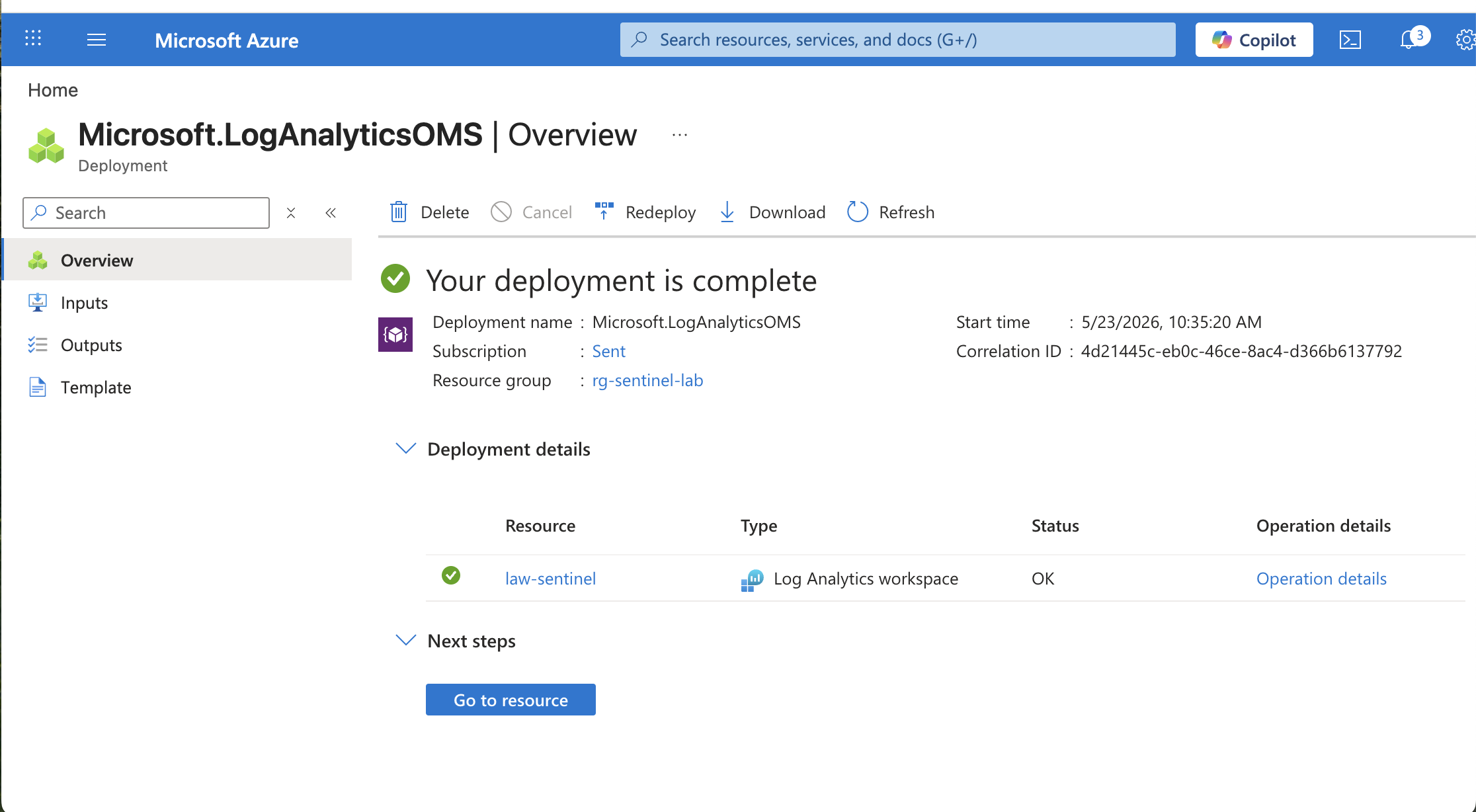
## 步骤 3 — 创建 Log Analytics Workspace
配置了 Log Analytics Workspace,用于收集、存储和分析 Windows 虚拟机生成的安全遥测数据。
### 目的
- 集中摄入日志
- 支持 KQL 查询
- 保留安全事件
- SIEM 集成
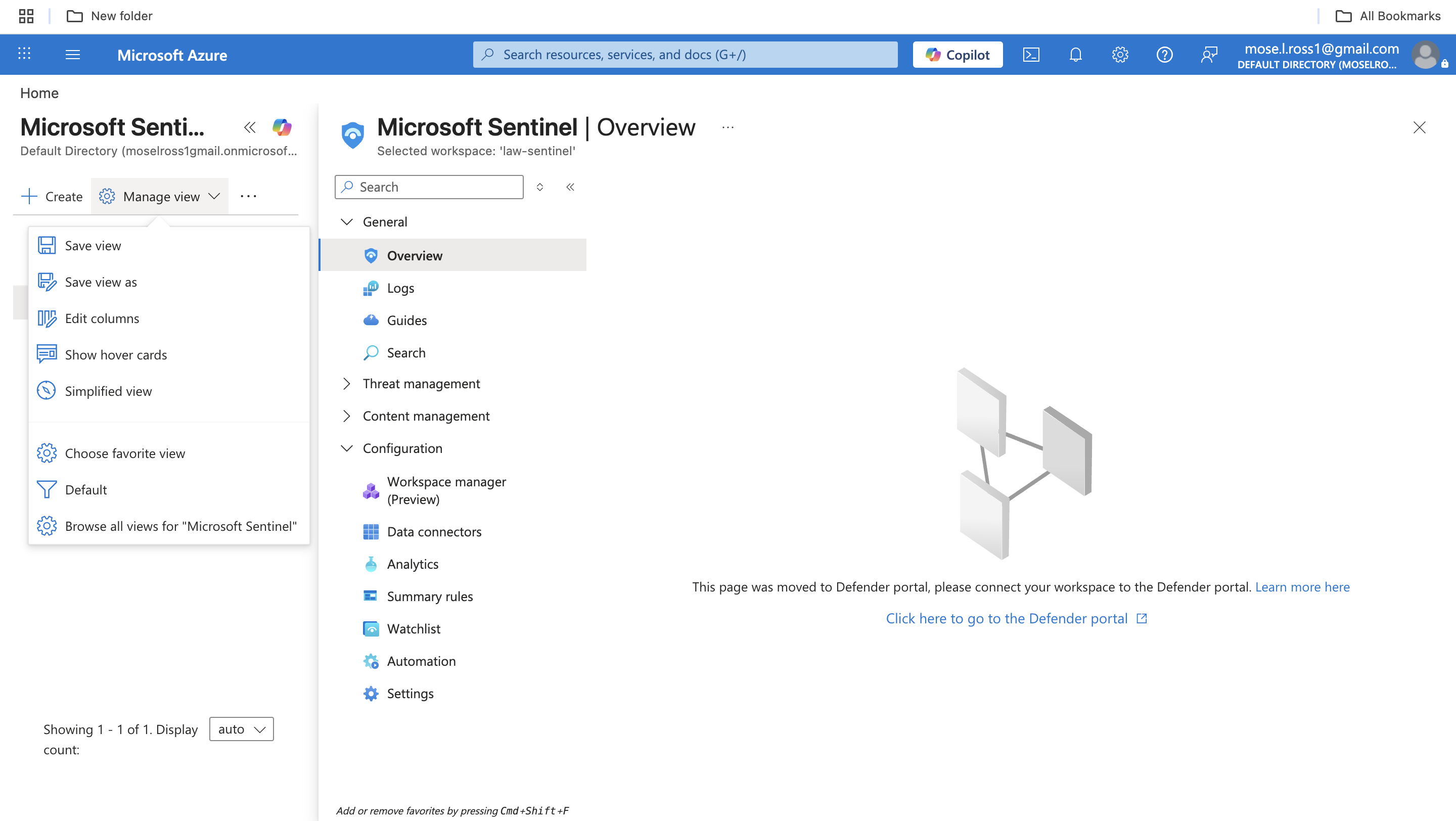
## 步骤 4 — 启用 Microsoft Sentinel
部署了 Microsoft Sentinel 并将其连接到 Log Analytics Workspace,以提供 SIEM 功能,包括威胁监控、分析和事件管理。
### 启用的功能
- 安全监控
- 威胁检测
- 分析规则
- 事件关联
- Hunting 能力
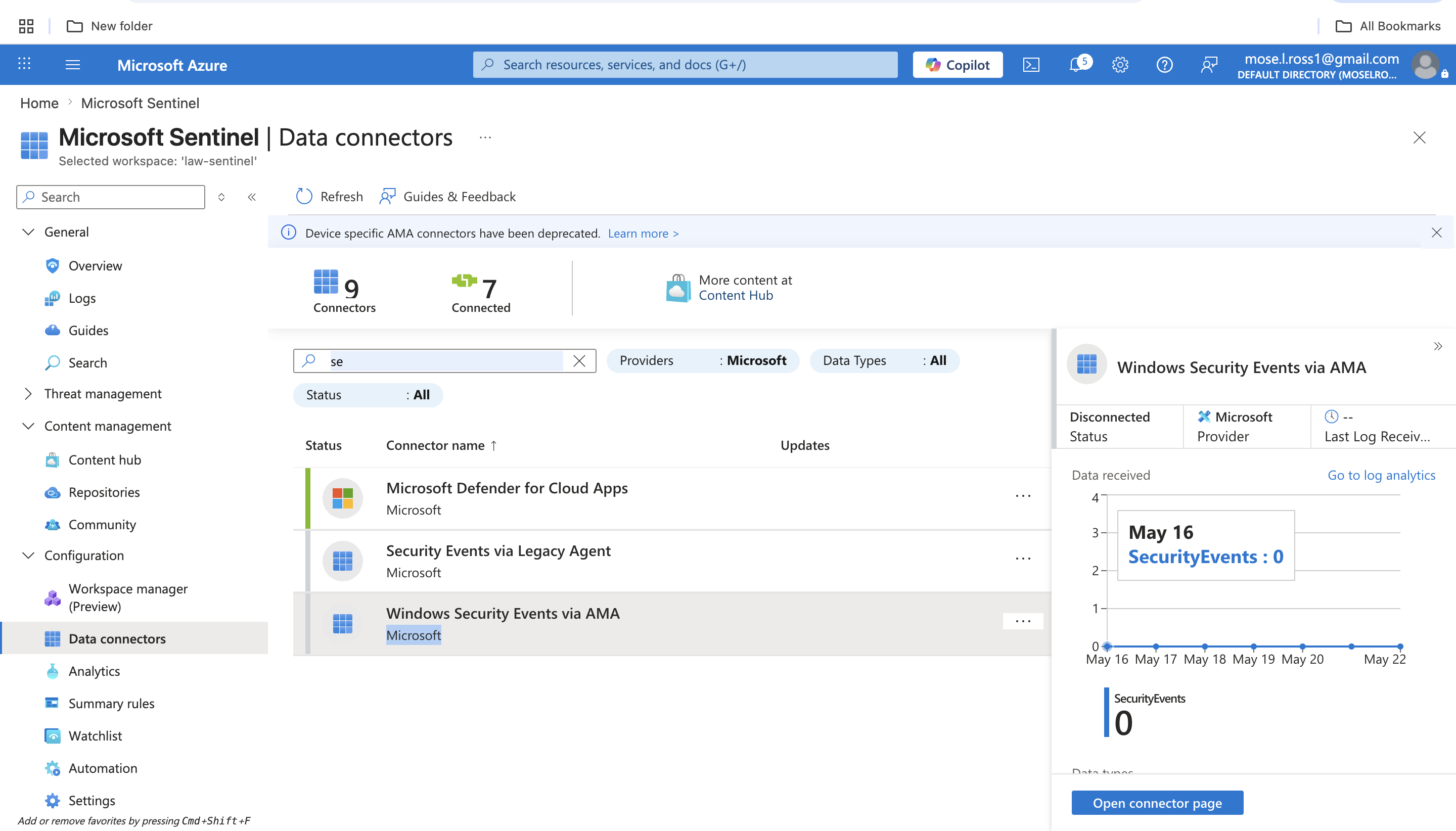
## 步骤 5 — 通过 AMA 连接 Windows 安全事件
使用 Azure Monitor Agent (AMA) 启用了 Windows 安全事件连接器,以从 Windows 虚拟机摄入身份验证遥测数据。
### 收集的数据
- 成功登录
- 失败登录尝试
- 账户活动
- 安全审计事件
### 重要性
此步骤建立了检测工程和日志分析所需的遥测 pipeline。
# 阶段 3 — 使用 KQL 进行日志分析
## 步骤 6 — 查询 Windows 安全事件
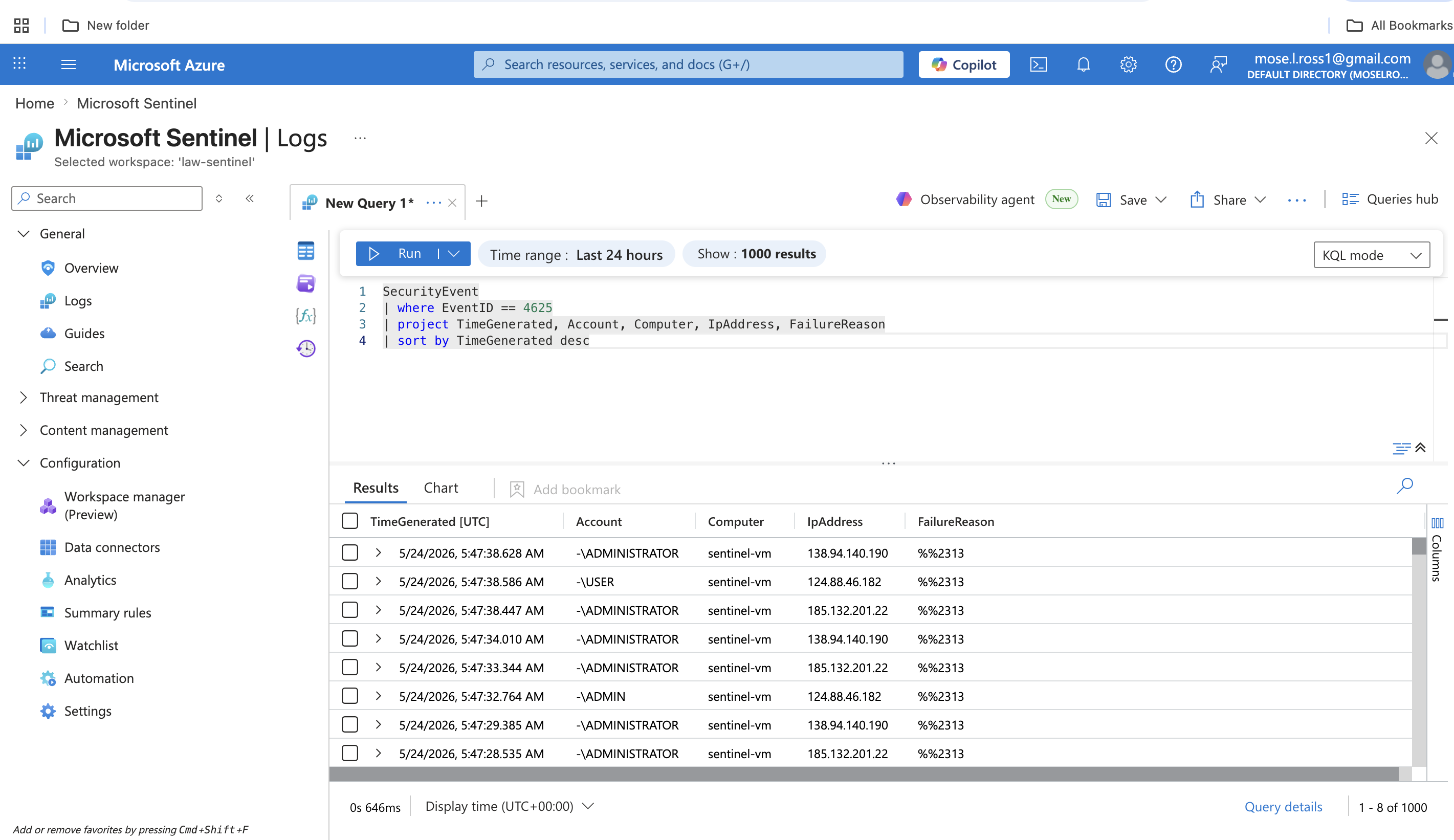
使用 Kusto Query Language (KQL) 调查了 Microsoft Sentinel 中的身份验证活动。
### 示例查询
SecurityEvent
| where EventID == 4625
| summarize FailedAttempts = count() by IpAddress, Account
| order by FailedAttempts desc
## 了解 Event ID 4625
Event ID 4625 代表一次失败的 Windows 登录尝试。
### 为什么它很重要
大量的 Event ID 4625 活动可能表明:
- 密码喷射
- 凭据填充
- 暴力破解攻击
- 未经授权的身份验证尝试
监控失败的身份验证活动是 SOC 分析师的核心职责。
# 阶段 4 — 检测工程
## 步骤 7 — 创建自定义检测规则
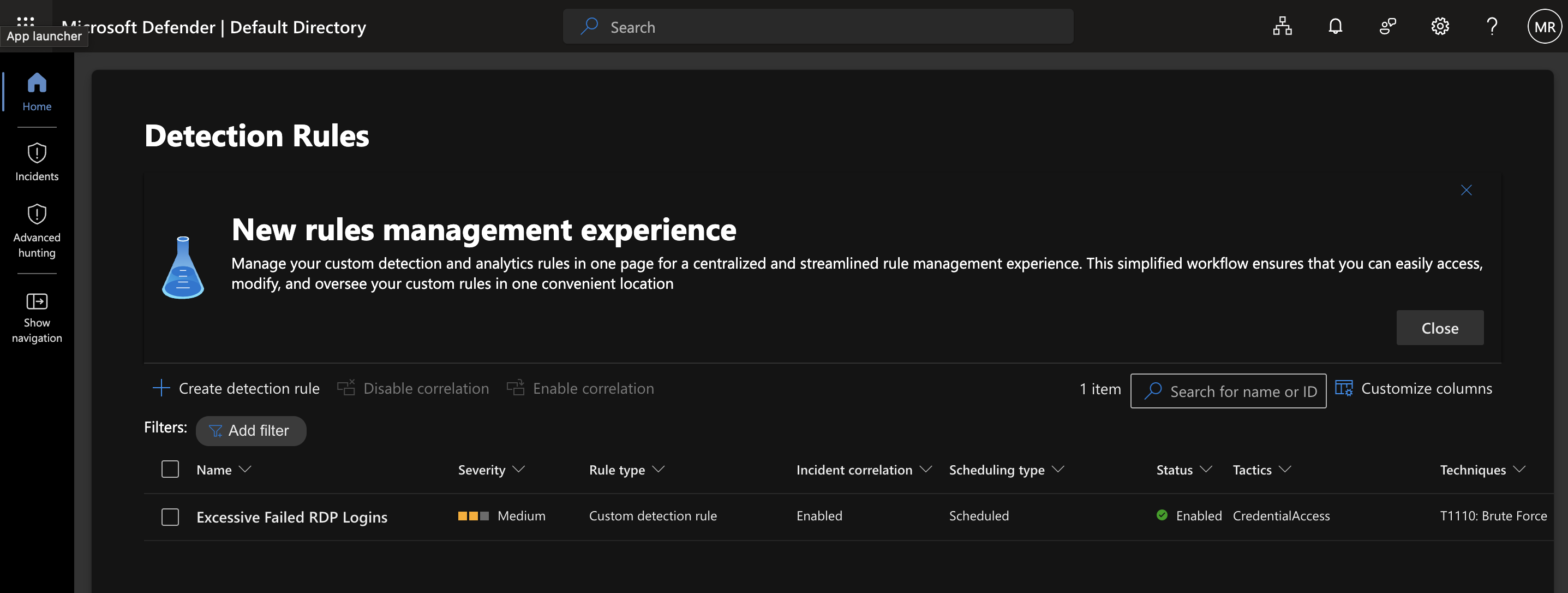
在 Microsoft Defender / Sentinel 中创建了一个自定义检测规则,用于识别过多的失败 RDP 登录尝试。
### 检测逻辑
该规则监控身份验证遥测数据,并在超过失败登录阈值时生成告警。
### MITRE ATT&CK 映射
- 技术:T1110 – Brute Force
- 战术:Credential Access
### 告警功能
- 计划查询执行
- 实体映射
- 事件关联
- 自定义严重性分类
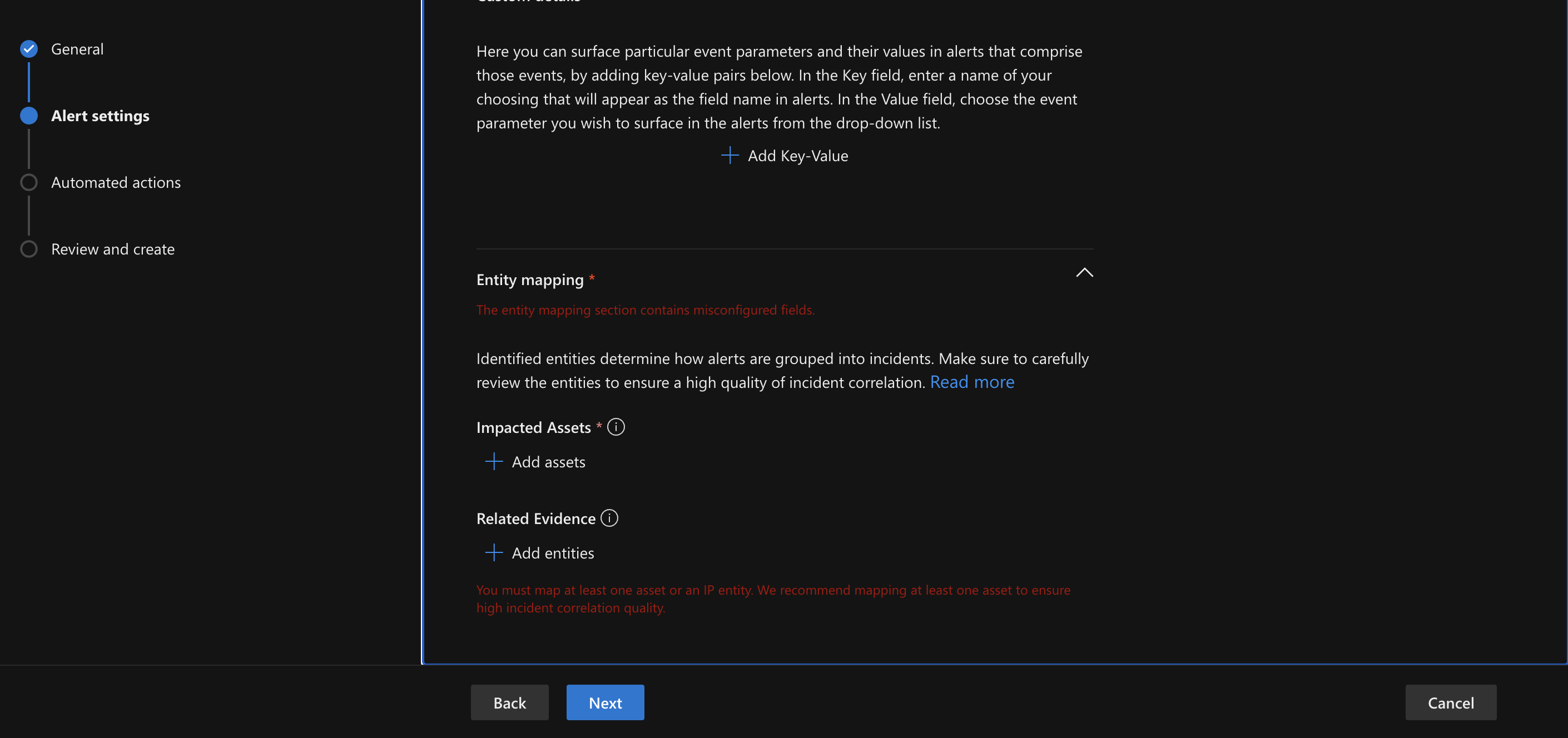
## 步骤 8 — 配置实体映射
配置了实体映射,以将告警关联到:
- 源 IP 地址
- 目标主机
### 目的
实体映射可改善:
- 事件关联
- 威胁调查
- 告警上下文
- SOC 可见性
# 经验教训
该项目提供了以下方面的实践经验:
- SIEM 部署与配置
- Windows 安全遥测分析
- KQL 查询开发
- 身份验证监控
- 暴力破解检测工程
- 云安全操作工作流
- MITRE ATT&CK 映射
- 安全事件可见性
该实验室还强化了在企业环境中集中日志记录和主动威胁监控的重要性。
# 展示的技能
- Microsoft Azure
- Microsoft Sentinel
- Log Analytics Workspace
- Kusto Query Language (KQL)
- 安全事件分析
- SIEM 管理
- 检测工程
- 威胁监控
- Windows 安全日志
- 事件关联
- MITRE ATT&CK 框架
最终结果
成功构建并配置了一个基于云的 SOC 实验室,能够:
- 收集 Windows 身份验证遥测数据
- 监控失败登录活动
- 检测暴力破解身份验证尝试
- 生成安全告警
- 使用实体映射关联事件
该项目模拟了企业安全环境中常用的基础 SOC 分析师和检测工程工作流。
标签:KQL, Microsoft Azure, Microsoft Sentinel, 免杀技术, 安全运营中心(SOC), 暴力破解检测