JoshuaRemington/Active-Directory-Security-Operations-Center-Malware-Analysis-Homelab
GitHub: JoshuaRemington/Active-Directory-Security-Operations-Center-Malware-Analysis-Homelab
一个基于 VMware 虚拟化搭建的企业级 Active Directory 安全运营实验室,整合了红队攻击模拟、蓝队 SIEM 监控与隔离的恶意软件分析环境。
Stars: 0 | Forks: 0
# Active Directory 安全运营中心与恶意软件分析 Homelab
一个功能完整的企业级 Active Directory 环境,包含红队攻击模拟、使用 Security Onion 进行的蓝队监控,以及使用 REMnux 和 FLARE-VM 构建的隔离恶意软件分析实验室。

## 概述
该 Homelab 模拟了一个真实的企业安全环境,包含 Active Directory 基础设施、网络分段、攻击模拟功能、集中式安全监控以及专用的恶意软件分析环境。
该实验室允许我练习:
- 威胁狩猎
- 检测工程
- 事件响应
- Active Directory 安全
- 红队操作
- 恶意软件分析
- 逆向工程基础
所有系统都隔离在虚拟化环境中,以安全地进行进攻性安全演练和恶意软件研究。
### 主要目标
- 构建并加固多计算机 Active Directory 环境
- 使用 Security Onion 部署企业级安全监控
- 模拟针对 Active Directory 的真实攻击者攻击
- 练习检测、分析和响应工作流
- 培养恶意软件分析和逆向工程技能
- 在受控环境中调查恶意行为
- 从恶意软件样本中创建入侵指标
## 架构
### 网络设计
#### pfSense 防火墙/路由器
- WAN:来自 ISP 的 DHCP
- LAN(用户 / 管理网络):`192.168.20.0/24`
- OPT1(攻击网络):`192.168.30.0/24`
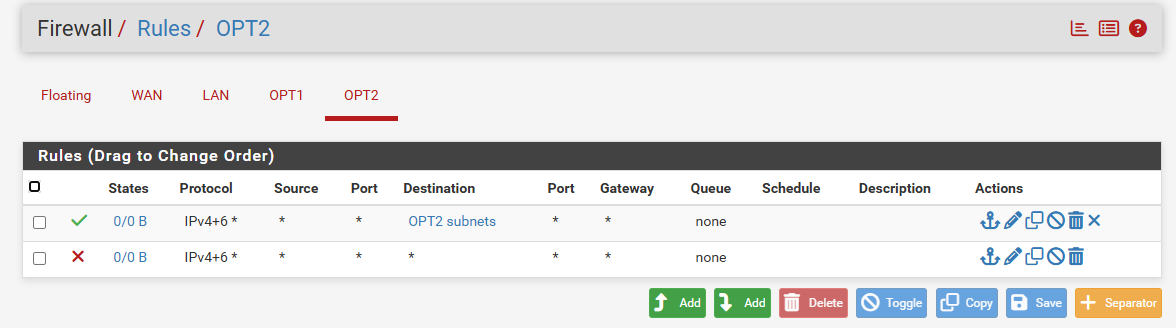
- OPT2(恶意软件分析网络):`192.168.40.0/24`
### LAN - 用户 / 管理网络(`192.168.20.0/24`)
#### 企业基础设施
| 系统 | IP 地址 | 用途 |
|----------|----------|----------|
| Windows Server 2025 | 192.168.20.10 | 域控制器 |
| Security Onion(管理端) | 192.168.20.20 | SIEM / 监控 |
| Windows 10 工作站 | DHCP | 域客户端 |
| Windows 11 工作站 | DHCP | 域客户端 |
| Metasploitable 2 | DHCP | 漏洞靶机 |
### OPT1 - 攻击网络(`192.168.30.0/24`)
#### 进攻安全
| 系统 | 用途 |
|----------|----------|
| Kali Linux | 渗透测试平台 |
### OPT2 - 恶意软件分析网络(`192.168.40.0/24`)
#### 恶意软件分析实验室
| 系统 | IP 地址 | 用途 |
|----------|----------|----------|
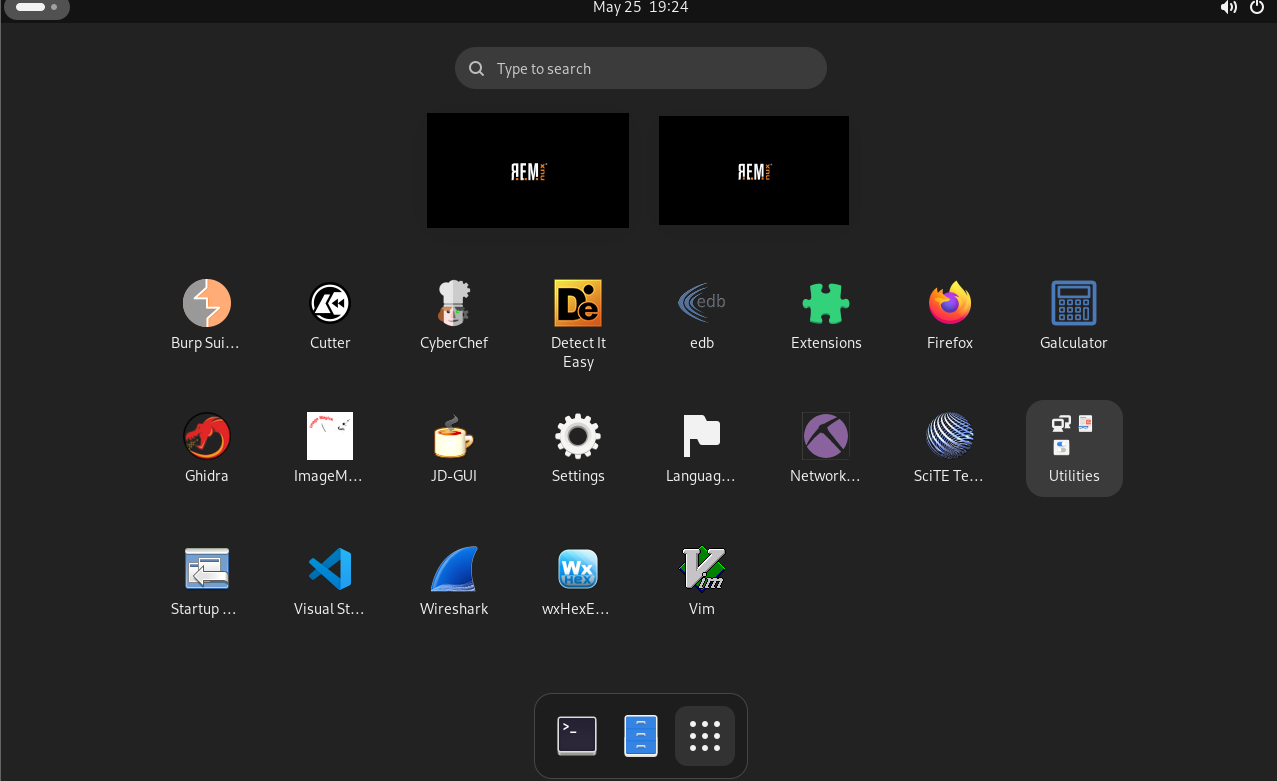
| REMnux | 192.168.40.10 | Linux 恶意软件分析工作站 |
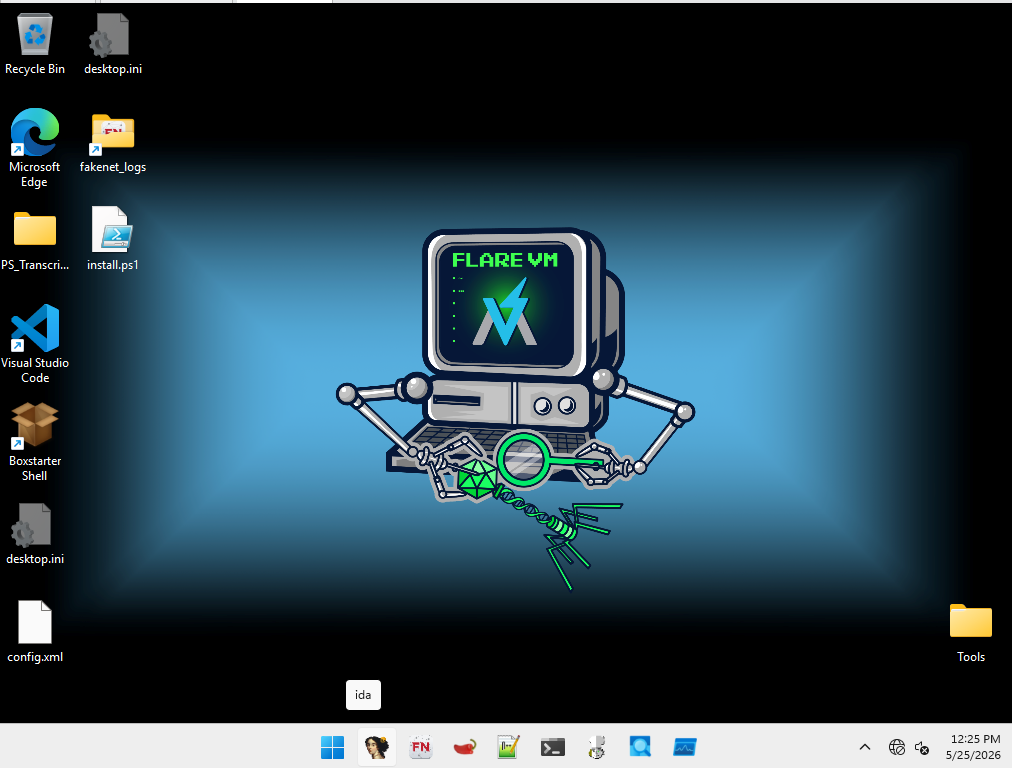
| FLARE-VM | 192.168.40.20 | Windows 恶意软件分析工作站 |
### 域
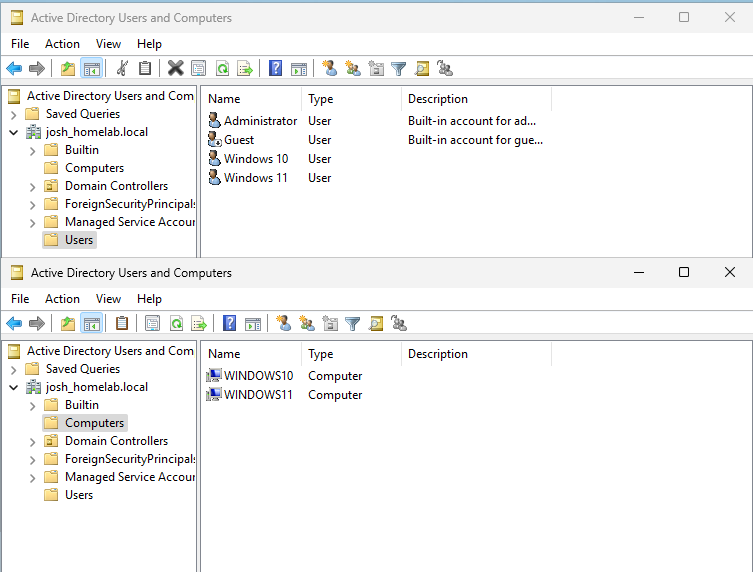
`josh_homelab.local`
## 使用的技术
| 类别 | 工具 |
|----------|----------|
| **Hypervisor** | VMware |
| **防火墙** | pfSense |
| **目录服务** | Windows Server 2025 (Active Directory) |
| **端点** | Windows 10, Windows 11 |
| **SIEM / 监控** | Security Onion 2 (Elasticsearch, Logstash, Kibana, Suricata, Zeek, Wazuh) |
| **攻击平台** | Kali Linux |
| **漏洞系统** | Metasploitable 2 |
| **恶意软件分析 (Linux)** | REMnux |
| **恶意软件分析 (Windows)** | FLARE-VM |
| **逆向工程** | Ghidra, x64dbg, PEStudio |
| **网络分析** | Wireshark, Zeek, Suricata |
## 功能与能力
### Active Directory 环境
- 具有组织单元 (OU) 结构的域控制器
- 组策略管理
- 集中式身份验证和授权
- 加入域的 Windows 10 和 Windows 11 系统
- Windows 审计和事件日志记录
### 安全监控
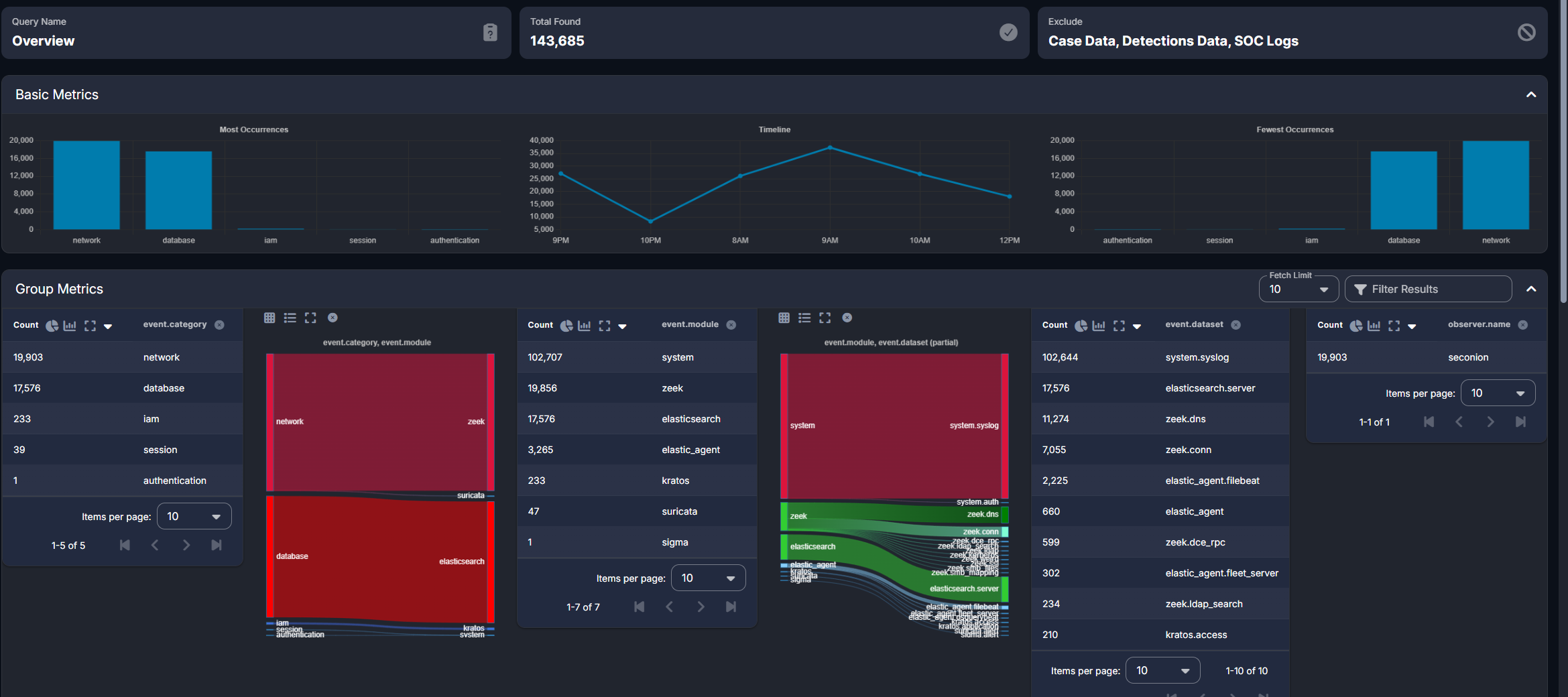
- 监控企业系统的完整 Security Onion 部署
- Windows 事件日志转发
- 使用 Zeek 和 Suricata 进行网络流量分析
- 集中式日志管理和可视化
- 告警生成和调查工作流
- 使用 Kibana 仪表板进行威胁狩猎
### 攻击模拟能力
- 权限提升测试
- 凭据收集模拟
- 横向移动技术
- Active Directory 攻击模拟
- 针对 Metasploitable 2 的漏洞利用
### 恶意软件分析环境
#### REMnux
用于:
- 静态恶意软件分析
- 网络流量检查
- IOC 提取
- 恶意软件分诊
- YARA 规则测试
- 内存和工件分析
#### FLARE-VM
用于:
- 动态恶意软件分析
- 逆向工程
- 进程监控
- 注册表监控
- 行为分析
- Windows 恶意软件调试
#### 分析工具
示例包括:
- Ghidra
- x64dbg
- PEStudio
- Procmon
- Process Explorer
- Wireshark
- FakeNet-NG
- INetSim
- YARA
- Volatility
## 安全控制
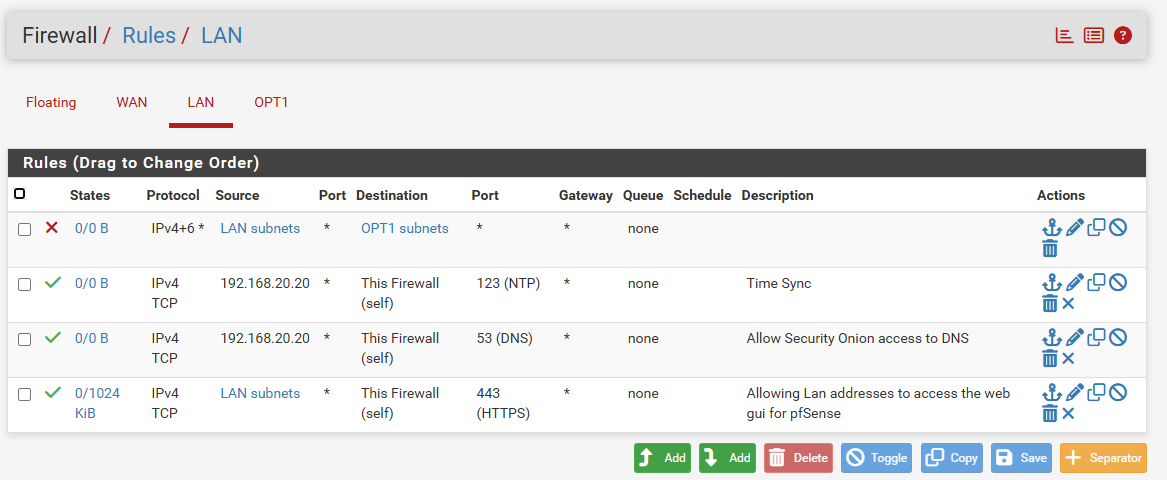
### 网络分段
该环境被划分为独立的安全区域:
#### 企业网络
包含生产风格的系统,包括:
- 域控制器
- 用户工作站
- Security Onion
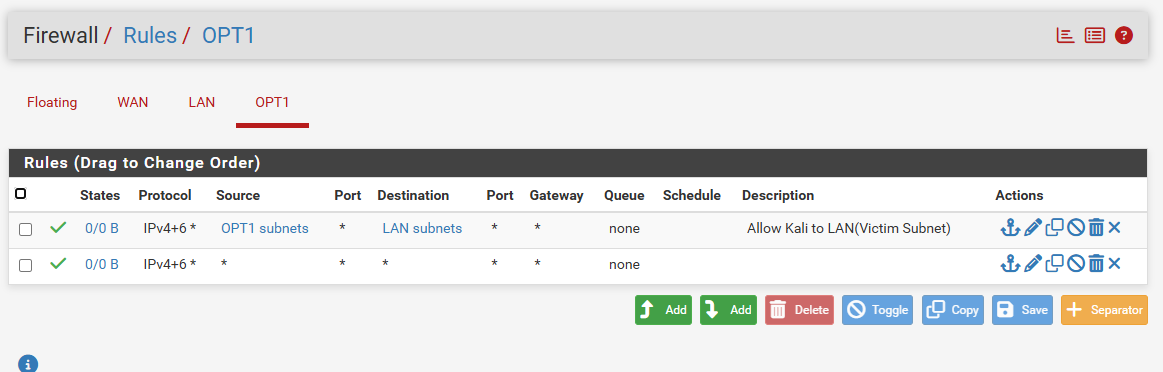
#### 攻击网络
包含用于攻击模拟的进攻性安全工具。
#### 恶意软件分析网络
包含恶意软件研究系统:
- REMnux
- FLARE-VM
防火墙规则限制了网络之间未经授权的通信,以防止恶意软件意外传播。
### 受控分析环境
恶意软件样本仅在隔离的恶意软件子网内进行分析,以最大程度地降低风险并保持遏制。
## 攻防场景
### Active Directory 攻击
- 使用 Rubeus 进行 Kerberoasting
- Pass-the-Hash
- Over-Pass-the-Hash
- PsExec 横向移动
- Mimikatz 凭据转储
- 权限提升技术
### 检测工程
- Sigma 规则创建
- 自定义 Security Onion 检测
- Windows 事件关联
- 基于 IOC 的告警
- 威胁狩猎调查
### 恶意软件分析
- Windows 可执行文件的静态分析
- 在 FLARE-VM 中进行动态执行分析
- 进程和注册表监控
- 网络流量捕获和分析
- IOC 提取和记录
- 恶意软件行为分析
## 恶意软件分析工作流
1. 以受控方式获取恶意软件样本
2. 将样本传输到隔离的恶意软件分析网络中
3. 使用 REMnux 执行静态分析
4. 在 FLARE-VM 中执行样本
5. 监控:
- 进程创建
- 文件系统活动
- 注册表修改
- 网络连接
6. 使用 Wireshark 捕获流量
7. 生成入侵指标
8. 为 Security Onion 创建检测规则
9. 针对生成的遥测数据验证检测
## 截图
### Active Directory
### Security Onion
### 防火墙配置
### 恶意软件分析
## 经验总结
- 网络分段和遏制的重要性
- Active Directory 管理和加固
- 企业监控和日志管理
- 检测工程方法论
- Windows 遥测数据的收集和调优
- 恶意软件分析工作流的开发
- IOC 的提取和验证
- 进攻性和防御性安全实践的整合
## 展示技能
### 蓝队
- 威胁狩猎
- SIEM 管理
- 日志分析
- 检测工程
- 事件响应
### 系统管理
- Active Directory
- 组策略
- DNS
- DHCP
- Windows Server 管理
### 进攻安全
- 枚举
- 漏洞评估
- 漏洞利用
- 横向移动
- 凭据获取技术
### 恶意软件分析
- 静态分析
- 动态分析
- 逆向工程基础
- 网络流量分析
- IOC 开发
- YARA 规则创建
## 联系方式
- **LinkedIn:** www.linkedin.com/in/josh-remington-798b08285
- **Email:** joshua.remington12@gmail.com
**本 Homelab 展示了在分段的企业级环境中进行企业 Active Directory 管理、安全监控、检测工程、事件响应、进攻性安全测试和恶意软件分析的实战经验。**
标签:DAST, Metaprompt, Terraform 安全, 内容过滤, 安全实验环境, 恶意软件分析, 活动目录, 管理员页面发现, 越狱测试