aadhur/stash
GitHub: aadhur/stash
stash 是一个用 Go 编写的 CLI 工具,能将终端命令及其输出自动记录为整洁的 Markdown 报告,解决手动整理操作记录的痛点。
Stars: 0 | Forks: 0
# stash
**将终端命令及其输出记录为整洁的 Markdown 报告。**
[](https://golang.org/)
[](LICENSE)
[]()
## 演示
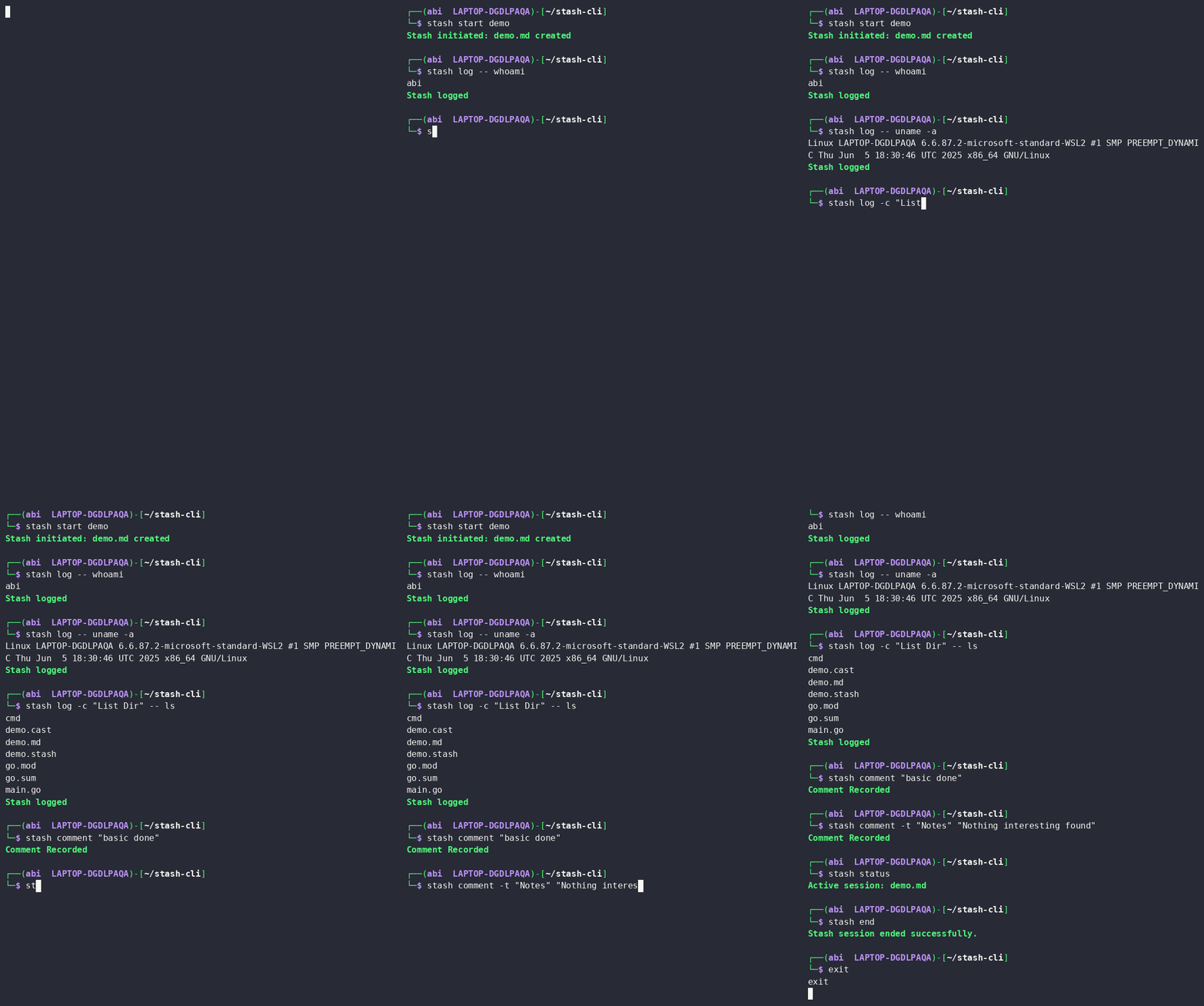
## 输出格式
[查看示例输出](demo.md)
## 安装说明 - 当前
```
git clone https://github.com/aadhur/stash
cd stash
go build -o stash
mv stash /usr/local/bin/
```
## 用法
### 开始会话
```
stash start
```
创建 `filename.md` 并开始会话。一次只能有一个活跃的会话。
```
# 恢复之前结束的 session
stash start -r
```
### 记录命令
运行命令,将输出实时流式传输到你的终端,并将两者都记录到 `.md` 文件中。
```
stash log --
# 带有命令标题
stash log -c "Recon" -- nmap -sV 10.10.10.1
```
### 添加注释
```
stash comment
# 带有 section divider 和标题
stash comment -t "Initial Foothold" "Got shell via CVE-2024-XXXX"
```
### 其他命令
```
stash status # show active session
stash end # close the session
```
## 参考手册
| 命令 | 描述 |
|---|---|
| `start ` | 开始一个新会话 |
| `log ` | 运行并记录一条命令 |
| `comment ` | 添加一条笔记 |
| `status` | 显示活跃的会话 |
| `end` | 结束会话 |
| 标志 | 命令 | 描述 |
|---|---|---|
| `-r` | `start` | 恢复现有的 `.md` 文件 |
| `-c` | `log` | 在记录前添加命令标题 |
| `-t` | `comment` | 在条目前添加一个二级标题 |
## 依赖项
- [spf13/cobra](https://github.com/spf13/cobra) — CLI 框架
- [fatih/color](https://github.com/fatih/color) — 终端颜色
由 aadhur 构建 · 为终端而生
标签:EVTX分析, Go, Markdown, Ruby工具, 日志审计, 笔记, 终端记录