K4N3CO-LABS/PWNNET-Toolkit
GitHub: K4N3CO-LABS/PWNNET-Toolkit
面向安全研究人员的合规漏洞挖掘与网络诊断工具包,集成 48 款扫描和诊断工具,支持 Web 与 Android 平台。
Stars: 4 | Forks: 3
[](https://postimg.cc/s18Fz0XC)
[](https://postimg.cc/Jtstrv1r)
## **关于**
**PWN//NET** 是一款专为**安全研究人员、渗透测试专家和爱好者**设计的**合规漏洞挖掘**与**网络工具包**。从识别**关键漏洞**到发现**隐藏的攻击面**,**PWN//NET** 为您配备了 **45+ 款实用的扫描与诊断工具**,用于查找**可利用的漏洞**、**暴露的敏感信息**和**错误配置** — 所有这些都集成在一个**简洁、响应式的界面**中。
无论您是刚刚入门**合规黑客技术**的**新手**,还是在生产**目标**上寻找**漏洞赏金**的**资深专家**,**PWN//NET** 都能提供您取得**成功**所需的**高级侦察**能力。
**支持 Web 和 Android APK**
## ✨ 核心功能
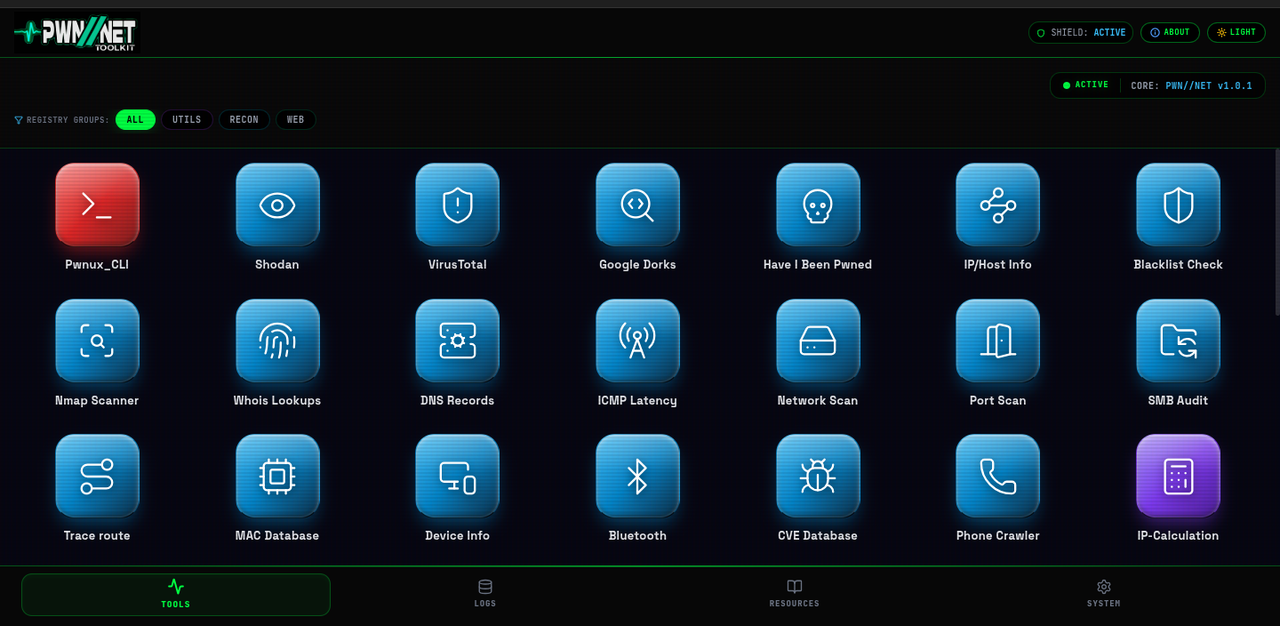
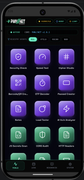
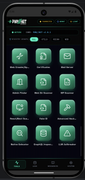
- **⚡ 工具网格** — **包含 48 款即拿即用的工具**:
- CVE 数据库与 ExploitDB
- AI 漏洞分析器
- 子域名枚举
- JS 敏感信息与 Endpoint 扫描器
- CORS 错误配置审计
- 综合化 Dork 工具
- Web 爬虫
- WordPress 扫描器
- 后台查找器
- Have I Been Pwned
- 手机信息收集
- NFC 与 Bluetooth
- 端口扫描
- LLM 越狱工具
- 原生 Nmap
- 以及更多...
- **🐞 合规漏洞挖掘** — **专为安全研究人员、新手和资深专家设计**,用于识别真正的**攻击向量**,如**暴露的 API 密钥**、**子域名**和**宽松的 CORS** 策略。
- **🖥️ 实时终端** — **实时**命令**输出**,让您可以**确切地**看到后台正在发生什么。
- **📜 日志系统** — 自动保存您的**操作和结果**,以便日后**审查**。
- **📚 学习资源** — **内置**参考资料:
- 常用端口
- OSI 模型
- Nmap 速查表
- OWASP Top 10
- 以及更多
### **截图**

 ### 📱 **移动应用 (Android)**
1. 从 [Releases](https://github.com/K4N3CO-LABS/PWNNET-Toolkit/releases) 页面**下载** **最新**的 `.apk` 文件。
2. 在您的 Android **安全**设置中**启用“安装未知来源应用”**。
3. **安装**,然后**打开**应用程序。
## 🚀 **本地运行 (在 PC 上)**
```
# 1. Clone 仓库
git clone https://github.com/K4N3CO-LABS/PWNNET-Toolkit.git
# 2. 导航到项目
cd PWNNET-Toolkit-main
```
```
# 3. 安装依赖
npm install
```
```
# 4. 启动开发服务器
npm run dev
```
**打开应用程序:**
**点击终端中显示的** **URL** *(通常是 http://localhost:3000 或 http://0.0.0.0:3000)*。
### 🛠️ **技术栈**
| 层级 | 技术 |
|----------------|-------------------------------------|
| **前端** | React + TypeScript + Vite |
| **后端** | Express + Node.js (Proxy & APIs) |
| **样式** | Tailwind CSS |
| **移动端** | Capacitor (Android/Java WebView) |
| **实用程序** | Node.js |
### 📱 Android 构建 (Capacitor)
本项目使用 **Capacitor** 将 Web 应用封装为**原生 Android 项目**。**原生**代码位于 `android/` 文件夹中,可以直接在 **Android Studio** 中**打开**。
要将**最新的 Web 代码构建并同步**到 **Android 项目**:
```
# 1. 构建 frontend web bundle
npm run build
```
```
# 2. 将构建的文件和 plugins 同步到 Android 项目
npx cap sync android
```
```
# 3. 在 Android Studio 中打开
npx cap open android
```
### 📌 **路线图 / 未来计划**
- **添加**更多**高级工具** *(漏洞扫描、数据包构建等)*
- 将结果**导出**为 **PDF**、**JSON** 或 **CSV**
- 使用 **Electron** 开发**桌面**应用程序
### **重要提示**
**PWN//NET-Toolkit** 仅供**教育和授权使用**。
**仅在**您获得**授权**进行测试的**网络**和**系统**上使用。**请合理合规地使用!**
## 📄 **许可证**
本项目采用 [MIT 许可证](LICENSE) 授权。
### 📱 **移动应用 (Android)**
1. 从 [Releases](https://github.com/K4N3CO-LABS/PWNNET-Toolkit/releases) 页面**下载** **最新**的 `.apk` 文件。
2. 在您的 Android **安全**设置中**启用“安装未知来源应用”**。
3. **安装**,然后**打开**应用程序。
## 🚀 **本地运行 (在 PC 上)**
```
# 1. Clone 仓库
git clone https://github.com/K4N3CO-LABS/PWNNET-Toolkit.git
# 2. 导航到项目
cd PWNNET-Toolkit-main
```
```
# 3. 安装依赖
npm install
```
```
# 4. 启动开发服务器
npm run dev
```
**打开应用程序:**
**点击终端中显示的** **URL** *(通常是 http://localhost:3000 或 http://0.0.0.0:3000)*。
### 🛠️ **技术栈**
| 层级 | 技术 |
|----------------|-------------------------------------|
| **前端** | React + TypeScript + Vite |
| **后端** | Express + Node.js (Proxy & APIs) |
| **样式** | Tailwind CSS |
| **移动端** | Capacitor (Android/Java WebView) |
| **实用程序** | Node.js |
### 📱 Android 构建 (Capacitor)
本项目使用 **Capacitor** 将 Web 应用封装为**原生 Android 项目**。**原生**代码位于 `android/` 文件夹中,可以直接在 **Android Studio** 中**打开**。
要将**最新的 Web 代码构建并同步**到 **Android 项目**:
```
# 1. 构建 frontend web bundle
npm run build
```
```
# 2. 将构建的文件和 plugins 同步到 Android 项目
npx cap sync android
```
```
# 3. 在 Android Studio 中打开
npx cap open android
```
### 📌 **路线图 / 未来计划**
- **添加**更多**高级工具** *(漏洞扫描、数据包构建等)*
- 将结果**导出**为 **PDF**、**JSON** 或 **CSV**
- 使用 **Electron** 开发**桌面**应用程序
### **重要提示**
**PWN//NET-Toolkit** 仅供**教育和授权使用**。
**仅在**您获得**授权**进行测试的**网络**和**系统**上使用。**请合理合规地使用!**
## 📄 **许可证**
本项目采用 [MIT 许可证](LICENSE) 授权。
### 📱 **移动应用 (Android)**
1. 从 [Releases](https://github.com/K4N3CO-LABS/PWNNET-Toolkit/releases) 页面**下载** **最新**的 `.apk` 文件。
2. 在您的 Android **安全**设置中**启用“安装未知来源应用”**。
3. **安装**,然后**打开**应用程序。
## 🚀 **本地运行 (在 PC 上)**
```
# 1. Clone 仓库
git clone https://github.com/K4N3CO-LABS/PWNNET-Toolkit.git
# 2. 导航到项目
cd PWNNET-Toolkit-main
```
```
# 3. 安装依赖
npm install
```
```
# 4. 启动开发服务器
npm run dev
```
**打开应用程序:**
**点击终端中显示的** **URL** *(通常是 http://localhost:3000 或 http://0.0.0.0:3000)*。
### 🛠️ **技术栈**
| 层级 | 技术 |
|----------------|-------------------------------------|
| **前端** | React + TypeScript + Vite |
| **后端** | Express + Node.js (Proxy & APIs) |
| **样式** | Tailwind CSS |
| **移动端** | Capacitor (Android/Java WebView) |
| **实用程序** | Node.js |
### 📱 Android 构建 (Capacitor)
本项目使用 **Capacitor** 将 Web 应用封装为**原生 Android 项目**。**原生**代码位于 `android/` 文件夹中,可以直接在 **Android Studio** 中**打开**。
要将**最新的 Web 代码构建并同步**到 **Android 项目**:
```
# 1. 构建 frontend web bundle
npm run build
```
```
# 2. 将构建的文件和 plugins 同步到 Android 项目
npx cap sync android
```
```
# 3. 在 Android Studio 中打开
npx cap open android
```
### 📌 **路线图 / 未来计划**
- **添加**更多**高级工具** *(漏洞扫描、数据包构建等)*
- 将结果**导出**为 **PDF**、**JSON** 或 **CSV**
- 使用 **Electron** 开发**桌面**应用程序
### **重要提示**
**PWN//NET-Toolkit** 仅供**教育和授权使用**。
**仅在**您获得**授权**进行测试的**网络**和**系统**上使用。**请合理合规地使用!**
## 📄 **许可证**
本项目采用 [MIT 许可证](LICENSE) 授权。标签:MITM代理, StruQ, 安全测试, 实时处理, 插件系统, 攻击性安全, 数据泄露, 移动端应用, 自动化攻击