Chandan-G-04/SOC-Sentinel-Lab
GitHub: Chandan-G-04/SOC-Sentinel-Lab
基于 Microsoft Sentinel 构建的云端 SOC 家庭实验室,通过 9 个映射 MITRE ATT&CK 的 KQL 检测规则实现真实攻击场景的模拟监控与事件调查。
Stars: 0 | Forks: 0
# SOC 家庭实验室 - Microsoft Sentinel
## 概述
本项目展示了一个基于云的 SOC 家庭实验室,该实验室使用 Microsoft Azure 中的 Microsoft Sentinel 构建。该实验室旨在利用自定义分析规则和 KQL 查询,模拟真实世界的攻击检测、日志监控、事件分析和 SIEM 操作。
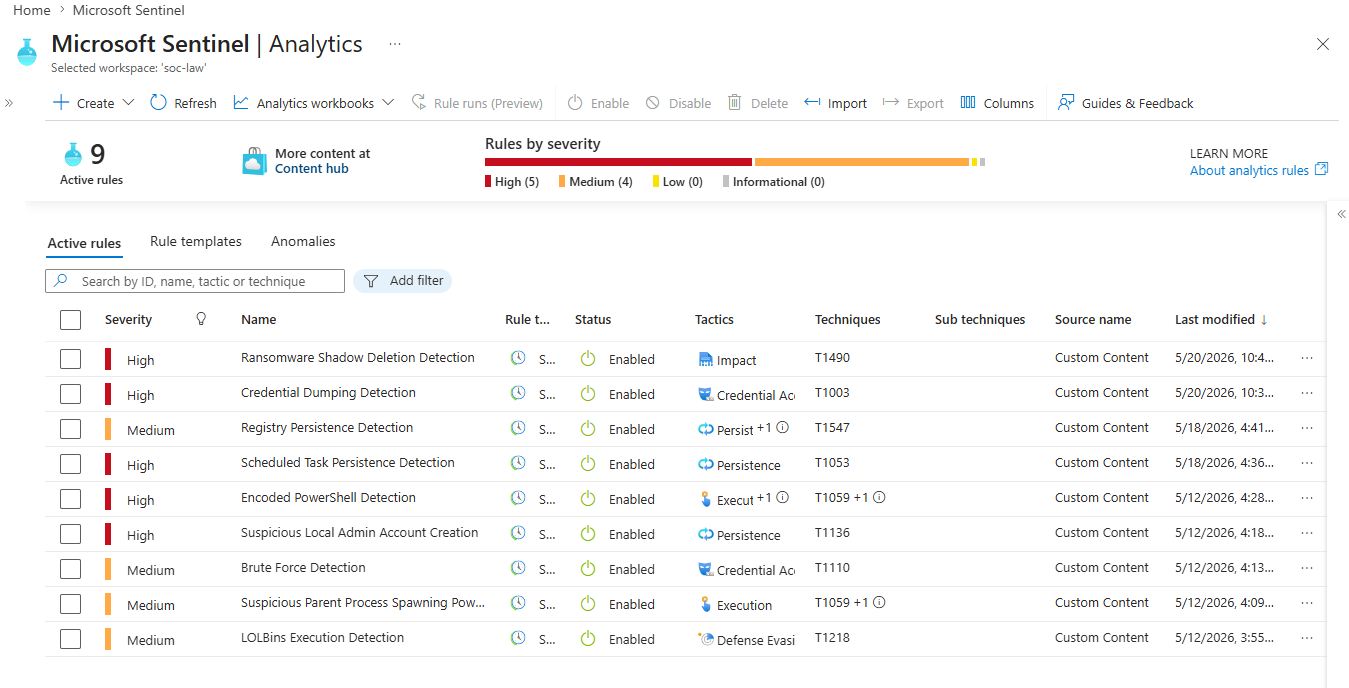
该项目包含 9 个映射到 MITRE ATT&CK 框架的检测用例。
## 实验室架构
```
Windows VM (Attack Simulation)
|
| Windows Security Events + Sysmon Logs
▼
Azure Monitor Agent (AMA)
|
| Log forwarding via Data Collection Rule (DCR)
▼
Log Analytics Workspace
|
| Queried by KQL Analytics Rules
▼
Microsoft Sentinel
|
├── Analytics Rules (9 custom detection rules)
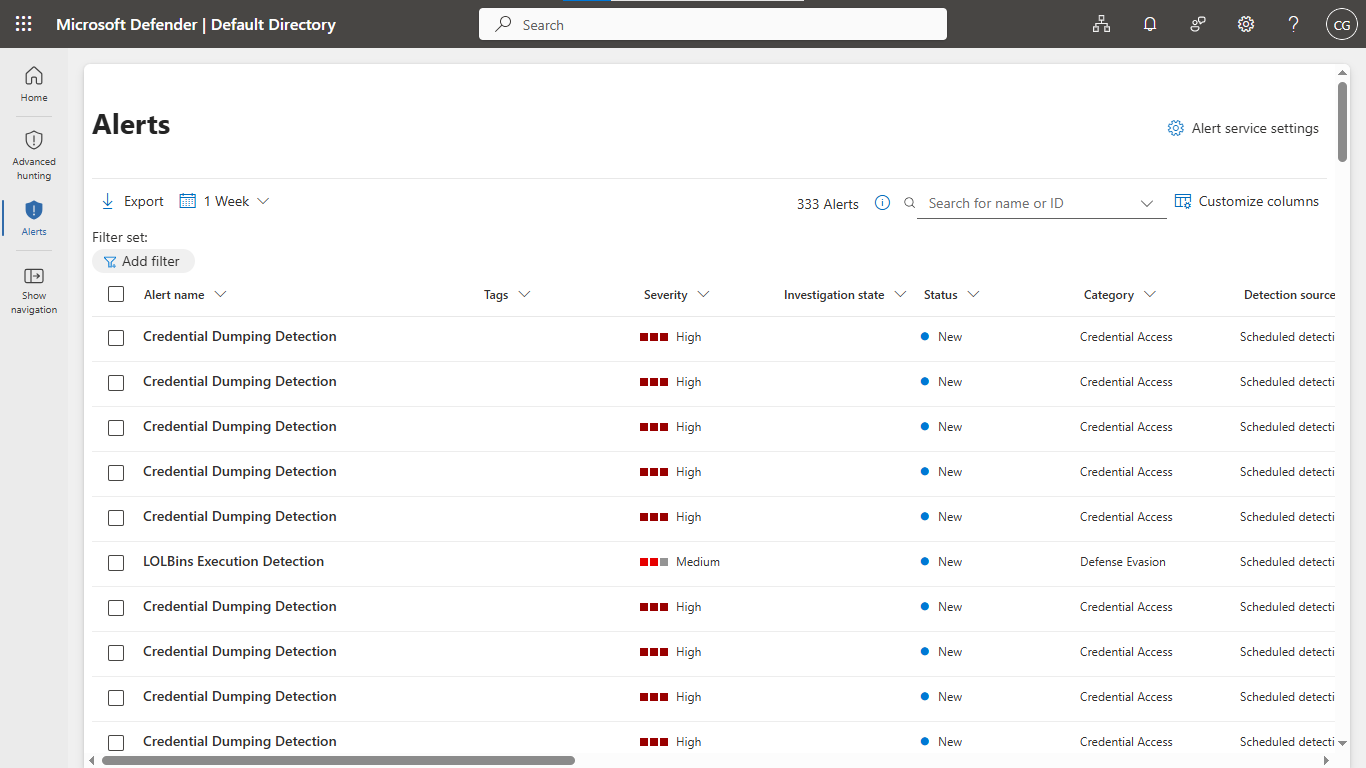
├── Incidents & Alerts Dashboard
└── Threat Investigation & Triage
```
**使用的资源:**
- 资源组:SOCLab-RG
- Windows Server 虚拟机 — 攻击模拟目标
- Azure Monitor Agent (AMA) — 日志收集
- Data Collection Rule (DCR) — 将日志路由至工作区
- Log Analytics Workspace — 存储所有安全事件
- Microsoft Sentinel — 用于检测和调查的 SIEM
## 使用的技术
- Microsoft Sentinel
- Azure Log Analytics
- Azure Monitor Agent (AMA)
- Kusto Query Language (KQL)
- Windows 安全事件
- Sysmon
- MITRE ATT&CK 框架
## 检测用例
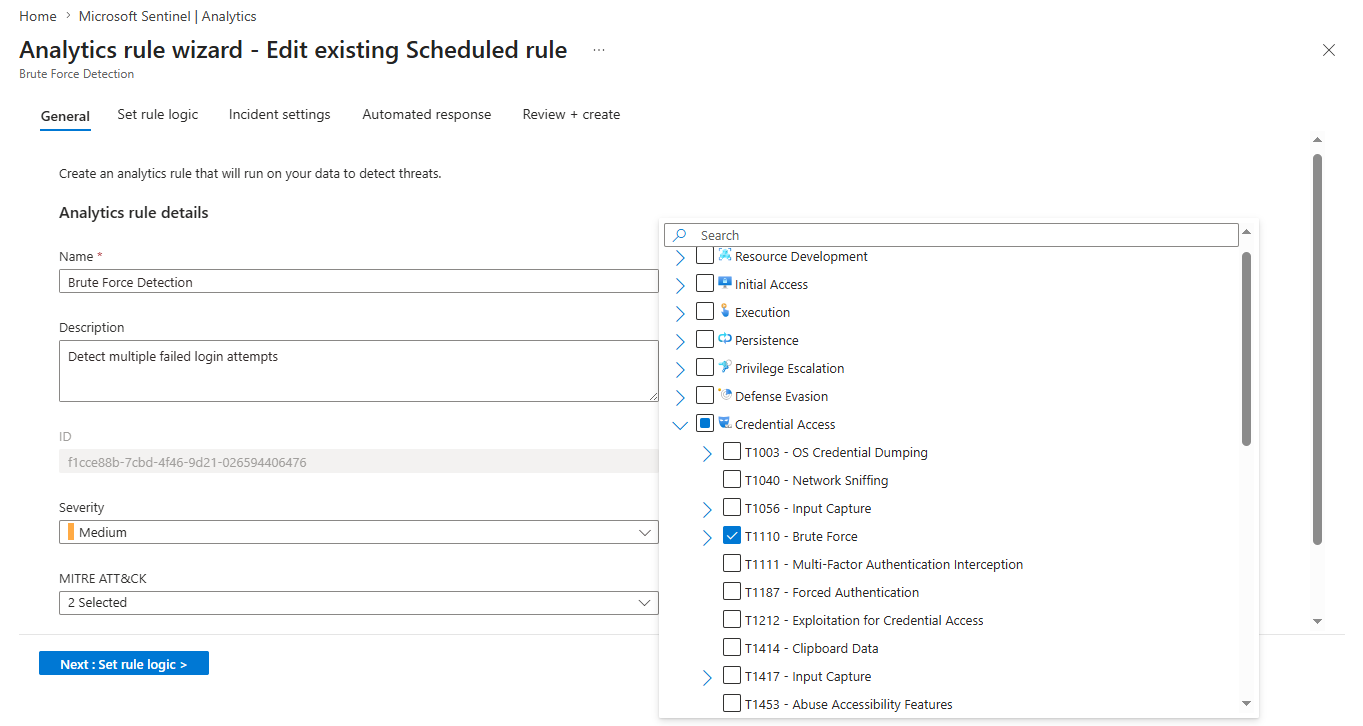
### 1. 暴力破解检测
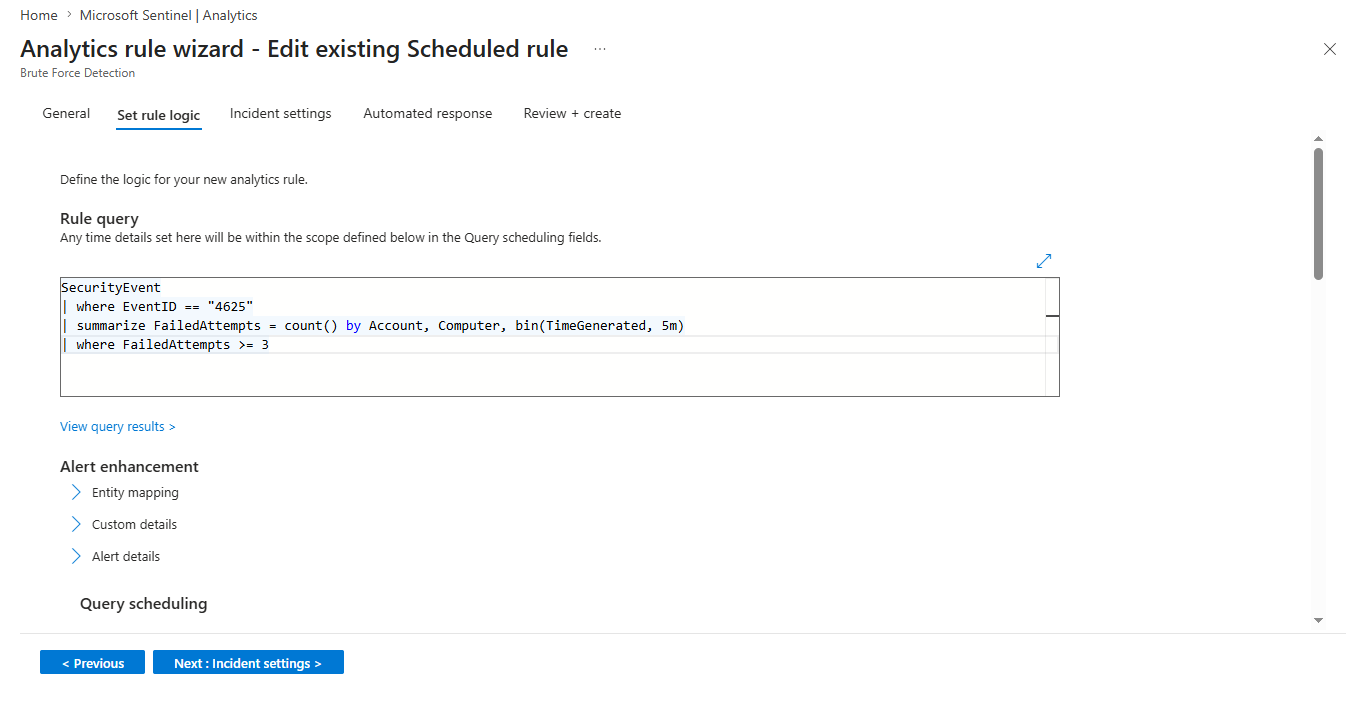
- 检测 5 分钟时间窗口内的多次失败登录尝试
- MITRE 技术:T1110
- KQL 规则:[brute-force.kql](./KQL-Rules/brute-force.kql)
### 规则概述
### 检测查询
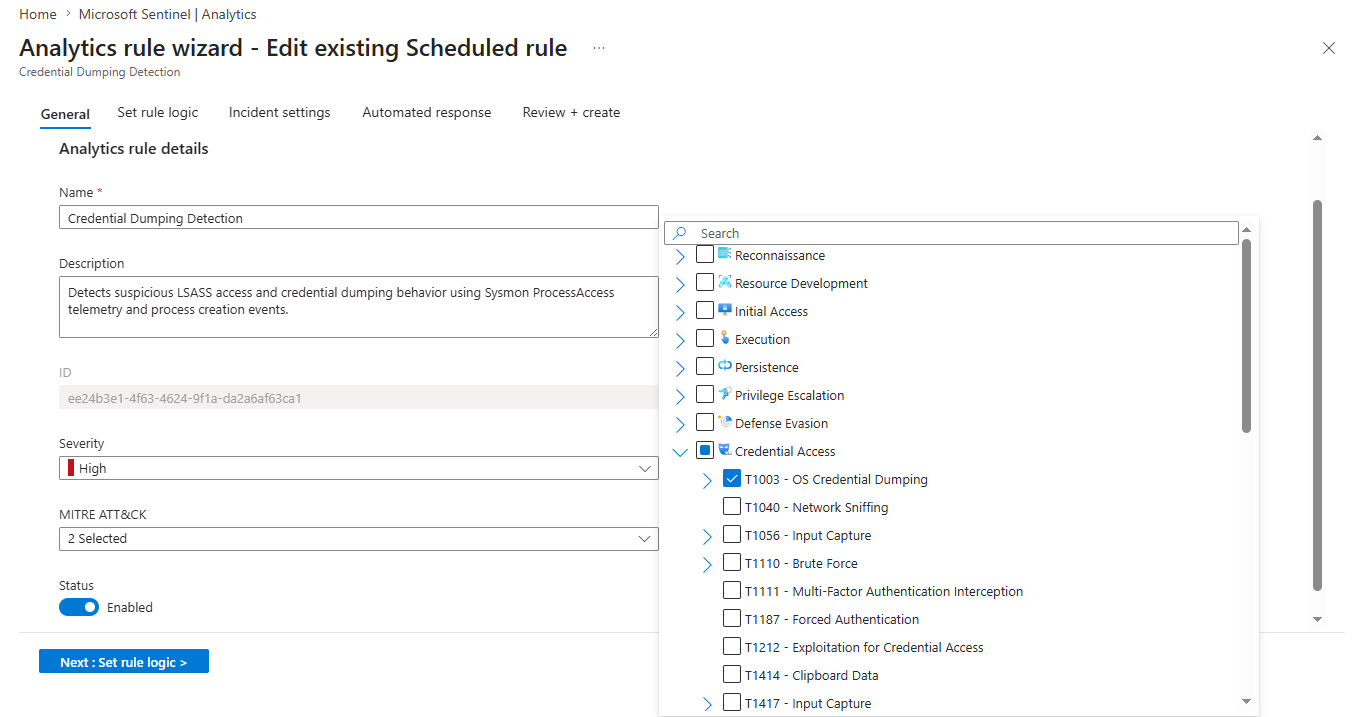
### 2. 凭据转储检测
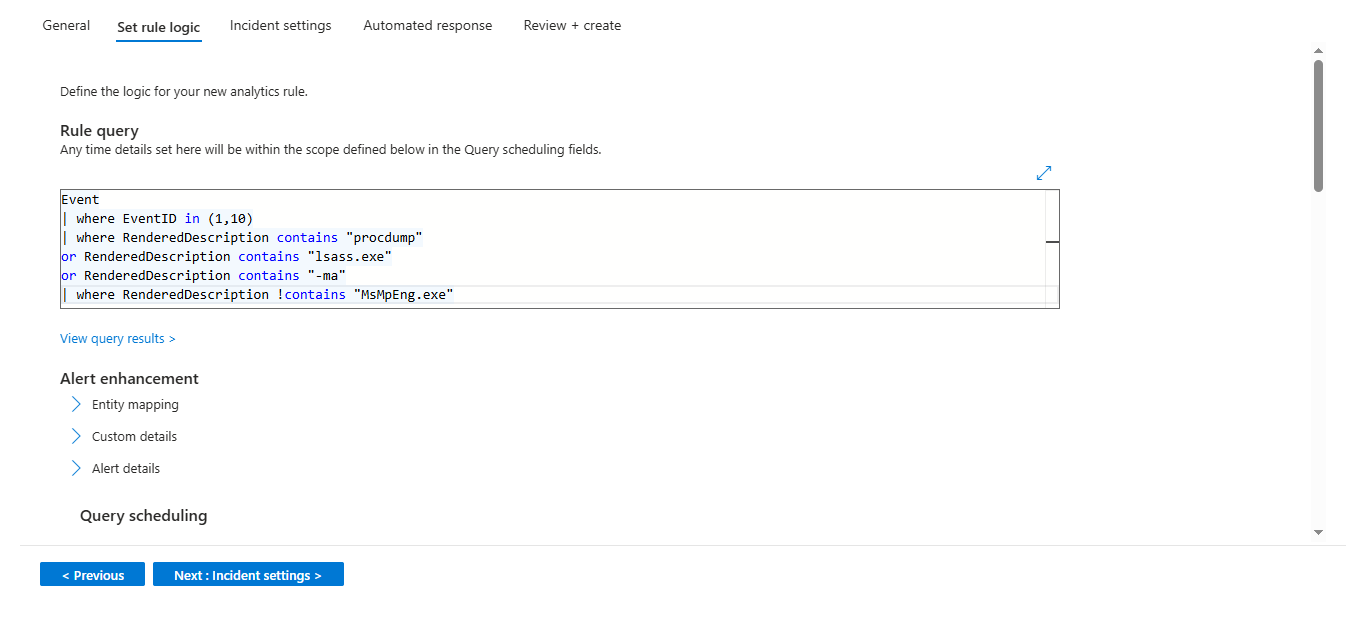
- 检测使用已知工具(如 procdump)对 LSASS 进行访问的可疑活动
- MITRE 技术:T1003
- KQL 规则:[credential-dumping.kql](./KQL-Rules/credential-dumping.kql)
### 规则概述
### 检测查询
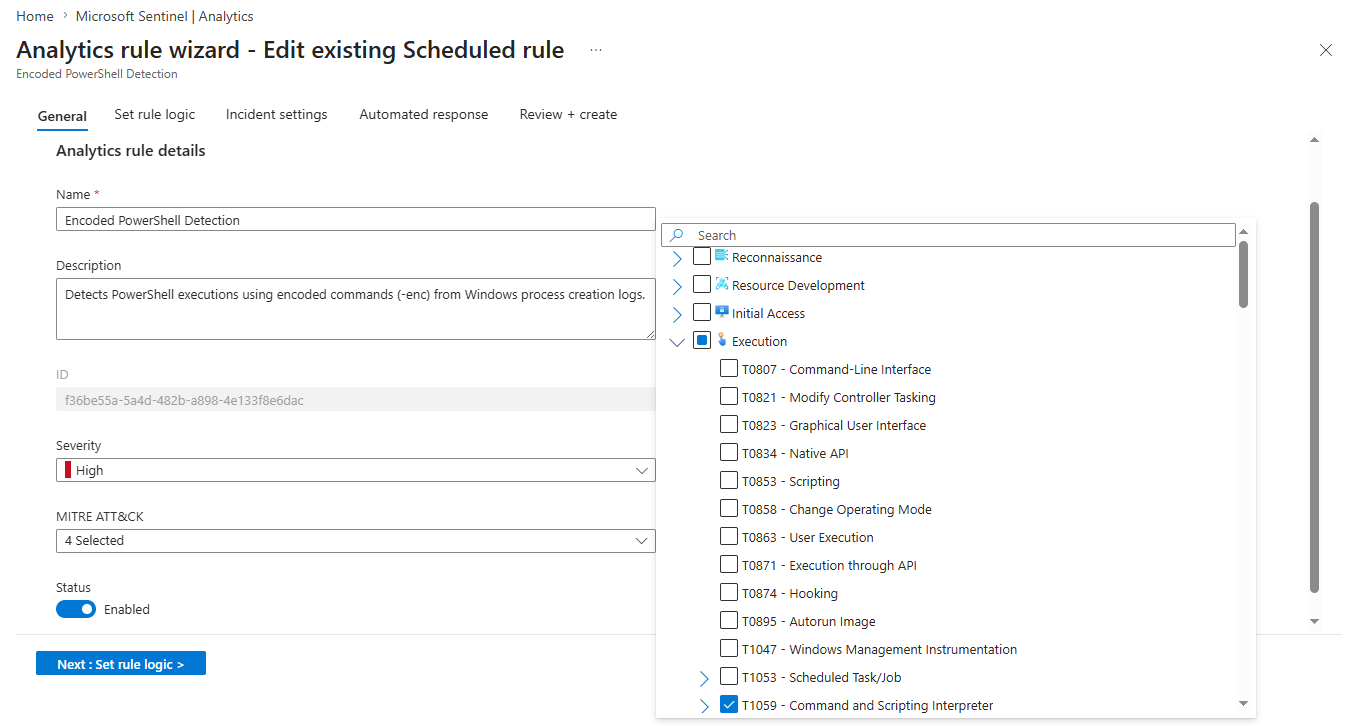
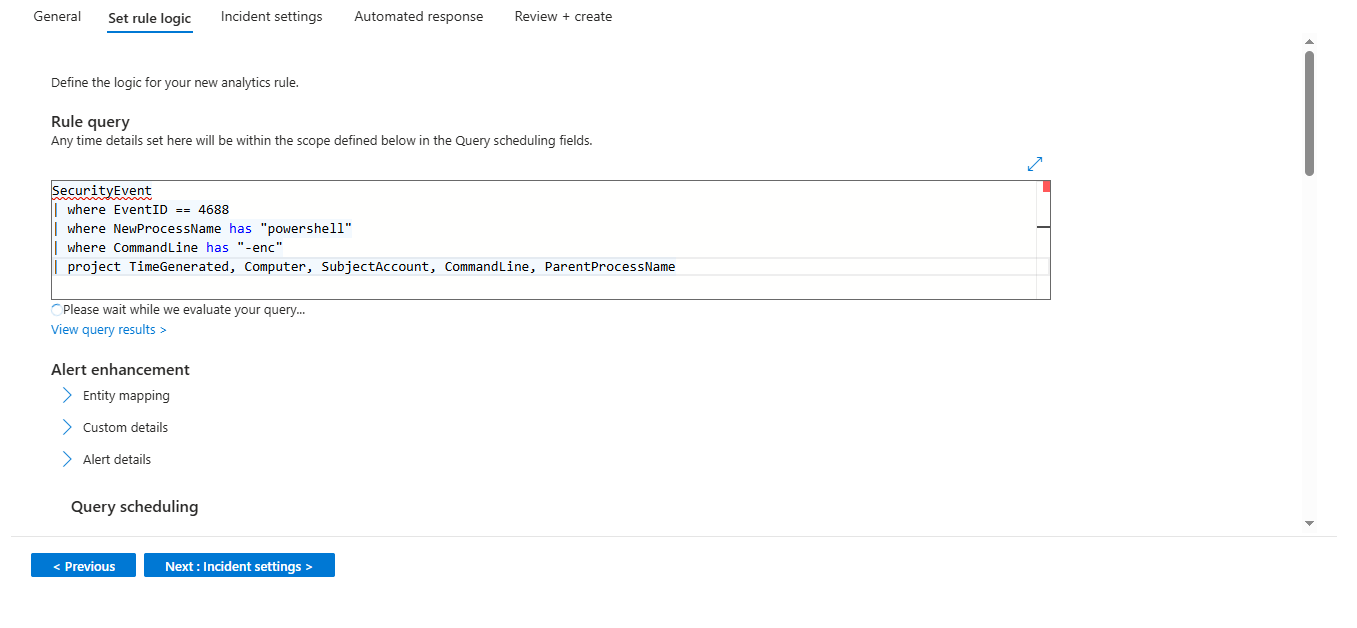
### 3. 编码 PowerShell 检测
- 检测用于逃避检测的 Base64 编码 PowerShell 命令
- MITRE 技术:T1059.001
- KQL 规则:[encoded-powershell.kql](./KQL-Rules/encoded-powershell.kql)
### 规则概述
### 检测查询
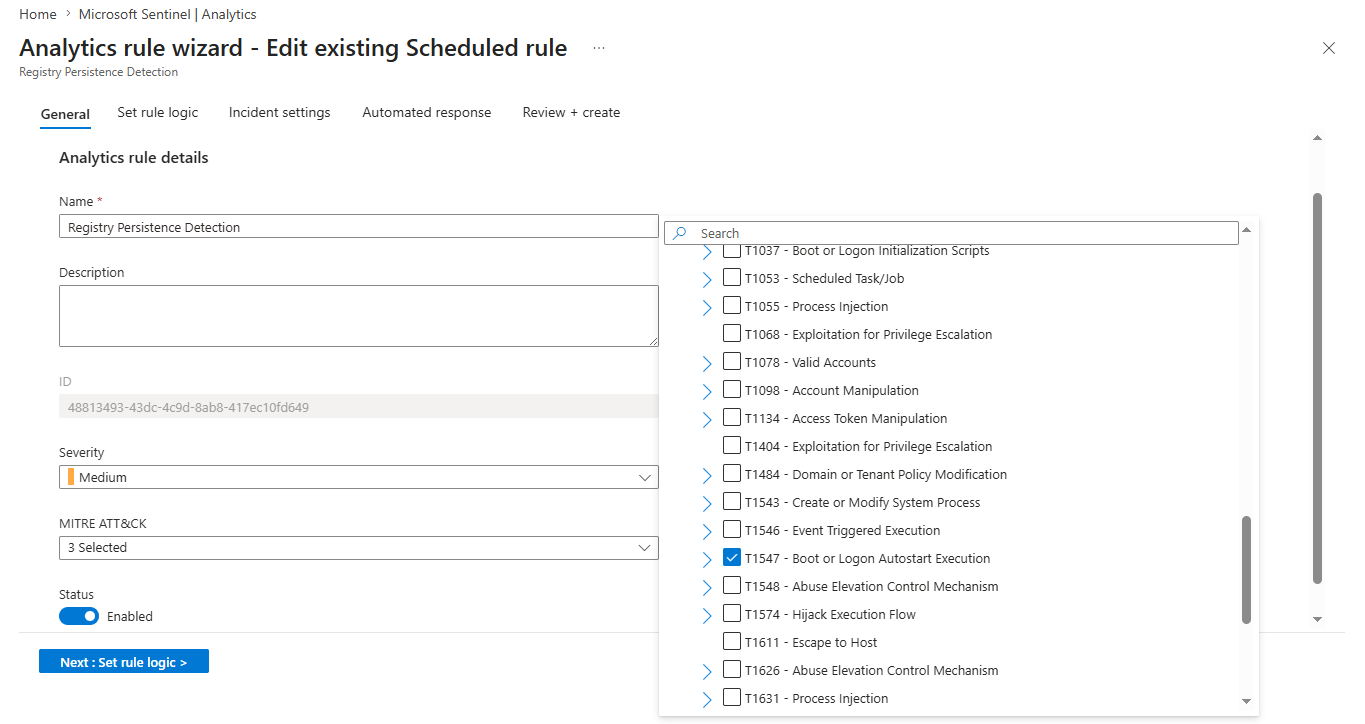
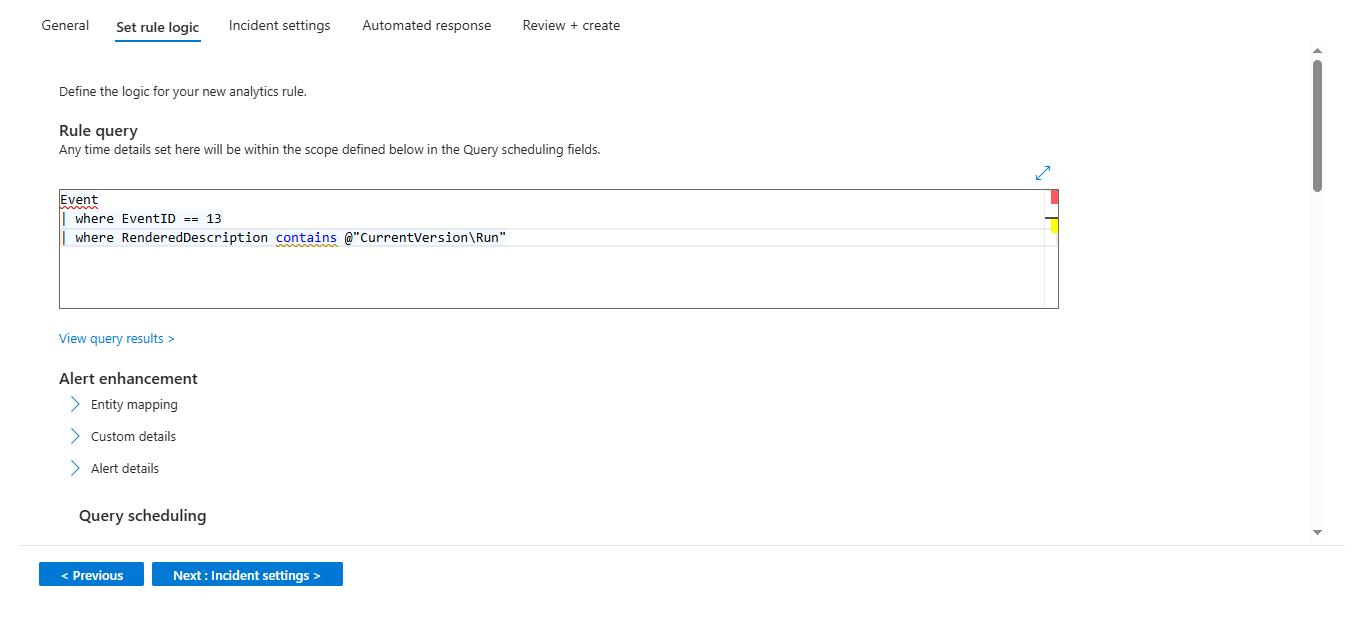
### 4. 注册表持久化检测
- 检测对 CurrentVersion\Run 注册表项的可疑修改
- MITRE 技术:T1547
- KQL 规则:[registry-persistence.kql](./KQL-Rules/registry-persistence.kql)
### 规则概述
### 检测查询
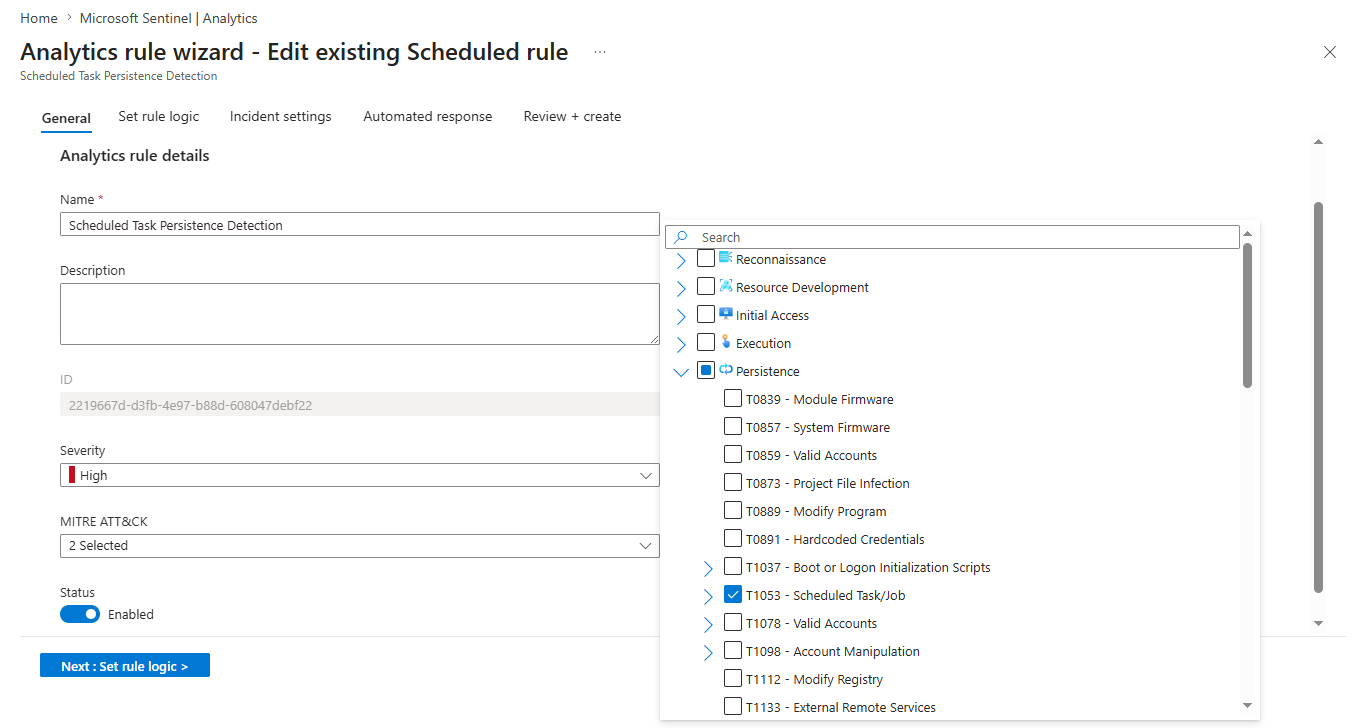
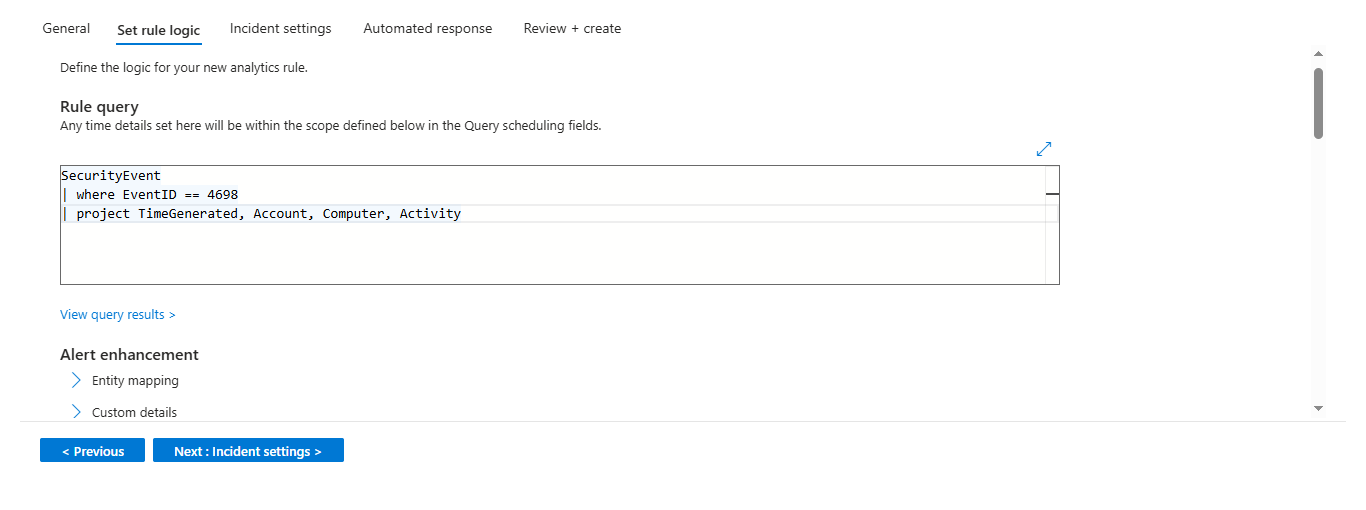
### 5. 计划任务持久化检测
- 检测恶意的计划任务创建(事件 ID 4698)
- MITRE 技术:T1053
- KQL 规则:[scheduled-task-persistence.kql](./KQL-Rules/scheduled-task-persistence.kql)
### 规则概述
### 检测查询
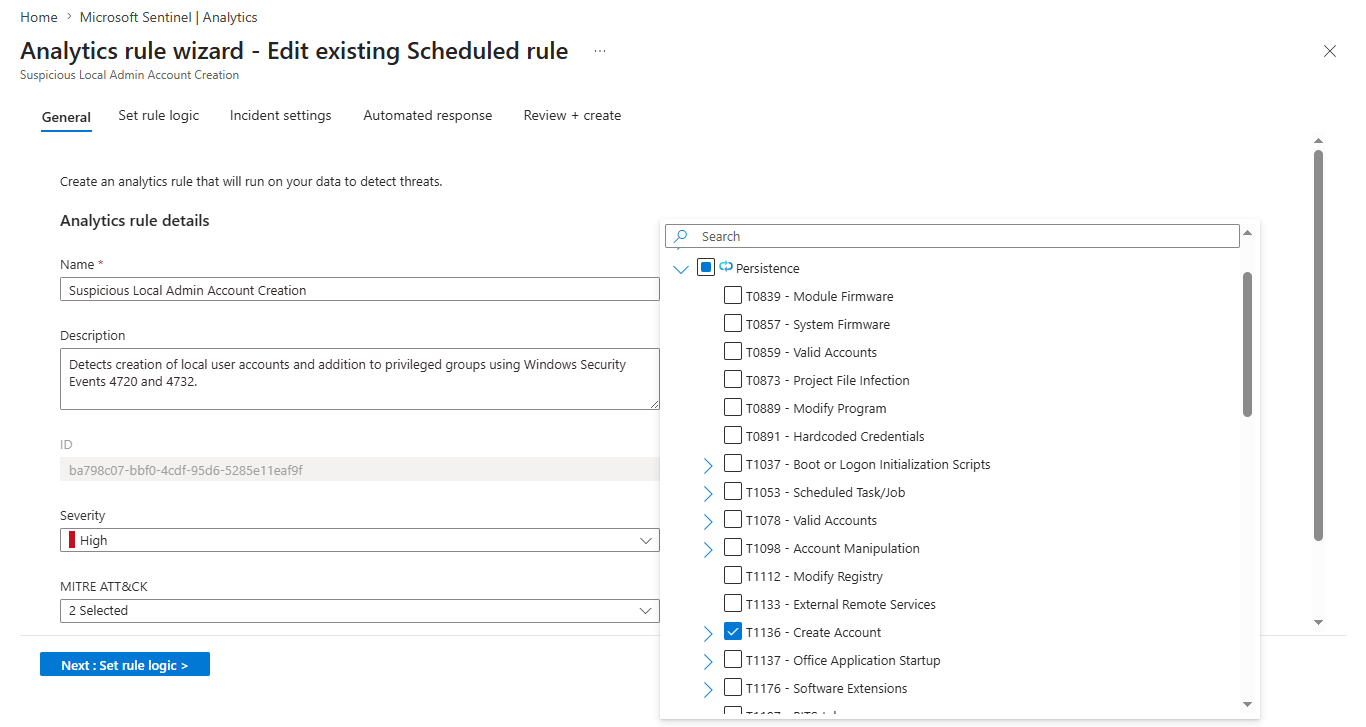
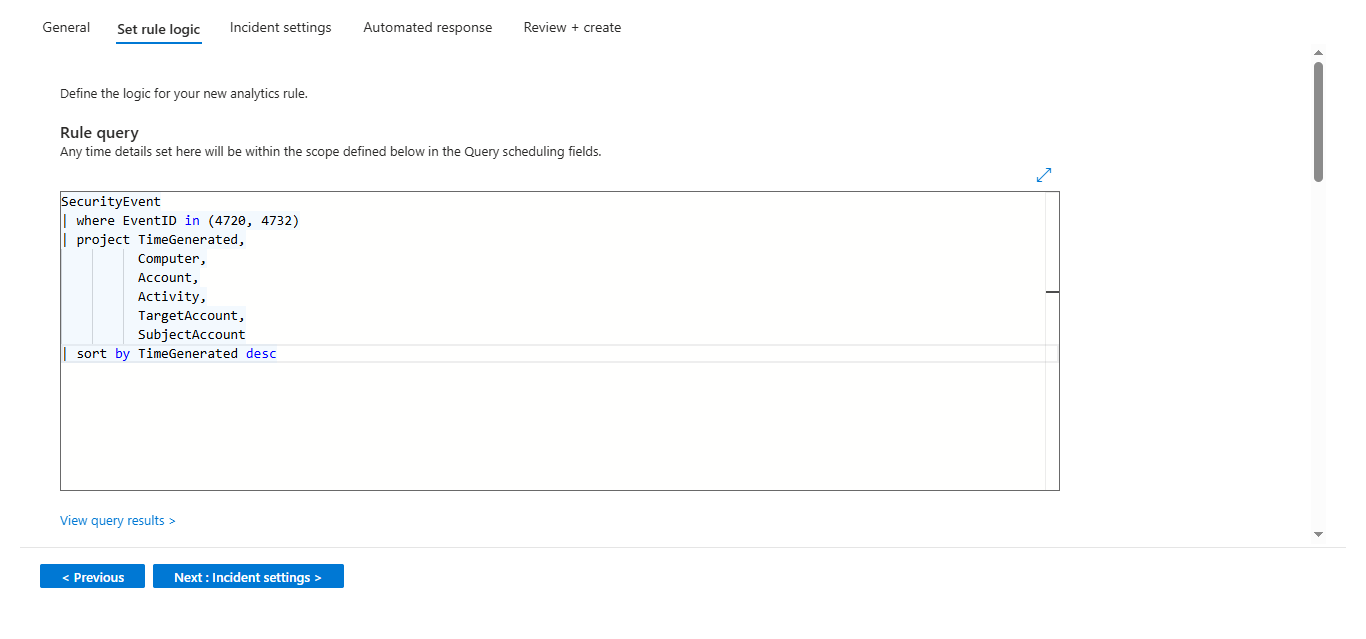
### 6. 可疑本地管理员账户创建
- 检测未经授权的本地管理员账户创建
- MITRE 技术:T1136
- KQL 规则:[suspicious-local-admin-creation.kql](./KQL-Rules/suspicious-local-admin-creation.kql)
### 规则概述
### 检测查询
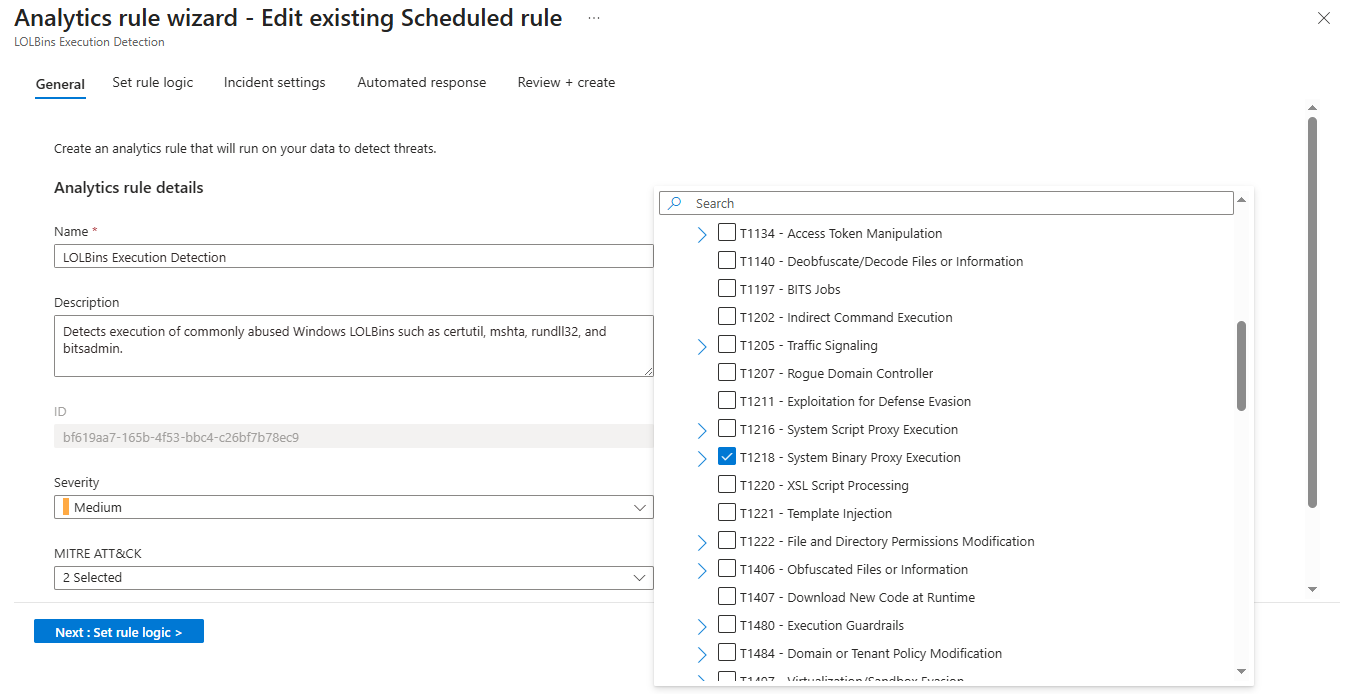
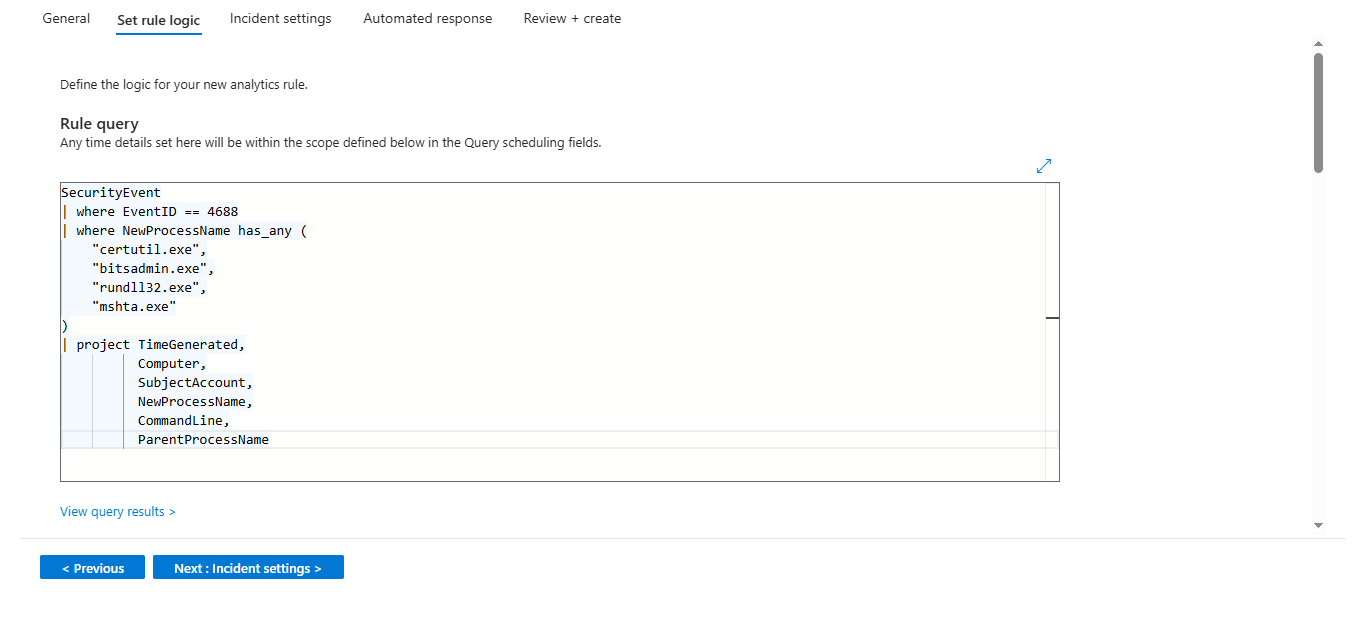
### 7. LOLBins 执行检测
- 检测出于恶意目的滥用 certutil、bitsadmin、rundll32、mshta 的行为
- MITRE 技术:T1218
- KQL 规则:[lolbins-execution.kql](./KQL-Rules/lolbins-execution.kql)
### 规则概述
### 检测查询
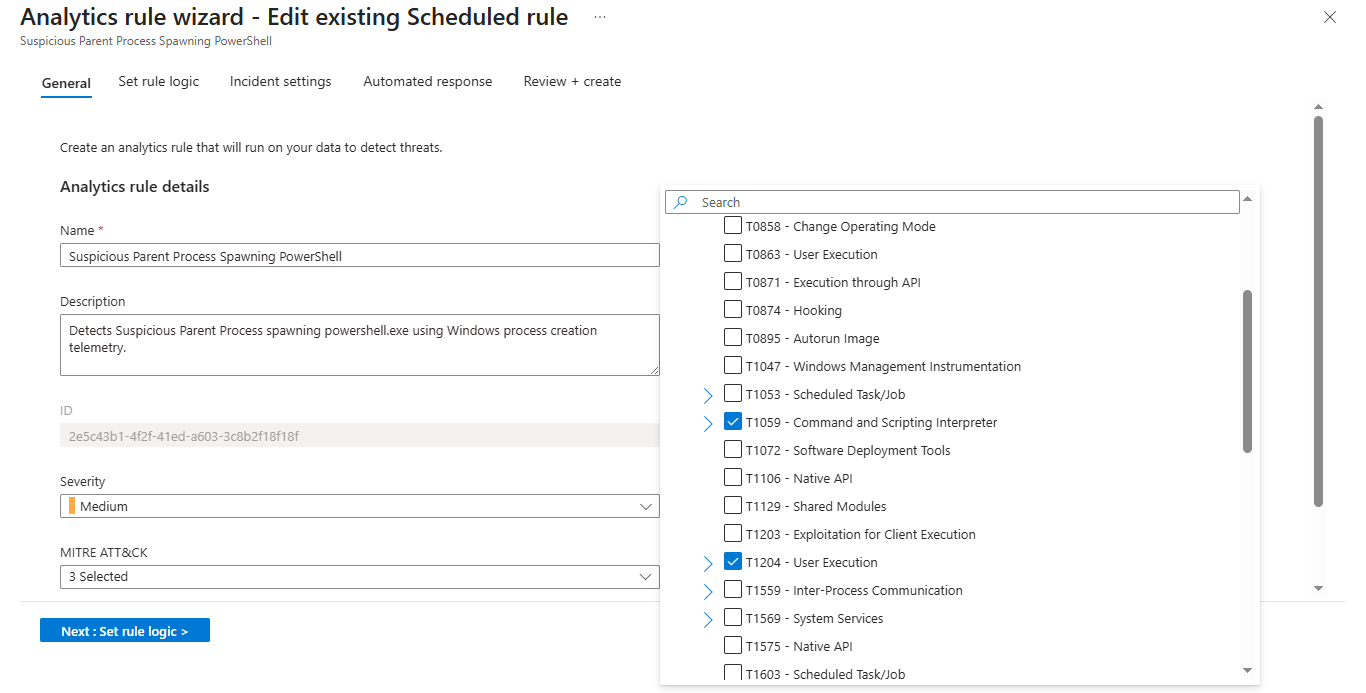
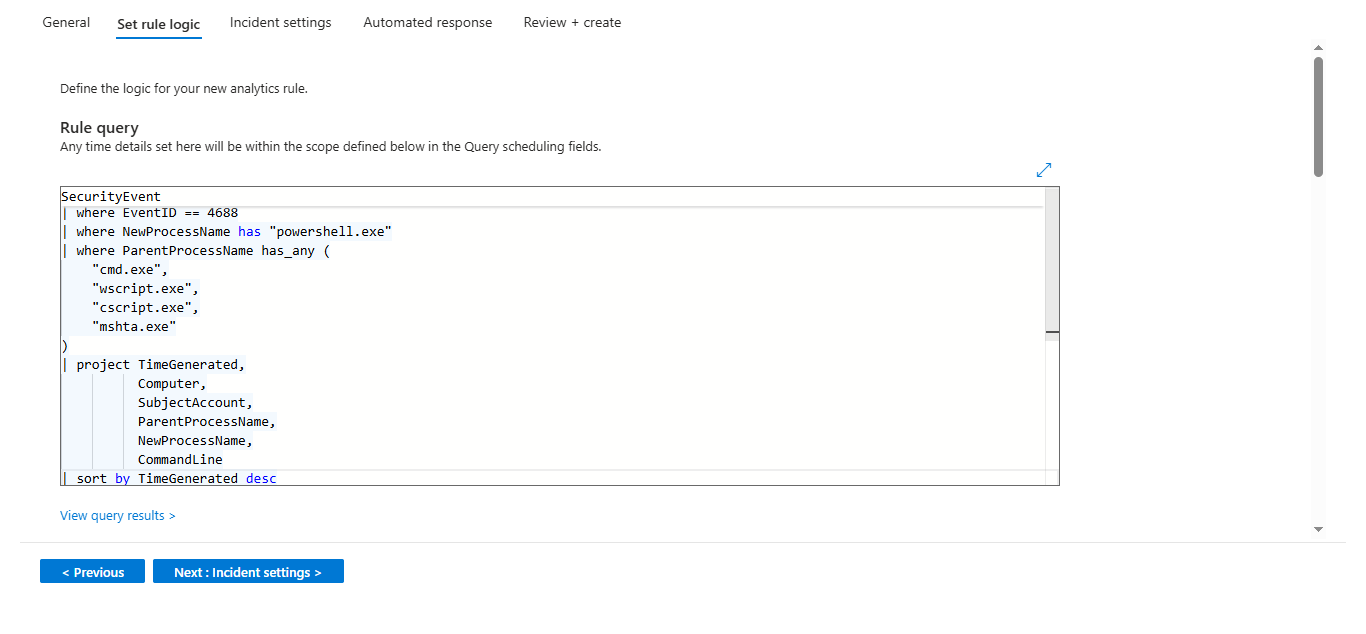
### 8. 可疑父进程生成 PowerShell
- 检测由 cmd.exe、wscript.exe 等异常父进程启动的 PowerShell
- MITRE 技术:T1059.001
- KQL 规则:[suspicious-parent-process-powershell.kql](./KQL-Rules/suspicious-parent-process-powershell.kql)
### 规则概述
### 检测查询
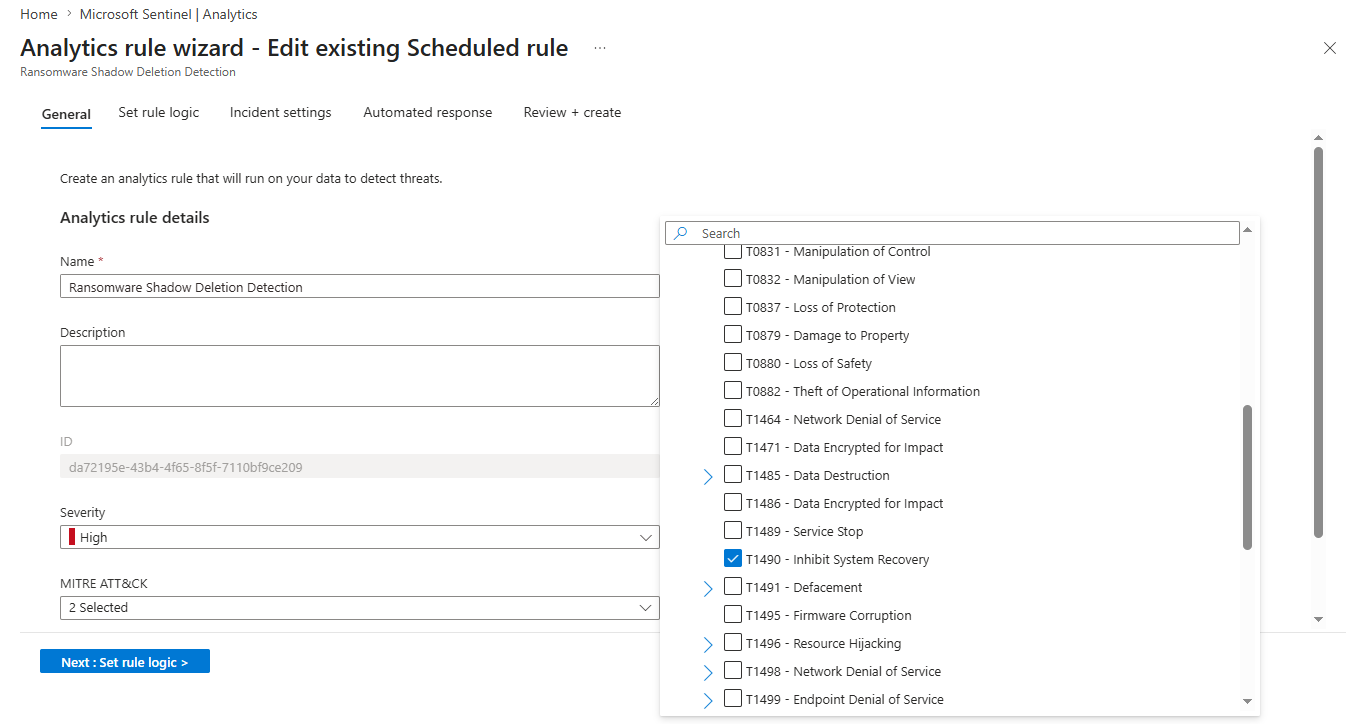
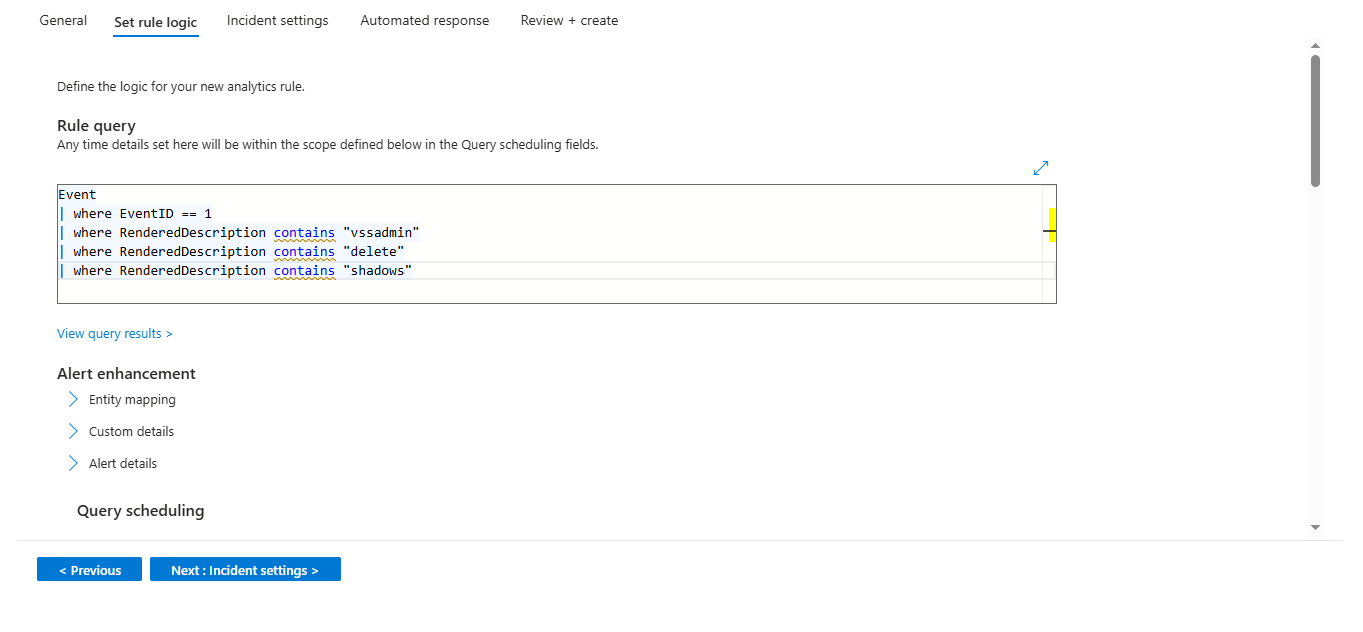
### 9. 勒索软件卷影副本删除检测
- 检测 vssadmin delete shadows —— 勒索软件的标志性行为
- MITRE 技术:T1490
- KQL 规则:[ransomware-shadow-deletion.kql](./KQL-Rules/ransomware-shadow-deletion.kql)
### 规则概述
### 检测查询
## 附加截图
### 活动分析规则
### 告警和事件
## 事件调查演练
### 场景:触发暴力破解告警
**步骤 1 — 告警触发**
Microsoft Sentinel 在检测到同一账户在 5 分钟时间窗口内发生 3 次以上失败登录尝试(事件 ID 4625)后引发了事件。
**步骤 2 — 在 Sentinel 中进行调查**
在 Sentinel 中打开该事件。查看了告警详情 —— 确定了受影响的账户名称、源计算机以及失败尝试的时间戳。
**步骤 3 — 运行 KQL 进行深入挖掘**
```
SecurityEvent
| where EventID == "4625"
| summarize FailedAttempts = count() by Account, Computer, bin(TimeGenerated, 5m)
| where FailedAttempts >= 3
| sort by TimeGenerated desc
```
确认了在短时间窗口内来自单一账户的反复失败尝试 —— 与暴力破解尝试相符。
**步骤 4 — 分流决定**
事件被归类为**真实告警 (True Positive)**。在真实的 SOC 中,下一步将是隔离机器、重置凭据,并在检测到横向移动时将其升级至 Tier 2。
**步骤 5 — 关闭事件**
事件被标记为已解决,并附带了记录调查结果的说明。
## 展示的核心技能
- SIEM 监控与配置
- 威胁检测与分析
- KQL 查询开发
- 事件调查与分流
- 日志分析
- MITRE ATT&CK 映射
- SOC 运营
- 安全事件关联
- 告警分流
- Azure 云安全
## 我学到了什么
- 如何使用 Azure 原生工具从零开始构建云 SIEM 架构
- 为真实世界的攻击技术编写 KQL 检测逻辑
- 噪音规则与高保真检测之间的区别
- 如何对告警进行分流并将真实告警 (True Positive) 与误报 (False Positive) 进行分类
- 将检测映射到 MITRE ATT&CK 以清晰地传达威胁上下文
## 作者
Chandan G
LinkedIn: https://linkedin.com/in/chandan-g-7749573a6
GitHub: https://github.com/Chandan-G-04
标签:KQL, 安全运营中心, 微软Sentinel, 红队行动, 网络安全, 网络映射, 隐私保护