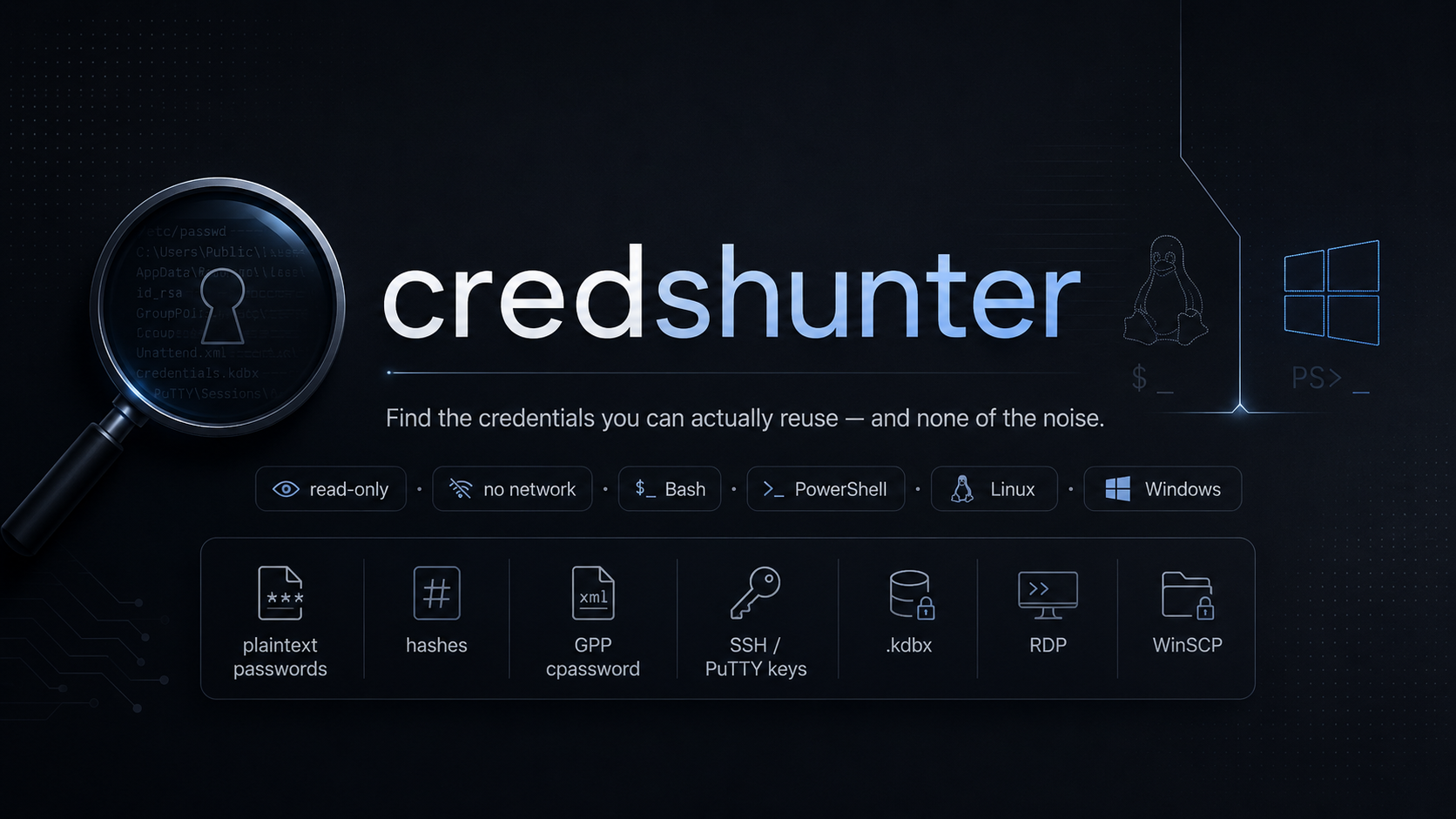
NeCr00/Credential-Hunting

GitHub: NeCr00/Credential-Hunting

Stars: 14 | Forks: 2

██████╗██████╗ ███████╗██████╗ ███████╗██╗ ██╗██╗ ██╗███╗ ██╗████████╗███████╗██████╗ ██╔════╝██╔══██╗██╔════╝██╔══██╗██╔════╝██║ ██║██║ ██║████╗ ██║╚══██╔══╝██╔════╝██╔══██╗ ██║ ██████╔╝█████╗ ██║ ██║███████╗███████║██║ ██║██╔██╗ ██║ ██║ █████╗ ██████╔╝ ██║ ██╔══██╗██╔══╝ ██║ ██║╚════██║██╔══██║██║ ██║██║╚██╗██║ ██║ ██╔══╝ ██╔══██╗ ╚██████╗██║ ██║███████╗██████╔╝███████║██║ ██║╚██████╔╝██║ ╚████║ ██║ ███████╗██║ ██║ ╚═════╝╚═╝ ╚═╝╚══════╝╚═════╝ ╚══════╝╚═╝ ╚═╝ ╚═════╝ ╚═╝ ╚═══╝ ╚═╝ ╚══════╝╚═╝ ╚═╝ `v2.1.0` · `bash 4+` · `PowerShell 5.1+` · `pentest · red team · CTF · privilege escalation`
## At a glance +-------------------------------------------------------------+ | credshunter * reusable-credential discovery | | v2.1.0 * authorized testing only * read-only | +-------------------------------------------------------------+ [*] Size cap: skipping files larger than 5 MB ====================================================================== Stage 1 -- OS-level credential checks ---------------------------------------------------------------------- Found: 4 file(s) (0.34s) [KEY ] /home/alice/.ssh/id_ed25519 [HIGH ] /home/alice/.bash_history:42 [HIGH ] /etc/shadow:1 [HIGH ] /var/spool/cron/crontabs/root:3 ====================================================================== ====================================================================== Stage 2 -- Confirmed credential containers ---------------------------------------------------------------------- Found: 2 file(s) (0.05s) [CRITICAL] /home/alice/Documents/personal.kdbx [CRITICAL] /opt/scripts/jump-admin.ppk ====================================================================== ====================================================================== Stage 3 -- High-value file types ---------------------------------------------------------------------- Found: 5 file(s) (0.18s) [INTEREST] /home/alice/private.pem [INTEREST] /opt/app/.env.production [INTEREST] /home/admin/.netrc [INTEREST] /tmp/network.pcap [INTEREST] /backup/db_2026.sqlite ====================================================================== ====================================================================== Stage 4 -- Filename substring search ---------------------------------------------------------------------- Found: 3 file(s) (0.12s) [NAME ] /mnt/share/Onboarding/new_hire_passwords.docx [NAME ] /home/admin/scripts/db_password_reset.sh [NAME ] /opt/app/customer_credentials.yaml ====================================================================== ====================================================================== Stage 5 -- Recursive content scan ---------------------------------------------------------------------- Found: 3 file(s) (4.27s) [HIGH ] /mnt/sysvol/Policies/.../Groups.xml:1 [HIGH ] /var/www/html/wp-config.php:23 [HIGH ] /srv/scripts/backup.sh:7 ====================================================================== === Summary === Category Count -------------------------------------------- ----- Confirmed credential containers ! 2 Reusable credentials 6 Private keys / auth material 1 High-value file types 5 Filename substring matches 3 OS locations checked 87 Files skipped (size/binary/perm) 9 ## What it does `credshunter` finds material a pentester can actually **re-use** to move laterally or escalate privileges on Linux and Windows hosts: plaintext passwords, database connection strings, GPP `cpassword`, unattend autologon, SSH and PuTTY private keys, NTLM and Kerberos and shadow hashes, command-line credentials in shell history, sudoers `NOPASSWD`, htpasswd / netrc / smb.conf, KeePass / 1Password / LastPass databases, RDP/RDCMan/mRemoteNG/Devolutions session files, and more. It **does not** chase cloud or SaaS access tokens (JWTs, AWS keys, GitHub tokens, Slack tokens, generic API keys). Those rarely help with lateral movement inside a network and are the dominant source of noise on real hosts. The tool is **read-only**. It never modifies the host, never writes outside the optional log file, and never transmits anything over the network. ## Highlights | | | |---|---| | **Five-stage pipeline** | OS-level checks → confirmed containers → high-value file types → filename substrings → recursive content scan | | **Live results per stage** | Each stage prints a framed block of findings the moment it finishes — no waiting for the final report | | **Per-stage skip flags** | `--no-stage1` through `--no-stage5` (bash) and `-NoStage1`..`-NoStage5` (PowerShell) toggle each stage on/off | | **One config block at top** | All Stage 2-5 pattern lists live in one labelled section near the start of each script — edit one place, no other changes required | | **70+ regex patterns** | Tuned against linpeas, winPEAS, gitleaks, noseyparker, detect-secrets, Snaffler, and HTB/THM/PG writeups | | **Battle-tested FP filter** | Drops template variables, encrypted markers, language refs, sysprep placeholders, trusted-connection strings | | **Smart exclusions** | Skips `/proc`, `/sys`, `node_modules`, `WinSxS`, package caches, vendor dirs — none of these ever hide reusable creds | | **Cross-distro safe** | Pure ASCII PowerShell (PS 5.1+ on any Windows code page) · Bash 4+ on every major Linux distro | | **Ctrl-C clean exit** | Trap-driven, kills child grep/find, removes temp files, returns 130 | ## Quickstart # Linux - sweep root, write log sudo ./credshunter.sh -p / -m 10 -o /tmp/findings.txt # Windows - sweep C:\, elevated, write log Set-ExecutionPolicy -Scope Process -ExecutionPolicy Bypass -Force .\credshunter.ps1 -Path C:\ -MaxFileSizeMB 10 -OutputFile loot.txt ## Pipeline +---------------------------------------------------------------+ | | | Stage 1 OS-level credential locations | | registry · GPP · unattend · histories · vaults | | *.kdbx scan-paths are NOT required for stage 1* | | | | skip with --no-stage1 / -NoStage1 / --skip-system | | | +---------------------------------------------------------------+ | v requires -p PATH from here onwards +---------------------------------------------------------------+ | | | Stage 2 Confirmed credential containers [CRITICAL] | | .kdbx .kdb .psafe3 .ppk .pfx .p12 .jks .keytab .. | | | | skip with --no-stage2 / -NoStage2 | | | +---------------------------------------------------------------+ | v +---------------------------------------------------------------+ | | | Stage 3 High-value file types [INTEREST] | | SSH/TLS keys, .env*, keytab, krb5cc_*, .sh, | | .bash, backups, .sqlite, .log, .pcap, archives | | dedups against Stage 2 (no double-emit) | | | | skip with --no-stage3 / -NoStage3 | | | +---------------------------------------------------------------+ | v +---------------------------------------------------------------+ | | | Stage 4 Filename substring search [NAME] | | credential · secret · pass · password · passwd | | · account · login (case-insensitive substring) | | | | skip with --no-stage4 / -NoStage4 | | | +---------------------------------------------------------------+ | v +---------------------------------------------------------------+ | | | Stage 5 File-content regex scan [HIGH] [KEY] | | Extension-filtered candidates from -p paths | | One combined-alternation grep per file | | | | skip with --no-stage5 / -NoStage5 | | | +---------------------------------------------------------------+ ## Output tiers | Tag | Meaning | Example | |---|---|---| | `[CRITICAL]` | Confirmed credential container — the extension is proof | `.kdbx`, `.ppk`, `.pfx`, `.keytab` | | `[HIGH]` | Reusable plaintext credential, hash dump, or GPP cpassword | `DB_PASSWORD=…`, `sshpass -p …`, `cpassword="…"` | | `[KEY]` | Private-key markers or readable SAM/SYSTEM hive | `-----BEGIN OPENSSH PRIVATE KEY-----` | | `[INTEREST]` | High-value file type worth manual inspection | `.pem`, `.env.production`, `.sqlite`, `.pcap` | | `[NAME]` | Filename matches a credential-related substring | `*password*`, `*credential*`, `*account*`, `*login*` | | `[CHECK]` | OS location inspected (existence + readability noted) | `HKLM:\…\Winlogon`, `/etc/shadow` | | `[SKIP]` | File skipped (binary / size / unreadable) | (size>5MB / binary / permission denied) | ## User-customizable pattern lists Open either script and look near the top. You will find a clearly delimited block: # ============================================================================ # USER-CUSTOMIZABLE PATTERN LISTS # # Edit the arrays below to add or remove what each stage flags. NO OTHER # changes are required when you tweak these. # ============================================================================ Below it sit the six arrays driving Stages 2-5: | Bash array | PowerShell variable | Purpose | |---|---|---| | `STAGE2_EXTENSIONS` | `$script:Stage2Extensions` | Confirmed credential containers (Stage 2) | | `STAGE3_EXTENSIONS` | `$script:Stage3Extensions` | High-value extensions (Stage 3) | | `STAGE3_EXACT_NAMES` | `$script:Stage3ExactNames` | Exact filenames like `krb5.conf`, `.netrc` (Stage 3) | | `STAGE3_GLOB_PATTERNS` | `$script:Stage3GlobPatterns` | Globs like `krb5cc_*`, `.env.*` (Stage 3) | | `STAGE4_NAME_TOKENS` | `$script:Stage4NameTokens` | Substring tokens (Stage 4) | | `STAGE5_EXTENSIONS` | `$script:Stage5Extensions` | Content-scan extension allow-list (Stage 5) | Add a row to any array, save the script, run it. No other code changes required. ## What credshunter looks for
Linux — OS-level checks (Stage 1) Shell histories .bash_history .zsh_history .sh_history .mysql_history .psql_history .python_history .node_repl_history .irb_history .rediscli_history .viminfo .lesshst SSH /root/.ssh/* and /home/*/.ssh/* (id_*, identity, config, authorized_keys, known_hosts) /etc/ssh/sshd_config, ssh_host_*_key Environment /etc/environment, /etc/profile, /etc/bashrc, /etc/profile.d/*, ~/.bashrc, ~/.zshrc, ~/.env, ~/.env.local, ~/.envrc Cron / scheduled /etc/crontab, /etc/cron.{d,daily,hourly,weekly,monthly} /var/spool/cron/*, /var/spool/anacron, /var/spool/at systemd *.service, *.timer, *.socket, override.conf Database configs /etc/my.cnf, /etc/mysql/*, /etc/postgresql/*/pg_hba.conf /etc/redis/redis.conf, /etc/mongod.conf ~/.my.cnf, ~/.pgpass, ~/.mongorc.js, ~/.dbeaver-credentials.json Web app configs wp-config.php, configuration.php, settings.php, appsettings.json, database.yml, secrets.yml, web.config, .htpasswd, .env Cloud / dev CLIs .aws/credentials, .azure/*, .gcloud/credentials.json, .kube/config, .docker/config.json, .netrc, .git-credentials, .npmrc, .pypirc, .s3cfg Browser stores Firefox key{3,4}.db + logins.json Chrome/Chromium Login Data + Cookies System / hashes /etc/shadow, /etc/gshadow, /etc/master.passwd, /etc/sudoers, /etc/sudoers.d/*, /etc/security/opasswd /etc/fstab, /etc/exports, /etc/anaconda-ks.cfg, /root/anaconda-ks.cfg, /etc/network/interfaces, /etc/login.defs, /etc/security/access.conf Wi-Fi /etc/NetworkManager/system-connections/*, /etc/wpa_supplicant/* VPN / mail / proto /etc/openvpn/*, /etc/wireguard/*.conf, /etc/strongswan.conf, /etc/ipsec.secrets, /etc/ppp/{chap,pap}-secrets, /etc/postfix/sasl_passwd, /etc/dovecot/dovecot.conf, /etc/krb5.conf, /var/kerberos/krb5kdc/kadm5.acl, /etc/freeradius/*/clients.conf, /etc/raddb/clients.conf, /etc/proftpd/*, /etc/vsftpd.conf, /etc/samba/smb.conf, /etc/samba/smbpasswd, /etc/squid/{squid.conf,passwords}, /etc/snmp/snmpd.conf, /etc/proxychains*.conf, /etc/rsyncd.{conf,secrets}, /etc/sssd/sssd.conf, /etc/cifs/credentials Monitoring / CI /etc/zabbix/zabbix_*.conf, /etc/icinga2/conf.d/*, /etc/grafana/grafana.ini, /etc/gitlab/gitlab.rb, /etc/gitea/conf/app.ini, /var/lib/jenkins/credentials.xml, /var/lib/jenkins/secrets/master.key, /var/lib/jenkins/secret.key, /var/lib/jenkins/secrets/hudson.util.Secret Cloud-init /var/lib/cloud/instances/*/user-data.txt, /var/log/installer/syslog, /preseed.cfg Per-user ~/.vnc/passwd (d3des), ~/.password-store/*.gpg, ~/.local/share/keyrings/*.keyring, ~/.config/remmina/*.remmina, ~/.msmtprc, ~/.fetchmailrc, ~/.muttrc, ~/.config/keepassxc/* Docker / K8s /etc/docker/daemon.json, /etc/containerd/config.toml, /var/lib/kubelet/config.yaml, /etc/kubernetes/{admin,kubelet,...}.conf, ~/.docker/config.json, ~/.kube/config*, /run/secrets/, /var/run/secrets/kubernetes.io/ Kerberos /etc/krb5.keytab, *.keytab anywhere, /tmp/krb5cc_*, /var/run/krb5cc_*
Windows — OS-level checks (Stage 1) AutoLogon registry HKLM:\SOFTWARE\Microsoft\Windows NT\CurrentVersion\Winlogon (+ WOW6432Node) DefaultPassword/AltDefaultPassword Group Policy Preferences SYSVOL Policies, ProgramData\Microsoft\Group Policy\History Groups.xml, Services.xml, ScheduledTasks.xml, DataSources.xml, Drives.xml, Printers.xml Unattend / sysprep Panther\Unattend.xml, Panther\Unattended.xml, Panther\Unattend\Unattend.xml, System32\Sysprep\unattend.xml, C:\autounattend.xml, debug\NetSetup.log PowerShell history %APPDATA%\Microsoft\Windows\PowerShell\PSReadLine\ ConsoleHost_history.txt (every user profile) Credential vault cmdkey /list, %APPDATA%\Microsoft\Credentials\, %APPDATA%\Microsoft\Vault\ RDP / RDCMan HKCU:\Software\Microsoft\Terminal Server Client\* *.rdp, *.rdg, RDCMan.settings PuTTY / KiTTY HKCU:\Software\SimonTatham\PuTTY\Sessions\* HKCU:\Software\9bis.com\KiTTY\Sessions WinSCP HKCU:\Software\Martin Prikryl\WinSCP 2\Sessions\* WinSCP.ini FileZilla sitemanager.xml, recentservers.xml, filezilla.xml FileZilla Server.xml mRemoteNG %APPDATA%\mRemoteNG\confCons.xml Devolutions RDM %APPDATA%\Devolutions\RemoteDesktopManager\Connections.xml Royal TS %APPDATA%\Code4ward.net\Royal TS V*\*.rtsz, *.rtsg Pidgin %APPDATA%\.purple\accounts.xml, Pidgin\accounts.xml VNC HKLM\HKCU keys for TightVNC, RealVNC, UltraVNC, ORL WinVNC SNMP HKLM:\SYSTEM\CurrentControlSet\Services\SNMP\Parameters\ValidCommunities SAM / SYSTEM / SECURITY System32\config\*, System32\config\RegBack\*, repair\* (readability check) IIS System32\inetsrv\config\applicationHost.config, administration.config, C:\inetpub\wwwroot\**\web.config, C:\inetpub\history\CFGHISTORY_*\applicationHost.config, appcmd list apppool /text:* Scheduled tasks System32\Tasks\** (XMLs with stored credentials) Wi-Fi netsh wlan show profile name="X" key=clear ProgramData\Microsoft\Wlansvc\Profiles\Interfaces\*\*.xml Autopilot C:\Windows\Provisioning\Autopilot\*.json Sticky Notes LocalState\plum.sqlite, StickyNotes.snt McAfee SiteList.xml in Common Framework dirs Browser stores Chrome / Edge / Brave / Opera Login Data, Firefox key4.db + logins.json Cloud / dev CLIs .aws, .azure, gcloud, .kube, .docker, .netrc, .git-credentials, .npmrc, .pypirc, .s3cfg, rclone.conf SSH %USERPROFILE%\.ssh\* (id_*, identity, config, authorized_keys, known_hosts) OpenVPN / WireGuard Program Files\OpenVPN\config\*.ovpn, ProgramFiles\WireGuard\Data\* .NET Microsoft.NET\Framework*\v4.0.30319\Config\machine.config
Confirmed credential containers (Stage 2 — extension is proof) .kdbx .kdb KeePass 2.x / 1.x .psafe3 Password Safe v3 .agilekeychain 1Password legacy bundle .opvault 1Password vault .1pif .1pux 1Password exports .lpdb LastPass local DB .enpass .enpassdb Enpass .bitwarden_export Bitwarden export .ppk PuTTY private key .pfx .p12 PKCS#12 (cert + private key) .pvk Microsoft private key file .jks .keystore .truststore Java keystores .bek .fve BitLocker recovery / FVE .keytab Kerberos keytab .dpapimk Windows DPAPI master key
High-value file types (Stage 3 — strong signal, recurated) Stage 3 looks for three kinds of patterns: Extensions SSH / TLS private keys .pem .key .priv .crt .cer .csr App-secret env files .env .envrc Kerberos .keytab (also in Stage 2; deduped) Shell scripts .sh .bash Backup / scratch variants .bak .old .orig .backup .swp .save SQLite databases .db .sqlite .sqlite3 Logs .log Packet captures .pcap .pcapng Compressed archives .tar .tgz .gz .zip .7z Exact filenames krb5.conf .htpasswd .netrc .pgpass .my.cnf my.cnf .mysql.cnf Glob patterns krb5cc_* Kerberos credential caches *.tar.gz Compound-extension tarballs .env.* .env.production / .env.local / .env.development / etc. A file matching any of these is emitted as `[INTEREST]`, unless it was already emitted as `[CRITICAL]` by Stage 2 (the runtime dedup prevents `*.keytab` from being double-flagged).
Suspicious filenames (Stage 4 — substring search) Stage 4 is intentionally tight. The 7 substring tokens are: credential secret pass password passwd account login Any filename containing one of these (case-insensitive substring) is emitted as `[NAME]`. Binary executables, libraries, debug symbols, and credshunter's own script are excluded: .dll .exe .sys .so .dylib .ocx .pdb .nupkg .mui .cpl .drv (+ self-script) If you need to detect well-known credential files like `id_rsa`, `shadow`, or `unattend.xml` at non-standard paths, add their identifying substring (e.g. `rsa`, `shadow`, `unattend`) to `STAGE4_NAME_TOKENS` at the top of the script.
Pattern coverage (Stage 5 — content regex) Direct password assignments password = "..." passwd: "..." pwd=… passphrase = … DB / service-prefixed DB_PASSWORD, mysql_password, postgres_passwd, mongo_pass, redis_pass, ldap_password, smtp_password, smb_password, ftp_password, oracle_passwd, admin_password, user_password, service_password, svc_pass, jenkins_password, jboss_password, tomcat_password, gitlab_password, jira_password, wp_pass, joomla_password, drupal_pass, magento_password Connection strings Server=…;Database=…;User Id=…;Password=… Data Source=…;Password=… jdbc:mysql://…?password=… URL-embedded creds mysql://user:pw@host postgres://user:pw@host mongodb://user:pw@host mongodb+srv://user:pw@host redis://user:pw@host ldap[s]://user:pw@host smb://user:pw@host cifs://user:pw@host ssh://user:pw@host sftp://user:pw@host ftp[s]://user:pw@host amqp://user:pw@host https?://user:pw@host Windows-specific high-value cpassword="..." (GPP, MS-published AES key) ... (unattend.xml) DefaultPassword, AltDefaultPassword (Winlogon AutoLogon) Environment variables *_PASSWORD=… *_PASSWD=… *_PASSPHRASE=… PGPASSWORD=… MYSQL_PWD=… DOCKER_PASSWORD=… Command-line credentials (shell / PowerShell history) sshpass -p PW mysql -pPW psql -W mongo -u U -p PW mongosh URI redis-cli -a PW curl -u user:PW wget --http-password=PW smbclient -U user%pw mount -t cifs -o user,pass= xfreerdp /p:PW rdesktop -p PW plink -pw PW net use \\X /user:U PW runas /savecred psexec -u U -p PW wmic /password:PW sqlcmd -P PW osql -P PW cmdkey /add /user /pass schtasks /rp PW sc config svc password=PW ldapsearch -w PW kinit USER < pwfile rsync --password-file=… snmpwalk -A PW -X PW mosquitto_pub -P PW 7z -p PW zip -P PW unzip -P PW openssl … -pass pass:… nmcli wifi password PW htpasswd -b user PW evil-winrm -p PW impacket-* DOMAIN/user:pw@host New-Object PSCredential(...) ConvertTo-SecureString "..." -AsPlainText Web framework specifics WordPress define('DB_PASSWORD', '...'); Joomla public $password = '...'; Drupal 'password' => '...', Linux auth files htpasswd hashes $apr1$ $2[aby]$ $5$ $6$ $y$ (MD5-13 chars) netrc machine X login Y password Z sudoers NOPASSWD: (non-comment lines only) smb.conf password = ... Hash dumps (pass-the-hash / cracking) NTLM dump user:rid:lm:nt::: NTDS dump DOMAIN\user:rid:lm:nt::: Linux shadow / hash formats $1$ (md5) $5$ (sha256) $6$ (sha512) $y$ (yescrypt) $2[aby]$ (bcrypt) $argon2{i,d,id}$ Kerberos roasting $krb5tgs$23$ $krb5asrep$23$ $DCC2$ M$user#hash (cache v1) Private-key markers ([KEY] tier) -----BEGIN RSA PRIVATE KEY----- -----BEGIN DSA PRIVATE KEY----- -----BEGIN EC PRIVATE KEY----- -----BEGIN OPENSSH PRIVATE KEY----- -----BEGIN PRIVATE KEY----- -----BEGIN ENCRYPTED PRIVATE KEY----- -----BEGIN PGP PRIVATE KEY BLOCK----- PuTTY-User-Key-File-
File extensions scanned (Stage 5 content) Configuration & structured data .conf .config .cfg .cnf .ini .env .envrc .yaml .yml .toml .json .jsonc .json5 .xml .plist .properties .prop .props .settings .tf .tfvars .tfstate .hcl Shell & scripting .sh .bash .zsh .ksh .csh .fish .ps1 .psm1 .psd1 .ps1xml .bat .cmd .vbs .vbe .wsh .wsf .ahk Source code .py .pl .rb .php .phtml .php3 .php5 .lua .groovy .tcl .coffee .java .cs .vb .go .rs .c .cpp .h .hpp .js .ts .jsx .tsx .mjs .cjs Web app .aspx .asp .ashx .asmx .asax .ascx .cshtml .vbhtml .master .svc .jsp .jspx .jspf .cfm .cfc .htm .html .htaccess Database / connection text formats .sql .ddl .dump .dsn .udl .ora .tns Windows-specific text .reg .pol .rdp .rdg .rdcman .inf .unattend .answerfile Remote access .ovpn .openvpn .vnc .rdc .tcc .ica .session .kix Plain text / notes .txt .text .md .markdown .rtf .nfo .log .logs .readme Backups / temp .bak .backup .old .orig .original .save .saved .tmp .temp .cache Data exports .csv .tsv .ldif .ldiff systemd / cron .service .unit .timer .socket .crontab .cron Variant suffixes .local .shared .template .example .sample .dist
## Detection examples [CRITICAL] kdbx /home/alice/.local/share/keepassxc/personal.kdbx [HIGH] content/sshpass_cmd /home/admin/.bash_history:42 sshpass -p 'WinSrvP@ss!' ssh admin@10.0.0.50 [HIGH] content/gpp_cpassword /mnt/sysvol/Policies/.../Groups.xml:1 cpassword="edBSHOwhZLTjt/QS9FeIcJ83mjWA98gw9guKOhJOdcqh" [HIGH] content/db_password /var/www/html/wp-config.php:23 define('DB_PASSWORD','RealCorpSecret123!'); [HIGH] content/connection_string C:\inetpub\wwwroot\app\web.config:14 Server=sql01;Database=corp;User Id=sa;Password=Sql$Real1!; [HIGH] content/url_credentials /srv/scripts/backup.sh:7 psql -d 'postgres://app:Pg5ecr3t!@db.local:5432/app' -c "VACUUM" [HIGH] content/ntlm_dump /tmp/loot/ntds.dump.txt:1 CORP\Administrator:500:aad3b435...:b4f0e5e6...::: [KEY] openssh_private /home/alice/.ssh/id_ed25519:1 -----BEGIN OPENSSH PRIVATE KEY----- [INTEREST] high_value_file /home/alice/private.pem [INTEREST] high_value_file /opt/app/.env.production [NAME] /mnt/it_share/Onboarding/new_hire_passwords.docx ## Configuration reference | Bash | PowerShell | Effect | |---|---|---| | `-p PATH` (repeatable) | `-Path PATH[,PATH]` | Scope for stages 2-5 | | `-x PATH` (repeatable) | `-ExcludePath PATH[,PATH]` | Skip directory subtree (stages 2-5 only) | | `-a` / `--all` | `-All` | Stage 5 scans every readable text file | | `-m N` | `-MaxFileSizeMB N` | Skip files larger than N MB. Default 5 | | `--no-size-limit` | `-NoSizeLimit` | Disable the size cap entirely | | `-s` / `--skip-system` | `-SkipSystem` | Skip Stage 1 (legacy alias for `--no-stage1`) | | `--no-stage1` | `-NoStage1` | Skip Stage 1 (OS-level credential checks) | | `--no-stage2` | `-NoStage2` | Skip Stage 2 (confirmed credential containers) | | `--no-stage3` | `-NoStage3` | Skip Stage 3 (high-value file types) | | `--no-stage4` | `-NoStage4` | Skip Stage 4 (filename substring search) | | `--no-stage5` | `-NoStage5` | Skip Stage 5 (recursive content scan) | | `-q` / `--quiet` | `-Quiet` | Suppress per-finding lines inside framed stage blocks | | `--no-color` | `-NoColor` | Strip ANSI escape codes | | `-o FILE` | `-OutputFile FILE` | Append plain-text log of all findings | | `-h` / `--help` | `Get-Help .\credshunter.ps1` | Full help | | `-V` / `--version` | `(banner shows)` | Show version | ## Examples # Full sweep, elevated, write log sudo ./credshunter.sh -p / -m 10 -o /tmp/findings.txt # Targeted directories, skip the customer vendor tree ./credshunter.sh -p /var/www -p /home -p /opt -x /var/lib/customer/vendor # Aggressive — every readable file, no size cap ./credshunter.sh -a --no-size-limit -p /srv/customer-app # CTF / lab — content scan only, quiet ./credshunter.sh --skip-system -p . -q # OS checks + confirmed containers only — fast triage pass ./credshunter.sh -p / --no-stage3 --no-stage4 --no-stage5 # Skip the long content scan, keep everything else ./credshunter.sh -p / --no-stage5 # Pipe-safe (no color) ./credshunter.sh -p /etc --no-color | grep '\[HIGH\]' # Full sweep, elevated Set-ExecutionPolicy -Scope Process -ExecutionPolicy Bypass -Force .\credshunter.ps1 -Path C:\ -MaxFileSizeMB 10 -OutputFile loot.txt # User profiles + IIS .\credshunter.ps1 -Path C:\Users, C:\inetpub # All files in a backup tree, with exclusion .\credshunter.ps1 -All -Path D:\Backup -ExcludePath D:\Backup\ToolInstallers # Triage mode — Stage 1 + Stage 2 only .\credshunter.ps1 -Path C:\ -NoStage3 -NoStage4 -NoStage5 # Skip the slow Stage 5 content scan .\credshunter.ps1 -Path C:\ -NoStage5 # Through evil-winrm pipe (no color, log to public dir) .\credshunter.ps1 -Path C:\Users -NoColor -OutputFile C:\Users\Public\loot.txt ## Live results Every stage prints a framed block to stdout the moment it finishes, before the next stage starts. You see findings as they are discovered, not at the end of the run: ====================================================================== Stage 2 -- Confirmed credential containers ---------------------------------------------------------------------- Found: 2 file(s) (0.05s) [CRITICAL] /home/alice/Documents/personal.kdbx [CRITICAL] /opt/scripts/jump-admin.ppk ====================================================================== Behaviour: - **Stage-scoped.** Each block lists only findings from *that* stage. The final consolidated report at end-of-run is unchanged. - **All findings printed**, no truncation. - **Timing in the header.** `(0.05s)` is the wall time of that stage. - **Empty stages still emit a block** with `Found: 0 file(s)` — confirms the stage ran. - **Skipped stages emit `Stage N -- ... [SKIPPED]`** with no body. - **Quiet mode** (`-q` / `-Quiet`) suppresses the per-finding lines but keeps the headers, timings, and counts. ## Exit codes | Code | Condition | |---|---| | `0` | No CRITICAL, HIGH, KEY, or CRED_FILE findings | | `1` | At least one CRITICAL, HIGH, KEY, or CRED_FILE found | | `2` | Argument or I/O error | | `130` | Interrupted (Ctrl+C / SIGTERM / SIGHUP) | Exit `1` is designed for CI / automation: `./credshunter.sh -p /etc && echo clean`. ## False-positive controls A pentest tool is only as good as its FP discipline. credshunter applies six layers of filtering before any finding lands in the report: 1. **Placeholder denylist** — `password`, `changeme`, `null`, `none`, `example`, `hunter2`, `correct horse`, `lorem`, `P@ssw0rd`, `xxxxx`, `redacted`, `*sensitive*data*deleted*` (sysprep marker), `UABhAHMAcwB3AG8AcgBkAA==` (Microsoft sysprep base64-UTF16 "Password"), and ~60 more. 2. **Template / interpolation markers** — `${VAR}`, `$(cmd)`, `{{var}}`, `<%= var %>`, `%ENVVAR%`, `#{expr}`, `` all silently dropped. 3. **Language reference patterns** — `password = self.password` (Python), `password = this.password` (Java), `$_POST['password']` (PHP), bare `$var` references — all dropped. 4. **Already-encrypted markers** — `ENC(…)` (Jasypt), `{cipher}…` (Spring), `vault:v1:…` (Vault), `$ANSIBLE_VAULT;…`, `pbkdf2_sha256$…` (Django) — reported as encrypted-at-rest, not double-flagged as plaintext. 5. **Connection-string sanity** — `Integrated Security=true|SSPI`, `Trusted_Connection=yes|true` carry no password to extract; dropped. 6. **Shape filters** — values < 3 chars or > 256 chars, single-repeating-char runs (`xxxx`, `****`), pure-punctuation values all rejected. Plus default path pruning of `.git`, `node_modules`, `.venv`, `__pycache__`, `target`, `build`, `WinSxS`, `Installer`, `SoftwareDistribution`, `/proc`, `/sys`, `/usr/share`, `/usr/lib`, `/var/log`, `/var/cache`, `/var/lib/docker/overlay2`, `WindowsApps`, `Packages`, and more — none of these locations ever hide reusable creds in a real engagement. Plus stage-level hardcoded suppressions for real-world host noise: SQL Server install paths, MSSQL system database files (`master.mdf`, `model.mdf`, `msdb.mdf`, `tempdb.mdf`), per-user browser-cache trees (Edge / Chrome `Cache`, `Code Cache`, `GPUCache`, `ShaderCache`), SQL `@password` parameter references in stored procedures, Microsoft's published Yukon90_ SQL Agent signing-cert password, masked passwords (`'*******'`), and SQLTelemetry / SafeSqlCommand log lines. ## Performance - **Single combined-alternation grep per file.** Stage 5 builds one regex of every credential pattern and invokes `grep` exactly once per candidate file, then classifies each match line in-bash via `[[ =~ ]]` with no subprocess fork per pattern. - **Compiled regex on Windows.** PowerShell precompiles every pattern with `RegexOptions::Compiled` at module load — hot-path scanning is JIT-fast. - **Find-level size + extension filtering.** Large or non-credential-extension files are pruned during enumeration, before any per-file processing. - **Cached prune expression.** Bash builds the `find` exclusion expression once at startup; reused by every stage. - **HashSet lookups** (PowerShell) for extension / exclude / cred-filename membership — O(1) instead of `Array -contains`. - **Per-path dedup** across all stages: if Stage 1 reads `/etc/shadow`, Stage 5 silently skips it. - **Stage 2 ↔ Stage 3 dedup**: a `*.keytab` flagged as `[CRITICAL]` in Stage 2 is not re-emitted as `[INTEREST]` in Stage 3. - **Self-skip:** the tool resolves `$BASH_SOURCE` / `$PSCommandPath` and refuses to grep its own source. Typical run against `/` on a moderately busy Linux host (~50k candidate files) completes in well under a minute on a single core. ## Requirements | Linux | Windows | |---|---| | **Bash 4 or newer** (associative arrays, `${var,,}`, `=~` extended regex) | **PowerShell 5.1 or 7+** (5.1 ships with every Windows since 10/2016) | | `find`, `grep`, `awk`, `sed`, `stat` — standard on every distro | Built-in `.NET` regex engine | | `pkill` recommended (for clean Ctrl+C child-kill) | Elevated session unlocks SAM / Vault / Wi-Fi key-clear | | Tested on Debian, Ubuntu, RHEL, CentOS, Rocky, Alma, Arch, Alpine | Tested on Windows 10/11, Server 2016/2019/2022 | ## Safety ## License For authorized security testing only. No warranty, express or implied.
标签:Libemu