zunafu/Barangay-Disaster-Monitoring-System
GitHub: zunafu/Barangay-Disaster-Monitoring-System
一个基于 Web 的社区灾害监测与应急响应平台,支持市民实时上报灾情、社区官员协同处置、管理员全局管理。
Stars: 0 | Forks: 0
# 🚨 Barangay 灾害监测系统 (BDMS)
基于 Web 的灾害管理平台,用于实时事件报告、监测和应急响应协调。使市民能够提交灾害报告,机构能够高效响应,管理员能够无缝管理各项操作。
## ✨ 核心功能
### 📍 事件报告与管理
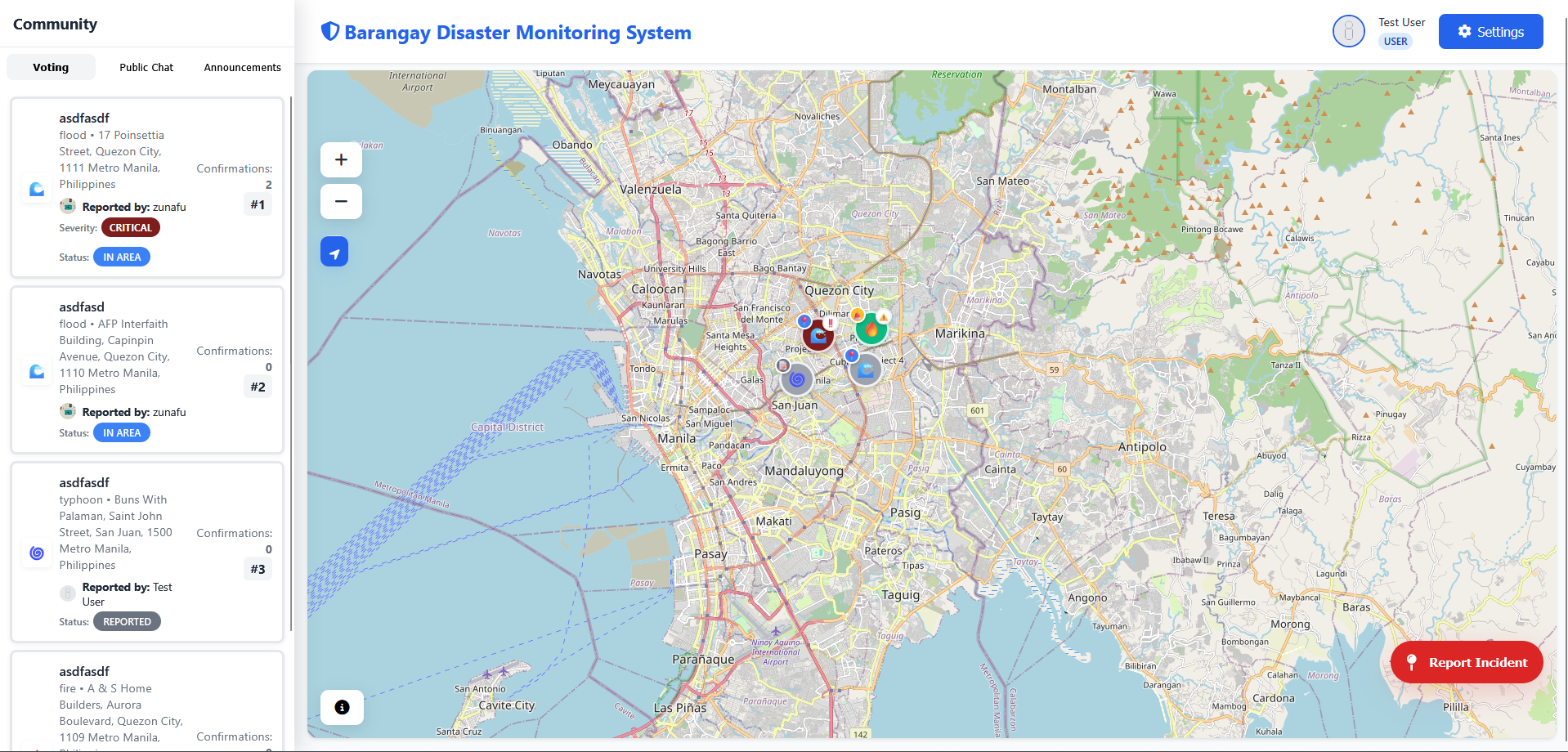
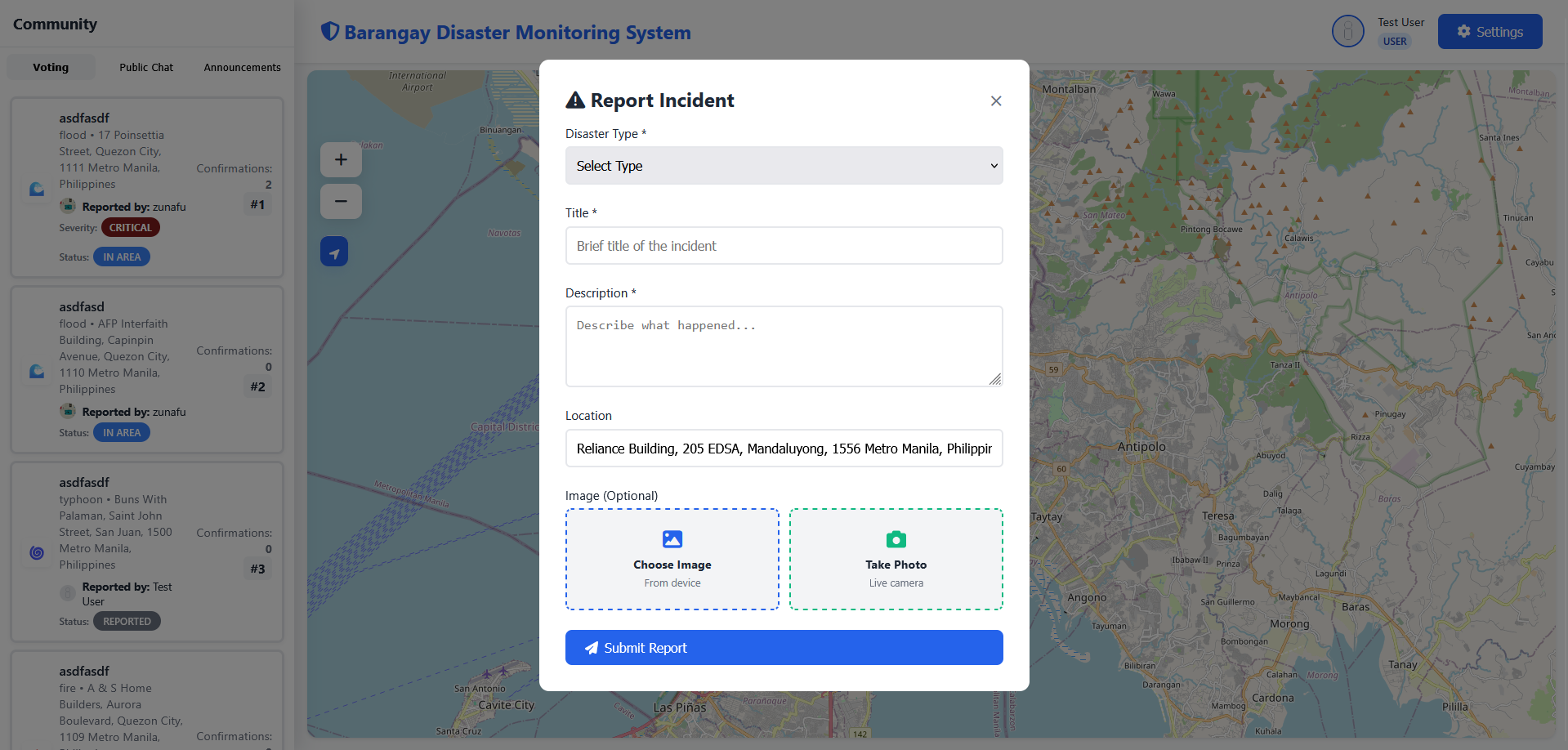
- 报告灾害及其类型、位置 (GPS)、照片和描述
- 支持多种灾害类型:火灾、洪水、地震、台风、山体滑坡、事故、其他
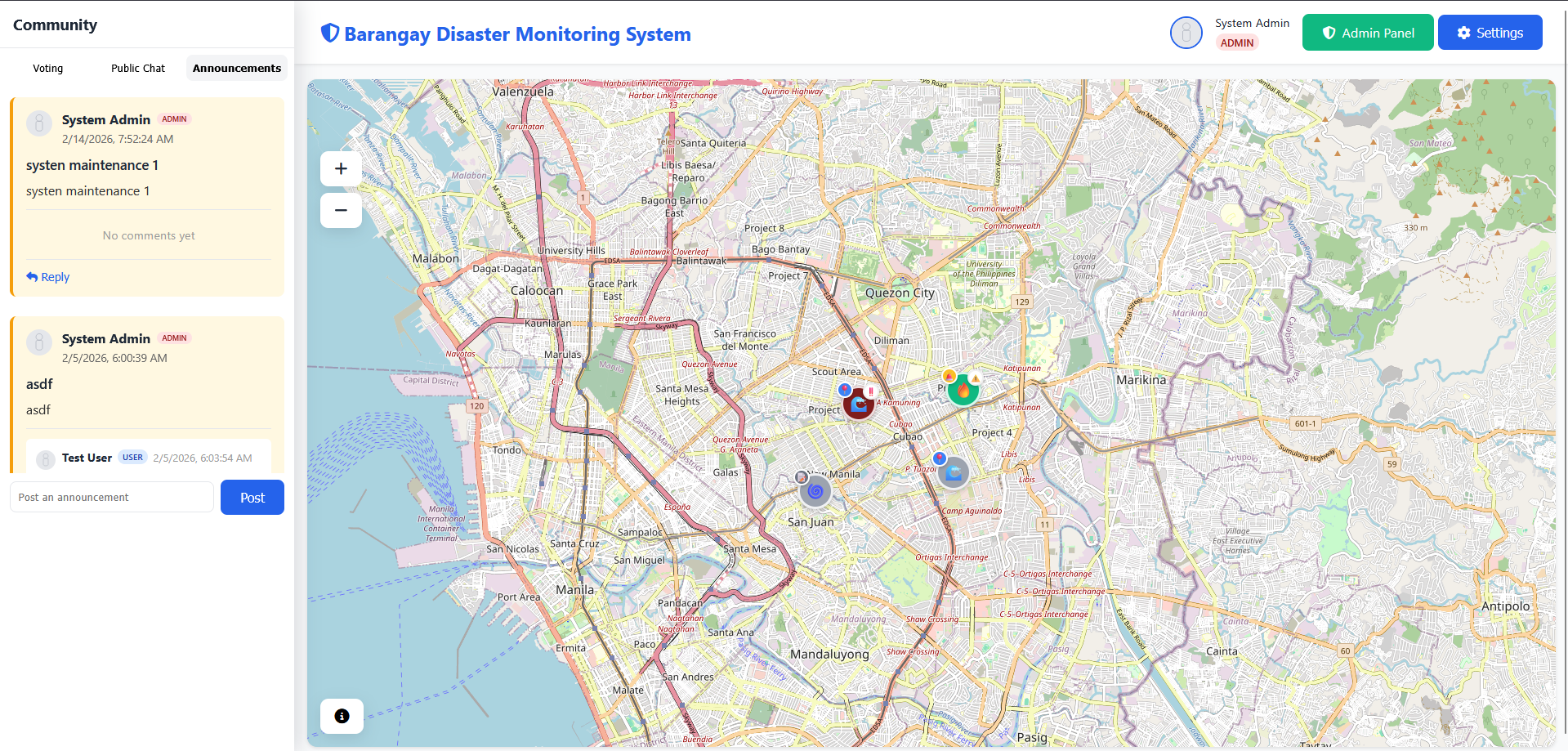
- 实时事件地图可视化
- 图片/照片证据上传
### 📊 状态追踪系统
**4 阶段状态 Pipeline:**
- **Reported** → 初始事件提交
- **Responding** → 已派遣政府机构
- **In Area** → 响应团队已抵达现场
- **Resolved** → 事件已处理并关闭
**严重级别:** Low、Medium、High、Critical
### 💬 实时通讯
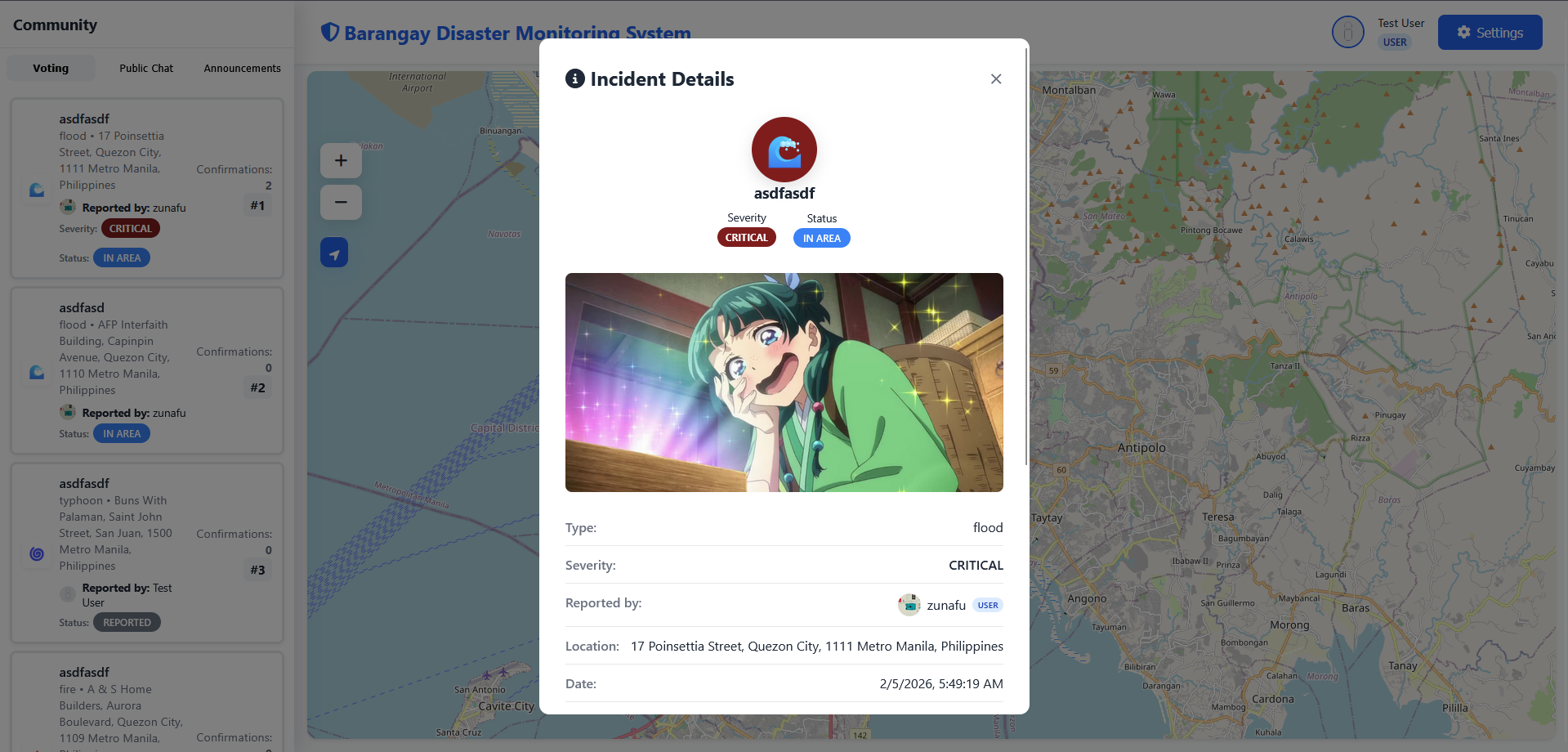
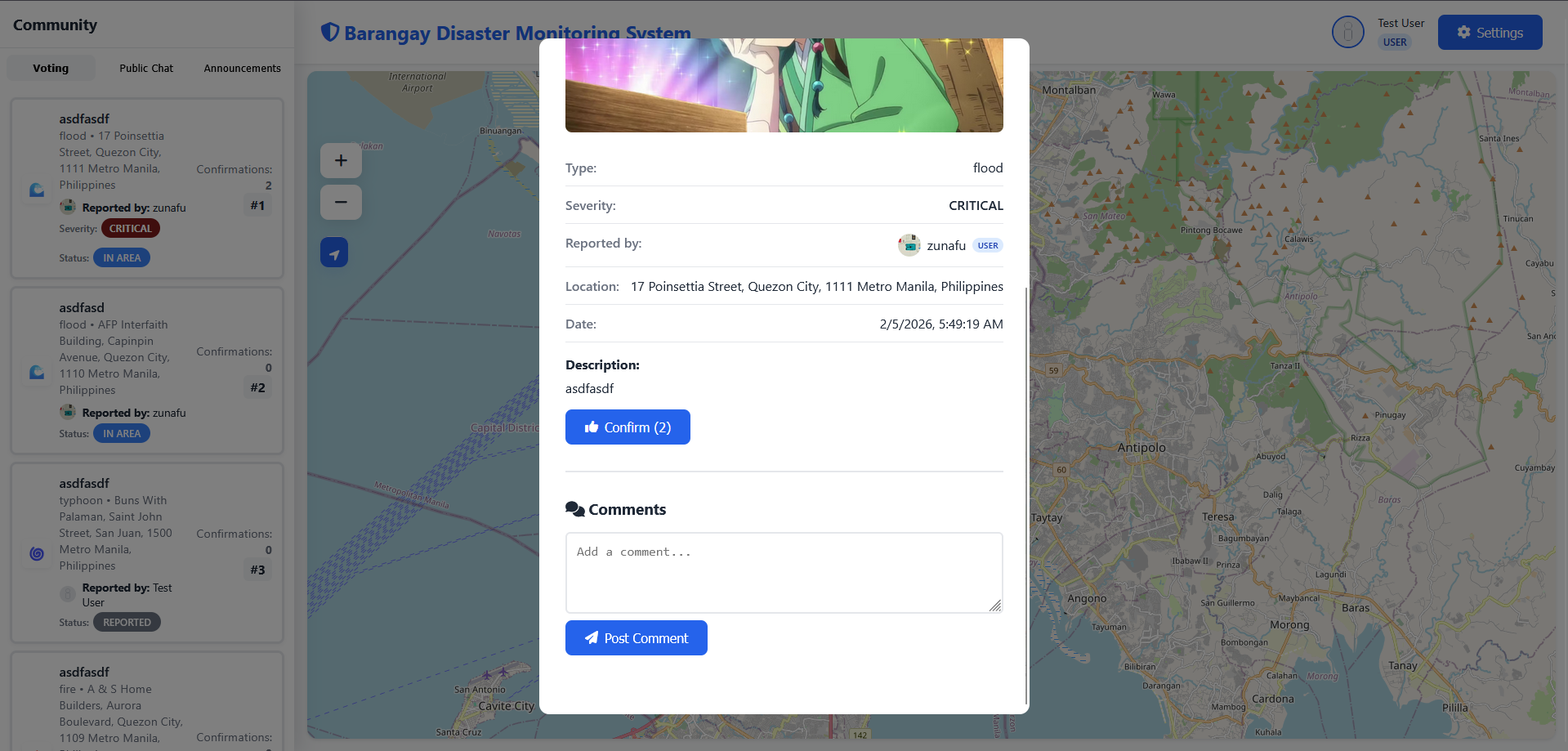
- 针对事件的评论与讨论
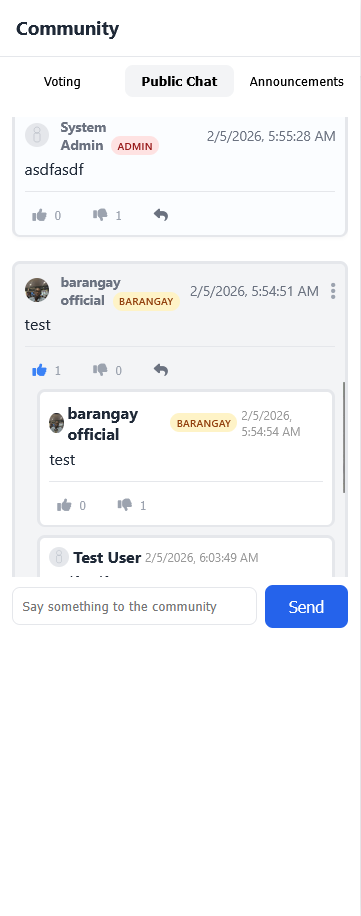
- 用于协调的团队 chat 功能
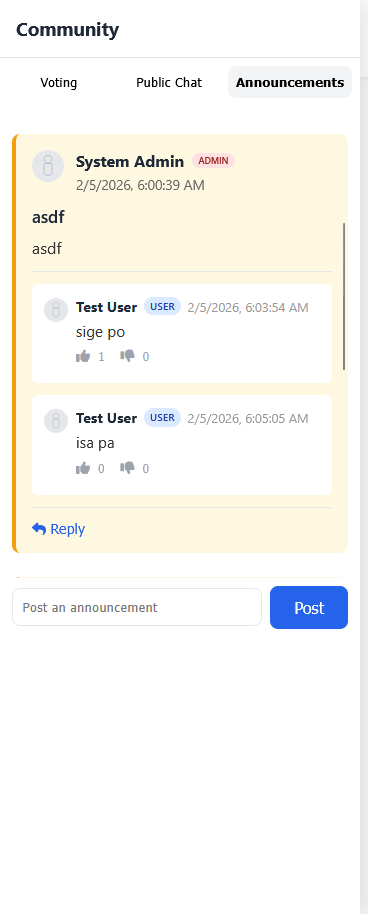
- 紧急公告/广播
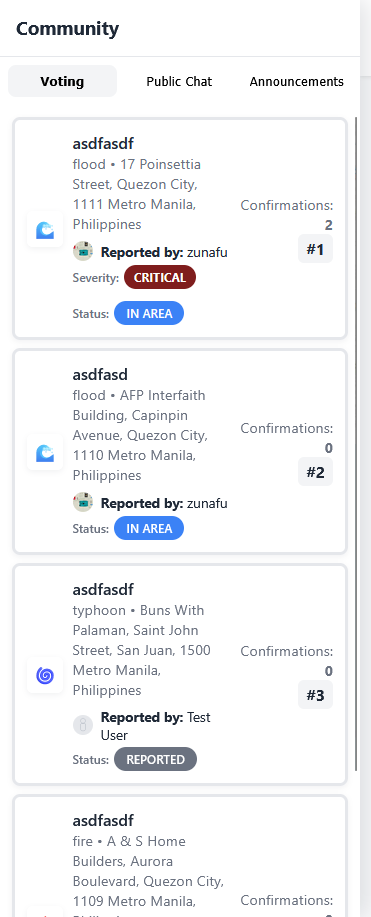
- 事件确认系统
### 👥 基于角色的访问控制
| 角色 | 权限 |
|------|--------------|
| **User** | 报告事件、评论、确认事件、查看地图 |
| **Barangay** | 更新事件状态、分配严重级别、管理本地事件 |
| **Admin** | 完整系统控制、用户管理、审计日志、统计数据 |
### 📈 Admin Dashboard
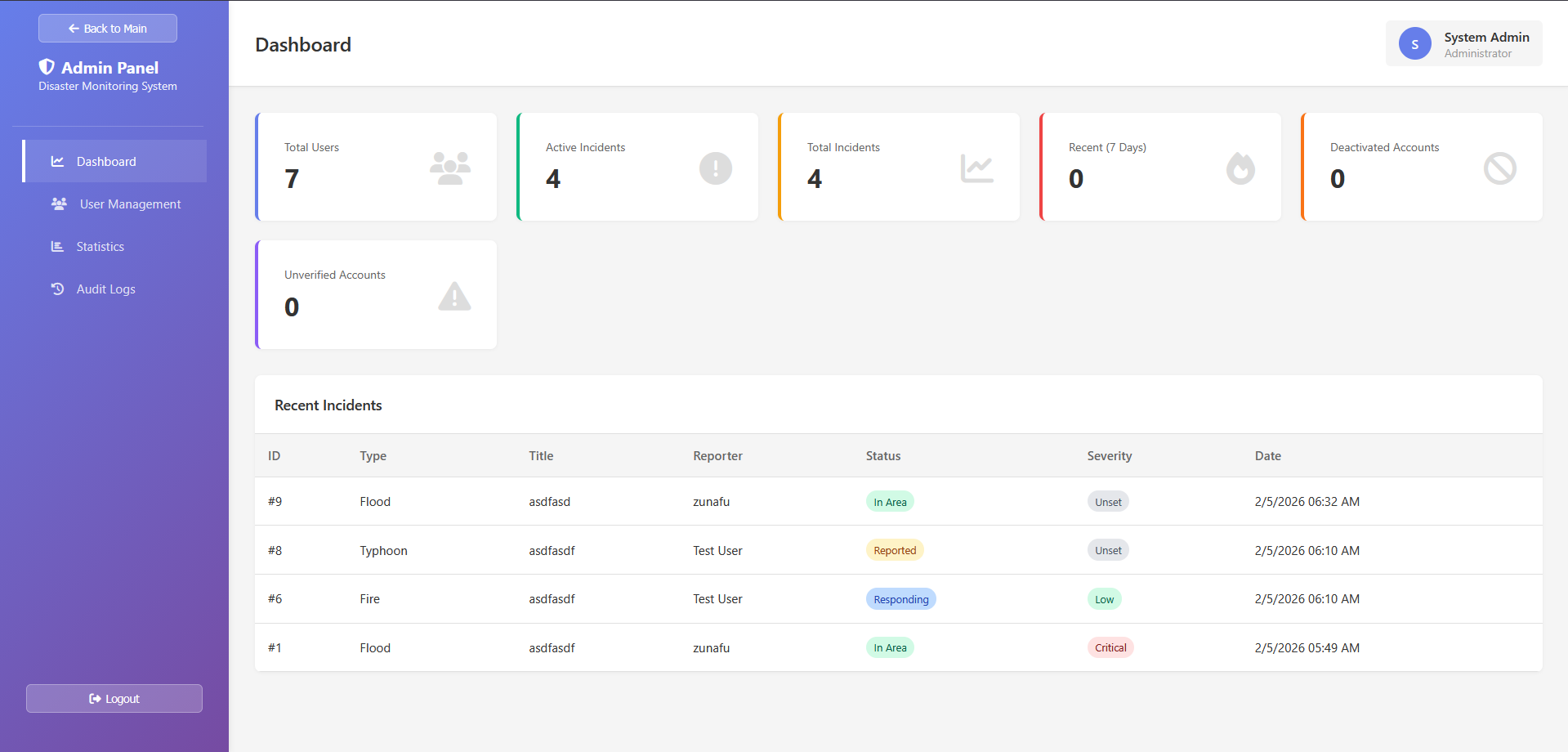
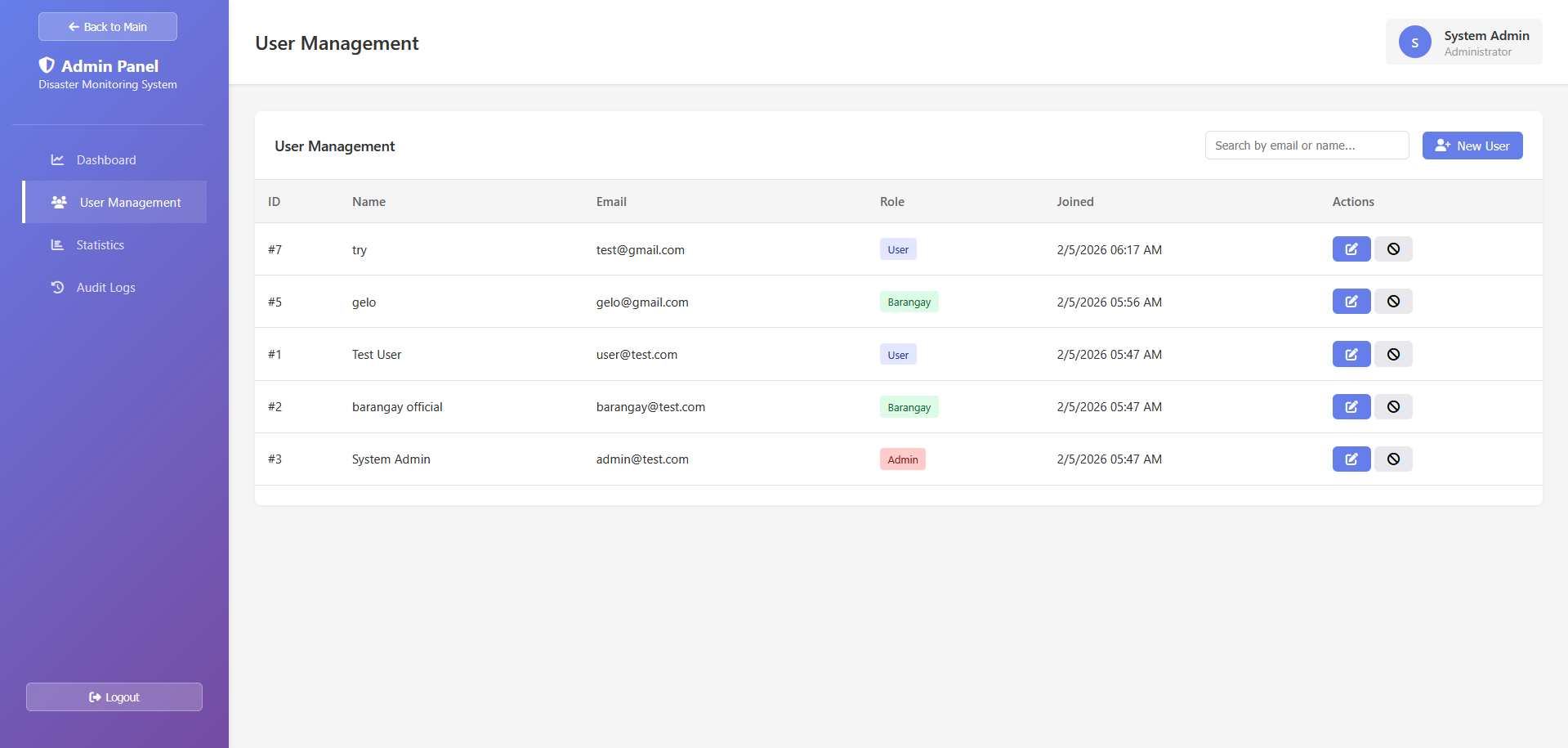
- 用户管理(创建、编辑、停用账户)
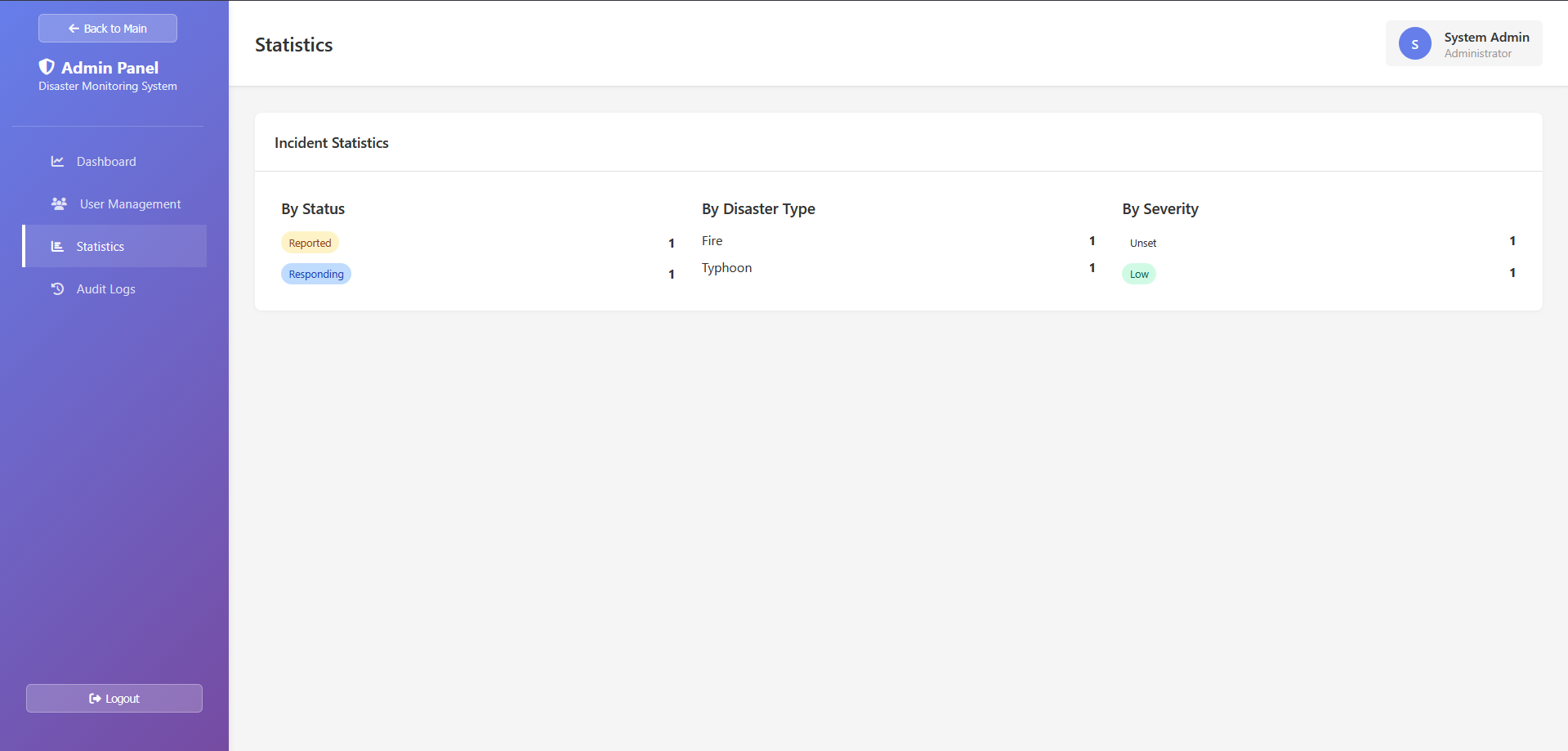
- 实时统计与分析
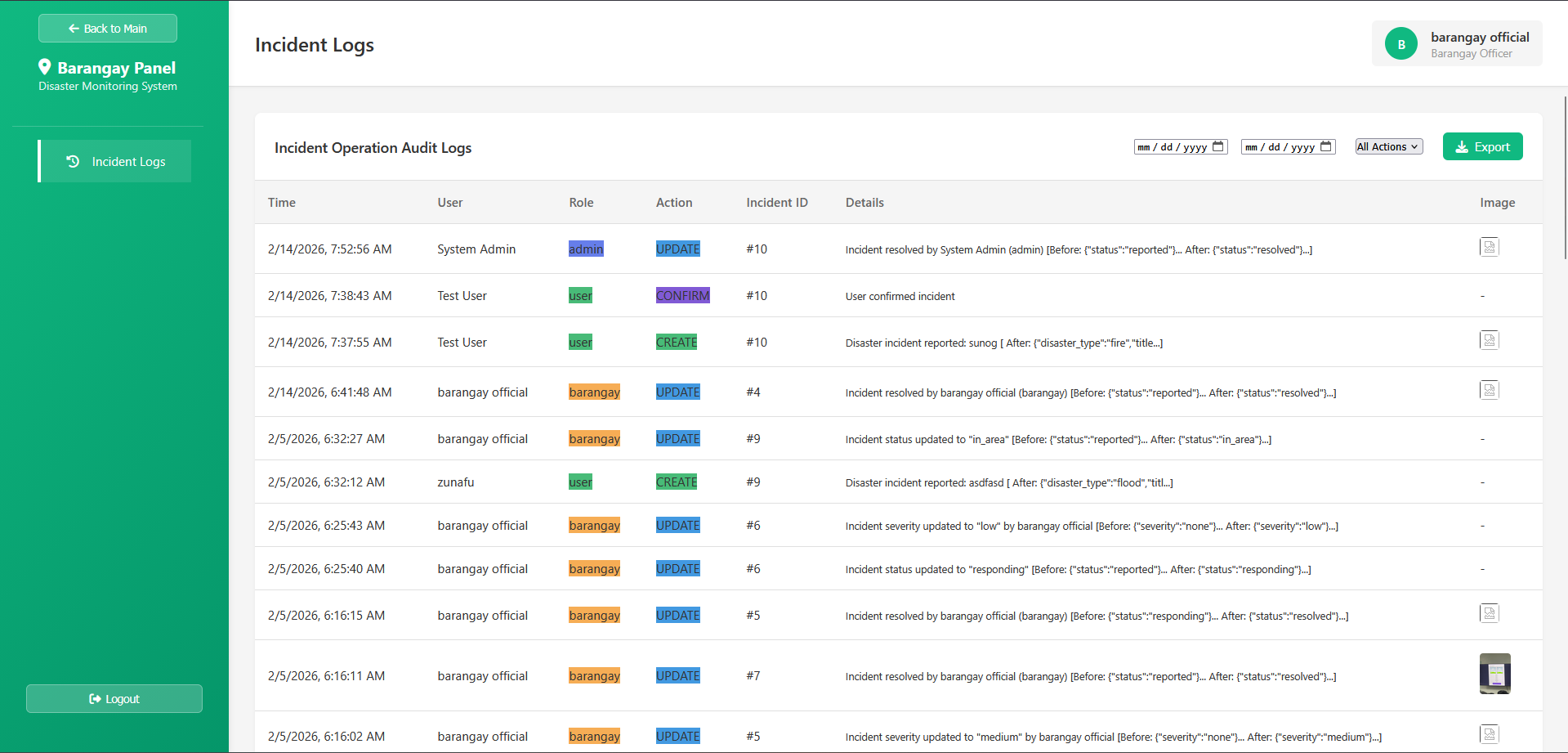
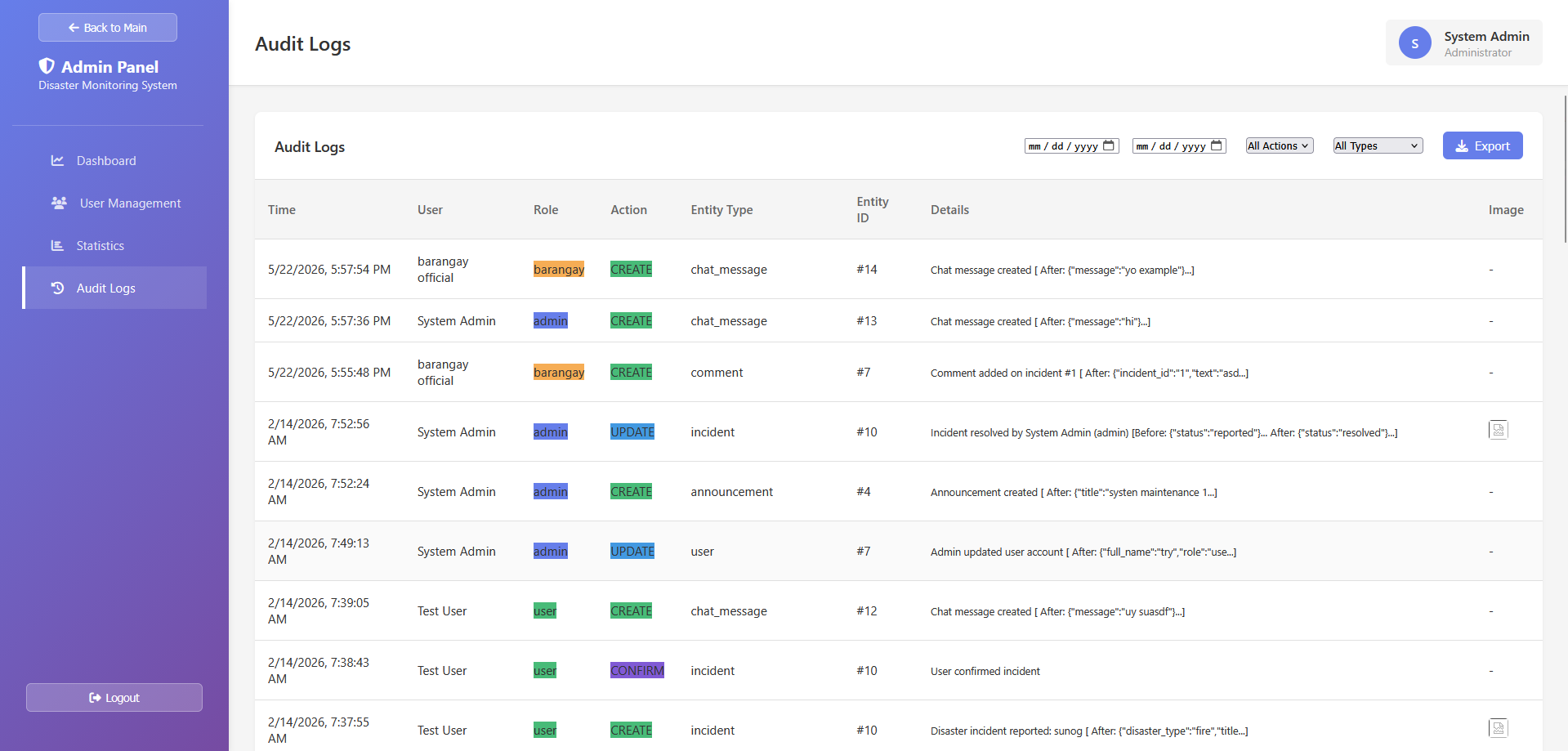
- 带过滤功能的审计日志
- 事件概览与洞察
### 🔐 审计与安全
- 对所有系统操作进行完整的审计日志记录
- IP 追踪和 user agent 记录
- 基于角色的访问控制
- 安全的 PDO 数据库查询
## 🛠️ 技术栈
### Frontend
- **HTML5** - 语义化结构
- **CSS3** - 响应式设计(手机、平板、桌面)
- **JavaScript (Vanilla)** - 动态交互和 API 调用
- **Font Awesome** - 图标库
- **Geoapify API** - 位置 geocoding 和地图绘制
### Backend
- **PHP 7+** - 服务端逻辑
- **MySQL/MariaDB** - 数据库
- **PDO** - 安全的数据库查询
### 架构
- RESTful API endpoint
- 基于会话的认证
- JSON 响应格式
## 📋 项目结构
```
disaster-report/
├── index.html # Main landing page
├── admin-panel.html # Administrator dashboard
├── barangay-panel.html # Barangay officer interface
├── app.js # Frontend application logic
├── api.php # API endpoints
├── auth.php # Authentication logic
├── admin.php # Admin operations
├── reset-password.php # Password recovery
├── settings.php # User settings
├── config.php # Configuration file
├── database/
│ ├── database.bak # Database backup
│ └── seeds/
│ └── database-complete.sql # Initial database schema & data
└── uploads/ # User-uploaded files
```
## 🚀 快速开始
### 前置条件
- PHP 7.0 或更高版本
- MySQL/MariaDB 5.7 或更高版本
- Web 服务器(Apache、Nginx 等)
- 现代 Web 浏览器
### 安装
1. **克隆代码仓库**
git clone https://github.com/yourusername/disaster-report.git
cd disaster-report
2. **设置数据库**
- 创建新的 MySQL 数据库
- 导入 schema:
mysql -u username -p database_name < database/seeds/database-complete.sql
3. **配置应用**
- 复制并更新 `config.php` 中的数据库凭据:
define('DB_HOST', 'localhost');
define('DB_USER', 'your_db_user');
define('DB_PASS', 'your_db_password');
define('DB_NAME', 'disaster_report');
4. **设置文件权限**
chmod 755 uploads/
chmod 644 config.php
5. **访问应用**
- 在浏览器中访问 `http://localhost/disaster-report`
## 📚 API 文档
系统为所有操作提供 RESTful API endpoint:
- **Incidents:** 创建、读取、更新、按状态/位置检索
- **Users:** 认证、个人资料管理、角色操作
- **Comments:** 发布、读取、添加回应
- **Chat:** 团队成员之间的实时消息传递
- **Announcements:** 创建和检索紧急广播
- **Audit Logs:** 系统范围的操作历史
请参阅 `api_funcs.txt` 获取详细的 API 函数参考。
## 🔑 默认 Admin 账户
数据库设置完成后,请使用以下默认凭据:
- **Username:** `admin`
- **Password:** `admin123`
⚠️ **重要提示:** 在生产环境中请立即更改默认密码!
## 📸 截图
### 👤 对于 User
*报告事件、查看实时地图、确认报告并参与讨论*
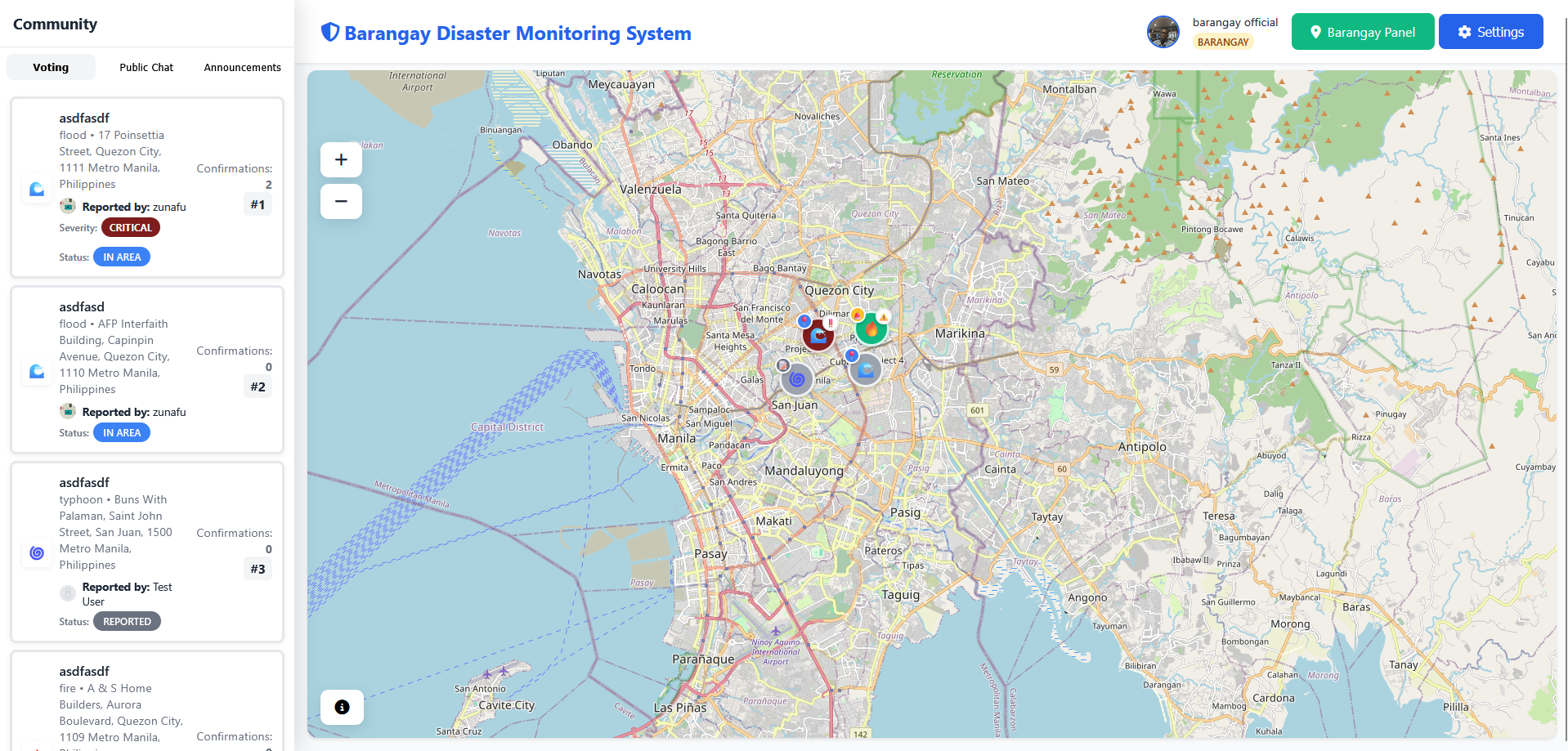
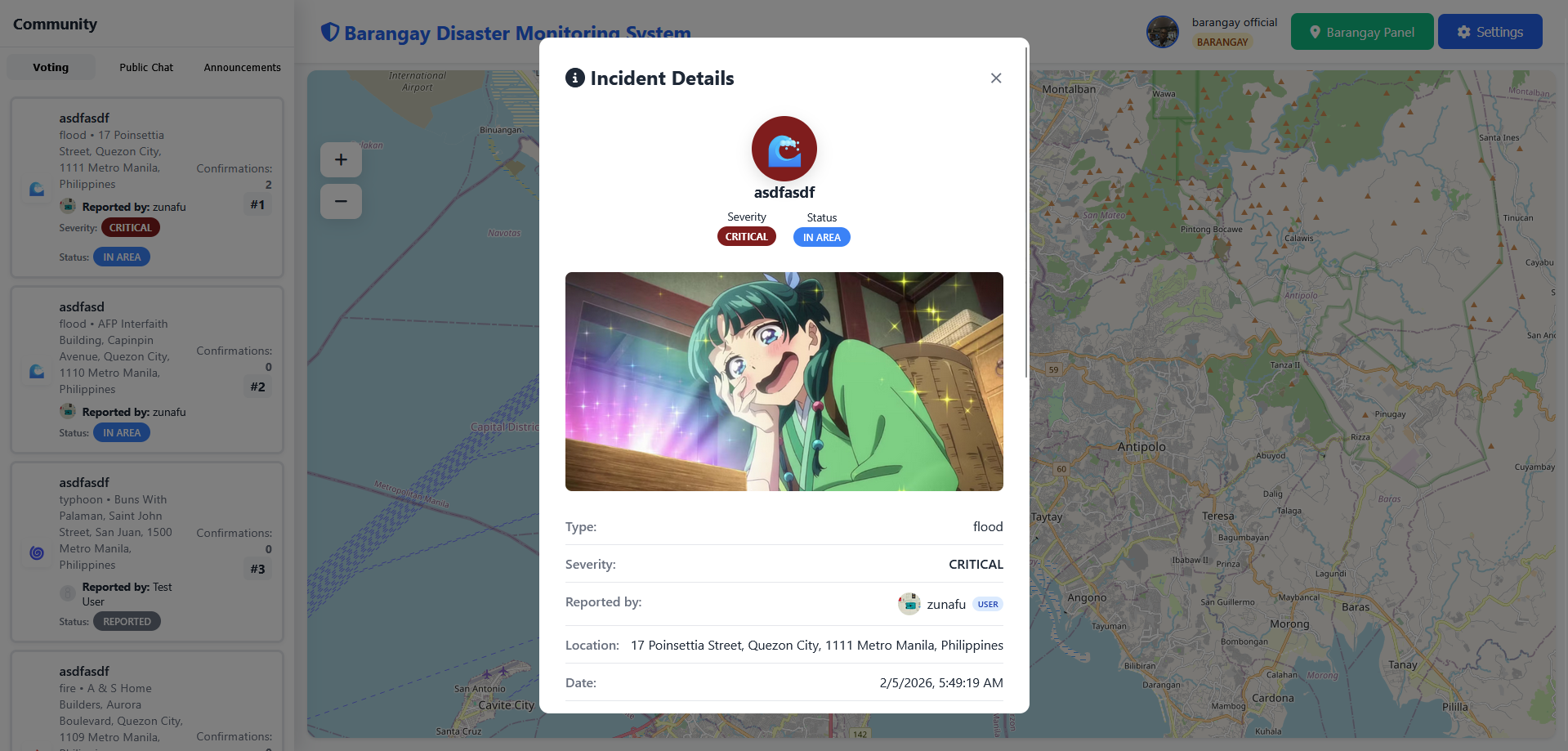
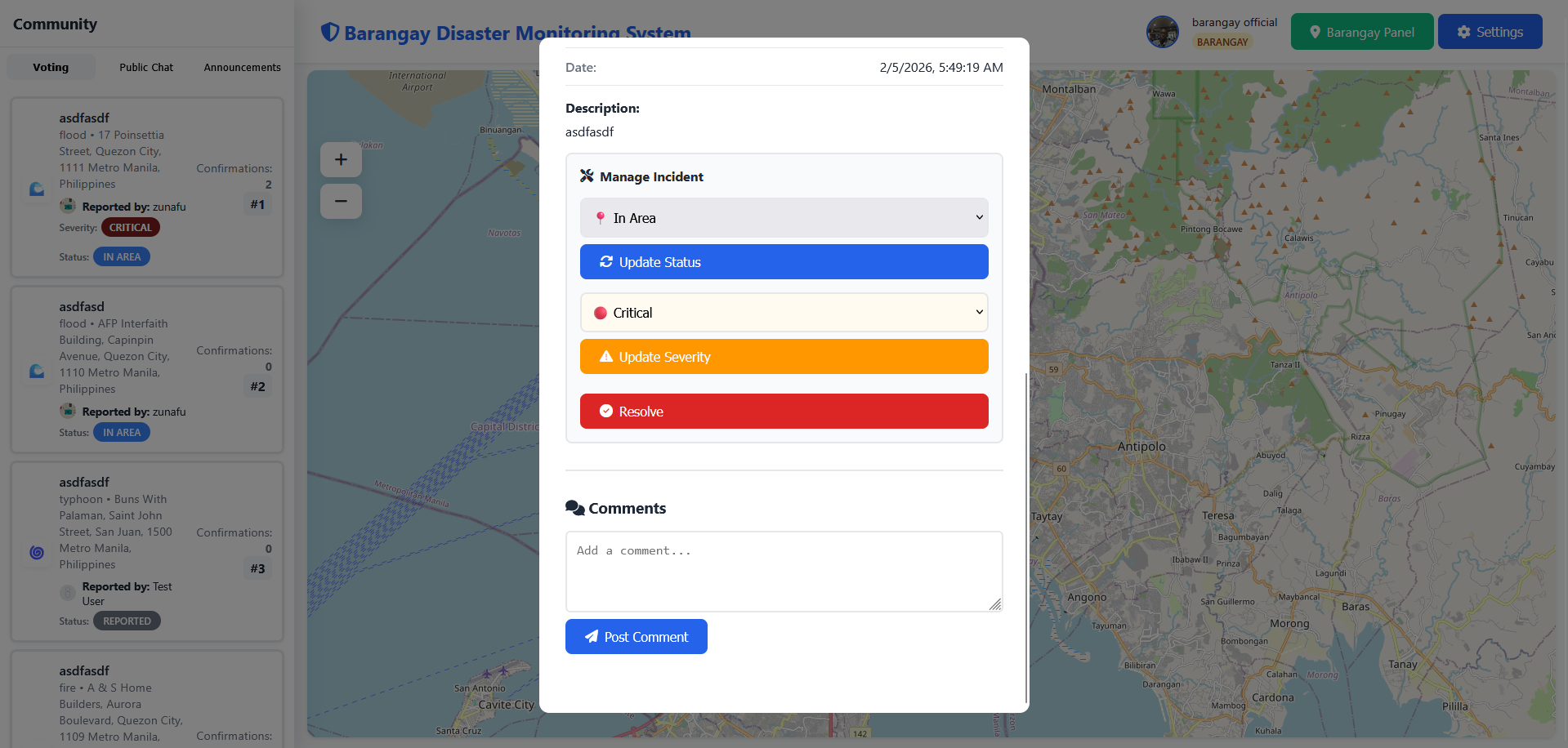
 ### 🏛️ 对于 Barangay 官员
*管理本地事件、更新状态、分配严重级别并协调响应*
### 🏛️ 对于 Barangay 官员
*管理本地事件、更新状态、分配严重级别并协调响应*
 ### 🔐 对于 Admin
*完整的系统控制、用户管理、审计日志以及综合分析*
### 🔐 对于 Admin
*完整的系统控制、用户管理、审计日志以及综合分析*
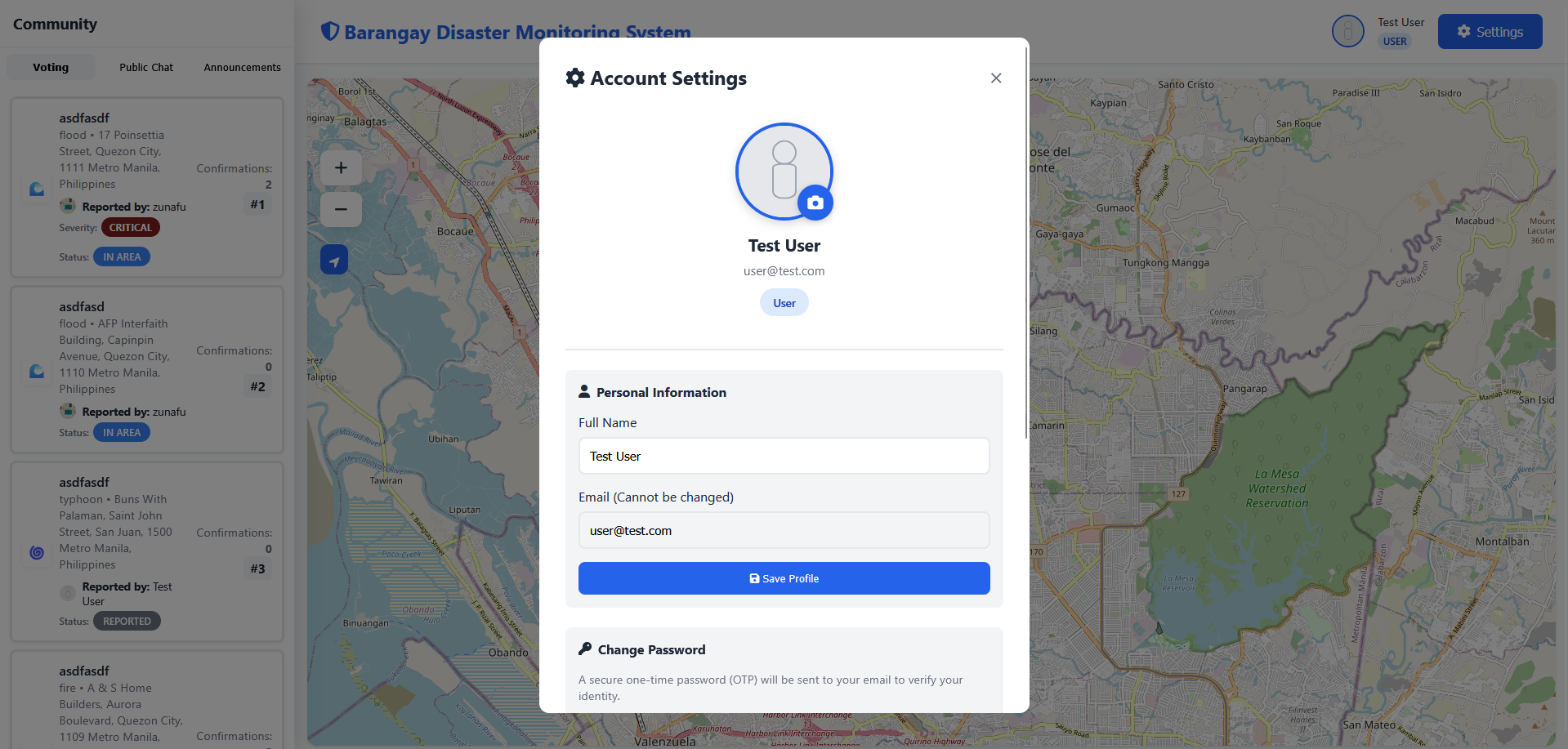
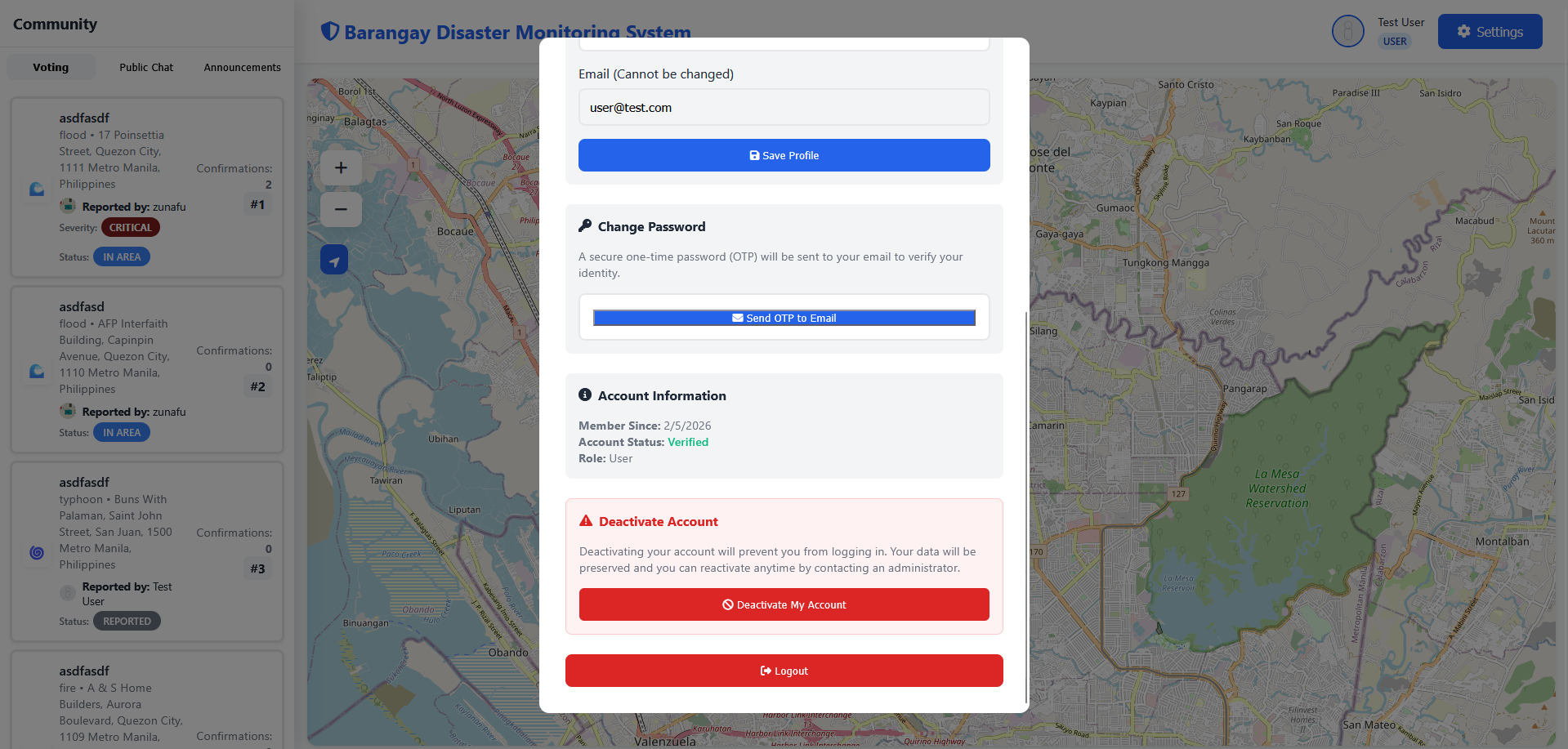
 ### ✨ 更多功能
*用于投票、公共 Chat 和 Announcements 以及账户设置的社区面板*
### ✨ 更多功能
*用于投票、公共 Chat 和 Announcements 以及账户设置的社区面板*
 ## 📄 许可证
本项目基于 MIT 许可证授权 - 有关详细信息,请查看 LICENSE 文件。
## 📞 支持与联系
如有问题、疑问或建议:
- 在 GitHub 上提交 issue
- 通过 [franzgeoffrivera@gmail.com] 联系开发团队
## 👨💻 开发团队
本项目由以下人员开发:
- **Franz Geoff Rivera**
- **Michael Ainjelo Maglaya**
- **Luisito Angelo Ocray**
- **Djanaisah Benito**
## 🙏 致谢
- Geoapify 提供位置服务
- Font Awesome 提供图标
- 社区贡献者和测试人员
**为灾害防备和社区安全倾注 ❤️ 打造。**
## 📄 许可证
本项目基于 MIT 许可证授权 - 有关详细信息,请查看 LICENSE 文件。
## 📞 支持与联系
如有问题、疑问或建议:
- 在 GitHub 上提交 issue
- 通过 [franzgeoffrivera@gmail.com] 联系开发团队
## 👨💻 开发团队
本项目由以下人员开发:
- **Franz Geoff Rivera**
- **Michael Ainjelo Maglaya**
- **Luisito Angelo Ocray**
- **Djanaisah Benito**
## 🙏 致谢
- Geoapify 提供位置服务
- Font Awesome 提供图标
- 社区贡献者和测试人员
**为灾害防备和社区安全倾注 ❤️ 打造。**
标签:Vanilla JavaScript, 事件报告, 后端开发, 库, 应急响应, 数据可视化, 灾害管理系统, 角色权限控制