MarecekW/scarlett-mixcontrol-1stgen
GitHub: MarecekW/scarlett-mixcontrol-1stgen
一款 macOS 原生混音控制软件,通过逆向工程 USB 音频协议,为已停更的第一代 Focusrite Scarlett 8i6 提供完整的矩阵混音与路由管理功能。
Stars: 5 | Forks: 4

Scarlett MixControl
社区版
一款 macOS 原生替代软件,用于替代 Focusrite 已停更的 MixControl 1.10.6,专为 第 1 代 Scarlett 8i6 打造。



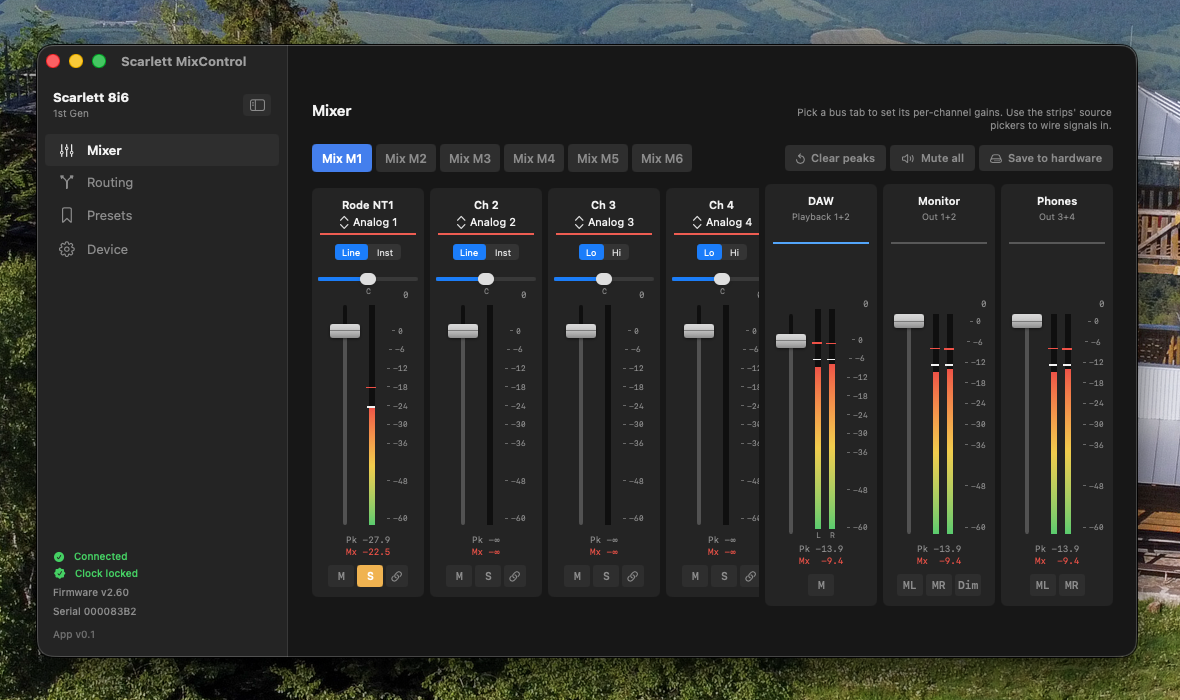
## ✨ 功能特性 | | | | --- | ------------------------------------------------------------------------------------------- | | 🎛️ | **完整的 18 × 6 矩阵混音器** — 支持每路单元格的增益、静音、独奏、声像和立体声链接 | | 🔀 | **输出路由** — Monitor / Phones / S/PDIF 可选择任意信号源(DAW、模拟输入、Mix M1–M6) | | 🎤 | **USB 内录路由** — 为你的 DAW 选择每个输入通道可见的音源 | | 📌 | **固定 DAW 返回通道条** — 通过一个联动推子将 DAW 1/2 信号送回矩阵 | | 🔘 | **硬件开关** — 线路/乐器阻抗、高/低增益、时钟源、采样率 | | 📊 | **实时峰值电平表** — 显示全部 18 个输入 + 6 个混音总线 + 6 个 DAW 播放通道,并带有峰值保持功能 | | 💾 | **保存至硬件** — 将混音器状态持久化到设备 Flash 中,重启后依然生效 | | 📁 | **快照功能** — 以 `.8i6` JSON 文件的形式保存 / 加载完整配置 (⌘S / ⌘O) | | 🔌 | **连接韧性** — USB 断开时自动重连,并提供清晰的状态叠加提示 |
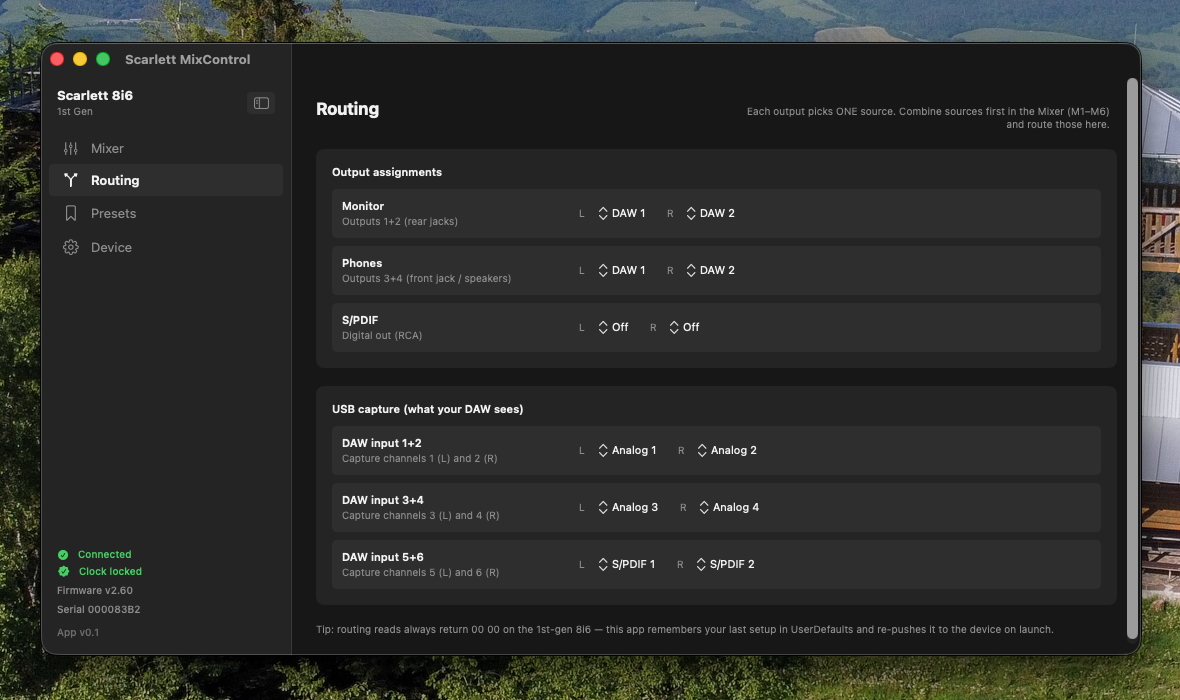 Routing — physical outputs + USB capture |
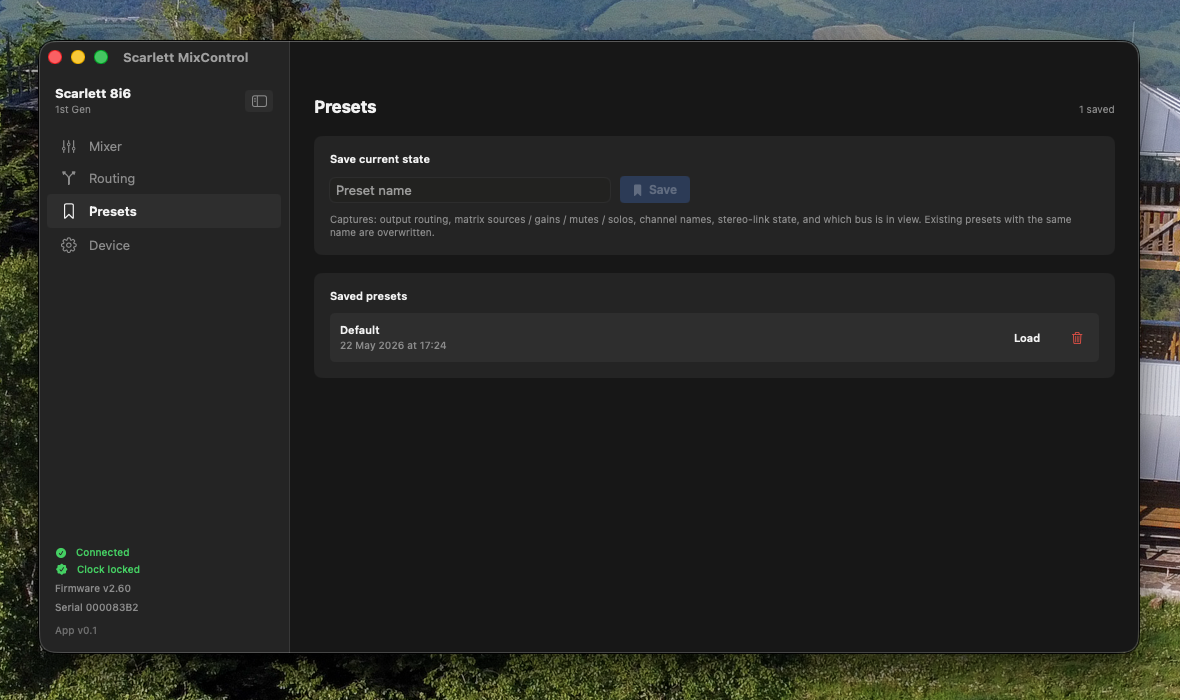 Presets — save / load full configurations |
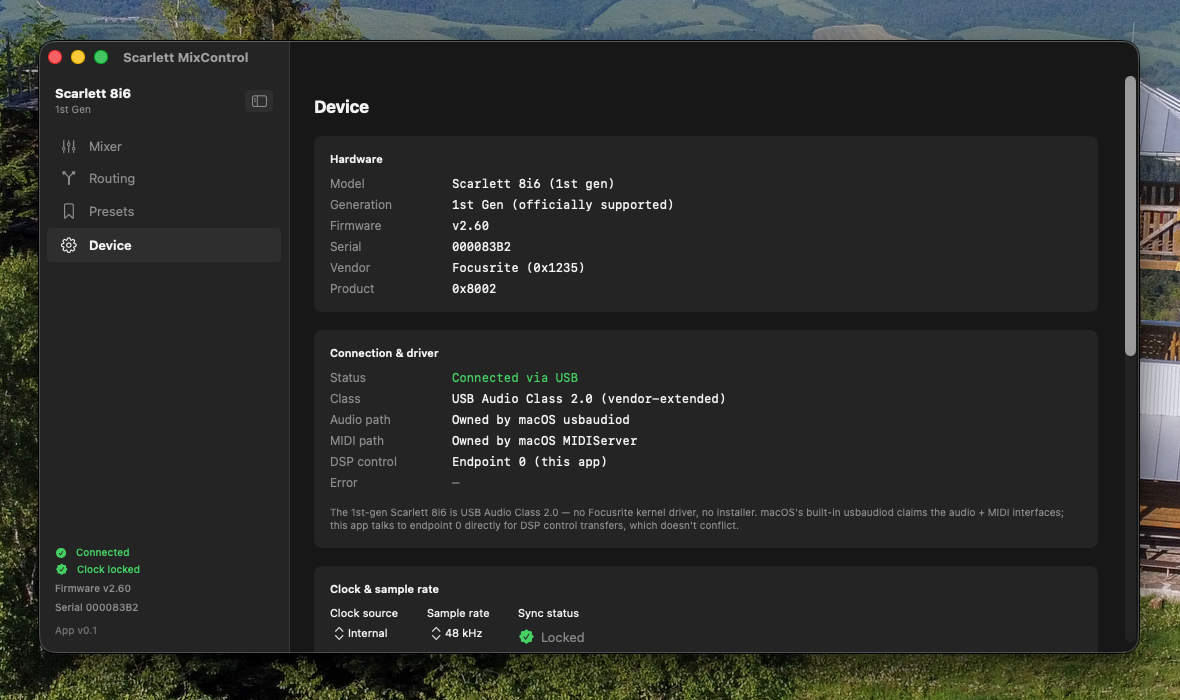 Device — hardware info, clock, event log |
## 📦 安装说明 ### 下载 Release 版本 _(推荐)_ 1. 从 [**最新发布版本**](https://github.com/MarecekW/scarlett-mixcontrol-1stgen/releases/latest) 下载 `Scarlett.MixControl.app.zip`。 2. 解压并将 `Scarlett MixControl.app` 拖入 `/Applications`。 3. **仅在首次启动时** — macOS Gatekeeper 会拦截该应用(因为我们使用的是临时代码签名,而非付费的 Developer ID)。可以通过以下任一方式解决: - **右键点击**该应用 → **打开** → 在警告对话框中确认。 - 或在终端中执行:`xattr -dr com.apple.quarantine "/Applications/Scarlett MixControl.app"` ### 从源码构建 需要 Xcode 15 / Swift 5.9+ 工具链。 ``` git clone https://github.com/MarecekW/scarlett-mixcontrol-1stgen.git cd scarlett-mixcontrol-1stgen ./scripts/make-app.sh open "build/Scarlett MixControl.app" ``` 如果要在不打包的情况下进行开发调试,请运行:`swift run scarlett-app`。此外还附带了一个 `scarlett-cli` 命令行工具,用于进行底层的协议探测 — 试试 `swift run scarlett-cli --help`。
## 🎯 兼容性 | 设备 | 状态 | | ---------------------------- | ---------------------------------------------------- | | **Scarlett 8i6** _(第 1 代)_ | ✅ 官方支持 — 已在 macOS 14+ 上测试 | | Scarlett 6i6 _(第 1 代)_ | 🟡 已识别,支持开发中 | | Scarlett 16i8 _(第 1 代)_ | 🟡 已识别,支持开发中 | | Scarlett 18i6 _(第 1 代)_ | 🟡 已识别,支持开发中 | | Scarlett 18i8 _(第 1 代)_ | 🟡 已识别,支持开发中 | | Scarlett 18i20 _(第 1 代)_ | 🟡 已识别,支持开发中 | | Scarlett 第 2 / 3 / 4 代 | ❌ 协议不同 — 无法使用 | | Saffire (FireWire) 系列 | ❌ 传输方式不同 — 无法使用 |
## 🛠️ 工作原理
技术揭秘(点击展开)
第 1 代 Scarlett 属于 **USB Audio Class 2.0** 设备。macOS 内置的 `usbaudiod` 会接管音频 + MIDI 流接口,但并不会触碰**音频控制接口**(endpoint 0)。这就是本应用能够与普通音频播放共存的原因 — 每一个混音 / 路由 / 电平表测量命令,都是通过 `usbaudiod` 正在使用的同一套 USB 协议栈向 endpoint 0 发送的 `IOUSBDeviceInterface.DeviceRequest`,全程不会执行 `USBDeviceOpen`(因为这会引发 `kIOReturnExclusiveAccess` 错误)。 该协议本身是通过逆向工程获取的:我们从原版 MixControl 1.10.6 的二进制文件中直接提取了针对特定产品的信号表(`_USB14Tracker_IpSigTab`、`_USB14Tracker_OpSigTab`、默认路由表等),然后反汇编了关键的调度函数(`MacHWDevice::routeChannel`、`setMonMono` 等),以此确认 `wValue` / `wIndex` 的具体语义。 **三个路由维度:** | `wIndex` | 用途 | UI 表现层 | | -------- | ------------------------- | ------------------------------------------ | | `0x3200` | 矩阵混音器输入源 | 每个矩阵通道条上的音源选择器 | | `0x3300` | 物理输出路由 | 路由选项卡中的“输出分配”面板 | | `0x3400` | USB 内录路由 | 路由选项卡中的“USB 捕获”面板 | **值得了解的固件怪癖:** - 路由 GET 请求无论上次设置的是什么,始终返回 `00 00` — UserDefaults 持久化是跨启动记住路由状态的唯一方法。 - 如果某个信号源已经分配给了另一个通道,再次分配矩阵源时会静默失败 — 因此本应用会先对原属通道执行显式的 `.off` 断开操作。 - 从我们的进程发送 `setMonitorMono` USB 命令会导致固件崩溃,即便字节流与 MixControl 完全一致也是如此。可能是因为在启动时存在我们尚未破解的未公开授权握手机制 — 在破解之前,Mn 按钮将被隐藏。 如需深入了解,请阅读提交历史 — `d175367`(矩阵混音器的重大突破)和 `1294ff7`(功能对等性补充)涵盖了大部分的协议推理过程。
## 📜 许可证 基于 [MIT](LICENSE) 许可证发布。 这是一个独立的社区项目。不隶属于 Focusrite Audio Engineering Ltd.,也未获得其认可或支持。"Scarlett"、"MixControl" 和 "Focusrite" 是其各自所有者的商标。
由 @MarecekW 构建 · 与 Claude 共同创作
标签:声卡驱动, 桌面应用, 硬件控制, 路由混音, 音频处理