Arizonal8/Keyword-Search-Regular-Expressions
GitHub: Arizonal8/Keyword-Search-Regular-Expressions
该项目是一份数字取证课程实验报告,演示如何使用 EnCase 在取证磁盘镜像中进行多编码关键字搜索,并系统比较 RAW 与索引搜索两种策略的差异与适用场景。
Stars: 0 | Forks: 0
# 第 5 周:关键字搜索与正则表达式
## 概述
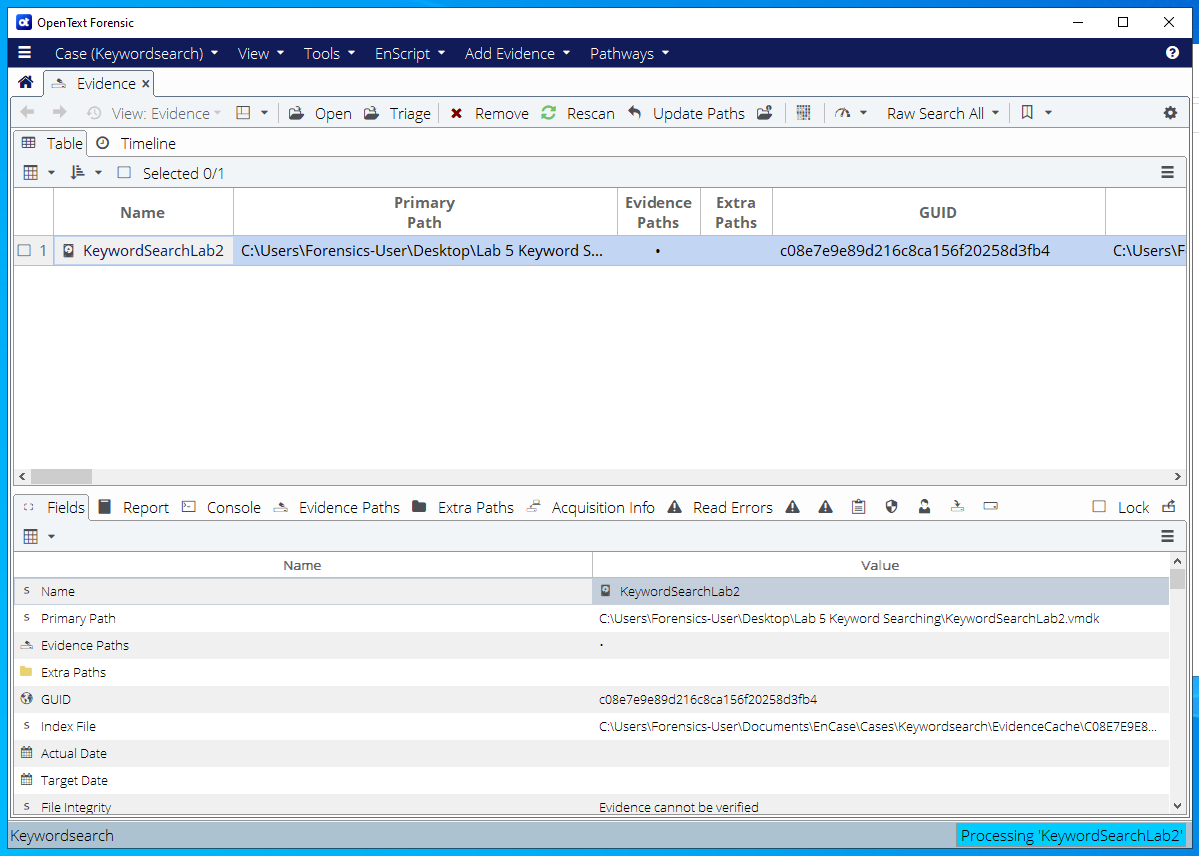
本次实验探讨了如何使用 EnCase 在取证磁盘镜像中进行关键字搜索。应用并比较了 RAW(直接磁盘)和索引(Indexed)搜索策略。此次调查在多种编码格式、已删除数据、系统文件以及嵌入的图像元数据中搜索字符串 `55-501165 Digital Forensics`。
## 为何这是必要的
关键字搜索是在大型驱动器上定位相关证据的最快方法之一。调查人员使用它来查找罪证通信、财务数据、凭证和其他目标内容。了解 RAW 和索引搜索方法之间的区别——并知道它们各自的盲区——对于进行彻底的调查至关重要。
## 使用的工具
- **EnCase Forensic** — 关键字和索引搜索引擎
- **正则表达式引擎** — 用于基于模式的搜索
- **ANSI 和 Unicode 搜索支持** — 涵盖多种文本编码
## 涵盖的关键概念
- **item**(包含命中结果的文件)与 **hit**(关键字每次单独出现的位置)之间的区别
- 跨多种编码进行搜索:ANSI、UTF-8、UTF-16 LE/BE
- 在已删除的文件、系统文件($MFT)和图像 EXIF 数据中查找关键字
- RAW 搜索:直接扫描磁盘;每个新关键字都必须重复扫描
- 索引搜索:构建可搜索的数据库;随后的搜索瞬间完成;不直接搜索媒体文件的原始二进制内容
## 调查结果
### 搜索的关键字
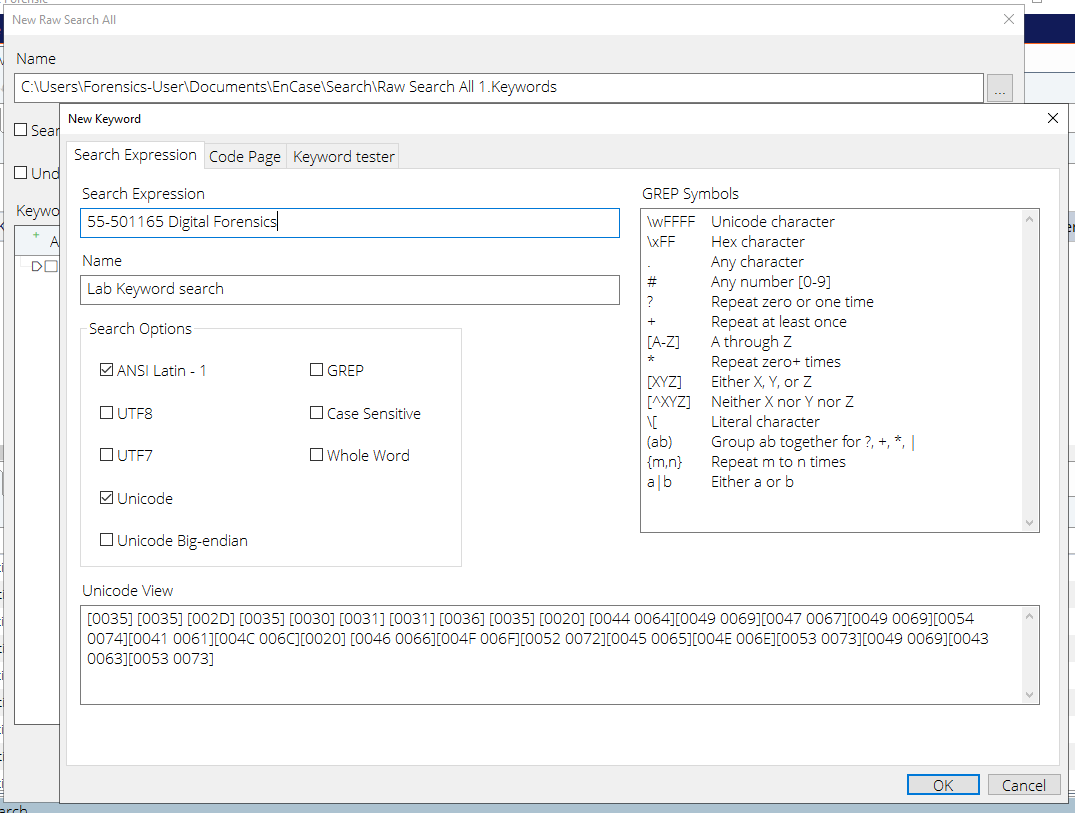
`55-501165 Digital Forensics`
- 启用的编码:ANSI Latin-1、Unicode
- 区分大小写:否
### 结果
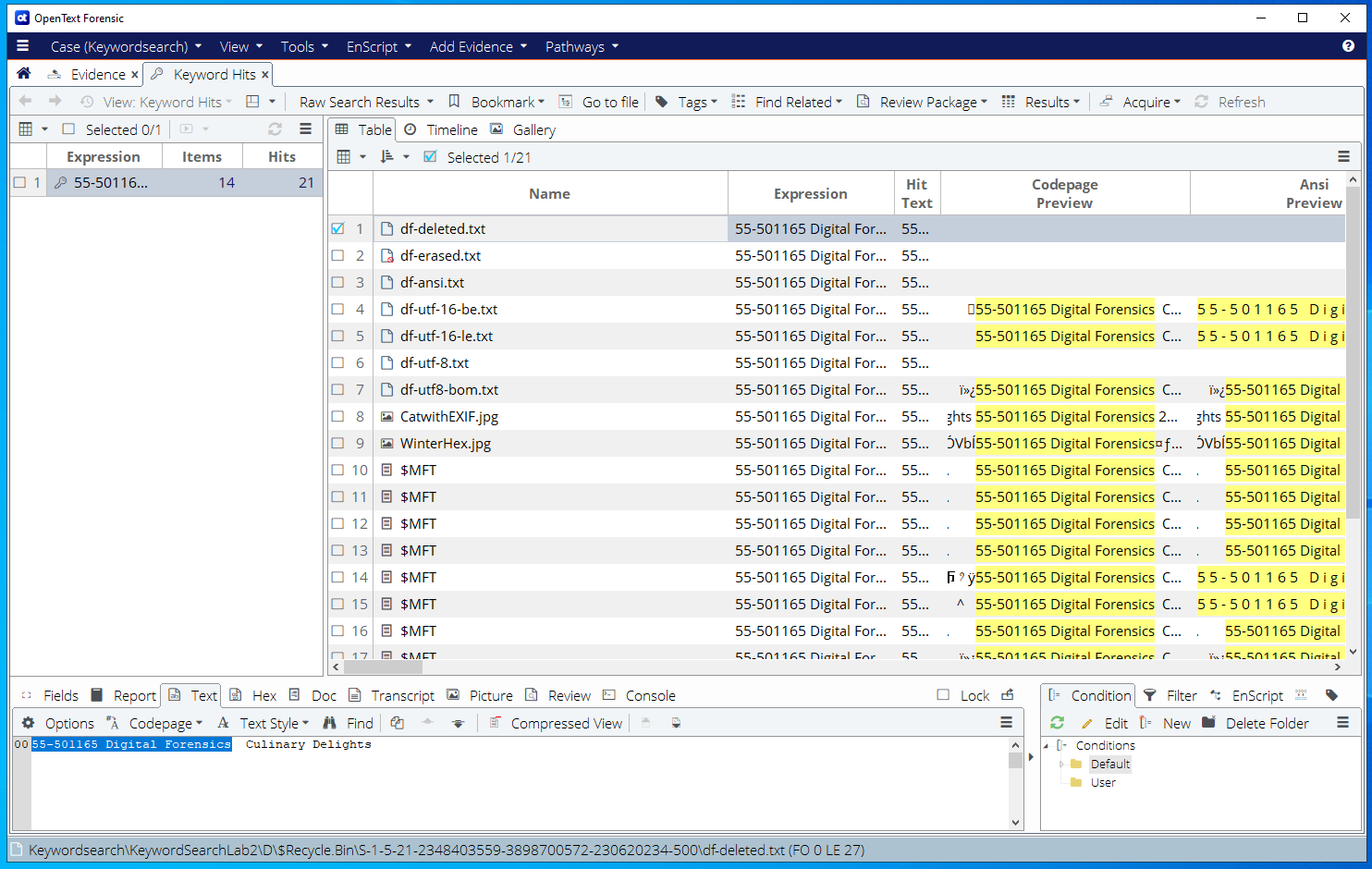
- **找到的项目:** 14
- **找到的命中数:** 21
### 包含关键字的文件类型
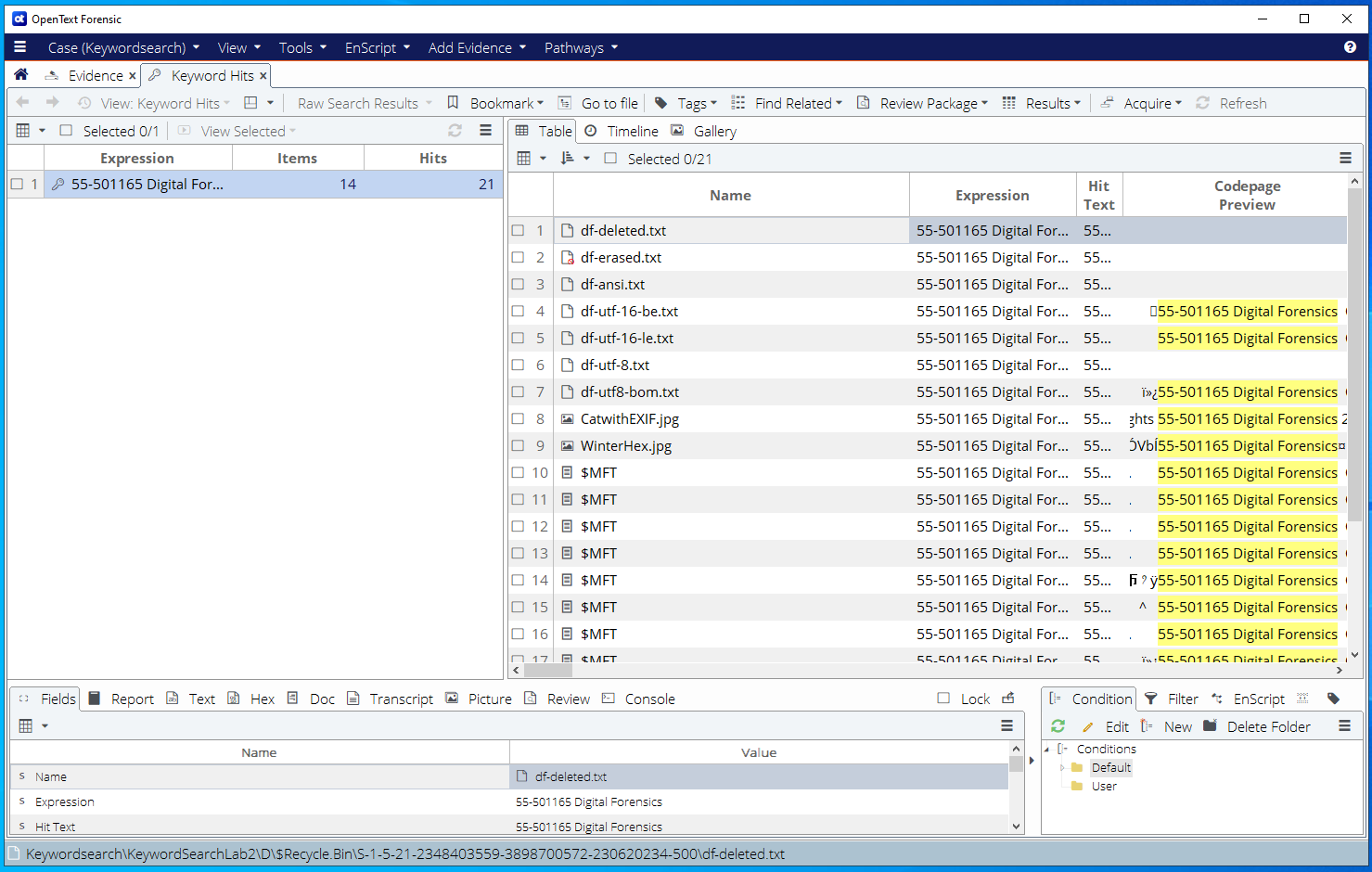
| 文件 | 位置 | 类型 |
|------|----------|------|
| df-ansi.txt | D:\Windows\Keywords\ | ANSI 文本 |
| df-utf-8.txt | D:\Windows\Keywords\ | UTF-8 文本 |
| df-utf8-bom.txt | D:\Windows\Keywords\ | 带有 BOM 的 UTF-8 |
| df-utf-16-le.txt | D:\Windows\Keywords\ | UTF-16 Little Endian |
| df-utf-16-be.txt | D:\Windows\Keywords\ | UTF-16 Big Endian |
| df-deleted.txt | D:\$Recycle.Bin\ | 已删除文件(已恢复) |
| df-erased.txt | 未分配空间 | 已擦除但可恢复 |
| CatwithEXIF.jpg | D:\Pictures\ | EXIF 元数据 |
| WinterHex.jpg | D:\Pictures\ | 嵌入的十六进制内容 |
| $MFT (multiple) | 系统 | 主文件表条目 |
### RAW 与索引搜索比较
| 功能 | RAW 搜索 | 索引搜索 |
|------------|-----------|----------------|
| 新关键字速度 | 慢(全盘重新扫描) | 瞬间完成 |
| 搜索已删除数据 | 是 | 有限 |
| 搜索 $MFT | 是 | 否 |
| 搜索图像 EXIF | 是 | 是(元数据) |
| 搜索 PDF/DOCX 内部 | 否(经过编码的内容) | 是 |
| 搜索原始图像字节 | 是 | 否 |
## 截图
### 搜索配置
*EnCase 关键字搜索配置,显示为搜索词“55-501165 Digital Forensics”选择了 ANSI 和 Unicode 编码。*
### 搜索结果摘要
*关键字命中面板显示 14 个项目和 21 个命中数,展示了包含命中结果的文件与单个命中事件之间的区别。*
### 结果分析
*完整结果显示面板,展示了跨文本文件、图像 EXIF 元数据、已删除文件以及包括 $MFT 在内的系统结构的关键字命中情况。*
### RAW 与索引搜索比较
*RAW 和索引搜索结果的比较,突出了两种搜索策略在覆盖范围和性能方面的差异。*
## 学习成果
- 配置并执行跨多种文本编码的关键字搜索
- 区分搜索结果中的项目和命中数
- 理解为什么在彻底的调查中需要同时使用 RAW 和索引搜索
- 在已删除的文件、EXIF 元数据和系统结构中定位关键字
- 了解每种搜索方法的局限性以避免遗漏证据
标签:EnCase, 域渗透, 数字取证, 数据恢复, 文件系统, 电子数据取证, 磁盘取证, 自动化脚本