t33w411/agentic-browser-chat
GitHub: t33w411/agentic-browser-chat
一款隐私优先、零服务器的 Chrome 浏览器扩展,通过注入悬浮面板提供与网页对话的 AI 助手、笔记、任务和 agent 工具集,所有数据本地存储。
Stars: 3 | Forks: 0
# Agentic Browser 聊天
[](https://chromewebstore.google.com/detail/bmkiakodphbdicdfbajbcjemccacihcd)
[](./LICENSE)
[](https://developer.chrome.com/docs/extensions/mv3/intro/)
[](./CONTRIBUTING.md)
## 这是什么
Agentic Browser Chat 是一个 Chrome 扩展,它将 AI 助手放置在一个注入到每个页面的悬浮面板中(页面顶部的 shadow-DOM UI,**不是** Chrome 内置的侧边栏 API)。它可以:
- 读取您当前所在页面的任何内容,并回答相关问题。
- 进行长时间运行的对话,支持可搜索的历史记录、收藏夹以及针对单个聊天的模型覆盖。
- 通过内置的 tool registry 为您执行操作:页面查询、表单填写、在沙盒 worker 中执行代码、网络搜索、网络抓取、文档和图像生成等。
- 跨聊天记住关于您的事实,将可重用的流程保存为 **skills**,并将您自己的 **custom instructions** 应用到每个聊天中。
- 管理您自己的笔记(带有版本历史和弹出式编辑器)、任务(带有提醒)和测验——所有这些都与聊天并排进行。
- 附加文件(PDF、DOCX、PPTX、XLSX、CSV、图像)、浏览器标签页、其他聊天、其他笔记、截图和粘贴的电子表格。
它被设计为 **local-first**:您的所有数据都保存在您的浏览器中。没有后端,没有分析,没有开发者控制的服务器。网络请求仅发送到此扩展使用的唯一 LLM 提供商 OpenRouter。
## 截图
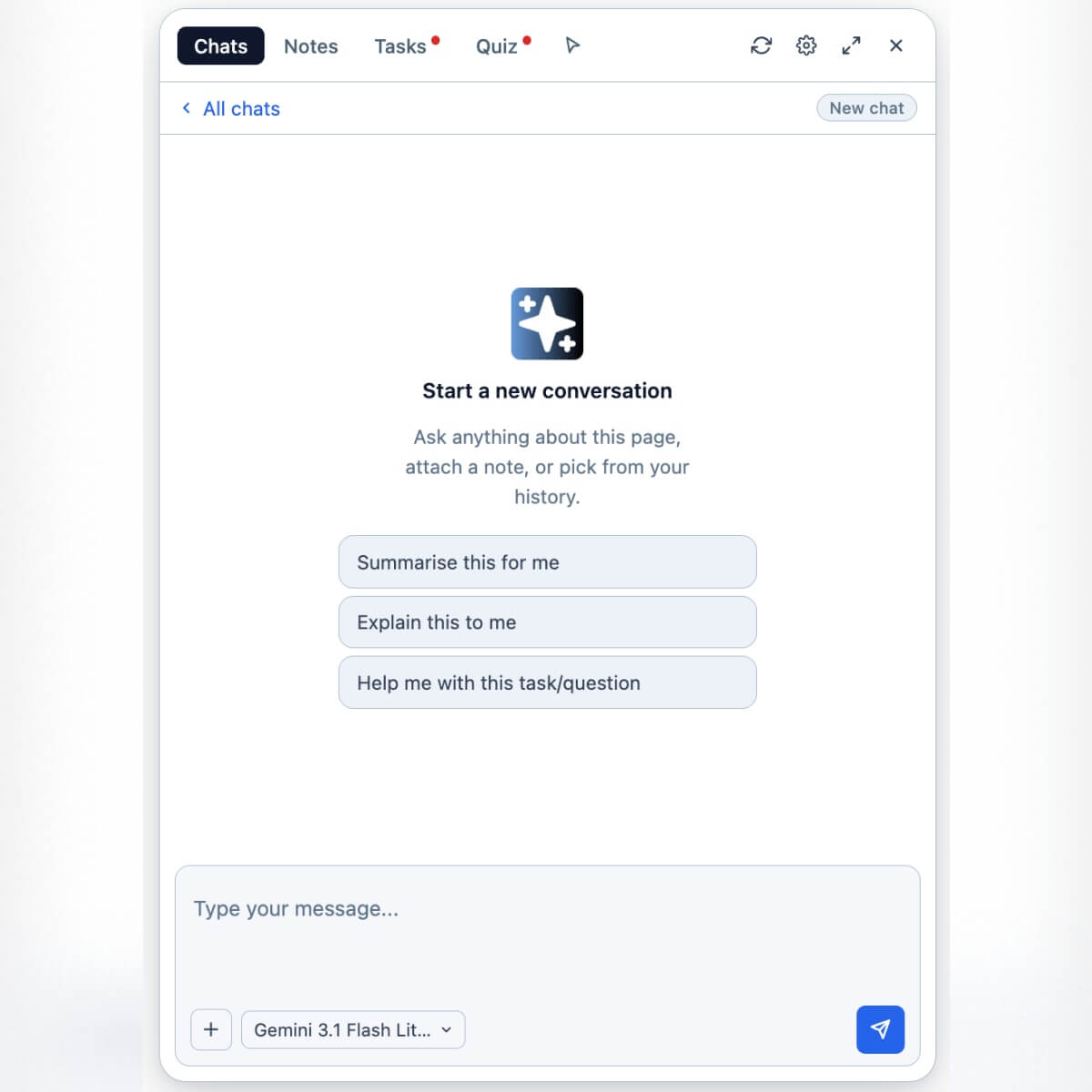
Chat — start a conversation about the current page |
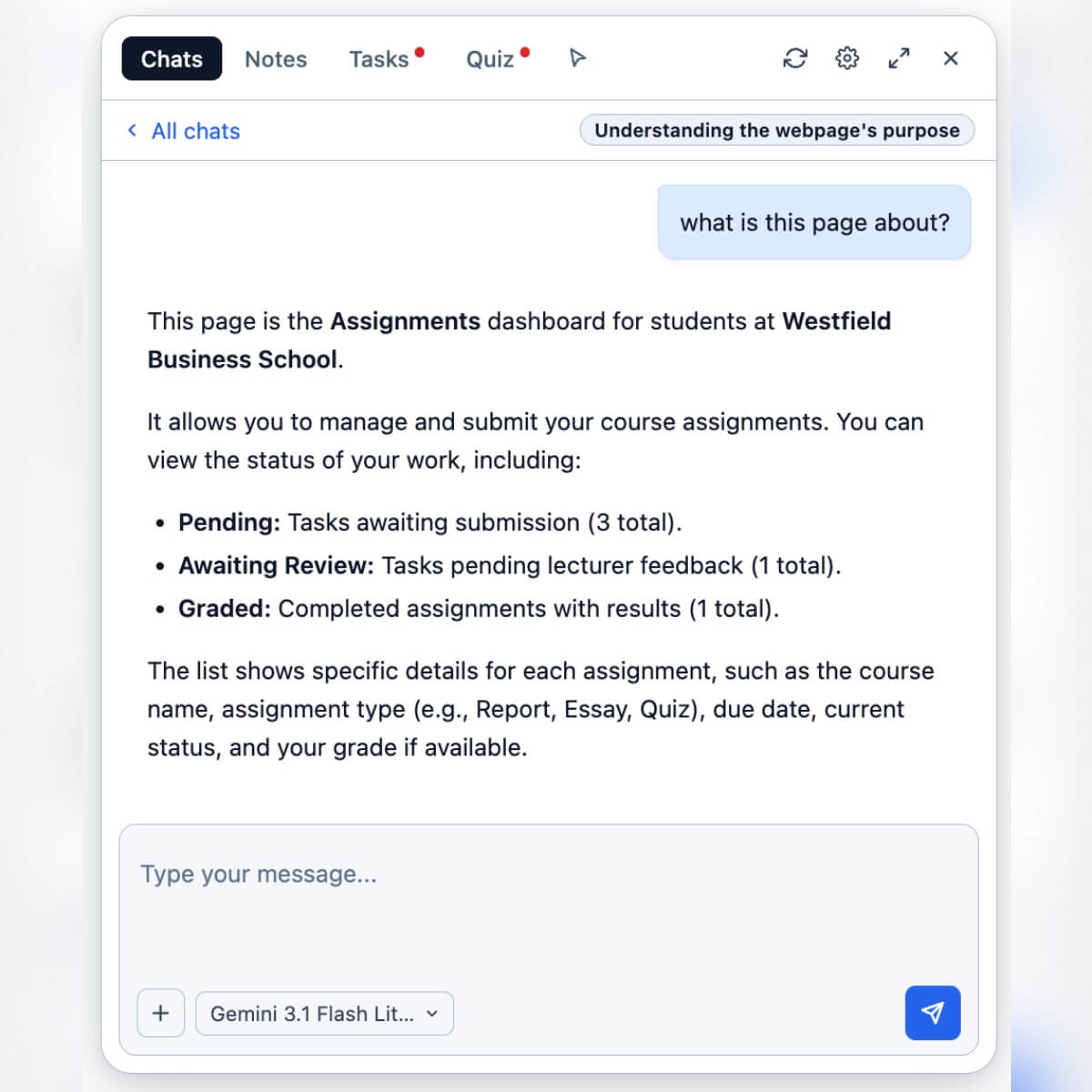
Page context — ask anything about what's on screen |
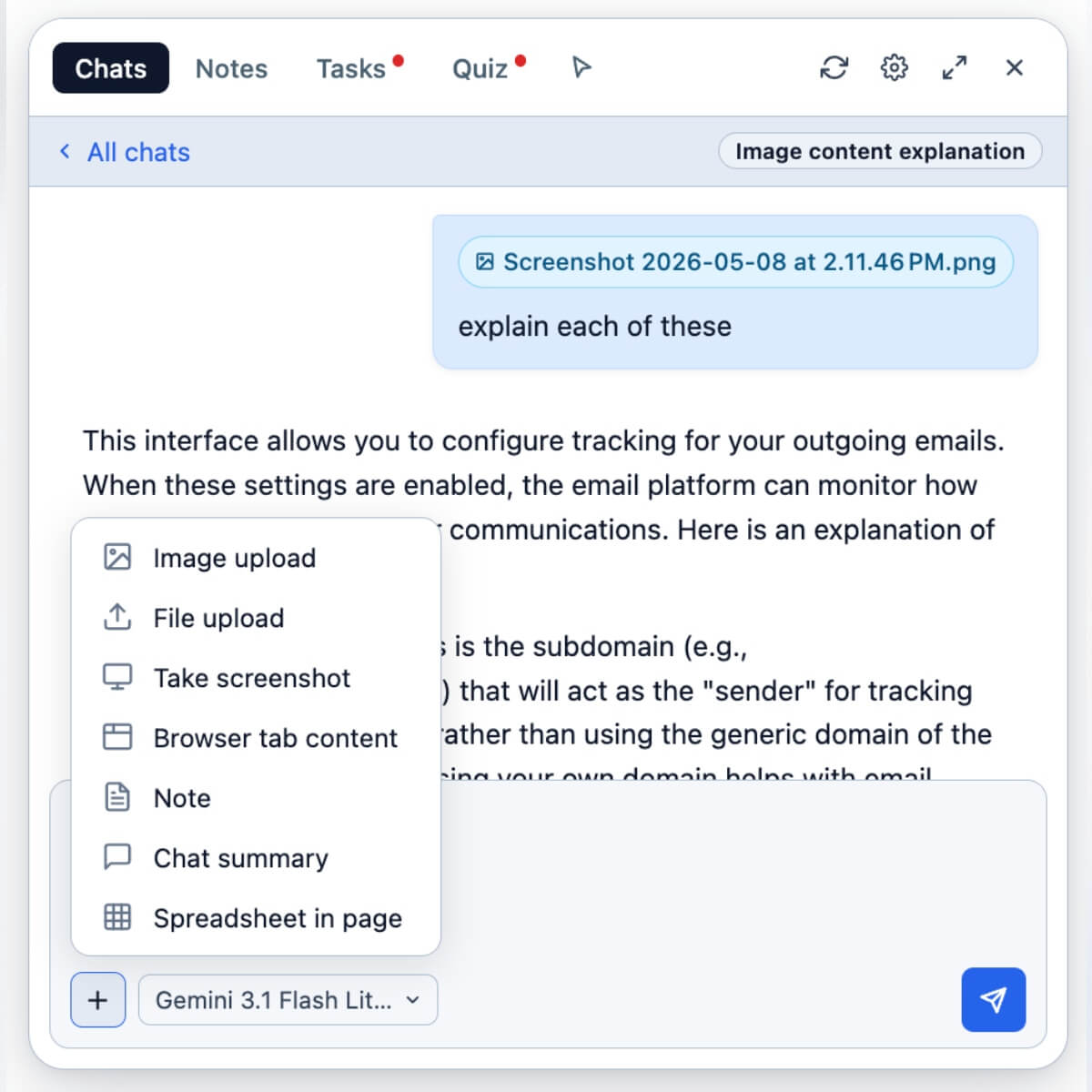
Attachments — PDF, DOCX, PPTX, XLSX, CSV, images |
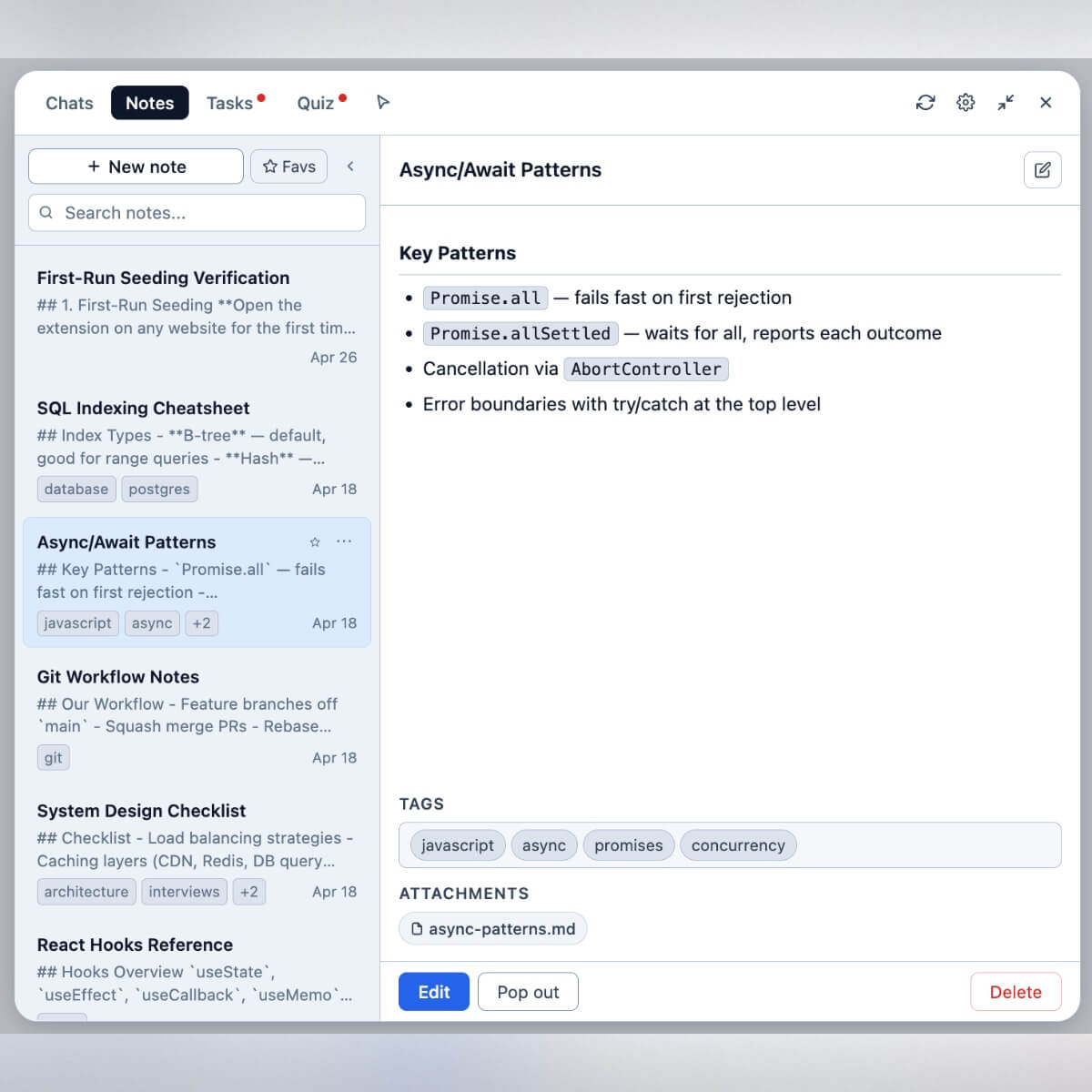
Notes — build a personal knowledge base |
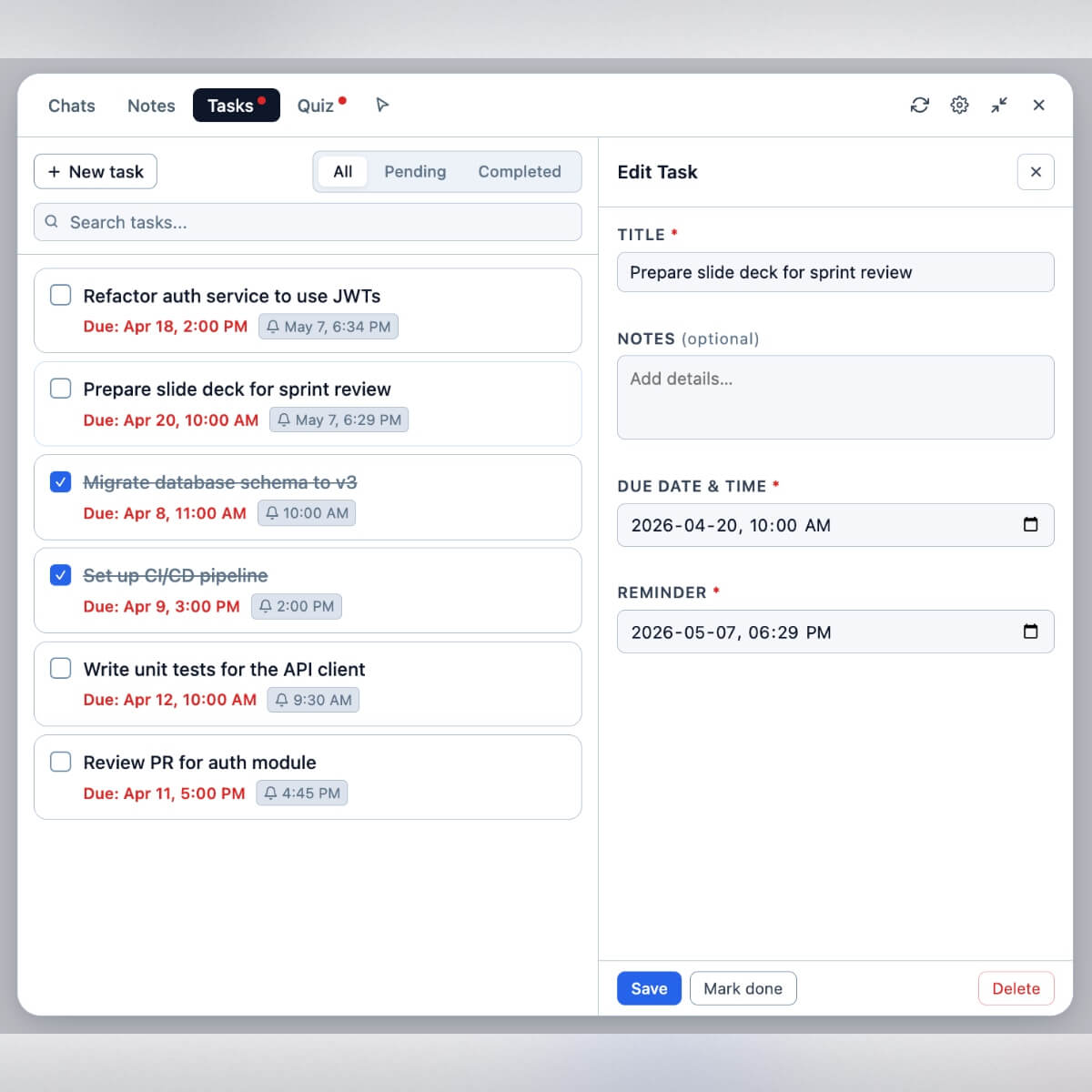
Tasks — with due dates and reminders |
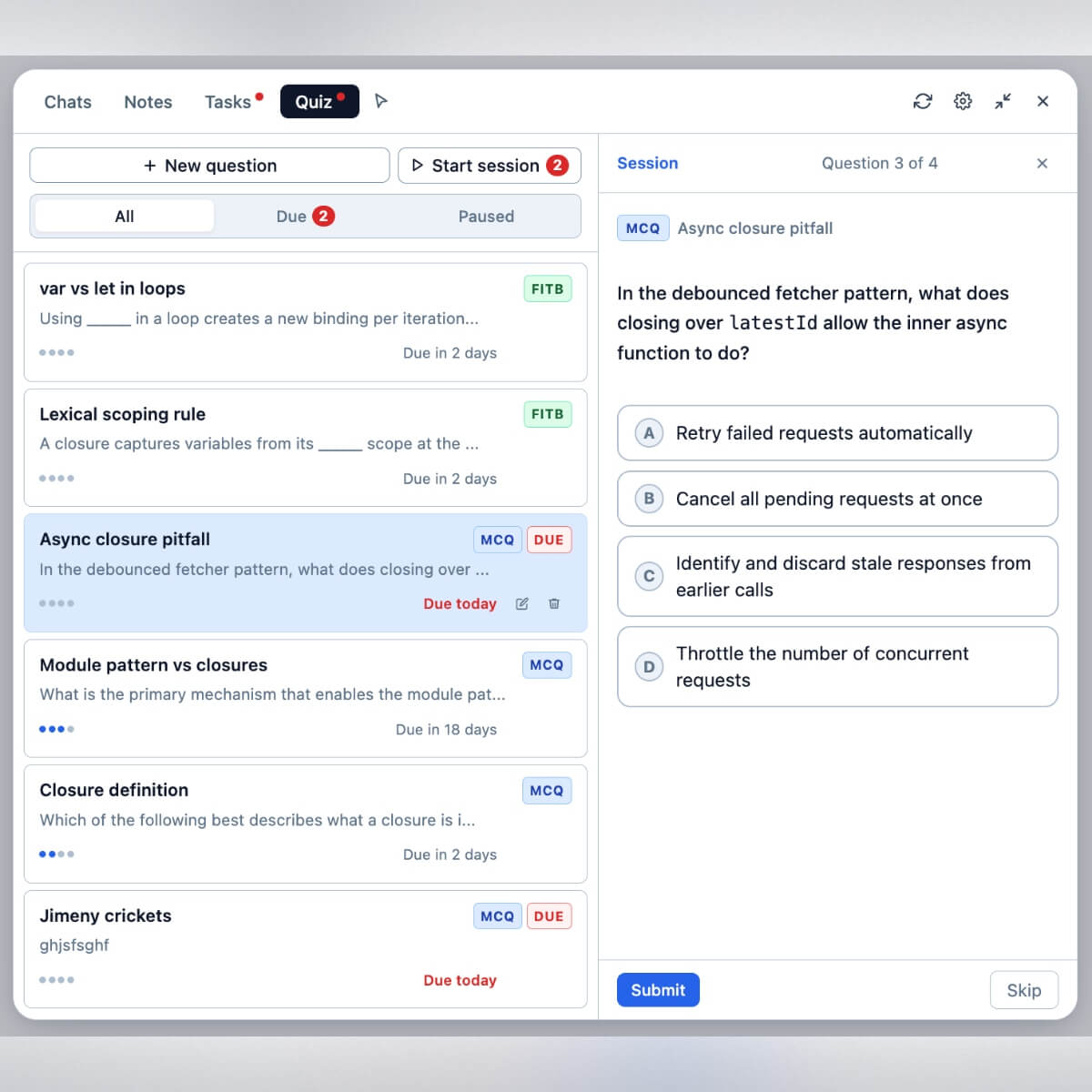
Quizzes — practice from your notes |

Image generation — inline via your selected model |
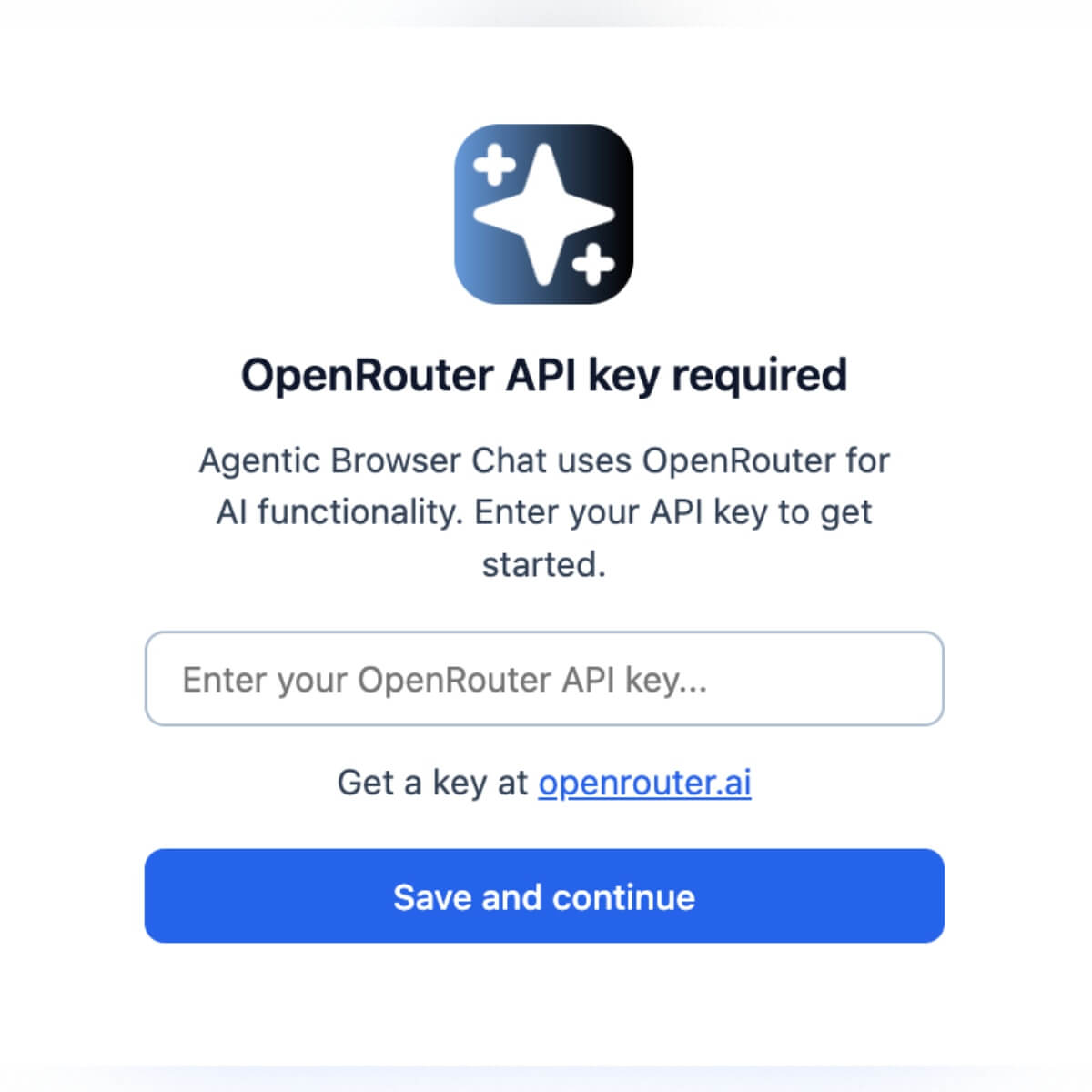
Setup — paste your OpenRouter key once |
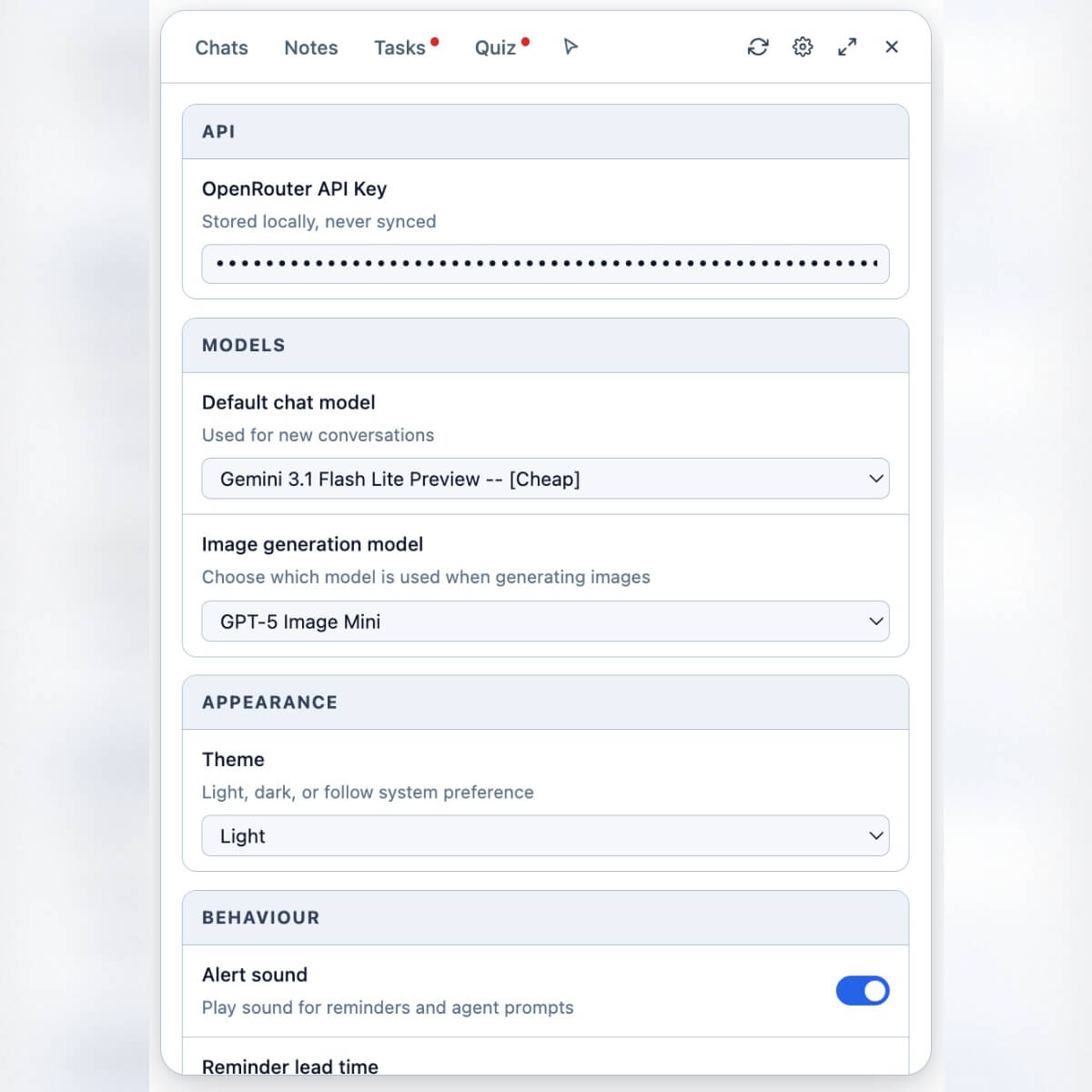
Settings — model, theme, data management |
## 亮点
一个纯粹的浏览器端 agent,它可以读取当前页面、搜索网络和抓取 URL(在 guardrails 保护下)、在沙盒 Web Worker 中运行 JavaScript 以进行精确计算、通过确认步骤填写表单,以及生成 Office 文档(DOCX、PPTX、XLSX、PDF、CSV)和图像。它带有一个持久化的 **memory**(模型可对其进行写入)、一个可重用的 **skills** 库(您或模型可以保存)以及您自己的 **custom instructions**(会附加到每次聊天中)。笔记、任务和测验位于同一面板中,因此您可以在不离开页面的情况下捕获、安排和复习知识。所有数据都本地存储在 IndexedDB 中;唯一的外部网络目标是 OpenRouter,使用的是您自己的 API key。
## 功能
### 与任何页面聊天
- 与 LLM 进行 **按页面聊天**,具有完整的 markdown、代码、图表和数学公式渲染。
- **持久化聊天历史记录**:可搜索、可排序、可置顶。旧的聊天可以根据您设定的阈值自动清理。
- 每个新聊天都有 **建议提示词**(*为我总结*、*向我解释这个*、*帮助我完成此任务/问题*)。
- **按聊天覆盖模型**:为单个对话选择任何 OpenRouter 模型,而无需更改您的默认设置。
- **收藏**:置顶您经常访问的聊天,并切换到“收藏”视图以过滤列表。
- **Quick Question**:通过右键单击选中文本触发的轻量级模态框。每个 Quick Question 都会在单独的 **Quick Q** 日志中成为其自己的简短聊天,因此不会弄乱您的主要历史记录。
- **复制原始聊天** 用于导出或分享。
- **Reduce-to-float / Expand** 面板模式:将面板缩小为浮动气泡,或将其展开以接管整个视口。
### 右键菜单和内容选择器
- **右键菜单** 条目:
- 选中文本时:*解释所选内容*、*总结所选内容*、*校对所选内容*、*关于所选内容的 Quick Question*、*将所选内容添加到聊天*。
- 选中图像时:*将图像添加到聊天*。
- **内容选择器**:一种可以切换打开的悬停高亮模式。单击任何页面元素可将其内容添加到聊天中。右键单击高亮部分会打开一个小菜单,让您选择 **Add simple HTML to chat**(清理、扁平化后的表示)或 **Add raw HTML to chat**(字面标记)。
- **离开警告**:如果您在 agent 执行任务中途尝试离开,扩展程序会在页面卸载前警告您。
### 附件
通过输入区域中的 **`+`** 按钮将上下文附加到聊天中:
| 来源 | 备注 |
|---|---|
| **图像上传** | `.png`, `.jpg`, `.webp`, `.gif` |
| **文件上传** | `.txt`, `.md`, `.json`, `.csv`, `.pdf`, `.docx`, `.xlsx`, `.xls`, `.ods`, `.pptx`(以及其他 `text/*`) |
| **截图** | 捕获当前标签页并内联附加图像 |
| **浏览器标签页内容** | 选择另一个打开的标签页;其内容将被扁平化并附加 |
| **笔记** | 附加现有的笔记作为上下文 |
| **聊天摘要** | 附加另一个聊天的摘要 |
| **来自剪贴板的电子表格** | 粘贴剪贴板中的表格数据并将其视为电子表格附件 |
在 **Notes** 编辑器内部,您也可以将文件附加到笔记本身(文件类型与聊天输入相同)。
### 笔记
- 面板内的完整笔记编辑器,具有 **Edit** 模式和独立的 **read view**。
- **Pop-out**:在独立的浮动窗口中打开任何笔记,以便您可以在主面板中浏览和聊天时继续编辑。
- **版本历史记录**:更改会被记录版本,以便您恢复以前的草稿。
- **收藏** 和 **搜索**。
- 每个笔记上的 **文件附件**。
- **Skill notes**:一个笔记可以被标记为一个 skill,并带有一个类似 `calculate-worksheet-discrepancy` 的 slug。然后,agent 可以通过 `skill` 工具按需加载它。请参阅 [Memory, Skills, and Custom Instructions](#memory-skills-and-custom-instructions)。
### 任务
- 标题、可选描述、**`dueAt`**、**`reminderAt`**。
- 按 **All / Pending / Completed** 过滤。
- 触发提醒时的 **Chrome notifications**。
- 伴随通知播放的可选 **alert sound**。
- 在“设置”中具有 **可配置的提醒提前时间**(到期前的默认分钟数)。
- service worker 每分钟检查一次提醒闹钟。
### 测验
- 通过 `generate_questions` 工具从任何源材料(粘贴的文本、附加的笔记或聊天)生成问题。
- 支持 **MCQ**(多项选择)、**FITB**(填空题)以及两者的 **mix**。
- 可选的 **focus** 参数将生成范围限定在特定主题。
- **Spaced practice**:每个问题都有一个 `pausedUntil` 字段,因此您可以将其标记为已回答,并让它在选定的时间段内从活跃池中消失。
### Agent 工具
Agent 会在对话中途调用这些工具。按用途分组,并强调了安全保护措施:
**针对笔记语料库的类文件系统操作**
- `read`、`write`、`edit` — 读取、创建和修改笔记内容。
- `grep`、`ls` — 通过正则表达式(内容或标题范围)发现笔记或列出它们。
**页面交互**
- `page_query` — 使用选择器查询当前页面上的元素并返回其内容/状态。其 `select_option` 子操作还驱动 **custom dropdowns**(div/ARIA 组合框,如 React Select、MUI、Headless UI):它会打开下拉菜单并单击匹配的选项,能够处理 portal-rendered 列表、type-to-filter 和虚拟化列表。
- `page_fill_form` — 填写原生表单字段(input、textarea、单选 `
标签:AI助手, Chrome插件, 个人知识管理, 数据可视化, 本地优先, 浏览器扩展, 自动化Agent, 自定义脚本