Developer-Army/BBPTS
GitHub: Developer-Army/BBPTS
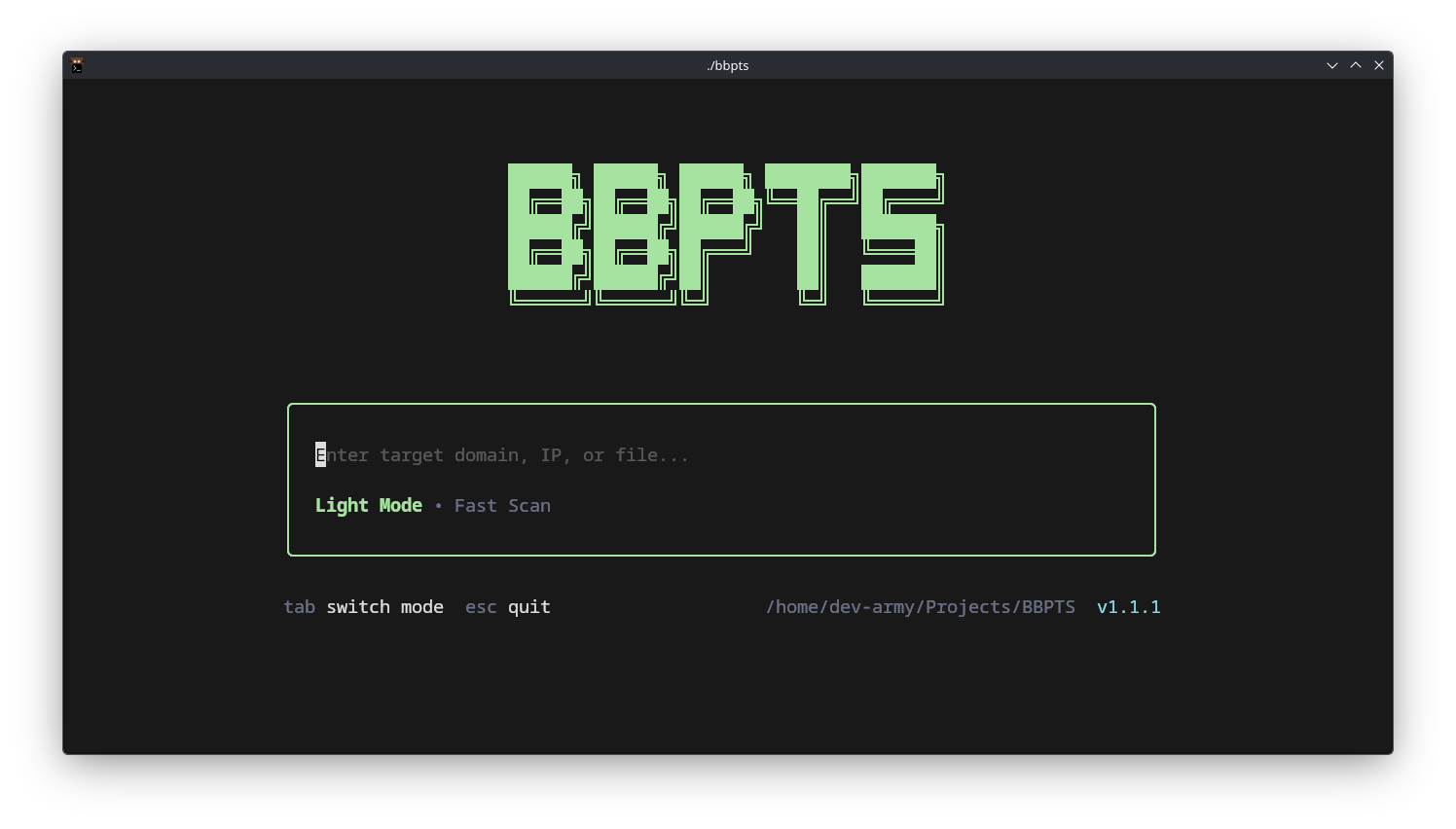
BBPTS 是一款自动化漏洞赏金侦察编排工具,按正确顺序并行运行 25+ 个安全工具并生成按风险排名的统一报告。
Stars: 5 | Forks: 0
# BBPTS v1.3.0
[](https://github.com/Developer-Army/BBPTS)
[](https://golang.org/)
[](https://github.com/Developer-Army/BBPTS/actions)
## 这是什么?
BBPTS 会自动按正确顺序运行 **25+ 个侦察工具**,并为你提供一份 **优先级报告** —— 无需 bash 脚本,无需手动管道操作。
**你提供域名 → 它为你提供按严重程度排名的发现。**
### 为什么使用 BBPTS?
| 问题 | BBPTS 解决方案 |
| --------------------------------- | ------------------------------------------- |
| 逐一运行工具 | 自动并行运行 25+ 个工具 |
| 忘记要运行哪些工具 | 预置的扫描模式 (轻量 / 完整) |
| 不同工具的输出杂乱无章 | 统一报告 (HTML, JSON, Burp/ZAP/Caido XML) |
| 不知道先测试什么 | 按风险对发现进行评分和排名 |
| 关键问题的警报 | Discord / Slack / Telegram 通知 |
## 安装
### 🐧 Linux / macOS
```
git clone https://github.com/Developer-Army/BBPTS.git
cd BBPTS
bash scripts/setup.sh
go build -o bbpts ./cmd/bbpts
sudo cp bbpts /usr/local/bin/ # system-wide
# 或者
cp bbpts ~/.local/bin/ # user-only (add ~/.local/bin to PATH)
bbpts -doctor # verify everything works
```
### 🪟 Windows
```
git clone https://github.com/Developer-Army/BBPTS.git
cd BBPTS
scripts\setup.bat
go build -o bbpts.exe .\cmd\bbpts
.\bbpts.exe -doctor
```
### 🐳 Docker
```
docker build -t bbpts .
docker run --rm -v $(pwd)/results:/app/results bbpts -i targets.txt
```
### 其他方式
```
# 使用 Make
make install-user # builds + copies to ~/.local/bin
make install # builds + copies to /usr/local/bin (needs sudo)
# 使用 go install
go install github.com/Developer-Army/BBPTS/cmd/bbpts@latest
git clone https://github.com/Developer-Army/BBPTS.git && cd BBPTS && bash scripts/setup.sh
```
## 快速开始
### 1. 创建目标文件
```
example.com
app.example.com
https://api.example.com
```
### 2. 运行扫描
```
bbpts -i targets.txt # default scan (medium mode)
```
### 3. 查看结果
报告将生成在 `./results/` 目录中:
- `report.html` — 完整的交互式报告
- `summary.csv` — 适合电子表格处理
- `report.json` — 适合机器读取
**就是这样。** 只需三个步骤。
## 常用命令
```
# 轻量扫描(快速,仅被动)
bbpts -i targets.txt --light
# 完整扫描(全部内容,耗时较长)
bbpts -i targets.txt --full
# 选择特定工具
bbpts -i targets.txt -t subfinder,httpx,nuclei
# 跳过特定工具
bbpts -i targets.txt -x nuclei,dalfox
# 并行扫描多个域名
bbpts -i targets.txt -b 5
# 自定义报告输出
bbpts -i targets.txt -o results/report.md -s results/summary.csv
# 导出至 Burp Suite
bbpts -i targets.txt -export-burp burp-import.xml
# 持续监控(每 60 分钟重新扫描)
bbpts -i targets.txt -scope my-program -cron 60
# 恢复中断的扫描
bbpts -i targets.txt -resume
# JSON 输出(通过管道传递给 jq、脚本等)
bbpts -i targets.txt -json | jq '.[] | select(.priority == "high")'
# 仅显示自上次扫描以来的更改
bbpts -i targets.txt -scope my-program -diff
# 交互式配置向导
bbpts init
# 检查工具健康状态
bbpts -doctor
```
## 扫描模式
| 模式 | 参数 | 功能说明 | 速度 |
| ---------- | ----------- | ------------------------------------------- | ------- |
| **轻量** | `--light` | 仅被动侦察(子域名、DNS、WHOIS) | ⚡ 快速 |
| **标准** | _(默认)_ | 被动 + 主动探测 + 爬取 |
## 支持的工具 (25+)
### 阶段 1 — 子域名发现
`subfinder` · `amass` · `assetfinder` · `chaos` · `crtsh` · `whois` · `tlsx` · `github`
### 阶段 2 — DNS 与端口
`dnsx` · `puredns` · `massdns` · `naabu`
### 阶段 3 — Web 探测与爬取
`httpx` · `katana` · `gau` · `hakrawler` · `shodan` · `wafw00f` · `gowitness` · `trufflehog` · `uro` · `graphql` · `browser`
### 阶段 4 — 漏洞扫描与 Fuzzing
`nuclei` · `dalfox` · `ffuf` · `gobuster` · `feroxbuster` · `interactsh` · `secrets` · `js_analyzer`
## 配置
### 配置向导(最简单)
```
bbpts init
```
引导你以交互方式设置 API 密钥、速率限制和通知。
### 手动配置
编辑 `configs/config.json`:
```
{
"api_keys": {
"shodan": "YOUR_KEY", // get from shodan.io
"github": "YOUR_TOKEN", // GitHub personal access token
"chaos": "YOUR_KEY", // projectdiscovery.io
"virustotal": "YOUR_KEY", // virustotal.com
},
"rate_limit": 50, // global max requests/sec
"threads": 32, // parallel workers
"ports": "", // custom naabu ports (empty = defaults)
"batch_size": 1, // domains scanned in parallel (1 = sequential)
"auto_update": false, // auto-update nuclei templates
"notify": {
"discord_webhook": "", // get from Discord server settings
"slack_webhook": "", // get from Slack app config
"telegram_bot_token": "", // @BotFather on Telegram
"telegram_chat_id": "", // your chat ID
},
}
```
### 环境变量(备选)
```
export BBPTS_SHODAN_API_KEY=your_key
export BBPTS_GITHUB_TOKEN=your_token
export BBPTS_RATE_LIMIT=30
```
## 输出格式
| 格式 | 文件 | 用途 |
| -------------- | ------------------- | ---------------------------- |
| **HTML** | `report.html` | 带图表的可视化报告 |
| **Markdown** | `report.md` | 文档 / 笔记 |
| **CSV** | `summary.csv` | 电子表格 / 数据分析 |
| **JSON** | `report.json` | 脚本 / 自动化 |
| **Burp XML** | `burp_export.xml` | 导入 Burp Suite |
| **ZAP XML** | `zap_export.xml` | 导入 OWASP ZAP |
| **Caido JSON** | `caido_export.json` | 导入 Caido |
## CLI 参数参考
| 参数 | 简写 | 描述 |
| ------------------ | ----- | -------------------------------------------------------- |
| `-input` | `-i` | 目标文件或 URL |
| `-tools` | `-t` | 以逗号分隔的要运行的工具 |
| `-exclude-tools` | `-x` | 要跳过的工具 |
| `-output` | `-o` | 报告输出路径 |
| `-summary` | `-s` | CSV 摘要路径 |
| `--light` | | 快速被动扫描 |
| `-batch-size` | `-b` | 并行域名批次 |
| `-threads` | | 工作线程数 (默认 32) |
| `-rate-limit` | | 最大请求/秒 |
| `-log-level` | | `debug` / `info` / `warn` / `error` |
| `-resume` | `-r` | 从检查点恢复扫描 (通过 `-scope` 跟踪目标) |
| `-json` | `-j` | JSON 输出到 stdout |
| `-auto-update` | | 首先更新 nuclei 模板 |
| `-report-template` | | 自定义 Go 模板文件 |
| `-scope` | | 用于状态和检查点跟踪的 scope ID |
| `-diff` | | 仅显示新发现 |
| `-cron` | | 重新扫描间隔 (分钟) |
| `-doctor` | | 检查工具健康状态 |
| `-submit` | | 将发现提交到平台 |
| `-https` | | 使用 HTTPS/TLS 启动仪表盘 |
| `-tls-cert` | | TLS 证书文件路径 |
| `-tls-key` | | TLS 密钥文件路径 |
| `-web-ender` | | 自定义研究标识符标签 (例如 H1{username}) |
| `-export-burp` | | 导出 Burp Suite XML |
| `-web` | `-w` | 启动 Web 仪表盘 |
| `-debug` | | 调试日志 |
| `-version` | `-v` | 打印版本 |
## 架构
```
targets.txt
│
▼
┌─────────────────────────────────────┐
│ BBPTS Engine │
│ │
│ Stage 1: Subdomain Discovery │
│ Stage 2: DNS + Port Scanning │
│ Stage 3: Web Probing + Crawling │
│ Stage 4: Vuln Scanning + Fuzzing │
│ │
│ ┌──────────┐ ┌──────────┐ │
│ │ Analyzer │ │ Reporter │ │
│ └──────────┘ └──────────┘ │
└─────────────────────────────────────┘
│
▼
results/
├── report.html
├── summary.csv
├── report.json
└── burp_export.xml
```
## 安全提示
## 文档
| 文档 | 涵盖内容 |
| -------------------------------------------- | -------------------------------- |
| [用户指南](docs/user_guide.md) | 安装设置、示例、故障排除 |
| [开发者指南](docs/developer_guide.md) | 架构、贡献 |
| [配置说明](docs/configuration.md) | 详解所有配置选项 |
| [容器化](docs/CONTAINERIZATION.md) | Docker 使用及路线图 |
| [更新日志](CHANGELOG.md) | 版本历史 |
## 许可证
MIT — 详见 [LICENSE](LICENSE)。
## 致谢
基于 Project Discovery、OWASP、Tom Hudson 以及漏洞赏金社区提供的出色开源工具构建。🙏
标签:EVTX分析, Golang, 动态插桩, 安全编程, 实时处理, 密码管理, 日志审计, 聊天机器人, 自动化侦察, 请求拦截