Bhathiya404/MemoryForenisc
GitHub: Bhathiya404/MemoryForenisc
基于 Volatility 3 和 Jupyter Notebook 的 Windows 内存镜像自动化取证分析工作流,内置 23 条检测规则帮助调查人员识别恶意活动。
Stars: 0 | Forks: 0
# MemoryForenisc
本笔记本展示了用于分析 Windows 内存镜像的自动化工作流,作为内存取证调查的一部分。该工作流首先会指定待分析的 Windows 内存镜像的路径。内存镜像代表了在特定时间点捕获的系统易失性内存(RAM)的快照。
一旦提供了内存镜像路径,该框架就会使用 Volatility 内存取证框架启动自动化的取证分析过程。该工作流会提取并分析关键的取证痕迹,以协助调查人员识别系统内的可疑或恶意活动。
内存镜像可以包含有价值的取证证据,包括有关正在运行的进程、网络连接、已加载的驱动程序、注入的代码段以及其他系统痕迹的信息。分析这些痕迹使调查人员能够检测入侵指标,并更好地理解系统中存在的潜在恶意软件或未授权活动的行为。
本工作流使用了以下开源项目
https://github.com/microsoft/msticpy
作者:
Bhathiya Madanayaka
bathiyapulasthi@gmail.com
## 前置条件
### 软件要求
- Python 3.8 或更高版本
- Jupyter Notebook
- Volatility 3
- 需要提供 API 密钥以支持 MSTICPY 的数据丰富功能。包括 GreyNoise 和 OTX
### Python 库
```
pip install msticpy[azure] seaborn jellyfish pandas argparse colorama selenium pillow matplotlib networkx
```
### 该框架实现了以下检测规则:
- 规则 1:单实例进程的多重实例检测
- 规则 2:可疑的父子进程血缘检测
- 规则 3:利用名称相似性(Damerau-Levenshtein 距离)进行进程伪装检测
- 规则 4:没有命令行参数的 svchost.exe / rundll32.exe 检测
- 规则 5:从可疑目录运行的执行文件检测
- 规则 6:进程网络关系可视化
- 规则 7:进程到网络的通信映射
- 规则 8:进程执行时间异常检测
- 规则 9:可疑命令行参数检测
- 规则 10:从命令行提取 IoC
- 规则 11:可疑的 rundll32.exe 父进程检测
- 规则 12:外部通信频率分析
- 规则 13:外部 IP/域名的威胁情报关联
- 规则 14:可疑的非浏览器 Web 连接
- 规则 15:命令行参数中的 IP 地址检测
- 规则 16:内核回调异常检测
- 规则 17:SSDT hooking 检测
- 规则 18:被擦除的驱动程序基址检测
- 规则 19:可疑的 Windows 服务名称检测
- 规则 20:从异常位置加载的 DLL/SYS
- 规则 21:异常长的 DLL/SYS 名称检测
- 规则 22:基于 Malfind 的 MZ 头检测(注入的代码)
- 规则 23:基于 Malfind 的汇编/代码注入检测
### 用法
1. git clone https://github.com/Bhathiya404/MemoryForenisc.git
2. 更新 msticpyconfig.yaml 并包含前置条件中所述的 API 密钥
3. 在 Jupyter 中打开 workflow.ipynb 并按照笔记本中的说明进行操作
4. 遵循工作流笔记本内给出的指导说明。
### 示例输出
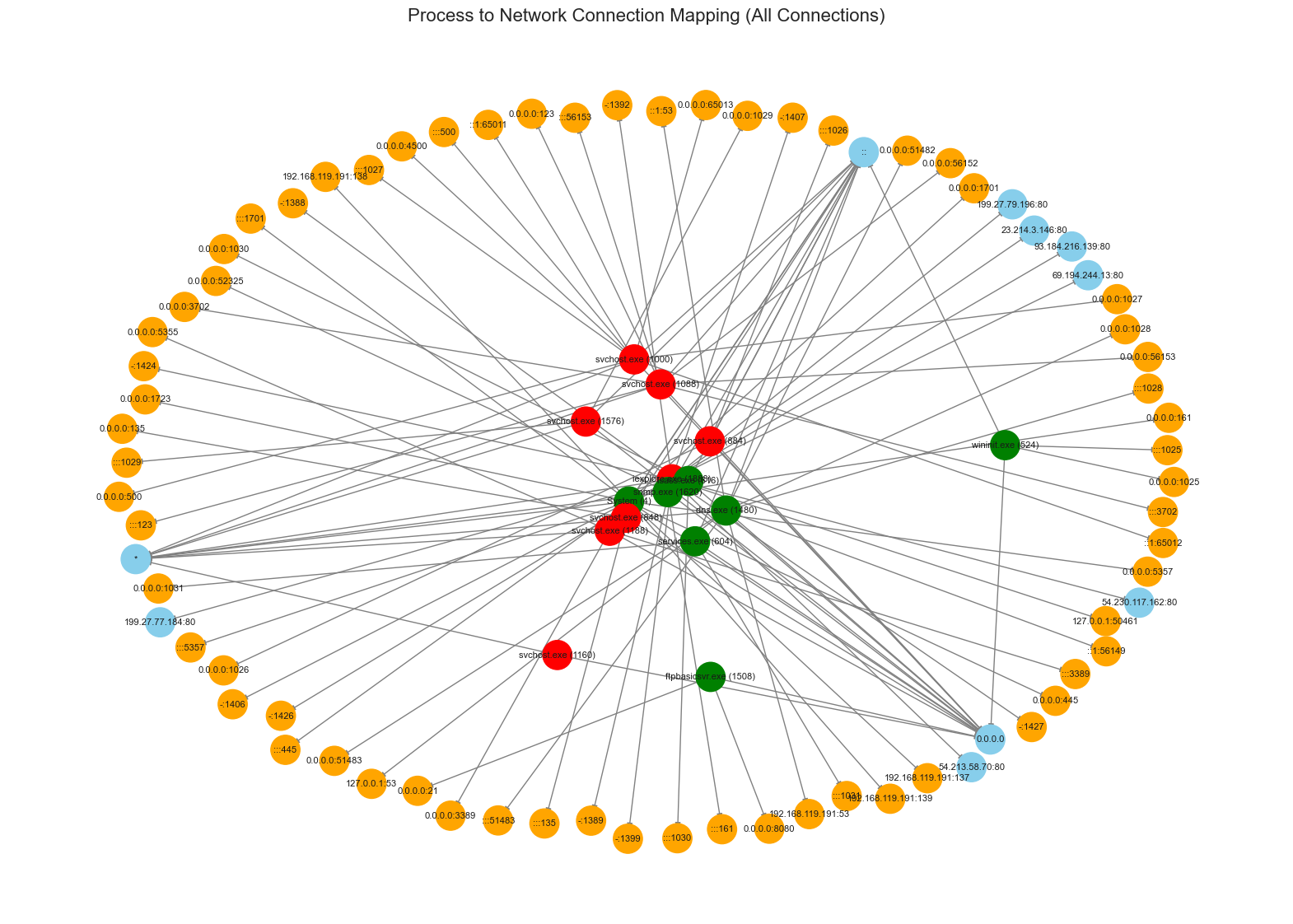
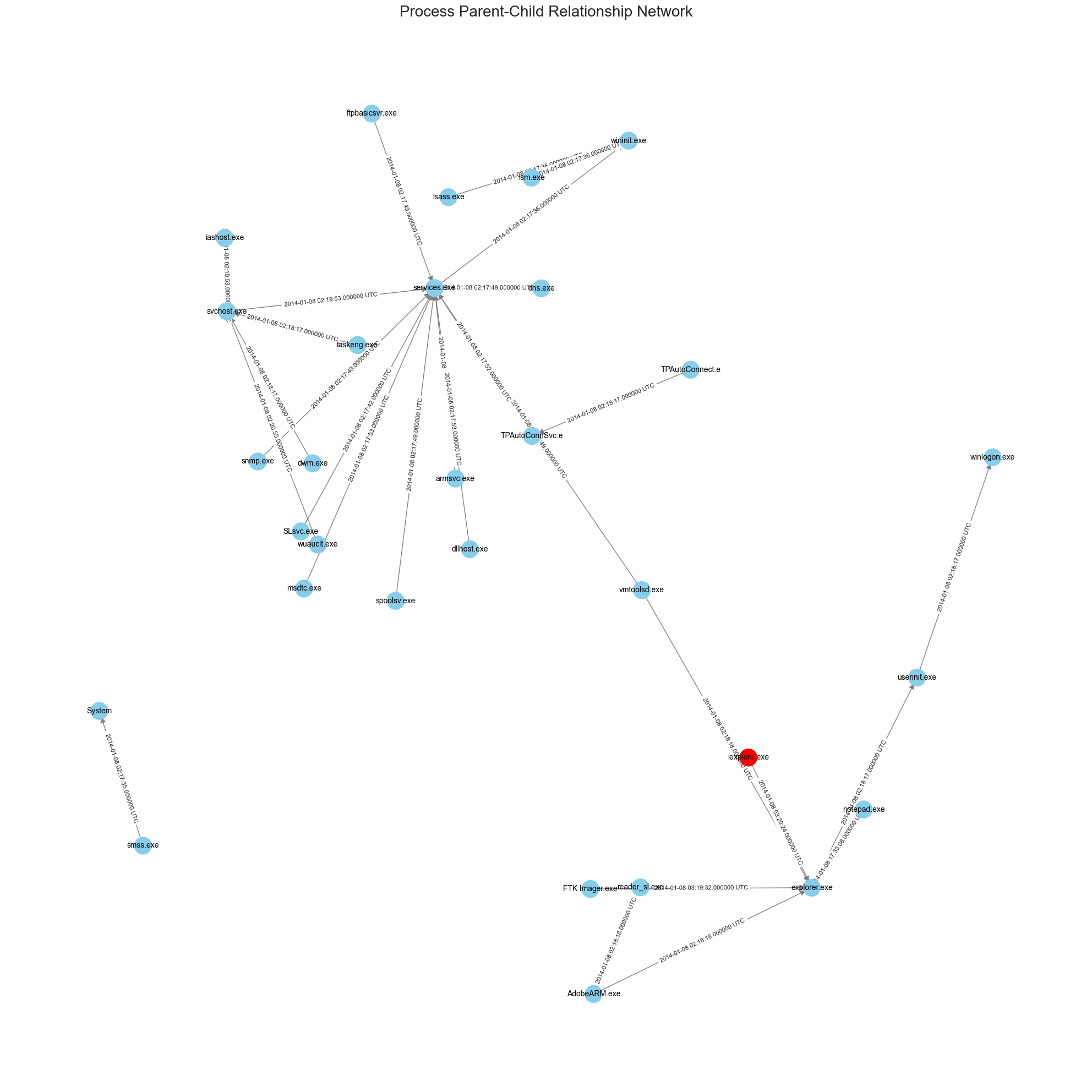
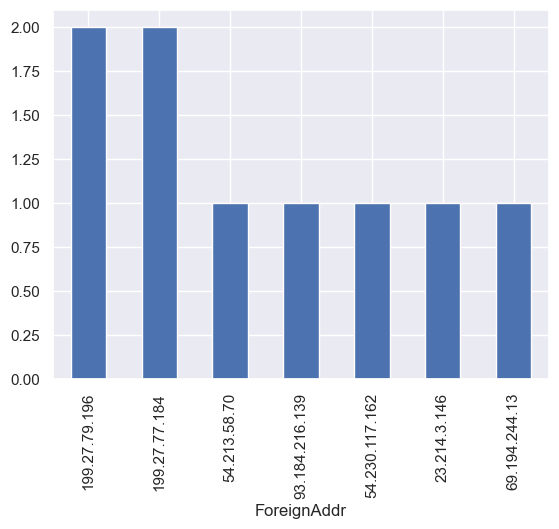
标签:DNS 解析, NoSQL, Python, SecList, 代码示例, 内存取证, 子域名暴力破解, 数据分析, 无后门, 特权检测, 自动化检测, 逆向工具