srkyn/IdentityRiskGraph
GitHub: srkyn/IdentityRiskGraph
一款身份优先的 AWS CloudTrail IAM 检测工程应用,通过解析嵌套访问路径和引入身份上下文,将嘈杂的 IAM 警报转化为可解释的 SOC 风险调查。
Stars: 0 | Forks: 0
# IdentityRiskGraph






**针对 AWS IAM、嵌套访问路径以及人类分析师能够清晰解释的安全发现,实施身份优先的检测工程。**
IdentityRiskGraph 从真实的 CloudTrail IAM 事件入手,检测高风险的身份控制面变更,解析嵌套的访问路径,并将嘈杂的 IAM 活动转化为分析师可以直接审查的上下文。
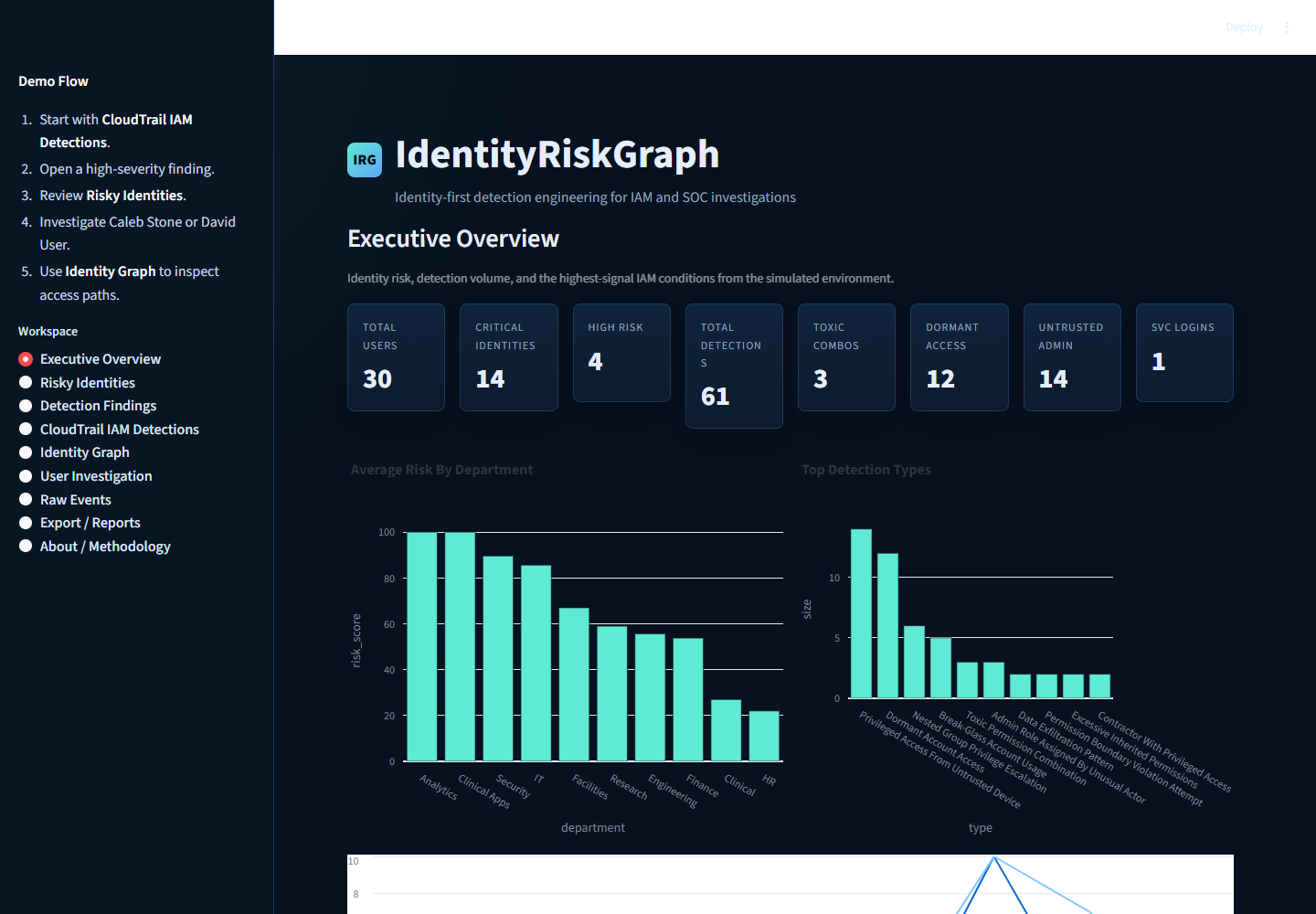
## 截图
运行中的应用程序和终端检测器的实际截图存放在 [screenshots/](screenshots/) 中。
| 视图 | 截图 |
|---|---|
| 概览 |  |
| CloudTrail IAM 检测 | 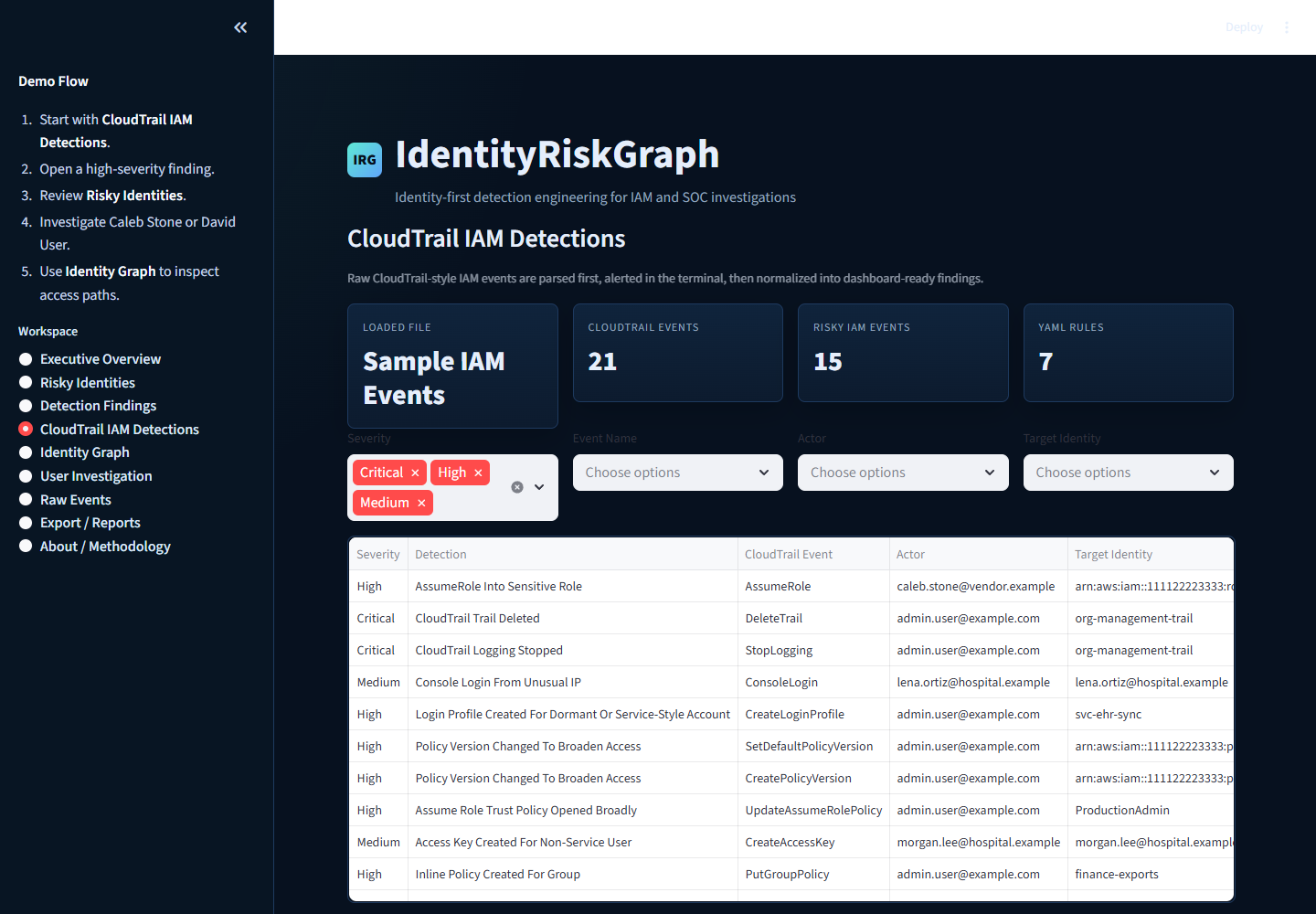 |
| 高风险身份 | 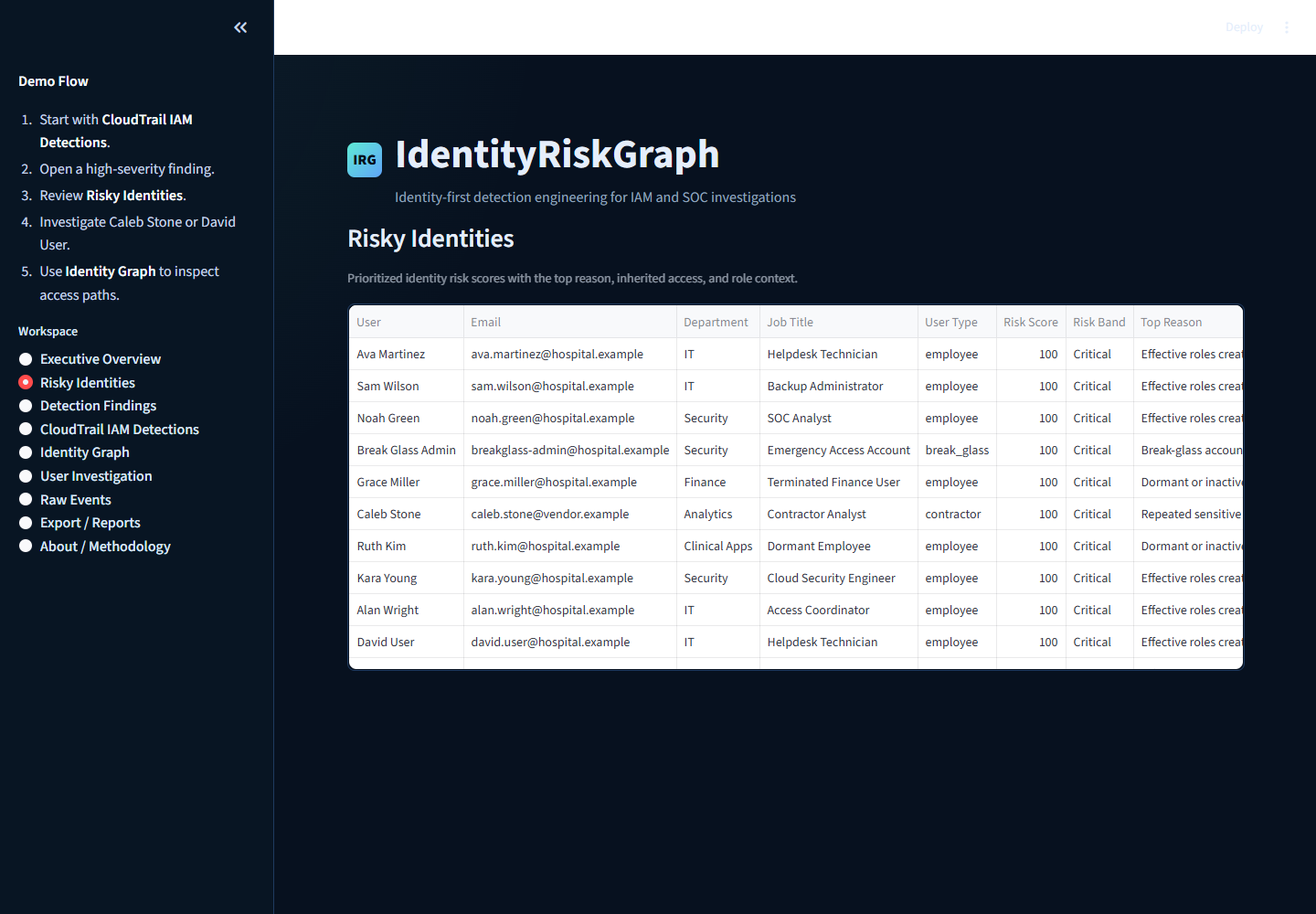 |
| 检测发现详情 | 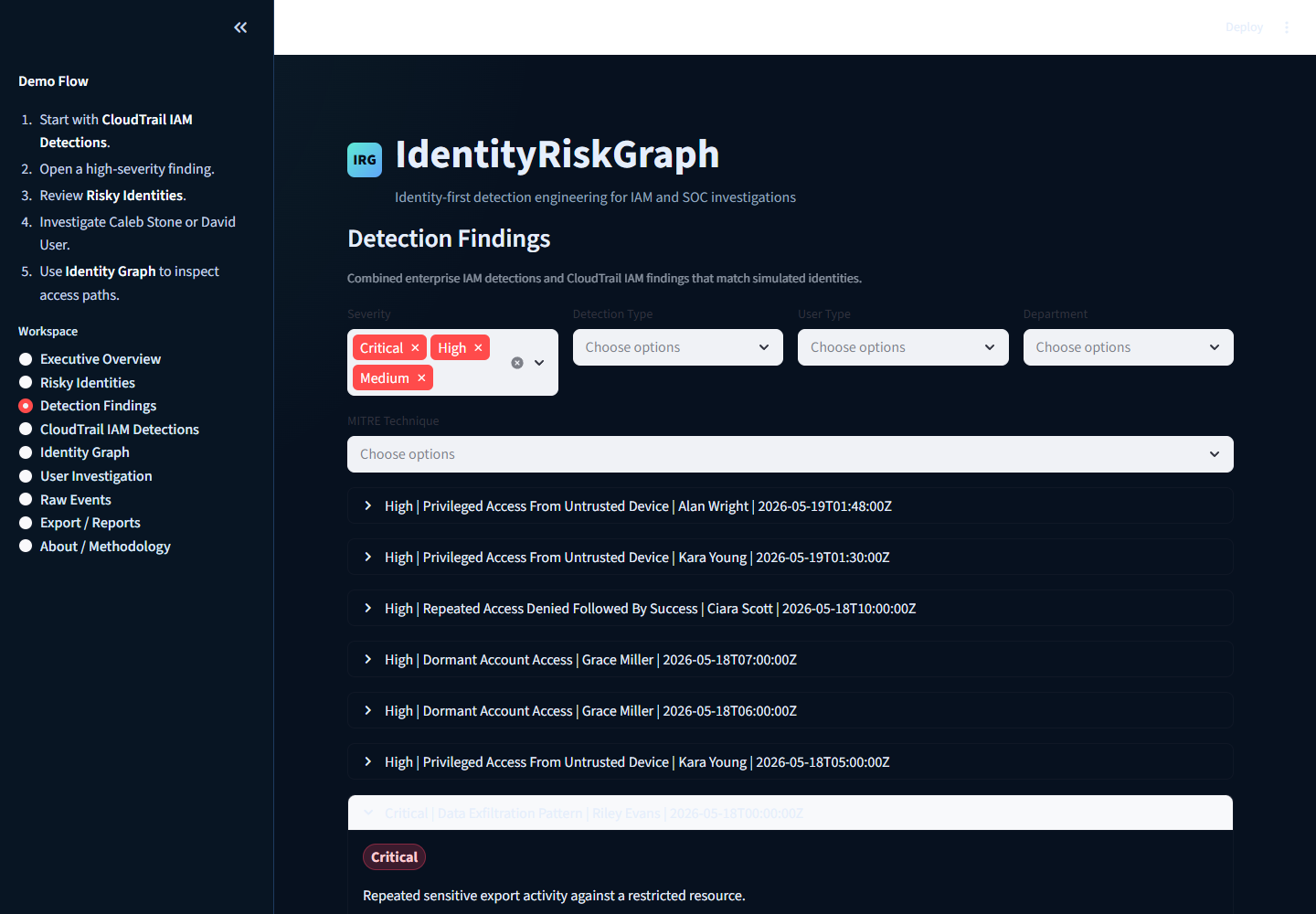 |
| 用户调查 | 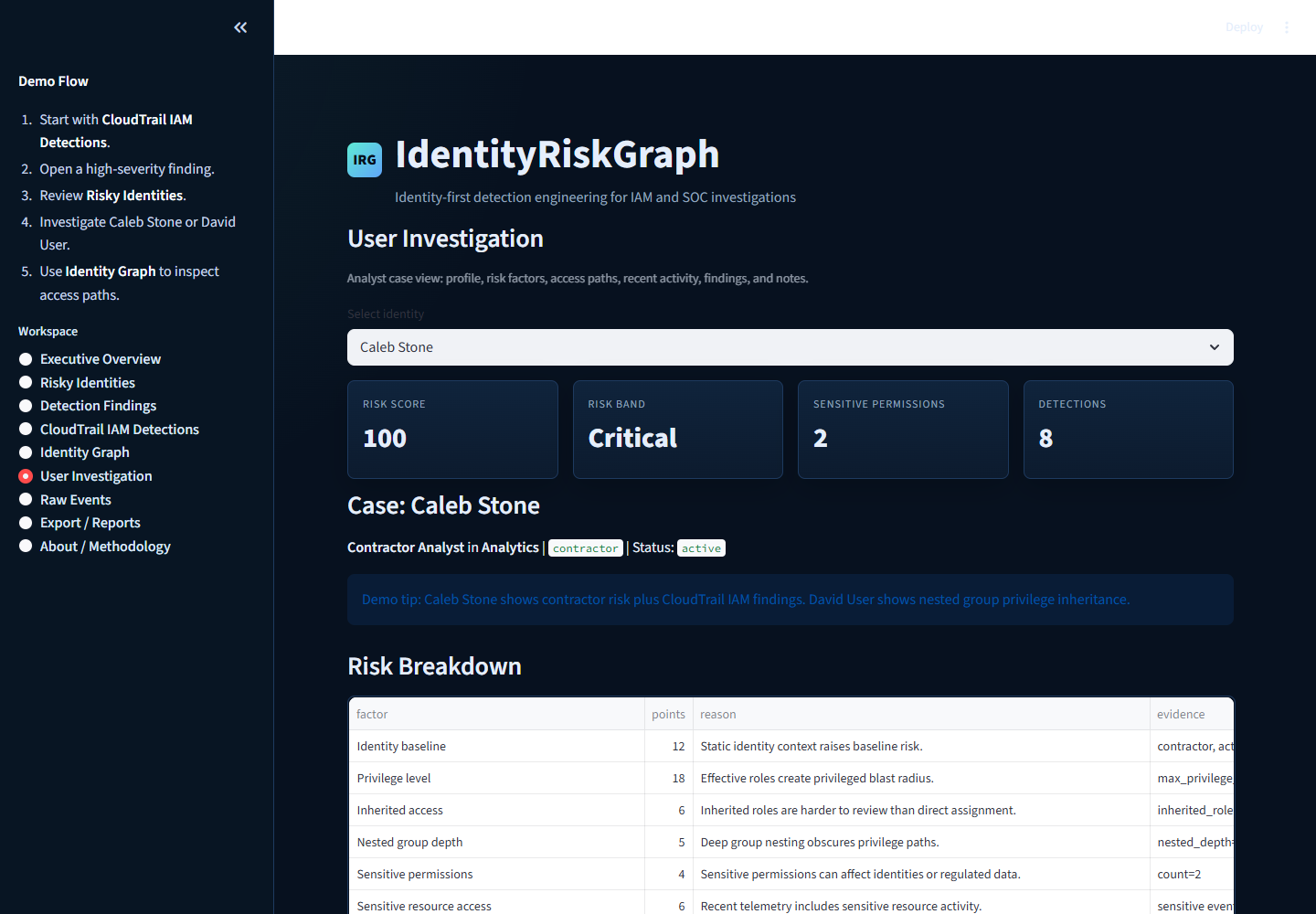 |
| 身份图谱 | 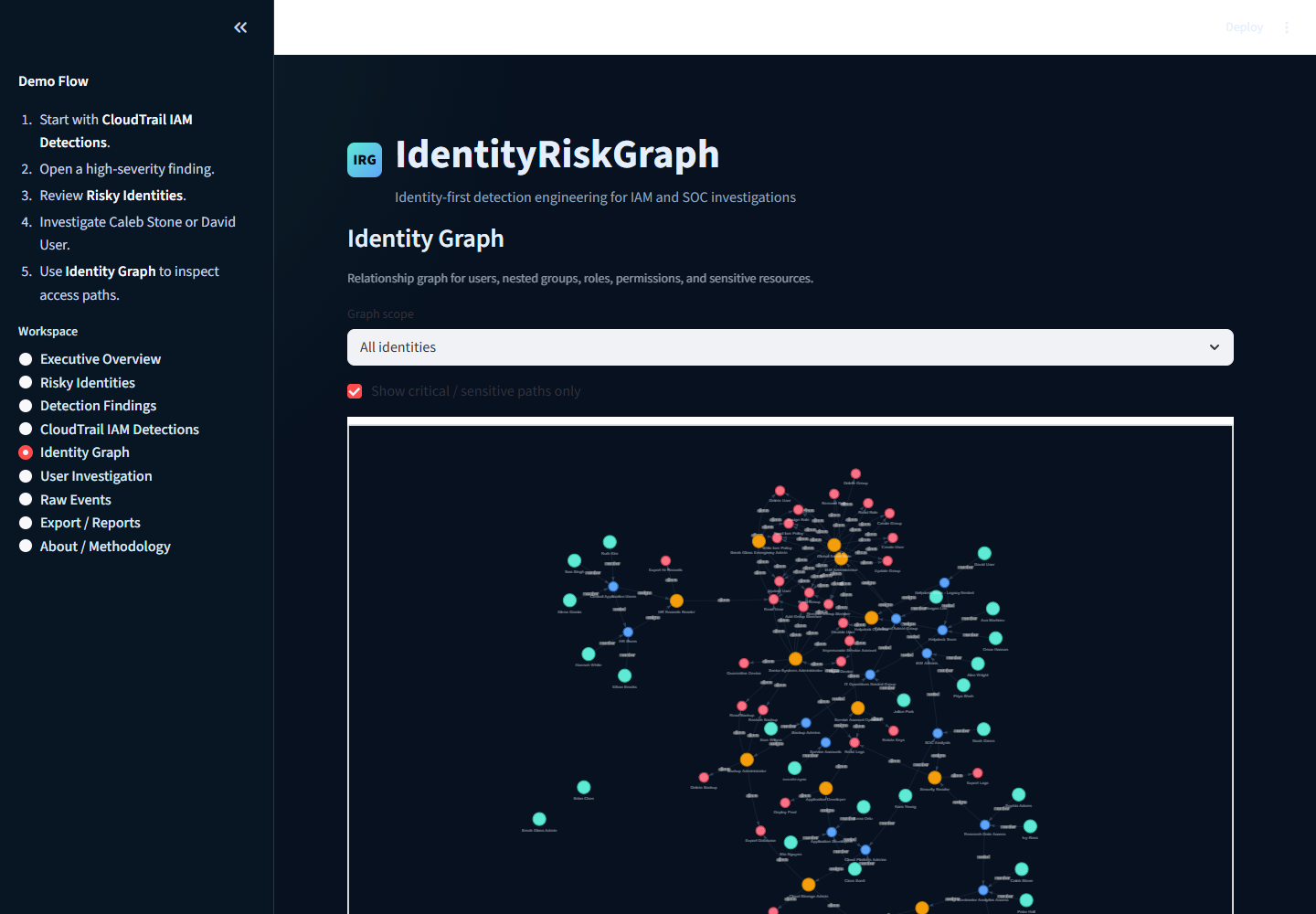 |
| 终端检测器输出 | 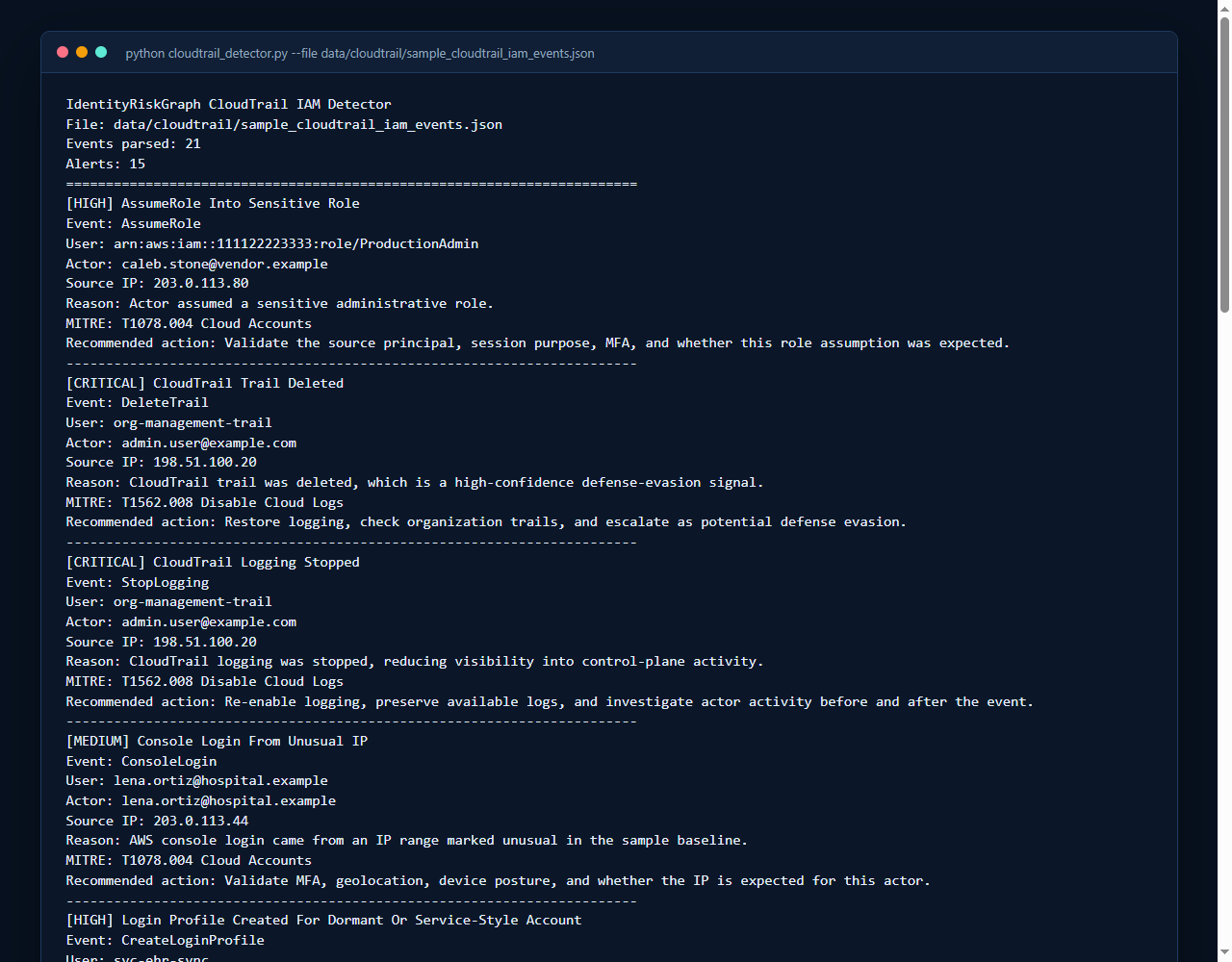 |
## 本项目存在的原因
IAM 和 SOC 团队会收到大量在技术上准确但实际上难以处理的警报。策略附加、群组成员身份变更或控制台登录在某种上下文中可能是正常的,但在另一种上下文中则可能充满风险。
本项目展示了身份上下文如何让检测工程变得更实用:身份是谁、他们拥有什么角色、访问权限是如何继承的、使用了什么设备或 IP,以及近期的变更是否能解释当前的活动。
## 问题:嘈杂的 IAM/SIEM 警报
许多警报仅止步于事件名称:
- `AttachUserPolicy`
- `AddUserToGroup`
- `CreateAccessKey`
- `ConsoleLogin`
- `StopLogging`
这些事件名称很重要,但远远不够。根据目标对象是承包商、服务账号、全局管理员、休眠账号、财务用户还是特权组的继承成员,同一个事件可能意味着完全不同的含义。
## 方法:在评分前引入身份上下文
IdentityRiskGraph 会提出以下问题:
风险评分使用以下要素:
- 用户类型和部门
- 账号状态和过期行为
- 直接和继承的角色
- 嵌套组的深度
- 敏感权限
- 设备信任度
- 位置异常
- 近期的角色和组变更
- CloudTrail IAM 控制面发现
- 映射到 MITRE ATT&CK 的检测严重程度
## 双层工作流
### 1. 终端 CloudTrail 检测器
`cloudtrail_detector.py` 解析原始 CloudTrail 格式的 JSON,并打印出可读的 IAM 警报,以便进行快速的命令行审查。
```
python cloudtrail_detector.py --file data/cloudtrail/sample_cloudtrail_iam_events.json
python cloudtrail_detector.py --engine yaml --file data/cloudtrail/suspicious_cloudtrail_events.json
```
### 2. Streamlit 调查仪表板
仪表板将 CloudTrail 发现与模拟的企业 IAM 上下文、权限解析、风险上下文、图谱可视化、导出功能以及分析师备注结合在一起。
```
python -m streamlit run app.py
```
## 本项目展示了什么
- Python 数据解析
- CloudTrail IAM 事件分析
- 检测工程逻辑
- IAM 风险建模
- 嵌套组和权限解析
- MITRE ATT&CK 映射
- Streamlit 仪表板开发
- 调查工作流
- 可解释的风险上下文
- 测试覆盖率和文档
## 功能
- 支持单事件、列表和 `Records[]` 格式的 CloudTrail 解析器
- 针对高风险控制面活动的 AWS IAM 检测
- 清晰的终端警报输出
- 包含 CloudTrail、身份风险、发现、图谱、调查、原始事件和导出页面的 Streamlit 仪表板
- 包含用户、组、角色、设备、资源、事件和账号变更的模拟企业 IAM 数据
- 用于直接角色、继承角色、嵌套组、拒绝策略和权限边界的有效权限解析器
- 特定规则的建议和 MITRE 映射
- 位于 `rules/cloudtrail_iam_rules.yaml` 中的检测即代码(Detection-as-code)基础
- 可选的 YAML 检测引擎,用于执行简单的 CloudTrail IAM 规则
- 适配 Splunk 的 JSON 导出
- 用于获取公共仓库上下文和审查备注的 GitHub REST API 适配器
- Pytest 测试套件和 GitHub Actions CI
## 架构
```
flowchart LR
A[CloudTrail JSON] --> B[CloudTrail Parser]
B --> C[AWS IAM Detections]
C --> D[Terminal Alerts]
C --> E[Normalized Findings]
F[Simulated IAM Data] --> G[Permission Resolver]
G --> H[Enterprise Detections]
E --> I[Risk Engine]
H --> I
G --> J[Identity Graph]
I --> K[Streamlit Dashboard]
J --> K
K --> L[CSV / JSON / Markdown / Splunk Export]
```
## 检测示例
CloudTrail IAM:
- AdministratorAccess 附加给用户
- AdministratorAccess 附加给组
- 用户被添加到特权组
- 为用户或组创建了内联策略
- 为人类风格用户创建了访问密钥
- 来自异常 IP 的控制台登录
- CloudTrail `StopLogging` 或 `DeleteTrail`
- 担任敏感角色
- 通过通配符访问扩大了策略版本
- 权限变更前发生的多次 IAM 侦察
企业 IAM 模拟:
- 恶意的权限组合
- 嵌套组权限提升
- 休眠账号访问
- 来自不受信任设备的特权访问
- 不可能旅行
- 角色变更后紧接着发生敏感访问
- 服务账号交互式登录
- 拥有特权访问的承包商
- 数据泄露模式
## 风险评分
风险评分是确定性且可解释的。
区间划分:
- 低:0-29
- 中:30-59
- 高:60-79
- 严重:80-100
每个用户都有一个因素细分,显示了什么增加了分数以及为什么。示例因素包括特权级别、继承角色、嵌套组深度、敏感权限、过期状态、设备信任度和检测增量。
## 示例调查工作流
1. 打开 **CloudTrail IAM 检测**。
2. 查看 `AdministratorAccess Attached To User`。
3. 记录参与者、目标身份、策略、源 IP 和 MITRE 映射。
4. 打开 **高风险身份**,找到目标对象或相关参与者。
5. 打开 **用户调查**,查看有效权限、近期事件、组路径和检测结果。
6. 使用 **身份图谱** 检查访问权限是如何继承的。
7. 将发现导出为 CSV、JSON、Markdown 或适配 Splunk 的 JSON。
有关适合演示的详细指南,请参阅 [docs/demo_walkthrough.md](docs/demo_walkthrough.md)。
## 项目结构
```
IdentityRiskGraph/
app.py
cloudtrail_detector.py
data/
cloudtrail/
users.json
groups.json
roles.json
events.json
docs/
rules/
cloudtrail_iam_rules.yaml
screenshots/
src/
aws_iam_detections.py
cloudtrail_parser.py
detections.py
permission_resolver.py
risk_engine.py
rule_loader.py
splunk_export.py
tests/
```
## 使用说明
安装:
```
python -m pip install -r requirements.txt
```
运行测试:
```
python -m pytest -q
```
运行仪表板:
```
python -m streamlit run app.py
```
运行 CloudTrail 演示:
```
python cloudtrail_detector.py --file data/cloudtrail/sample_cloudtrail_iam_events.json
python cloudtrail_detector.py --file data/cloudtrail/suspicious_cloudtrail_events.json
python cloudtrail_detector.py --engine yaml --file data/cloudtrail/suspicious_cloudtrail_events.json
```
获取公共 GitHub 仓库上下文:
```
python -m src.github_repo_context srkyn/IdentityRiskGraph
```
此可选适配器会读取公共 GitHub REST API 元数据,并打印关于仓库可见性、维护状态、主题、Issue 工作流和许可的审查备注。请参阅 [docs/github_api_integration.md](docs/github_api_integration.md)。
Makefile 快捷方式:
```
make install
make test
make run
make cloudtrail-demo
make github-context
```
## 测试
测试套件涵盖:
- CloudTrail `Records[]` 解析
- 规范化的 CloudTrail 输出
- AWS IAM 检测
- YAML 规则加载
- 针对 CloudTrail 事件执行 YAML 规则
- Splunk 导出格式
- 嵌套组解析
- 权限边界
- 企业检测逻辑
- 风险区间和可解释性输出
## 路线图
- 在当前规则基础之上,扩展 YAML 检测即代码的执行能力。
- 添加 ATT&CK Navigator 层导出。
- 为 IAM 检测添加 Sigma 风格的导出。
- 添加 AWS IAM Access Analyzer 风格的模拟导入。
- 使用相同的继承模型添加 GCP IAM 策略导入。
- 添加 Entra ID / Microsoft Graph 模拟导入。
- 使用 SQLite 添加持久化的分析师备注。
- 添加截图和简短的演示 GIF。
## 展示的技能
Python、Streamlit、CloudTrail、AWS IAM、身份安全、检测工程、SOC 调查工作流、MITRE ATT&CK、风险建模、图谱分析、JSON/YAML 解析、pytest、GitHub Actions 和技术文档。
## 免责声明
所有数据均为模拟数据。本项目仅用于防御目的。它不会收集凭据、使用真实的 API 密钥、连接到生产租户或执行攻击性利用。
有关公共报告边界和安全样本数据指南,请参阅 [SECURITY.md](SECURITY.md)。
标签:AMSI绕过, AWS CloudTrail, Homebrew安装, Kubernetes, Python, Streamlit, 威胁检测, 安全规则引擎, 安全运营, 扫描框架, 无后门, 访问控制, 身份与访问管理, 逆向工具