7Majesty-M/terminal-guardian-mcp

GitHub: 7Majesty-M/terminal-guardian-mcp

Stars: 6 | Forks: 0

Terminal Guardian MCP ## 🎬 Live Demo Terminal Guardian Demo
# Terminal Guardian MCP **Secure, sandboxed terminal access for AI assistants via the Model Context Protocol** [![CI](https://static.pigsec.cn/wp-content/uploads/repos/2026/05/50010a3d8f203051.svg)](https://github.com/7Majesty-M/terminal-guardian-mcp/actions) [![npm version](https://img.shields.io/npm/v/terminal-guardian-mcp?label=npm)](https://www.npmjs.com/package/terminal-guardian-mcp) [![License: MIT](https://img.shields.io/badge/License-MIT-yellow.svg)](https://opensource.org/licenses/MIT) [![Node.js](https://img.shields.io/badge/Node.js-18%2B-green.svg)](https://nodejs.org) [![TypeScript](https://img.shields.io/badge/TypeScript-5.6-blue.svg)](https://www.typescriptlang.org) [![MCP Compatible](https://img.shields.io/badge/MCP-Compatible-purple.svg)](https://modelcontextprotocol.io)
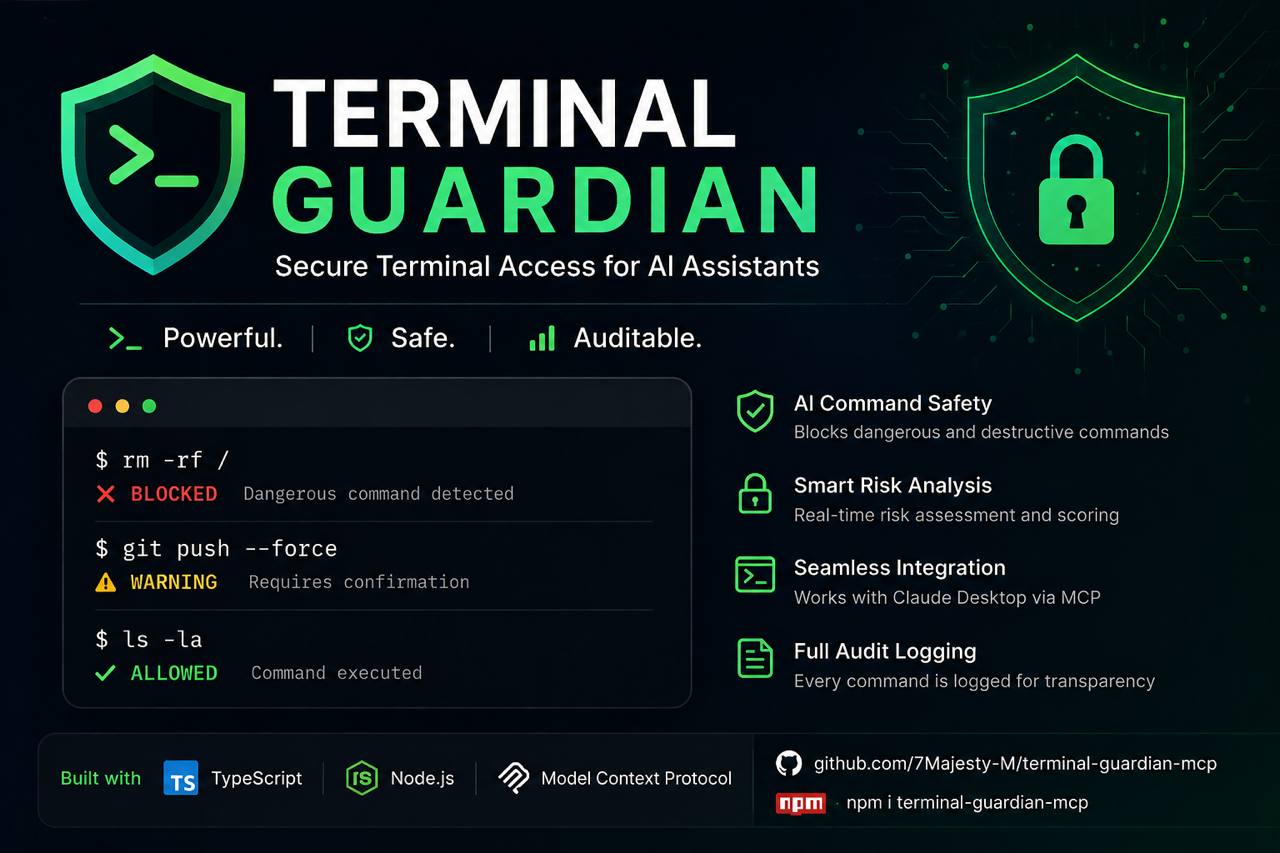
## Overview **Terminal Guardian MCP** is a production-grade [Model Context Protocol](https://modelcontextprotocol.io) server that gives AI assistants like Claude **safe, controlled, and auditable access to your terminal**. Every command is analyzed for risk, logged with full context, and executed inside configurable safety boundaries. Built for developers who want to leverage AI in their workflows without compromising system integrity. AI Assistant → Terminal Guardian MCP → Risk Analysis → Sandboxed Execution → Structured Result ## Features ### 🛡️ Risk Analysis Engine Every command passes through a multi-layer safety analysis before execution: | Risk Level | Example Commands | Behavior | |------------|-----------------|----------| | `SAFE` | `ls`, `git status`, `npm list` | Executed immediately | | `WARNING` | `rm -rf ./dist`, `docker stop app` | Requires explicit confirmation | | `DANGEROUS` | `sudo apt-get`, `curl \| bash` | Blocked by default | | `BLOCKED` | `rm -rf /`, `shutdown`, fork bombs | Always blocked, always logged | ### ⚡ Secure Terminal Execution - Shell command execution with full `stdout`/`stderr` capture - Configurable per-command timeouts (default: 30s, max: 5m) - SIGTERM → SIGKILL escalation for hanging processes - Working directory isolation within workspace root - Output size limits to prevent memory exhaustion - Cross-platform: auto-detects bash, sh, PowerShell, or cmd ### 🤖 AI Commit Message Generator *(new in v1.3)* - Analyzes `git diff` and generates [Conventional Commits](https://www.conventionalcommits.org) suggestions via Claude - Returns 1–5 suggestions with type, scope, subject, body, and breaking change flags - Three styles: `conventional`, `simple`, `detailed` - Automatically truncates large diffs to keep API costs low - Requires `ANTHROPIC_API_KEY` environment variable ### 📦 Workspace Templates *(new in v1.3)* Scaffold new projects instantly from 8 production-ready templates: | Template ID | Stack | |-------------|-------| | `node-typescript` | Node.js + TypeScript + ESLint + Vitest | | `node-javascript` | Node.js ESM | | `python-fastapi` | FastAPI + Pydantic v2 + pytest | | `python-cli` | Typer + Rich | | `react-vite` | React 18 + Vite + TypeScript | | `nextjs` | Next.js 15 App Router + TypeScript | | `express-api` | Express + Zod + TypeScript | | `mcp-server` | MCP Server starter (TypeScript) | ### 🔎 Process Management - List all running processes with CPU, memory, PID, and command - Filter by name or command substring, sort by CPU / memory / PID / name - Terminate processes by PID with signal control (SIGTERM / SIGKILL / SIGINT / SIGHUP) - Protected PID list — system processes (init, systemd, launchd, PID 0/1) can never be killed - SIGKILL requires `confirmed: true` as an additional safety gate ### 🔐 Environment Variables - Inspect environment variables with **automatic secret masking** - Secrets are never revealed in full — shown as `sk**...xy` format - Auto-detects secrets by key name (`API_KEY`, `TOKEN`, `PASSWORD`, `DATABASE_URL`, `SECRET`, ...) - Auto-detects secrets by value shape (base64 blobs, JWTs, GitHub/Stripe/Slack/OpenAI tokens) - Filter by key name, category (`secret`, `path`, `system`, `runtime`, `unknown`), or fetch specific keys ### 🌐 Network Diagnostics - **Ping** — check host reachability and measure round-trip latency, cross-platform - **HTTP requests** — GET/POST/PUT/PATCH/DELETE/HEAD with headers, body, redirect control; response body capped at 512KB - **DNS lookup** — resolve hostnames via `dig` → `nslookup` → Node.js DNS fallback - Private/loopback addresses blocked by default (`127.x`, `10.x`, `192.168.x`, `::1`, link-local) - Only `http://` and `https://` allowed — `file://`, `ftp://`, `ldap://` and others are blocked ### 📁 Filesystem Access - File listing, reading, and content search - Configurable workspace root with path traversal prevention - Glob pattern matching for targeted file searches - Project structure analysis with language detection ### 🐳 Docker Integration *(optional)* - List and inspect containers - Read container logs with timestamp support - Real-time resource stats (CPU, memory, network, block I/O) - Execute commands inside containers (`docker_exec`) with confirmation gate - Container restart with confirmation gate - Disabled by default — opt-in via config ### 🌿 Git Repository Analysis - Full `git status` with staged/unstaged/untracked breakdown - Diff viewer with per-file additions/deletions - Commit history with author, date, and refs - Branch listing (local + remote) - Read-only by default (push/commit require explicit opt-in) ### 📊 Session Logging - Structured JSON logs via [pino](https://getpino.io) - Every command, tool call, and security event is recorded - Configurable log levels and output destinations - Optional output logging (disabled by default for privacy) ### 🔒 Rate Limiting - Per-minute and per-hour request limits - In-memory bucket algorithm with automatic reset - Clear error messages with retry-after hints ### 🔌 WebSocket Transport *(new in v1.4)* - Run as a persistent HTTP + WebSocket server — multiple clients connect simultaneously - Every WebSocket connection gets its own isolated MCP Server instance - Bearer token authentication (via `Authorization` header or `?token=` query string) - Built-in **web dashboard** at `GET /` — live stats, connection count, uptime, config snippet - Health check at `GET /health` and stats API at `GET /stats` - Keepalive ping/pong with automatic dead connection cleanup - Configurable max connections (default: 10) - Works alongside stdio — choose the mode at startup via CLI flag ### 🖥️ Remote SSH Execution *(new in v1.5)* - Execute commands on remote servers via SSH — with the **same risk analysis** as local execution - Named server profiles in config (`prod`, `staging`, `dev`, ...) - Key-based auth (reads `~/.ssh/id_rsa` or any specified key path) and password auth - Connection pool — reuses SSH sessions, no new handshake on every command - Host fingerprint verification to protect against MITM attacks - `BLOCKED` / `WARNING` / `DANGEROUS` rules apply identically on remote hosts - Configurable timeout, max connections, keepalive interval ## Quick Start ### Prerequisites - Node.js ≥ 18.0.0 - npm or yarn ### Install from npm npm install -g terminal-guardian-mcp ### Install from source git clone https://github.com/7Majesty-M/terminal-guardian-mcp.git cd terminal-guardian-mcp npm install npm run build ### Run directly # stdio mode — for Claude Desktop (default) terminal-guardian-mcp # WebSocket mode — persistent server, multiple clients terminal-guardian-mcp --transport ws --port 3000 # WebSocket with token auth terminal-guardian-mcp --transport ws --port 3000 --token mysecret # Help terminal-guardian-mcp --help ## Claude Desktop Integration Add Terminal Guardian to your Claude Desktop configuration: { "mcpServers": { "terminal-guardian": { "command": "npx", "args": ["terminal-guardian-mcp"], "env": { "GUARDIAN_CONFIG": "/path/to/your/terminal-guardian.config.json", "ANTHROPIC_API_KEY": "sk-ant-..." } } } } Or if installed globally: { "mcpServers": { "terminal-guardian": { "command": "terminal-guardian-mcp", "env": { "GUARDIAN_CONFIG": "/absolute/path/to/terminal-guardian.config.json" } } } } After saving, **restart Claude Desktop**. You should see Terminal Guardian appear in the tools list. ### WebSocket mode (remote / persistent server) If you're running Terminal Guardian as a persistent WebSocket server (e.g. on a remote machine or in Docker), connect via URL instead: { "mcpServers": { "terminal-guardian": { "url": "ws://localhost:3000", "headers": { "Authorization": "Bearer mysecret" } } } } # Start the server first terminal-guardian-mcp --transport ws --port 3000 --token mysecret # Then open the dashboard in your browser open http://localhost:3000 ## MCP Tools Terminal Guardian exposes **24 tools** across 8 domains. ### Terminal #### `run_command` Execute a shell command with full safety analysis. { "command": "npm run build", "cwd": "./my-project", "timeout": 60000, "confirmed": false } **Returns:** { "success": true, "data": { "command": "npm run build", "exitCode": 0, "stdout": "...", "stderr": "", "duration": 4230, "timedOut": false, "workingDir": "/workspace/my-project", "timestamp": "2024-01-15T10:30:00.000Z", "riskAssessment": { "level": "SAFE", "score": 5, "reasons": ["No dangerous patterns detected"], "blocked": false } } } #### `analyze_command` Analyze a command without running it. { "command": "rm -rf ./old-build" } **Returns:** { "level": "WARNING", "score": 40, "reasons": ["Recursive deletion — verify target path carefully"], "requiresConfirmation": true, "blocked": false, "recommendation": "Review this command carefully before proceeding." } ### SSH #### `ssh_list_profiles` List all configured SSH profiles. {} **Returns:** [ { "name": "prod", "host": "prod.example.com", "port": 22, "username": "deploy", "authMethod": "key", "connected": false }, { "name": "staging", "host": "stg.example.com", "port": 22, "username": "ubuntu", "authMethod": "key", "connected": true } ] #### `ssh_test` Test SSH connectivity and measure latency. { "profile": "prod" } **Returns:** { "profile": "prod", "host": "prod.example.com", "port": 22, "username": "deploy", "connected": true, "latencyMs": 42 } #### `ssh_exec` ✨ Execute a command on a remote server. Uses the same risk engine as local execution. { "profile": "prod", "command": "systemctl status nginx", "cwd": "/var/app" } **Returns:** { "profile": "prod", "host": "prod.example.com", "command": "systemctl status nginx", "exitCode": 0, "stdout": "● nginx.service - A high performance web server...", "stderr": "", "duration": 312, "timedOut": false, "riskAssessment": { "level": "SAFE", "score": 5, "blocked": false } } ### Git #### `git_status` { "path": "." } #### `git_diff` { "staged": false, "file": "src/api.ts" } #### `git_log` { "limit": 20 } #### `git_suggest_commit` ✨ Generate AI-powered commit message suggestions from your staged diff. { "staged": true, "count": 3, "style": "conventional" } **Returns:** { "suggestions": [ { "message": "feat(auth): add JWT refresh token rotation\n\nImplements automatic rotation on each use\nto prevent token reuse attacks.", "type": "feat", "scope": "auth", "subject": "add JWT refresh token rotation", "breaking": false, "confidence": "high" } ], "model": "claude-sonnet-4-20250514", "tokensUsed": 312, "diffSummary": "Added refresh token rotation to AuthService", "truncated": false } ### Workspace Templates #### `list_templates` List all available project templates with optional tag filtering. { "tag": "python" } **Returns:** [ { "id": "python-fastapi", "name": "Python FastAPI", "tags": ["python", "api", "backend"], "fileCount": 6, "postInstall": ["python -m venv .venv", "pip install -r requirements.txt"] }, { "id": "python-cli", "name": "Python CLI Tool", "tags": ["python", "cli"], "fileCount": 4 } ] #### `apply_template` ✨ Scaffold a new project from a template. Safe — cannot write outside workspace root. { "templateId": "mcp-server", "projectName": "my-mcp-tool", "targetDir": "./projects/my-mcp-tool" } **Returns:** { "templateId": "mcp-server", "projectName": "my-mcp-tool", "targetDir": "/workspace/projects/my-mcp-tool", "filesCreated": ["package.json", "tsconfig.json", "src/index.ts", "claude_desktop_config.example.json", ".gitignore", "README.md"], "filesSkipped": [], "postInstall": ["npm install", "npm run build"] } ### Processes #### `list_processes` { "filter": "node", "sortBy": "memory", "limit": 20 } #### `kill_process` { "pid": 12345, "signal": "SIGTERM" } ### Environment #### `get_env` { "keys": ["NODE_ENV", "PORT", "DATABASE_URL"] } **Secret masking:** | Original | Shown as | |----------|----------| | `sk-proj-abc123...xyz` | `sk**...yz` | | `postgres://user:pass@host/db` | `po**...db` | | `eyJhbGci...` (JWT) | `ey**...` | | `ab` | `****` | ### Network #### `ping` { "host": "api.github.com", "count": 4 } #### `http_request` { "url": "https://api.github.com/zen", "method": "GET", "headers": { "Accept": "application/json" } } #### `dns_lookup` { "host": "github.com" } ### Filesystem #### `list_files` { "path": "./src", "recursive": true } #### `read_file` { "path": "./src/index.ts" } #### `search_files` { "query": "TODO", "path": "./src", "pattern": "**/*.ts" } ### Docker *(requires `docker.enabled: true`)* #### `docker_ps` · `docker_logs` · `docker_stats` · `docker_exec` { "container": "my-app", "command": ["node", "--version"], "confirmed": true } ## Architecture terminal-guardian-mcp/ ├── src/ │ ├── index.ts # MCP server entrypoint & tool routing (24 tools) │ ├── types/index.ts # Shared TypeScript types │ ├── config/loader.ts # Config file loading with deep merge │ ├── security/ │ │ ├── riskAnalyzer.ts # Multi-layer command risk analysis engine │ │ └── rateLimiter.ts # Per-minute/hour request throttling │ ├── tools/ │ │ ├── executor.ts # Cross-platform shell execution engine │ │ ├── processManager.ts # Process listing and safe termination │ │ └── schemas.ts # Zod input validation schemas │ ├── system/ │ │ └── envManager.ts # Env vars with automatic secret masking │ ├── network/ │ │ └── diagnostics.ts # Ping, HTTP requests, DNS lookup │ ├── filesystem/ │ │ └── manager.ts # Safe file access with path enforcement │ ├── docker/ │ │ └── manager.ts # Dockerode integration + container exec │ ├── git/ │ │ ├── manager.ts # Git operations via child_process │ │ └── commitGenerator.ts # AI commit message generation (Anthropic API) │ ├── ssh/ │ │ ├── manager.ts # SSH connection pool + profile management │ │ └── executor.ts # Remote command execution with risk analysis │ ├── workspace/ │ │ └── templates.ts # Project scaffolding — 8 templates │ ├── transport/ │ │ ├── wsServer.ts # WebSocket HTTP server + auth + multi-client │ │ └── dashboard.ts # Live web dashboard (dark theme, auto-refresh) │ └── logging/ │ └── logger.ts # Pino-based structured logging ├── tests/ # Vitest unit tests (170 tests) ├── .github/workflows/ # CI/CD pipeline (Node 18/20/22) ├── Dockerfile # Multi-stage build, non-root user ├── docker-compose.yml └── terminal-guardian.config.json ## Configuration { "workspace": { "rootDir": "/home/user/projects", "allowedPaths": ["/home/user/projects"], "maxFileSize": 10485760, "maxFilesPerOperation": 100 }, "execution": { "timeout": 30000, "maxOutputSize": 1048576, "maxConcurrentProcesses": 5, "shell": "auto" }, "security": { "enableRiskAnalysis": true, "blockDangerousCommands": true, "requireConfirmationForWarnings": true, "allowSudo": false, "allowNetworkCommands": true, "customBlocklist": [], "customAllowlist": [] }, "rateLimit": { "enabled": true, "maxRequestsPerMinute": 60, "maxRequestsPerHour": 500 }, "docker": { "enabled": false, "socketPath": "/var/run/docker.sock", "allowContainerRestart": false, "allowLogAccess": true }, "git": { "enabled": true, "allowPush": false, "allowCommit": false, "maxLogEntries": 50 }, "logging": { "enabled": true, "level": "info", "logDir": "./logs", "logCommands": true, "logOutputs": false, "logSecurityEvents": true, "prettyPrint": false }, "ssh": { "enabled": false, "timeout": 30000, "keepaliveInterval": 10000, "maxConnections": 5, "profiles": {} } } ### SSH Profiles To use SSH tools, add profiles to `ssh.profiles` and set `ssh.enabled: true`: { "ssh": { "enabled": true, "profiles": { "prod": { "host": "prod.example.com", "port": 22, "username": "deploy", "privateKeyPath": "~/.ssh/id_rsa" }, "staging": { "host": "staging.example.com", "username": "ubuntu", "privateKeyPath": "~/.ssh/staging_key" } } } } ### Configuration Reference | Key | Default | Description | |-----|---------|-------------| | `workspace.rootDir` | `"."` | Absolute root for all filesystem operations | | `workspace.maxFileSize` | `10485760` | Max readable file size in bytes (10MB) | | `execution.timeout` | `30000` | Default command timeout in ms | | `execution.maxOutputSize` | `1048576` | Max stdout+stderr size in bytes (1MB) | | `execution.shell` | `"auto"` | Shell — `"auto"` detects bash/pwsh/sh automatically | | `security.allowSudo` | `false` | Whether sudo commands are permitted | | `security.customBlocklist` | `[]` | Additional regex patterns to always block | | `security.customAllowlist` | `[]` | Patterns that bypass risk analysis | | `docker.enabled` | `false` | Enable Docker tool integration | | `docker.allowContainerRestart` | `false` | Allow restarting containers | | `git.allowPush` | `false` | Allow `git push` via run_command | | `logging.logOutputs` | `false` | Log stdout/stderr (may contain secrets!) | | `ssh.enabled` | `false` | Enable SSH tool integration | | `ssh.maxConnections` | `5` | Max pooled SSH connections | ## Security Philosophy Terminal Guardian operates on a **deny-by-default** model with explicit allowlisting. ### Always blocked - Recursive filesystem deletion of system paths (`rm -rf /`) - Fork bombs (`:(){:|:&};:`) - System power management (`shutdown`, `reboot`, `halt`) - Filesystem formatting (`mkfs`, `wipefs`, `dd of=/dev/`) - Reverse shells and TCP redirections (`/dev/tcp/`) - `chmod 777 /` and similar root-level permission changes - `file://`, `ftp://`, `ldap://` URL schemes in HTTP requests - Private/loopback addresses in network tools ### Requires confirmation - Recursive deletions (`rm -rf ./anything`) - Docker container stop/kill/remove - Docker container exec (`docker_exec`) - Force kills — `kill_process` with `SIGKILL` - Permission modifications (`chmod`, `chown`) - Git destructive operations (`reset --hard`, `push`) - Service management (`systemctl stop`) ### Always safe - Read-only shell commands: `ls`, `cat`, `grep`, `find` - Git inspection: `status`, `log`, `diff`, `branch` - `git_suggest_commit` — reads diff only, never writes anything - `list_templates` — no filesystem changes - Docker read operations: `ps`, `images`, `inspect`, `stats`, `logs` - npm read operations: `list`, `outdated`, `audit` - System info: `whoami`, `uptime`, `df`, `uname` - `list_processes` — read-only, never modifies state - `get_env` — secrets masked before they leave the module - `dns_lookup` — read-only DNS query - `ping` to public hosts - `ssh_list_profiles`, `ssh_test` — read-only, no command execution ### Threat model - **AI hallucination safety** — blocks commands an AI might suggest incorrectly - **Prompt injection defense** — rate limiting and explicit confirmation prevent automation abuse - **Supply chain protection** — blocks pipe-to-shell patterns (`curl | bash`) - **Privilege escalation** — sudo blocked by default - **Secret leakage** — env vars masked at read time, raw values never reach AI context - **SSRF protection** — private network ranges blocked in all network tools - **Data exfiltration** — output size limits, no secret logging by default - **Workspace isolation** — templates and filesystem tools cannot escape workspace root - **Remote command safety** — same risk engine on SSH as locally, BLOCKED means BLOCKED everywhere ### Windows quick start # Option 1: PowerShell Core (recommended) winget install Microsoft.PowerShell # Option 2: WSL — shell auto-detects, no config change needed # Option 3: Git Bash — set path explicitly { "execution": { "shell": "C:\\Program Files\\Git\\bin\\bash.exe" } } ## Docker Usage docker build -t terminal-guardian-mcp . docker-compose up -d docker-compose logs -f terminal-guardian The container runs as a non-root user (`guardian:guardian`) with a read-only root filesystem. ## Development npm install # Install dependencies npm run dev # Start in watch mode npm test # Run tests npm run test:coverage # Coverage report npm run typecheck # TypeScript check npm run lint # ESLint npm run format # Prettier npm run build # Production build ## Usage Examples ### With Claude Desktop ### Tool call examples **Safe command:** User: Run `ls -la` in the src directory Claude: [calls run_command {"command": "ls -la", "cwd": "src"}] → Returns file listing immediately (SAFE) **Confirmation required:** User: Clean up the dist directory Claude: [calls analyze_command → WARNING] "rm -rf ./dist requires confirmation. Proceed?" User: Yes Claude: [calls run_command with confirmed: true] **Blocked:** User: Run rm -rf / Claude: "Terminal Guardian has blocked this — it would delete the root filesystem." **AI commit message:** User: I've staged my auth refactor, suggest a commit message Claude: [calls git_suggest_commit {"staged": true, "count": 3}] 1. refactor(auth): extract token validation into AuthGuard class 2. refactor(auth): decouple token logic from UserService 3. chore(auth): reorganize auth module structure Which one would you like to use? **Scaffold a project:** User: Create a new MCP server called "weather-mcp" Claude: [calls apply_template {"templateId": "mcp-server", "projectName": "weather-mcp", "targetDir": "./weather-mcp"}] Created 6 files. Next steps: cd weather-mcp && npm install && npm run build **Network check:** User: Is my API server reachable? Claude: [calls ping {"host": "api.myapp.com", "count": 3}] "api.myapp.com is reachable. Avg latency: 24ms, 0% packet loss." **Env inspection:** User: What's my runtime environment? Claude: [calls get_env {"filter": "NODE"}] "NODE_ENV=production, NODE_VERSION=20.11.0. DATABASE_URL and API_KEY are present — values masked for security." **Docker exec:** User: Check the Node version inside the api container Claude: [calls docker_exec {"container": "api", "command": ["node", "--version"], "confirmed": true}] "v20.11.0" **SSH — remote server management:** User: Check nginx status on prod Claude: [calls ssh_test {"profile": "prod"}] "Connected to prod.example.com (42ms latency)." Claude: [calls ssh_exec {"profile": "prod", "command": "systemctl status nginx"}] "● nginx.service — active (running) since..." User: Restart it Claude: [calls ssh_exec {"profile": "prod", "command": "systemctl restart nginx", "confirmed": true}] "Done — nginx restarted. Exit code 0." **WebSocket mode — remote access:** # On your dev server terminal-guardian-mcp --transport ws --port 3000 --token mytoken # Dashboard: http://your-server:3000 # Claude Desktop connects via ws://your-server:3000 # Multiple Claude sessions can connect simultaneously — each gets isolated MCP instance ## Roadmap ### Released - [x] **v1.0** — Secure terminal execution with risk analysis engine - [x] **v1.0** — Filesystem access with path traversal protection - [x] **v1.0** — Git repository analysis (status, diff, log, branches) - [x] **v1.0** — Docker integration (ps, logs, stats, restart) - [x] **v1.0** — Session logging, rate limiting, configurable security - [x] **v1.0** — Cross-platform shell auto-detection (Linux / macOS / Windows) - [x] **v1.1** — Process management (`list_processes`, `kill_process`) - [x] **v1.1** — Environment variable inspection with automatic secret masking - [x] **v1.2** — Network diagnostics (`ping`, `http_request`, `dns_lookup`) - [x] **v1.2** — Docker container exec (`docker_exec`) with confirmation gate - [x] **v1.3** — AI-powered commit message generation (`git_suggest_commit`) - [x] **v1.3** — Workspace templates — 8 project starters (`list_templates`, `apply_template`) - [x] **v1.4** — WebSocket transport (alongside stdio) with auth, dashboard, multi-client - [x] **v1.5** — Remote SSH execution with key-based auth, connection pool, risk analysis ### Planned - [ ] **v2.0** — Full gVisor/nsjail sandbox integration - [ ] **v2.0** — Per-session permission scoping - [ ] **v2.0** — Audit log export (JSON/CSV/SIEM formats) ## Related Projects - [Model Context Protocol](https://modelcontextprotocol.io) — The protocol specification - [MCP TypeScript SDK](https://github.com/modelcontextprotocol/typescript-sdk) — Official SDK - [Claude Desktop](https://claude.ai/download) — The AI assistant this was built for ## License
标签:自动化攻击