DvirNaaman/dvir-token-manager
GitHub: DvirNaaman/dvir-token-manager
一个完全本地运行的隐私优先仪表板,用于分析 Claude Code 的 token 使用情况、成本和会话数据。
Stars: 5 | Forks: 1
# Token Manager | DN
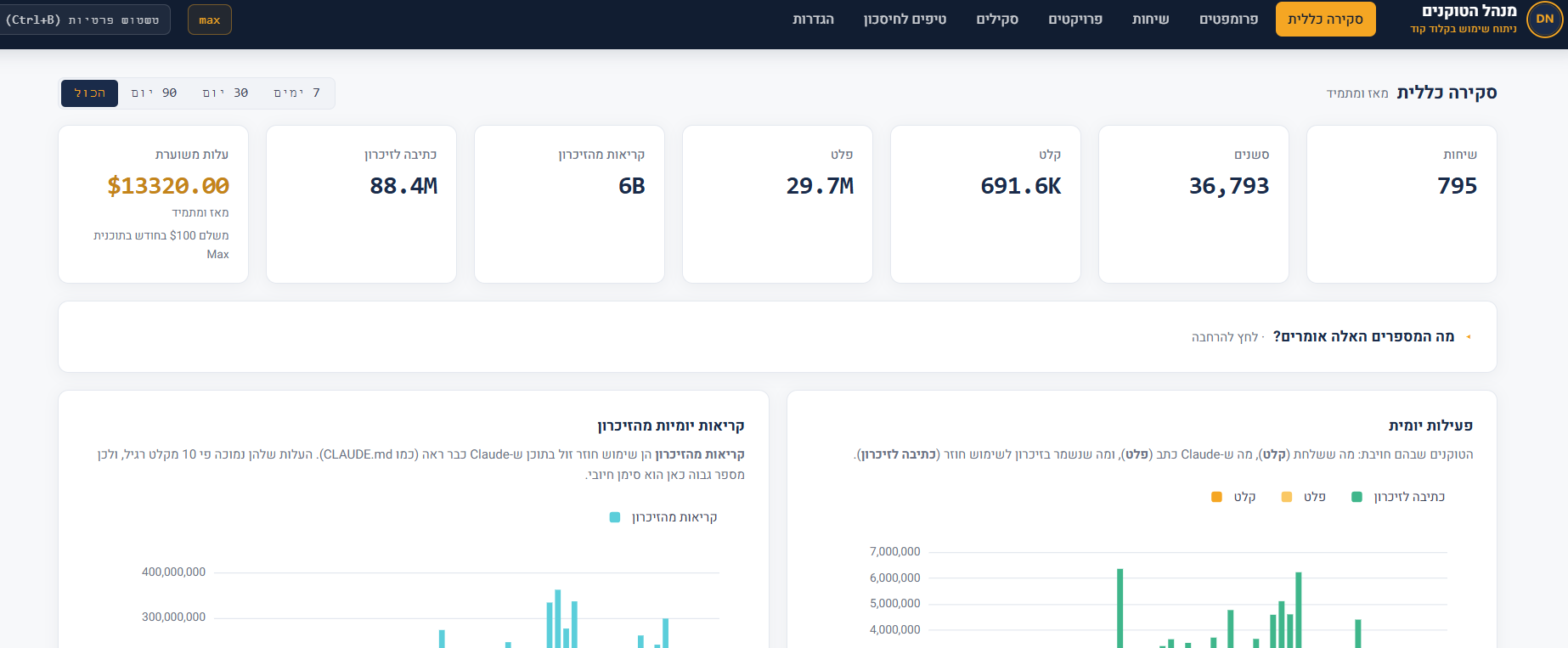
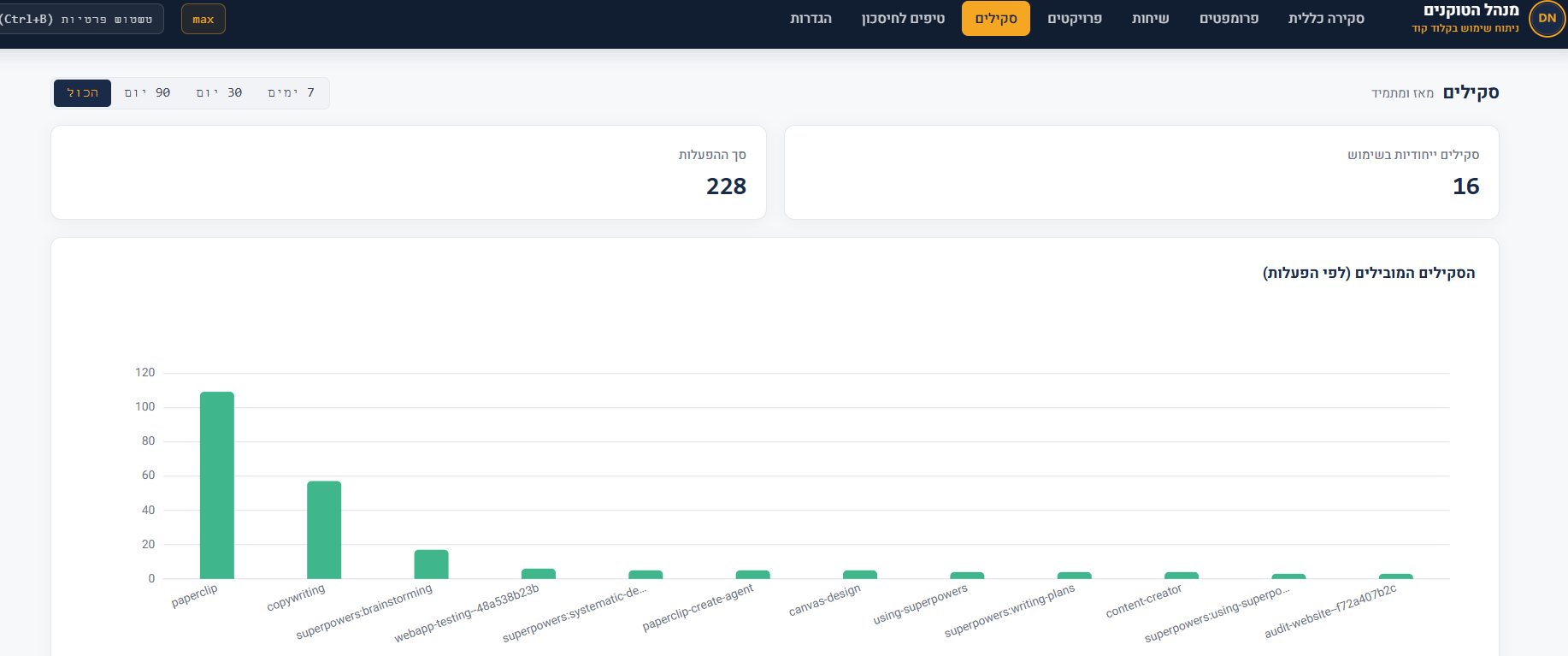
一个用于分析 Claude Code token 使用情况的本地仪表板。它会读取 Claude Code 存储在 `~/.claude/projects/` 下的 JSONL 对话记录,并将其转化为成本视图、对话历史、最高开销 prompt 分析、工具使用热力图、缓存分析、跨项目比较以及技能使用细分。
## 完全私密
该工具完全在您的机器上运行。没有遥测,没有出站网络调用,也没有第三方请求。服务器仅监听 `127.0.0.1:8080`。所有资产(ECharts、Heebo、图标)均从 `web/` 目录在本地提供。
如需独立验证,请查看项目目录中的 `PRIVACY_AUDIT.md`。
## 环境要求
- Python 3.8 或更新版本
- 已安装 Claude Code,且在 `~/.claude/projects/` 下至少存在一个现有对话
- 现代浏览器(Chrome、Edge、Firefox)
- 无需 `pip install`。该工具仅使用 Python 标准库。
## 运行
```
git clone https://github.com/DvirNaaman/dvir-token-manager.git
cd dvir-token-manager
python cli.py dashboard
```
该命令会在 `http://127.0.0.1:8080` 启动服务器,并自动在您的浏览器中打开。服务器每 30 秒重新扫描一次,并通过 SSE 推送实时更新,因此您无需手动刷新。
停止方式:`Ctrl+C`。
## 附加 CLI 命令
```
python cli.py scan # manually scan for new JSONL files
python cli.py today # today's summary in the terminal
python cli.py stats # all-time summary in the terminal
python cli.py tips # savings tips based on usage patterns
```
任何命令都接受 `--db PATH` 和 `--projects-dir PATH` 来覆盖默认值。
## 环境变量
| 变量 | 默认值 | 用途 |
|---|---|---|
| `HOST` | `127.0.0.1` | 服务器监听地址 |
| `PORT` | `8080` | 服务器监听端口 |
| `CLAUDE_PROJECTS_DIR` | `~/.claude/projects` | JSONL 文件来源 |
| `TOKEN_DASHBOARD_DB` | `~/.claude/token-dashboard.db` | 本地 SQLite 数据库位置 |
## 隐私模糊快捷键
在仪表板中的任意位置按下 `Ctrl + B` 即可模糊 prompt 文本和敏感内容,这对于截屏非常有用。再次按下即可取消模糊。
## 如何验证零出站调用
macOS / Linux:
```
grep -rEi "https?://(?!127\.0\.0\.1|localhost)" --include="*.py" --include="*.js" --include="*.html" --include="*.css" .
```
Windows (PowerShell):
```
Get-ChildItem -Recurse -Include *.py,*.js,*.html,*.css |
Select-String -Pattern 'https?://(?!127\.0\.0\.1|localhost)'
```
除了 ECharts LICENSE 头文件中的注释以及 `PRIVACY_AUDIT.md` 中列出的上游归属链接外,输出应为空。
## 致谢与许可
- **原始引擎:** [Nate Herk](https://github.com/nateherkai) — 原始 JSONL 分析器和仪表板代码的作者,基于 MIT 许可发布。
- **希伯来语/RTL 适配、UI 和品牌设计:** [Dvir Naaman](https://github.com/DvirNaaman) — 完整的 UI 重写、翻译、Meridian 配色、本地 Heebo 字体、提示引擎和图标设计。
该项目作为一个整体基于 MIT 许可分发(请参阅 `LICENSE` 文件)。欢迎您使用、修改和分发它 —— 只需保留许可文件中的两行版权声明即可。
## 故障排除
**Windows 终端中希伯来语文本显示为乱码:** 在执行命令前,在 CMD 窗口中运行一次 `chcp 65001`,或者使用默认支持 UTF-8 的 PowerShell / Windows Terminal。
**仪表板为空:** 确保在 `~/.claude/projects//.jsonl` 下至少存在一个对话。在非标准环境中,请使用 `--projects-dir` 手动指定路径。
**端口被占用:** 使用其他端口运行。
- macOS / Linux: `PORT=8090 python cli.py dashboard`
- Windows (PowerShell): `$env:PORT=8090; python cli.py dashboard`
- Windows (CMD): `set PORT=8090 && python cli.py dashboard`
## 关于 Claude Opus 4.8 的说明
此仪表板是使用 Claude Code 构建和维护的。当 Claude Opus 4.8 发布时,我们立即将开发工作流转至其上,并刷新了项目的工具链以与之匹配。在日常使用中,我们发现 4.8 在多步推理和大型上下文处理方面比早期的 4.x 模型明显更加敏锐,这使得维护像这样具有精细数据解析和众多边缘情况的 token 分析工具变得更加顺畅。作为此次更新的一部分,我们项目中的模型标识符和默认值均已更新为 Opus 4.8。
标签:AI开发工具, Claude, CVE检测, Python标准库, 代码示例, 数据分析, 本地化, 看板, 逆向工具