daeisbae/Hybrid-Active-Directory-and-Entra-Security-Lab
GitHub: daeisbae/Hybrid-Active-Directory-and-Entra-Security-Lab
这是一个构建混合 Active Directory 和 Microsoft Entra 安全实验室的指南,专注于身份同步、设备信任和监控。
Stars: 0 | Forks: 0
# 混合 AD DS 和 Microsoft Entra 云安全实验
本实验构建一个小型混合身份环境,包含 Active Directory 域服务、Microsoft Entra ID、Microsoft Entra Connect Sync、Log Analytics 和 Microsoft Sentinel。
目标是展示本地身份如何连接到云控制平面、如何将选定用户和组同步到 Microsoft Entra ID、Windows 客户端如何证明域和混合加入状态,以及如何使用 KQL 监控身份活动。
这是一个学生预算的构建。对于 v1,`dc01` 承载 AD DS、DNS 和 Microsoft Entra Connect Sync。这节省了一台 Azure 虚拟机。在生产式设计中,Entra Connect Sync 应运行在专用的域加入成员服务器(如 `sync01`)上,因为域控制器是 Tier 0 资产,应尽可能保持单一用途。
## 1. 实验目标与架构
我们将使用一个 Microsoft Entra 租户、一个 Azure 订阅和两个 Windows 虚拟机构建该实验。
| 组件 | 名称 | 用途 |
| --- | | --- |
| 资源组 | `rg-hybrid-identity-lab` | 集中存放实验资源 |
| 虚拟网络 | `vnet-hybrid-identity-lab` | 承载 Windows 虚拟机 |
| 域控制器 | `dc01` | 实验 v1 中的 AD DS、DNS、GPO 和 Entra Connect Sync |
| Windows 客户端 | `winclient01` | 域加入、GPO 验证、混合加入验证和端点日志记录 |
| AD DS 域 | `lab.daehyung.dev` | 内部实验域和用户登录后缀 |
| Microsoft Entra 自定义域 | `lab.daehyung.dev` | 已验证的自定义域,用于同步用户 |
| Log Analytics 工作区 | `law-hybrid-identity-lab` | 存储 Windows 和 Entra 日志 |
| Microsoft Sentinel | 在工作区上启用 | 运行 KQL 检测和事件 |
| Terraform | `infra/terraform` | 部署 Azure 基础设施、监控、标记策略、可选 RBAC 和可选 Sentinel 分析 |
| NIST CSF 2.0 映射 | `nist-csf-2.0-mapping.md` | 将实验控制和证据映射到 CSF 功能 |
架构有意设计得较小。实验应先证明身份路径,然后在同步和设备状态正常运行后再添加日志和检测。
## 2. 构建 `dc01`:AD DS、DNS、OU、组和 GPO
### 2.1 创建 Windows Server 虚拟机
在 Azure 中创建 `dc01` 作为 Windows Server 虚拟机。Terraform 部署会创建虚拟机、实验 VNet 和静态私有 IP 地址。
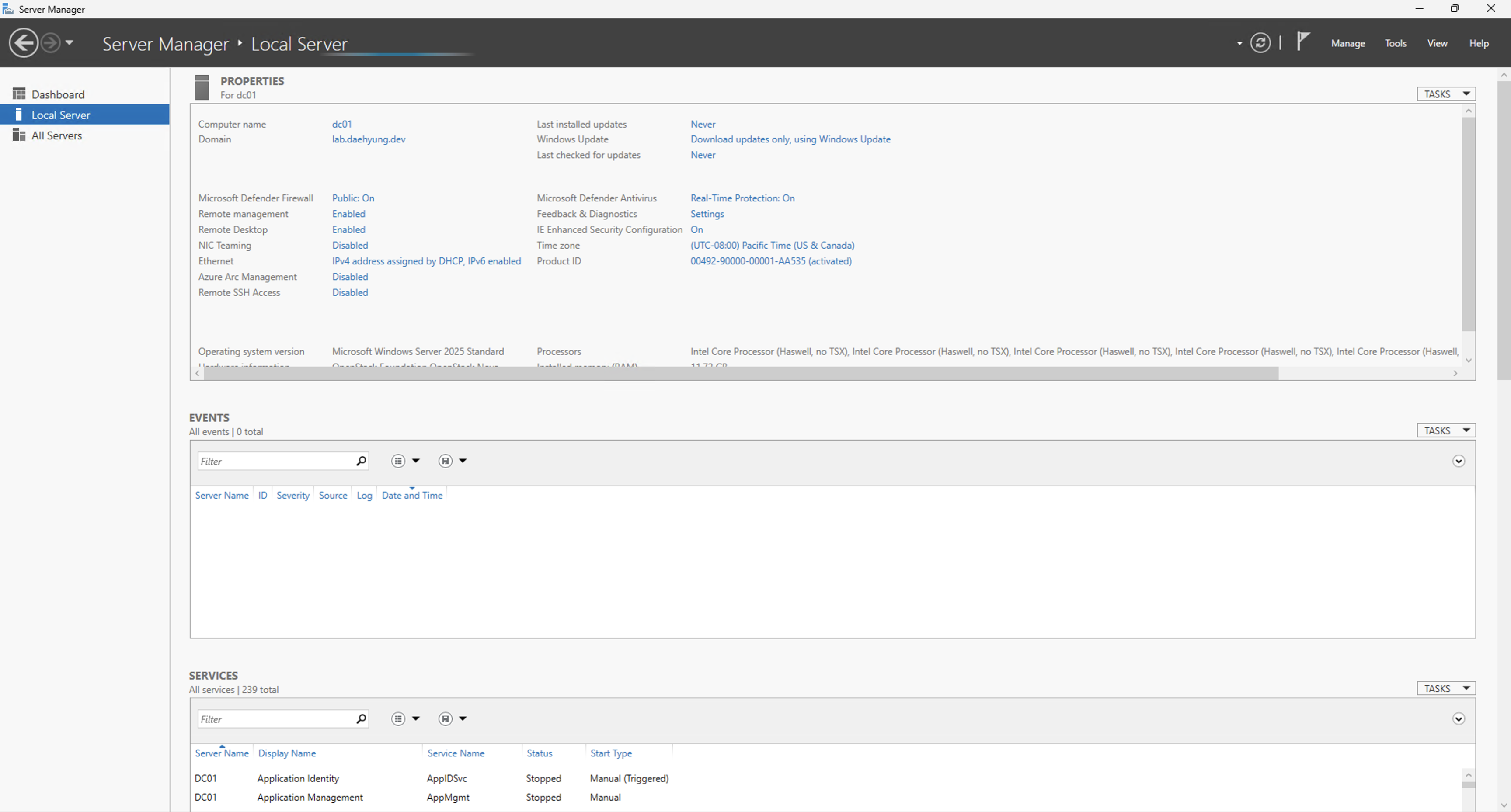
安装 AD DS 和 DNS 后,将 VNet DNS 服务器设置为 `dc01` 的私有 IP 地址。这使得 `winclient01` 在域加入时能找到域。
### 2.2 安装 AD DS 和 DNS
在 `dc01` 上安装 AD DS 和 DNS 角色,然后创建一个名为 `lab.daehyung.dev` 的新林。
```
Install-WindowsFeature AD-Domain-Services,DNS -IncludeManagementTools
```
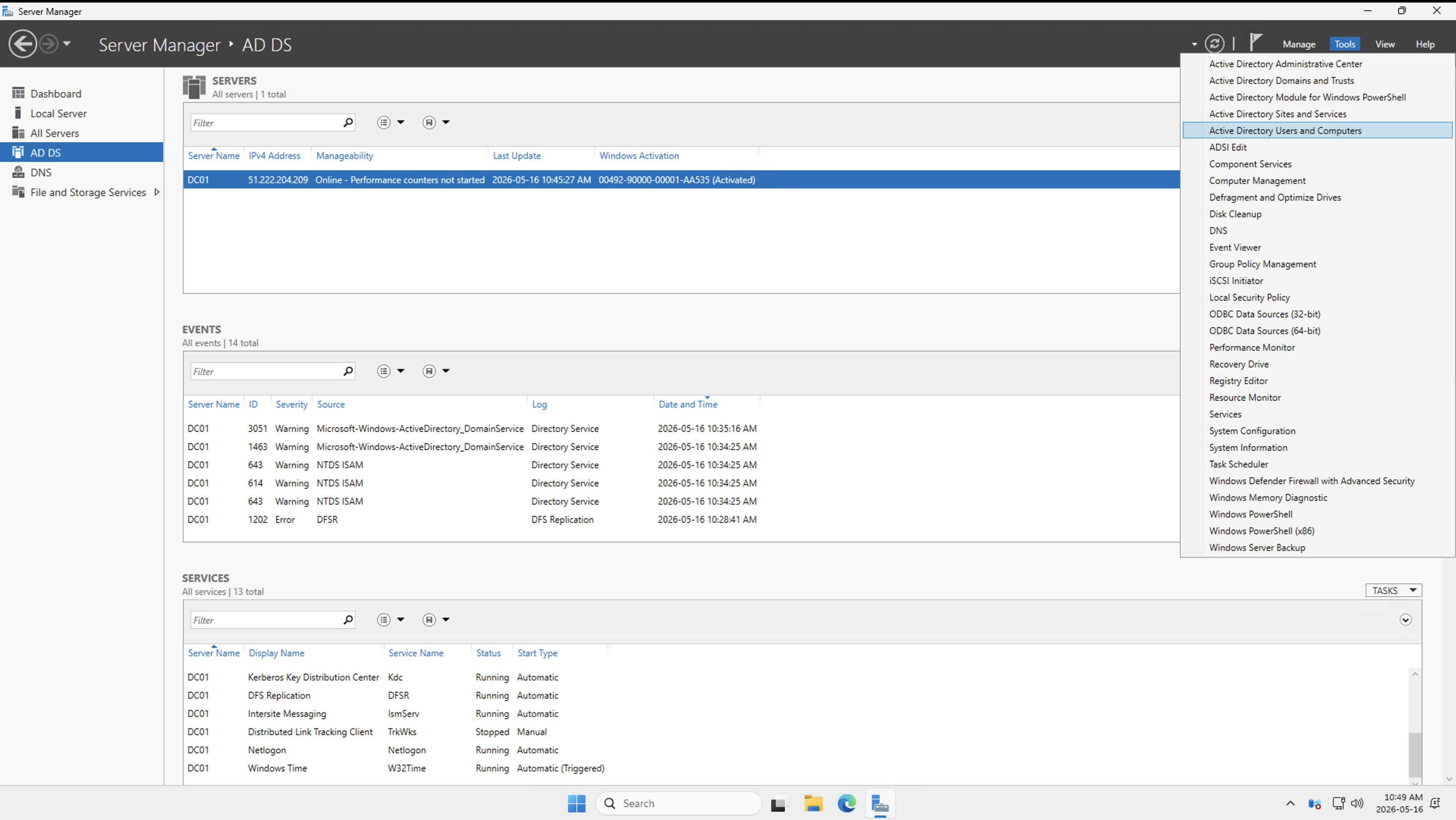
角色安装后,将服务器提升为新林。
```
Install-ADDSForest `
-DomainName "lab.daehyung.dev" `
-DomainNetbiosName "LAB" `
-InstallDNS `
-Force
```
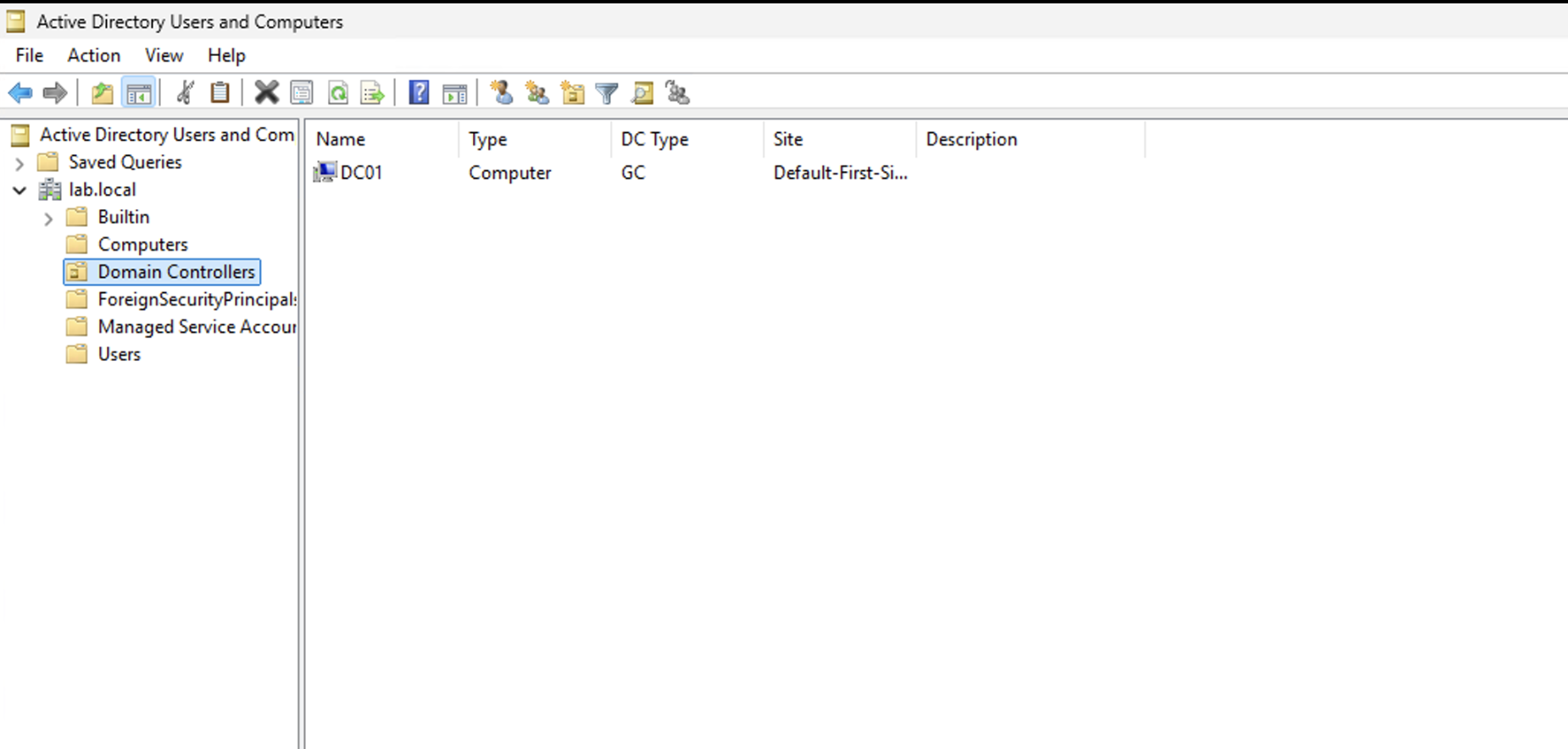
重启后,使用域管理员帐户登录。
### 2.3 创建 OU 结构
创建 OU 以分隔同步的身份与非同步的服务帐户。
推荐的 OU 结构:
```
lab.daehyung.dev
lab
lab_synced
lab_users
lab_groups
lab_computers
lab_privileged
lab_admins
lab_service_accounts
```
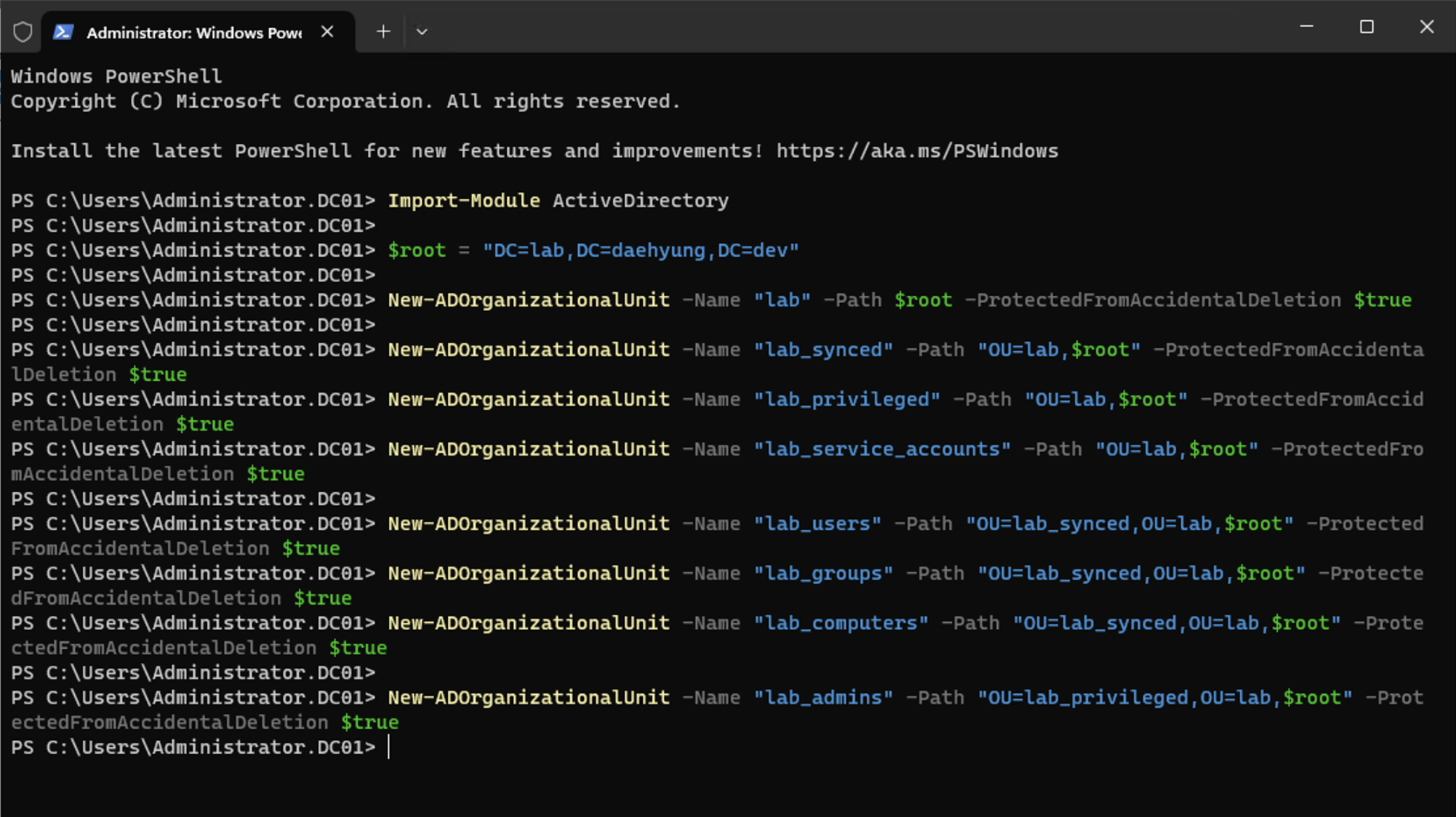
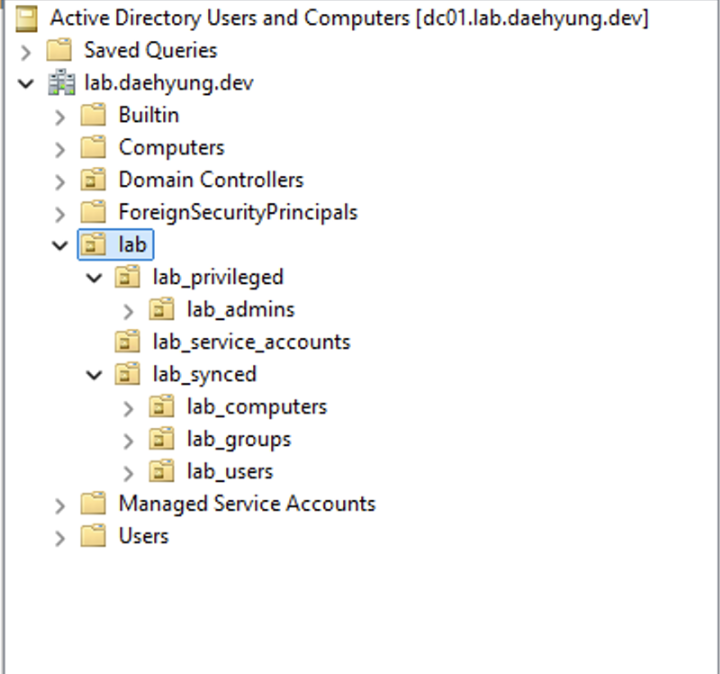
```
Import-Module ActiveDirectory
$root = "DC=lab,DC=daehyung,DC=dev"
New-ADOrganizationalUnit -Name "lab" -Path $root -ProtectedFromAccidentalDeletion $true
New-ADOrganizationalUnit -Name "lab_synced" -Path "OU=lab,$root" -ProtectedFromAccidentalDeletion $true
New-ADOrganizationalUnit -Name "lab_privileged" -Path "OU=lab,$root" -ProtectedFromAccidentalDeletion $true
New-ADOrganizationalUnit -Name "lab_service_accounts" -Path "OU=lab,$root" -ProtectedFromAccidentalDeletion $true
New-ADOrganizationalUnit -Name "lab_users" -Path "OU=lab_synced,OU=lab,$root" -ProtectedFromAccidentalDeletion $true
New-ADOrganizationalUnit -Name "lab_groups" -Path "OU=lab_synced,OU=lab,$root" -ProtectedFromAccidentalDeletion $true
New-ADOrganizationalUnit -Name "lab_computers" -Path "OU=lab_synced,OU=lab,$root" -ProtectedFromAccidentalDeletion $true
New-ADOrganizationalUnit -Name "lab_admins" -Path "OU=lab_privileged,OU=lab,$root" -ProtectedFromAccidentalDeletion $true
```
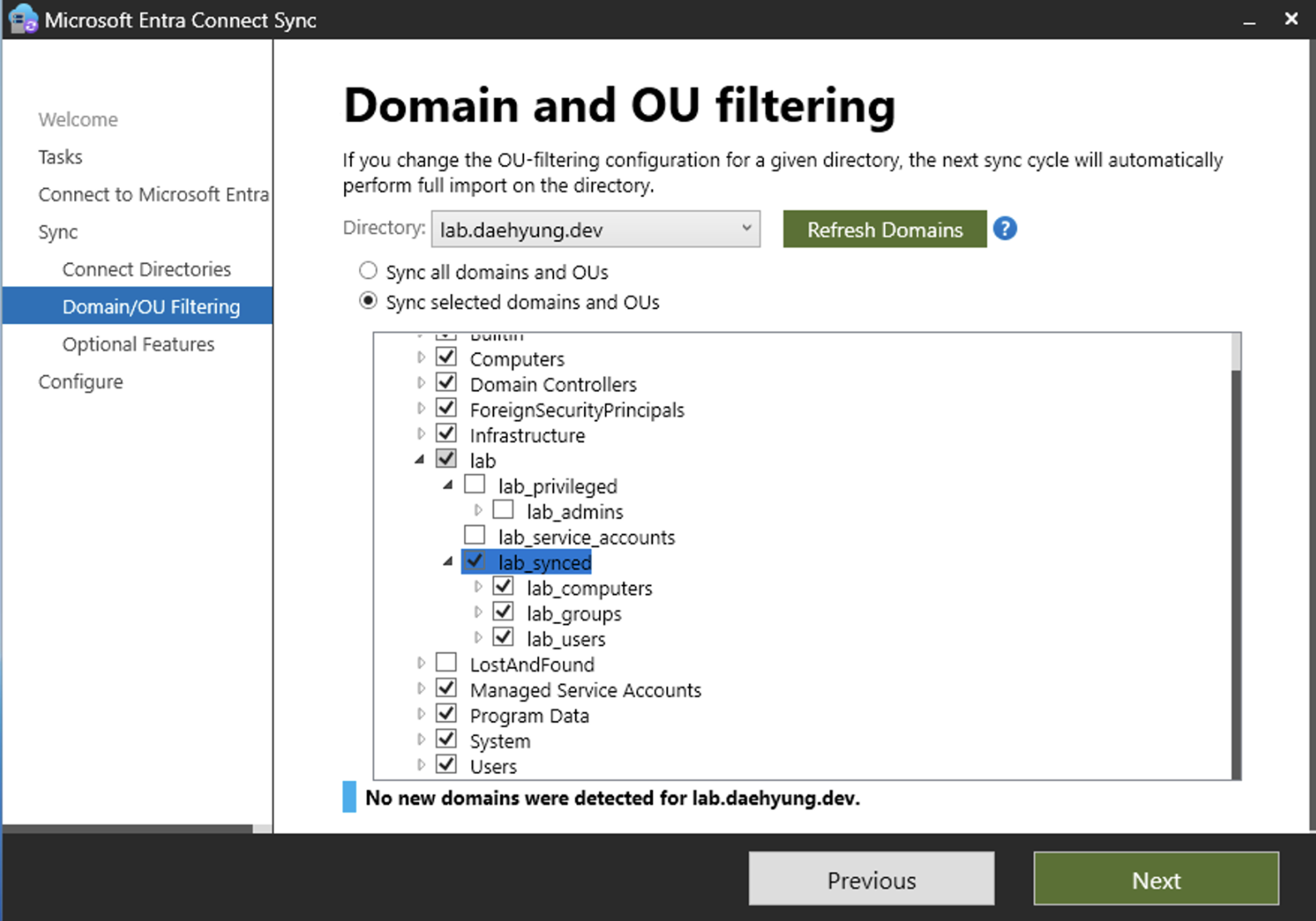
我们将把 Entra Connect Sync 的范围限定在属于 Microsoft Entra ID 的 OU。`lab_service_accounts` 不在范围内,以表明服务帐户默认不应同步。
### 2.4 创建实验用户和组
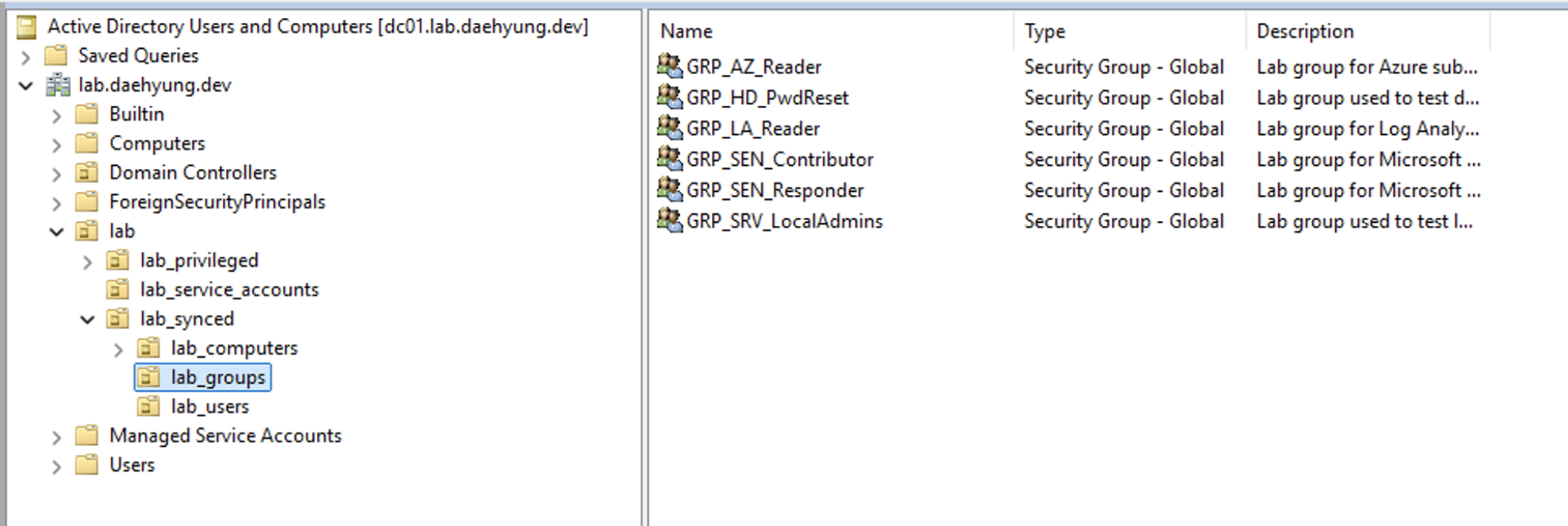
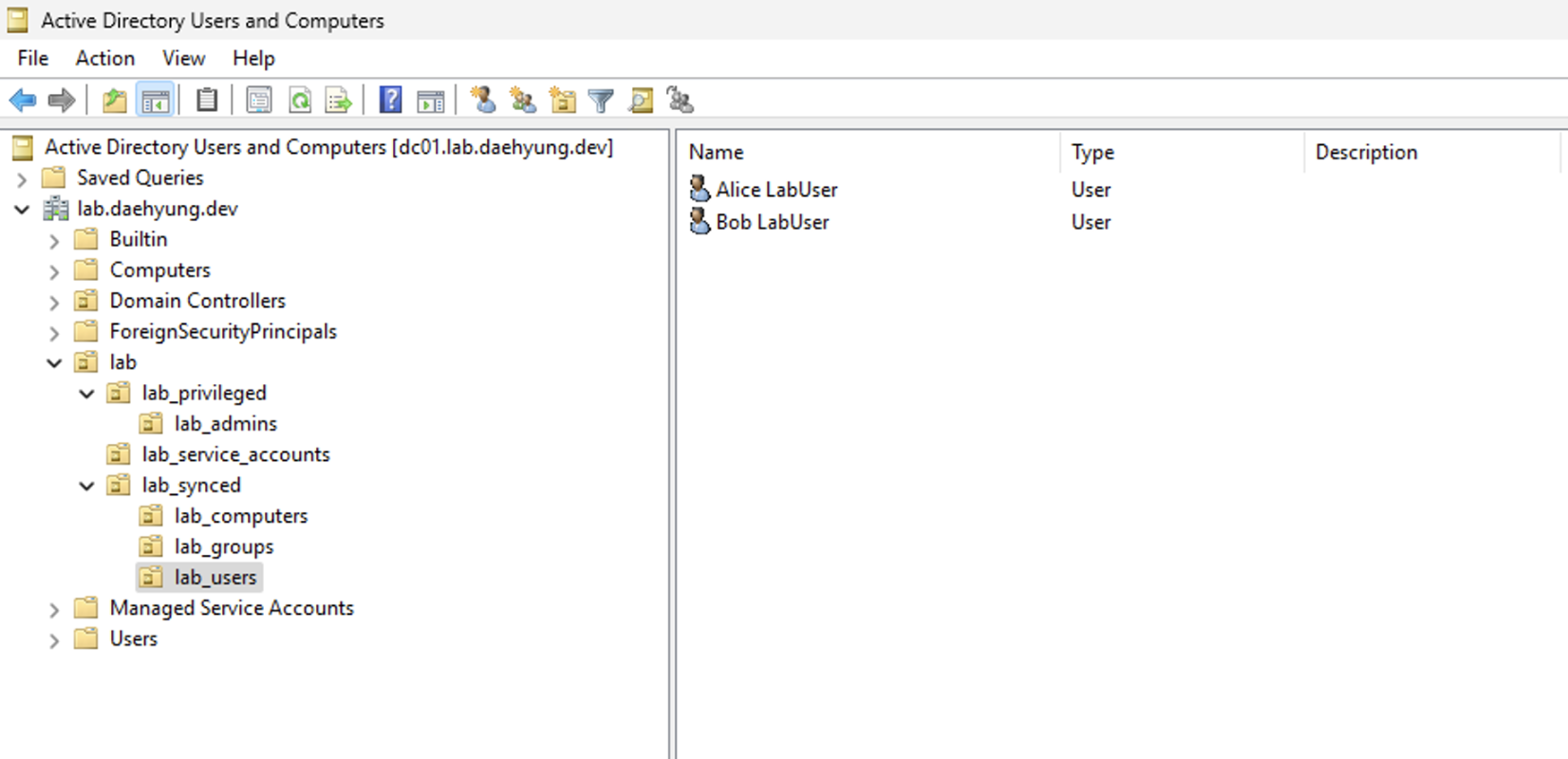
在 `lab_users` 中创建测试用户,在 `lab_groups` 中创建实验特定组。
推荐的组:
| 组 | 用途 |
| --- | | --- |
| `Azure Subscription Reader` (`GRP_AZ_Reader`) | 映射到 Azure 订阅 Reader 访问权限 |
| `Log Analytics Reader` (`GRP_LA_Reader`) | 映射到 Log Analytics 读取访问权限 |
| `Sentinel Responder` (`GRP_SEN_Responder`) | 映射到 Microsoft Sentinel 响应者访问权限 |
| `Sentinel Contributor` (`GRP_SEN_Contributor`) | 映射到 Microsoft Sentinel 贡献者访问权限 |
| `Helpdesk Password Reset` (`GRP_HD_PwdReset`) | 用于测试委派密码重置活动 |
| `Server Local Admins` (`GRP_SRV_LocalAdmins`) | 用于通过 GPO 测试本地管理员分配 |
不要围绕内置组(如 `Domain Admins` 或 `Enterprise Admins`)构建云访问模型。Microsoft Entra Connect 默认会过滤一些高权限的内置 AD 对象,并且生产环境的访问权限应通过显式组映射。
```
Import-Module ActiveDirectory
$tenantSuffix = "lab.daehyung.dev"
$root = (Get-ADDomain).DistinguishedName
$groupsPath = "OU=lab_groups,OU=lab_synced,OU=lab,$root"
$usersPath = "OU=lab_users,OU=lab_synced,OU=lab,$root"
$adminsPath = "OU=lab_admins,OU=lab_privileged,OU=lab,$root"
New-ADGroup -Name "Azure Subscription Reader" -SamAccountName "GRP_AZ_Reader" -GroupCategory Security -GroupScope Global -Path $groupsPath -Description "Lab group for Azure subscription Reader access."
New-ADGroup -Name "Log Analytics Reader" -SamAccountName "GRP_LA_Reader" -GroupCategory Security -GroupScope Global -Path $groupsPath -Description "Lab group for Log Analytics Reader access."
New-ADGroup -Name "Sentinel Responder" -SamAccountName "GRP_SEN_Responder" -GroupCategory Security -GroupScope Global -Path $groupsPath -Description "Lab group for Microsoft Sentinel Responder access."
New-ADGroup -Name "Sentinel Contributor" -SamAccountName "GRP_SEN_Contributor" -GroupCategory Security -GroupScope Global -Path $groupsPath -Description "Lab group for Microsoft Sentinel Contributor access."
New-ADGroup -Name "Helpdesk Password Reset" -SamAccountName "GRP_HD_PwdReset" -GroupCategory Security -GroupScope Global -Path $groupsPath -Description "Lab group used to test delegated password reset activity."
New-ADGroup -Name "Server Local Admins" -SamAccountName "GRP_SRV_LocalAdmins" -GroupCategory Security -GroupScope Global -Path $groupsPath -Description "Lab group used to test local administrator assignment."
$password = Read-Host "Enter initial password for lab users" -AsSecureString
New-ADUser -Name "Alice LabUser" -GivenName "Alice" -Surname "LabUser" -SamAccountName "alice" -UserPrincipalName "alice@$tenantSuffix" -Path $usersPath -AccountPassword $password -Enabled $true -ChangePasswordAtLogon $true
New-ADUser -Name "Bob LabUser" -GivenName "Bob" -Surname "LabUser" -SamAccountName "bob" -UserPrincipalName "bob@$tenantSuffix" -Path $usersPath -AccountPassword $password -Enabled $true -ChangePasswordAtLogon $true
New-ADUser -Name "Charlie LabAdmin" -GivenName "Charlie" -Surname "LabAdmin" -SamAccountName "charlie" -UserPrincipalName "charlie@$tenantSuffix" -Path $adminsPath -AccountPassword $password -Enabled $true -ChangePasswordAtLogon $true
Add-ADGroupMember -Identity "GRP_AZ_Reader" -Members "alice"
Add-ADGroupMember -Identity "GRP_LA_Reader" -Members "alice"
Add-ADGroupMember -Identity "GRP_SEN_Responder" -Members "charlie"
Add-ADGroupMember -Identity "GRP_HD_PwdReset" -Members "bob"
```
如果组创建命令失败,请在继续之前修复对象路径或重复的名称。
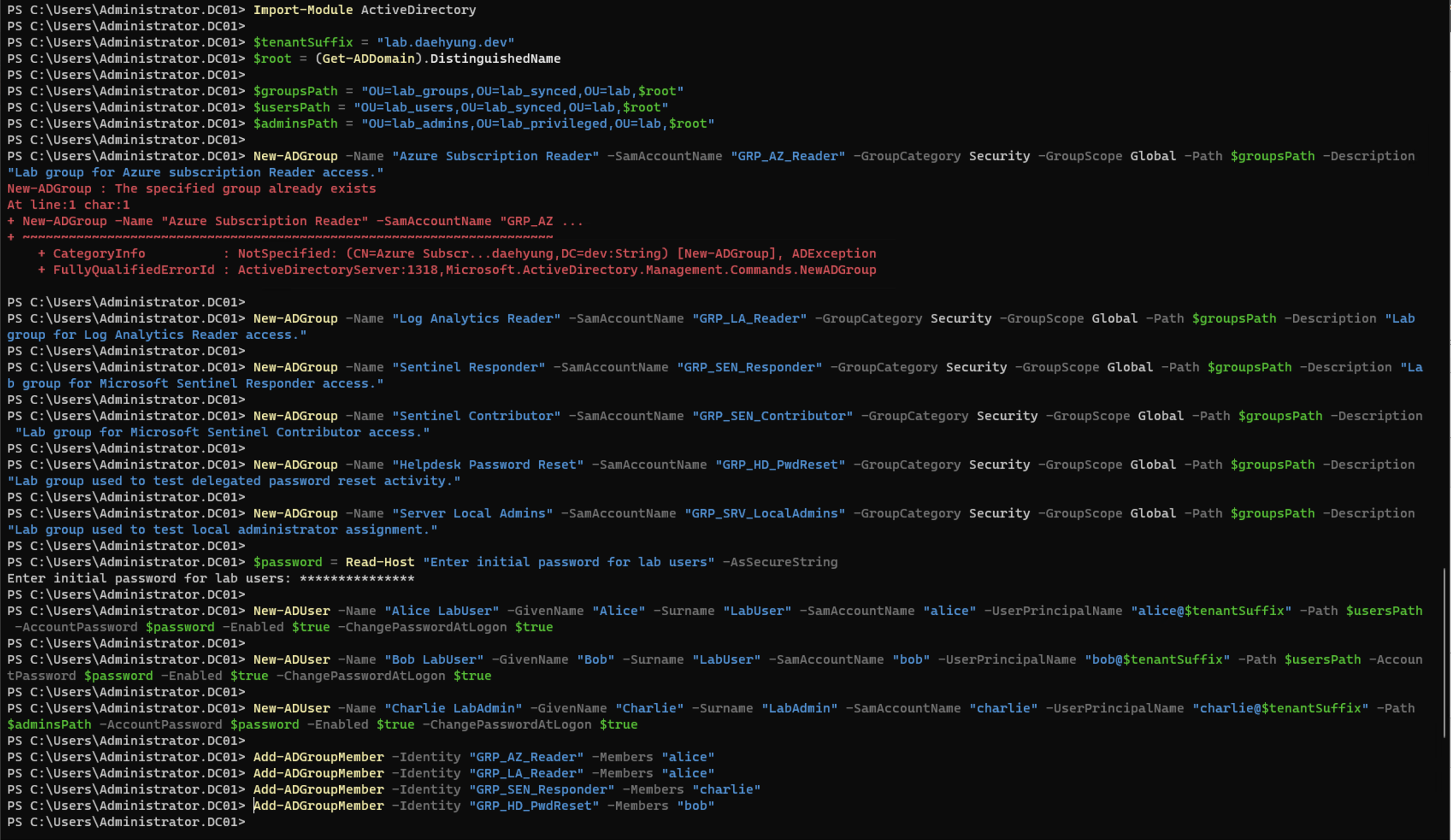
在 Active Directory 用户和计算机中确认组和实验用户。
### 2.5 配置 GPO 基线
创建一小组生成安全证据且易于解释的 GPO。
推荐的 GPO:
| GPO | 目标 | 实验目的 |
| --- | | --- | --- |
| `GPO-Workstations-WindowsFirewall` | `lab_computers` OU | 确认防火墙策略应用于 `winclient01` |
| `GPO-Workstations-AuditPolicy` | `lab_computers` OU | 收集有用的端点安全事件 |
| `GPO-Domain-AccountPolicy` | 域根 | 设置帐户锁定和密码策略 |
| `GPO-DC-AdvancedAuditPolicy` | Domain Controllers OU | 生成 AD 帐户、组和目录更改事件 |
| `GPO-Workstations-LocalAdmins` | `lab_computers` OU | 将实验组分配给本地管理员以进行受控测试 |
对于 AD DS 监控,请启用帐户管理、安全组管理、登录、Kerberos 活动和目录服务更改的审核类别。事件 ID `5136` 需要正确的目录对象审核才能显示对象修改详细信息。
## 3. 在 Microsoft Entra 中验证 `lab.daehyung.dev`
AD DS 域和用户 UPN 后缀均为 `lab.daehyung.dev`。确认本地用户已具有实验 UPN 后缀。
```
Get-ADUser alice -Properties UserPrincipalName | Select-Object UserPrincipalName
```
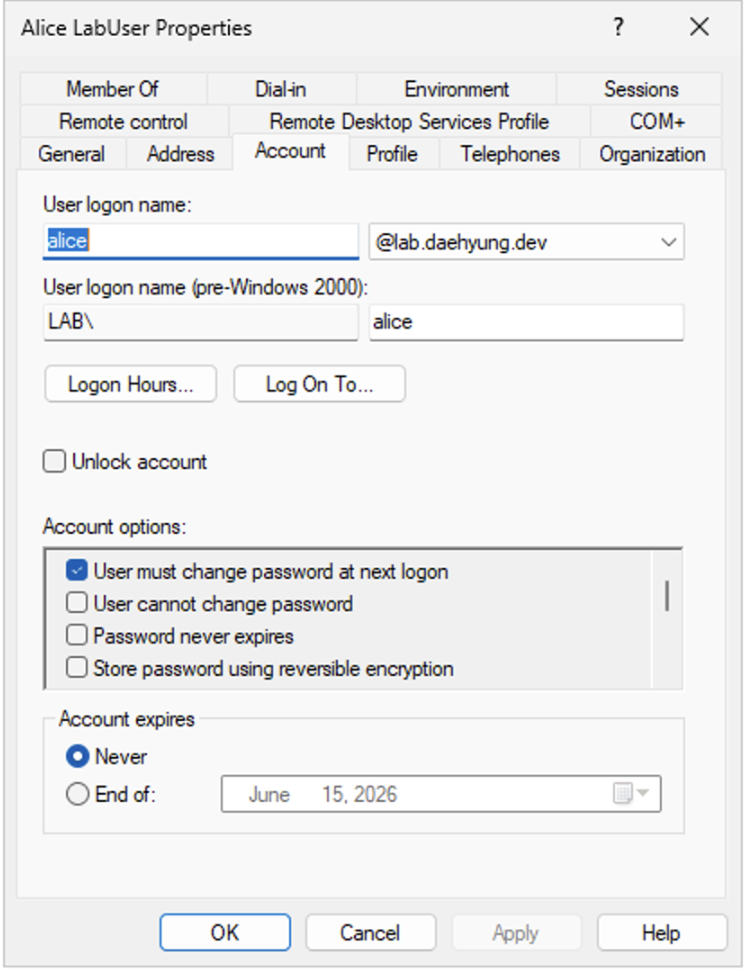
在同步用户之前,在 Microsoft Entra ID 中将 `lab.daehyung.dev` 验证为自定义域。在 Microsoft Entra 管理中心,转到 **身份 > 设置 > 域名**,添加 `lab.daehyung.dev`,然后在公共 DNS 中为 `daehyung.dev` 创建 TXT 记录。
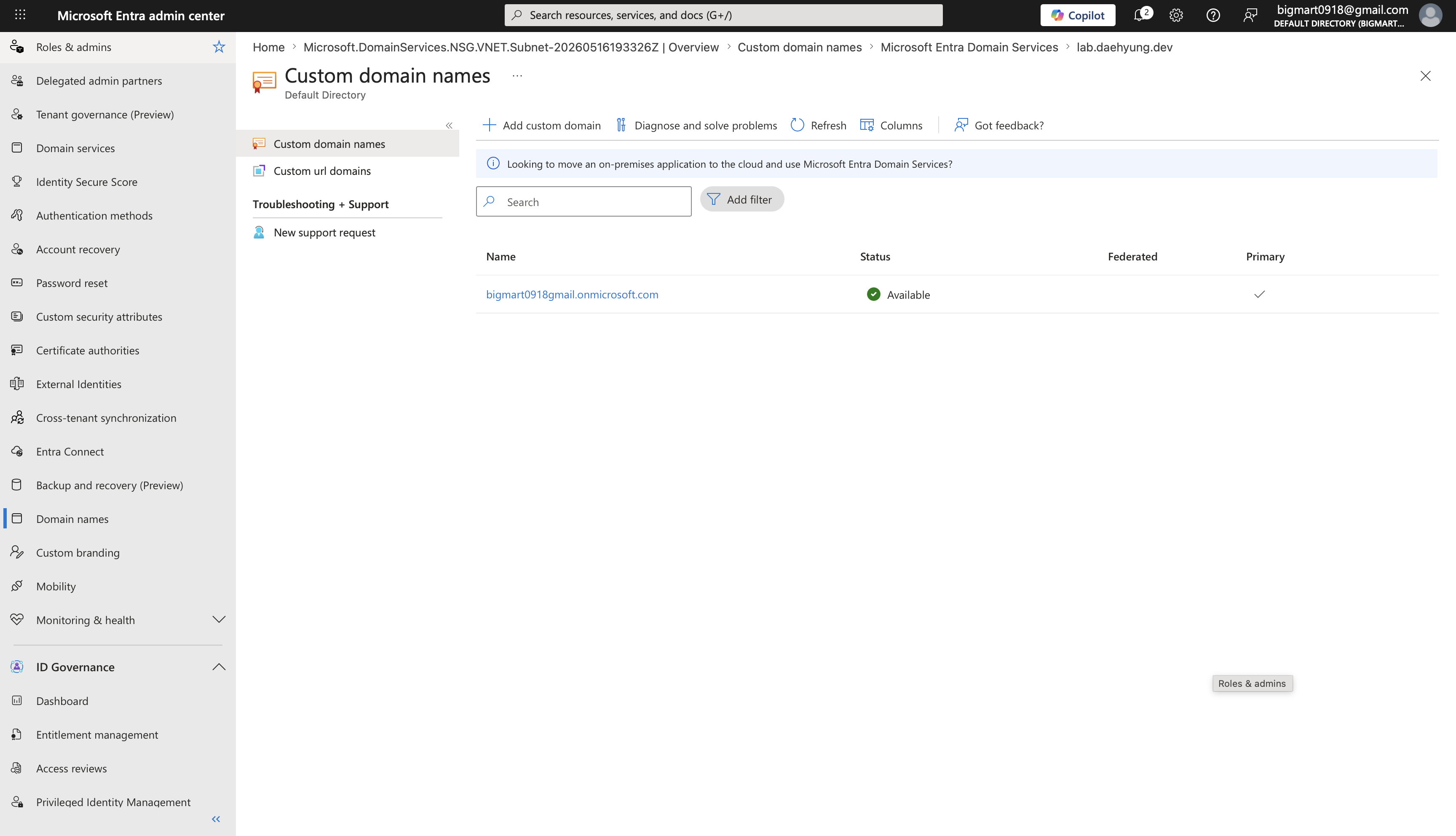
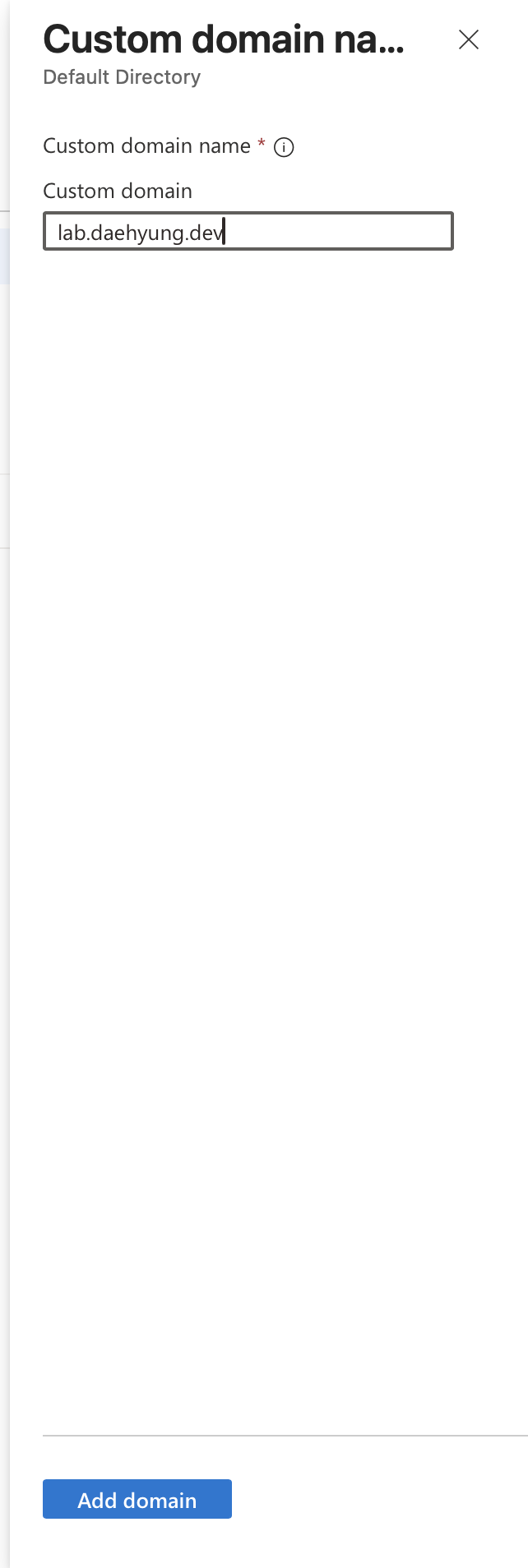
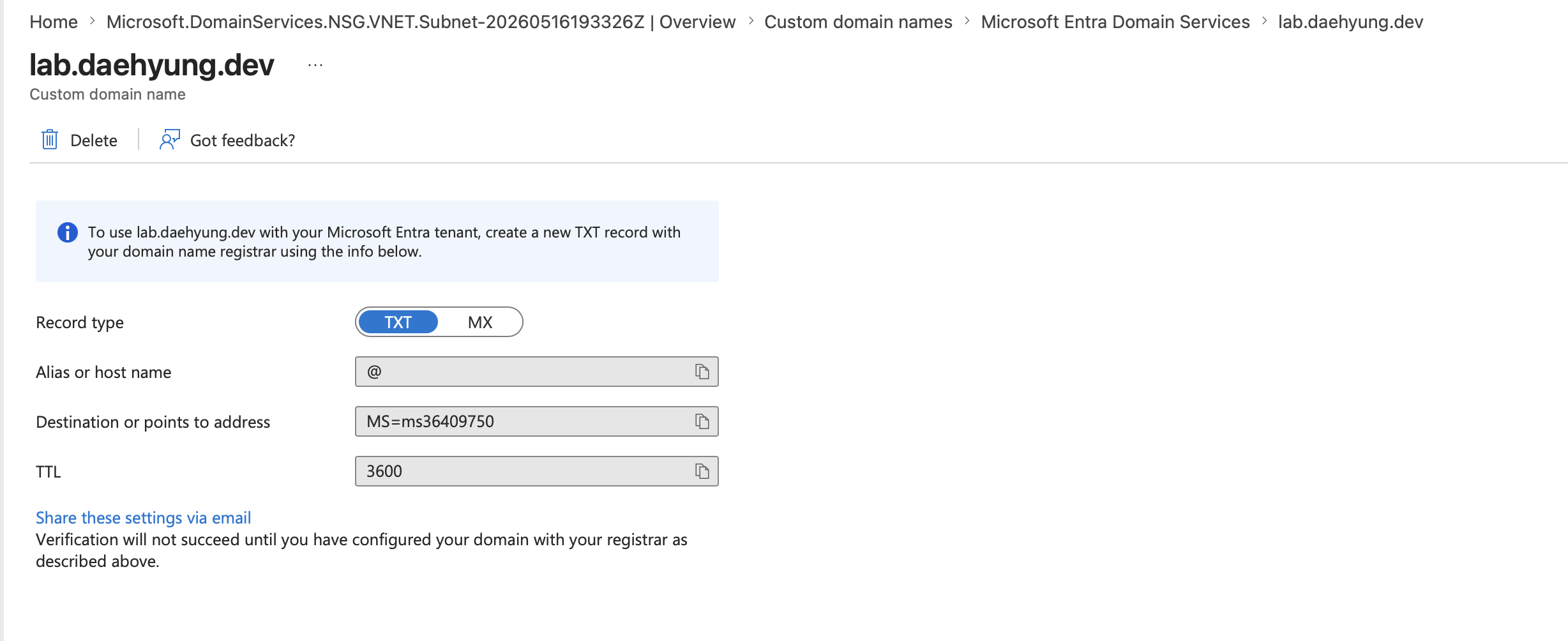
现在,用户拥有一个本地 AD 身份和一个经过验证的云登录名称。
## 4. 在 `dc01` 上安装和配置 Microsoft Entra Connect Sync
### 4.1 实验设计说明
我们将在 `dc01` 上为此 v1 实验安装 Microsoft Entra Connect Sync。这是一种节省成本的选择,并非首选的生产设计。
Microsoft 文档指出,Microsoft Entra Connect 服务器是 Tier 0 组件,应进行加固。Microsoft 还建议比常规基础设施更严格地保护域控制器。将这两个角色组合在一起意味着一个虚拟机承担了两组风险,因此 README 必须说明这一点。
### 4.2 准备 `dc01`
安装 Entra Connect Sync 之前:
- 确认 `dc01` 已完全打补丁。
- 确认 TLS 1.2 和所需的 .NET 版本可用。
- 确认服务器具有完整 GUI。Entra Connect Sync 不支持 Windows Server Core。
- 确认 AD DS 域控制器是可写的。
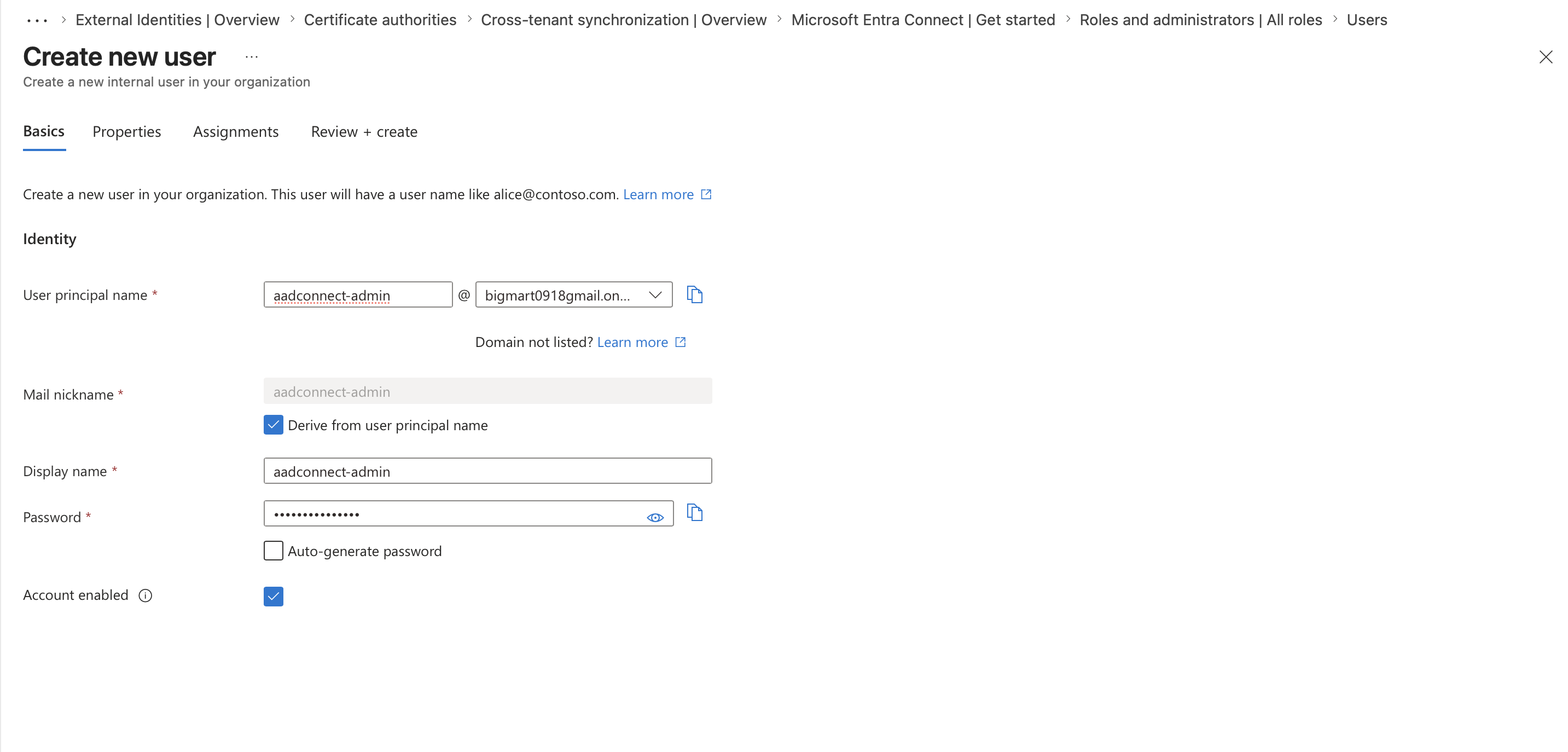
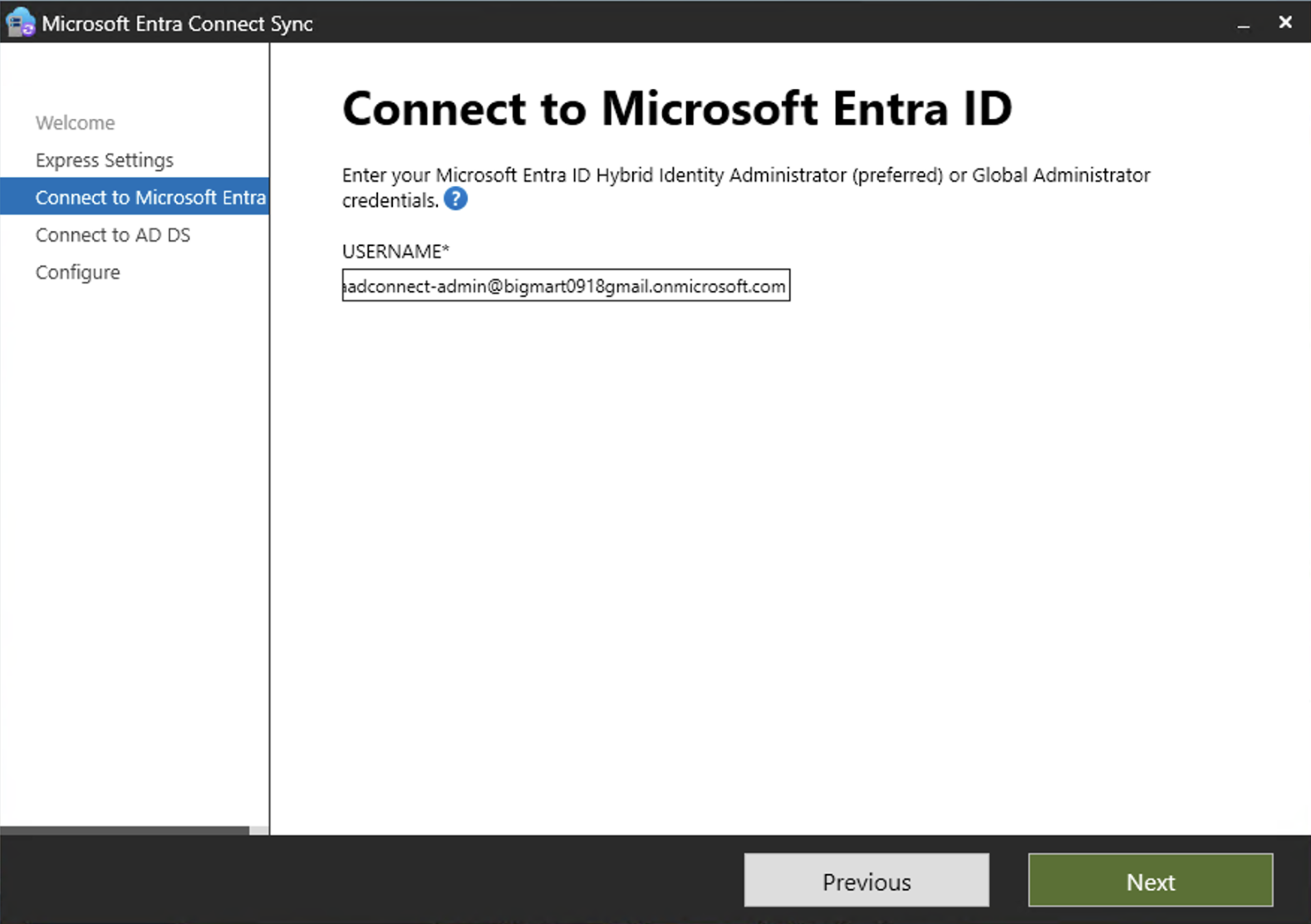
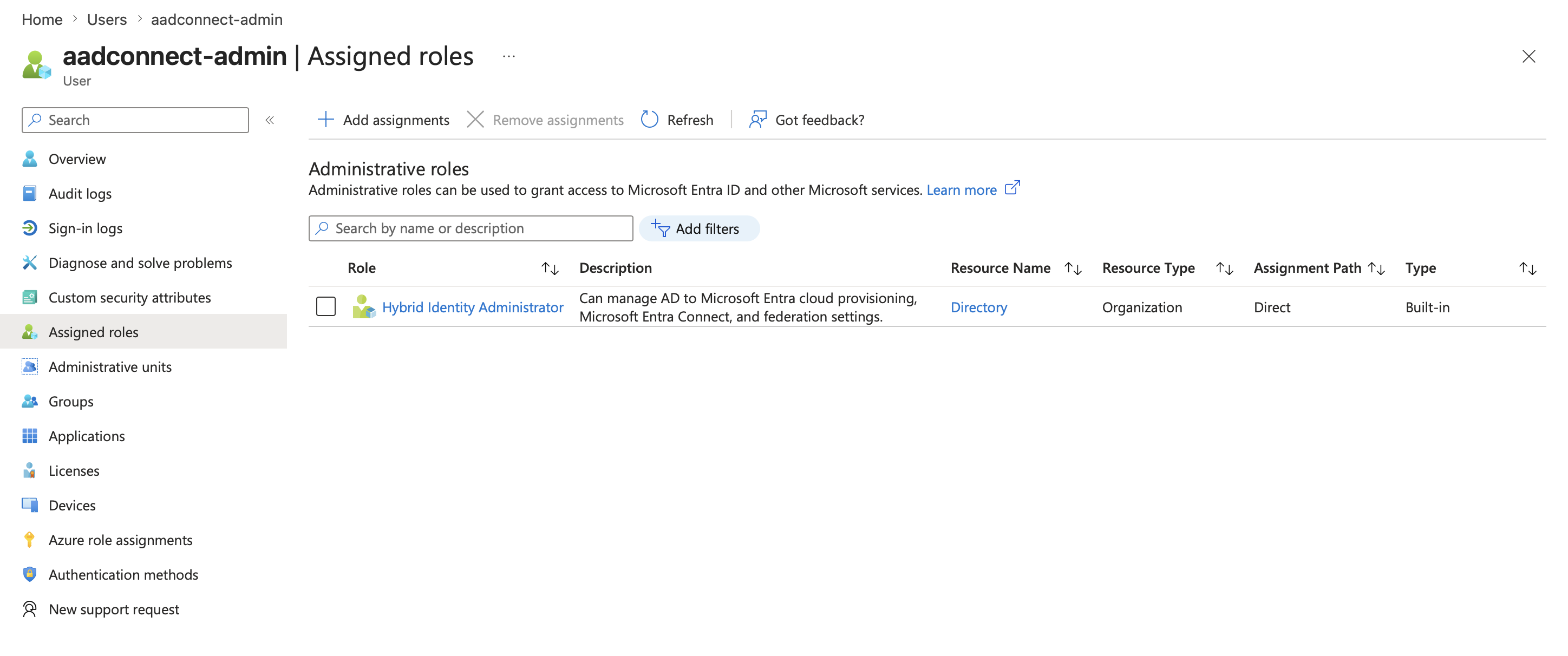
- 确认用于设置的 Entra 帐户已直接分配所需角色。仅靠组成员身份不满足此设置要求。
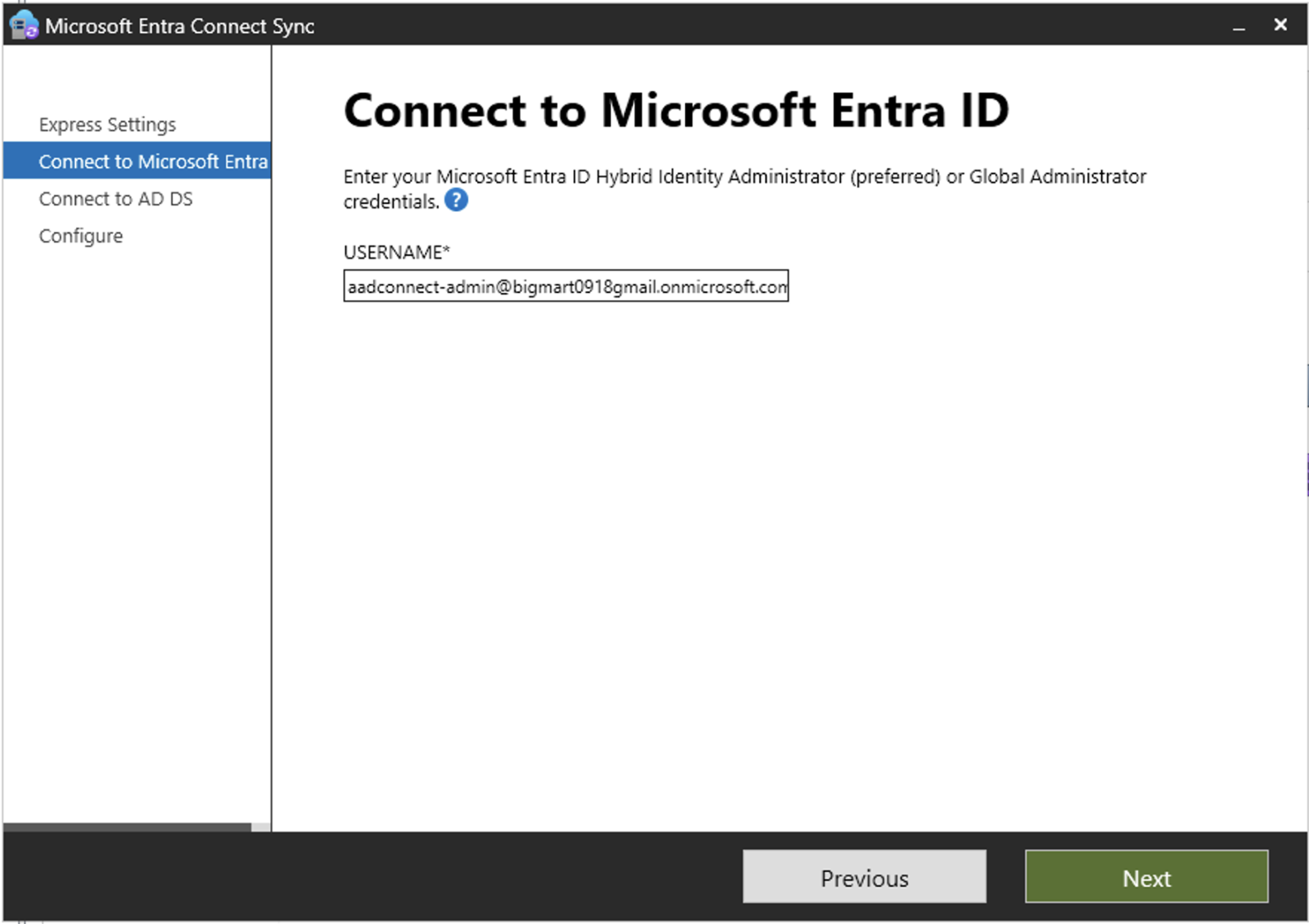
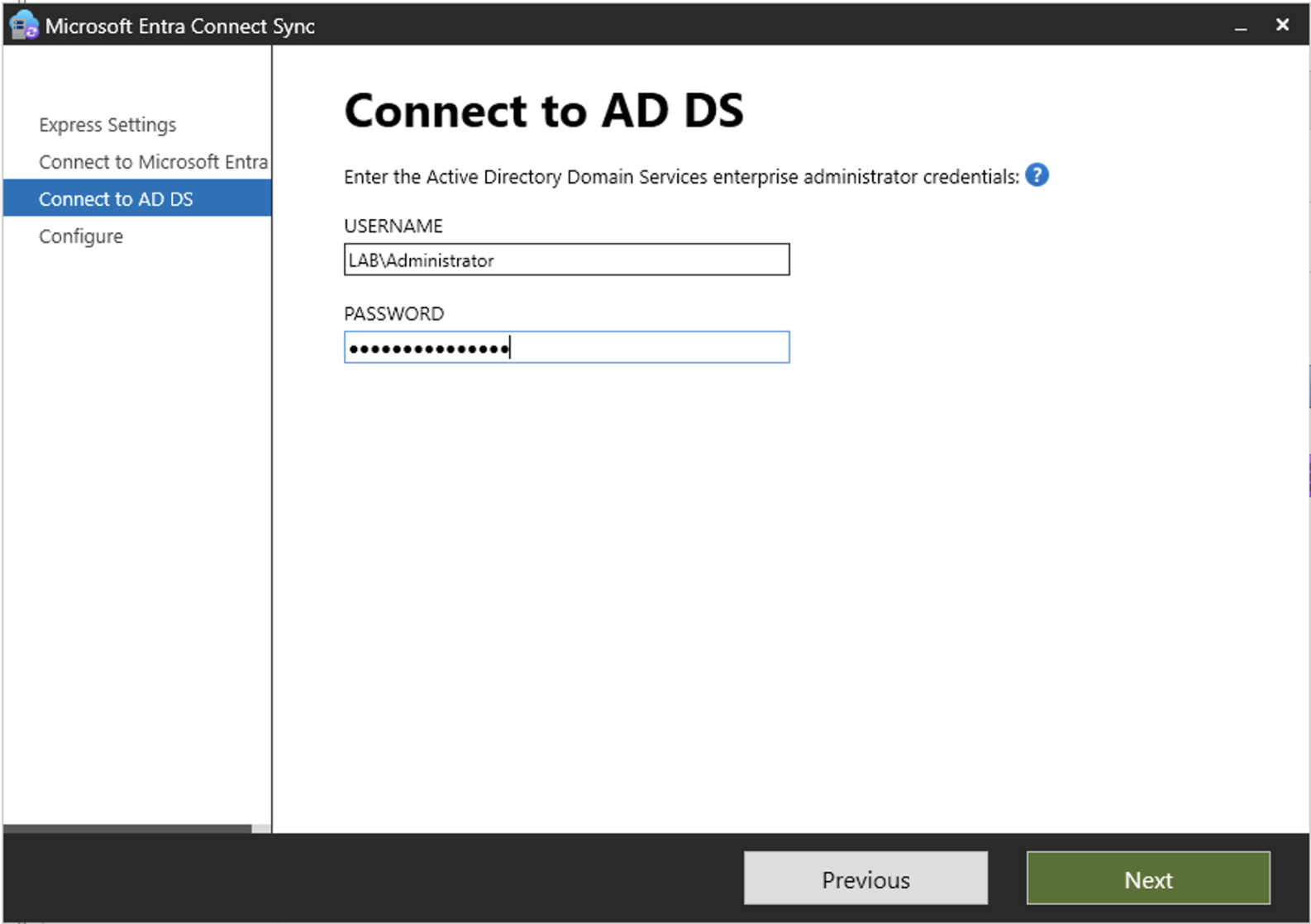
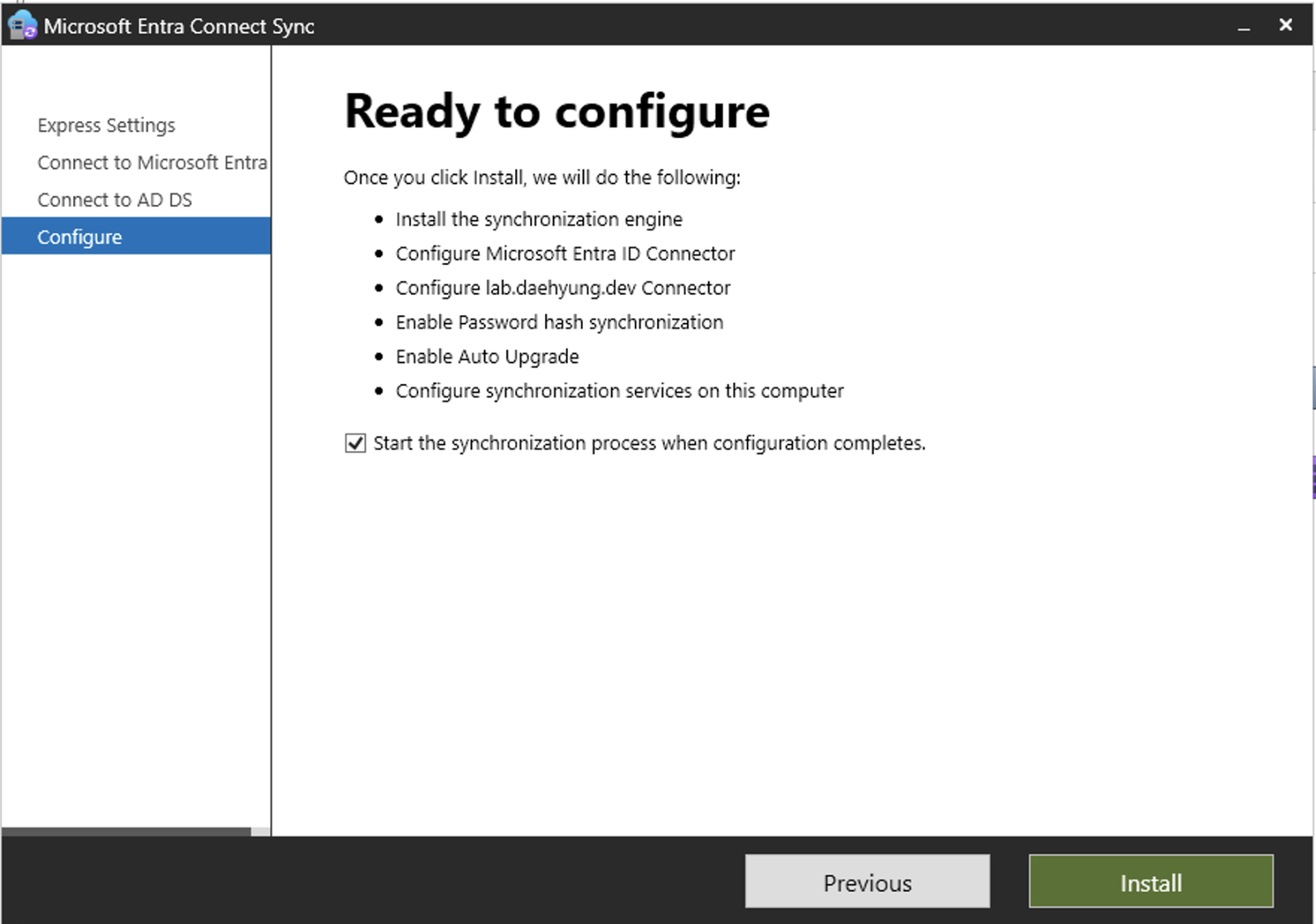
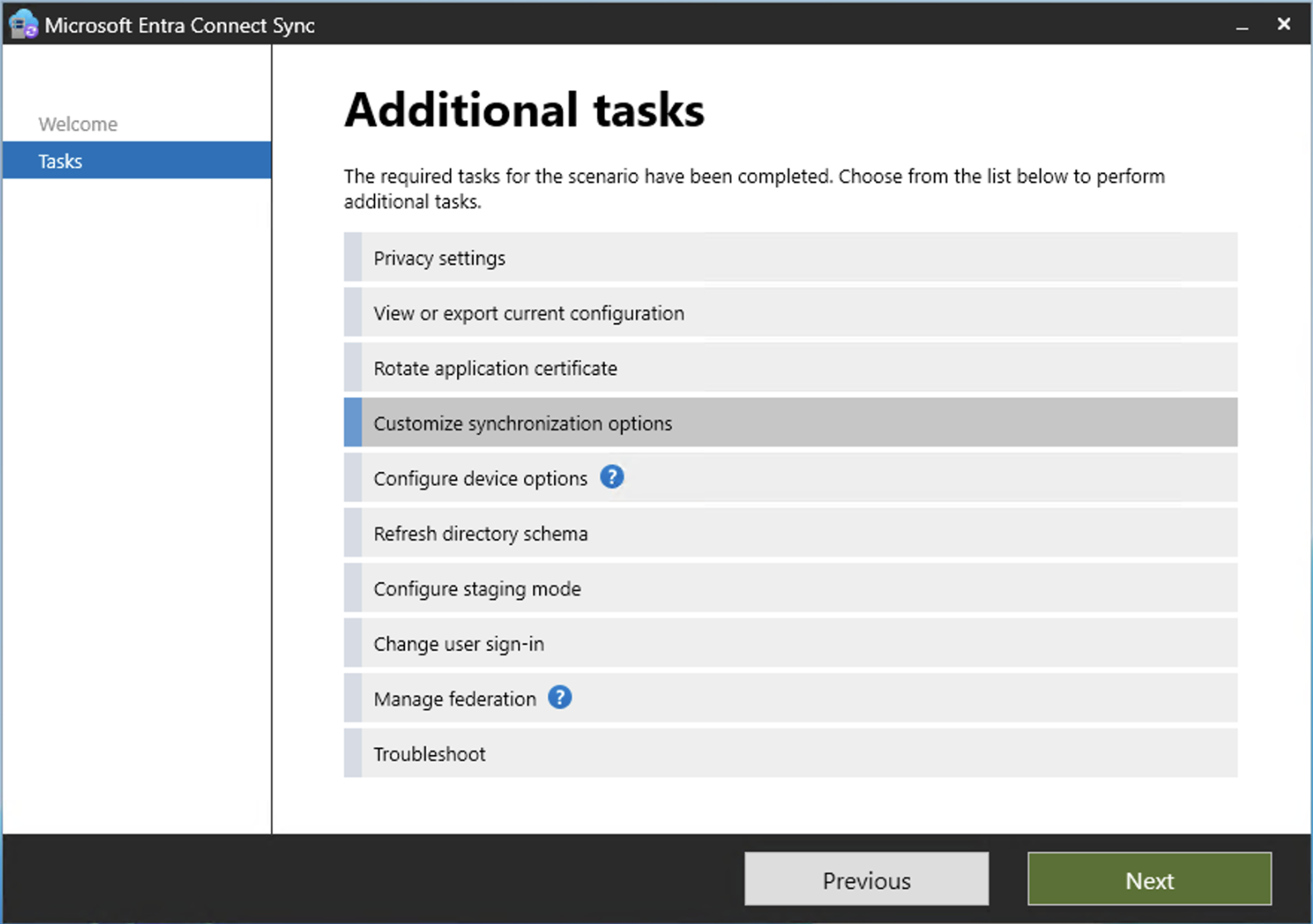
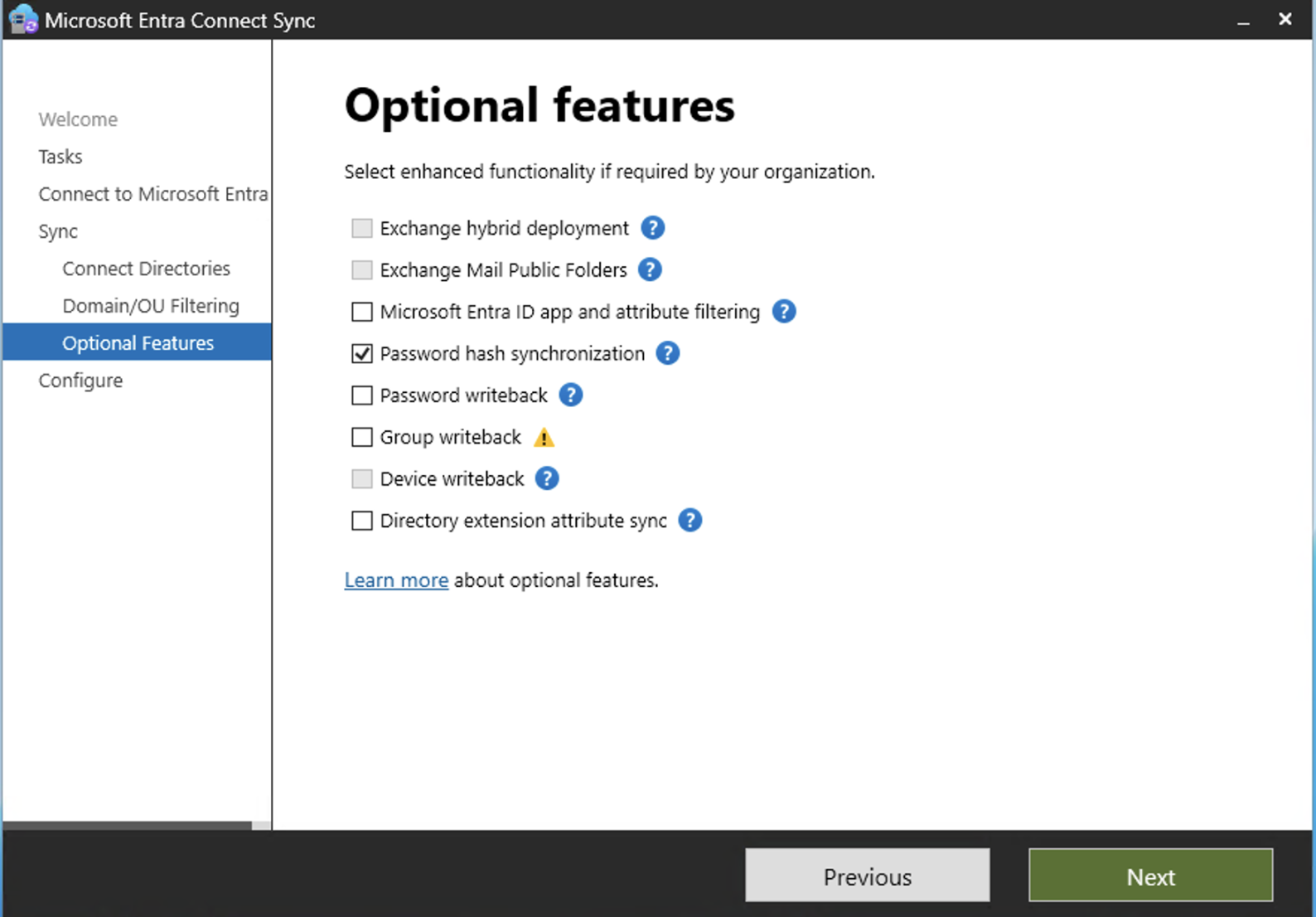
### 4.3 使用自定义设置
从 Microsoft Entra 管理中心下载 Microsoft Entra Connect Sync,并在 `dc01` 上运行安装程序。
使用自定义设置。
选择:
- 密码哈希同步
- OU 筛选
- 应同步的 OU,例如 `lab_users`、`lab_groups` 和 `lab_computers`
- v1 不使用 AD FS
不要同步 `lab_service_accounts`。
设置完成后,记录安装的版本。
```
Get-Item "C:\Program Files\Microsoft Azure AD Sync\Bin\miiserver.exe" |
Select-Object VersionInfo
```
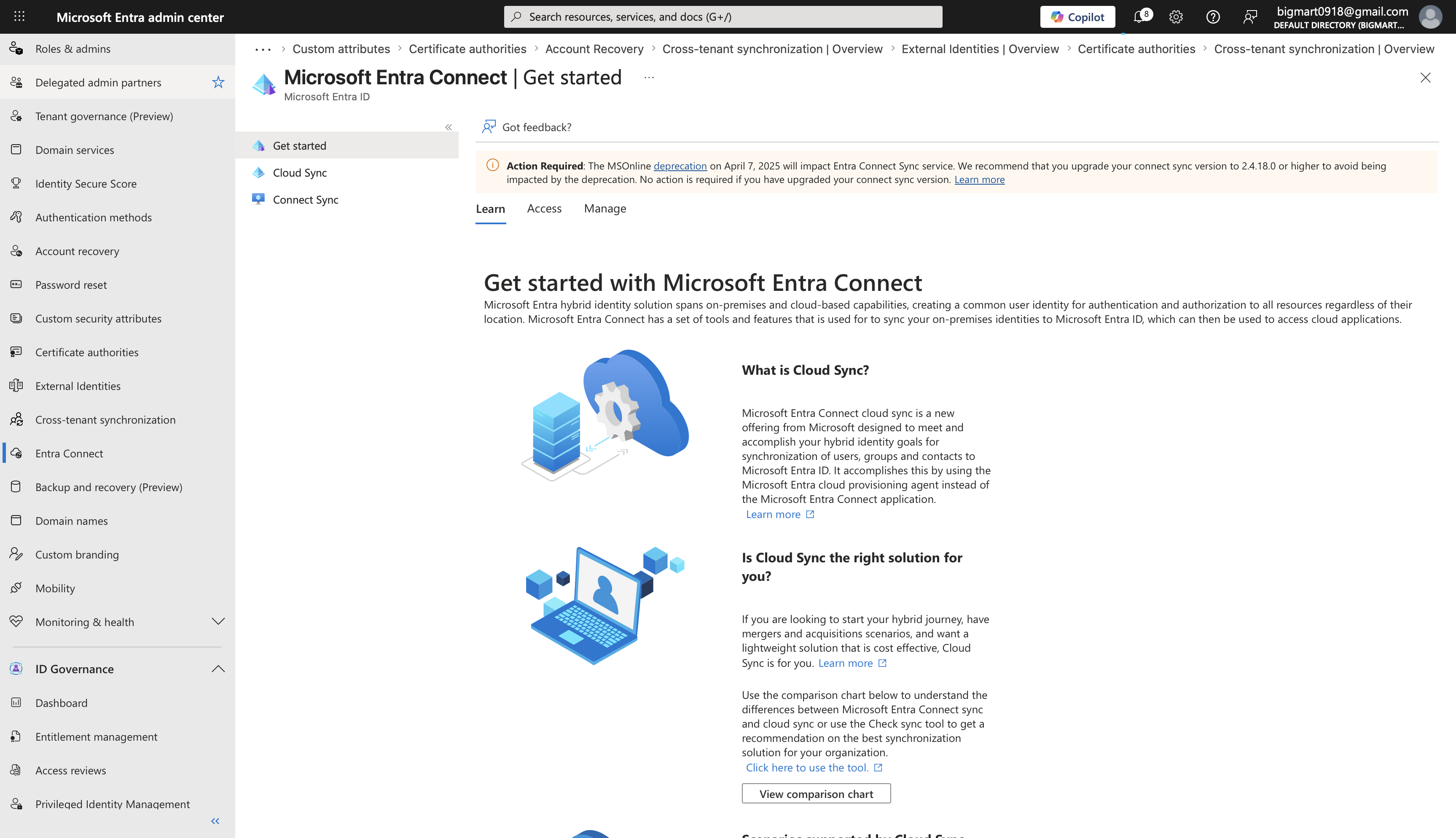
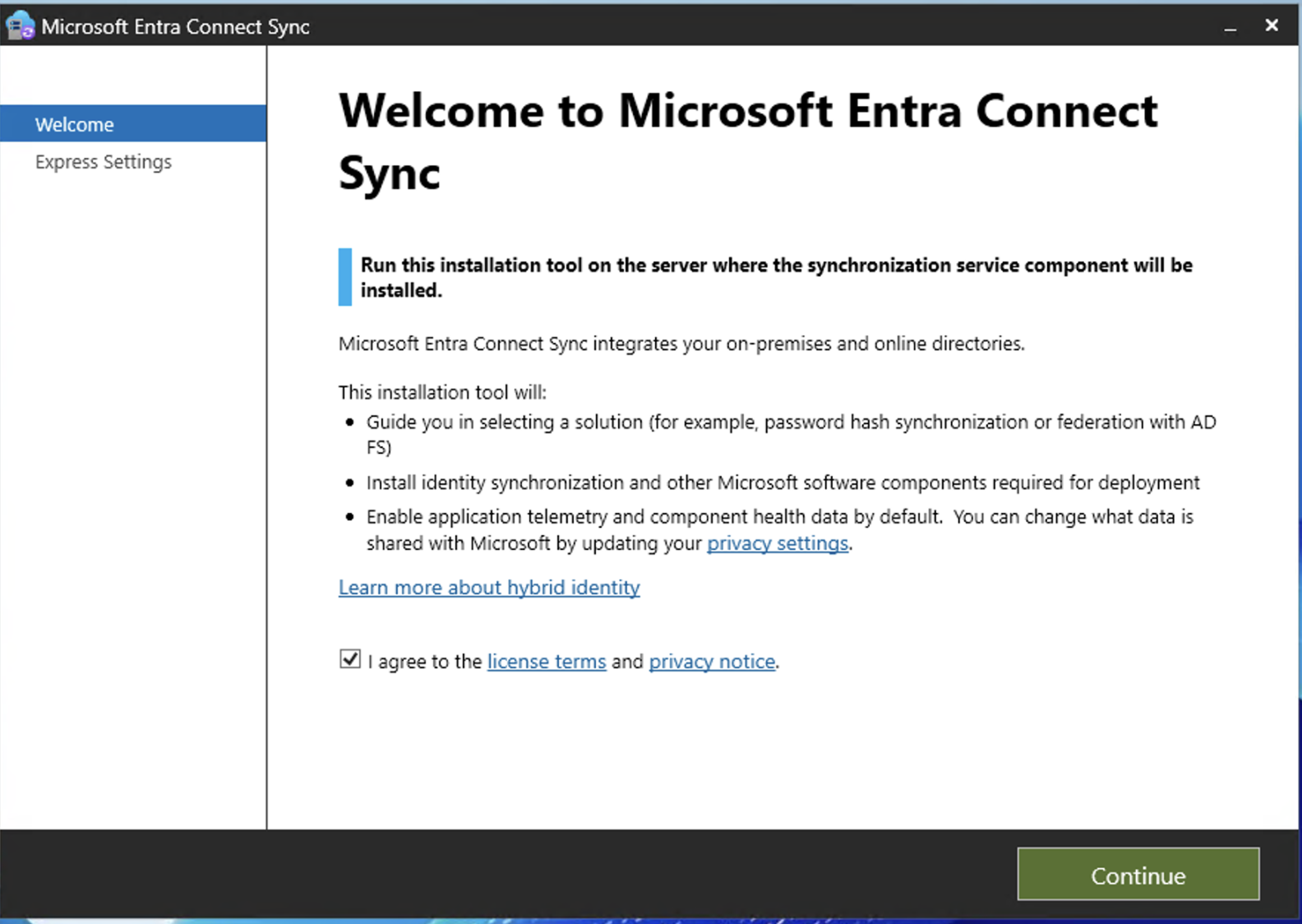
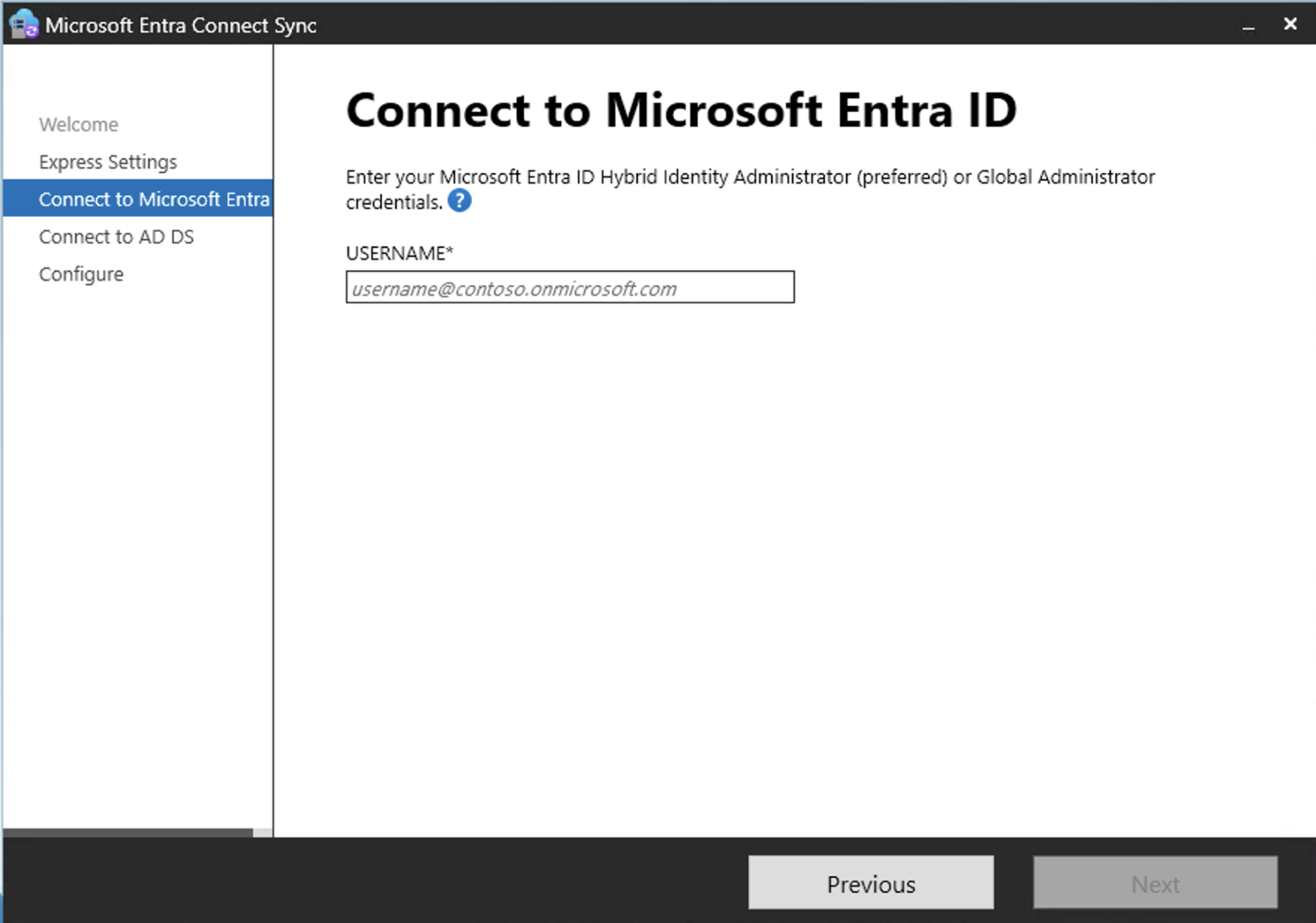
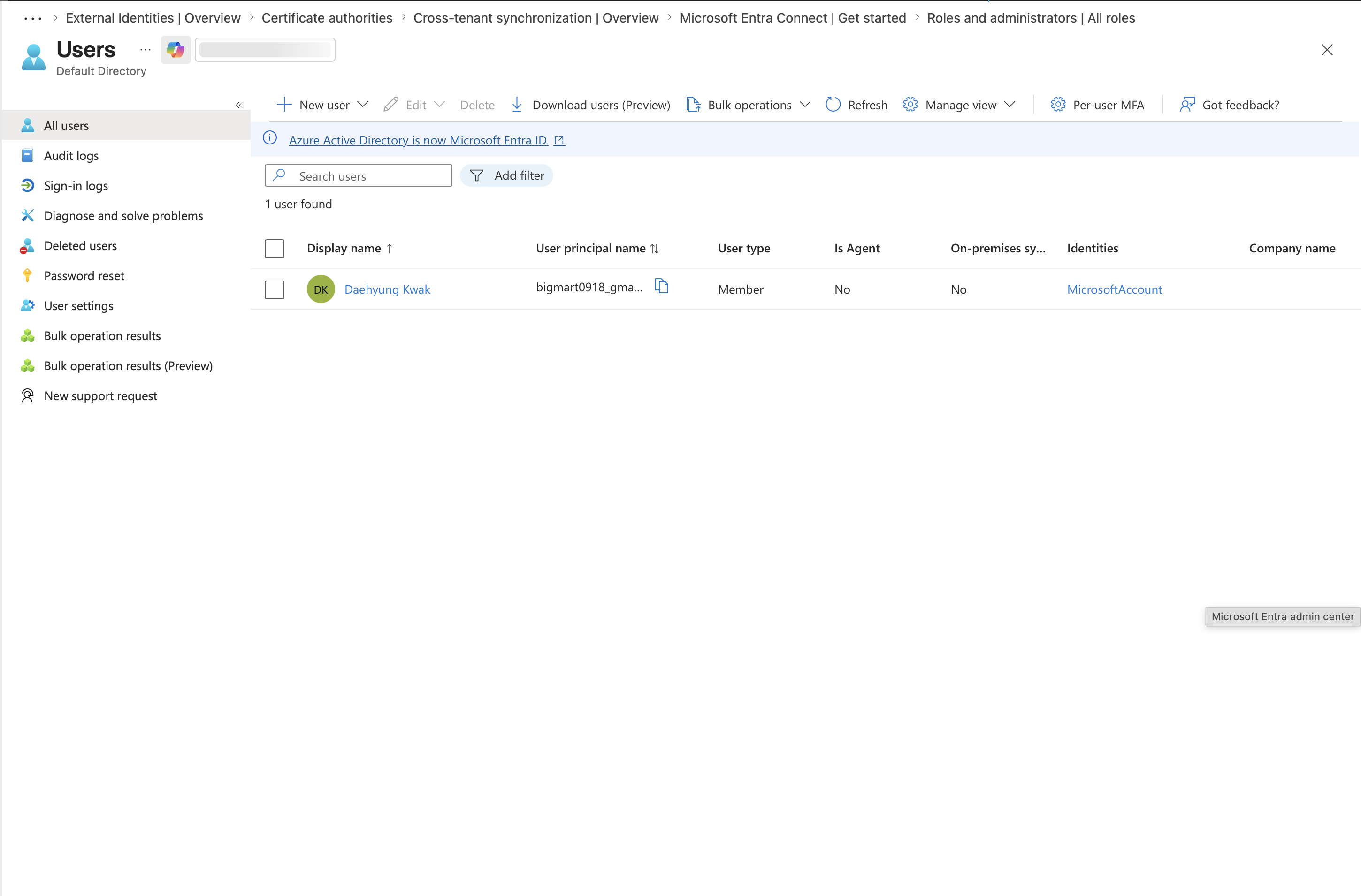
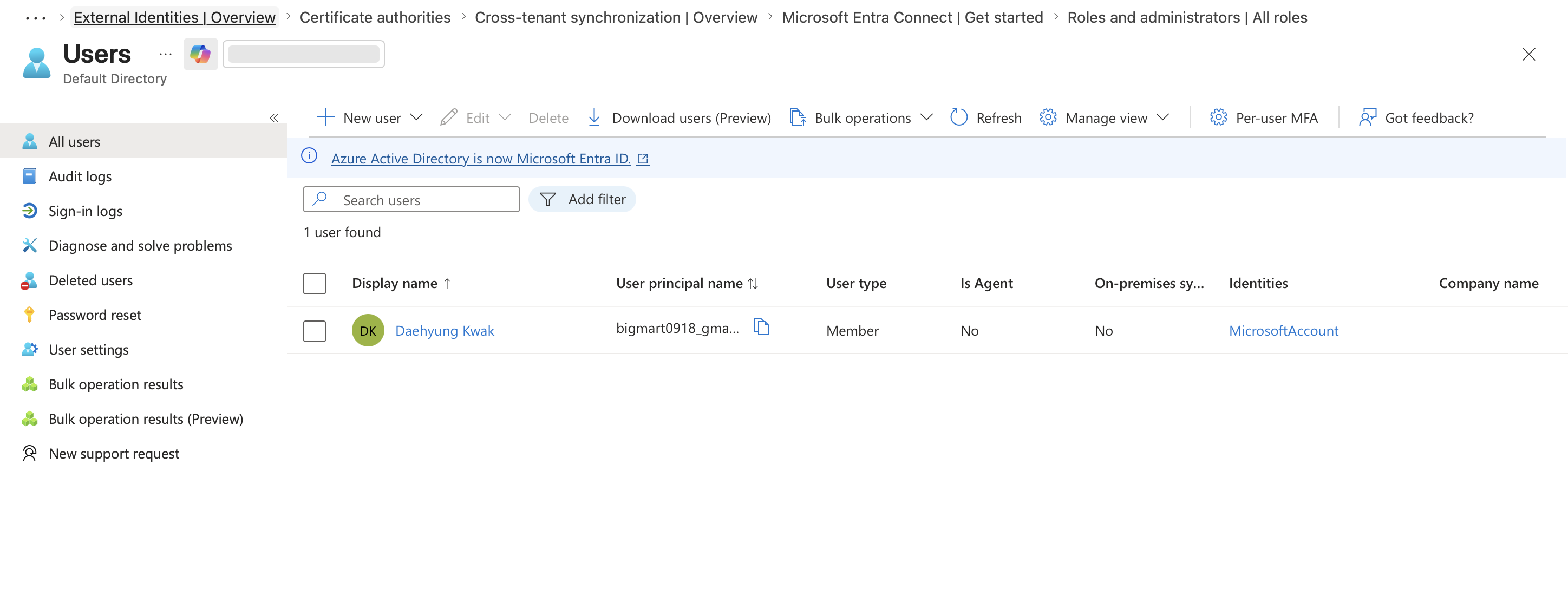
在首次同步之前捕获租户用户列表,以便为同步用户提供证据基线。
### 4.4 强制首次同步
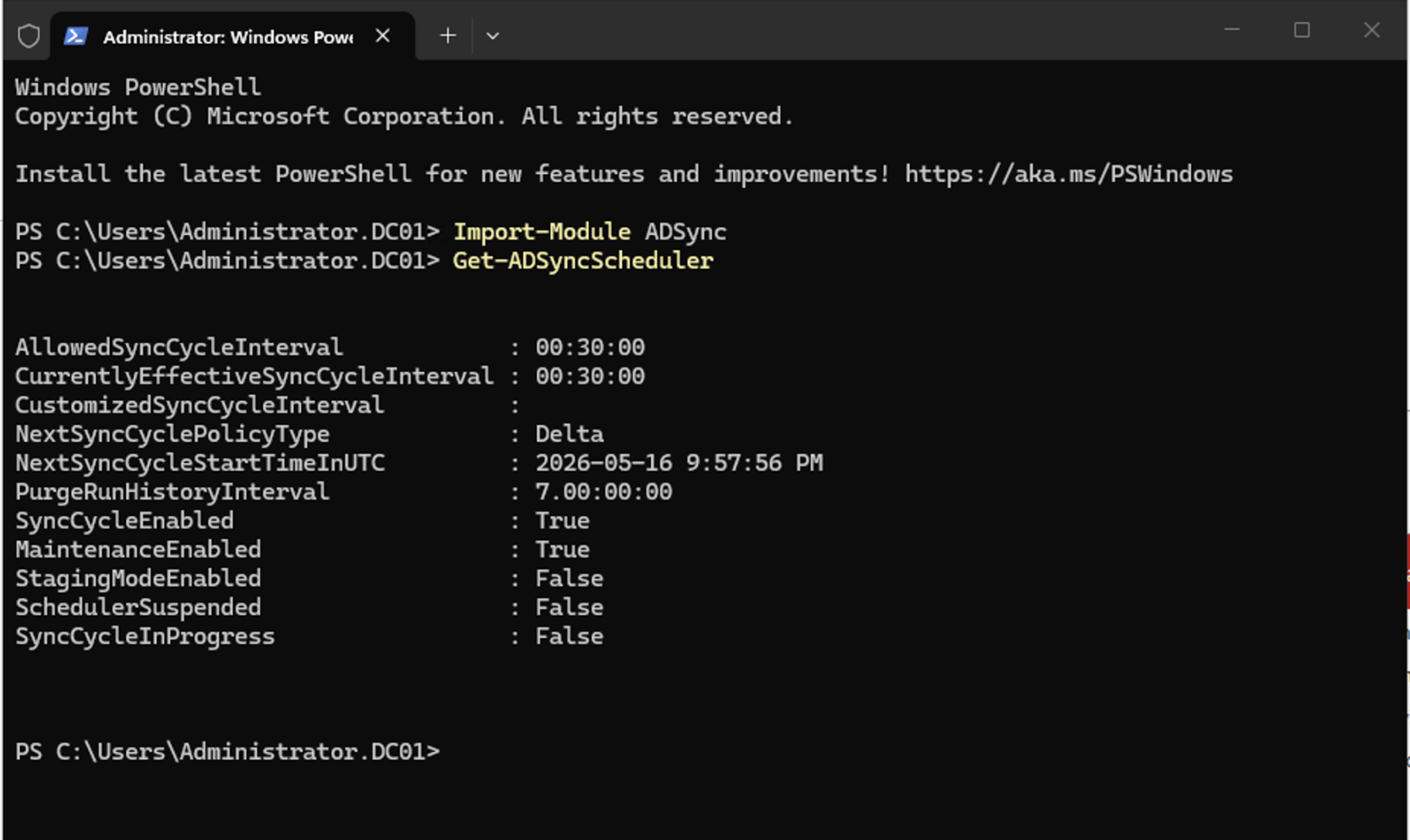
向导完成后,如果需要,强制进行同步。
```
Import-Module ADSync
Start-ADSyncSyncCycle -PolicyType Delta
```
使用同步服务管理器确认导出到 Microsoft Entra ID 是否成功。
## 5. 在 Microsoft Entra 中验证同步的用户和组
打开 Microsoft Entra 管理中心,检查同步的用户和组。
预期结果:
- `lab_users` 中的测试用户会出现在 Microsoft Entra ID 中。
- `lab_groups` 中的实验组会出现在 Microsoft Entra ID 中。
- `lab_service_accounts` 中的对象不会出现。
- 同步用户使用 `lab.daehyung.dev` UPN 后缀。
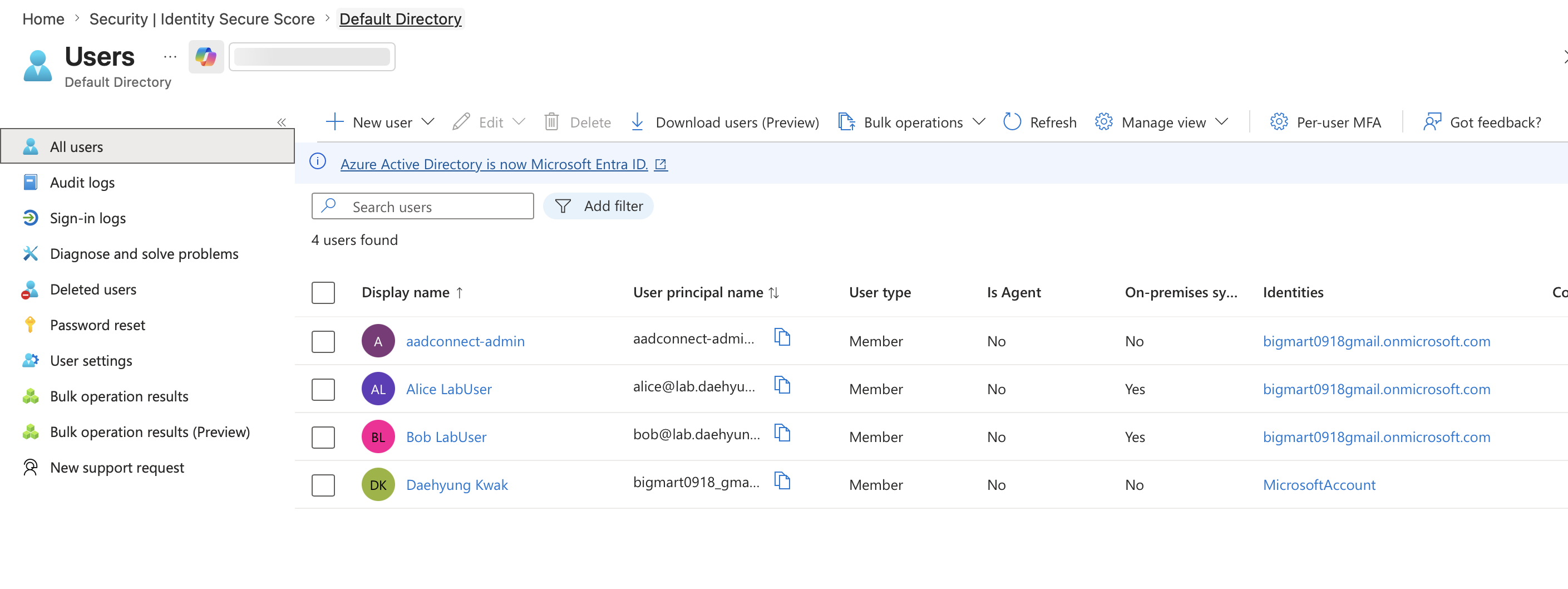
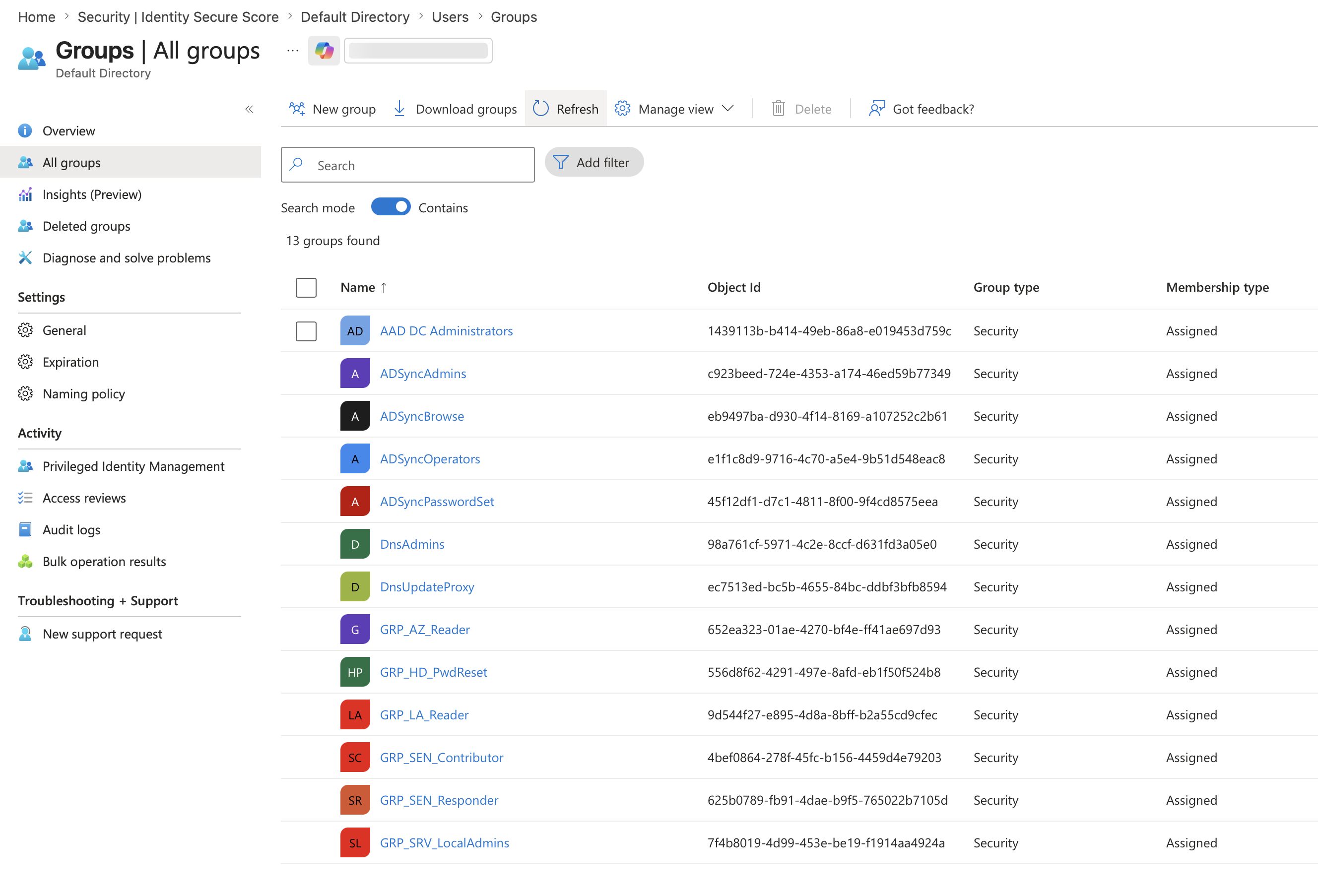
这证明同步范围正常工作,并且实验没有将每个本地对象都推送到云租户。
## 6. 构建并域加入 `winclient01`
将 `winclient01` 创建为 Windows 11 虚拟机或 Windows Server 成员系统。Terraform 部署默认使用 Windows Server,以便在学生订阅中轻松部署映像。Windows 客户端操作系统更适合展示端点身份行为,但成员服务器仍然可以证明基本的域和混合加入路径。
确保 `winclient01` 使用指向 `dc01` 的 VNet DNS 设置。
加入域。
```
Add-Computer -DomainName "lab.daehyung.dev" -Restart
```
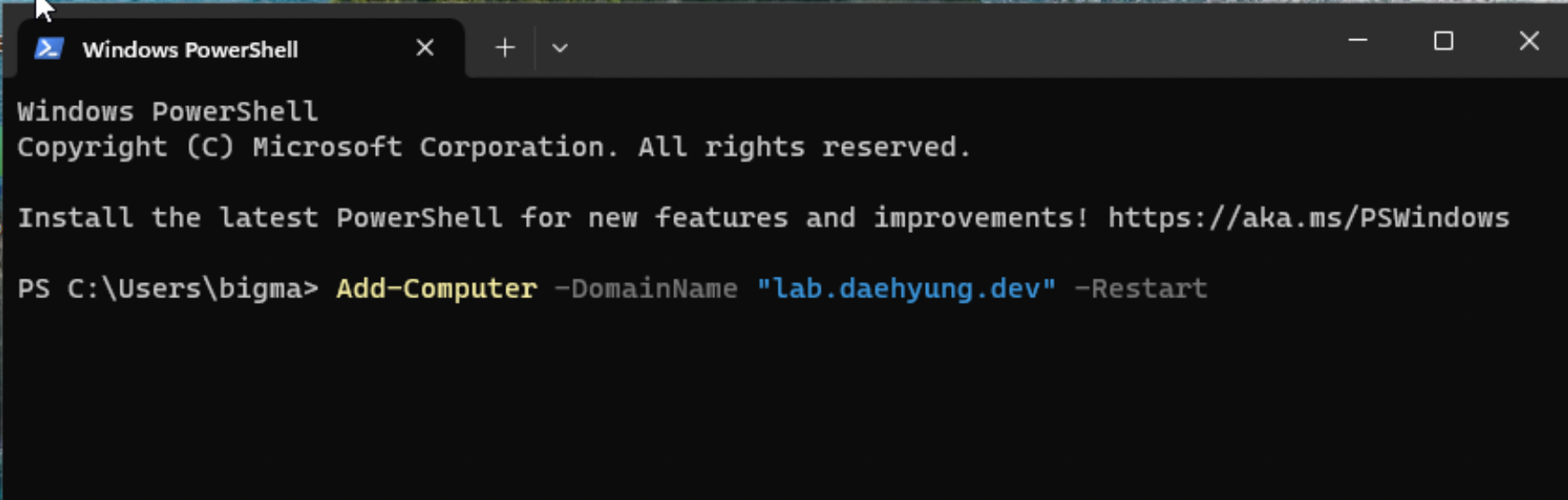
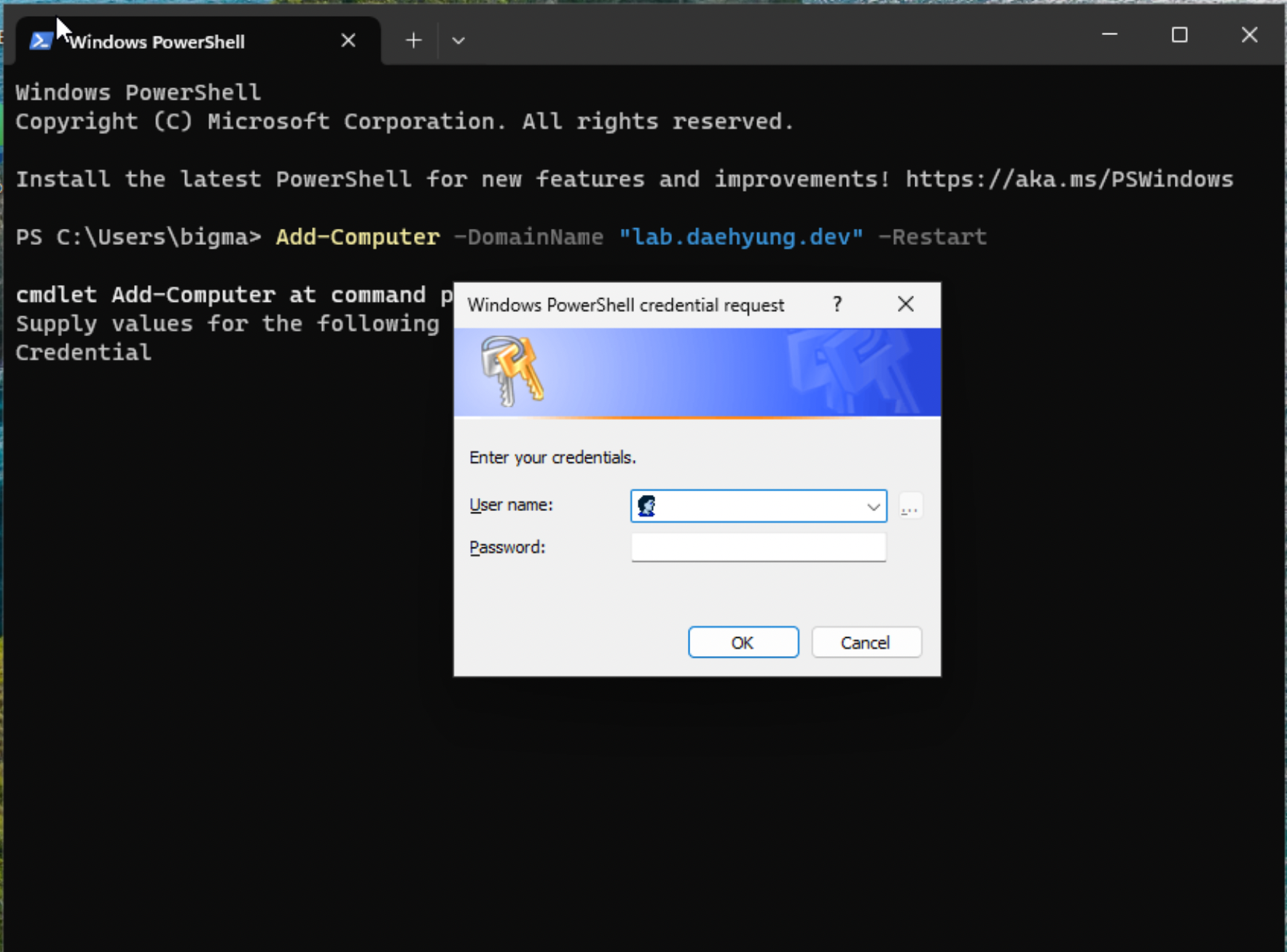
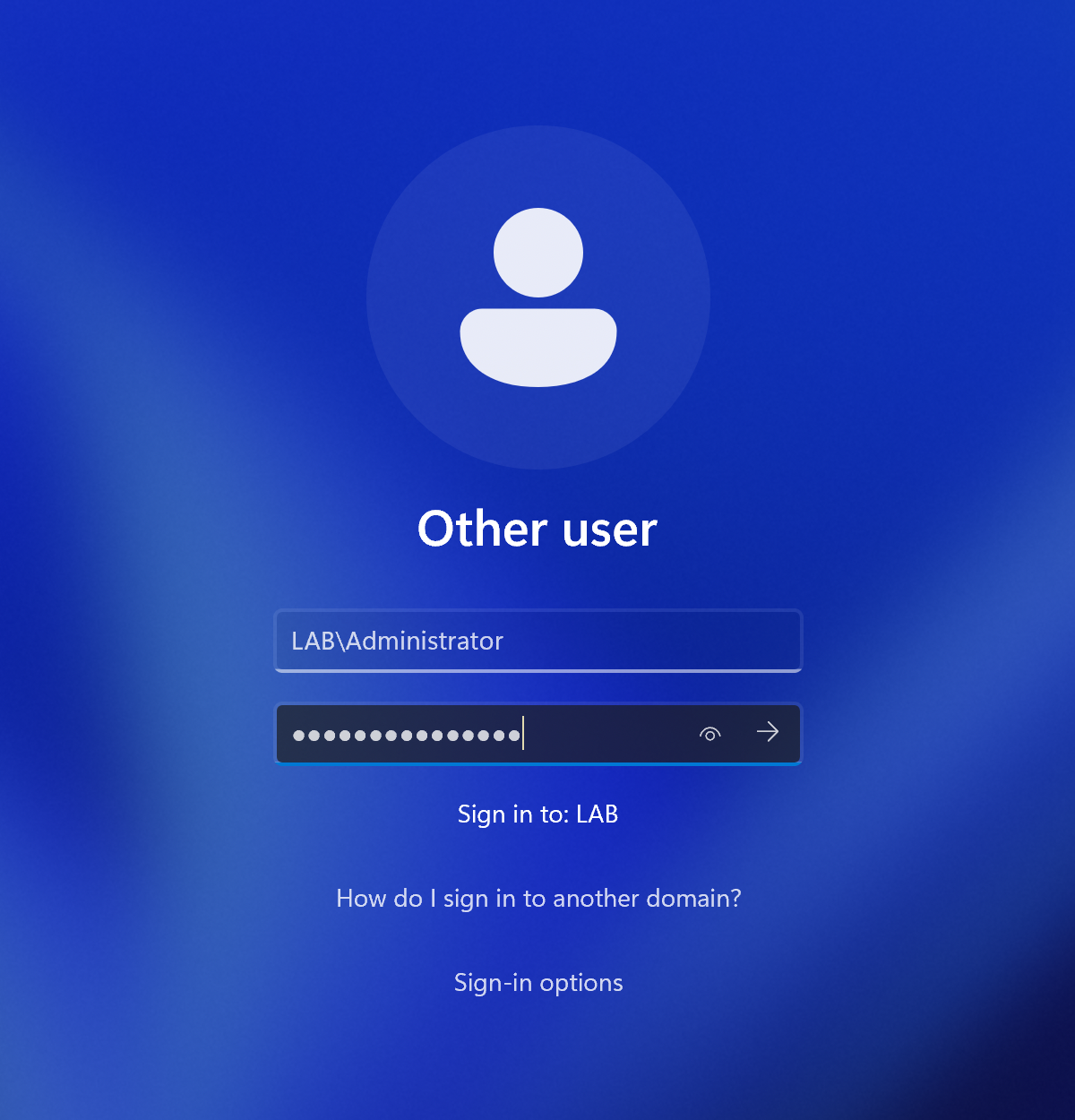
重启后,`winclient01` 可以使用 LAB 域帐户登录。
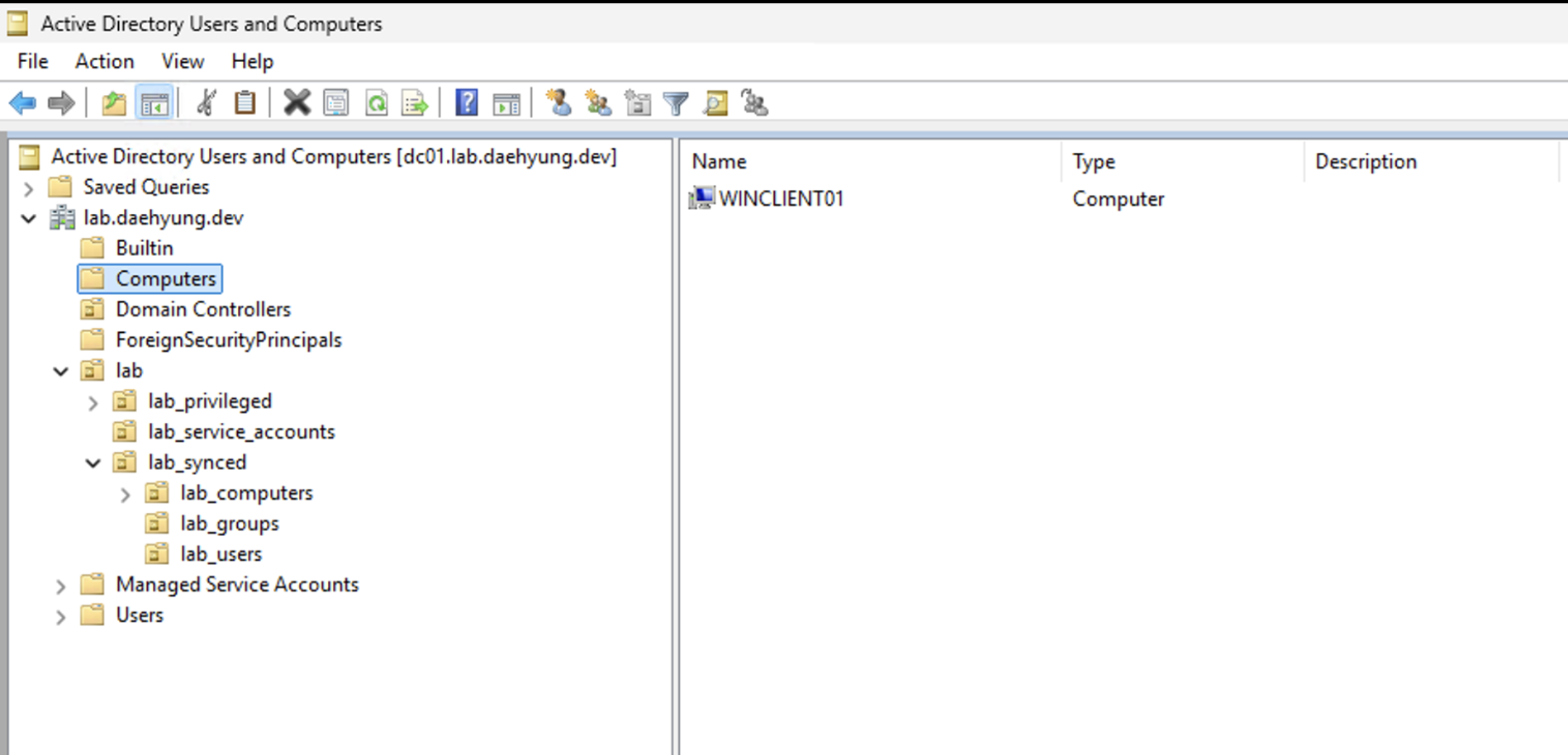
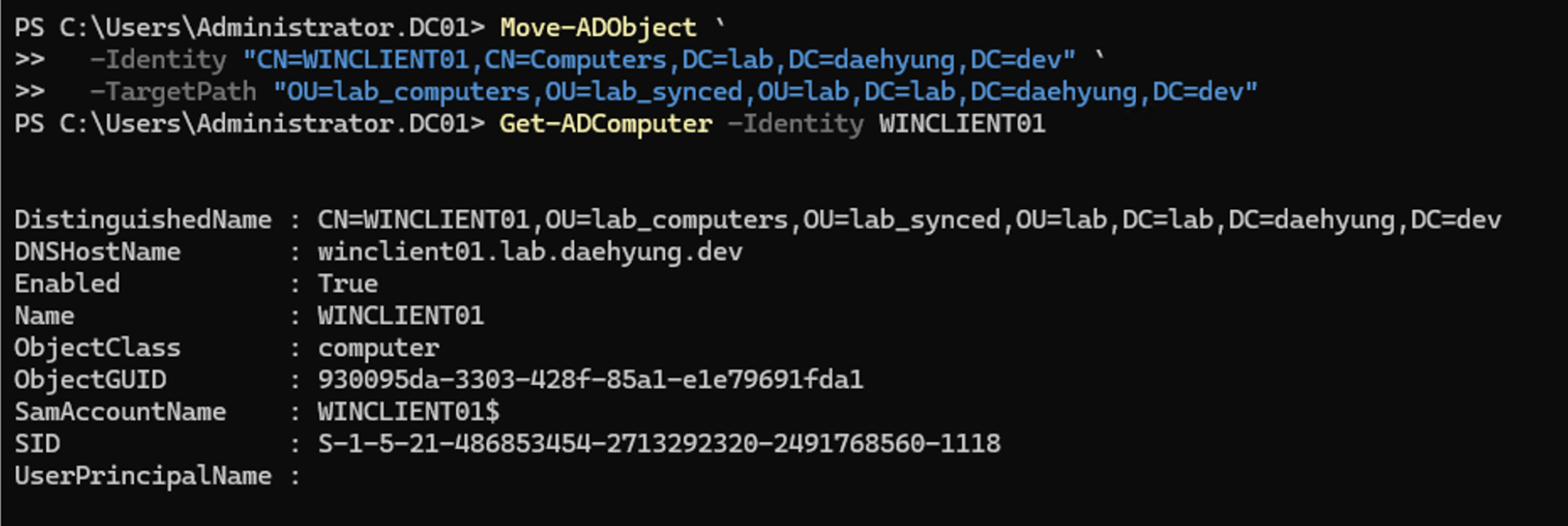
重启后,将计算机对象移动到 `lab_computers` OU。
第一个 ADUC 视图显示 `WINCLIENT01` 位于默认的 `Computers` 容器中。
```
Move-ADObject `
-Identity "CN=WINCLIENT01,CN=Computers,DC=lab,DC=daehyung,DC=dev" `
-TargetPath "OU=lab_computers,OU=lab_synced,OU=lab,DC=lab,DC=daehyung,DC=dev"
```
PowerShell 输出确认 `WINCLIENT01` 现在在 `lab_computers` 下具有可分辨名称。
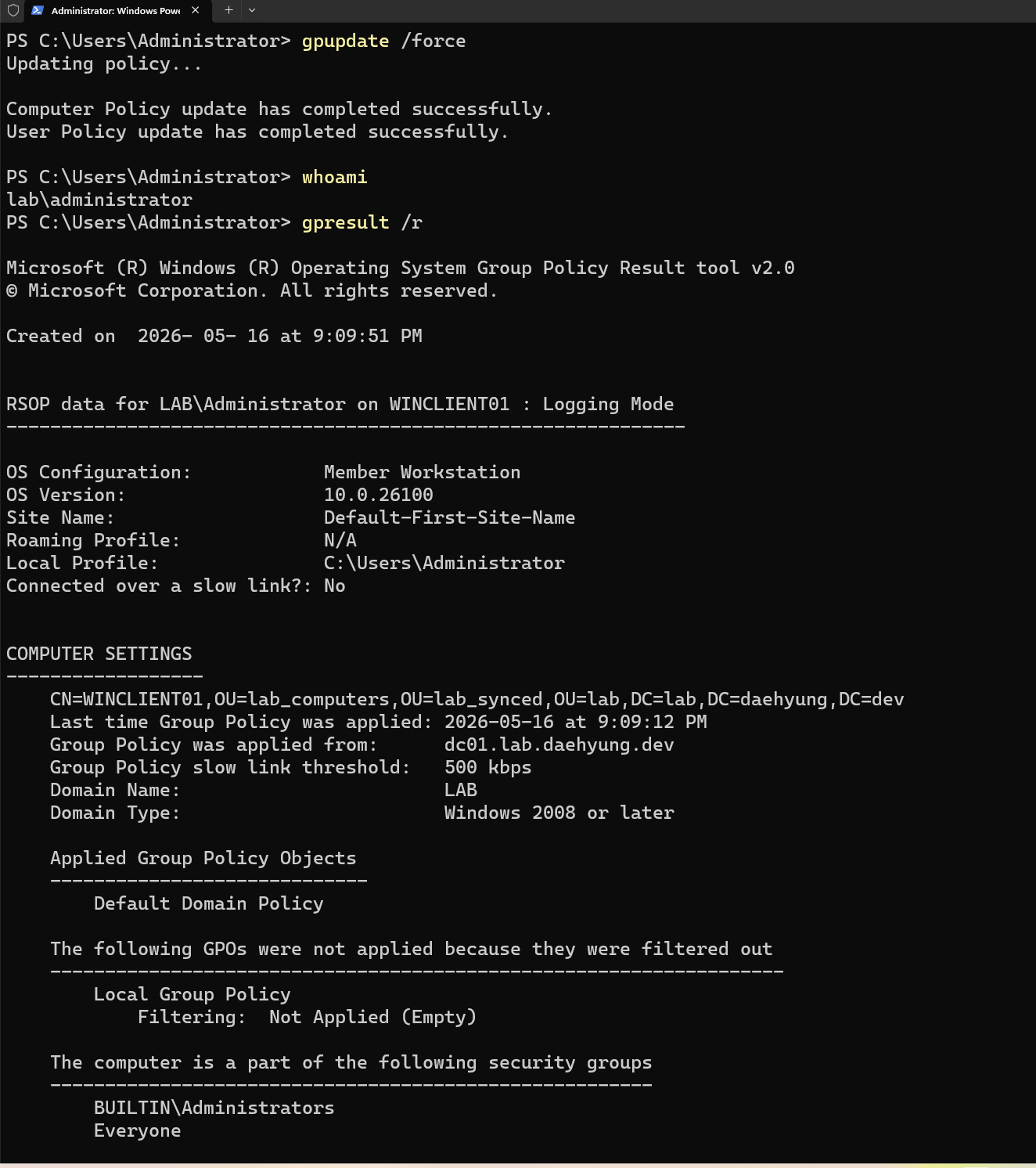
应用 GPO 并确认域身份。
```
gpupdate /force
whoami
gpresult /r
```
## 7. 配置和验证混合加入
为域加入设备配置 Microsoft Entra 混合加入。
对于 v1,重要要求是:
- `winclient01` 的计算机对象位于同步的 OU 中。
- 服务连接点由 Entra Connect 配置。
- `winclient01` 能访问 Microsoft 注册和登录端点。
- 设备注册成功完成。
在 `winclient01` 上,运行:
```
dsregcmd /status
```
预期值:
```
AzureAdJoined : YES
DomainJoined : YES
DeviceAuthStatus : SUCCESS
```
然后在 Microsoft Entra 中确认该设备。
如果注册失败,请保存 `dsregcmd /status` 诊断信息。输出可以显示问题是 AD 连接、SCP 配置、DRS 发现还是令牌获取。
## 8. 配置 Log Analytics、AMA 和 Microsoft Sentinel
### 8.1 创建工作区并启用 Sentinel
创建 Log Analytics 工作区 `law-hybrid-identity-lab`,然后在该工作区上启用 Microsoft Sentinel。
Sentinel 绑定到工作区。它不是另一台 Windows 服务器。
### 8.2 收集 Windows 安全事件
使用 Azure Monitor Agent 和数据收集规则从 `dc01` 和 `winclient01` 收集 Windows 安全事件。
从窄范围开始。首先收集身份管理和 AD 变更跟踪所需的事件。
推荐的事件 ID:
| 事件 ID | 含义 |
| --- | | --- |
| `4672` | 登录时分配了特殊权限 |
| `4720` | 已创建用户帐户 |
| `4724` | 已尝试密码重置 |
| `4725` | 已禁用用户帐户 |
| `4726` | 已删除用户帐户 |
| `4728` | 成员已添加到全局安全组 |
| `4729` | 成员已从全局安全组中移除 |
| `4732` | 成员已添加到本地安全组 |
| `4733` | 成员已从本地安全组中移除 |
| `4740` | 用户帐户已被锁定 |
| `4756` | 成员已添加到通用安全组 |
| `4757` | 成员已从通用安全组中移除 |
| `4768` | 已请求 Kerberos 身份验证票证 |
| `4769` | 已请求 Kerberos 服务票证 |
| `4771` | Kerberos 预身份验证失败 |
| `5136` | 目录对象已修改 |
### 8.3 连接 Microsoft Entra 日志
使用 Sentinel 中的 Microsoft Entra ID 数据连接器。
如果可用,则收集审核日志。仅当租户具有 Microsoft Entra ID P1 或 P2 时,才收集登录日志。Microsoft 文档指出,需要 P1 或 P2 才能将登录日志引入 Sentinel。
## 9. 创建和测试 KQL 检测
每个检测都应包含测试操作、KQL 查询和证据。
### 9.1 特权 AD 组成员身份变更
测试操作:将测试用户添加到一个实验管理组,然后移除该用户。
```
Add-ADGroupMember -Identity "GRP_SRV_LocalAdmins" -Members "alice"
Remove-ADGroupMember -Identity "GRP_SRV_LocalAdmins" -Members "alice" -Confirm:$false
```
KQL:
```
SecurityEvent
| where EventID in (4728, 4729, 4732, 4733, 4756, 4757)
| where RenderedDescription has_any (
"Azure Subscription Reader",
"Log Analytics Reader",
"Sentinel Responder",
"Sentinel Contributor",
"Helpdesk Password Reset",
"Server Local Admins",
"GRP_AZ_Reader",
"GRP_LA_Reader",
"GRP_SEN_Responder",
"GRP_SEN_Contributor",
"GRP_HD_PwdReset",
"GRP_SRV_LocalAdmins",
"Domain Admins",
"Enterprise Admins",
"Administrators",
"Schema Admins",
"Account Operators"
)
| project TimeGenerated, Computer, EventID, Account, RenderedDescription
| order by TimeGenerated desc
```
此检测显示身份通过 AD 组成员身份获得或失去特权访问的时间。
### 9.2 密码重置、禁用帐户或删除帐户活动
测试操作:重置测试用户的密码,禁用帐户,然后重新启用。
```
Set-ADAccountPassword -Identity "alice" -Reset -NewPassword (ConvertTo-SecureString "TempPassword123!" -AsPlainText -Force)
Disable-ADAccount -Identity "alice"
Enable-ADAccount -Identity "alice"
```
KQL:
```
SecurityEvent
| where EventID in (4724, 4725, 4726)
| summarize Count=count() by EventID, Account, Computer, bin(TimeGenerated, 1h)
| order by TimeGenerated desc
```
此检测有助于审查帐户接管响应操作和可疑的帐户管理。
### 9.3 GPO 或 AD 对象修改跟踪
测试操作:更改测试 GPO 中的安全设置。
KQL:
```
SecurityEvent
| where EventID == 5136
| where RenderedDescription has "CN=Policies,CN=System"
| project TimeGenerated, Computer, Account, RenderedDescription
| order by TimeGenerated desc
```
此检测显示会影响多个用户或计算机的 AD 对象更改。
### 9.4 Microsoft Entra 中的新特权角色分配
测试操作:如果租户允许,将低风险测试角色分配给实验组,然后移除。
KQL:
```
AuditLogs
| where Category == "RoleManagement"
| where ActivityDisplayName has_any (
"Add member to role",
"Add eligible member to role",
"Add member to role outside of PIM"
)
| project TimeGenerated, ActivityDisplayName, InitiatedBy, TargetResources, Result
| order by TimeGenerated desc
```
此检测显示云端的特权角色分配活动。
### 9.5 Entra 登录失败激增
仅当工作区中有 `SigninLogs` 时才使用此检测。
测试操作:在不锁定帐户的情况下,生成针对实验用户的失败登录尝试。
KQL:
```
SigninLogs
| where tostring(ResultType) != "0"
| summarize FailedAttempts=count(),
UserCount=dcount(UserPrincipalName),
IPCount=dcount(IPAddress)
by bin(TimeGenerated, 15m)
| where FailedAttempts >= 10
| order by TimeGenerated desc
```
如果租户缺少 P1 或 P2 导致 `SigninLogs` 不可用,请将其保留为仅设计检测并说明许可证限制。
### 9.6 Sentinel 分析规则
将一个经过验证的查询转换为 Sentinel 中的计划分析规则。
推荐的第一条规则:特权 AD 组成员身份变更。
分析规则证明该实验可以将身份活动转化为警报工作流。
## 10. RBAC、紧急访问和条件访问设计
### 10.1 Azure 和 Sentinel RBAC
使用基于组的访问,而不是直接分配用户。
推荐的映射:
| 同步组 | Azure 或 Sentinel 角色 |
| --- | | --- |
| `Azure Subscription Reader` (`GRP_AZ_Reader`) | 订阅的 Reader |
| `Log Analytics Reader` (`GRP_LA_Reader`) | 工作区的 Log Analytics Reader |
| `Sentinel Responder` (`GRP_SEN_Responder`) | Microsoft Sentinel Responder |
| `Sentinel Contributor` (`GRP_SEN_Contributor`) | Microsoft Sentinel Contributor |
注意角色分配的累加行为。如果用户具有多个角色路径,则有效权限是这些分配的总和。
AD 组同步到 Microsoft Entra ID 后,将其对象 ID 添加到 `infra/terraform/terraform.tfvars` 并再次运行 Terraform。然后,Terraform 可以从代码分配 Azure 和 Sentinel 角色。
### 10.2 紧急访问帐户
创建两个仅限云的紧急访问帐户。这些帐户不应依赖于 AD DS、Entra Connect Sync 或正常的管理员身份验证路径。
记录:
- 帐户名称
- 凭据存储位置
- 分配的角色
- 哪些条件访问策略排除了它们
- 何时测试这些帐户
不要从 AD DS 同步紧急访问帐户。
### 10.3 安全默认值、条件访问和 PIM
如果租户只有 Entra Free,请使用安全默认值作为基线 MFA 行为,并将条件访问记录为目标设计。
如果可用 P1,请实施一个小型试点条件访问策略:
- 首先针对试点管理组。
- 要求对特权管理访问进行 MFA。
- 排除紧急访问帐户。
- 如果可用,请先使用仅报告模式进行测试。
如果可用 P2,请记录或实施特权身份管理用于合格管理角色分配。
除非许可证和截图证明,否则 README 永远不应声称已实施条件访问或 PIM。
## 11. 证据清单
将此清单用作实验证据包。
-
-
-
-
-
- 第 2 部分捕获的 AD 用户和计算机 OU 结构。
- 第 3 部分捕获的同步用户 UPN 后缀。
- 第 4 部分捕获的 Microsoft Entra Connect Sync 配置。
- 第 5 部分捕获的 Microsoft Entra 同步用户和组。
- 第 6 部分捕获的 Windows 客户端域加入、`lab_computers` OU 移动和 `gpresult` 输出。
-
-
-
-
-
-
-
-
-
-
-
## 12. 云同步和 Defender 门户未来注意事项
本实验使用 Microsoft Entra Connect Sync,因为许多实际环境仍然运行带有 Connect Sync 的混合 AD DS。实验仍应提到,对于许多同步场景,Microsoft Entra Cloud Sync 是较新的方向。
有关迁移设计说明,请参见 [cloud-sync-migration-notes.md](cloud-sync-migration-notes.md)。
Microsoft Sentinel 也正在转向 Microsoft Defender 门户体验。Microsoft 声明,2027 年 3 月 31 日之后,Sentinel 将不再在 Azure 门户中受支持,并且仅在 Defender 门户中可用。本实验可以使用可用的门户工作流构建,但文档应提及 Defender 门户过渡。
## 13. 验证清单
在称实验完成之前,请验证每个项目。
- 运行 Terraform 并确认 Azure 基础设施部署无需手动门户创建。
- 确认已将所需标记应用于实验资源。
- 确认存在所需标记的 Azure 策略分配,或记录禁用策略分配的原因。
- 在同步的 OU 中创建测试 AD 用户和组。
- 强制同步并确认两个对象都出现在 Microsoft Entra ID 中。
- 确认 `lab_service_accounts` 中的对象未出现在 Microsoft Entra ID 中。
- 确认同步用户使用 `lab.daehyung.dev` UPN 后缀。
- 确认 `winclient01` 已域加入。
- 确认 `winclient01` 已混合加入。
- 生成密码重置、帐户禁用、特权组更改和 GPO 修改事件。
- 运行每个 KQL 查询并保存匹配的证据。
- 从经过验证的检测中创建一个 Sentinel 分析规则。
- 确认 NIST CSF 2.0 映射具有治理、识别、保护、检测、响应和恢复的证据。
- 确认已实施的控制措施与因许可证限制而仅为设计的控制措施分开。
## 14. 参考资料
- [保护域控制器免受攻击](https://learn.microsoft.com/en-us/windows-server/identity/ad-ds/plan/security-best-practices/securing-domain-controllers-against-attack)
- [Microsoft Entra Connect 先决条件](https://learn.microsoft.com/en-us/entra/identity/hybrid/connect/how-to-connect-install-prerequisites)
- [Microsoft Entra Connect 帐户和权限](https://learn.microsoft.com/en-us/entra/identity/hybrid/connect/reference-connect-accounts-permissions)
- [Microsoft Entra Connect Sync 服务帐户](https://learn.microsoft.com/en-us/entra/identity/hybrid/connect/concept-adsync-service-account)
- [Microsoft Entra 混合加入验证](https://learn.microsoft.com/en-gb/entra/identity/devices/how-to-hybrid-join-verify)
- [将 Microsoft Entra ID 数据发送到 Microsoft Sentinel](https://learn.microsoft.com/en-us/azure/sentinel/connect-azure-active-directory)
- [Microsoft Defender 门户中的 Microsoft Sentinel](https://learn.microsoft.com/en-us/azure/sentinel/microsoft-sentinel-defender-portal)
- [Microsoft Entra 数据保留](https://learn.microsoft.com/en-us/entra/identity/monitoring-health/reference-reports-data-retention)
- [NIST 网络安全框架](https://www.nist.gov/cyberframework)
- [NIST 网络安全框架 2.0](https://doi.org/10.6028/NIST.CSWP.29)
标签:AD DS, Azure基础设施, ECS, Entra Connect, GPO管理, KQL检测工程, Log Analytics, Microsoft Entra ID, NIST CSF, RBAC设计, Sentinel日志记录, Terraform, 人工智能安全, 合规性, 域加入, 混合Active Directory, 混合云身份, 监控和告警, 网络安全实验室, 设备信任, 身份同步, 身份管理