Apoorva-Nayak07/AI-Malware-Detection-System
GitHub: Apoorva-Nayak07/AI-Malware-Detection-System
一个基于机器学习的企业级恶意软件检测与威胁分析平台,通过多种ML模型实现文件分类、异常检测和威胁预测,并提供实时监控仪表板。
Stars: 0 | Forks: 0
# 🛡️ AI 恶意软件检测与威胁分析系统
Content-Type: multipart/form-data
file:
```
#### 获取扫描历史
```
GET /api/scan/history?page=1&limit=20
Authorization: Bearer
```
#### 根据 ID 获取扫描
```
GET /api/scan/:scanId
Authorization: Bearer
```
### 威胁 Endpoint
#### 获取所有威胁
```
GET /api/threats?severity=critical&status=active
Authorization: Bearer
```
#### 获取威胁统计
```
GET /api/threats/stats/dashboard
Authorization: Bearer
```
#### 更新威胁状态
```
PUT /api/threats/:threatId/status
Authorization: Bearer
Content-Type: application/json
{
"status": "resolved",
"notes": "Threat mitigated successfully"
}
```
### 分析 Endpoint
#### 获取仪表板分析
```
GET /api/analytics/dashboard
Authorization: Bearer
```
#### 获取恶意软件趋势
```
GET /api/analytics/malware-trends?days=30
Authorization: Bearer
```
#### 生成报告
```
POST /api/analytics/generate-report
Authorization: Bearer
Content-Type: application/json
{
"timeRange": 30,
"reportType": "comprehensive"
}
```
### ML 服务 Endpoint
#### 分析文件
```
POST /api/ml/analyze
Content-Type: multipart/form-data
file:
```
#### 预测威胁
```
POST /api/ml/predict-threats
Content-Type: application/json
{
"historical_data": [...]
}
```
#### 检测异常
```
GET /api/ml/detect-anomalies
```
## 🤖 ML 模型
### 1. 恶意软件分类器 (Random Forest)
**目的**:将文件分类到恶意软件类别中
**特征**:包含 25+ 个提取特征:
- 文件熵
- 可疑字符串
- API 调用
- 网络活动
- 注册表修改
- 进程注入
- 加密指示符
- 混淆级别
- PE 特征
**类别**:
- 良性
- 木马
- 蠕虫
- 勒索软件
- 间谍软件
- 广告软件
**准确率**:~94%(基于训练数据)
### 2. 异常检测器 (Isolation Forest)
**目的**:检测异常的行为模式
**方法**:Isolation Forest 算法
**输出**:异常评分 (0-1)
**阈值**:0.6 用于异常分类
### 3. 威胁预测器 (XGBoost)
**目的**:预测未来的威胁和攻击向量
**特征**:历史威胁数据,行为模式
**输出**:风险评分,威胁类型,攻击向量
## 🐳 部署
### Docker 部署
```
# 构建 images
docker-compose build
# 启动服务
docker-compose up -d
# 查看 logs
docker-compose logs -f
# 停止服务
docker-compose down
```
### 生产环境部署
#### Railway
```
# 安装 Railway CLI
npm install -g @railway/cli
# 登录
railway login
# 初始化项目
railway init
# 部署
railway up
```
#### Render
1. 连接 GitHub 仓库
2. 为后端创建 Web 服务
3. 为前端创建 Web 服务
4. 为 ML 服务创建 Web 服务
5. 添加 MongoDB 数据库
6. 配置环境变量
#### AWS/Azure
1. 设置 EC2/VM 实例
2. 安装 Docker
3. 克隆仓库
4. 配置环境变量
5. 运行 docker-compose
6. 设置负载均衡器
7. 配置 SSL 证书
## 🔒 安全
### 安全功能
- **JWT 身份验证** - 安全的基于 token 的认证
- **密码哈希** - 带有加盐轮数的 Bcrypt
- **速率限制** - 防止暴力破解攻击
- **Helmet.js** - 安全标头
- **CORS 保护** - 受控的跨域请求
- **输入验证** - Express-validator
- **文件上传限制** - 每个文件最大 50MB
- **SQL 注入防护** - MongoDB ODM
- **XSS 保护** - React 内置保护
### 最佳实践
1. 在生产环境中更改默认的 JWT 密钥
2. 在生产环境中使用 HTTPS
3. 启用 MongoDB 身份验证
4. 定期进行安全审计
5. 保持依赖项更新
6. 实施适当的日志记录
7. 将密钥存储在环境变量中
8. 启用防火墙规则
9. 定期备份
##🤝 贡献
欢迎贡献!请遵循以下步骤:
1. Fork 该仓库
2. 创建功能分支 (`git checkout -b feature/AmazingFeature`)
3. 提交更改 (`git commit -m 'Add AmazingFeature'`)
4. 推送到分支 (`git push origin feature/AmazingFeature`)
5. 发起 Pull Request



**企业级 AI 驱动的恶意软件检测平台**
灵感来源于 CrowdStrike Falcon、Microsoft Defender、SentinelOne 和 IBM QRadar
[功能](#-features) • [快速开始](#-quick-start) • [架构](#-architecture) • [API 文档](#-api-documentation) • [部署](#-deployment)
## 🎯 概述
**AI 恶意软件检测与威胁分析系统**是一个企业级网络安全平台,它利用机器学习实时检测、分析和预测恶意软件威胁。该系统采用现代技术构建,并从业界领先的安全平台中汲取灵感,提供全面的威胁情报和安全分析。
## 截图
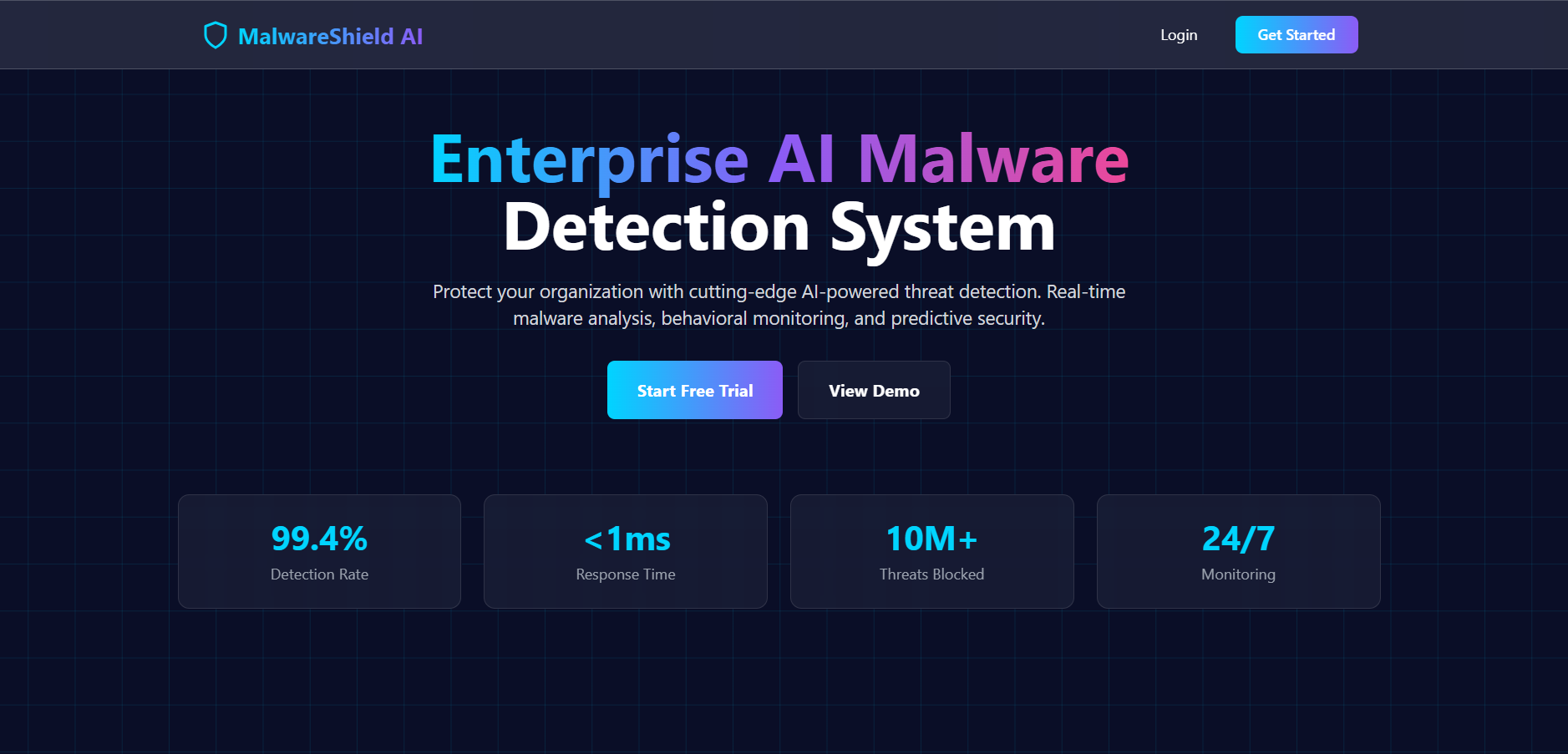
### 首页
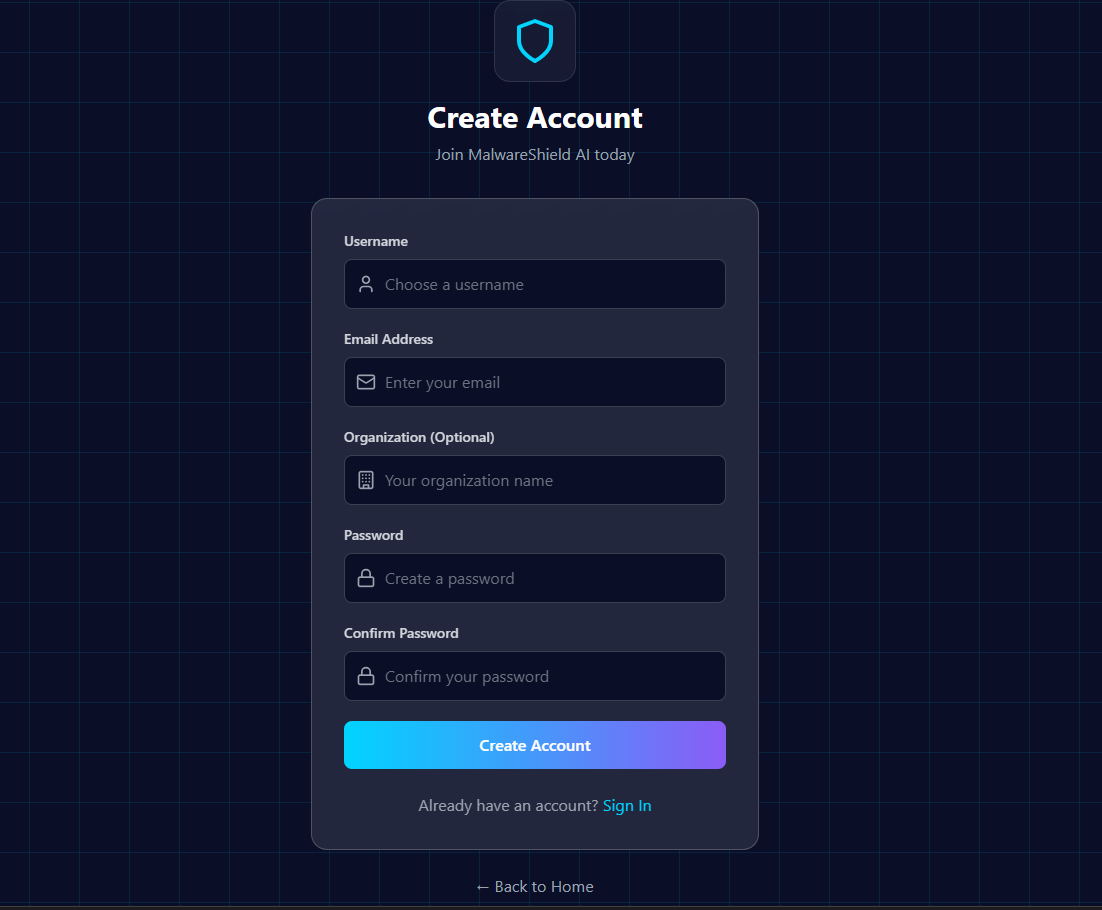
### 注册页面
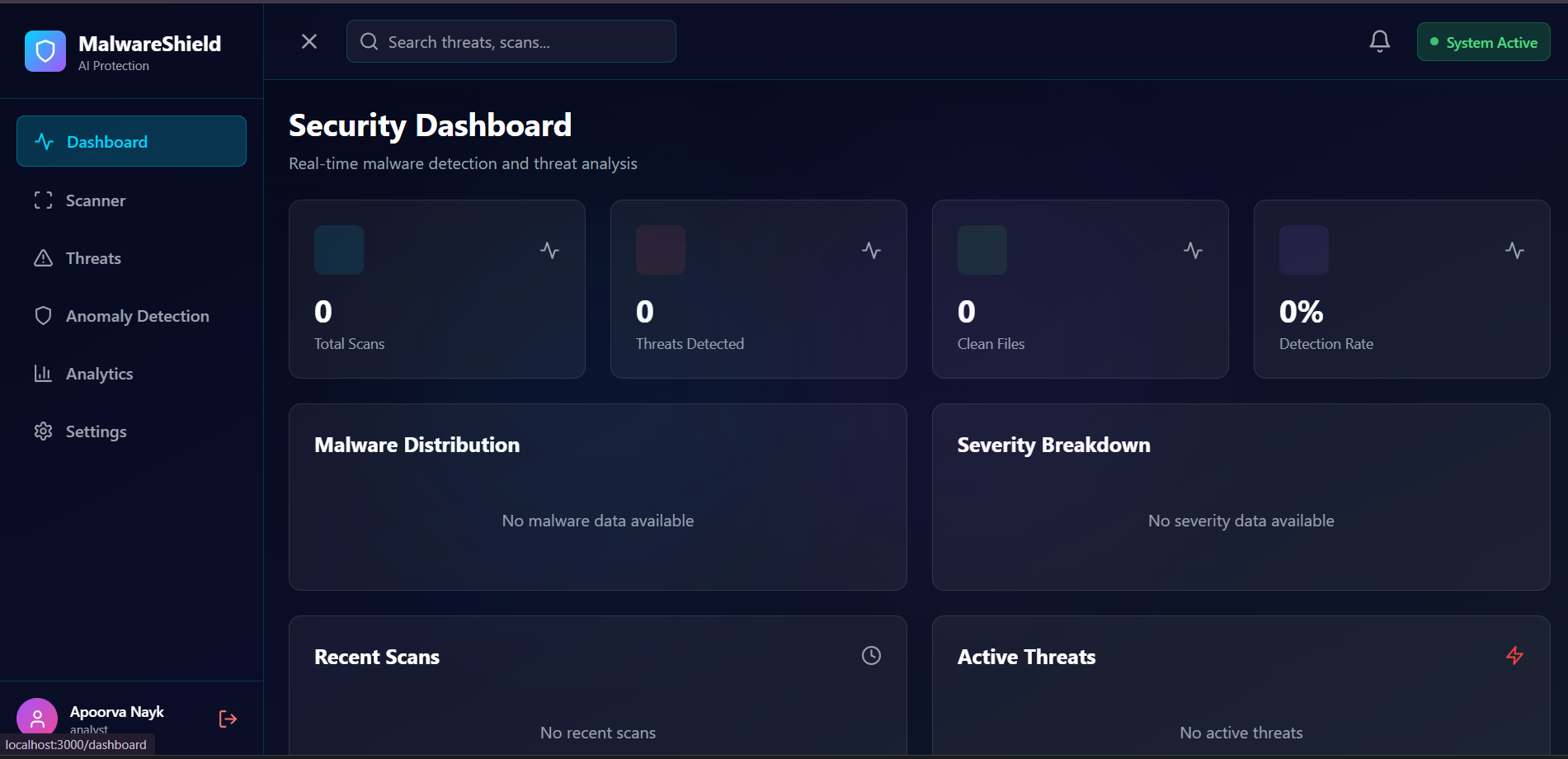
### 安全仪表板
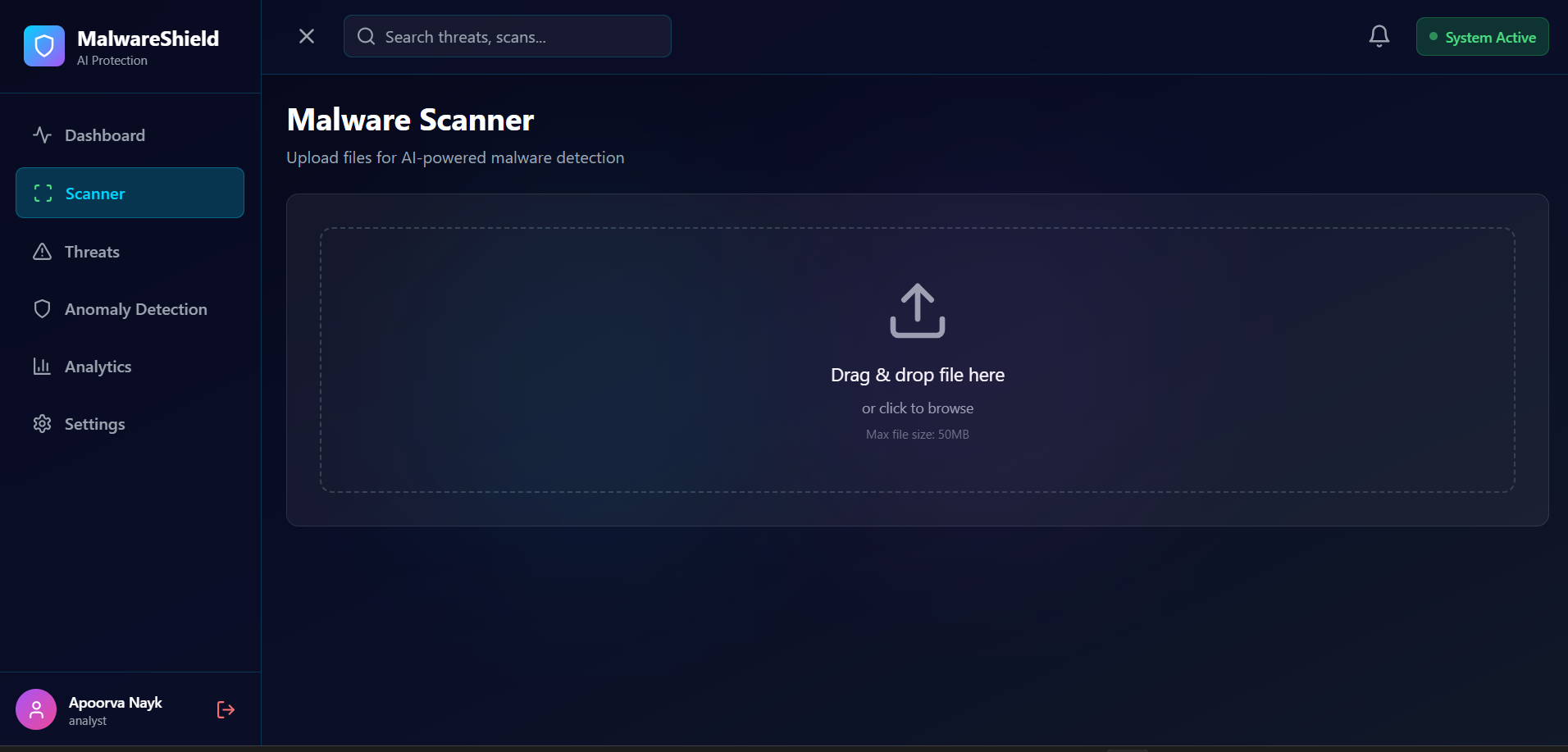
### 扫描部分
### 威胁
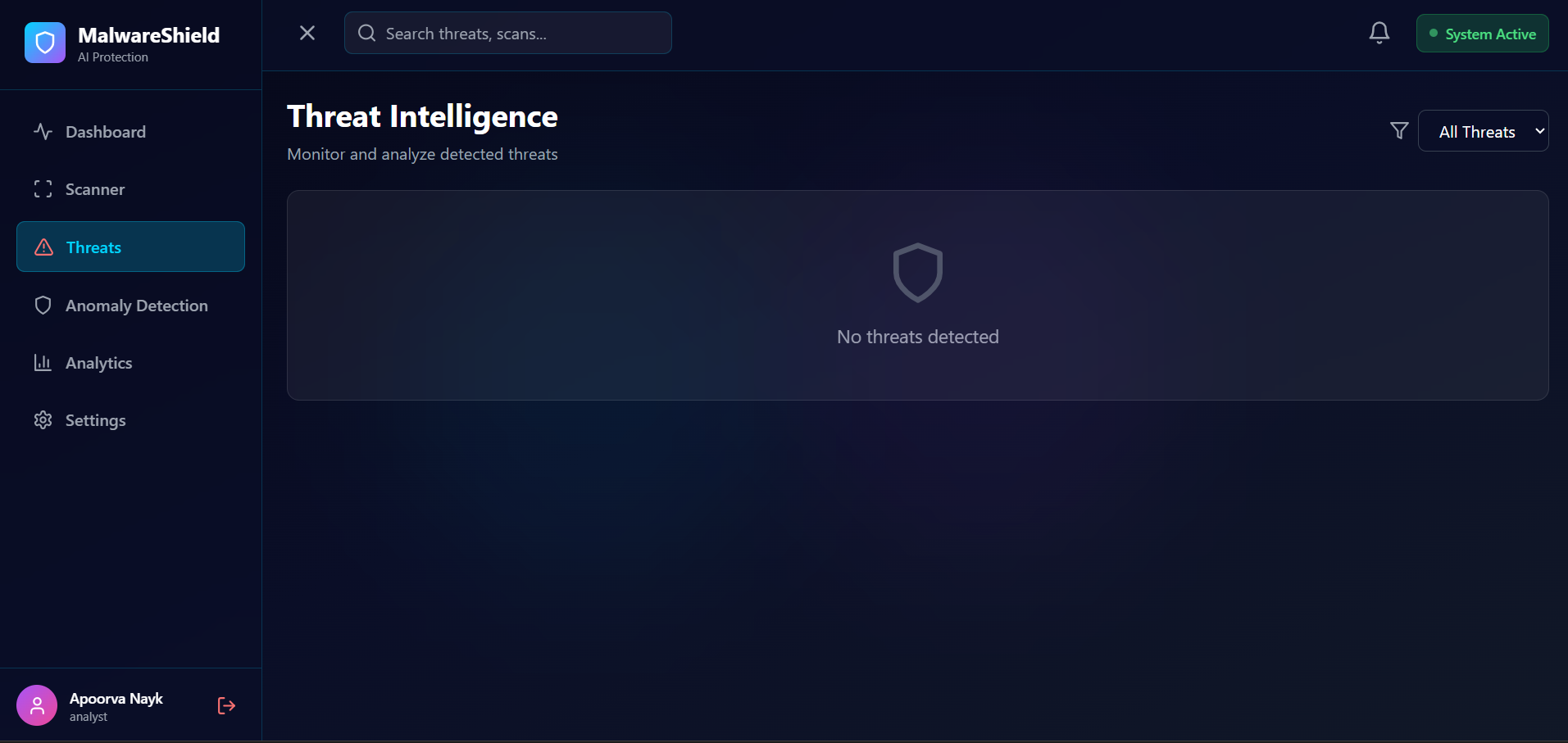
### 异常检测

### 分析
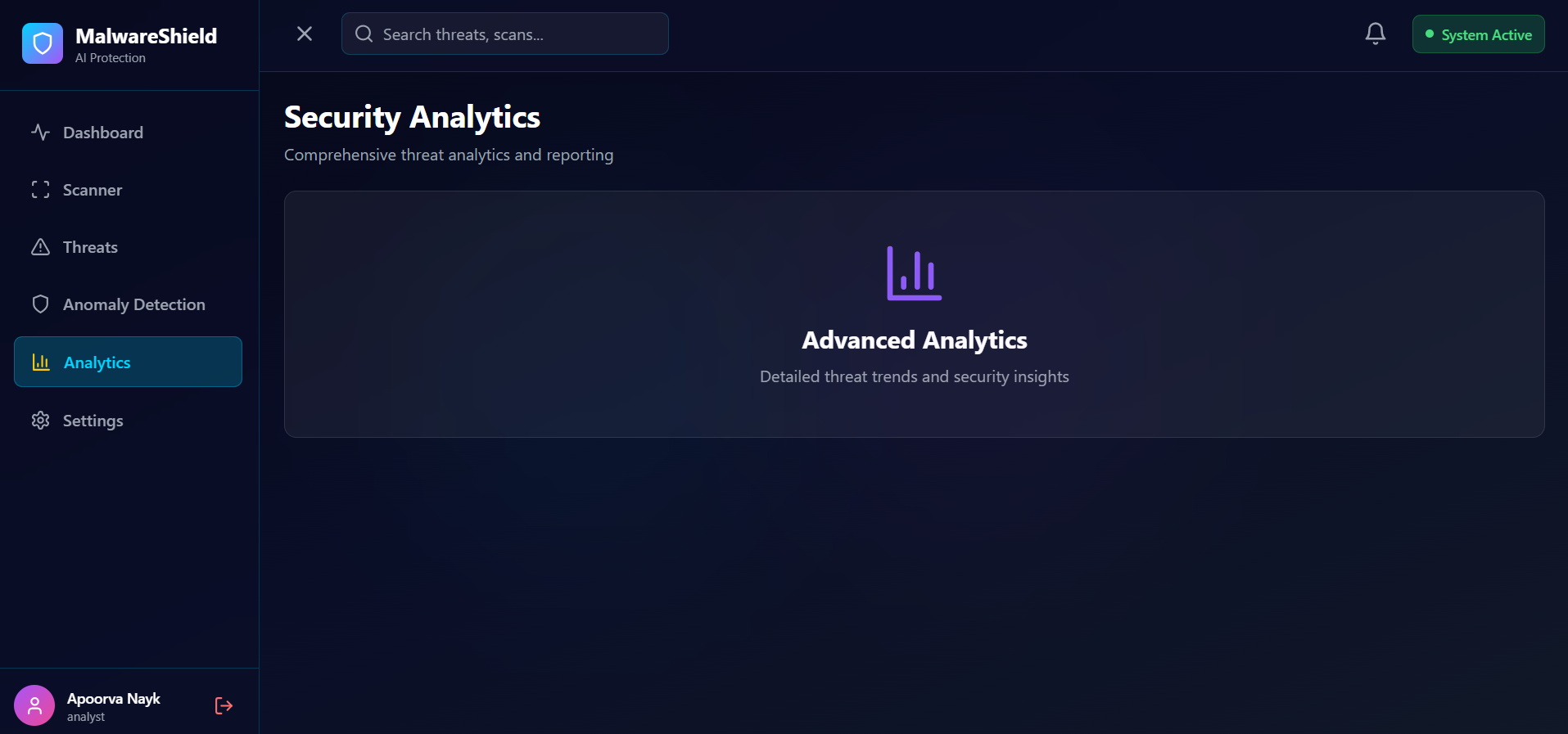
### 设置
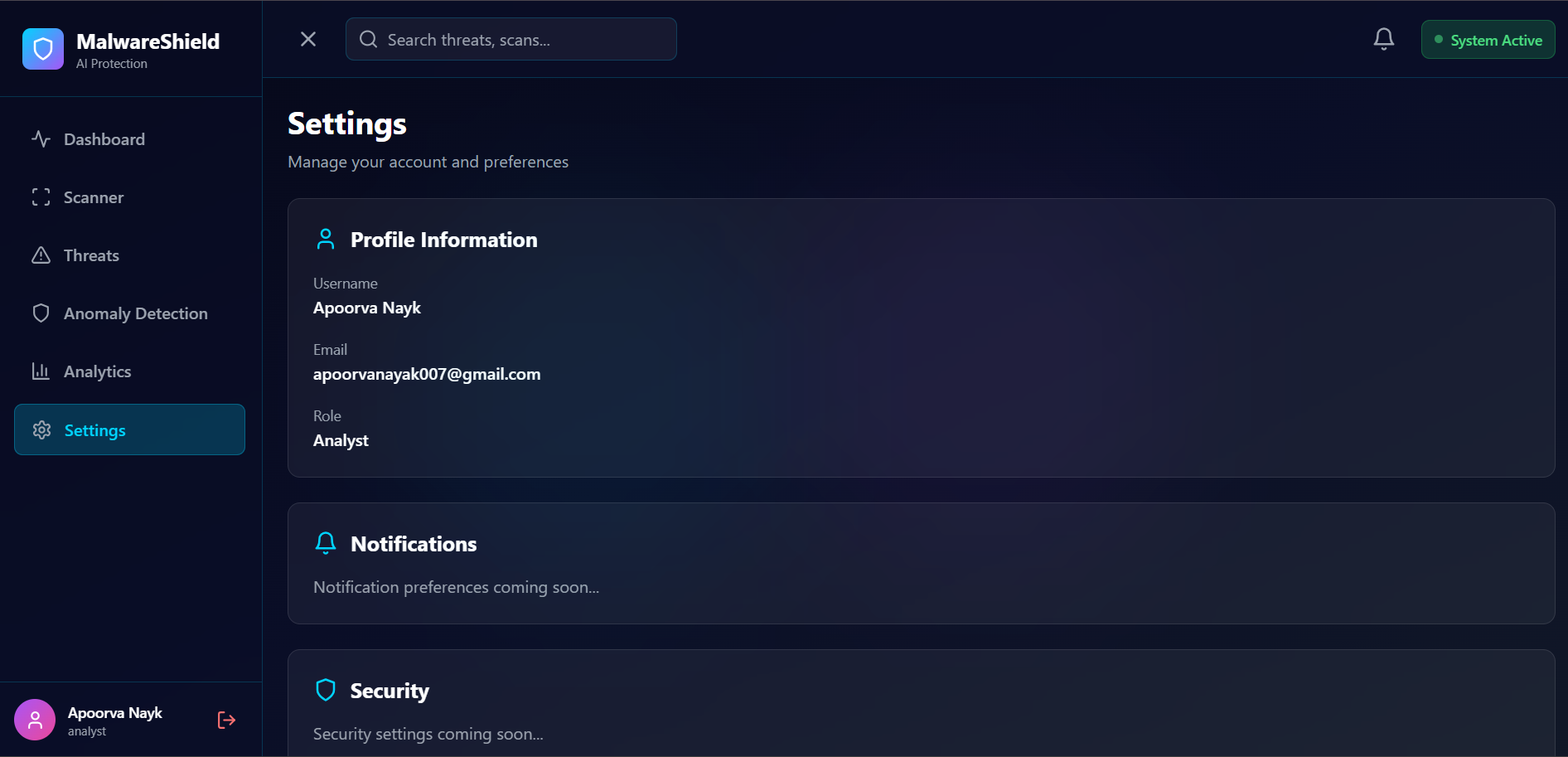
### 核心能力
- 🤖 **AI 驱动的恶意软件分类** - Random Forest、XGBoost 和深度学习模型
- 🔍 **异常检测引擎** - 用于行为分析的 Isolation Forest
- 📊 **威胁预测系统** - 针对未来威胁的预测性分析
- 🎯 **实时监控** - 通过 WebSocket 进行实时威胁检测和告警
- 📈 **安全分析仪表板** - 交互式可视化和洞察
- 🔐 **企业级身份验证** - 基于 JWT 的安全访问控制
- 🌐 **RESTful API** - 用于集成的综合 API
- 🐳 **Docker 就绪** - 容器化部署
## ✨ 功能
### 🛡️ 核心安全功能
#### 1. **恶意软件分类系统**
- 分析上传的文件(EXE、脚本、文档、APK)
- 分类为:木马、蠕虫、勒索软件、间谍软件、广告软件、良性
- 生成恶意软件概率和威胁评分
- AI 驱动的检测解释
#### 2. **AI 威胁预测**
- 预测可疑行为模式
- 识别未知威胁
- 生成未来风险评分
- 攻击向量分析
#### 3. **异常检测引擎**
- 检测异常的文件行为
- 识别可疑活动
- 未知恶意软件签名检测
- 使用 Isolation Forest 进行行为异常分析
#### 4. **AI 安全评分系统**
- 文件安全评分 (0-100)
- 设备风险评估
- 恶意软件严重性评分
- 威胁置信度水平
#### 5. **实时监控仪表板**
- 活动威胁追踪
- 恶意软件趋势分析
- 检测统计
- 威胁时间线
- 风险分析
- 攻击类别细分
### 📊 仪表板模块
1. **首页** - 专业的网络安全主题主页
2. **身份验证** - 使用 JWT 登录/注册
3. **安全仪表板** - 实时威胁概览
4. **恶意软件扫描器** - 文件上传和分析中心
5. **威胁情报** - 全面的威胁数据
6. **AI 预测中心** - 威胁预测
7. **异常检测实验室** - 行为分析
8. **报告与分析** - 安全洞察
9. **威胁历史** - 历史威胁数据
10. **用户管理** - 管理面板
11. **设置** - 用户偏好
### 🎨 UI/UX 功能
- **暗黑未来主题** - 网络安全美学
- **玻璃拟态效果** - 现代 UI 设计
- **霓虹赛博色彩** - 青色、蓝色、红色点缀
- **流畅动画** - Framer Motion 驱动
- **实时小部件** - 实时威胁更新
- **安全评分卡** - 可视化风险指标
- **交互式分析** - Recharts 可视化
- **威胁严重性指标** - 颜色编码告警
- **实时活动源** - 实时事件流
- **响应式布局** - 移动端友好设计
## 🛠️ 技术栈
### 前端
- **React.js 18** - UI 框架
- **Tailwind CSS** - 实用优先的样式工具
- **Framer Motion** - 动画库
- **Recharts** - 数据可视化
- **Chart.js** - 附加图表
- **Axios** - HTTP 客户端
- **React Router** - 导航
- **Socket.IO Client** - 实时通信
- **Zustand** - 状态管理
- **React Hot Toast** - 通知
- **Lucide React** - 图标库
### 后端
- **Node.js** - 运行时环境
- **Express.js** - Web 框架
- **MongoDB** - NoSQL 数据库
- **Mongoose** - ODM
- **JWT** - 身份验证
- **Socket.IO** - WebSocket 服务器
- **Multer** - 文件上传处理
- **Bcrypt** - 密码哈希
- **Helmet** - 安全标头
- **Morgan** - HTTP 日志
- **Winston** - 应用日志
### AI/ML 服务
- **Python 3.9+** - 编程语言
- **FastAPI** - 现代 API 框架
- **Scikit-learn** - ML 库
- **NumPy** - 科学计算
- **Pandas** - 数据处理
- **Joblib** - 模型持久化
### ML 模型
- **Random Forest** - 恶意软件分类
- **Isolation Forest** - 异常检测
- **XGBoost** - 威胁预测
- **特征工程** - 25+ 提取特征
### DevOps
- **Docker** - 容器化
- **Docker Compose** - 多容器编排
- **NGINX** - 反向代理
- **Git** - 版本控制
## 🏗️ 架构
```
┌─────────────────────────────────────────────────────────────┐
│ CLIENT (React.js) │
│ ┌──────────┐ ┌──────────┐ ┌──────────┐ ┌──────────┐ │
│ │Dashboard │ │ Scanner │ │ Threats │ │Analytics │ │
│ └──────────┘ └──────────┘ └──────────┘ └──────────┘ │
└────────────────────┬────────────────────────────────────────┘
│ HTTP/WebSocket
┌────────────────────┴────────────────────────────────────────┐
│ BACKEND API (Node.js/Express) │
│ ┌──────────┐ ┌──────────┐ ┌──────────┐ ┌──────────┐ │
│ │ Auth │ │ Scan │ │ Threats │ │Analytics │ │
│ └──────────┘ └──────────┘ └──────────┘ └──────────┘ │
└────────┬───────────────────────────┬────────────────────────┘
│ │
│ MongoDB │ HTTP
│ │
┌────────┴────────┐ ┌────────┴────────────────────────┐
│ DATABASE │ │ ML SERVICE (Python/FastAPI) │
│ (MongoDB) │ │ ┌──────────┐ ┌──────────┐ │
│ │ │ │Classifier│ │ Anomaly │ │
│ ┌──────────┐ │ │ └──────────┘ └──────────┘ │
│ │ Users │ │ │ ┌──────────┐ ┌──────────┐ │
│ │ Scans │ │ │ │Predictor │ │Features │ │
│ │ Threats │ │ │ └──────────┘ └──────────┘ │
│ └──────────┘ │ └─────────────────────────────────┘
└─────────────────┘
```
### 数据流
1. **用户上传文件** → 前端
2. **文件发送至后端** → Express API
3. **后端转发至 ML 服务** → FastAPI
4. **ML 服务提取特征** → 特征提取器
5. **模型分析特征** → 分类器、异常检测器、预测器
6. **结果返回后端** → Express API
7. **结果存储于数据库** → MongoDB
8. **发送实时更新** → Socket.IO
9. **仪表板更新** → React 前端
## 🚀 快速开始
### 前置条件
- Node.js >= 16.0.0
- Python >= 3.9
- MongoDB >= 5.0
- Docker(可选)
### 安装
#### 选项 1:手动设置
```
# 克隆 repository
git clone https://github.com/yourusername/ai-malware-detection.git
cd ai-malware-detection
# 安装所有 dependencies
npm run install-all
# 启动 MongoDB(如果未运行)
mongod
# 启动所有服务
npm run dev
```
#### 选项 2:Docker 设置
```
# 克隆 repository
git clone https://github.com/yourusername/ai-malware-detection.git
cd ai-malware-detection
# 构建并启动 containers
docker-compose up --build
```
### 访问应用
- **前端**:http://localhost:3000
- **后端 API**:http://localhost:5000
- **ML 服务**:http://localhost:8000
- **API 文档**:http://localhost:8000/docs
### 默认凭据
```
Email: admin@malware-detection.com
Password: Admin@123
```
## 📦 安装说明
### 步骤 1:克隆仓库
```
git clone https://github.com/yourusername/ai-malware-detection.git
cd ai-malware-detection
```
### 步骤 2:后端设置
```
cd server
# 安装 dependencies
npm install
# 创建 .env 文件
cp .env.example .env
# 使用你的配置编辑 .env
nano .env
# 启动 server
npm run dev
```
### 步骤 3:前端设置
```
cd client
# 安装 dependencies
npm install
# 创建 .env 文件
cp .env.example .env
# 编辑 .env
nano .env
# 启动开发 server
npm start
```
### 步骤 4:ML 服务设置
```
cd ml-service
# 创建 virtual environment
python -m venv venv
# 激活 virtual environment
# Windows
venv\Scripts\activate
# Linux/Mac
source venv/bin/activate
# 安装 dependencies
pip install -r requirements.txt
# 创建 .env 文件
cp .env.example .env
# 启动 ML 服务
python main.py
```
## ⚙️ 配置
### 后端环境变量
```
# Server 配置
NODE_ENV=development
PORT=5000
# MongoDB 配置
MONGODB_URI=mongodb://localhost:27017/malware_detection
# JWT 配置
JWT_SECRET=your_super_secret_jwt_key_change_in_production
JWT_EXPIRE=7d
# ML 服务配置
ML_SERVICE_URL=http://localhost:8000
# 文件上传配置
MAX_FILE_SIZE=50000000
UPLOAD_PATH=./uploads
# CORS 配置
CLIENT_URL=http://localhost:3000
# Rate Limiting
RATE_LIMIT_WINDOW=15
RATE_LIMIT_MAX_REQUESTS=100
```
### 前端环境变量
```
REACT_APP_API_URL=http://localhost:5000
REACT_APP_SOCKET_URL=http://localhost:5000
```
### ML 服务环境变量
```
ML_SERVICE_PORT=8000
MODEL_PATH=./models/trained_models
```
## 📖 用法
### 1. 注册/登录
1. 导航至 http://localhost:3000
2. 点击“开始使用”或“登录”
3. 创建账户或使用凭据登录
### 2. 上传文件进行扫描
1. 前往“扫描器”页面
2. 拖放文件或点击上传
3. 等待分析(显示实时进度)
4. 查看详细结果
### 3. 查看威胁情报
1. 导航至“威胁”页面
2. 查看所有检测到的威胁
3. 按严重性、类型、状态进行过滤
4. 更新威胁状态
5. 添加调查备注
### 4. 监控分析
1. 前往“分析”页面
2. 查看安全评分
3. 分析恶意软件趋势
4. 查看检测时间线
5. 生成报告
### 5. 异常检测
1. 导航至“异常检测”页面
2. 查看检测到的异常
3. 分析行为模式
4. 查看风险评估
## 📚 API 文档
### 身份验证 Endpoint
#### 注册用户
```
POST /api/auth/register
Content-Type: application/json
{
"username": "john_doe",
"email": "john@example.com",
"password": "SecurePass123!",
"organization": "ACME Corp"
}
```
#### 登录
```
POST /api/auth/login
Content-Type: application/json
{
"email": "john@example.com",
"password": "SecurePass123!"
}
```
### 扫描 Endpoint
#### 上传并扫描文件
```
POST /api/scan/upload
Authorization: Bearer 标签:Apex, GNU通用公共许可证, MITM代理, Node.js, Python, Shodan, 威胁分析, 无后门, 机器学习, 自动化侦查工具, 自定义脚本, 请求拦截, 逆向工具