VishnuSrivatsava/SocketSweep
GitHub: VishnuSrivatsava/SocketSweep
SocketSweep 通过原生 C++ 守护进程绕过 MTP 协议,在数秒内完成 Android 存储空间的完整扫描并以交互式 Treemap 可视化展示文件占用情况。
Stars: 67 | Forks: 4

SocketSweep
See what's eating your Android storage in seconds, not minutes.




## 😤 痛点 你是否曾将 Android 手机连接到电脑,想看看是什么占用了所有的存储空间? 使用标准 USB 连接(MTP)时通常会遇到以下情况: - 在文件资源管理器 / Finder 中打开手机 - 点击一个包含大量文件的文件夹 - **“正在计算大小...”** —— 卡住 4 分钟甚至更久 - 最终显示了大小,但浏览速度慢得令人发指 - 想找到大文件?祝你好运,试着一个接一个地滚动浏览数百个文件夹吧 这是因为 **MTP (Media Transfer Protocol)** —— 你的操作系统用于通过 USB 与 Android 通信的协议 —— 是在 2008 年为 MP3 播放器设计的。它一次只能传输一个项目的文件元数据,没有缓存,不支持并行请求,也无法进行快速的递归扫描。它压根就不是为拥有 100GB 以上照片、视频和应用程序的手机设计的。 **SocketSweep 彻底绕过了 MTP。** ## ⚡ 有多快? 在包含约 47,000 个文件的 **Samsung Galaxy S24 Ultra (256GB)** 上完整扫描 `/sdcard`: 扫描时间会因设备负载(后台应用、媒体索引、散热状态)而异。在缓存预热且后台活动最少的情况下,最佳时间为 6.9 秒。 作为对比,通过 MTP 执行相同的操作(插上手机并通过 Windows 资源管理器或 Finder 浏览)通常会导致长达数分钟的“正在计算大小...”卡死,而且 macOS Finder 甚至根本不显示文件夹大小。 *与 OpenMTP 及其他工具进行的详细对比基准测试即将推出。* ## 📸 界面预览
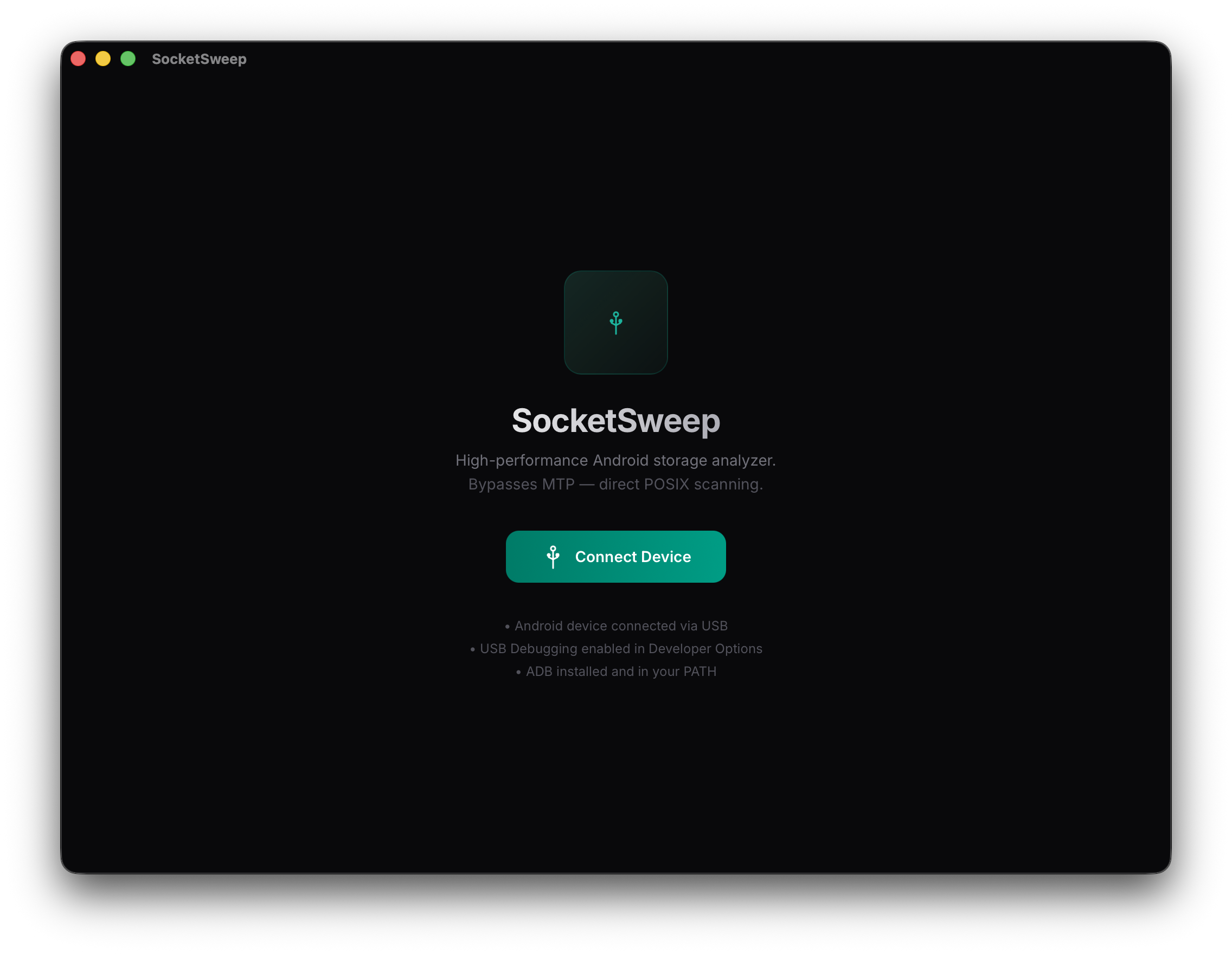
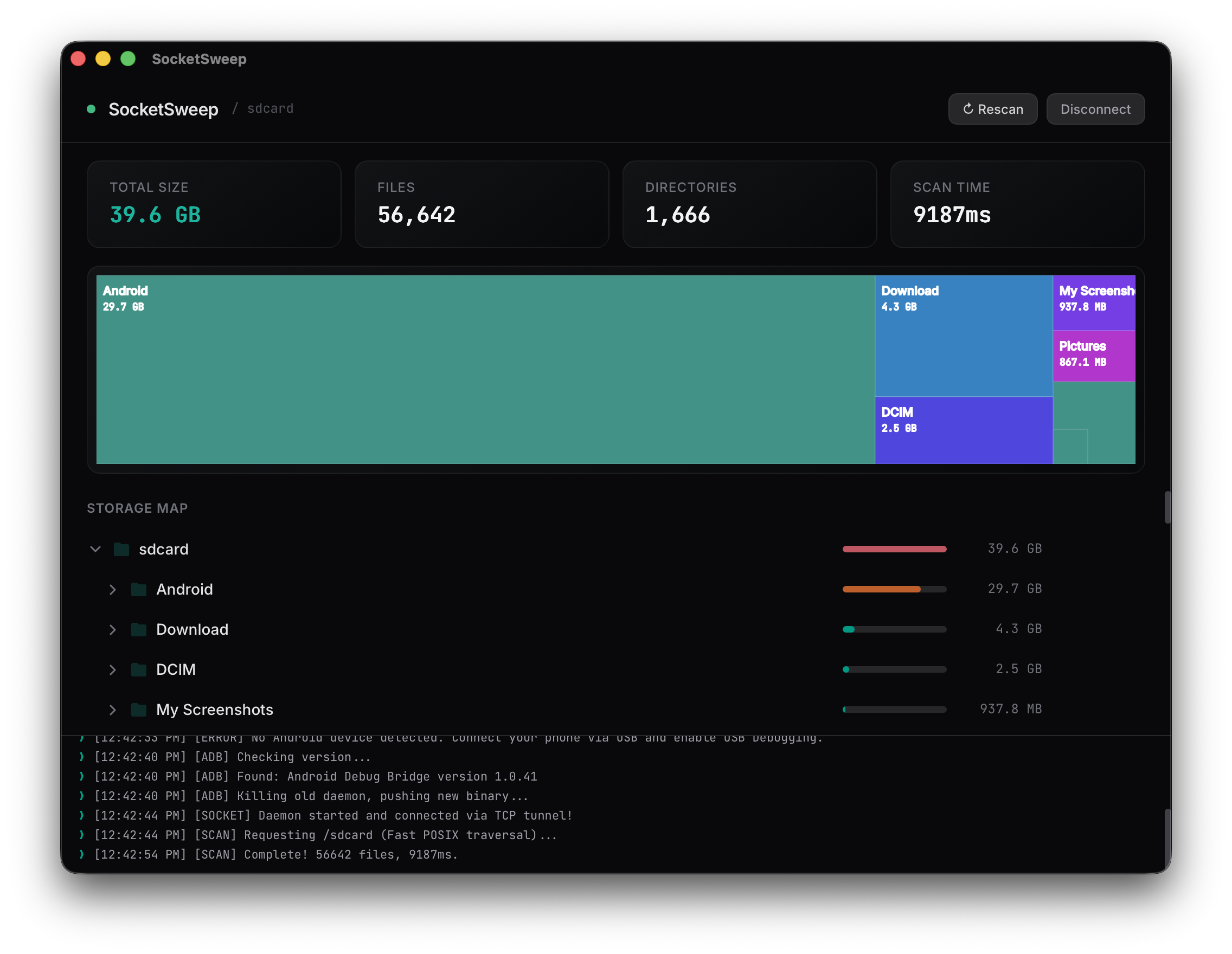
Left: Connection Dashboard | Right: Interactive Treemap — click any block to drill down
Interactive Dashboard"] Bridge["Rust / Tauri Backend
Command Orchestrator"] UI <--> Bridge end subgraph Transport["ADB Protocol"] Tunnel["ADB Port Forwarding
TCP:5050 -> TCP:5050"] end subgraph Device["Android Device"] Daemon["C++17 Daemon
Headless Socket Server"] Storage[("POSIX Filesystem
/sdcard")] Daemon <--> Storage end Bridge <--> Tunnel Tunnel <--> Daemon ``` ### 交互生命周期 ``` sequenceDiagram participant U as React UI participant R as Rust (Tauri) participant A as ADB Shell participant D as C++ Daemon (Android) %% Connect Phase U->>R: invoke("init_daemon") R->>A: pkill daemon (Cleanup) R->>A: push daemon /data/local/tmp R->>A: appops set MANAGE_EXTERNAL_STORAGE allow R->>A: nohup ./daemon & R->>A: adb forward tcp:5050 tcp:5050 R->>D: Ping-Retry Loop (150ms) D-->>R: ACK Connection R-->>U: Connected! %% Scan Phase U->>R: invoke("run_scan", { path: "/sdcard" }) R->>D: TCP Send: `SCAN /sdcard\n` Note over D: Recursive Fast POSIX Traversal D-->>R: Stream Large JSON Tree R-->>U: Parse & Render Treemap %% Delete Phase U->>R: invoke("delete_item", { path }) R->>D: TCP Send: `DELETE /sdcard/... \n` Note over D: std::filesystem::remove_all D-->>R: {"status":"ok"} R-->>U: Update UI / Rescan ``` ## 🔧 开发环境设置(从源码构建) ### 前置条件 1. **Node.js**(v18+) 2. **Rust**(v1.70+,附带 Cargo) 3. **Android NDK**(v26d 或更高版本) 4. **Android SDK / ADB** 已安装并添加到系统的 `$PATH` 中。 ### 1. 编译 C++ Daemon 为 `aarch64-linux-android` 交叉编译 daemon: ``` # 设置你的 NDK 路径 export NDK=/path/to/your/android-ndk-r26d # 构建 daemon cd engine bash ./build.sh ``` *这将在 `engine/` 目录中生成已剥离调试信息的 `daemon` 二进制文件。* ### 2. 安装前端依赖 ``` cd .. npm install ``` ### 3. 运行应用 ``` npm run tauri dev ``` *请确保您的 Android 设备已通过 USB 连接,并且启用了 **USB Debugging**。* ## 🛠 故障排除 ### Android 11+ 上出现“0 个文件”或缺少文件夹 Android 11 引入了 Scoped Storage,限制了文件访问权限。SocketSweep 会自动尝试通过以下方式绕过此限制: ``` adb shell appops set com.android.shell MANAGE_EXTERNAL_STORAGE allow ``` 如果扫描后仍然没有任何显示,请检查您的手机厂商是否需要开启额外的开关(例如,小米需要启用“USB 调试(安全设置)”)。 ### Samsung Auto Blocker 如果您使用的是 Samsung 设备且 USB Debugging 选项为灰色不可点击,您可能启用了 **Auto Blocker**。请前往 **设置 → 安全和隐私 → 自动拦截器**并将其关闭。Auto Blocker 会完全禁用 USB Debugging,因此任何基于 ADB 的工具(包括 SocketSweep)在它开启的情况下都无法运行。该功能默认关闭——只有当您手动开启它时才会遇到此问题。 ### Daemon 启动失败 如果您收到 `Permission denied` 错误,请确保 daemon 被推送到了 `/data/local/tmp/` 目录。现代 Android 禁止从 `/sdcard/` 执行程序。SocketSweep 会自动处理此问题。 ## 📄 许可证 SocketSweep 基于 **GNU General Public License v3.0** 发布。有关更多详细信息,请参阅 [LICENSE](LICENSE) 文件。 ## 👋 作者 由 **Vishnu Srivatsava** 开发。架构灵感来源于 [scrcpy](https://github.com/Genymobile/scrcpy)。目前正在寻找后端 / 系统工程方向的职位。欢迎通过 [LinkedIn](https://www.linkedin.com/in/vishnu-srivatsava-642222238/) 或 [电子邮件](mailto:vishnusrivatsava@gmail.com) 与我联系。
标签:Android, C++, DSL, MTP, React, Rust, Syscalls, 可视化界面, 存储分析, 数据擦除, 网络流量审计, 自动化攻击