iburres/otforge
GitHub: iburres/otforge
Stars: 5 | Forks: 1
# OTForge
[](https://github.com/iburres/otforge/actions/workflows/build.yml)
[](https://github.com/iburres/otforge/actions/workflows/docker.yml)
[](LICENSE)
A free, open-source ICS/SCADA cybersecurity training platform for researchers, educators, and students. Build realistic industrial control system environments on your laptop — no hardware, no subscription, no cost.
## Screenshots
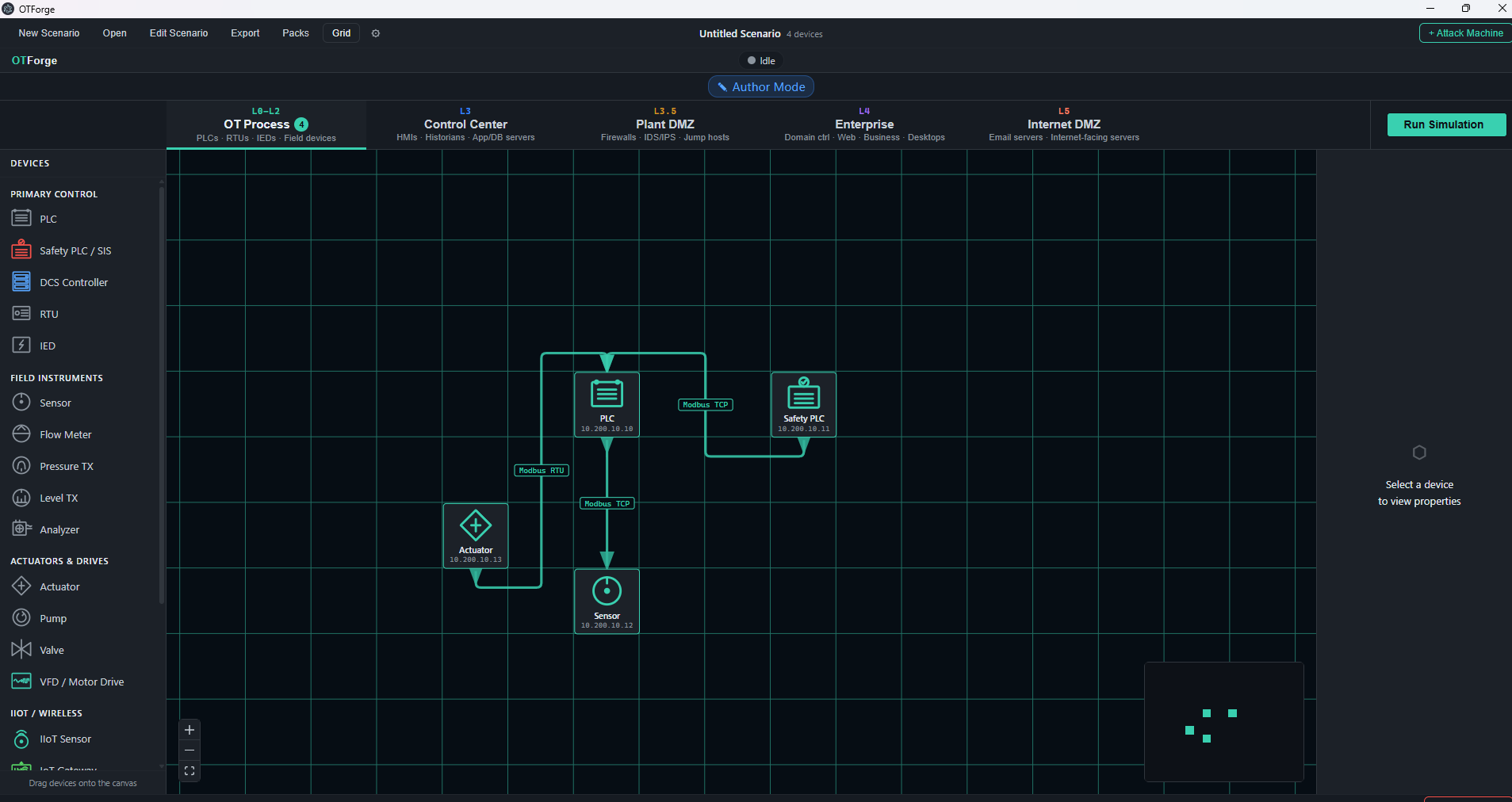
*Drag-and-drop SCADA canvas — OT layer with PLC, sensors, actuators, and live Modbus protocol edges*
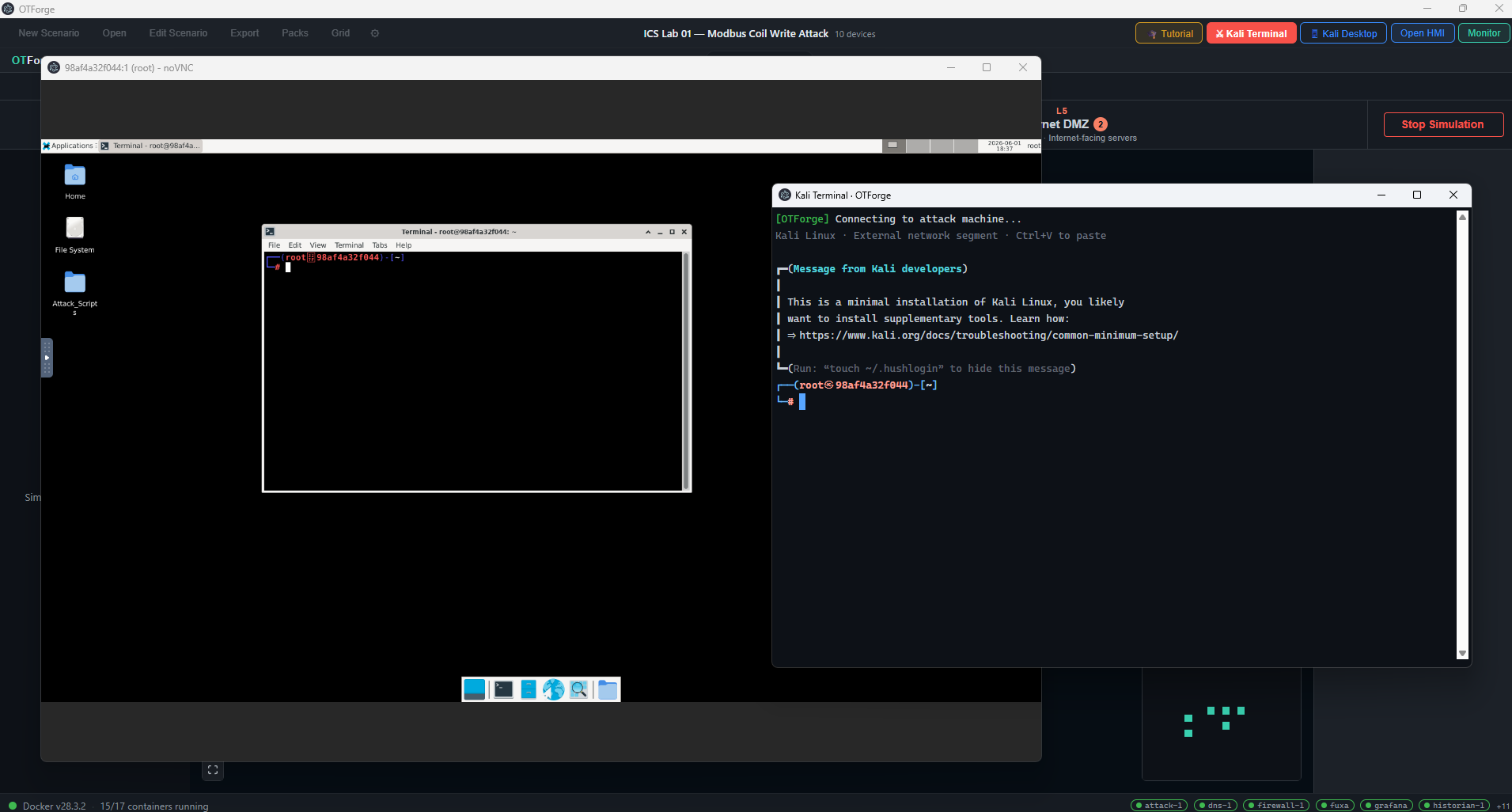
*Full Kali Linux Xfce4 desktop in a dedicated window — ICS attack toolkit, Wireshark, and Metasploit pre-installed*
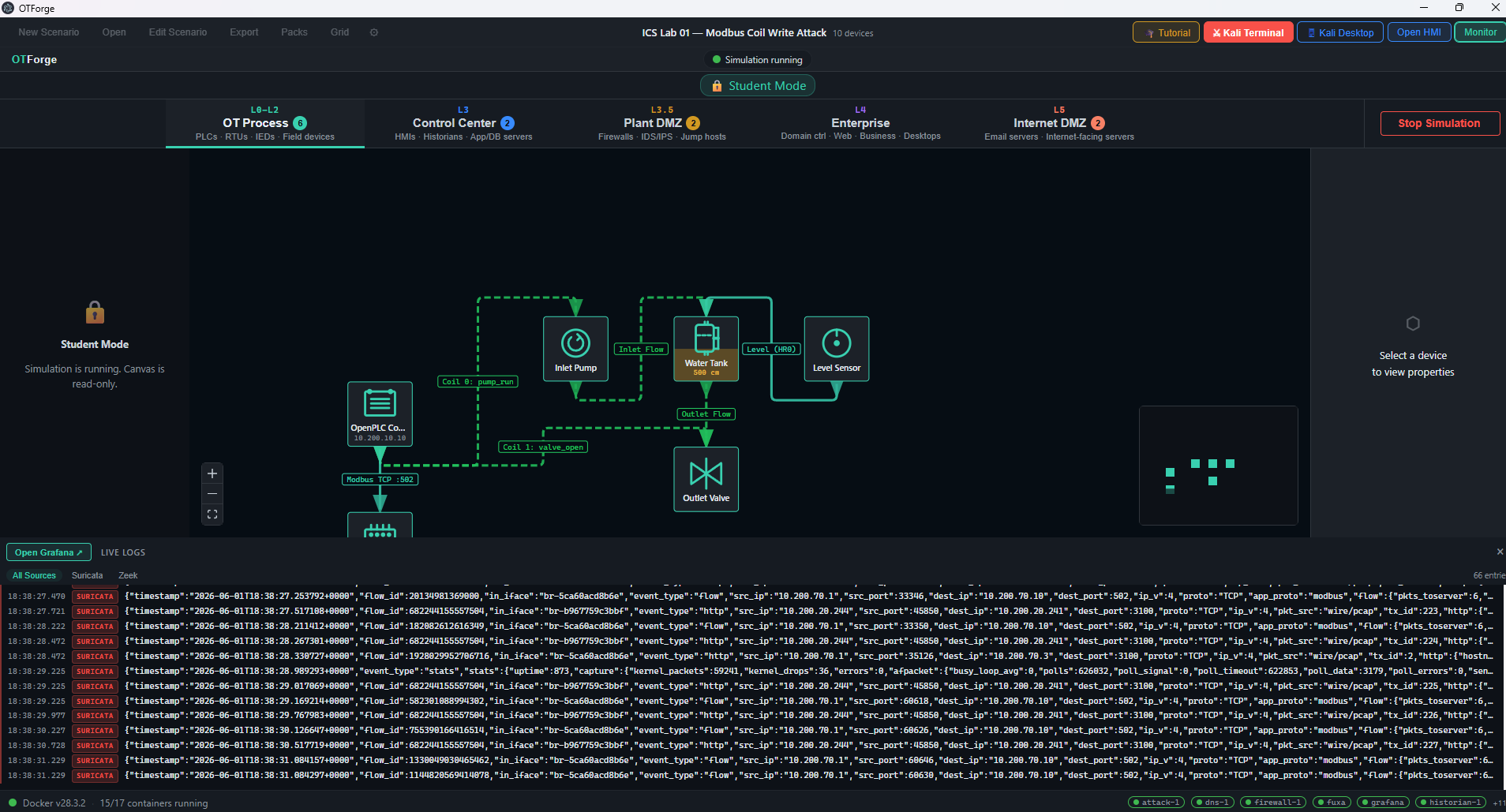
*Live Suricata IDS alerts and Zeek deep-packet logs during an active Modbus coil-write attack*
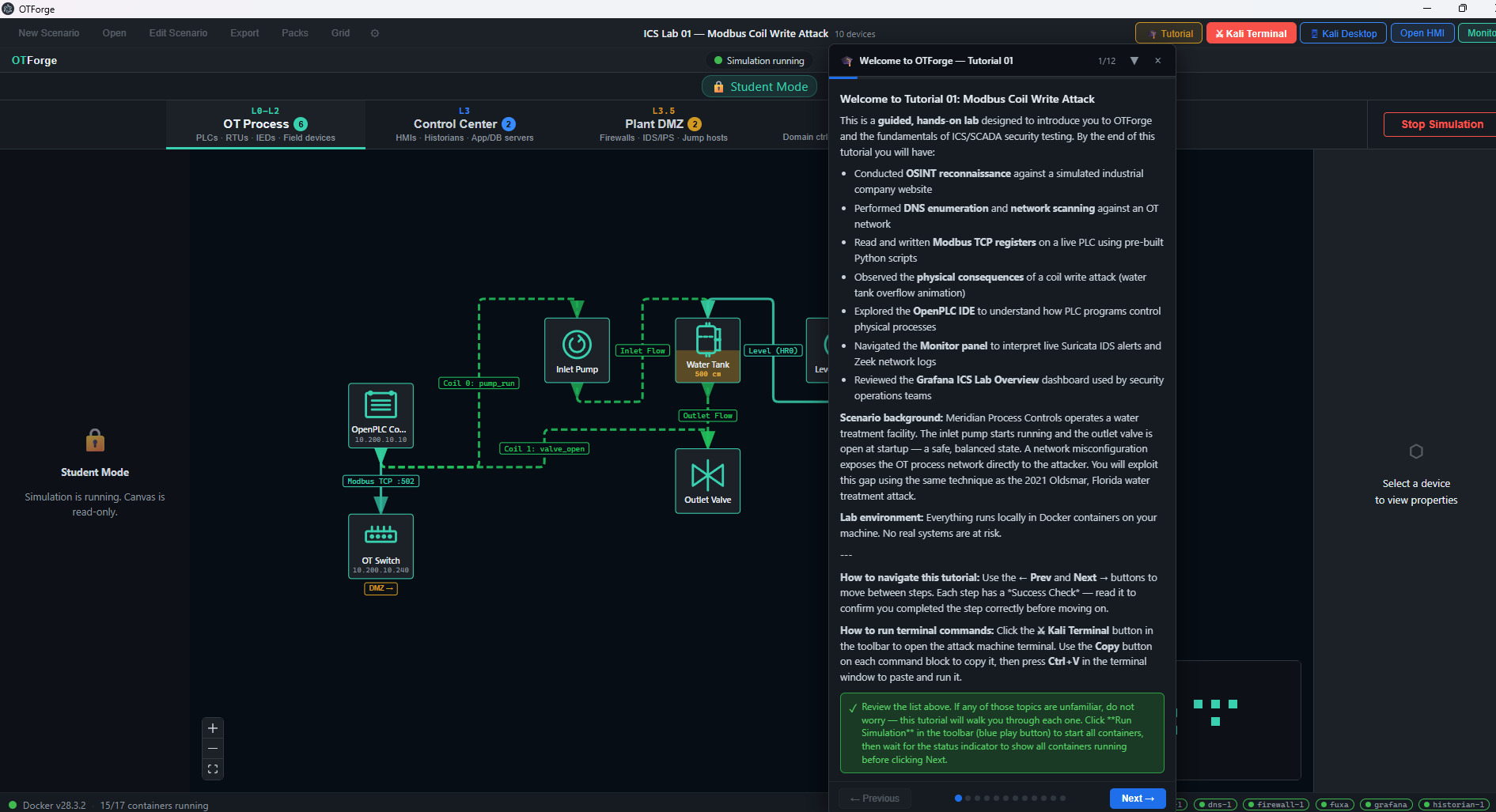
*Guided tutorial overlay — step-by-step instructions with success checks, copy-to-clipboard commands, and attack context*
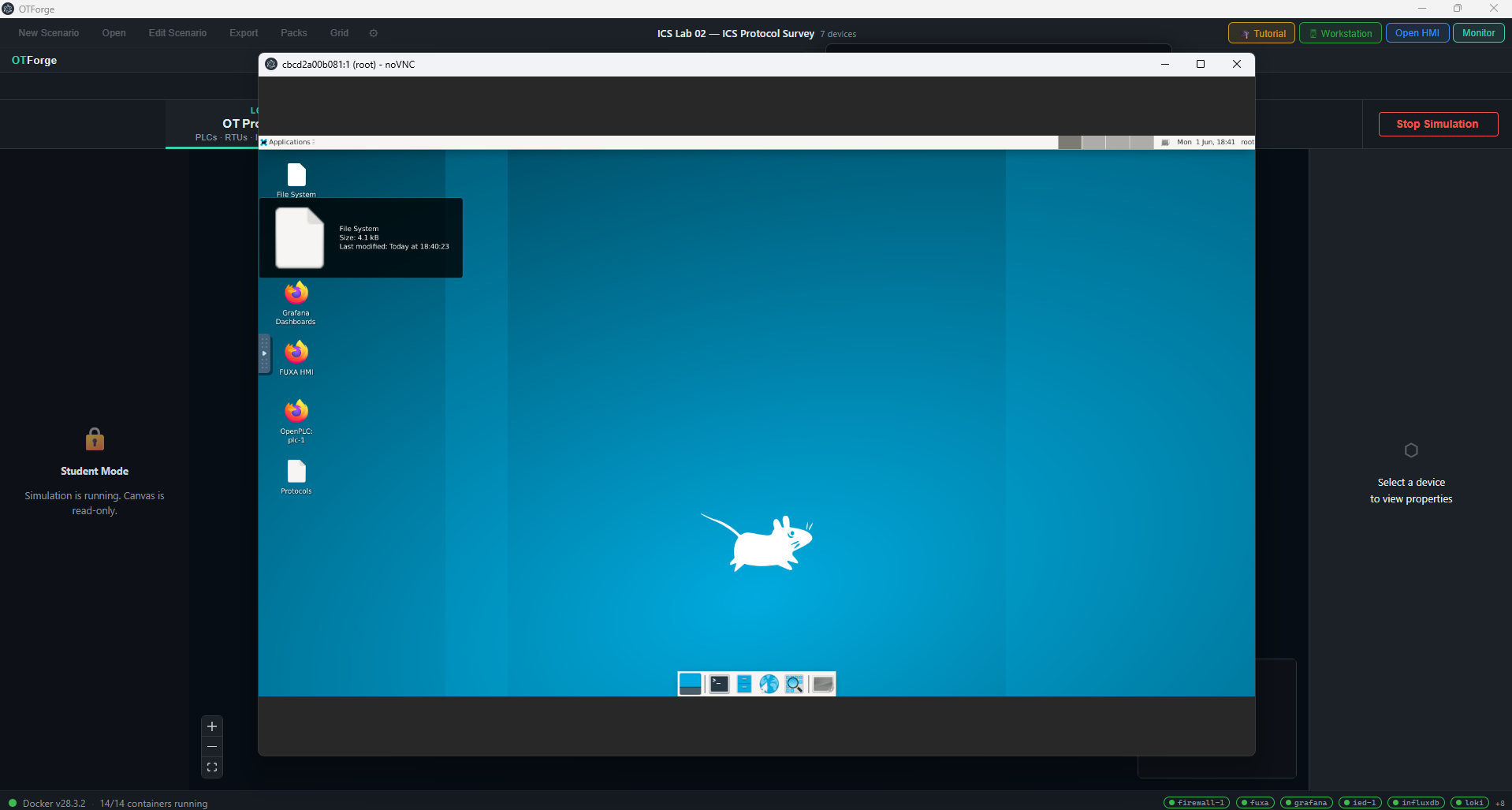
*Engineering workstation Xfce4 desktop — Wireshark, ICS protocol scripts, and one-click shortcuts to OpenPLC and FUXA HMI*
## What It Does
OTForge lets you design, deploy, and attack realistic ICS/SCADA environments using a visual drag-and-drop canvas. Each device in your scenario runs as a real Docker container on an isolated virtual network — protocol traffic is genuine, not simulated at the application layer.
**Author a scenario** → drag PLCs, RTUs, IEDs, sensors, and network devices onto the canvas, wire them with protocol edges, write IEC 61131-3 ladder logic, configure the firewall — then click **Run**. Docker Compose spins up the full environment in seconds.
**Attack the scenario** → launch the Kali Linux desktop (Wireshark, Metasploit, ICS-specific tools) in a dedicated OS window via KasmVNC and work through the mission.
**Monitor and analyze** → live Grafana dashboards show Suricata IPS alerts and Zeek protocol logs alongside the InfluxDB process historian.
## Features
### Visual Scenario Builder
- Drag-and-drop SCADA canvas with ISA-5.1 / IEC 81346 standard P&ID symbols
- **Six-zone Purdue Reference Model** network topology (IEC 62443-3-2 / NIST SP 800-82):
- **OT (L0–L2)** — PLCs, RTUs, IEDs, sensors, actuators, field devices
- **Control Center (L3)** — HMI, historian, engineering workstation, application/database servers
- **Plant DMZ (L3.5)** — Firewall, IDS/IPS, router, switch
- **Enterprise (L4)** — Domain controller, web/business servers, enterprise desktops
- **Internet DMZ (L5)** — Email servers, internet-facing servers
- **Red Team** — Kali Linux attack machine (isolated attacker network)
- Zone-aware firewall rule editor with nftables enforcement
- Self-healing IP assignment — the compose generator automatically resolves duplicate IPs on every simulation start
- Delete Scenario button — clears all devices with a confirmation prompt
- Export scenarios as `.otflab` files — share with students or the community
- Network Settings modal — configure Docker subnet addresses per zone
### PLC IDE
- Structured Text (ST) editor with syntax highlighting
- SVG ladder logic viewer
- Live deploy to running OpenPLC Runtime containers via the web API
- IEC 61131-3 compliant (Ladder, ST, FBD, SFC, IL)
### Attack Machine — Kali Linux Desktop
- Full Kali Linux Xfce4 desktop via **KasmVNC** — opens in a dedicated OS window
- Moveable to a second monitor for a realistic red team / blue team split-screen setup
- Complete ICS-focused attack toolkit (see below)
- One-click launch from the toolbar when the simulation is running
### Security Monitoring
- Suricata IPS with Emerging Threats ICS ruleset (Modbus, DNP3, EIP anomaly detection)
- Zeek deep-packet analysis with ICS protocol scripts
- Grafana dashboards for real-time alert visualization
- InfluxDB 1.8 process historian
## Attack Toolkit (Kali Linux Container)
| Category | Tools |
|---|---|
| Reconnaissance | nmap, masscan, netdiscover, arp-scan |
| Packet analysis | Wireshark (GUI), tshark, tcpdump, Scapy |
| Exploitation | Metasploit Framework, Armitage (GUI) |
| Credentials | Hydra, Medusa, Patator, John the Ripper, Hashcat |
| ICS/OT specific | pymodbus, dnp3-python, opcua, bacpypes3, python-snap7 (S7comm), impacket, ike-scan |
| Desktop | Full Kali Xfce4 via noVNC (port 6080) — launches in a dedicated OS window |
## Requirements
| Requirement | Minimum |
|---|---|
| OS | Windows 10 22H2+ or Windows 11 23H2+, macOS 13+, Ubuntu 22.04+ |
| RAM | 8 GB (16 GB recommended for attack machine scenarios) |
| Disk | 20 GB free (Docker images downloaded on first run) |
| Docker Desktop | Latest stable |
| Node.js | 22+ (development only — Node 20 is EOL and incompatible with Vite 8) |
## Quick Start
### Run from source
git clone https://github.com/iburres/otforge.git
cd otforge
npm ci
npm run build:packages
npm run dev
Docker Desktop must be running before launching the app.
**First-time students:** see [`docs/student-setup.md`](docs/student-setup.md) (also available as [`docs/student-setup.html`](docs/student-setup.html)) for a full step-by-step walkthrough covering Docker, Git, Node.js, and OTForge setup on both Windows and macOS.
### Build a distributable
# Windows
npm run build:win
# macOS
npm run build:mac
# Linux
npm run build:linux
## Project Structure
otforge/
├── packages/
│ ├── app/ # Electron application
│ │ └── src/
│ │ ├── main/ # Node.js main process (IPC, Docker, OpenPLC API)
│ │ ├── preload/ # contextBridge API surface
│ │ └── renderer/ # React + TypeScript UI
│ │ └── src/
│ │ ├── canvas/ # React Flow SCADA canvas + layer tabs
│ │ ├── palette/ # Device palette (ISA-5.1 symbols)
│ │ ├── properties/ # Device inspector + PLC IDE panel
│ │ ├── terminal/ # Attack terminal modal (KasmVNC)
│ │ ├── monitor/ # Grafana + Loki monitor panel
│ │ ├── settings/ # Network subnet settings modal
│ │ ├── tutorial/ # TutorialPanel guided step-by-step overlay
│ │ └── icons/ # SVG device icons
│ ├── orchestrator/ # Docker Compose generator + DockerClient
│ └── schema/ # Shared TypeScript types (OTForgeScenario, DeviceConfig…)
├── containers/ # Docker image source (one per device category)
│ ├── openplc/ # OpenPLC Runtime
│ ├── suricata/ # Suricata IPS with ICS rules
│ ├── zeek/ # Zeek network monitor
│ └── firewall/ # nftables firewall
├── scenarios/ # Bundled .otflab scenario files
│ └── tutorial-01-modbus-coil-write.otflab # Tutorial 01: Modbus Coil Write
└── .github/
└── workflows/ # CI: build, Docker image publish, CodeQL, secret scan
## Network Architecture
Each scenario runs six isolated Docker bridge networks matching the Purdue Reference Model:
| Zone | Network | Subnet | Devices |
|---|---|---|---|
| OT (L0–L2) | `ot-net` | 10.200.10.0/24 | PLC, RTU, IED, sensor, actuator, pump, valve, flow meter, pressure transmitter |
| Control Center (L3) | `control-net` | 10.200.20.0/24 | HMI, historian, engineering workstation, application server, database server |
| Plant DMZ (L3.5) | `plant-dmz-net` | 10.200.30.0/24 | Firewall, IDS/IPS, router, switch |
| Enterprise (L4) | `enterprise-net` | 10.200.40.0/24 | Domain controller, web server, business server, enterprise desktop |
| Internet DMZ (L5) | `internet-dmz-net` | 10.200.50.0/24 | Email server, internet server |
| Red Team | `attacker-net` | 10.200.60.0/24 | Kali Linux attack machine |
System services (InfluxDB, Loki, Grafana, FUXA, Promtail) occupy `.240`–`.249` in their respective zone; user devices start at `.10` and increment automatically.
## Scenario Format
Scenarios are saved as `.otflab` JSON files with four layers:
{
"meta": { "name": "Water Treatment Plant", "sector": "water", "version": "1.0" },
"visual": { "nodes": [...], "edges": [...] },
"network": { "segments": [...], "protocolEdges": [...] },
"devices": { "devices": { "plc-1": { ... }, "rtu-1": { ... } } },
"security": { "firewallRules": [...], "idsConfig": { ... } }
}
## Development Status
| Phase | Feature | Status |
|---|---|---|
| 0 | Electron shell, Docker check, first-launch flow | ✅ Complete |
| 1 | Orchestration engine (Compose generator, LevelDB, resource estimator) | ✅ Complete |
| 2 | SCADA canvas (React Flow, ISA-5.1 icons, zones, drag-drop) | ✅ Complete |
| 3 | Container images (GHCR images, GitHub Actions CI/CD) | ✅ Complete |
| 4 | PLC IDE (ST editor, ladder viewer, variable bindings, live deploy) | ✅ Complete |
| — | Attack terminal → KasmVNC Kali desktop in dedicated OS window | ✅ Complete |
| 5 | DNP3 IED auto-config + security stack UI (FirewallPanel, IDSPanel, nftables/Suricata/Zeek) | ✅ Complete |
| — | Connection validation — Purdue Reference Model matrix (IEC 62443-3-2 / NIST SP 800-82) | ✅ Complete |
| 6 | Monitoring panels — Grafana ICS Lab Overview + native Loki log viewer + Promtail sidecar | ✅ Complete |
| — | Six-zone Purdue Model restructure (OT / Control / Plant DMZ / Enterprise / Internet DMZ / Attacker) | ✅ Complete |
| — | Self-healing IP deduplication in compose generator | ✅ Complete |
| — | Network Settings modal — per-zone subnet configuration | ✅ Complete |
| — | Delete Scenario button with confirmation | ✅ Complete |
| 7 | FUXA HMI embed + PLC → HMI Modbus wiring | ✅ Complete |
| 8 | Author / Student mode split + locked scenario distribution | ✅ Complete |
| 9 | Community scenario pack format (.otfpack ZIP — Pack Manager, custom device types, bundled Suricata/Zeek rules) | ✅ Complete |
| 10 | Conpot legacy device emulation (Siemens S7, IEC 104) | ✅ Complete |
| 11 | Physical process simulation (water tank, pipeline, generator dynamics) | ✅ Complete |
| 12 | Attack infrastructure — company website (Meridian Process Controls), DNS server, Kali noVNC desktop | ✅ Complete |
| 13 | Guided tutorial system — TutorialPanel overlay, Tutorial 01 (Modbus Coil Write), DnsConfig schema | ✅ Complete |
| 14 | macOS + Linux packaging and distribution | 🔜 Planned |
## Open Source Components
This project would not be possible without these open-source tools:
| Component | Role | License |
|---|---|---|
| [OpenPLC Runtime](https://github.com/thiagoralves/OpenPLC_v3) | IEC 61131-3 PLC execution engine | GPL-3.0 |
| [FUXA](https://github.com/frangoteam/FUXA) | Web-based SCADA/HMI | MIT |
| [Suricata](https://github.com/OISF/suricata) | Network IPS / IDS | GPL-2.0 |
| [Zeek](https://github.com/zeek/zeek) | Network traffic analysis | BSD-3 |
| [Grafana](https://github.com/grafana/grafana) | Dashboards and visualization | AGPL-3.0 |
| [Loki](https://github.com/grafana/loki) | Log aggregation | AGPL-3.0 |
| [InfluxDB 1.8](https://github.com/influxdata/influxdb) | Time-series process historian | MIT |
| [React Flow](https://github.com/xyflow/xyflow) | SCADA canvas | MIT |
| [xterm.js](https://github.com/xtermjs/xterm.js) | Terminal emulator | MIT |
| [Kali Linux (linuxserver)](https://github.com/linuxserver/docker-kali-linux) | Penetration testing OS via KasmVNC | Various |
Third-party Docker images are pulled from public registries at runtime and are not bundled in this repository.
## License
Application source code: [MIT](LICENSE)
Runtime Docker images are governed by their own licenses — see the [LICENSE](LICENSE) file for a full list.
## Author
**Ian Burres**
Professor of Practice — Cybersecurity, University of Texas at San Antonio (UTSA)
Former: Sandia National Laboratories
ORCID: [0009-0006-1320-9956](https://orcid.org/0009-0006-1320-9956)
标签:自动化攻击