ClouGence/open-cdm
GitHub: ClouGence/open-cdm
一款专为团队设计的免费开源数据库管理工具,提供访问控制、SQL审计、数据脱敏及数据库CI/CD等企业级能力。
Stars: 322 | Forks: 68
CloudDM
一款专为团队设计的免费开源数据库管理工具。提供访问控制、数据脱敏、SQL 审计、CI/CD 以及跨地域部署能力。
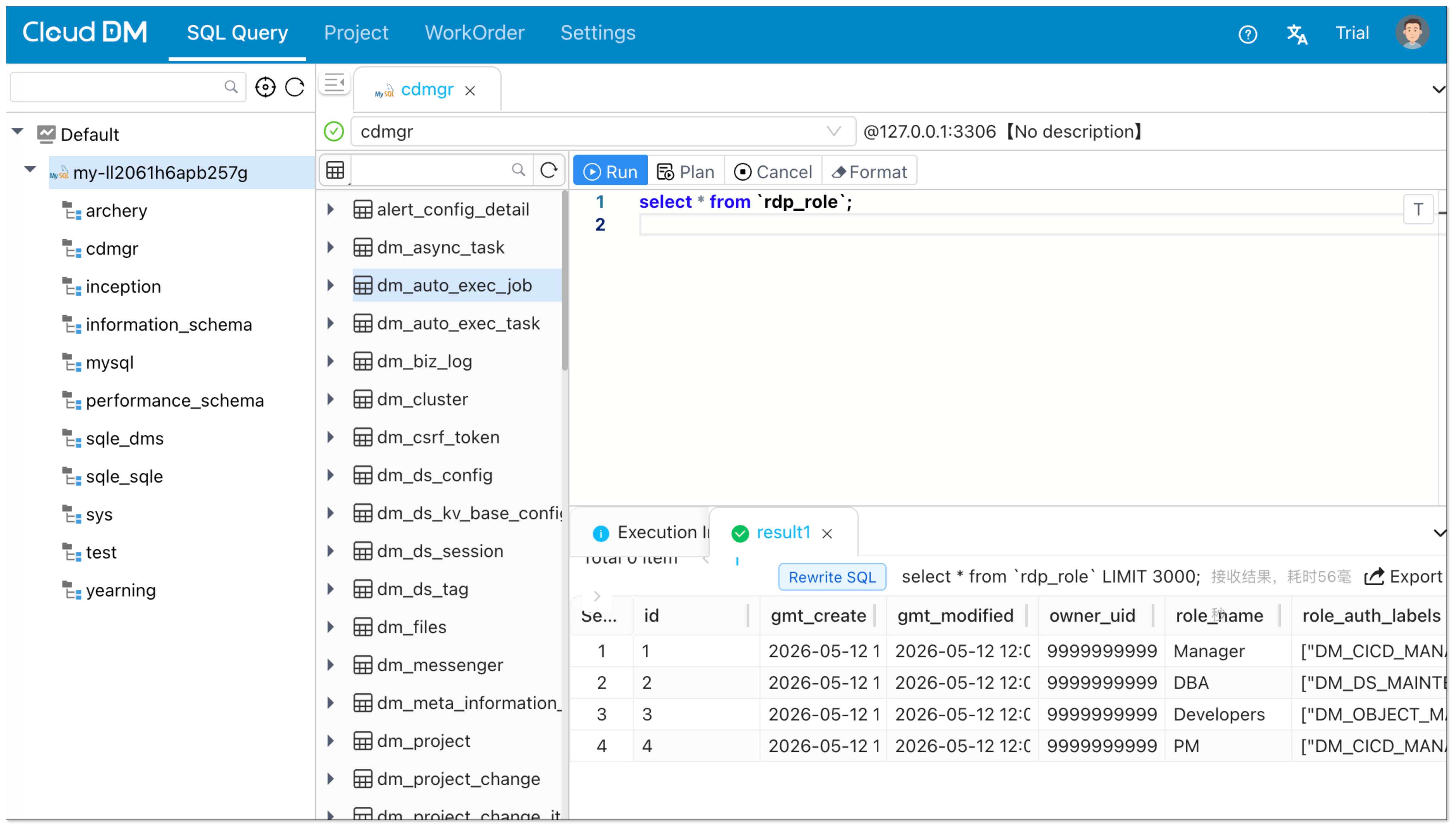
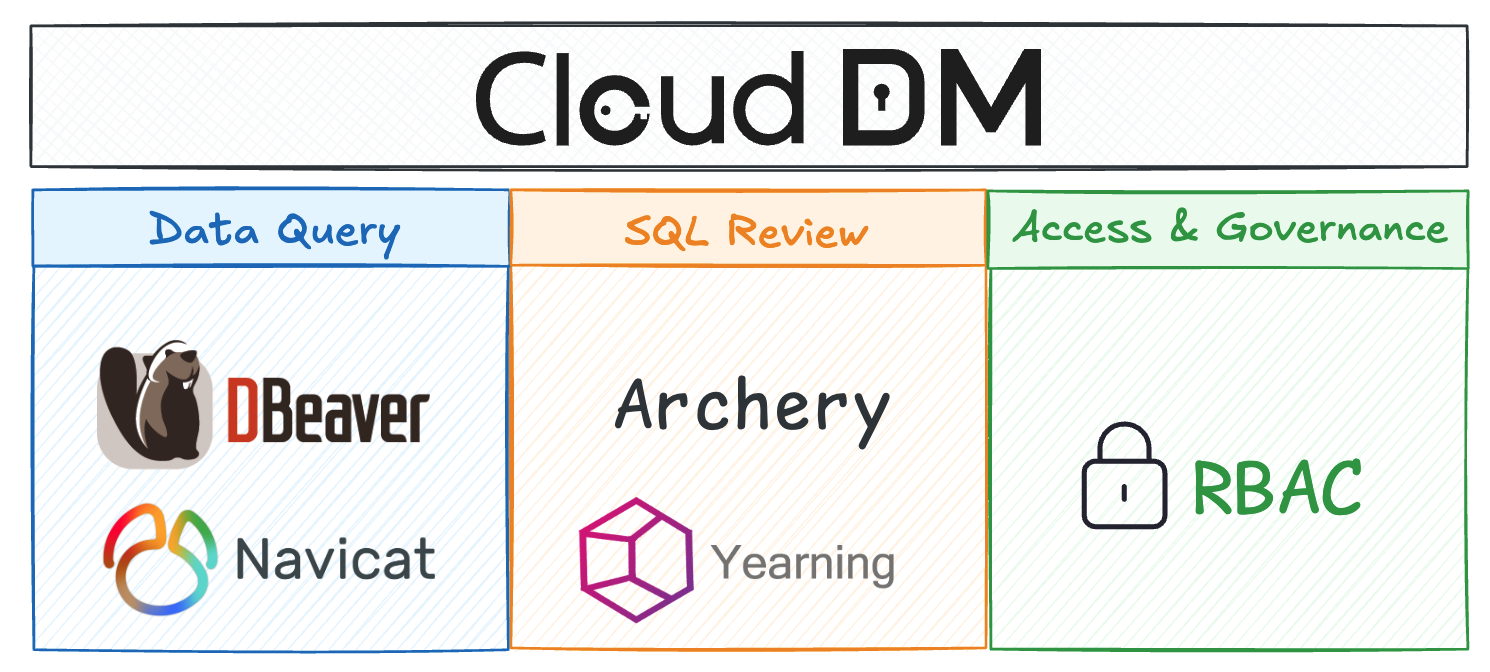 ## 项目信息 | 字段 | 值 | |------|-------| | 项目名称 | CloudDM | | 仓库 | https://github.com/ClouGence/open-cdm | | 镜像 | https://gitee.com/clougence/open-cdm | | 主页 | https://www.cdmgr.com/ | | 文档 | https://www.cdmgr.com/docs/intro/product_intro | | 开源协议 | Apache License 2.0 | | 当前版本 | 3.1.1 | | 主要语言 | Java, JavaScript / TypeScript | | 部署模式 | 单机模式, 集群模式 (Console + Sidecar) | | 部署目标 | 安装包, Docker, Kubernetes | ## 核心能力 ### 数据查询 - 丰富的数据源支持,涵盖多种数据库类型 - MySQL, Oracle, MariaDB, PostgreSQL, IBM DB2, SQL Server, OceanBase - SAP Hana, StarRocks, Doris, SelectDB, ClickHouse, PolarDB, TiDB, Greenplum - Hologres, DM (Dameng), GaussDB, AnalyticDB MySQL, MaxCompute, Redis, MongoDB - 通过统一的 Web 控制台访问数据库,支持事务、隔离级别和执行计划 - 查询编辑器、语法高亮、智能提示、执行计划以及结果导出 ### 数据库管理 - 支持的数据库对象包括数据库、schema、表、列、索引、视图、函数、存储过程、触发器、用户、角色等 - 对数据库对象进行可视化管理,如创建、删除、修改和查看属性 - 通过环境和集群管理不同的数据源 ### 访问控制 - 授权模型将**资源**和**功能**分离 - 根据语句类型,可以在实例、数据库、schema 和表级别授予资源权限 - 功能授权通过向用户授予角色,采用基于角色的访问控制 (RBAC) - 支持**权限申请**、**权限授予**和**临时权限** ### 数据库 CI/CD - 提供三种触发 CI/CD 工作流的方式:**Git Push**、**Web Hook** 和 **HttpCall** - 支持 Gitee 作为变更仓库 ### SQL 审计 - 支持**审计规则**、**安全策略**和**数据脱敏** - 包含 54 条内置规则,并支持通过规则脚本进行自定义扩展 - 支持在执行前进行 SQL 预检查,以警告或阻止有风险的语句 ### 协作与工作流 - 支持三种工作流类型:**SQL 审计**、**权限工单**和**变更工作流** - 工单支持**手动执行**、**立即执行**和**定时执行** - 工作流引擎:内置、钉钉、飞书、企业微信 - 统一认证 / SSO:OpenLDAP / OpenID Connect (OIDC) / Windows AD / 钉钉 / 飞书 / 企业微信 ## 快速开始 ### 安装 CloudDM 支持**单机模式**和**集群模式 (Console + Sidecar)**,同时也支持**安装包**、**Docker** 和 **Kubernetes** 部署方式。 下面的示例演示了如何使用单机部署。如果您需要安装包部署、集群部署或 Kubernetes 部署,可以使用本地打包后生成的安装包和 yml 文件继续部署。有关完整的部署说明,请参阅 [DEPLOY.en.md](docs/en/DEPLOY.en.md)。 ``` # 快速开始,默认 image docker run -d --name cgdm-alone \ -p 8222:8222 \ -v cgdm_alone_conf:/root/cgdm/alone/conf \ -v cgdm_alone_logs:/root/cgdm/alone/logs \ -v cgdm_alone_data:/root/cgdm/alone/data \ -v cgdm_mysql_data:/var/lib/mysql \ bladepipe/cgdm-alone:3.1.1 # 在中国更快地拉取 image docker run -d --name cgdm-alone \ -p 8222:8222 \ -v cgdm_alone_conf:/root/cgdm/alone/conf \ -v cgdm_alone_logs:/root/cgdm/alone/logs \ -v cgdm_alone_data:/root/cgdm/alone/data \ -v cgdm_mysql_data:/var/lib/mysql \ cloudcanal-registry.cn-shanghai.cr.aliyuncs.com/clougence/cgdm-alone:3.1.1 ``` 宿主机目录挂载示例: ``` mkdir -p /data/cgdm/{conf,logs,data,mysql} docker run -d --name cgdm-alone \ -p 8222:8222 \ -v /data/cgdm/conf:/root/cgdm/alone/conf \ -v /data/cgdm/logs:/root/cgdm/alone/logs \ -v /data/cgdm/data:/root/cgdm/alone/data \ -v /data/cgdm/mysql:/var/lib/mysql \ bladepipe/cgdm-alone:3.1.1 ``` 当 `/data/cgdm/conf` 为空时,CloudDM 会在启动时使用默认配置文件对其进行初始化。 ### 升级 在升级之前,请备份 Docker volumes 或数据库数据。要升级,请移除旧容器并使用相同的 volumes 启动新镜像。 ``` # 默认 image docker rm -f cgdm-alone docker pull bladepipe/cgdm-alone:3.1.1 docker run -d --name cgdm-alone \ -p 8222:8222 \ -v cgdm_alone_conf:/root/cgdm/alone/conf \ -v cgdm_alone_logs:/root/cgdm/alone/logs \ -v cgdm_alone_data:/root/cgdm/alone/data \ -v cgdm_mysql_data:/var/lib/mysql \ bladepipe/cgdm-alone:3.1.1 # 中国加速 image docker rm -f cgdm-alone docker pull cloudcanal-registry.cn-shanghai.cr.aliyuncs.com/clougence/cgdm-alone:3.1.1 docker run -d --name cgdm-alone \ -p 8222:8222 \ -v cgdm_alone_conf:/root/cgdm/alone/conf \ -v cgdm_alone_logs:/root/cgdm/alone/logs \ -v cgdm_alone_data:/root/cgdm/alone/data \ -v cgdm_mysql_data:/var/lib/mysql \ cloudcanal-registry.cn-shanghai.cr.aliyuncs.com/clougence/cgdm-alone:3.1.1 ``` ### 初始化 在浏览器中访问产品: ``` http://localhost:8222 ``` ### 添加数据源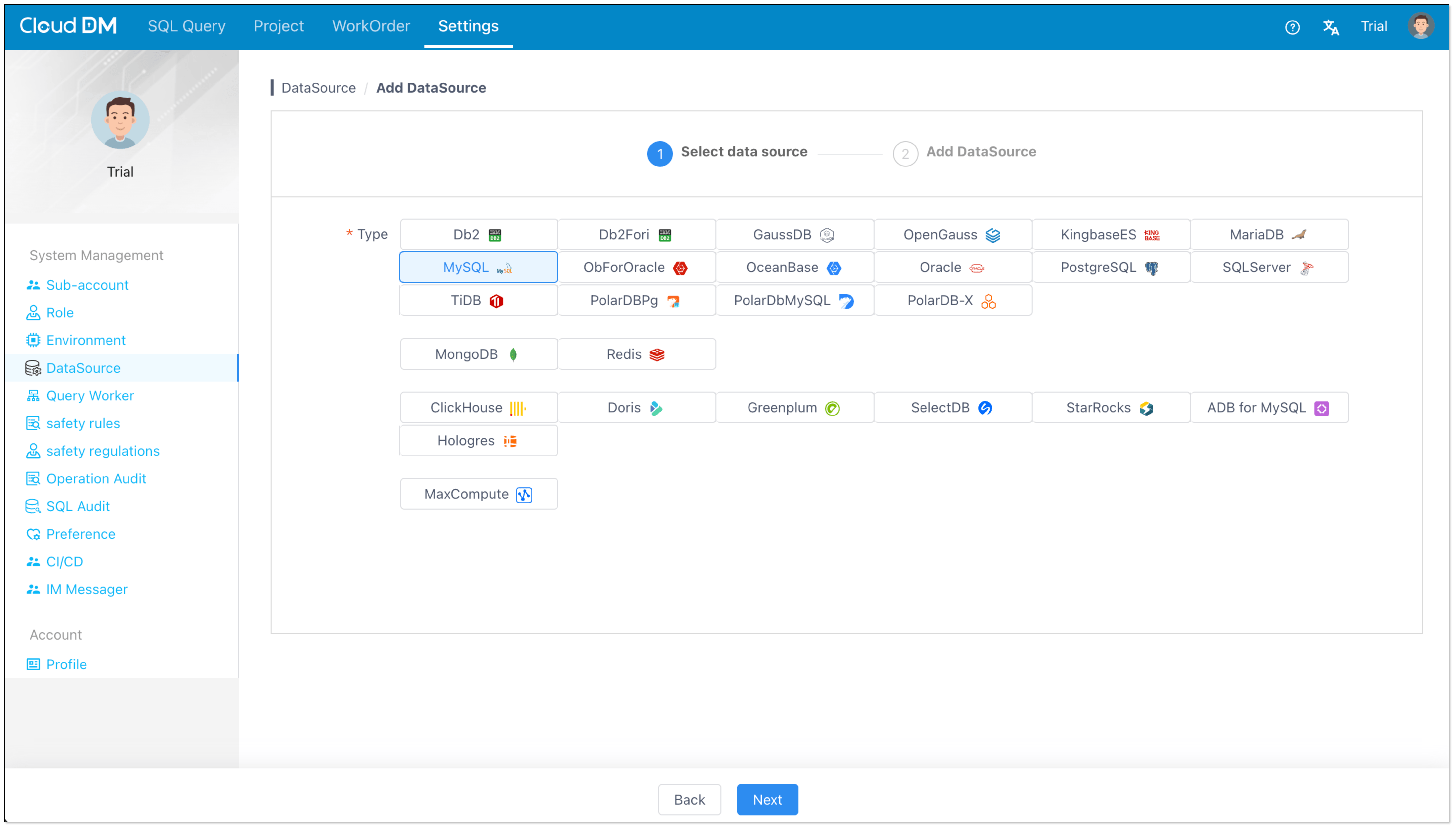 ### 查询数据
 ## 开源协议
CloudDM 采用对商业友好的 [Apache License 2.0](https://www.apache.org/licenses/LICENSE-2.0.html) 发布。详情请参阅 [LICENSE.txt](./LICENSE.txt)。
## 开源协议
CloudDM 采用对商业友好的 [Apache License 2.0](https://www.apache.org/licenses/LICENSE-2.0.html) 发布。详情请参阅 [LICENSE.txt](./LICENSE.txt)。标签:JS文件枚举, SOC Prime, SQL审计, 域名枚举, 子域名突变, 开发工具, 数据可视化, 数据库管理, 数据查询, 数据脱敏, 请求拦截