0-draft/sigil
GitHub: 0-draft/sigil
Sigil是一个提供全链路安全保护的开源GitHub模板。
Stars: 0 | Forks: 0
 # sigil
*每个签名下的版本。*
[](https://securityscorecards.dev/viewer/?uri=github.com/0-draft/sigil)
[](https://github.com/0-draft/sigil/actions/workflows/ci.yml)
[](./LICENSE)
# sigil
*每个签名下的版本。*
[](https://securityscorecards.dev/viewer/?uri=github.com/0-draft/sigil)
[](https://github.com/0-draft/sigil/actions/workflows/ci.yml)
[](./LICENSE)
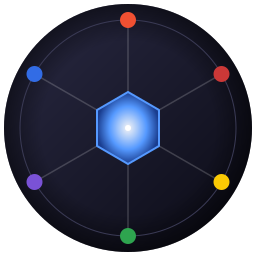
gitsign + signed-commit branch protection"] deps["2. deps
npm ci --ignore-scripts + lockfile + dependabot"] bld["3. build
harden-runner + SHA-pinned actions"] pub["4. publish
npm OIDC --provenance + cosign sign-blob"] dst["5. distribute
npm registry attestation"] con["6. consume
verify.sh: audit + cosign + slsa-verifier"] src --> deps --> bld --> pub --> dst --> con classDef src fill:#f05032,stroke:#000,color:#fff classDef deps fill:#cb3837,stroke:#000,color:#fff classDef bld fill:#fbca04,stroke:#000,color:#000 classDef pub fill:#2ea44f,stroke:#000,color:#fff classDef dst fill:#7a52d6,stroke:#000,color:#fff classDef con fill:#326ce5,stroke:#000,color:#fff class src src class deps deps class bld bld class pub pub class dst dst class con con ``` 如果有任何链接中断,下一步将拒绝输入。这就是唯一的行为。 ## 使用此模板 ``` # 1. 在 GitHub 上点击 "使用此模板" # 2. 克隆您的新仓库 git clone https://github.com/
标签:GitHub 模板, NPM OIDC, SHA 固定, Sigstore, SLSA 1.0, 代码签名, 依赖管理, 发布流程, 发布认证, 安全评分, 无密钥签名, 构建安全, 网络安全研究