builtbysardor/network-audit
GitHub: builtbysardor/network-audit
NetShield 是一款基于 Python 和 Nmap 的家庭网络自动化安全审计工具,提供 Web 界面用于设备发现、端口扫描、漏洞检测和审计报告导出。
Stars: 1 | Forks: 0
# NetShield
[](https://python.org)
[](https://flask.palletsprojects.com)
[](https://nmap.org)
[](LICENSE)
## 预览

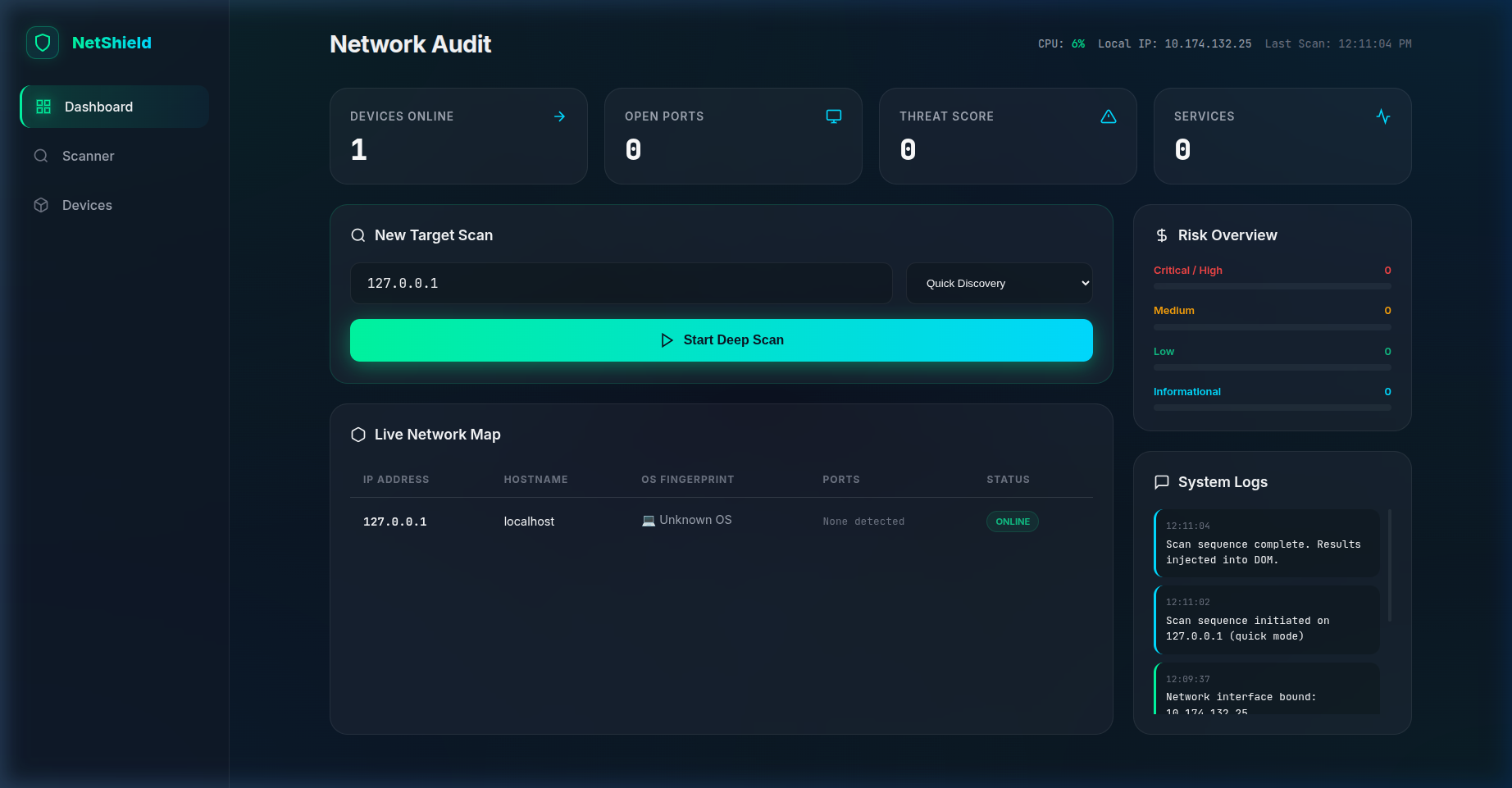
## 功能
- **端口扫描** — 使用 Nmap 识别所有设备上的开放端口
- **漏洞检测** — 通过版本指纹标记已知存在漏洞的服务
- **设备发现** — 映射本地子网上的所有活动主机
- **安全报告** — 生成易读的审计报告
- **Web Dashboard** — 基于 Flask 的 UI,用于执行扫描并查看结果
## 技术栈
| 层级 | 技术 |
|-------|-----------|
| Backend | Python · Flask |
| Scanner | Nmap (python-nmap) |
| Frontend | HTML · CSS · JavaScript |
## 前置条件
```
sudo apt install nmap # Debian/Ubuntu
brew install nmap # macOS
```
## 快速开始
```
git clone https://github.com/builtbysardor/network-audit.git
cd network-audit
python -m venv venv && source venv/bin/activate
pip install -r requirements.txt
python app.py
```
打开 http://localhost:5000
## 使用说明
1. 输入你的网络范围(例如 `192.168.1.0/24`)
2. 点击 **Scan**
3. 查看开放端口和标记的漏洞
4. 导出安全报告
## License
MIT © 2024 Sardor Buriyev
标签:CTI, Flask, Python, 多模态安全, 插件系统, 数据可视化, 数据统计, 无后门, 端口扫描, 逆向工具