KrrishSR4/RepoXray
GitHub: KrrishSR4/RepoXray
一款利用 AI 帮助开发者快速理解任意 GitHub 仓库结构、文件内容并生成学习路径的代码分析工具。
Stars: 8 | Forks: 0
# RepoXray
## 概述
**RepoXray** 是一款由 AI 驱动的开发者工具,能帮助你**像资深开发者一样理解任何 GitHub 仓库**。
粘贴一个仓库 → 获得:
* 结构化的解释
* 逐文件解析
* 智能洞察
* 引导式学习路径
## 预览
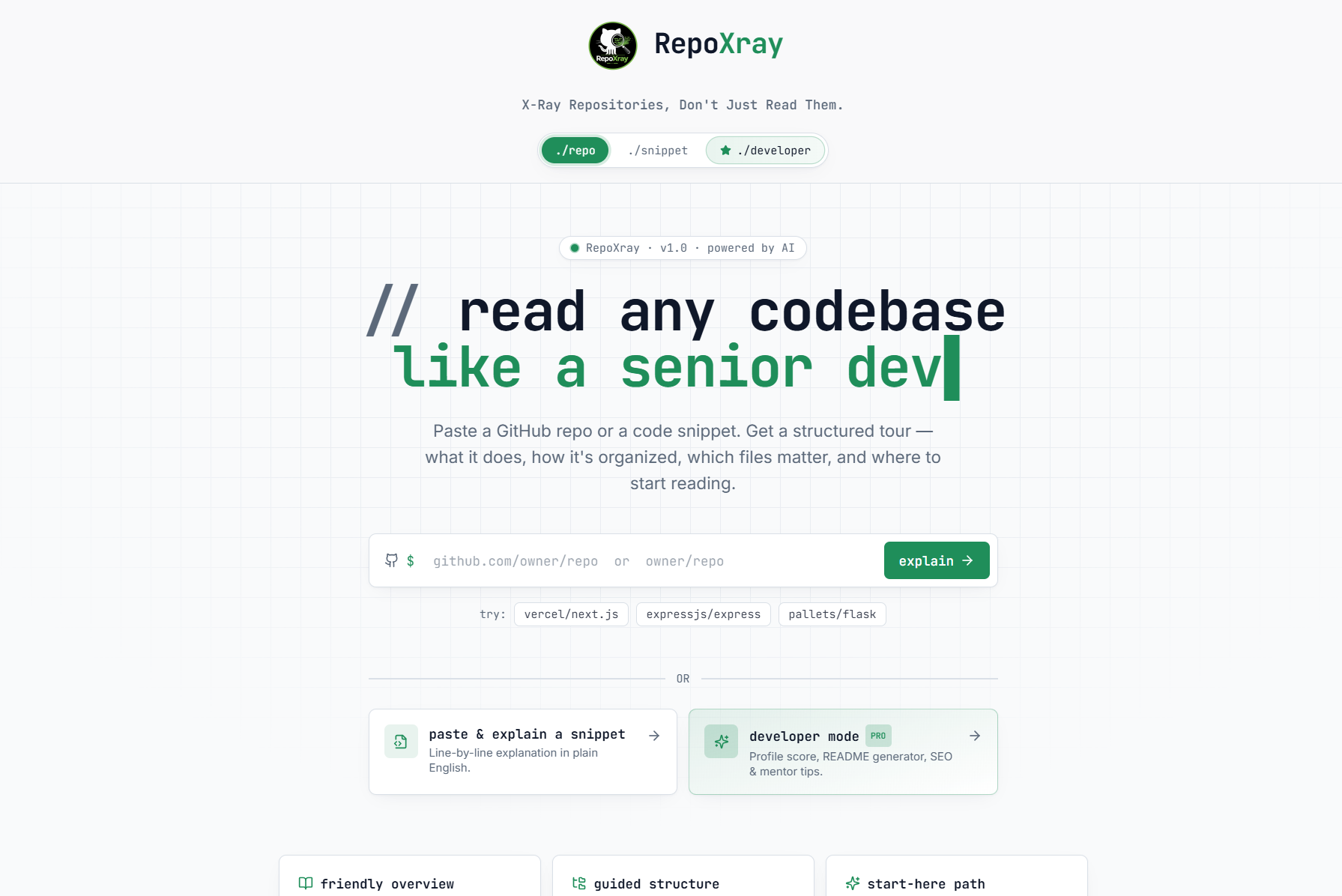
### 首页
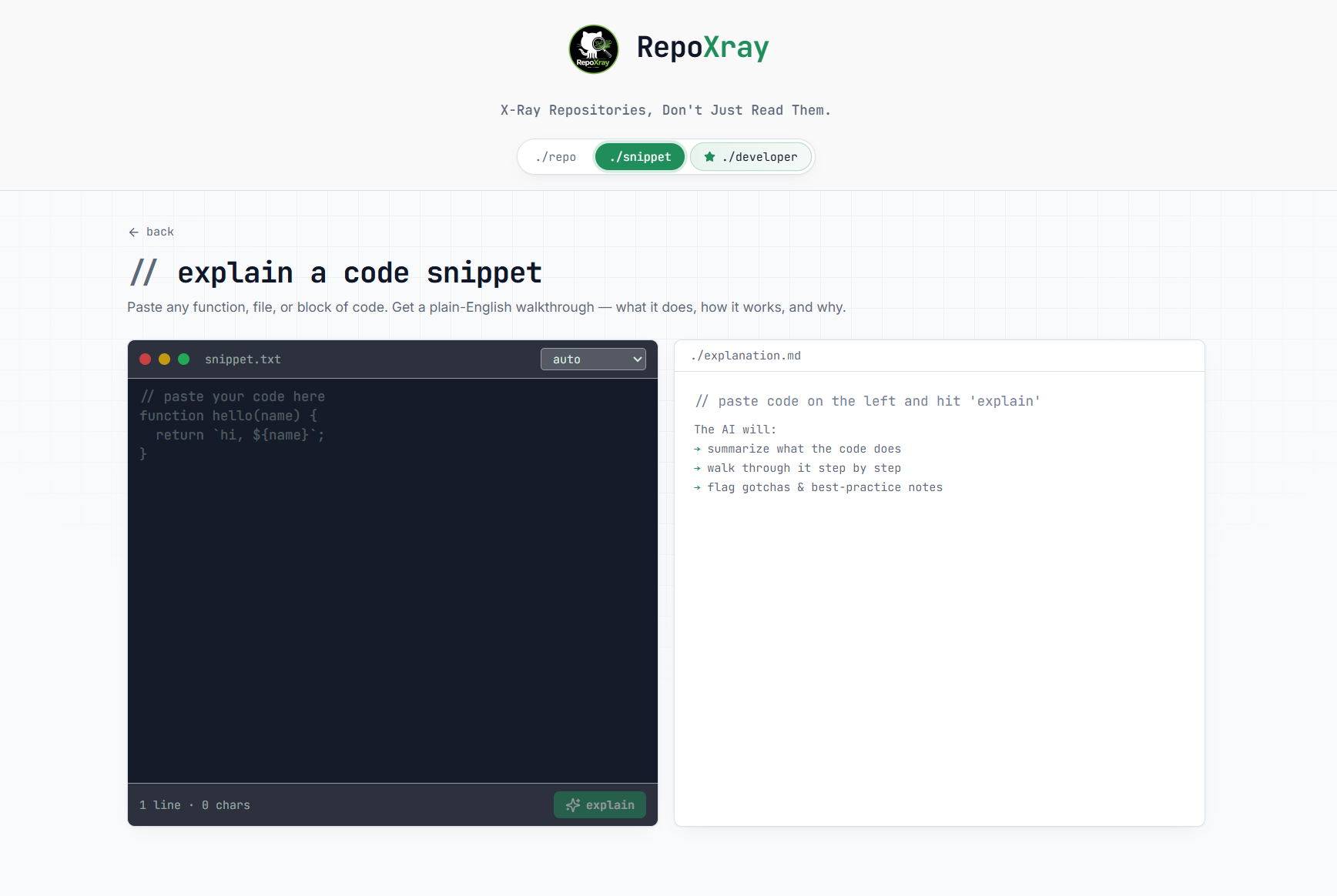
### Snippet 模式
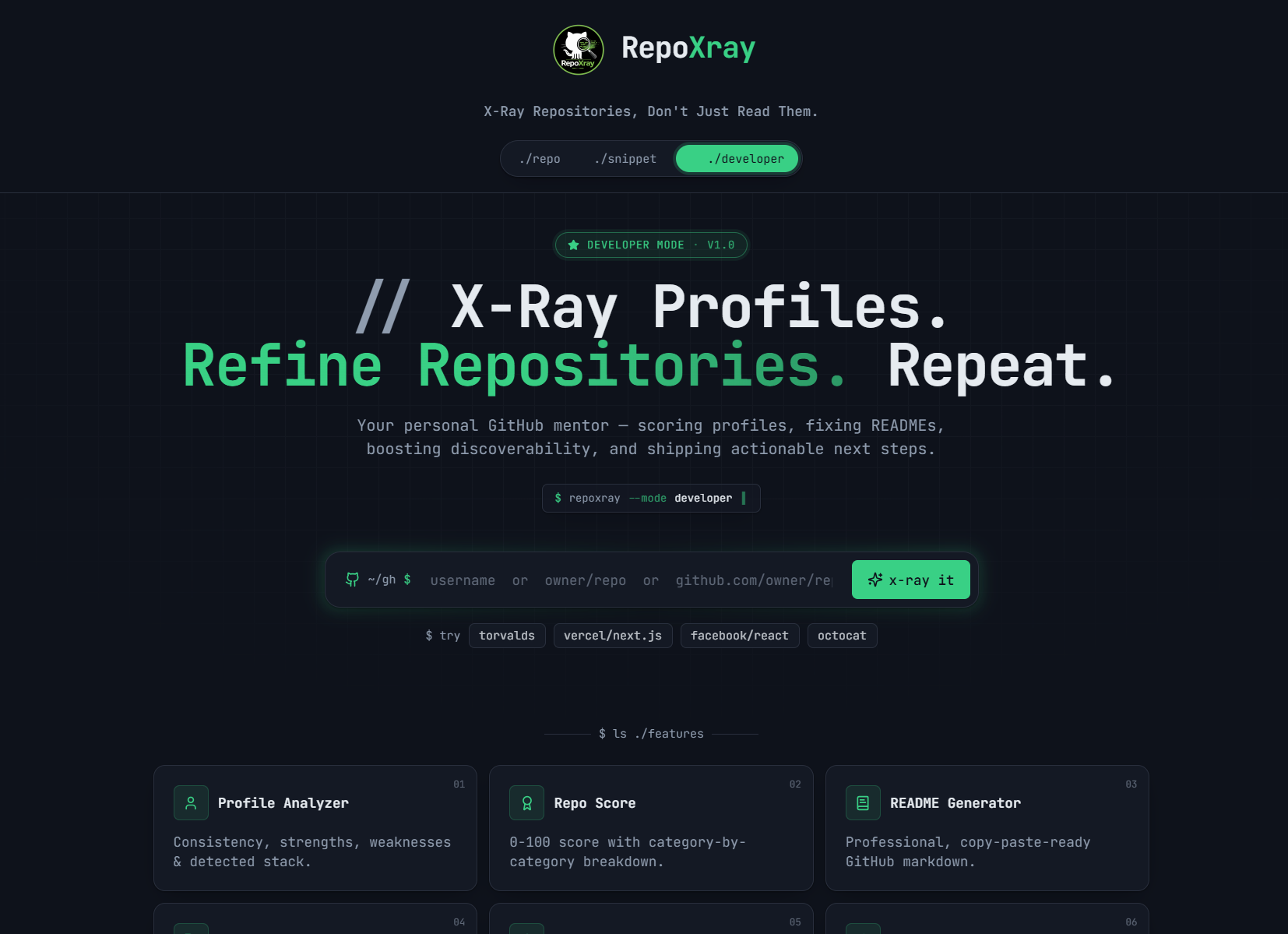
### 🧑💻 开发者模式
## 功能
* 仓库分析
* 引导式结构
* 友好的概述
* 从这里开始路径
* 开发者模式
* 个人资料分析器
* 仓库评分
* README 生成器
* SEO 优化器
* DevSecOps 洞察(即将推出)
## 项目结构
```
RepoXray/
│
├── public/
├── src/
│ ├── assets/
│ ├── components/
│ ├── hooks/
│ ├── integrations/
│ ├── lib/
│ ├── pages/
│ ├── store/
│ ├── test/
│ ├── types/
│ ├── App.tsx
│ ├── main.tsx
│
├── supabase/
├── .env
├── package.json
└── vite.config.ts
```
## 工作原理
```
graph TD
User[Developer / Learner] -->|Paste Repository URL| UI[RepoXray Web Interface]
UI --> Analyze[Repository Analysis Engine]
Analyze --> GitHub[GitHub Repository Fetcher]
GitHub --> Structure[Repository Structure Parser]
Structure --> Overview[Project Overview Generator]
Structure --> Files[File & Folder Analyzer]
Structure --> Entry[Start-Here Path Generator]
Overview --> LLM[AI Analysis Engine]
Files --> LLM
Entry --> LLM
LLM --> Dashboard[Interactive Results Dashboard]
Dashboard --> Summary[Repository Summary]
Dashboard --> Tree[Guided Structure]
Dashboard --> Insights[Important Files]
Dashboard --> Learning[Learning Path]
User --> DevMode[Developer Mode]
DevMode --> Profile[GitHub Profile Analyzer]
DevMode --> Score[Repository Score Engine]
DevMode --> Readme[README Generator]
DevMode --> SEO[GitHub SEO Optimizer]
Profile --> Recommendations[Improvement Suggestions]
Score --> Recommendations
Readme --> Recommendations
SEO --> Recommendations
```
## 内部流程
```
graph TD
User[User]
User --> Engine[RepoXray]
Engine --> Repo[Repository]
Repo --> Overview[Overview]
Repo --> Files[Files]
Repo --> Path[Learning Path]
Engine --> Snippet[Snippet]
Snippet --> Explain[Explain]
Snippet --> Review[Review]
Engine --> Dev[Developer]
Dev --> Profile[Profile]
Dev --> Score[Score]
Dev --> Readme[README]
Dev --> SEO[SEO]
```
## UI 流程
```
graph TD
Home[RepoXray Home]
Home --> Analyze[Analyze Repository]
Analyze --> Dashboard[Interactive Dashboard]
Dashboard --> Overview[Project Overview]
Dashboard --> Structure[Structure Explorer]
Dashboard --> Insights[File Insights]
Dashboard --> Path[Learning Path]
```
## 开发者模式
```
graph TD
Dev[Developer Mode]
Dev --> Profile[Profile Intelligence]
Dev --> Score[Repository Health Score]
Dev --> Readme[README Generator]
Dev --> SEO[SEO Optimizer]
Dev --> Insights[Actionable Insights]
```
## 快速开始
```
git clone https://github.com/KrrishSR4/RepoXray.git
cd RepoXray
npm install
npm run dev
```
## 使用场景
* 学习开源的学生
* 探索仓库的开发者
* 审查项目的团队
* 理解代码库的初学者
## 未来增强
* DevSecOps 安全扫描器
* 仓库健康评分
* CI/CD 检测
* AI 代码审查器
## RepoXray 理念
## SEO 关键词
github repo analyzer
ai code explainer
understand codebase tool
developer productivity tool
github repository insights
learn coding faster
repo structure analyzer
## ⭐ 支持
如果你喜欢这个项目,请在 GitHub 上给它一个 ⭐!
## 🚀 RepoXray
标签:AI代码分析, React, Supabase, Syscalls, 代码理解, 威胁情报, 开发者工具, 自动化攻击