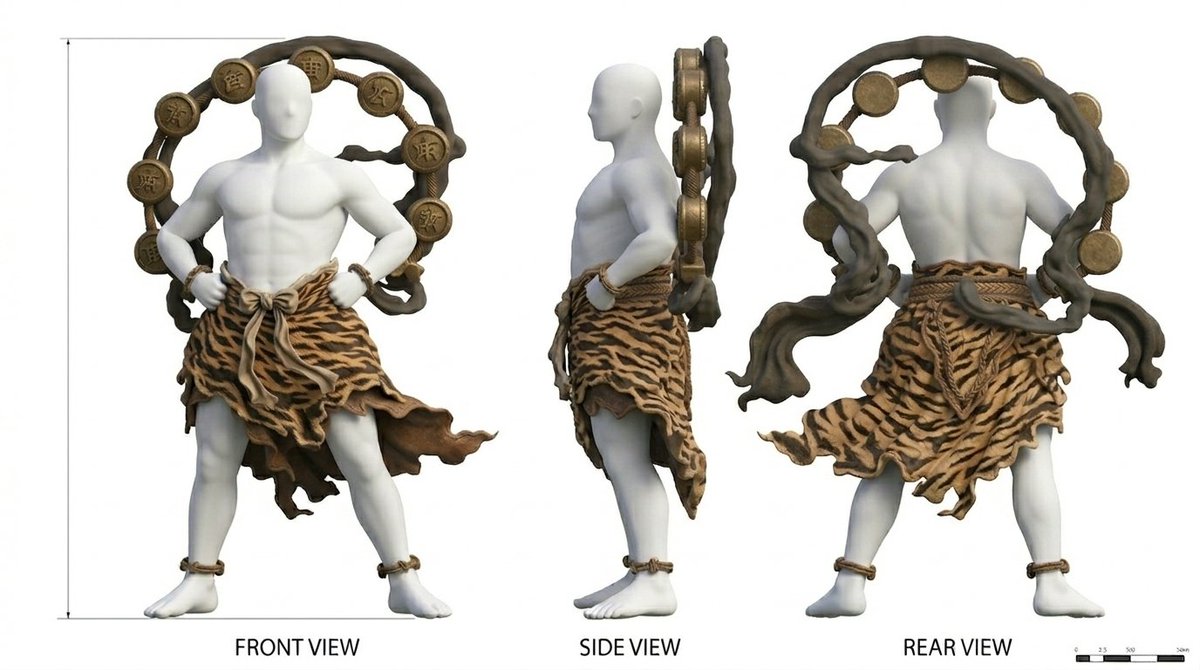
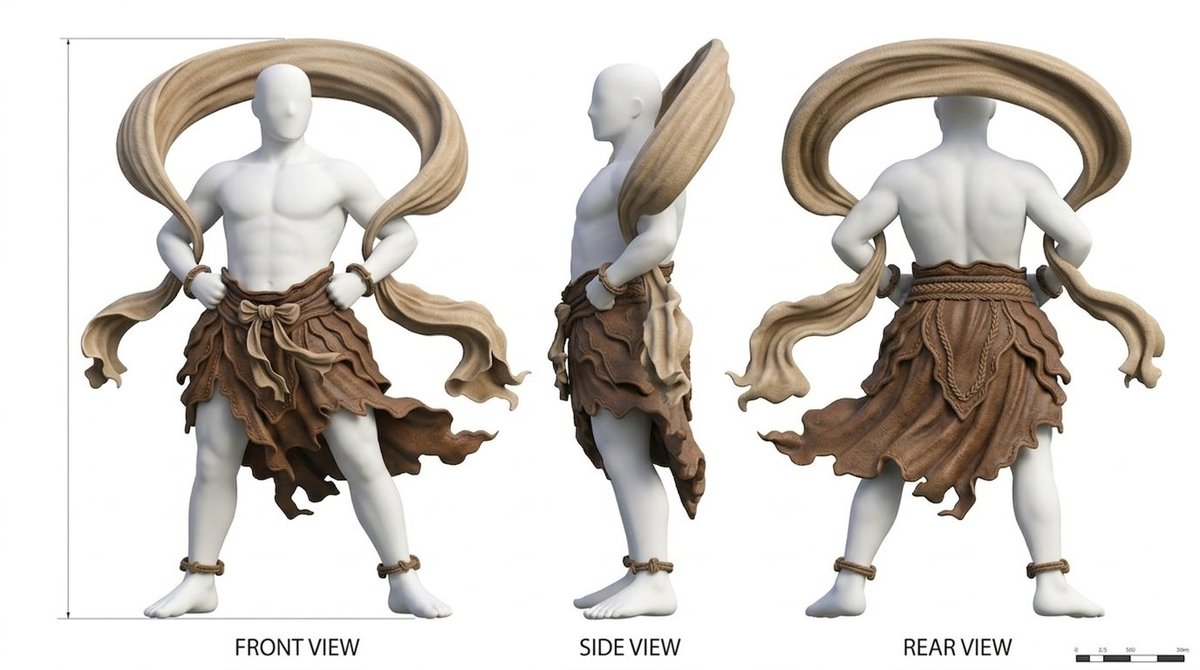
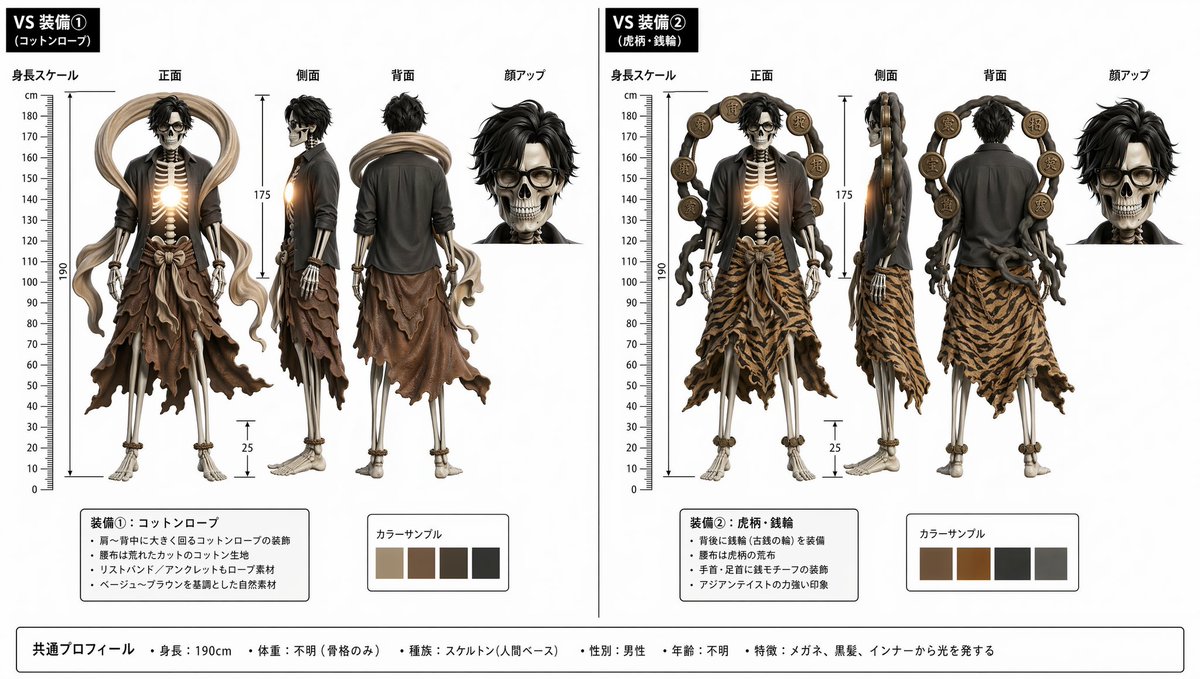
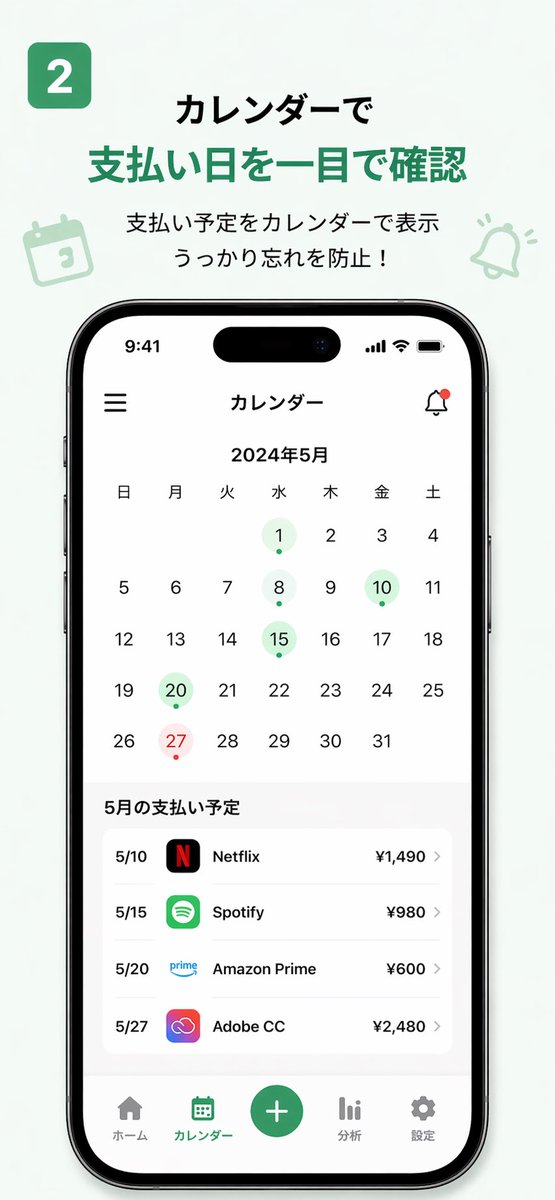
[](LICENSE)
[](https://github.com/EvoLinkAI/awesome-seedance-2.0-prompts)
[](https://github.com/EvoLinkAI/Seedance-2.0-Gateway-Service)
[](https://github.com/EvoLinkAI/awesome-seedance-2-guide)
[](https://github.com/EvoLinkAI/awesome-gpt-image-2-prompts)
[](README.md)
[](README_es.md)
[](README_pt.md)
[](README_ja.md)
[](README_ko.md)
[](README_de.md)
[](README_fr.md)
[](README_tr.md)
[](README_zh-TW.md)
[](README_zh-CN.md)
[](README_ru.md)
## 🎬 简介
欢迎来到 GPT Image 2 × Seedance 2.0 工作流仓库! 🤗
**我们收集了经过验证的工作流、提示词模板以及真实的创作者案例,展示如何结合 GPT Image 2 和 Seedance 2.0 制作高质量的 AI 视频。**
GPT Image 2 负责“画什么”以及视觉一致性。Seedance 2.0 负责“怎么动”——将图像动画化为视频。两者结合,构成了当今最强大的 AI 视频流水线之一。
本仓库中的大多数案例均精选自 X/Twitter 创作者、社区实验以及实际的生产工作流。
立即体验:[GPT Image 2 + Seedance 2.0](https://evolink.ai?utm_source=github&utm_medium=readme&utm_campaign=gptimage2-x-seedance2)
## 📰 新闻
- **2026 年 4 月 23 日:** 仓库上线,包含 9 个精选工作流案例
## 📑 目录
- [🎬 简介](#-introduction)
- [📰 新闻](#-news)
- [📑 目录](#-menu)
- [🎥 故事板工作流](#-storyboard-workflows)
- [案例 1:标准故事板 → 视频 (作者 @kiyoshi_shin)](#case-1-standard-storyboard--video-by-kiyoshi_shin)
- [案例 2:3×3 网格故事板方法 (作者 @servasyy_ai)](#case-2-33-grid-storyboard-method-by-servasyy_ai)
- [🎨 角色与动画](#-character--animation)
- [案例 3:角色设定图 → 动画 (作者 @YaReYaRu30Life)](#case-3-character-sheet--animation-by-yareyaru30life)
- [案例 4:动漫 OP 风格视频 (作者 @Toshi_nyaruo_AI)](#case-4-anime-op-style-video-by-toshi_nyaruo_ai)
- [📱 应用与产品演示](#-app--product-demo)
- [案例 5:App MVP 演示视频 (作者 @Shin_Engineer)](#case-5-app-mvp-demo-video-by-shin_engineer)
- [案例 6:15 秒广告 (作者 @ai_mitosan)](#case-6-15-second-commercial-by-ai_mitosan)
- [🎵 创意组合](#-creative-combinations)
- [案例 7:使用 Suno 制作音乐视频 (作者 @fukaborichannel)](#case-7-music-video-with-suno-by-fukaborichannel)
- [案例 8:赛博朋克风格短片 (作者 @ponyodong)](#case-8-cyberpunk-style-short-film-by-ponyodong)
- [案例 9:游戏与交互式内容 (作者 @AbleGPT)](#case-9-game--interactive-content-by-ablegpt)
- [💡 技巧与窍门](#-tips--techniques)
- [一致性指南](#consistency-guide)
- [提示词模板](#prompt-templates)
- [故障排除](#troubleshooting)
- [🚀 在 Evolink 上尝试](#-try-it-on-evolink)
- [🖼️ 画廊](#️-gallery)
- [🙏 致谢](#-acknowledge)
## 🎥 故事板工作流
### 案例 1:[标准故事板 → 视频](https://x.com/kiyoshi_shin/status/2047133524403400847) (作者 [@kiyoshi_shin](https://x.com/kiyoshi_shin))
最常见的工作流。使用 GPT Image 2 生成故事板画面,然后用 Seedance 2.0 制作动画。非常适合宣传视频、短剧和动画 OP。
 |
|
**步骤:**
1. 向 GPT Image 2 描述您的场景并生成故事板图像
2. 使用图生视频模式将故事板导入 Seedance 2.0
3. 导出每个片段并在您的剪辑软件中进行组装
**GPT Image 2 提示词:**
```
Create a 6-panel storyboard for a 15-second brand promotional video. Label each panel with a shot description.
Style: cinematic, cool color tone, widescreen 16:9.
Content: the journey of a product from factory to the customer's hands.
```
**Seedance 2.0 提示词:**
```
Cinematic brand advertisement, slow camera push-in, product centered in frame, warm side lighting, soft background blur, no people, 3 seconds.
```
### 案例 2:[3×3 网格故事板方法](https://x.com/servasyy_ai/status/2047198012750143999) (作者 [@servasyy_ai](https://x.com/servasyy_ai))
社区发现的一项关键技术:在导入 Seedance 之前,将所有故事板画面组合成一张单独的 3×3 网格图像,与逐帧导入相比,这会显著降低失败率。
 |
|
**步骤:**
1. 让 GPT Image 2 将所有画面输出为一张单独的 3×3 网格图像
2. 将整张网格图作为单张图像导入 Seedance 2.0
3. Seedance 将网格图读取为运动序列并生成连续视频
**GPT Image 2 提示词:**
```
Generate a single 3×3 storyboard grid image (9 panels total) showing the following continuous action:
[describe your scene here]
Requirements: each panel is clean and self-contained, character positions are consistent across panels, background is consistent, no text labels or annotations.
Output as a single image with all 9 panels arranged in a grid.
```
**Seedance 2.0 提示词:**
```
[Describe the motion and style. Example: Japanese full-color animation, fast cuts, high frame count, 24fps, dark fantasy anime OP style, intense battle scenes.]
```
## 🎨 角色与动画
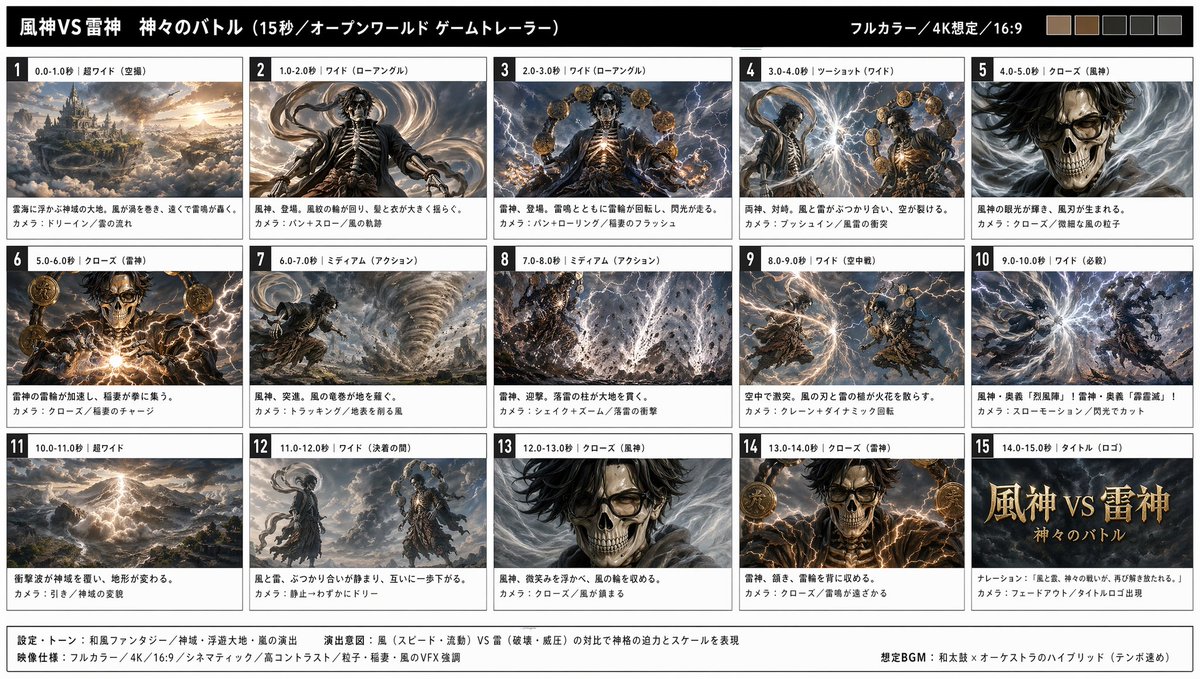
### 案例 3:[角色设定图 → 动画](https://x.com/YaReYaRu30Life/status/2047203375314571501) (作者 [@YaReYaRu30Life](https://x.com/YaReYaRu30Life))
使用 GPT Image 2 生成角色三视图(正面、侧面、背面),然后将其作为 Seedance 2.0 中动画的锚点参考。非常适合动漫角色、游戏角色和手办展示。
 |
|
**步骤:**
1. 使用 GPT Image 2 生成角色三视图(正面 / 侧面 / 背面)
2. 如有需要,单独生成装备设定图,然后组合成全副武装的三视图
3. 使用三视图作为参考生成故事板帧
4. 将故事板帧导入 Seedance 2.0 并制作动画
**GPT Image 2 提示词:**
```
Create a character three-view sheet (front, side, back views) for the following character:
[character name], [hair color], [eye color], [outfit description], [body type].
Style: Japanese anime illustration, clean linework, flat color, white background.
All three views must maintain consistent proportions and design details.
```
**Seedance 2.0 提示词 — 待机动作:**
```
Japanese full-color anime style, character in natural idle breathing animation, subtle hair movement, 24fps, seamless loop.
```
**Seedance 2.0 提示词 — 战斗动作:**
```
Japanese full-color anime style, high-speed cuts, high frame count, 24fps, dark fantasy anime OP style. Protagonist faces a giant creature — a sequence of high-impact combat scenes.
```
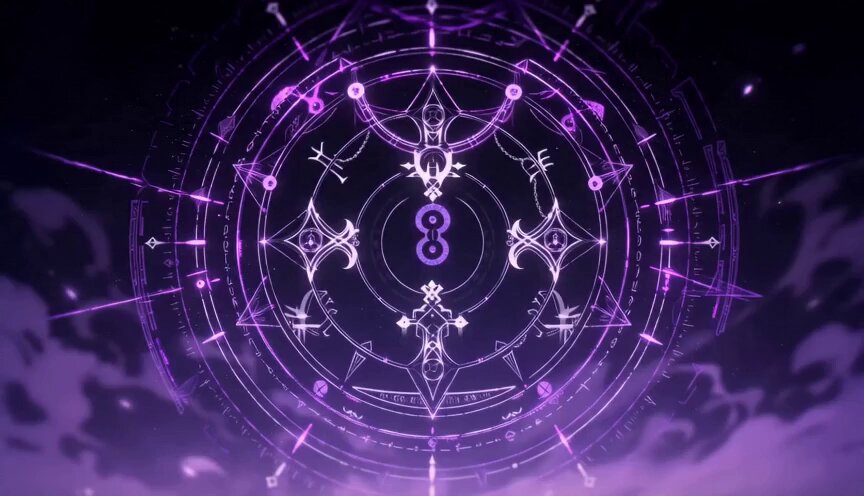
### 案例 4:[动漫 OP 风格视频](https://x.com/Toshi_nyaruo_AI/status/2047216971184546231) (作者 [@Toshi_nyaruo_AI](https://x.com/Toshi_nyaruo_AI))
使用 GPT Image 2 构建场景设定图,然后让 Seedance 2.0 自由发挥动画。比较受限(故事板引导)与自由形式(仅提示词)的输出,有助于为每个镜头选择正确的方法。
 |
|
|
**步骤:**
1. 使用 GPT Image 2 生成详细的场景设定图
2. 使用最小的运动提示词导入 Seedance 2.0
3. 可选比较:一个版本采用严格的故事板控制,另一个版本由 Seedance 自由发挥动画
**GPT Image 2 提示词:**
```
Create a scene setting illustration for a dark fantasy anime:
Location: [describe location], Time: [day/night], Atmosphere: [mood].
Style: Japanese anime production art, high detail, cinematic composition.
Character: [character name and appearance]. Fix this visual design across all panels.
```
**Seedance 2.0 提示词:**
```
Japanese full-color anime, fast cuts, high frame count, 24fps. Dark fantasy anime OP style. Epic battle between protagonist and massive supernatural creatures. High-impact sequence of scenes. Only [character name] appears.
```
## 📱 应用与产品演示
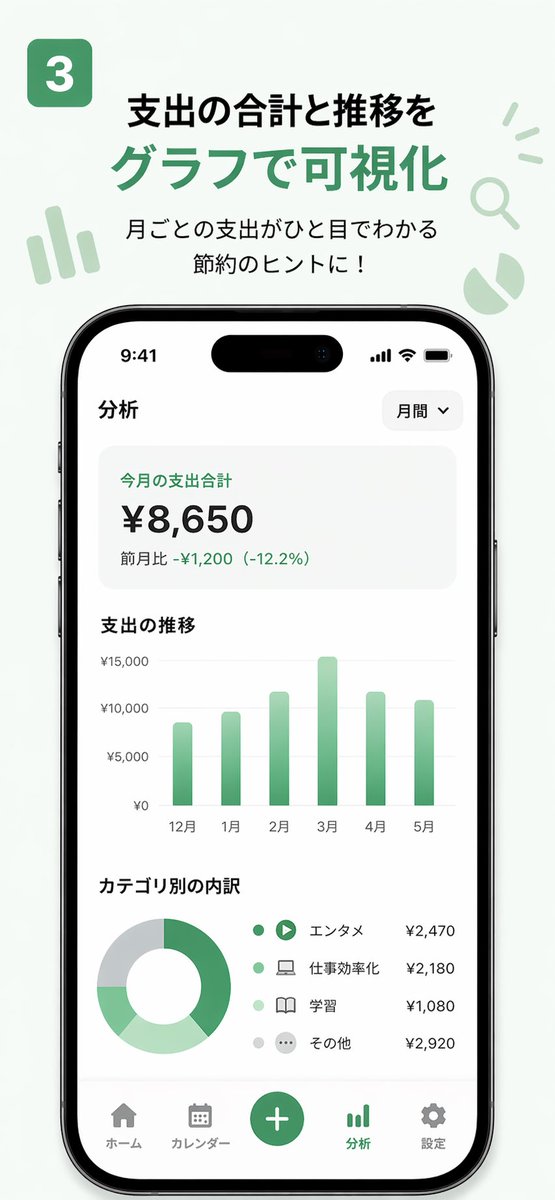
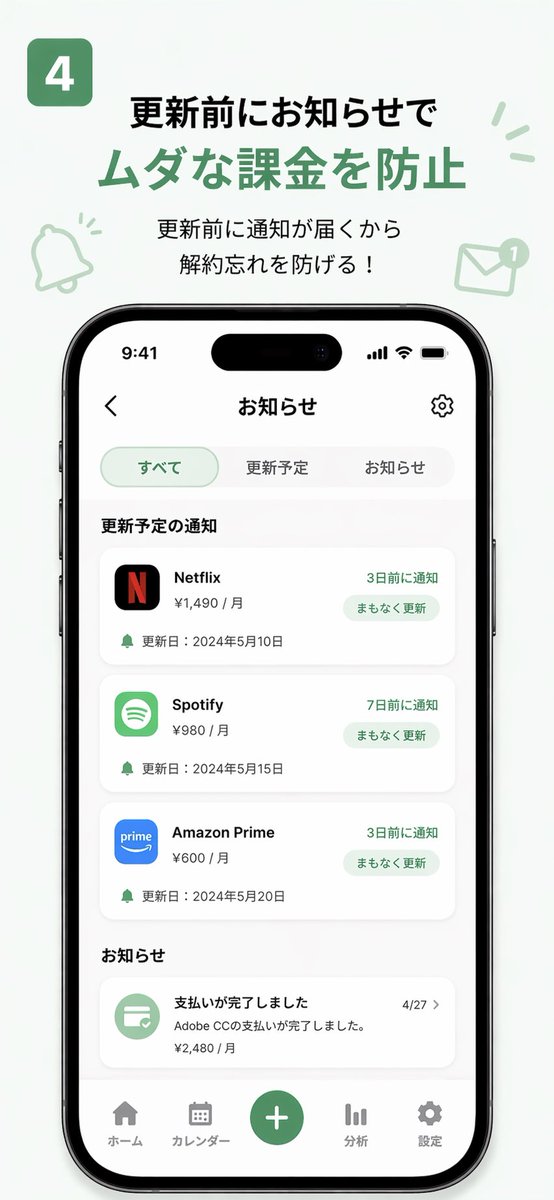
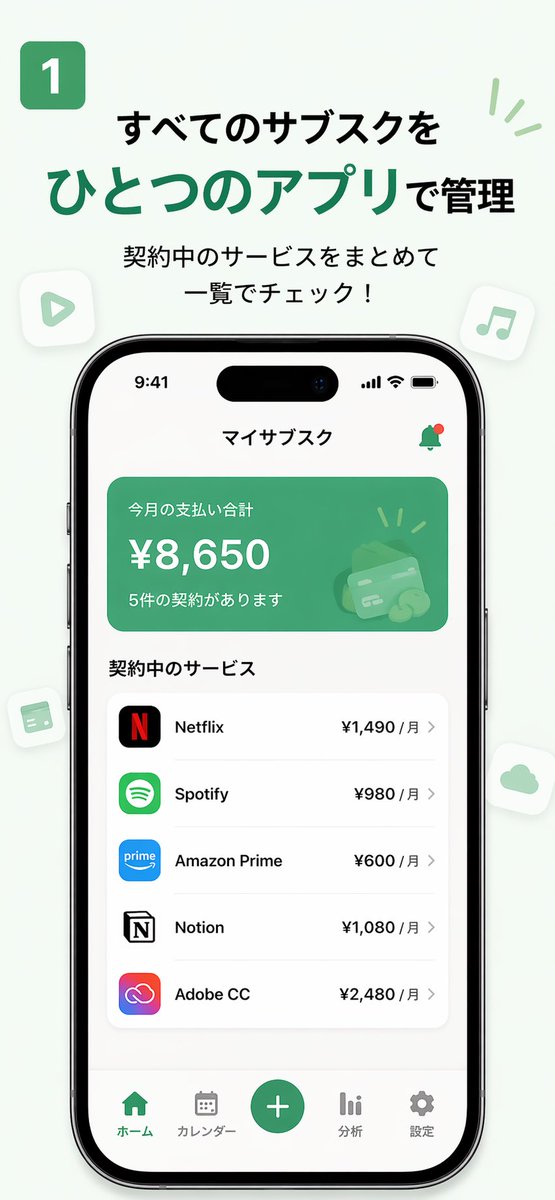
### 案例 5:[App MVP 演示视频](https://x.com/Shin_Engineer/status/2047182050323812381) (作者 [@Shin_Engineer](https://x.com/Shin_Engineer))
使用 GPT Image 2 为尚不存在的应用程序生成外观精美的 UI 截图,然后使用 Seedance 2.0 将其制作成产品演示动画。发布到 TikTok 或社交媒体,以便在构建前测试市场兴趣。
| 输出 |
| :----: |
|
|
**步骤:**
1. 向 GPT Image 2 描述您的应用程序概念和设计语言
2. 生成 3-5 张关键 UI 截图(主页、功能、个人资料页)
3. 按用户流程顺序对截图进行排序,并导入 Seedance 2.0
4. 导出演示视频并发布,以测试市场反应
**GPT Image 2 提示词:**
```
Design [N] UI screenshots for a "[app concept]" app:
1. [Page 1 name and description]
2. [Page 2 name and description]
3. [Page 3 name and description]
Style: [iOS/Android] native design language, [primary color] accent, [light/dark] mode.
Output as realistic app screenshots, not wireframes or mockups.
```
**Seedance 2.0 提示词:**
```
Smooth app UI transition animation, screen tap interaction, natural interface motion, clean and modern feel, 3 seconds.
```
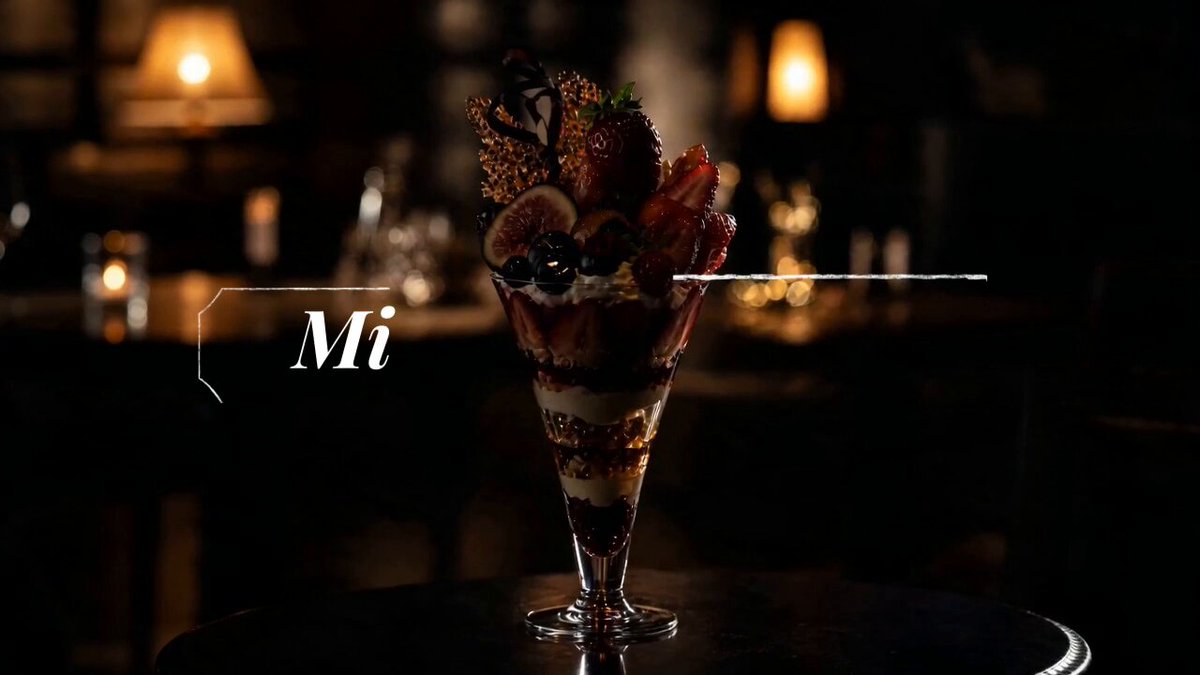
### 案例 6:[15 秒广告](https://x.com/ai_mitosan/status/2047146600422846762) (作者 [@ai_mitosan](https://x.com/ai_mitosan))
两步式工作流:GPT Image 2 生成主视觉图和匹配的故事板,然后 Seedance 2.0 为每个片段制作动画。加上字幕和音乐进行组装,即可完成一支 15 秒的广告。
 |
|
**步骤:**
1. 使用 GPT Image 2 生成主视觉(产品 / 角色 / 场景)
2. 基于主视觉生成 4-5 个画面的故事板
3. 在 Seedance 2.0 中为每个画面制作动画,目标时长为每段 3-4 秒
4. 组装片段,添加字幕和音乐
**故事板数量指南:**
| 视频长度 | 画面数 | 每段时长 |
| :---: | :---: | :---: |
| 15 秒 | 4–5 | 3–4 秒 |
| 30 秒 | 8–10 | 3 秒 |
| 60 秒 | 15–18 | 3–4 秒 |
**GPT Image 2 提示词:**
```
Create a 5-panel storyboard for a 15-second commercial for [product/brand]:
Panel 1: [opening shot]
Panel 2: [product feature]
Panel 3: [emotional moment]
Panel 4: [call to action]
Panel 5: [closing brand shot]
Style: [brand aesthetic], 16:9 widescreen, cinematic.
```
**Seedance 2.0 提示词:**
```
Cinematic commercial quality, [brand tone: premium / energetic / warm], [product name] centered in frame, slow camera push-in, [lighting direction] lighting highlights the product, clean background, no people, 3 seconds.
```
## 🎵 创意组合
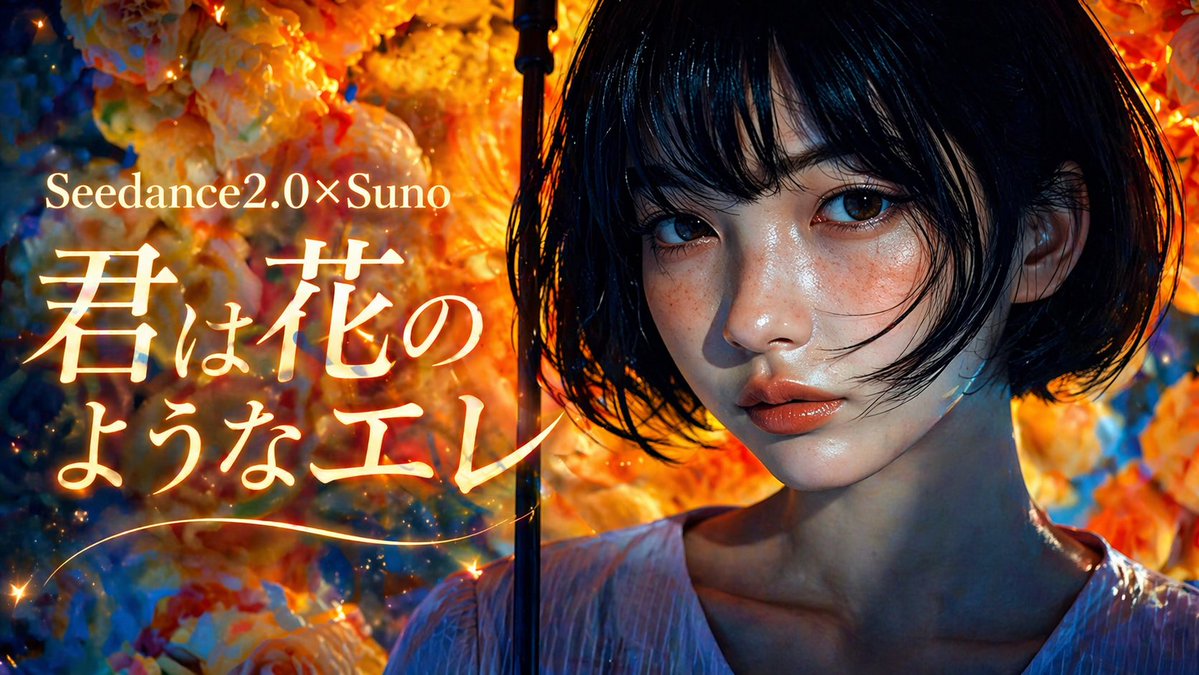
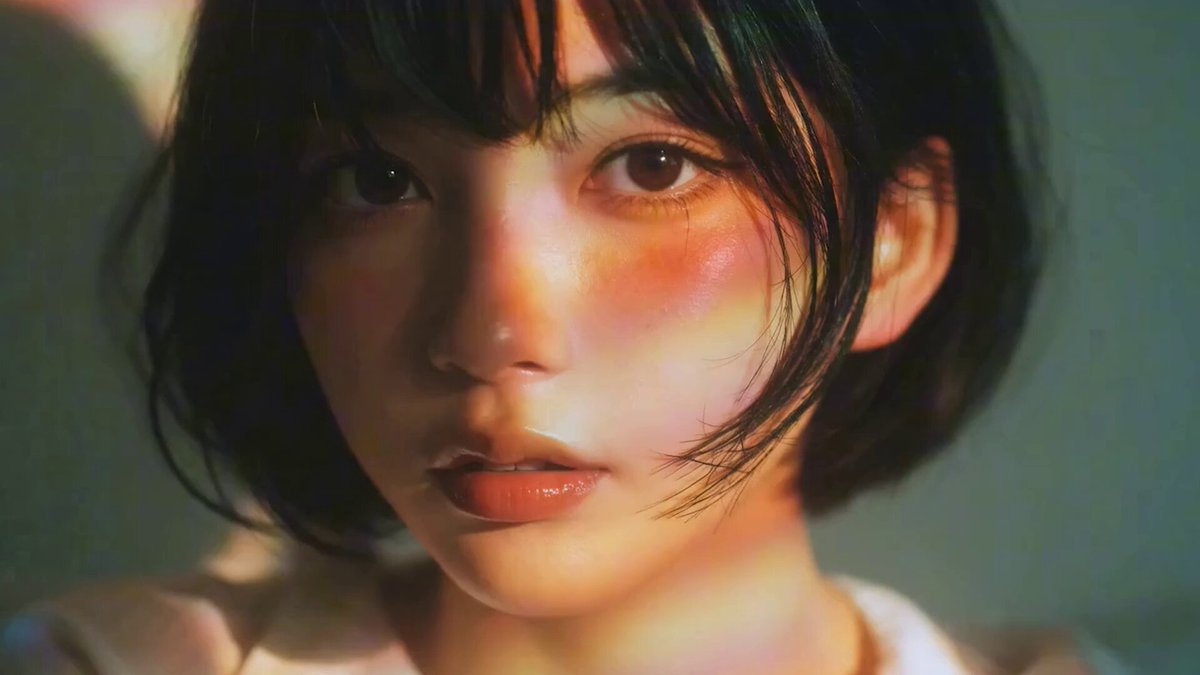
### 案例 7:[使用 Suno 制作音乐视频](https://x.com/fukaborichannel/status/2047206670020055317) (作者 [@fukaborichannel](https://x.com/fukaborichannel))
三工具组合:GPT Image 2 负责视觉,Seedance 2.0 负责运动,Suno 负责音乐。首先制作音乐以锁定节奏和结构,然后设计与节拍对齐的故事板。
 |
 |
|
**步骤:**
1. 在 Suno 中生成目标风格的音乐 —— 确认歌曲结构(前奏 / 主歌 / 副歌)
2. 在 GPT Image 2 中根据歌曲段落设计故事板画面
3. 在 Seedance 2.0 中为每个画面制作动画 —— 使片段时长与节拍相匹配
4. 在您的剪辑软件中将片段与音乐轨道同步
**GPT Image 2 提示词:**
```
Create a [N]-panel storyboard for a music video in [style] style:
Intro: [visual concept]
Verse: [visual concept]
Chorus: [visual concept]
Style: [art style], [color palette], [mood].
```
**Seedance 2.0 提示词 — City Pop 风格:**
```
Japanese city pop anime style, soft summer afternoon light, character walking lightly, Tokyo street background, blue sky, film grain texture, 24fps.
```
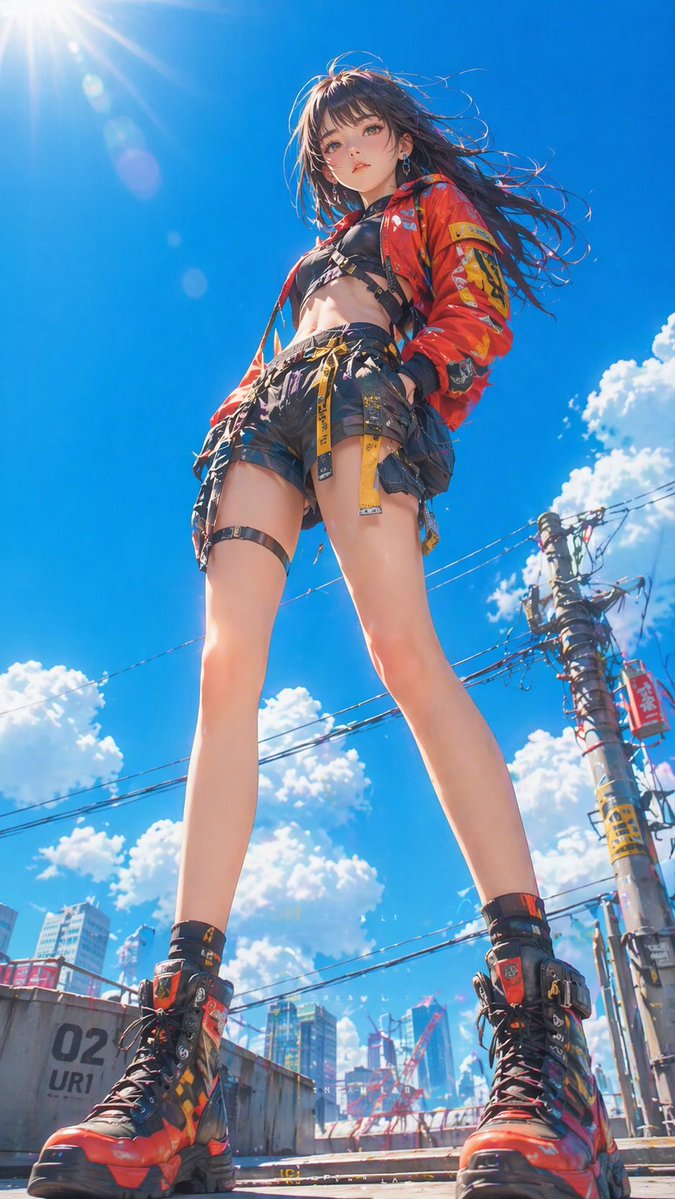
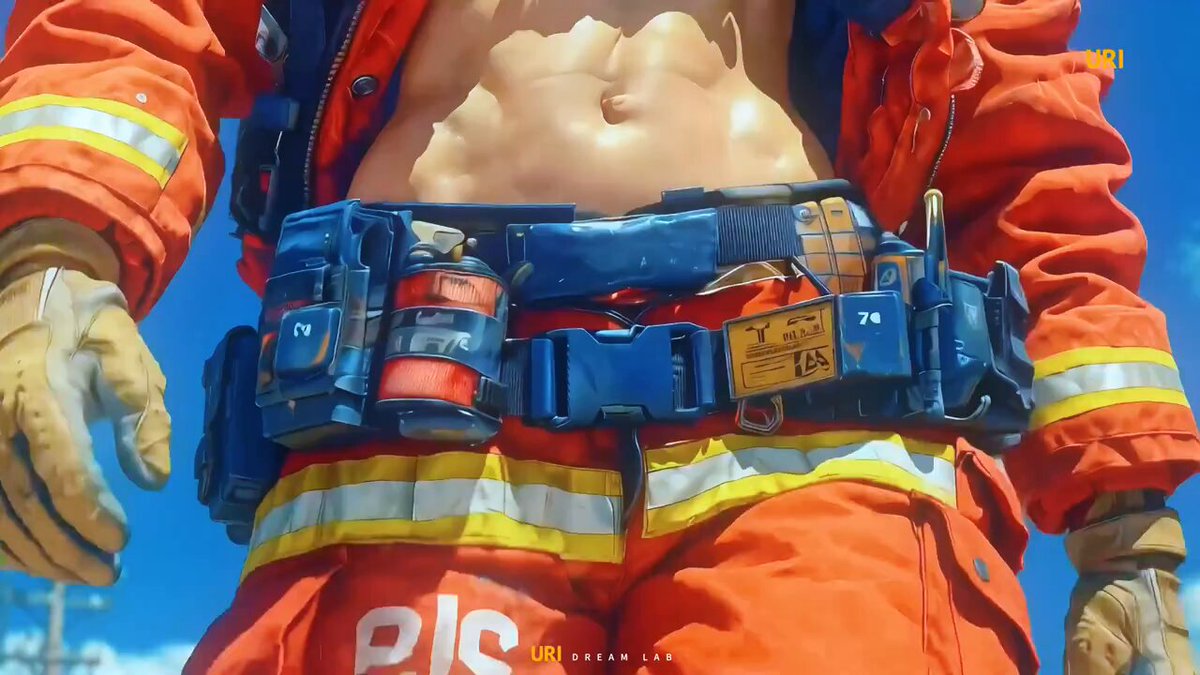
### 案例 8:[赛博朋克风格短片](https://x.com/ponyodong/status/2047210987263230133) (作者 [@ponyodong](https://x.com/ponyodong))
使用 GPT Image 2 建立一致的视觉风格(赛博朋克、霓虹、灯笼、女性美学),然后使用 Seedance 2.0 为每张图像制作动画,生成一部介于壁纸、海报和故事开场之间的风格化短片。
 |
 |
|
**步骤:**
1. 在 GPT Image 2 中定义视觉风格体系 —— 固定颜色、光线和角色外观
2 生成 4-6 张具有相同氛围的图像
3. 在 Seedance 2.0 中使用缓慢、具有氛围感的运动提示词为每张图像制作动画
4. 按顺序排列片段以构建简短的视觉叙事
**GPT Image 2 提示词:**
```
Generate a [style] illustration:
Visual elements: [neon lights / lanterns / rain / specific props].
Character: [appearance description]. Keep this character design fixed across all images.
Color palette: [dominant colors].
Mood: [atmospheric, cinematic, etc.].
```
**Seedance 2.0 提示词:**
```
Slow atmospheric camera drift, neon reflections on wet pavement, soft particle effects, cinematic color grade, 24fps, 4 seconds.
```
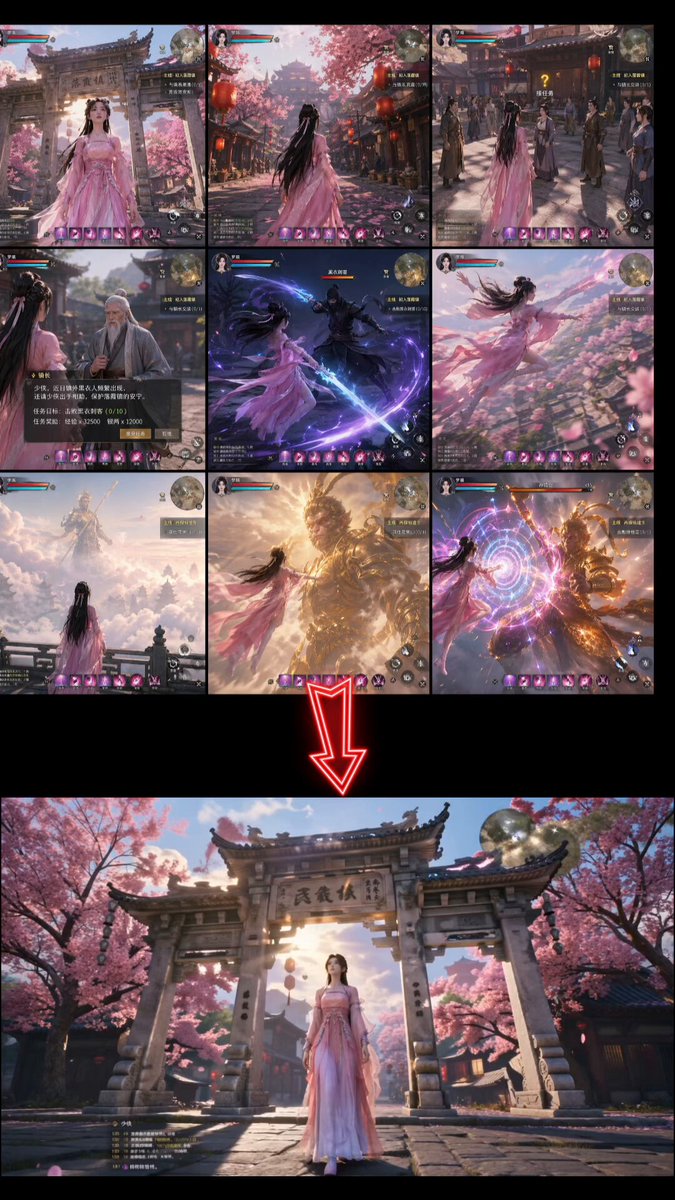
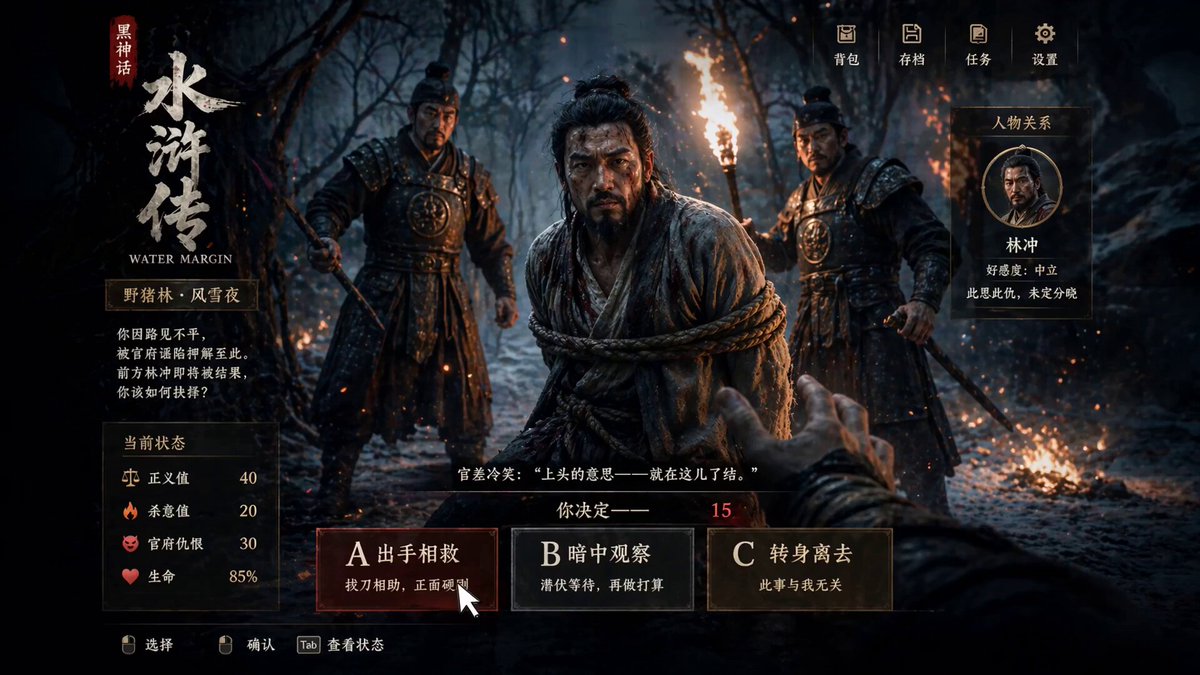
### 案例 9:[游戏与交互式内容](https://x.com/AbleGPT/status/2047149644778746020) (作者 [@AbleGPT](https://x.com/AbleGPT))
使用 GPT Image 2 生成游戏风格的 UI 图像(带有 HUD 元素、技能栏、选项叠加层),然后在 Seedance 2.0 中将它们制作成动画,以模拟交互式游戏序列。与真实人类素材相比,游戏和插画风格在 Seedance 中受到的内容限制更少。
 |
|
**步骤:**
1. 使用 GPT Image 2 生成 ARPG 或游戏 UI 风格的图像,包括 HUD 元素
2. 导入 Seedance 2.0 并描述交互或战斗序列
3. 添加后期制作效果(粒子、发光)进行润色
**GPT Image 2 提示词:**
```
Generate a game UI screenshot in [Black Myth / ARPG / JRPG] style:
Theme: [Chinese mythology / fantasy / sci-fi].
UI elements: health bar, skill icons, choice panel with options A/B/C.
Art style: [realistic / painterly / anime], high detail rendering.
```
**Seedance 2.0 提示词:**
```
Click option A, normal UI transition animation, then a reasonable combat sequence begins.
[Style: Black Myth style, Chinese mythological martial arts, realistic rendering, dynamic camera work.]
```
## 💡 技巧与窍门
### 一致性指南
保持 GPT Image 2 输出之间以及贯穿 Seedance 2.0 动画的视觉一致性是最常见的挑战。这些方法解决了各个层面的问题。
**产品图像一致性**
产品在 Seedance 中变形的根本原因是,其运动插值会重写细节 —— 标志、纹理和表面图案会被修改。
解决方案:
- 在您的 Seedance 提示词中加入 `保持产品外观完全不变,仅镜头运动,不旋转`
- 选择镜头运动(推入、拉出)而非主体运动 —— 保持产品静止并移动镜头
- 将片段时长控制在 3 秒以内 —— 较短的片段累积的变形更少
**角色一致性**
- 首先生成角色三视图,并将其用作所有后续故事板帧的视觉锚点
- 在每个故事板画面的提示词中包含简短的角色描述(发色、服装、体型)
- 避免在单个片段内切换角色视角
**场景一致性**
在 GPT Image 2 中生成多个故事板画面时,请在提示词顶部固定场景参数:
```
Scene setting: [location], [time of day], [lighting direction], [fixed background elements].
Maintain this scene setting unchanged across all panels.
```
### 提示词模板
**GPT Image 2 → 故事板模板**
```
Create a [N]-panel storyboard for [subject]:
- Style: [realistic / anime / illustration / cinematic]
- Aspect ratio: 16:9 widescreen
- Each panel: include shot type (wide / medium / close-up) + action description
- Character: [fixed appearance description]
- Scene tone: [color palette / lighting / mood]
Output as a single image with [N] panels separated by thin lines.
```
**GPT Image 2 → 3×3 网格模板**
```
Output a single 3×3 grid storyboard image showing the following continuous action:
[describe the action sequence]
Requirements:
- 9 panels arranged left-to-right, top-to-bottom showing continuous motion
- Character position and scale consistent across all panels
- Background consistent throughout
- No text, labels, or content outside the panel borders
```
**Seedance 2.0 → 动漫风格模板**
```
Japanese full-color animation, high-speed editing, high frame count, 24fps.
[Scene description]. [Character description]. [Action description].
Strong camera work, high visual impact.
```
**Seedance 2.0 → 商业广告风格模板**
```
Cinematic commercial quality, [brand tone: premium / energetic / warm],
[product] centered in frame, slow camera push-in,
[lighting direction] highlights the product, clean background, no people.
Duration: 3 seconds.
```
### 故障排除
**Seedance 内容审核拦截**
原因:图像包含被标记为敏感的内容(写实暴力、特定姿势下的人脸)。
修复:切换至动漫或插画风格,或者从提示词中移除人物形象描述。
**输出动作混乱**
原因:故事板图像过于复杂 —— Seedance 无法确定主要的运动方向。
修复:将故事板画面简化为一个主要主体和一个清晰的行动。减少背景元素。
**产品图像变形**
请参阅上方一致性指南 → 产品图像一致性部分。
**平台输入格式要求**
| 平台 | 推荐输入尺寸 | 支持的格式 | 最大文件大小 |
| :---: | :---: | :---: | :---: |
| Hailuo | 1280×720 或 720×1280 | JPG / PNG | 10 MB |
| Higgsfield | 1920×1080 | PNG | 20 MB |
| HitPaw | 任意比例 | JPG / PNG / WEBP | 15 MB |
## 🚀 在 Evolink 上尝试
Evolink 可让您在一个地方同时运行 GPT Image 2 和 Seedance 2.0 —— 无需切换平台,无需重新上传文件。
**为什么选择 Evolink**
- 单个 API 密钥即可用于 GPT Image 2 和 Seedance 2.0
- 在相同界面内直接进行图生视频转换 —— 生成图像后点击“发送到视频”,无需下载
- 批量处理 —— 将多个故事板画面排队以进行顺序视频生成
**如何使用**
```
Step 1: Open Evolink → select GPT Image 2 → generate your storyboard image
Step 2: Click "Generate Video" → Seedance 2.0 receives the image automatically
Step 3: Add your Seedance prompt → generate
```

## 🙏 致谢
本仓库的灵感来源于出色的开源工作流集合和社区分享的实验。
感谢公开分享其作品并使这些案例研究成为可能的创作者和贡献者。
- [@szounft](https://x.com/szounft)
- [@Toshi_nyaruo_AI](https://x.com/Toshi_nyaruo_AI)
- [@ponyodong](https://x.com/ponyodong)
- [@servasyy_ai](https://x.com/servasyy_ai)
- [@YaReYaRu30Life](https://x.com/YaReYaRu30Life)
- [@fukaborichannel](https://x.com/fukaborichannel)
- [@Shin_Engineer](https://x.com/Shin_Engineer)
- [@ai_mitosan](https://x.com/ai_mitosan)
- [@kiyoshi_shin](https://x.com/kiyoshi_shin)
- [@AbleGPT](https://x.com/AbleGPT)
- [@patata1216](https://x.com/patata1216)
- [@peter6759](https://x.com/peter6759)
- [@ponyodong](https://x.com/ponyodong)
- [@hibi_ai__](https://x.com/hibi_ai__)
*我们无法保证每个案例都能准确归属到原始创作者。如果有任何需要修正的地方,请与我们联系,我们将及时更新。*
如果您有更多有趣的工作流案例想要分享,请随时联系我们,帮助我们扩充 Evolink 工作流库。
[](https://www.star-history.com/#EvolinkAI/gptimage2-x-seedance2&Date)