Artur114Projects/JVMByteCodeGrabber

GitHub: Artur114Projects/JVMByteCodeGrabber

一款带图形界面的轻量级工具,能够从正在运行的Java虚拟机中抓取已加载类的字节码并保存到磁盘,支持多种输出格式和打包方式。

Stars: 1 | Forks: 0

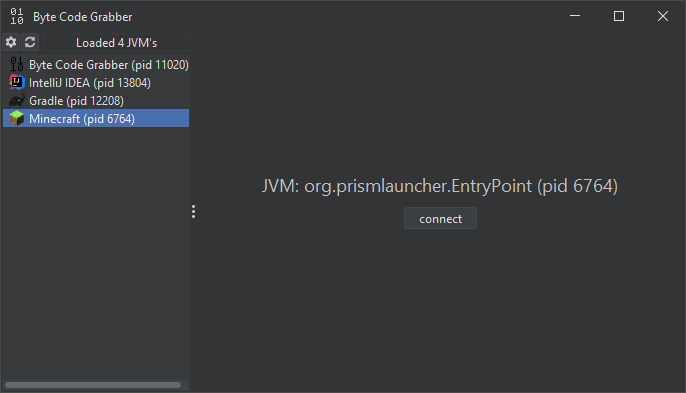
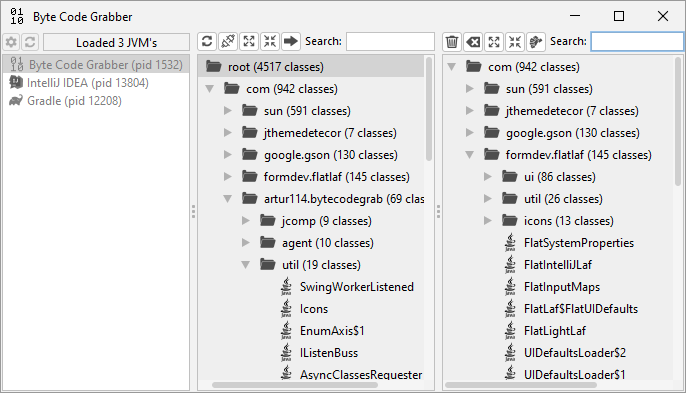
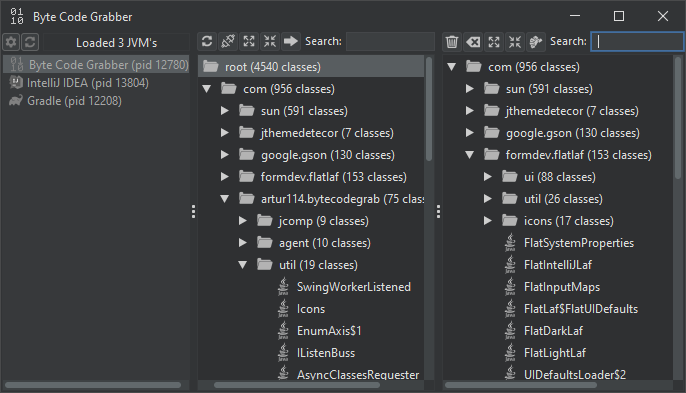
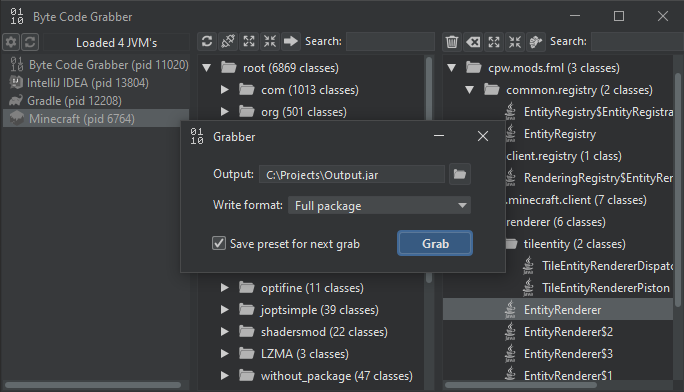
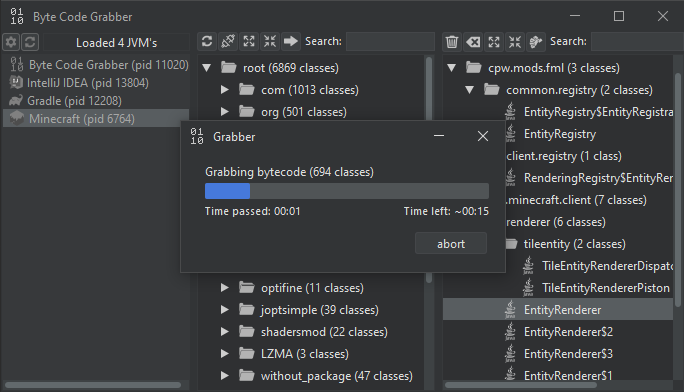
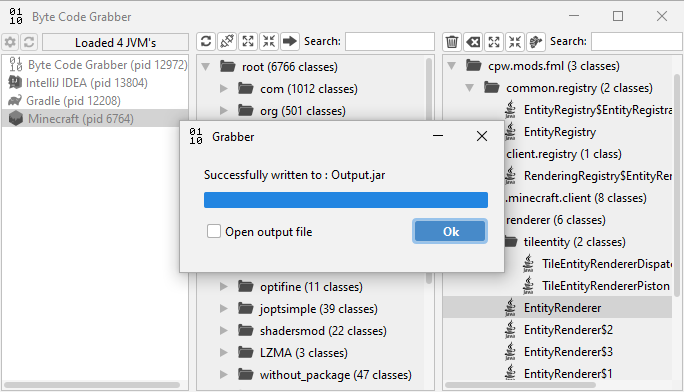
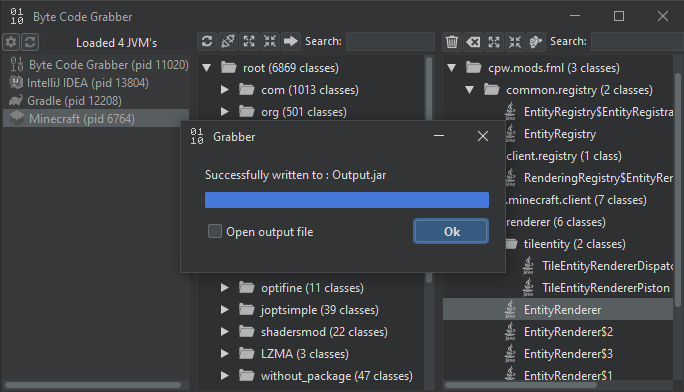
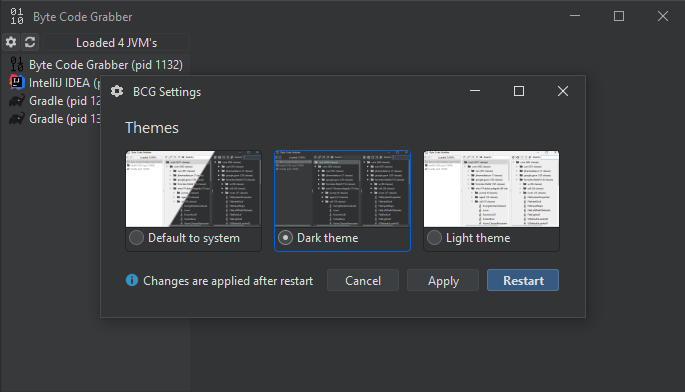
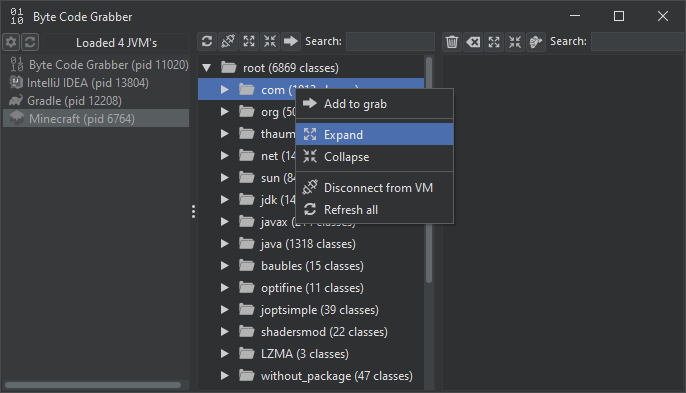
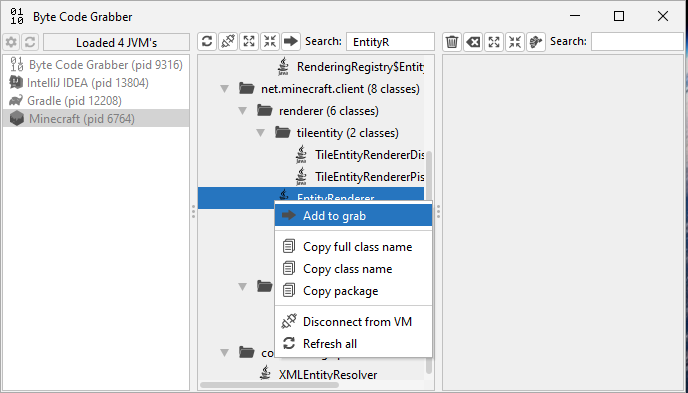
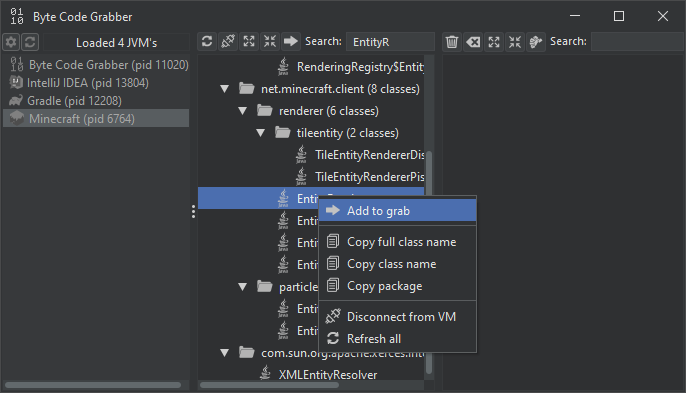
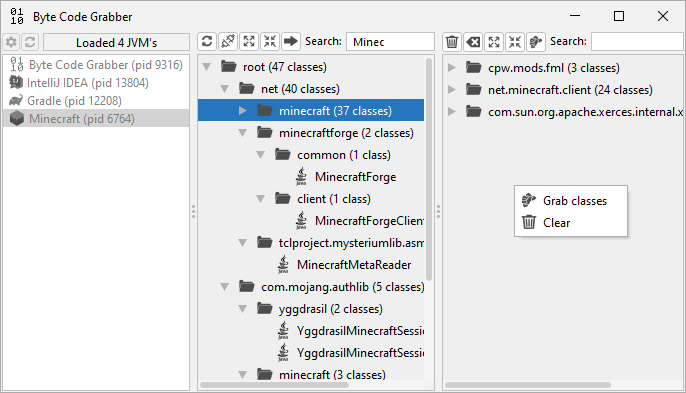
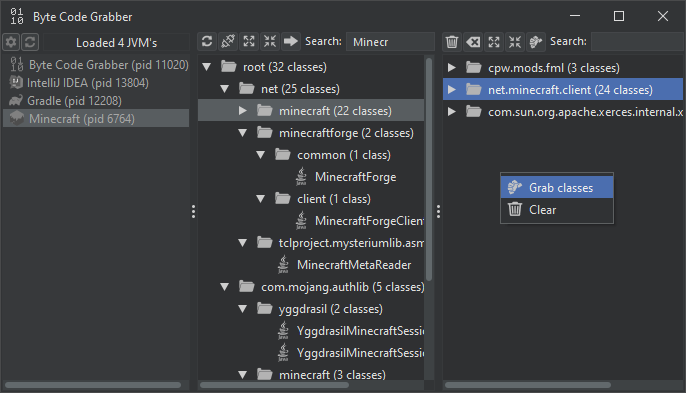
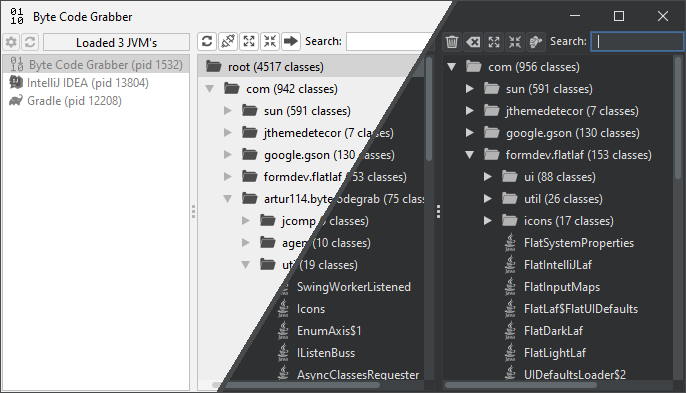
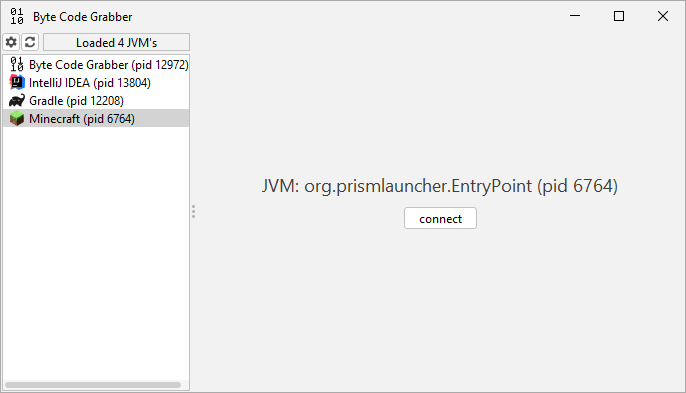
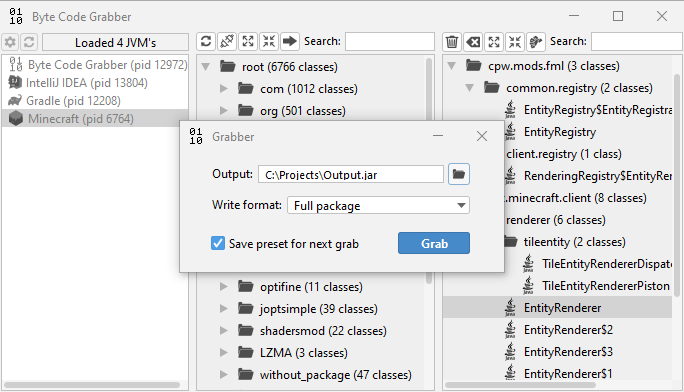
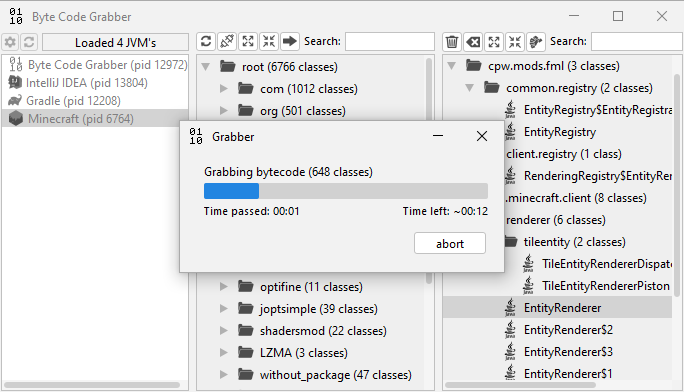
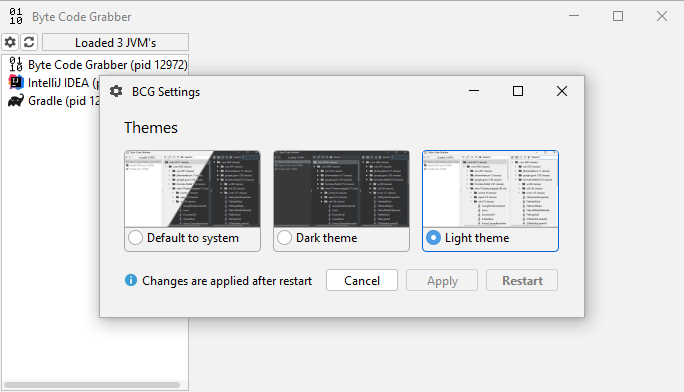
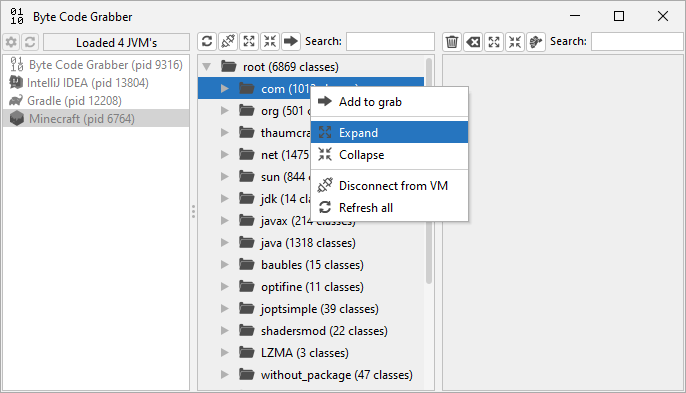
# 关于本程序 ![License](https://img.shields.io/badge/license-MIT-blue) ![Release](https://img.shields.io/github/v/release/Artur114Projects/JVMByteCodeGrabber) 一个小型实用工具,允许您从正在运行的 Java 虚拟机中抓取/转储/获取/~窃取~ 字节码并将其保存到磁盘。 它具有图形界面、多种输出格式、兼容 JDK 1.8+,并包含一个用于选择启动 Java 运行时的小型预加载器 (bootstrap),支持深色和浅色主题。 ![UI](https://static.pigsec.cn/wp-content/uploads/repos/2026/04/2662005fab210557.png) ## 用法 如果您在 JRE 上启动该程序,将会打开一个 bootstrap 窗口,提示您选择一个 JDK。 输入 JDK 的路径,例如:`C:\Program Files\Java\jdk1.8.0_231` **启动** 按钮将使用指定的 JDK 重新启动应用程序。 如果启动失败,您将再次看到 bootstrap 窗口。 ### 主界面 启动成功后,您将看到正在运行的 Java 虚拟机列表。 选择目标 JVM,连接到它,然后使用 **添加到抓取** 按钮(左侧面板的最右侧按钮,或左侧面板上下文菜单中的按钮)将您需要的类添加到右侧面板。 | 浅色 | 深色 | |:---:|:---:| | ![Screen UIL Start](https://static.pigsec.cn/wp-content/uploads/repos/2026/04/ca6977998e210604.png) | ![Screen UID Start](https://static.pigsec.cn/wp-content/uploads/repos/2026/04/c54360edc6210611.png) | | ![Screen UIL Tree](https://static.pigsec.cn/wp-content/uploads/repos/2026/04/c4d3d44638210619.png) | ![Screen UID Tree](https://static.pigsec.cn/wp-content/uploads/repos/2026/04/e6a82bbc9a210626.png) | ### 抓取类 要保存选定的类,请按 **抓取** 按钮(右侧面板的最右侧按钮,或右侧面板上下文菜单中的按钮)。 如果右侧文本字段中写入的路径不存在,将会打开一个文件选择窗口,请选择一个 `.zip`、`.jar` 文件或文件夹。 之后,系统会要求您选择输出目录和输出格式。 | 浅色 | 深色 | |:---:|:---:| | ![Screen UIL Grab](https://static.pigsec.cn/wp-content/uploads/repos/2026/04/f1a4c23620210633.png) | ![Screen UID Grab](https://static.pigsec.cn/wp-content/uploads/repos/2026/04/06e14baa99210641.png) | 共有三种输出格式: - **完整包名:** 保存每个类时将其包名用作目录路径。例如,类 `java.util.List` 会变为 `java\util\List.class`。 - **包名 + 类名:** 保存每个类时将完整的包名 + 类名用作文件名。例如,类 `java.util.List` 会变为 `java.util.List.class`。 - **仅类名:** 保存每个类时仅使用其名称,前提是不存在具有该名称的文件,否则将使用:包名 + 类名。例如,类 `java.util.List` 会变为 `List.class`。 在您点击 **抓取** 按钮后,程序会将您选定的类保存到选定的输出位置。 | 浅色 | 深色 | |:---:|:---:| | ![Screen UIL Grab process](https://static.pigsec.cn/wp-content/uploads/repos/2026/04/280f825ccc210649.png) | ![Screen UID Grab process](https://static.pigsec.cn/wp-content/uploads/repos/2026/04/9f1462f955210659.png) | | ![Screen UIL Grab end](https://static.pigsec.cn/wp-content/uploads/repos/2026/04/6328ebe9dd210707.png) | ![Screen UID Grab end](https://static.pigsec.cn/wp-content/uploads/repos/2026/04/a0829f39ff210713.png) | 保存类之后,您可以使用断开连接按钮(左侧面板的第二个按钮,或左侧面板上下文菜单中的按钮)断开与虚拟机的连接。 ### 其他 **主题选择器** | 浅色 | 深色 | |:---:|:---:| | ![Screen UIL Theme chooser](https://static.pigsec.cn/wp-content/uploads/repos/2026/04/1236d8d909210719.png) | ![Screen UID Theme chooser](https://static.pigsec.cn/wp-content/uploads/repos/2026/04/7fe1630aa0210725.png) | **上下文菜单** | 浅色 | 深色 | |:---:|:---:| | ![Screen UIL Context menu 1](https://static.pigsec.cn/wp-content/uploads/repos/2026/04/b568ed8b55210732.png) | ![Screen UID Context menu 1](https://static.pigsec.cn/wp-content/uploads/repos/2026/04/1403abefe5210740.png) | | ![Screen UIL Context menu 2](https://static.pigsec.cn/wp-content/uploads/repos/2026/04/4d52afe3d6210744.png) | ![Screen UID Context menu 2](https://static.pigsec.cn/wp-content/uploads/repos/2026/04/6744d14003210752.png) | | ![Screen UIL Context menu 3](https://static.pigsec.cn/wp-content/uploads/repos/2026/04/6a906b1c18210754.png) | ![Screen UID Context menu 3](https://static.pigsec.cn/wp-content/uploads/repos/2026/04/240eb60afe210801.png) | ## 鸣谢 jSystemThemeDetector 采用 Apache License 2.0 授权,版权所有 (c) 2020 Albin Coquereau。 FlatLaf 采用 Apache License 2.0 授权。版权所有 (c) 2019-2024 FormDev Software GmbH。 Log4j 采用 Apache License 2.0 授权,版权所有 (c) The Apache Software Foundation。 Gson 采用 Apache License 2.0 授权,版权所有 (c) 2008 Google Inc. 特别感谢 [@JFormDesigner](https://github.com/JFormDesigner) 提供了出色的 Look & Feel([FlatLaf](https://github.com/JFormDesigner/FlatLaf))。 **库:** FlatLaf, Gson, Log4j **开发者:** [@Artur114](https://github.com/Artur114Projects)
标签:Bytecode, Dump, GHAS, GUI工具, Jar, Java安全, JDK工具, JS文件枚举, JVM, MIT协议, Steal, URL提取, Zip, 主机友好, 云资产清单, 内存提取, 反编译, 域名枚举, 字节码, 暗黑主题, 正则表达式, 类提取, 转储工具, 运行时分析, 逆向工程