Ansari-M-Rayyan/trackgram
GitHub: Ansari-M-Rayyan/trackgram
一款面向 Instagram 的本地 AI 驱动 OSINT 取证分析套件,结合大语言模型推理与计算机视觉生成结构化情报报告。
Stars: 3 | Forks: 0
# TrackGram 🔎
[](https://opensource.org/licenses/MIT)
[](https://www.python.org/)
[](https://fastapi.tiangolo.com/)
[](https://reactjs.org/)
[](https://ollama.com/)
[](https://huggingface.co/google/vit-base-patch16-224)
## 面向 Instagram 的高级 OSINT 取证分析与神经智能仪表盘
#### TrackGram 是一款下一代数字取证与开源情报 (OSINT) 套件。通过结合自带数据 (BYOD) 架构与本地大语言模型 (LLM),TrackGram 能够生成全面的行为与环境档案,且绝不会将您的网络身份暴露给目标平台。
 ## 🚀 核心功能
### 📡 深度流拦截器 (Ghost Extractor v2)
#### 高保真拦截:一款专用的客户端工具,可捕获丰富的 API 元数据,包括标准抓取工具通常遗漏的隐藏 Felix Video Timelines 和深度链接数组。
#### 隐私优先提取:利用活跃的浏览器会话安全地获取数据,绕过高级机器人检测和 TLS 指纹识别。
### 🧠 本地神经引擎 (Llama 3.2)
#### 零幻觉智能:由通过 Ollama 托管的本地 LLM 提供支持。它使用经过优化的参数对目标数据进行冷酷、客观的临床推理,以确保最高程度的事实可靠性。
#### 取证报告:自动将数据合成为结构化的简报文档:身份与环境、网络连贯性以及取证结论。
### 👁️ 数字环境侦察 (Vision AI)
#### 场景分类:使用 Vision Transformer (ViT) 分析个人资料图像,识别诸如演讲台 (PODIUMS)、礼堂 (AUDITORIUMS) 或新闻发布会 (PRESS CONFERENCES) 等专业环境。
#### 上下文验证:将视觉环境标签与声称的专业身份进行交叉比对,以检测异常或深度掩护的不一致性。
### 📊 情报模块
#### 网络关联映射:跨所有媒体类型 (Posts、Reels、IGTV) 深度提取 @提及,以映射高价值连接和机构从属关系。
#### 主题聚类:分析标签频率和字幕语义,以识别目标的主要叙事和影响圈。
#### 合法性启发式评估:一套多因素评分系统,用于评估已验证状态、关注者/正在关注比例以及互动连续性。
## 🛠️ 技术栈
**前端:**
* React.js (Vite)
* Tailwind CSS (仪表盘样式)
* Lucide React
**后端:**
* FastAPI (Python)
* Ollama (Llama 3.2)
* HuggingFace Transformers (ViT)
* NVIDIA CUDA
* Pillow & Requests
## 📦 安装与设置
### 1. 前置条件
* **Node.js:** 推荐使用 v20+ 版本。
* **Python:** 推荐使用 3.9+ 版本。
* **Ollama:** 本地 LLM 推理 (Llama 3.2) 所必需。
### 2. Ghost Extractor (Bookmarklet 设置)
为了获取数据,您必须创建一个浏览器 Bookmarklet。这允许您在登录自己账户的同时提取数据,从而绕过机器人检测。
1. 在您的浏览器中创建一个新的书签。
2. 将其命名为 `TrackGram Extractor`。
3. 将以下内容粘贴到 **URL** 字段中:
```
javascript:(function(){ let username = window.location.pathname.replace(/\//g, ''); if(!username || username === 'reels' || username === 'explore') { alert('Navigate to a specific Profile first!'); return; } console.log('%F0%9F%93%A1 TrackGram: Initiating Forensic Extraction for @' + username); fetch(`https://i.instagram.com/api/v1/users/web_profile_info/?username=${username}`,%20{%20%20%20%20%20%20%20%20%20headers:%20{%20%20%20%20%20%20%20%20%20%20%20%20%20%27x-ig-app-id%27:%20%27936619743392459%27,%20%20%20%20%20%20%20%20%20%20%20%20%20%27sec-ch-ua-platform%27:%20%27%22Windows%22%27,%20%20%20%20%20%20%20%20%20%20%20%20%20%27User-Agent%27:%20navigator.userAgent%20%20%20%20%20%20%20%20%20}%20%20%20%20%20})%20%20%20%20%20.then(res%20=%3E%20{%20%20%20%20%20%20%20%20%20if(res.status%20===%20429)%20throw%20new%20Error(%27Rate%20limited.%20Wait%205%20mins.%27);%20%20%20%20%20%20%20%20%20if(!res.ok)%20throw%20new%20Error(%27Access%20Denied/Private%20Profile.%27);%20%20%20%20%20%20%20%20%20return%20res.json();%20%20%20%20%20})%20%20%20%20%20.then(json%20=%3E%20{%20%20%20%20%20%20%20%20%20let%20payload%20=%20{%20%20%20%20%20%20%20%20%20%20%20%20%20metadata:%20{%20%20%20%20%20%20%20%20%20%20%20%20%20%20%20%20%20target:%20username,%20%20%20%20%20%20%20%20%20%20%20%20%20%20%20%20%20extracted_at:%20new%20Date().toISOString(),%20%20%20%20%20%20%20%20%20%20%20%20%20%20%20%20%20tool:%20%22TrackGram%20v2%20(RTX-Llama)%22%20%20%20%20%20%20%20%20%20%20%20%20%20},%20%20%20%20%20%20%20%20%20%20%20%20%20data:%20json.data%20%20%20%20%20%20%20%20%20};%20%20%20%20%20%20%20%20%20%20let%20blob%20=%20new%20Blob([JSON.stringify(payload,%20null,%202)],%20{type:%20%27application/json%27});%20%20%20%20%20%20%20%20%20let%20a%20=%20document.createElement(%27a%27);%20%20%20%20%20%20%20%20%20a.href%20=%20URL.createObjectURL(blob);%20%20%20%20%20%20%20%20%20a.download%20=%20`TG_Dossier_${username}_${Date.now()}.json`;%20%20%20%20%20%20%20%20%20document.body.appendChild(a);%20%20%20%20%20%20%20%20%20a.click();%20%20%20%20%20%20%20%20%20document.body.removeChild(a);%20%20%20%20%20%20%20%20%20console.log(%27%E2%9C%85%20Extraction%20Complete.%20File%20ready%20for%20Llama%20analysis.%27);%20%20%20%20%20})%20%20%20%20%20.catch(err%20=%3E%20alert(%27%E2%9D%8C%20TrackGram%20Error:%20%27%20+%20err.message));%20})();
```
### 3. 后端设置
```
# 确保 Ollama 正在运行 Llama 3.2
ollama run llama3.2
cd backend
# 安装 Python 依赖项
pip install -r requirements.txt
# 启动 inference engine
python main.py
```
*服务器将在 http://localhost:8000 上启动。神经权重和 Vision Transformer 将在首次运行时进行初始化。*
### 4. 前端设置
```
cd frontend
npm install
npm run dev
```
*仪表盘将启动。*
## 📖 使用指南
1. **提取:** 访问公开的 Instagram 个人资料,然后点击您的 `TrackGram Extractor` 书签。
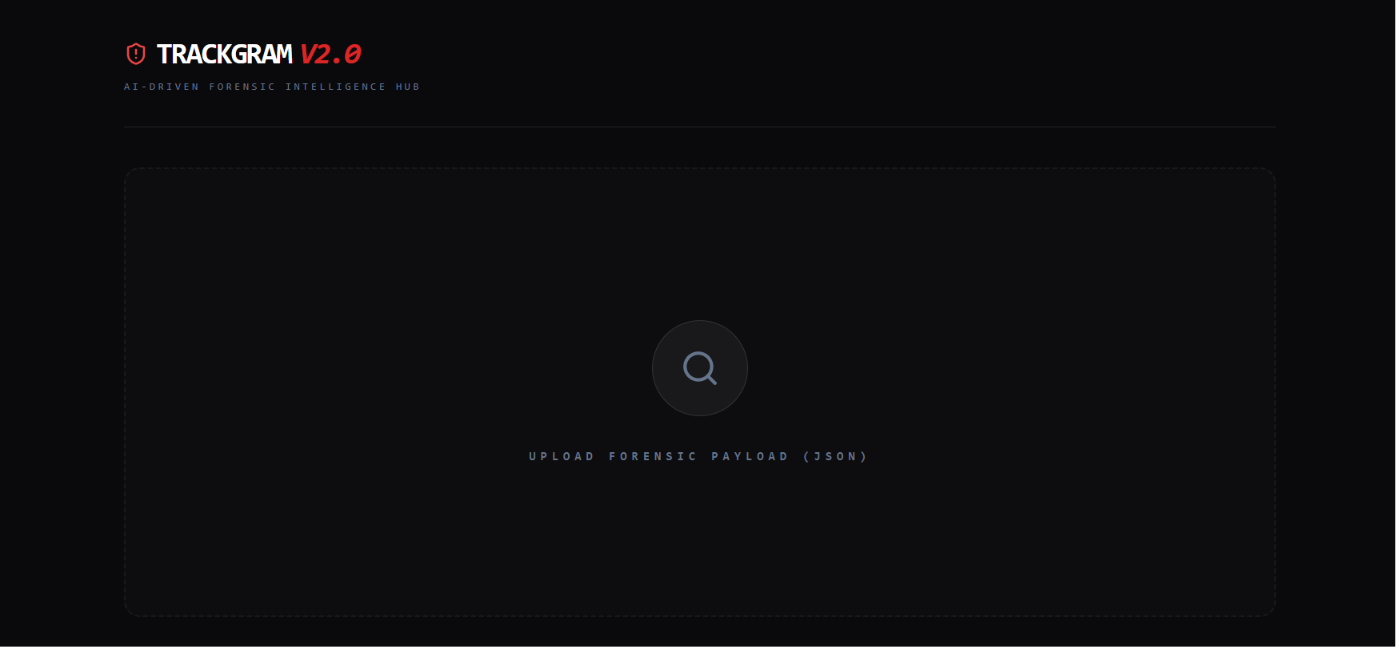
2. **注入:** 将生成的 `.json` 文件拖放到 TrackGram 仪表盘中。
3. **分析:** 查看由 AI 模型 (Llama 3.2 & ViT) 综合得出的战术分析。
4. **报告:** 点击 **“Download PDF Report”** 以导出格式化的情报档案。
## 📄 后端依赖要求 (`requirements.txt`)
将以下内容粘贴到您的 `backend/requirements.txt` 文件中:
```
fastapi
uvicorn
python-multipart
requests
torch
torchvision
transformers
huggingface_hub
scikit-learn
numpy
pillow
```
## ⚖️ 免责声明
本工具仅用于**教育和研究目的**。用户有责任遵守其分析平台的服务条款以及有关数据隐私的当地法律。
## 🚀 核心功能
### 📡 深度流拦截器 (Ghost Extractor v2)
#### 高保真拦截:一款专用的客户端工具,可捕获丰富的 API 元数据,包括标准抓取工具通常遗漏的隐藏 Felix Video Timelines 和深度链接数组。
#### 隐私优先提取:利用活跃的浏览器会话安全地获取数据,绕过高级机器人检测和 TLS 指纹识别。
### 🧠 本地神经引擎 (Llama 3.2)
#### 零幻觉智能:由通过 Ollama 托管的本地 LLM 提供支持。它使用经过优化的参数对目标数据进行冷酷、客观的临床推理,以确保最高程度的事实可靠性。
#### 取证报告:自动将数据合成为结构化的简报文档:身份与环境、网络连贯性以及取证结论。
### 👁️ 数字环境侦察 (Vision AI)
#### 场景分类:使用 Vision Transformer (ViT) 分析个人资料图像,识别诸如演讲台 (PODIUMS)、礼堂 (AUDITORIUMS) 或新闻发布会 (PRESS CONFERENCES) 等专业环境。
#### 上下文验证:将视觉环境标签与声称的专业身份进行交叉比对,以检测异常或深度掩护的不一致性。
### 📊 情报模块
#### 网络关联映射:跨所有媒体类型 (Posts、Reels、IGTV) 深度提取 @提及,以映射高价值连接和机构从属关系。
#### 主题聚类:分析标签频率和字幕语义,以识别目标的主要叙事和影响圈。
#### 合法性启发式评估:一套多因素评分系统,用于评估已验证状态、关注者/正在关注比例以及互动连续性。
## 🛠️ 技术栈
**前端:**
* React.js (Vite)
* Tailwind CSS (仪表盘样式)
* Lucide React
**后端:**
* FastAPI (Python)
* Ollama (Llama 3.2)
* HuggingFace Transformers (ViT)
* NVIDIA CUDA
* Pillow & Requests
## 📦 安装与设置
### 1. 前置条件
* **Node.js:** 推荐使用 v20+ 版本。
* **Python:** 推荐使用 3.9+ 版本。
* **Ollama:** 本地 LLM 推理 (Llama 3.2) 所必需。
### 2. Ghost Extractor (Bookmarklet 设置)
为了获取数据,您必须创建一个浏览器 Bookmarklet。这允许您在登录自己账户的同时提取数据,从而绕过机器人检测。
1. 在您的浏览器中创建一个新的书签。
2. 将其命名为 `TrackGram Extractor`。
3. 将以下内容粘贴到 **URL** 字段中:
```
javascript:(function(){ let username = window.location.pathname.replace(/\//g, ''); if(!username || username === 'reels' || username === 'explore') { alert('Navigate to a specific Profile first!'); return; } console.log('%F0%9F%93%A1 TrackGram: Initiating Forensic Extraction for @' + username); fetch(`https://i.instagram.com/api/v1/users/web_profile_info/?username=${username}`,%20{%20%20%20%20%20%20%20%20%20headers:%20{%20%20%20%20%20%20%20%20%20%20%20%20%20%27x-ig-app-id%27:%20%27936619743392459%27,%20%20%20%20%20%20%20%20%20%20%20%20%20%27sec-ch-ua-platform%27:%20%27%22Windows%22%27,%20%20%20%20%20%20%20%20%20%20%20%20%20%27User-Agent%27:%20navigator.userAgent%20%20%20%20%20%20%20%20%20}%20%20%20%20%20})%20%20%20%20%20.then(res%20=%3E%20{%20%20%20%20%20%20%20%20%20if(res.status%20===%20429)%20throw%20new%20Error(%27Rate%20limited.%20Wait%205%20mins.%27);%20%20%20%20%20%20%20%20%20if(!res.ok)%20throw%20new%20Error(%27Access%20Denied/Private%20Profile.%27);%20%20%20%20%20%20%20%20%20return%20res.json();%20%20%20%20%20})%20%20%20%20%20.then(json%20=%3E%20{%20%20%20%20%20%20%20%20%20let%20payload%20=%20{%20%20%20%20%20%20%20%20%20%20%20%20%20metadata:%20{%20%20%20%20%20%20%20%20%20%20%20%20%20%20%20%20%20target:%20username,%20%20%20%20%20%20%20%20%20%20%20%20%20%20%20%20%20extracted_at:%20new%20Date().toISOString(),%20%20%20%20%20%20%20%20%20%20%20%20%20%20%20%20%20tool:%20%22TrackGram%20v2%20(RTX-Llama)%22%20%20%20%20%20%20%20%20%20%20%20%20%20},%20%20%20%20%20%20%20%20%20%20%20%20%20data:%20json.data%20%20%20%20%20%20%20%20%20};%20%20%20%20%20%20%20%20%20%20let%20blob%20=%20new%20Blob([JSON.stringify(payload,%20null,%202)],%20{type:%20%27application/json%27});%20%20%20%20%20%20%20%20%20let%20a%20=%20document.createElement(%27a%27);%20%20%20%20%20%20%20%20%20a.href%20=%20URL.createObjectURL(blob);%20%20%20%20%20%20%20%20%20a.download%20=%20`TG_Dossier_${username}_${Date.now()}.json`;%20%20%20%20%20%20%20%20%20document.body.appendChild(a);%20%20%20%20%20%20%20%20%20a.click();%20%20%20%20%20%20%20%20%20document.body.removeChild(a);%20%20%20%20%20%20%20%20%20console.log(%27%E2%9C%85%20Extraction%20Complete.%20File%20ready%20for%20Llama%20analysis.%27);%20%20%20%20%20})%20%20%20%20%20.catch(err%20=%3E%20alert(%27%E2%9D%8C%20TrackGram%20Error:%20%27%20+%20err.message));%20})();
```
### 3. 后端设置
```
# 确保 Ollama 正在运行 Llama 3.2
ollama run llama3.2
cd backend
# 安装 Python 依赖项
pip install -r requirements.txt
# 启动 inference engine
python main.py
```
*服务器将在 http://localhost:8000 上启动。神经权重和 Vision Transformer 将在首次运行时进行初始化。*
### 4. 前端设置
```
cd frontend
npm install
npm run dev
```
*仪表盘将启动。*
## 📖 使用指南
1. **提取:** 访问公开的 Instagram 个人资料,然后点击您的 `TrackGram Extractor` 书签。
2. **注入:** 将生成的 `.json` 文件拖放到 TrackGram 仪表盘中。
3. **分析:** 查看由 AI 模型 (Llama 3.2 & ViT) 综合得出的战术分析。
4. **报告:** 点击 **“Download PDF Report”** 以导出格式化的情报档案。
## 📄 后端依赖要求 (`requirements.txt`)
将以下内容粘贴到您的 `backend/requirements.txt` 文件中:
```
fastapi
uvicorn
python-multipart
requests
torch
torchvision
transformers
huggingface_hub
scikit-learn
numpy
pillow
```
## ⚖️ 免责声明
本工具仅用于**教育和研究目的**。用户有责任遵守其分析平台的服务条款以及有关数据隐私的当地法律。
## 🚀 核心功能
### 📡 深度流拦截器 (Ghost Extractor v2)
#### 高保真拦截:一款专用的客户端工具,可捕获丰富的 API 元数据,包括标准抓取工具通常遗漏的隐藏 Felix Video Timelines 和深度链接数组。
#### 隐私优先提取:利用活跃的浏览器会话安全地获取数据,绕过高级机器人检测和 TLS 指纹识别。
### 🧠 本地神经引擎 (Llama 3.2)
#### 零幻觉智能:由通过 Ollama 托管的本地 LLM 提供支持。它使用经过优化的参数对目标数据进行冷酷、客观的临床推理,以确保最高程度的事实可靠性。
#### 取证报告:自动将数据合成为结构化的简报文档:身份与环境、网络连贯性以及取证结论。
### 👁️ 数字环境侦察 (Vision AI)
#### 场景分类:使用 Vision Transformer (ViT) 分析个人资料图像,识别诸如演讲台 (PODIUMS)、礼堂 (AUDITORIUMS) 或新闻发布会 (PRESS CONFERENCES) 等专业环境。
#### 上下文验证:将视觉环境标签与声称的专业身份进行交叉比对,以检测异常或深度掩护的不一致性。
### 📊 情报模块
#### 网络关联映射:跨所有媒体类型 (Posts、Reels、IGTV) 深度提取 @提及,以映射高价值连接和机构从属关系。
#### 主题聚类:分析标签频率和字幕语义,以识别目标的主要叙事和影响圈。
#### 合法性启发式评估:一套多因素评分系统,用于评估已验证状态、关注者/正在关注比例以及互动连续性。
## 🛠️ 技术栈
**前端:**
* React.js (Vite)
* Tailwind CSS (仪表盘样式)
* Lucide React
**后端:**
* FastAPI (Python)
* Ollama (Llama 3.2)
* HuggingFace Transformers (ViT)
* NVIDIA CUDA
* Pillow & Requests
## 📦 安装与设置
### 1. 前置条件
* **Node.js:** 推荐使用 v20+ 版本。
* **Python:** 推荐使用 3.9+ 版本。
* **Ollama:** 本地 LLM 推理 (Llama 3.2) 所必需。
### 2. Ghost Extractor (Bookmarklet 设置)
为了获取数据,您必须创建一个浏览器 Bookmarklet。这允许您在登录自己账户的同时提取数据,从而绕过机器人检测。
1. 在您的浏览器中创建一个新的书签。
2. 将其命名为 `TrackGram Extractor`。
3. 将以下内容粘贴到 **URL** 字段中:
```
javascript:(function(){ let username = window.location.pathname.replace(/\//g, ''); if(!username || username === 'reels' || username === 'explore') { alert('Navigate to a specific Profile first!'); return; } console.log('%F0%9F%93%A1 TrackGram: Initiating Forensic Extraction for @' + username); fetch(`https://i.instagram.com/api/v1/users/web_profile_info/?username=${username}`,%20{%20%20%20%20%20%20%20%20%20headers:%20{%20%20%20%20%20%20%20%20%20%20%20%20%20%27x-ig-app-id%27:%20%27936619743392459%27,%20%20%20%20%20%20%20%20%20%20%20%20%20%27sec-ch-ua-platform%27:%20%27%22Windows%22%27,%20%20%20%20%20%20%20%20%20%20%20%20%20%27User-Agent%27:%20navigator.userAgent%20%20%20%20%20%20%20%20%20}%20%20%20%20%20})%20%20%20%20%20.then(res%20=%3E%20{%20%20%20%20%20%20%20%20%20if(res.status%20===%20429)%20throw%20new%20Error(%27Rate%20limited.%20Wait%205%20mins.%27);%20%20%20%20%20%20%20%20%20if(!res.ok)%20throw%20new%20Error(%27Access%20Denied/Private%20Profile.%27);%20%20%20%20%20%20%20%20%20return%20res.json();%20%20%20%20%20})%20%20%20%20%20.then(json%20=%3E%20{%20%20%20%20%20%20%20%20%20let%20payload%20=%20{%20%20%20%20%20%20%20%20%20%20%20%20%20metadata:%20{%20%20%20%20%20%20%20%20%20%20%20%20%20%20%20%20%20target:%20username,%20%20%20%20%20%20%20%20%20%20%20%20%20%20%20%20%20extracted_at:%20new%20Date().toISOString(),%20%20%20%20%20%20%20%20%20%20%20%20%20%20%20%20%20tool:%20%22TrackGram%20v2%20(RTX-Llama)%22%20%20%20%20%20%20%20%20%20%20%20%20%20},%20%20%20%20%20%20%20%20%20%20%20%20%20data:%20json.data%20%20%20%20%20%20%20%20%20};%20%20%20%20%20%20%20%20%20%20let%20blob%20=%20new%20Blob([JSON.stringify(payload,%20null,%202)],%20{type:%20%27application/json%27});%20%20%20%20%20%20%20%20%20let%20a%20=%20document.createElement(%27a%27);%20%20%20%20%20%20%20%20%20a.href%20=%20URL.createObjectURL(blob);%20%20%20%20%20%20%20%20%20a.download%20=%20`TG_Dossier_${username}_${Date.now()}.json`;%20%20%20%20%20%20%20%20%20document.body.appendChild(a);%20%20%20%20%20%20%20%20%20a.click();%20%20%20%20%20%20%20%20%20document.body.removeChild(a);%20%20%20%20%20%20%20%20%20console.log(%27%E2%9C%85%20Extraction%20Complete.%20File%20ready%20for%20Llama%20analysis.%27);%20%20%20%20%20})%20%20%20%20%20.catch(err%20=%3E%20alert(%27%E2%9D%8C%20TrackGram%20Error:%20%27%20+%20err.message));%20})();
```
### 3. 后端设置
```
# 确保 Ollama 正在运行 Llama 3.2
ollama run llama3.2
cd backend
# 安装 Python 依赖项
pip install -r requirements.txt
# 启动 inference engine
python main.py
```
*服务器将在 http://localhost:8000 上启动。神经权重和 Vision Transformer 将在首次运行时进行初始化。*
### 4. 前端设置
```
cd frontend
npm install
npm run dev
```
*仪表盘将启动。*
## 📖 使用指南
1. **提取:** 访问公开的 Instagram 个人资料,然后点击您的 `TrackGram Extractor` 书签。
2. **注入:** 将生成的 `.json` 文件拖放到 TrackGram 仪表盘中。
3. **分析:** 查看由 AI 模型 (Llama 3.2 & ViT) 综合得出的战术分析。
4. **报告:** 点击 **“Download PDF Report”** 以导出格式化的情报档案。
## 📄 后端依赖要求 (`requirements.txt`)
将以下内容粘贴到您的 `backend/requirements.txt` 文件中:
```
fastapi
uvicorn
python-multipart
requests
torch
torchvision
transformers
huggingface_hub
scikit-learn
numpy
pillow
```
## ⚖️ 免责声明
本工具仅用于**教育和研究目的**。用户有责任遵守其分析平台的服务条款以及有关数据隐私的当地法律。标签:AI, AI风险缓解, API元数据, AV绕过, BYOD, Dashboard, ESC4, FastAPI, Instagram分析, Llama 3.2, LLM, LLM评估, Ollama, OSINT, Python, Radare2, React, Syscalls, TLS指纹, Unmanaged PE, Vision Transformer, ViT, 人工智能, 代码示例, 前端后端, 反侦察, 安全研发, 开源网络情报, 情报收集, 数字取证, 数据分析, 无后门, 本地大模型, 法证分析, 深度抓取, 深度画像, 漏洞研究, 用户模式Hook绕过, 社交媒体监控, 网络安全, 网络情报, 网络身份隐藏, 自动化代码审查, 自动化脚本, 自定义脚本, 行为画像, 计算机视觉, 逆向工具, 隐私保护