bilal0x0002-sketch/Binary-Atlas-PE-Malware-Analysis-Engine
GitHub: bilal0x0002-sketch/Binary-Atlas-PE-Malware-Analysis-Engine
一款教育导向的静态 PE 恶意软件分析引擎,通过 14 个模块化检测器和 YARA 规则对 Windows 二进制文件进行不执行代码的安全分析,并生成 HTML 报告。
Stars: 9 | Forks: 0
# Binary Atlas - PE 恶意软件分析引擎




## 📋 目录
1. [Binary Atlas 是什么?](#what-is-binary-atlas)
2. [项目状态与局限性](#project-status--limitations)
3. [架构概述](#architecture-overview)
4. [检测模块(14 个引擎)](#detection-modules-14-engines)
5. [工作原理](#how-it-works)
6. [项目结构](#project-structure)
7. [安装与设置](#installation--setup)
8. [使用指南](#usage-guide)
9. [配置系统](#configuration-system)
10. [输出与报告](#output--reports)
11. [误报问题](#false-positive-issues)
12. [开发路线图](#development-roadmap)
13. [贡献指南](#contributing)
14. [常见问题](#faq)
## Binary Atlas 是什么?
Binary Atlas 是一个**教育性质的静态 PE (Portable Executable) 分析引擎**,旨在演示如何在不执行 Windows 二进制文件的情况下检测其可疑特征。它结合了 14 个独立的检测模块来分析 PE 文件中的恶意软件指标。
### 核心概念:静态分析
**无需运行代码**,即可分析 PE 文件结构、导入表和模式:
```
Analysis Characteristics:
✓ Safe — No code execution
✓ Repeatable — Identical results every run
✓ Transparent — Evidence-based findings
✓ Offline — No internet/external dependencies
✗ Limited — Can't see runtime behavior
✗ Pattern-based — High false positive potential
✗ No execution — Misses dynamic tricks
✗ Heuristic — Confidence-based, not definitive
```
## 项目状态与局限性
### 当前状态:开发中
- PE 解析 — 稳定且功能正常
- 检测模块(14 个)— 正在改进和调优
- 报告生成 — 完全可用
- YARA 扫描 — 需要进行规则优化以提高准确性
### 已知局限性
#### 1. **误报率高**
无状态模式匹配,缺乏行为上下文
#### 2. **YARA 规则质量有限**
宽泛的规则会导致对合法软件产生误报
#### 3. **缺少的功能**
没有机器学习、云集成或沙箱
#### 4. **测试不完善**
缺乏全面的测试套件或边缘情况覆盖
### 本工具的适用场景
-学习 PE 文件内部结构和静态分析基础
-研究恶意软件检测技术
-构建和测试检测模块
-在受控环境中进行安全工具原型设计
## 工作原理
### 分析流程
```
Step 1: FILE DISCOVERY
├─ Single file: samples/malware.exe
├─ Directory: python main.py -d ./samples
└─ Glob pattern: python main.py -g '*.exe'
Step 2: FILE VALIDATION
├─ Check PE signature (MZ header)
├─ Validate file readable & accessible
└─ Skip if not valid PE
Step 3: SIGNATURE VERIFICATION
├─ Check Authenticode certificate
├─ Verify against Windows trusted CAs
├─ If VALID:
│ └─ Return LOW threat (98% confidence)
│ └─ Skip all heuristic detectors
└─ If INVALID/MISSING:
└─ Continue to Step 4
Step 4: PE PARSING
├─ Extract DOS header (e_lfanew pointer)
├─ Extract PE headers (File Header, Optional Header)
├─ Parse sections (entropy per section)
├─ Extract imports (DLL + API names)
├─ Parse resources (type, size, entropy)
└─ Calculate hashes (MD5, SHA256)
Step 5: PARALLEL DETECTOR EXECUTION (14 modules)
Each module:
├─ Extracts relevant data (strings, APIs, sections)
├─ Applies detection patterns (regex, signatures)
├─ Calculates confidence score
└─ Returns findings with evidence
Results aggregated for final scoring
Step 6: THREAT CLASSIFICATION
├─ Filter weak signals (YARA low-severity matches)
├─ Weight signals by reliability
├─ Calculate final threat level
└─ Store confidence percentage
Step 7: REPORT GENERATION
├─ Create interactive HTML report
├─ Generate plain text version
├─ Extract IOCs (IPs, domains, URLs, mutexes)
└─ Save to output/ directory
Step 8: CONSOLE OUTPUT
├─ Display summary with threat verdict
├─ Show key findings
├─ Display analysis timing
OUTPUT: Reports in output/ directory + console summary
---
```
## 项目结构
```
---
Binary-Atlas/
├── main.py # Entry point
├── requirements.txt # Dependencies
├── README.md # This file
│
├── config/ # 22 Config files
│ ├── anti_analysis_config.py
│ ├── packer_config.py
│ ├── threat_classification_config.py
│ └── [19 more...]
│
├── src/
│ ├── orchestration/ # Pipeline
│ │ ├── engine.py
│ │ └── coordinator.py
│ │
│ ├── parsing/ # PE parsing
│ │ ├── headers.py
│ │ ├── sections.py
│ │ └── security_checks.py
│ │
│ ├── detectors/ # 14 Detectors
│ │ ├── packer_detector.py
│ │ ├── anti_analysis_detector.py
│ │ ├── shellcode_detector.py
│ │ ├── persistence_detector.py
│ │ ├── dll_hijacking_detector.py
│ │ ├── com_hijacking_detector.py
│ │ ├── import_anomaly_detector.py
│ │ ├── overlay_detector.py
│ │ ├── string_entropy.py
│ │ ├── mutex_detector.py
│ │ ├── resource_analyzer.py
│ │ ├── yara_scanner.py
│ │ ├── threat_classifier.py
│ │ ├── compiler_detector.py
│ │ └── common.py
│ │
│ ├── reporting/ # Reports
│ │ ├── html_formatter.py
│ │ ├── txt_formatter.py
│ │ └── report_generator.py
│ │
│ └── utils/ # 13 Utilities
│ ├── discovery.py
│ ├── indicators.py
│ ├── logger.py
│ └── [more...]
│
├── samples/
│ └── yara_rules/ # 35+ Rules
│ ├── behavioral_detection.yar
│ ├── hardcoded_c2.yar
│ ├── malware_families.yar
│ └── [more...]
│
├── output/ # Generated reports
└── results/ # Previous results
---
---
```
## 安装与设置
### 环境要求
- **Python** 3.8+
- **pefile** ≥2023.2.7
- **pyyaml** ≥6.0
- **rich** ≥13.0.0
- **yara-python** ≥4.2.0
### 安装
```
git clone https://github.com/bilal0x0002-sketch/binary-atlas.git
cd binary-atlas
python -m venv .venv
.venv\Scripts\activate
pip install -r requirements.txt
python main.py --help
```
## 使用指南
### 命令行参考
```
usage: Binary Atlas [-h] [--directory DIR] [--glob PATTERN]
[--verbose] [--output DIR] [--timeout SEC]
[--no-hash]
[file]
Positional:
file Single PE file path
Optional:
-h, --help Help message
-d, --directory DIR Batch process directory
-g, --glob PATTERN Glob pattern batch
-v, --verbose Verbose output
-o, --output DIR Output directory
-t, --timeout SEC Per-file timeout
--no-hash Skip hashing
```
### 使用示例
```
# 单个文件
python main.py malware.exe
# 批处理目录
python main.py --directory ./samples
# Glob 模式
python main.py --glob '*.exe'
# 高级
python main.py ./samples --no-hash --verbose
```
## 配置系统
Binary Atlas 使用 **22 个 Python 配置文件** 来控制其行为。
编辑 `config/` 目录下的文件即可进行自定义:
- 检测阈值
- Packer 特征
- API 模式
- 评分权重
在 `config/packer_config.py` 中自定义的示例:
```
PACKER_CONFIG = {
'entropy_threshold': 0.92,
'known_packers': {
'upx': r'\.UPX\d',
}
}
```
## 输出与报告
### 报告文件
分析完成后,可在 `output/` 目录中找到:
- `.html` — 交互式 HTML 报告
- `.txt` — 纯文本存档版本
### 报告内容
- 二进制文件元数据(名称、大小、时间戳)
- 文件哈希值(MD5、SHA256)
- 包含证据的详细发现
- IOC 提取
- 置信度评分
- 建议
## 输出示例
### PE 头与可选头
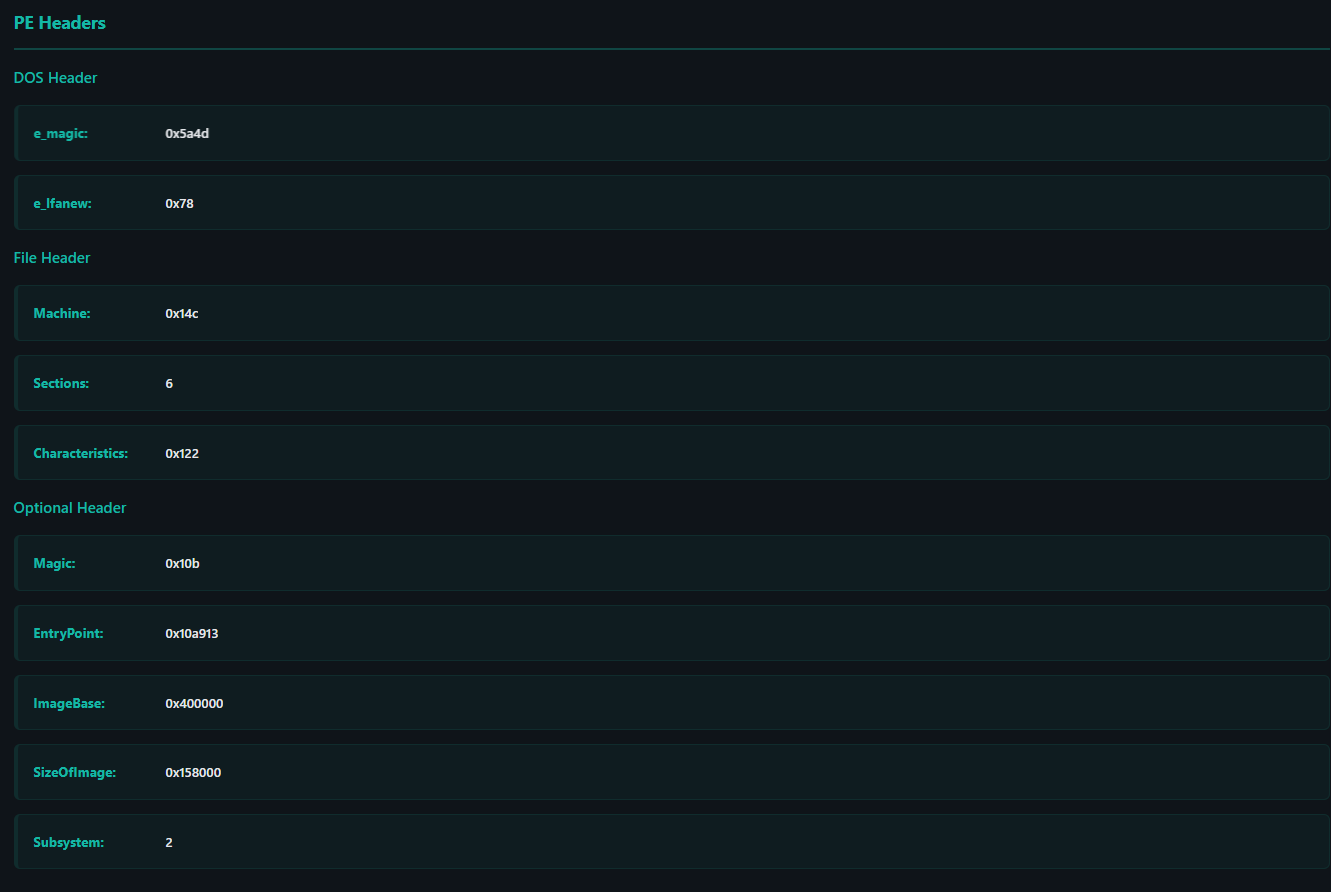
### 文件标识与执行上下文
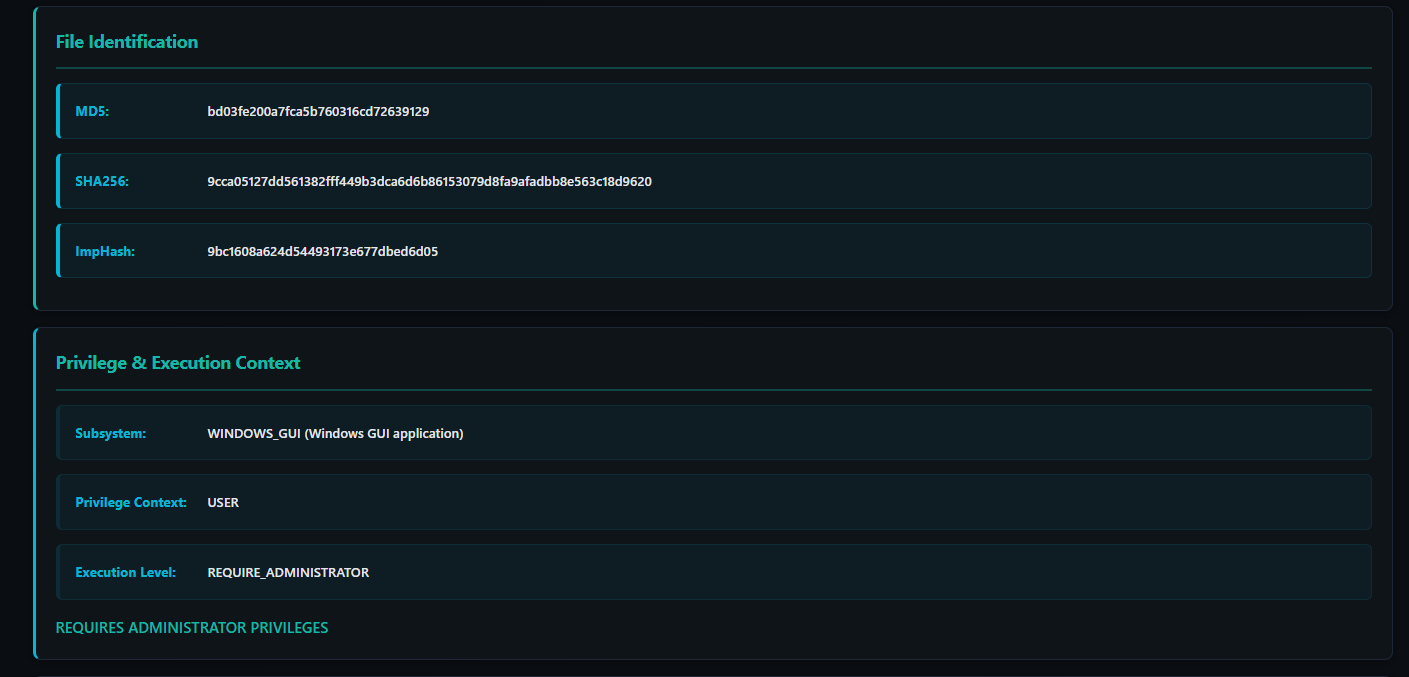
### 节区分析
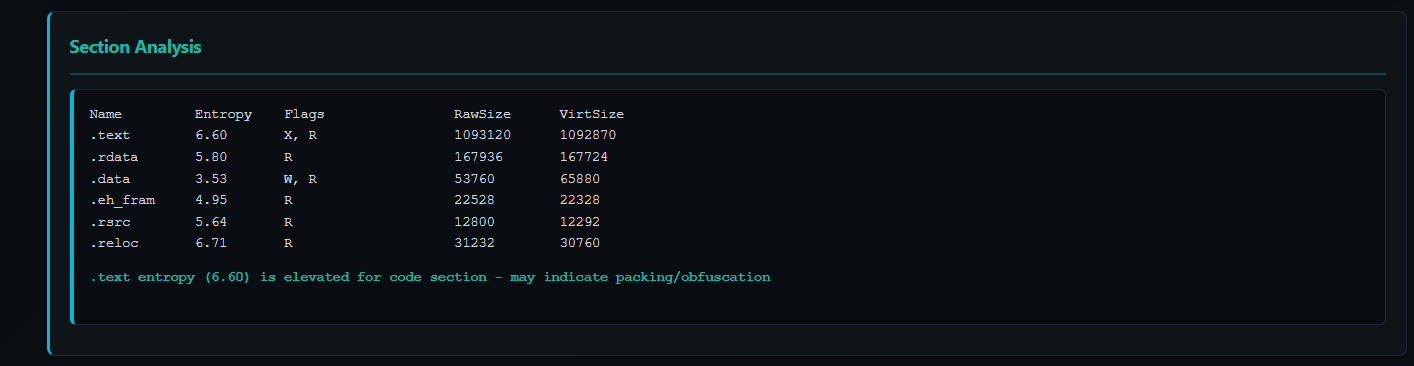
### 节区分析控制台输出
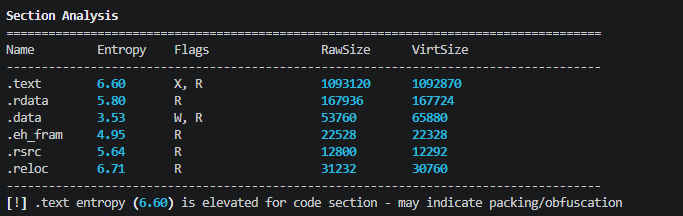
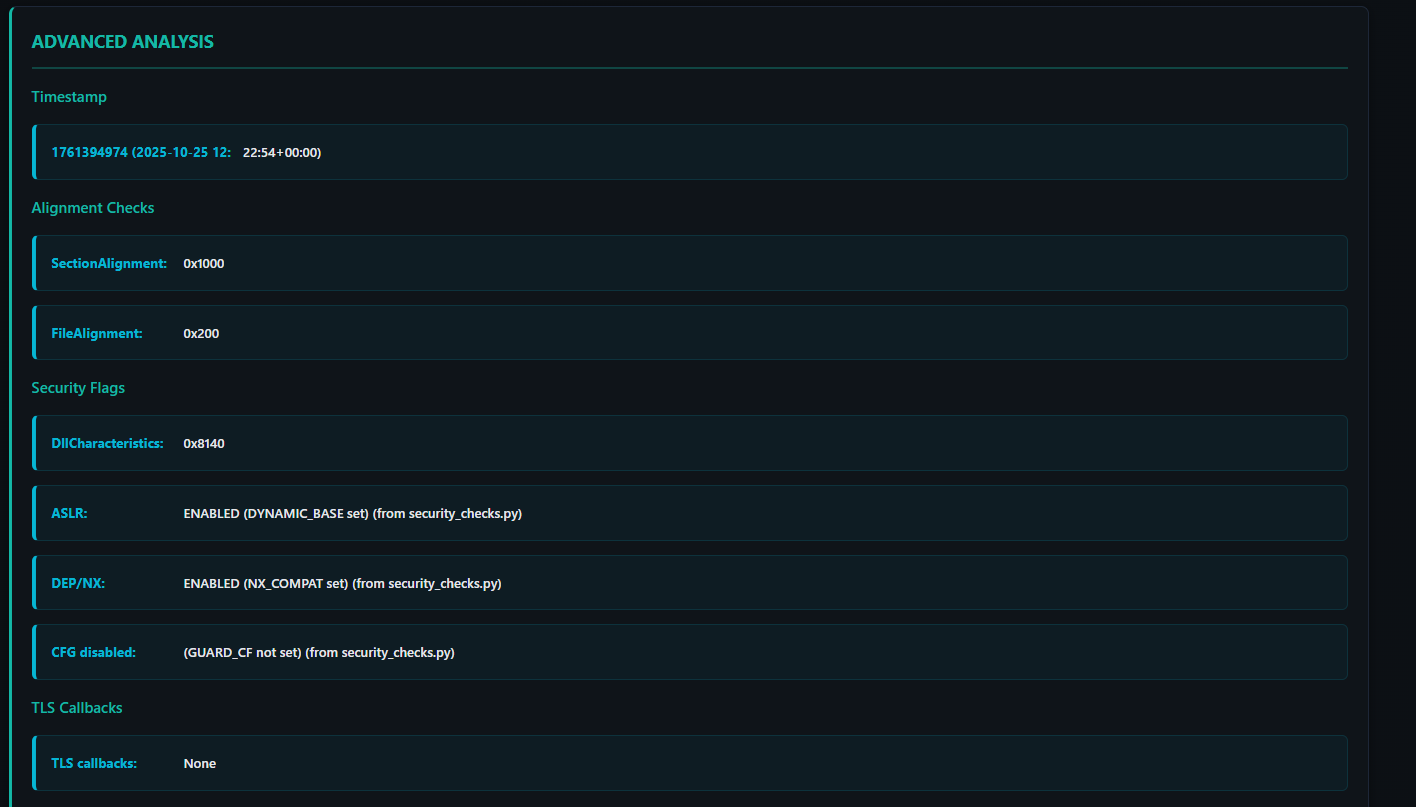
### 时间戳与安全标志
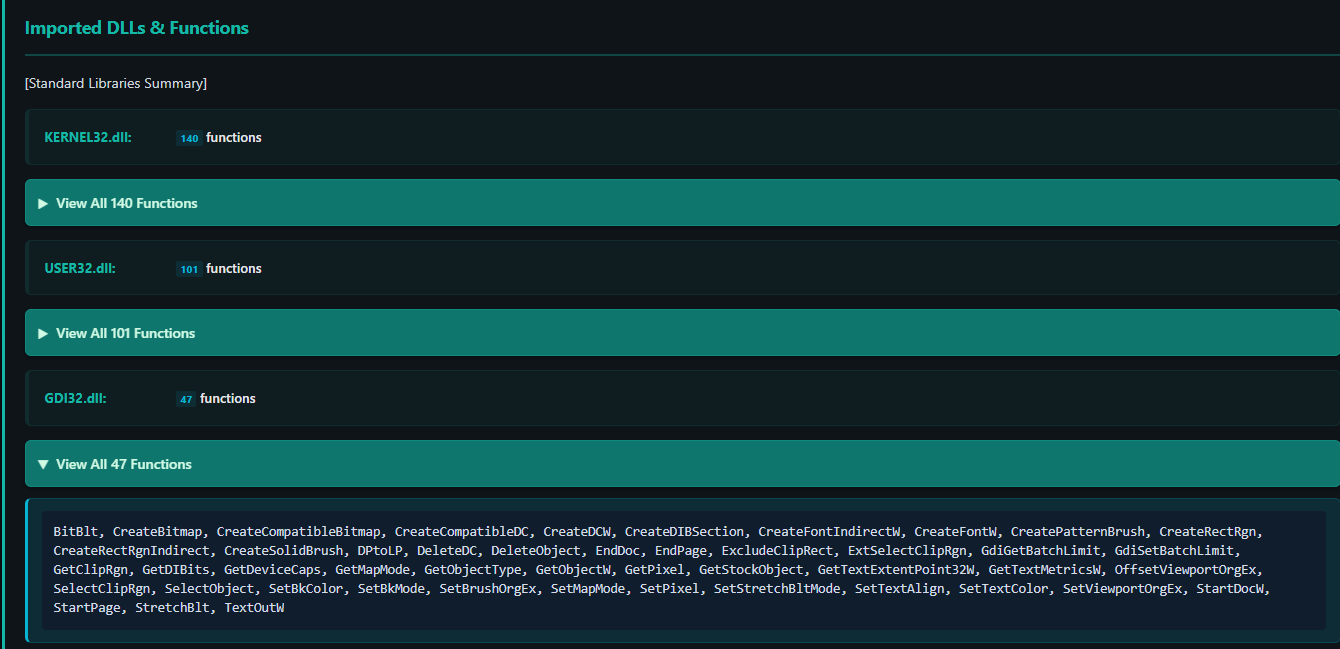
### 导入的 DLL 函数
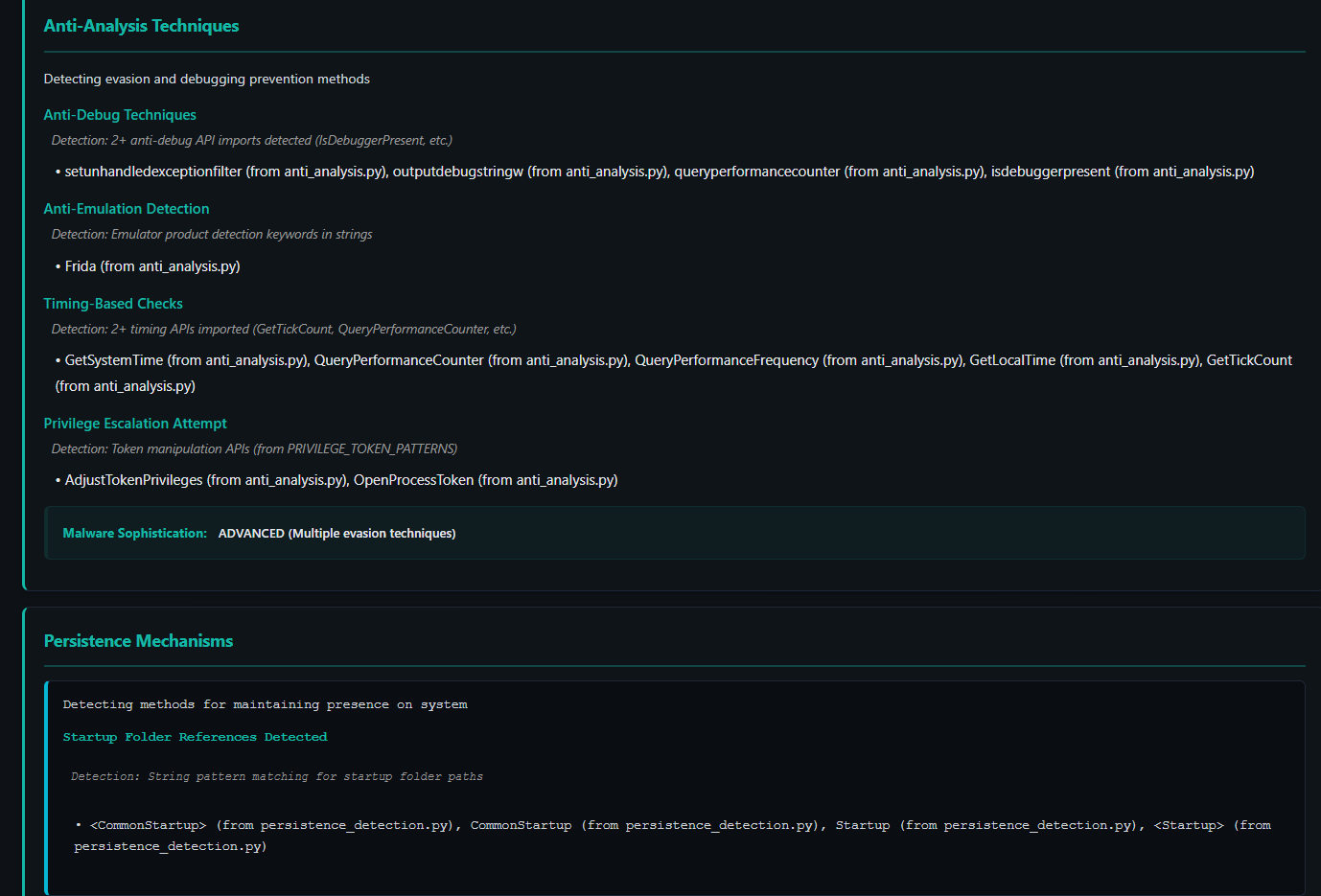
### 反分析与持久化检测
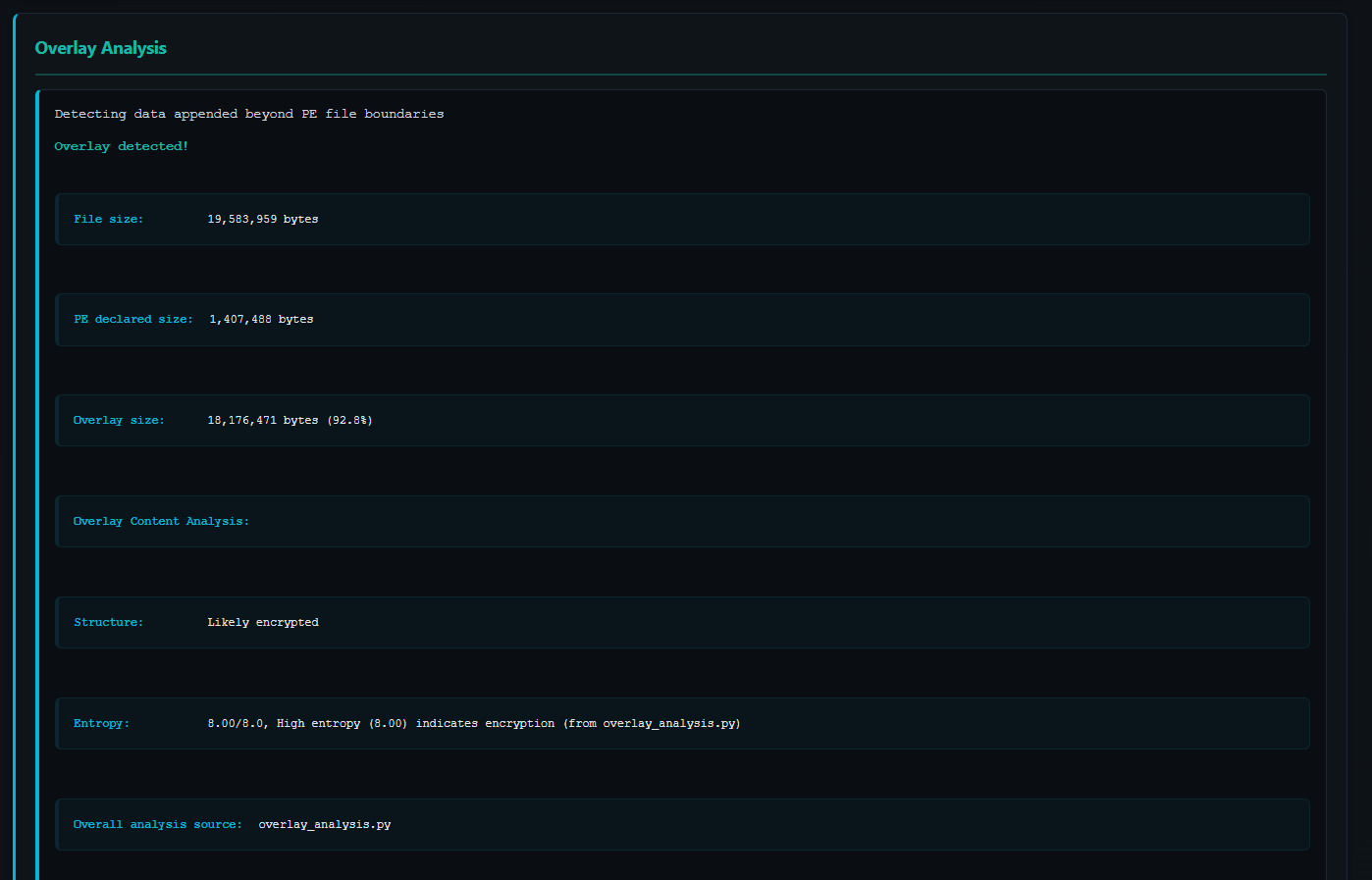
### 附加数据分析
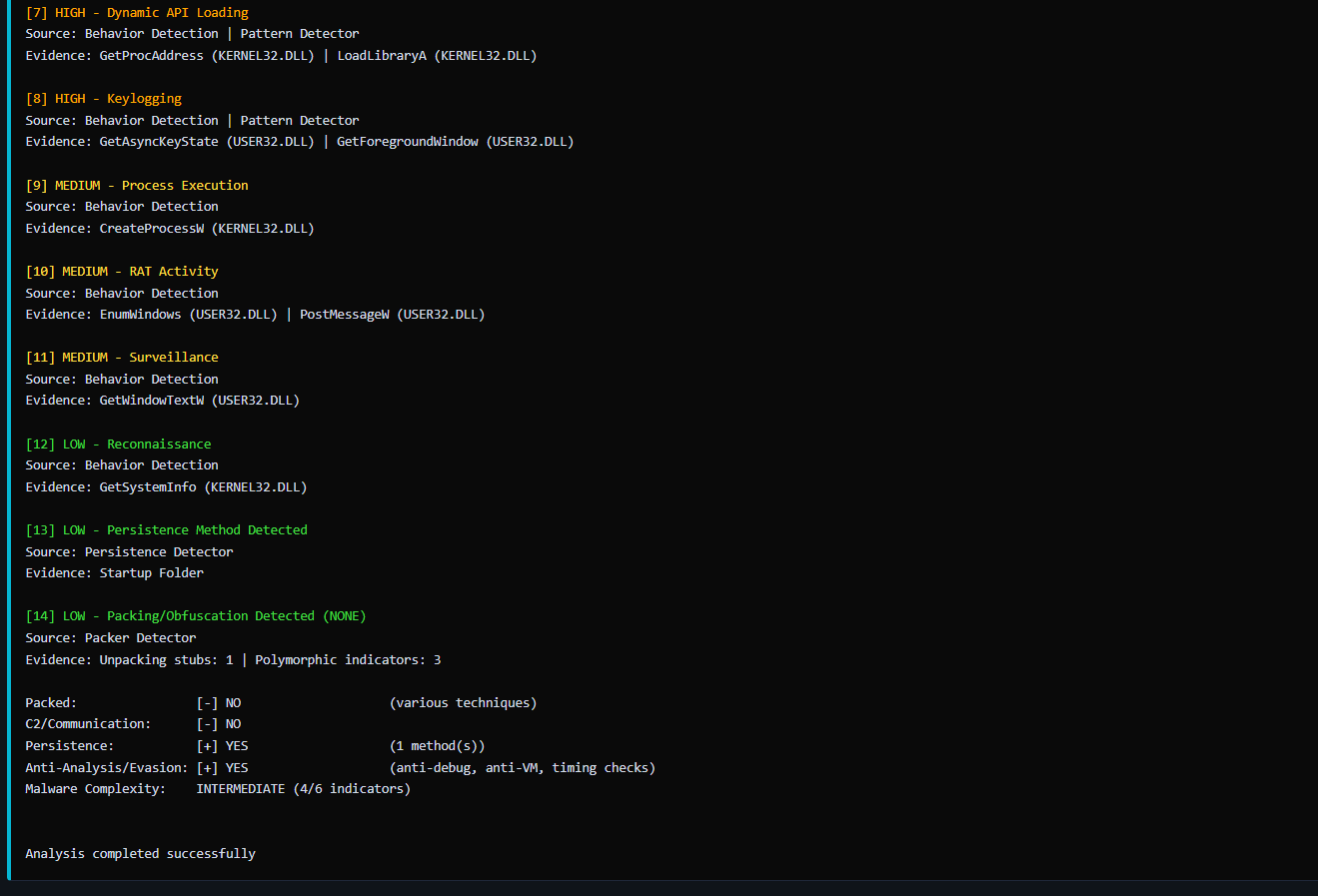
### 分析输出示例
## 开发路线图
**进行中:** 统一评分系统、降低误报率、改进 YARA
**未计划:** 沙箱、网络监控
## 贡献指南
欢迎贡献:Bug 修复、规则改进、文档完善
## 常见问题
**问:我可以在生产环境中使用它吗?**
答:不可以。这仅用于教育目的。
**问:它能执行文件或在沙箱中运行文件吗?**
答:不能。仅支持静态分析——不执行任何代码。
**问:为什么会有这么多误报?**
答:因为在没有行为上下文的情况下进行模式匹配。专业工具经过了大量调优;而本工具旨在展示检测面临的挑战。
**问:如果分析结果与我的杀毒软件不一致怎么办?**
答:请相信杀毒软件。专业工具由专家团队验证(即使专业工具有时也会误报)。
**问:它能分析加壳的二进制文件吗?**
答:可以检测到加壳,但无法自动脱壳。对加壳内容的分析有限。
**问:如何自定义检测规则?**
答:编辑 `config/` 目录下的 22 个配置文件。
**问:报告保存在哪里?**
答:默认位置:`output/` 目录。使用 `--output` 可自定义保存位置。
**问:我可以批量处理文件吗?**
答:可以,使用 `--directory` 或 `--glob` 选项。
**问:为什么分析速度很慢?**
答:使用 `--no-hash` 跳过哈希计算。如果需要,可调整 `--timeout`。
**问:我可以修改 YARA 规则吗?**
答:可以,编辑 `samples/yara_rules/` 目录下的文件。
## 许可证
MIT 许可证 - 详见 LICENSE 文件
*最后更新:2026 年 4 月 17 日 | 状态:积极开发中 | 尚未达到生产环境可用标准*
标签:AMSI绕过, API接口, Conpot, DAST, DNS 反向解析, HTML报告, MIT许可, PE分析引擎, Python, Python 3.8, Windows安全, 二进制分析, 云安全监控, 云安全运维, 免杀检测, 可执行文件分析, 启发式分析, 威胁检测, 恶意软件分析, 教育项目, 无后门, 模块化引擎, 离线分析, 网络信息收集, 网络安全学习, 逆向工具, 静态分析