fabriren/fiuto
GitHub: fabriren/fiuto
一款用于离线Windows磁盘的DFIR自动化取证工具,整合38+模块并输出HTML报告,加速事件响应与调查。
Stars: 6 | Forks: 0
# FIUTO 🔍
## 🇬🇧 English Version
**FIUTO** (**F**orensic **I**nvestigation **U**tility **T**ool for **O**ffline) is a unified DFIR (Digital Forensics and Incident Response) toolkit for comprehensive **offline disk analysis of Windows, Linux and macOS** volumes. It automatically **detects the operating system of each mounted volume** and proposes the relevant module set, generating detailed HTML reports for rapid and effective investigations.
- **Windows** volumes → the 39 Windows artifact modules.
- **Linux** volumes → 14 dedicated modules (system logs, journal, logins, shell/AI history, browsers, accounts, persistence, SSH, network, packages, trash, filesystem timeline, master timeline).
- **macOS** volumes → 11 dedicated modules (system logs, dslocal accounts, persistence, login items/BTM, quarantine, TCC, KnowledgeC, browsers, shell/AI history, recent items, master timeline).
Everything runs strictly **offline**, parsing the read-only mounted filesystem.
## 📋 Key Features
### Automatic per-volume OS detection
At startup FIUTO lists the mounted volumes with an OS badge (`[Windows]` / `[Linux]` / `[macOS]`) and, once a volume is selected, shows only the modules that apply to that operating system.
### Comprehensive Windows Artifact Coverage
On Windows volumes FIUTO collects and analyzes:
- **Execution histories** (Prefetch, AmCache, ShimCache, BAM)
- **Persistence artifacts** (Run Keys, Scheduled Tasks, Services, WMI)
- **Navigation history** (Browser history, URL MRU, TypedPaths)
- **User activity** (UserAssist, ShellBags, LNK files, JumpLists)
- **Network artifacts** (Interfaces, DNS cache, WLAN/VPN profiles)
- **Windows event logs** (Security, System, PowerShell, RDP)
- **Virtual memory** (Pagefile, Hibernation, SRUM)
- **Removable devices** (USB history, connection timeline)
- **Active Directory** (NTDS.dit, domain hashes, PAD offline analysis)
- **AI assistant chat history** (ChatGPT, Copilot, Claude, Cursor, Gemini, Codex, Windsurf, Continue) — *new in v1.2*
- **And much more...**
### Linux Artifact Coverage — *new in v2.0*
On Linux volumes FIUTO collects and analyzes:
- **System logs** (`/var/log`: syslog, auth, kern, secure…) and **systemd journal** (`*.journal`)
- **Login history** (`wtmp` / `btmp` / `lastlog` — successful and failed logins with source IP)
- **Shell history** (bash/zsh/sh + python/mysql/psql) and **AI CLI history** (claude, aider, aichat, ollama…)
- **Browser history** (Firefox `places.sqlite`, Chrome/Chromium/Brave/Edge — incl. snap/flatpak paths)
- **User accounts** (`passwd`, `shadow`, `group`, `sudoers`, `sudoers.d`)
- **Persistence** (cron, systemd units/timers, autostart, `rc.local`, shell init, `ld.so.preload`)
- **SSH artifacts** (`authorized_keys`, `known_hosts`, `sshd_config`, private-key presence)
- **Network config** (`hosts`, NetworkManager Wi-Fi PSK, netplan, iptables/nftables)
- **Installed packages** (dpkg, rpm, apt history, snap — installation timeline)
- **Trash & recent files** (`~/.local/share/Trash` with deletion timestamps, `recently-used.xbel`)
- **Filesystem MAC-time timeline** of forensically sensitive areas
### macOS Artifact Coverage — *new in v2.0*
On macOS volumes FIUTO collects and analyzes:
- **System logs** (`system.log`, `install.log`, ASL) — *unified `.tracev3` logs are out of scope*
- **User accounts** (dslocal `*.plist` — UID, home, shell, password-hash presence)
- **Persistence** (`LaunchAgents` / `LaunchDaemons` system & per-user, cron) — binary plists rendered readable
- **Login Items / BTM** (`backgrounditems.btm`)
- **Quarantine / downloads** (`QuarantineEventsV2` — download URL + timestamp)
- **TCC privacy** (`TCC.db` — camera/mic/disk permissions)
- **KnowledgeC** (`knowledgeC.db` — app usage / device activity)
- **Browser history** (Safari `History.db`, Chrome, Firefox)
- **Shell & AI history** (`.zsh_history`, `.bash_history`, AI CLI)
- **Recent items** (`SFL`/`SFL2`, `~/.Trash`)
### Flexible Execution Modes
./fiuto.sh # Interactive menu (auto-detects mounted volumes + OS)
./fiuto.sh /mnt/disk # Specify a volume root (Windows / Linux / macOS)
./fiuto.sh /mnt/disk --all # Run all modules for the detected OS
./fiuto.sh /mnt/disk --module 3 # Run a specific module (numbering depends on the OS)
./fiuto.sh /mnt/disk --modules 1,4,6-8 # Run a list/range of modules
The module numbers shown by `--module`/`--modules` always refer to the **menu of the detected OS**.
### Professional Output
- Interactive and navigable HTML reports
- One-click CSV export of the complete data for every module
- Aggregated chronological timelines
- Detailed logs for audit and tracking
- Batch summaries with execution metrics
## 🛠️ Dependencies
### System Requirements
- **Bash 4.0+**
- **Python 3.9+** (with multi-version compatibility)
- **Linux (or WSL) or macOS** (host for mounting/analyzing the offline target disks)
- **Optional:** `journalctl` (Linux journal parsing), `rpm` CLI (offline RPM dump). `sqlite3` and `plistlib` ship with Python 3 — no extra install needed for Linux/macOS modules.
### Required Python Modules
pip install regipy # Offline registry hive parsing
pip install python-evtx # Reading .evtx files
### Recommended for full Windows coverage
These libraries unlock the full output of some Windows modules. They are **optional**: if missing, the affected module falls back to a partial parser instead of failing.
pip install impacket # SAM / NTDS.dit / AD hashes (modules 20, 24, 38)
pip install libesedb-python # ESE database parsing — SRUM (module 16)
pip install mft # MFT timeline (module 21)
pip install python-snappy # ChatGPT LevelDB decompression (module 39) — or: pip install cramjam
### Support Scripts
The script uses internal bash helpers for:
- Binary Windows file parsing
- FILETIME timestamp decoding
- Proprietary format metadata extraction
## 📦 Installation
1. **Clone the repository**
git clone https://github.com/fabriren/fiuto.git
cd fiuto
2. **Make the script executable**
chmod +x fiuto.sh
3. **Install Python dependencies**
pip install regipy python-evtx
# On macOS with Homebrew:
# python3 -m pip install --user regipy python-evtx
4. **Mount the target disk read-only (examples)**
# Windows (NTFS) on Linux with ntfs-3g
sudo mount -t ntfs-3g -o ro /dev/sda3 /mnt/disk
# Linux (ext4)
sudo mount -o ro /dev/sda2 /mnt/disk
# macOS (APFS/HFS+) — read-only
sudo mount -o ro /dev/sdb2 /mnt/disk
FIUTO auto-detects the OS of the mounted volume; no need to tell it which OS it is.
## 🚀 Quick Start Guide
### Interactive Analysis
./fiuto.sh /mnt/disk
The script detects the volume's OS and presents a numbered menu with the relevant modules (39 for Windows, 14 for Linux, 11 for macOS). Select the module number or type `--all` to run them all.
### Automated Batch Analysis
./fiuto.sh /mnt/windows --all
Runs all modules sequentially, generates a final summary, and saves reports to `fiuto_reports/`.
### Single Module
./fiuto.sh /mnt/windows --module 12
Runs only module 12 (Event Log in our example).
### Output
Generated reports are located in:
fiuto_reports/
├── 001_PSReadLine_History.html
├── 002_IFEO.html
├── 012_Event_Log.html
├── ...
└── 38_PAD_Offline.html
## 📊 The 39 Windows analysis modules
| # | Module Name | Windows Artifact | Usage |
| -- | ----------------------------- | ----------------------------------- | --------------------------------------------------------------- |
| 1 | PowerShell PSReadLine History | PSReadLine history file | Retrieve executed commands and sensitive strings |
| 2 | IFEO | Registry SOFTWARE | Detect executable manipulation |
| 3 | BAM | Registry SYSTEM | Timeline of background executions |
| 4 | RDP Cache | Terminal Server Client Cache | Reconstruct RDP sessions |
| 5 | Run Keys & Persistence | Registry NTUSER.DAT, SOFTWARE | Detect backdoors and malware |
| 6 | Prefetch | Windows/Prefetch/*.pf | Program execution history |
| 7 | Notepad TabState | AppData Packages | Recover unsaved text |
| 8 | Scheduled Tasks | Windows/System32/Tasks | Find scheduled droppers |
| 9 | USB/Devices | Registry SYSTEM | USB device insertion history |
| 10 | LNK & JumpList | AppData Recent | Recently used files |
| 11 | Services | Registry SYSTEM | Anomalous or custom services |
| 12 | Event Log | Windows/System32/winevt/Logs/*.evtx | Logins, RDP, suspicious activity |
| 13 | Amcache + Shimcache | Amcache.hve, Registry | Execution history with hashes |
| 14 | Recycle Bin | $Recycle.Bin | Recover deleted files |
| 15 | WMI Subscriptions | OBJECTS.DATA | Fileless persistence |
| 16 | SRUM | SRUDB.dat | Resource consumption by app |
| 17 | Browser History | SQLite History/places | Web navigation |
| 18 | UserAssist + MRU | Registry NTUSER.DAT | GUI-launched apps |
| 19 | ShellBags | Registry NTUSER.DAT/UsrClass | Folder navigation |
| 20 | SAM Hash | Windows/System32/config/SAM | NTLM hashes of local accounts |
| 21 | MFT Timeline | $MFT | Granular NTFS changes |
| 22 | OpenSaveMRU | Registry NTUSER.DAT | Open/save file history |
| 23 | USN Journal | $UsnJrnl:$J | Massive file system activity |
| 24 | NTDS.dit | ntds.dit, Registry SYSTEM | Domain user hashes |
| 25 | Hibernation/Pagefile | hiberfil.sys, pagefile.sys | Memory dump analysis |
| 26 | WER Files | WER Report Archive | System crashes and errors |
| 27 | Credential Manager | Credentials DPAPI | Saved network credentials |
| 28 | WLAN & VPN Profiles | Wlansvc Profiles | SSIDs and VPN profiles |
| 29 | AppX / UWP Packages | AppData/Local/Packages | Installed modern apps |
| 30 | Browser Downloads & Logins | SQLite databases | Downloads and credentials |
| 31 | Clipboard History | ActivitiesCache.db | Clipboard history |
| 32 | Office MRU & Recent | NTUSER.DAT, AppData | Recently opened documents |
| 33 | Defender Quarantine | Quarantine folder | Identified threats |
| 34 | PowerShell Script Block | Event Log 4104 | Executed scripts |
| 35 | JumpLists | Recent Destinations | App user interaction |
| 36 | Network Artifacts | Registry SYSTEM | DNS, interfaces, networks |
| 37 | Master Timeline | (Aggregated) | Cross-artifact timeline |
| 38 | PAD Offline | NTDS.dit | Advanced Active Directory |
| 39 | AI Chat / Query History | LevelDB / JSON / SQLite | Recover AI assistant conversations (ChatGPT, Copilot, Claude…) |
## 🐧 The 14 Linux analysis modules
| # | Module Name | Linux Artifact | Usage |
| -- | ------------------- | ------------------------------------------------------------------ | --------------------------------------------------------------- |
| 1 | System Logs | `/var/log/{syslog,messages,auth.log,secure,kern.log,…}` | System/auth events, failures, sudo |
| 2 | systemd Journal | `/var/log/journal/*.journal` | Structured journal (via `journalctl` or `strings` fallback) |
| 3 | Login History | `wtmp` / `btmp` / `lastlog` | Successful/failed logins with source IP |
| 4 | Shell History | `.bash_history`, `.zsh_history`, `.python_history`, … | Executed commands and sensitive strings |
| 5 | AI CLI History | `~/.claude`, aider, aichat, ollama, copilot | AI assistant CLI conversations |
| 6 | Browser History | Firefox `places.sqlite`, Chrome/Chromium/Brave/Edge | Web navigation (incl. snap/flatpak paths) |
| 7 | User Accounts | `passwd` / `shadow` / `group` / `sudoers` | Accounts, UID 0, empty/locked passwords |
| 8 | Persistence | cron, systemd units/timers, autostart,`rc.local`, shell init | Backdoors and auto-start mechanisms |
| 9 | SSH Artifacts | `authorized_keys`, `known_hosts`, `sshd_config` | Remote access trust and config |
| 10 | Network Config | `hosts`, NetworkManager (Wi-Fi PSK), netplan, iptables/nftables | Network configuration and Wi-Fi keys |
| 11 | Installed Packages | dpkg, rpm, apt history, snap | Installation timeline / suspicious packages |
| 12 | Trash & Recent | `~/.local/share/Trash` (+`.trashinfo`), `recently-used.xbel` | Deleted files with deletion timestamp |
| 13 | Filesystem Timeline | MAC times of sensitive areas (`find`/`stat`) | Cross-area chronological timeline |
| 14 | Master Timeline | (Aggregated) | Cross-module chronological timeline of all collected evidence |
## 🍎 The 11 macOS analysis modules
| # | Module Name | macOS Artifact | Usage |
| -- | ---------------------- | -------------------------------------------------------------- | ------------------------------------------------------------- |
| 1 | System Logs | `system.log`, `install.log`, ASL | System/install events (*`.tracev3` out of scope*) |
| 2 | User Accounts | dslocal `*.plist` | Accounts, UID, shell, password-hash presence |
| 3 | Persistence | `LaunchAgents` / `LaunchDaemons` (system & per-user), cron | Persistence (binary plists rendered readable) |
| 4 | Login Items (BTM) | `backgrounditems.btm` | Background/login items |
| 5 | Quarantine / Downloads | `QuarantineEventsV2` | Download provenance (URL + timestamp) |
| 6 | TCC Privacy | `TCC.db` | Camera/mic/disk privacy permissions |
| 7 | KnowledgeC | `knowledgeC.db` | App usage / device activity |
| 8 | Browser History | Safari `History.db`, Chrome, Firefox | Web navigation |
| 9 | Shell & AI History | `.zsh_history`, `.bash_history`, AI CLI | Executed commands and AI conversations |
| 10 | Recent Items | `SFL`/`SFL2`, `~/.Trash` | Recent apps/docs/servers and trash |
| 11 | Master Timeline | (Aggregated) | Cross-module chronological timeline of all collected evidence |
## 🔍 Use Cases
### Malware Investigations
Use persistence modules (Run Keys, Services, WMI) to find backdoors, and PowerShell logs to track obfuscated payload execution.
### Incident Response
Combine BAM, Prefetch, and Event Logs to build an accurate timeline of what was executed and when, helping identify patient zero.
### Compliance & Audit
Extract network activity (SRUM, DNS) and RDP access (RDP Cache, Event Logs) to demonstrate who accessed which systems.
### Ransomware Forensics
Analyze USN Journal, MFT Timeline, Recycle Bin, and Browser Downloads to trace infection spread and origins.
### Threat Hunting
Use USB history, WLAN/VPN profiles, and web navigation to uncover data exfiltration or communication with suspicious IPs.
## ⚙️ Advanced Options
### Specify User
./fiuto.sh /mnt/windows --user Administrator
Focus analysis on a specific user.
### Load IoC List
./fiuto.sh /mnt/windows --ioc /path/to/ioc_list.txt
Scan artifacts for matches with indicators of compromise.
### Silent Mode
./fiuto.sh /mnt/windows --all --silent
Run without interactive output (useful for automated scripts).
## 📄 Report Output
Each module generates an HTML report with:
- **Structured data table** that is sortable and filterable
- **Timeline** with UTC timestamps and decoded FILETIME values
- **Highlighting** of suspicious elements (passwords, tokens, obfuscated commands)
- **Metadata** (hashes, absolute paths, involved accounts)
- **Forensic notes** on how to interpret results
### Example Report
┌─ Report: Event Log (Module 12)
│
├─ Timespan: 2025-03-15 08:30:00 UTC → 2025-04-14 17:42:00 UTC
├─ Total Events: 12,847
├─ Critical Events: 8
│ ├─ Suspicious PowerShell: 3
│ ├─ Failed RDP Logins: 4
│ └─ Service Installs: 1
│
└─ Top Events
├─ [08:45:32] EID 4688 - Process Created: powershell.exe -NoP -W H -C "IEX ..."
├─ [14:22:15] EID 4768 - Kerberos Auth Failure: Administrator
└─ ...
## 🐛 Troubleshooting
### Error: "regipy module not found"
# Install for correct Python version
python3 -m pip install regipy
# Or check which Python has regipy:
which python3 | xargs python3 -c "import regipy; print('OK')"
### Read-only file system
The script opens the disk in read-only mode (`-o ro`) by default. It never modifies the analyzed system.
### Permission denied on some files
Some artifacts (SAM, NTDS.dit) may require elevated privileges:
sudo ./fiuto.sh /mnt/windows --all
### Reports not generated
Verify the `fiuto_reports/` directory exists and is writable:
mkdir -p fiuto_reports
chmod 755 fiuto_reports
## 📝 Logging
The script creates a detailed session log in:
fiuto_reports/session_YYYY-MM-DD_HH-MM-SS.log
Useful for debugging and audit trail:
tail -f fiuto_reports/session_*.log
## 🤝 Contributing
If you have improvements, bug reports, or additional modules:
1. Fork the repository
2. Create a branch for your feature (`git checkout -b feature/new-module`)
3. Commit your changes (`git commit -am 'Add new module'`)
4. Push to the branch (`git push origin feature/new-module`)
5. Open a Pull Request
## ⚖️ License
This project is **free** and distributed under the **MIT License**.
If FIUTO has been useful to you and you'd like to support its development, a small donation via PayPal is always appreciated — but entirely optional! 🙏
[](https://paypal.me/rendina)
## 👤 Author
Created by **zi®iginal** for the DFIR community.
## 📚 Recommended Resources
- [SANS Windows Artifact Analysis](https://www.sans.org)
- [Plaso - Timeline log2timeline](https://plaso.readthedocs.io)
- [Registry Explorer](https://www.sans.org/tools/registry-explorer/)
- [KAPE - Kroll Artifact Parser](https://www.kroll.com/en/services/cyber-risk/incident-response-forensics/kape)
- [Hayabusa - Windows Event Log Analysis](https://github.com/Yamato-Security/hayabusa)
## ⚠️ Legal Disclaimer
FIUTO is a tool to accelerate legitimate digital forensic analysis, intended for authorized offline analysis. It must be used **only** on systems you have the legal right to analyze. Unauthorized use may violate privacy and data protection laws.
**We are not responsible for:**
- Unauthorized or illegal tool usage
- Privacy or data protection violations
- Direct or indirect damages from using fiuto
## 🇮🇹 Versione Italiana
**FIUTO** (**F**orensic **I**nvestigation **U**tility **T**ool for **O**ffline) è un toolkit DFIR (Digital Forensics and Incident Response) unificato per l'analisi offline di dischi **Windows, Linux e macOS**. **Rileva automaticamente il sistema operativo di ogni volume montato** e propone il set di moduli pertinente, generando report HTML dettagliati per investigazioni rapide ed efficaci.
- Volumi **Windows** → i 39 moduli per artefatti Windows.
- Volumi **Linux** → 14 moduli dedicati (log di sistema, journal, login, history shell/AI, browser, account, persistenza, SSH, rete, pacchetti, cestino, timeline filesystem, master timeline).
- Volumi **macOS** → 11 moduli dedicati (log, account dslocal, persistenza, login items/BTM, quarantine, TCC, KnowledgeC, browser, history shell/AI, recenti, master timeline).
Tutto rigorosamente **offline**, sul filesystem montato in sola lettura.
## 📋 Caratteristiche Principali
### Rilevamento automatico dell'OS per volume
All'avvio FIUTO elenca i volumi montati con un badge OS (`[Windows]` / `[Linux]` / `[macOS]`) e, una volta selezionato il volume, mostra solo i moduli applicabili a quel sistema operativo.
### Copertura Completa di Artefatti Windows
Sui volumi Windows FIUTO raccoglie e analizza:
- **Cronologie di esecuzione** (Prefetch, AmCache, ShimCache, BAM)
- **Artefatti di persistenza** (Run Keys, Scheduled Tasks, Services, WMI)
- **Cronologia di navigazione** (Browser history, URL MRU, TypedPaths)
- **Attività utente** (UserAssist, ShellBags, LNK files, JumpLists)
- **Artefatti di rete** (Interfacce, cache DNS, profili WLAN/VPN)
- **Log eventi di Windows** (Security, System, PowerShell, RDP)
- **Memoria virtuale** (Pagefile, Hibernation, SRUM)
- **Dispositivi rimovibili** (Cronologia USB, storia delle connessioni)
- **Active Directory** (NTDS.dit, hash domain, PAD offline analysis)
- **Cronologia chat con assistenti AI** (ChatGPT, Copilot, Claude, Cursor, Gemini, Codex, Windsurf, Continue) — *novità v1.2*
- **E molto altro...**
### Copertura Artefatti Linux — *novità v2.0*
Sui volumi Linux: log di sistema (`/var/log`) e **systemd journal**; **login** (`wtmp`/`btmp`/`lastlog`); **history shell** (bash/zsh/sh + python/mysql/psql) e **AI CLI**; **browser** (Firefox/Chrome/Chromium/Brave, anche snap/flatpak); **account** (`passwd`/`shadow`/`group`/`sudoers`); **persistenza** (cron, systemd, autostart, `rc.local`, init shell, `ld.so.preload`); **SSH** (`authorized_keys`, `known_hosts`, `sshd_config`); **rete** (`hosts`, PSK Wi-Fi NetworkManager, netplan, iptables/nftables); **pacchetti** (dpkg/rpm/apt history/snap); **cestino e recenti** (`Trash` con data cancellazione, `recently-used.xbel`); **timeline MAC-time**.
### Copertura Artefatti macOS — *novità v2.0*
Sui volumi macOS: **log** (`system.log`, `install.log`, ASL — i unified log `.tracev3` sono fuori scope); **account** dslocal (`*.plist`); **persistenza** (`LaunchAgents`/`LaunchDaemons` di sistema e per-utente, cron — plist binari resi leggibili); **Login Items/BTM**; **quarantine** (`QuarantineEventsV2`, URL+data download); **TCC** (permessi privacy); **KnowledgeC** (uso app); **browser** (Safari/Chrome/Firefox); **history shell & AI**; **recenti** (`SFL`/`SFL2`, `.Trash`).
### Modalità di Esecuzione Flessibili
./fiuto.sh # Menu interattivo (rileva volumi montati + OS)
./fiuto.sh /mnt/disk # Specifica la root di un volume (Windows/Linux/macOS)
./fiuto.sh /mnt/disk --all # Esegui tutti i moduli dell'OS rilevato
./fiuto.sh /mnt/disk --module 3 # Esegui un modulo specifico (numerazione per OS)
### Output Professionale
- Report HTML interattivi e navigabili
- Esportazione CSV dei dati completi per ogni modulo con un click
- Timeline cronologiche aggregate
- Log dettagliati per audit e tracciamento
- Riepilogati batch con metriche di esecuzione
## 🛠️ Dipendenze
### Requisiti di Sistema
- **Bash 4.0+**
- **Python 3.9+** (con module di compatibilità multiple versioni)
- **Linux (anche WSL) o macOS** (per montare/analizzare dischi Windows offline)
### Moduli Python Richiesti
pip install regipy # Parsing degli hive di registro offline
pip install python-evtx # Lettura dei file .evtx
### Consigliati per la copertura Windows completa
Queste librerie abilitano l'output completo di alcuni moduli Windows. Sono **opzionali**: se mancano, il modulo interessato ripiega su un parser parziale invece di fallire.
pip install impacket # Hash SAM / NTDS.dit / AD (moduli 20, 24, 38)
pip install libesedb-python # Parsing database ESE — SRUM (modulo 16)
pip install mft # MFT timeline (modulo 21)
pip install python-snappy # Decompressione LevelDB ChatGPT (modulo 39) — oppure: pip install cramjam
### Script di Supporto
Lo script utilizza internamente helper bash per:
- Parsing di file binari Windows
- Decodifica di timestamp FILETIME
- Estrazione di metadati da formati proprietari
## 📦 Installazione
1. **Clona il repository**
git clone https://github.com/fabriren/fiuto.git
cd fiuto
2. **Rendi eseguibile lo script**
chmod +x fiuto.sh
3. **Installa le dipendenze Python**
pip install regipy python-evtx
# Su macOS con Homebrew:
# python3 -m pip install --user regipy python-evtx
4. **Monta il disco target in sola lettura (esempi)**
# Windows (NTFS) su Linux con ntfs-3g
sudo mount -t ntfs-3g -o ro /dev/sda3 /mnt/disk
# Linux (ext4)
sudo mount -o ro /dev/sda2 /mnt/disk
# macOS (APFS/HFS+) in sola lettura
sudo mount -o ro /dev/sdb2 /mnt/disk
FIUTO rileva automaticamente l'OS del volume montato: non serve indicarglielo.
## 🚀 Guida Rapida
### Analisi Interattiva
./fiuto.sh /mnt/disk
Lo script rileva l'OS del volume e presenta un menu numerato con i moduli pertinenti (39 per Windows, 14 per Linux, 11 per macOS). Seleziona il numero del modulo o digita `--all` per eseguirli tutti.
### Analisi Batch Automatica
./fiuto.sh /mnt/windows --all
Esegue tutti i moduli sequenzialmente, genera un riepilogo finale e salva i report in `fiuto_reports/`.
### Singolo Modulo
./fiuto.sh /mnt/windows --module 12
Esegue solo il modulo 12 (Event Log nel nostro esempio).
### Output Generato
I report generati si trovano in:
fiuto_reports/
├── 001_PSReadLine_History.html
├── 002_IFEO.html
├── 012_Event_Log.html
├── ...
└── 38_PAD_Offline.html
## 📊 I 39 Moduli di Analisi Windows
| # | Nome Modulo | Artefatto Windows | Utilizzo |
| -- | ----------------------------- | ----------------------------------- | --------------------------------------------------------------------- |
| 1 | PowerShell PSReadLine History | PSReadLine history file | Recupera comandi eseguiti e stringhe sensibili |
| 2 | IFEO | Registry SOFTWARE | Rilevare manipolazioni di eseguibili di sistema |
| 3 | BAM | Registry SYSTEM | Timeline di esecuzioni in background |
| 4 | RDP Cache | Terminal Server Client Cache | Ricostruire sessioni RDP |
| 5 | Run Keys & Persistenza | Registry NTUSER.DAT, SOFTWARE | Rilevare backdoor e malware |
| 6 | Prefetch | Windows/Prefetch/*.pf | Cronologia esecuzione programmi |
| 7 | Notepad TabState | AppData Packages | Recuperare testo non salvato |
| 8 | Scheduled Tasks | Windows/System32/Tasks | Trovar dropper temporizzati |
| 9 | USB/Dispositivi | Registry SYSTEM | Storico inserimento supporti USB |
| 10 | LNK & JumpList | AppData Recent | File usati recentemente |
| 11 | Services | Registry SYSTEM | Servizi anomali o custom |
| 12 | Event Log | Windows/System32/winevt/Logs/*.evtx | Login, RDP, attività sospette |
| 13 | Amcache + Shimcache | Amcache.hve, Registry | Cronologia esecuzione con hash |
| 14 | Recycle Bin | $Recycle.Bin | Recuperare file cancellati |
| 15 | WMI Subscriptions | OBJECTS.DATA | Persistenza fileless |
| 16 | SRUM | SRUDB.dat | Consumo risorse per app |
| 17 | Browser History | SQLite History/places | Navigazione web |
| 18 | UserAssist + MRU | Registry NTUSER.DAT | App avviate via GUI |
| 19 | ShellBags | Registry NTUSER.DAT/UsrClass | Navigazione cartelle |
| 20 | SAM Hash | Windows/System32/config/SAM | NTLM hash account locali |
| 21 | MFT Timeline | $MFT | Granular NTFS changes |
| 22 | OpenSaveMRU | Registry NTUSER.DAT | Cronologia file aperti/salvati |
| 23 | USN Journal | $UsnJrnl:$J | Attività file system massicce |
| 24 | NTDS.dit | ntds.dit, Registry SYSTEM | Hash utenti dominio |
| 25 | Hibernation/Pagefile | hiberfil.sys, pagefile.sys | Memory dump analysis |
| 26 | WER Files | WER Report Archive | Crash e errori di sistema |
| 27 | Credential Manager | Credentials DPAPI | Credenziali di rete salvate |
| 28 | WLAN & VPN Profiles | Wlansvc Profiles | SSID e profili VPN |
| 29 | AppX / UWP Packages | AppData/Local/Packages | App Modern installate |
| 30 | Browser Downloads & Logins | SQLite databases | Download e credenziali |
| 31 | Clipboard History | ActivitiesCache.db | Cronologia appunti |
| 32 | Office MRU & Recent | NTUSER.DAT, AppData | Documenti aperti recenti |
| 33 | Defender Quarantine | Quarantine folder | Minacce identificate |
| 34 | PowerShell Script Block | Event Log 4104 | Script eseguiti |
| 35 | JumpLists | Recent Destinations | Interazione utente app |
| 36 | Network Artifacts | Registry SYSTEM | DNS, interfacce, reti |
| 37 | Master Timeline | (Aggregato) | Timeline cross-artefatto |
| 38 | PAD Offline | NTDS.dit | Active Directory avanzato |
| 39 | AI Chat / Query History | LevelDB / JSON / SQLite | Recupera conversazioni con assistenti AI (ChatGPT, Copilot, Claude…) |
## 🐧 I 14 Moduli di Analisi Linux
| # | Nome Modulo | Artefatto Linux | Utilizzo |
| -- | ------------------- | ------------------------------------------------------------------ | --------------------------------------------------------------- |
| 1 | System Logs | `/var/log/{syslog,messages,auth.log,secure,kern.log,…}` | Eventi sistema/auth, errori, sudo |
| 2 | systemd Journal | `/var/log/journal/*.journal` | Journal strutturato (via `journalctl` o fallback `strings`) |
| 3 | Login History | `wtmp` / `btmp` / `lastlog` | Login riusciti/falliti con IP sorgente |
| 4 | Shell History | `.bash_history`, `.zsh_history`, `.python_history`, … | Comandi eseguiti e stringhe sensibili |
| 5 | AI CLI History | `~/.claude`, aider, aichat, ollama, copilot | Conversazioni CLI con assistenti AI |
| 6 | Browser History | Firefox `places.sqlite`, Chrome/Chromium/Brave/Edge | Navigazione web (anche path snap/flatpak) |
| 7 | User Accounts | `passwd` / `shadow` / `group` / `sudoers` | Account, UID 0, password vuote/bloccate |
| 8 | Persistence | cron, unit/timer systemd, autostart,`rc.local`, init shell | Backdoor e meccanismi di avvio automatico |
| 9 | SSH Artifacts | `authorized_keys`, `known_hosts`, `sshd_config` | Fiducia e configurazione accesso remoto |
| 10 | Network Config | `hosts`, NetworkManager (PSK Wi-Fi), netplan, iptables/nftables | Configurazione di rete e chiavi Wi-Fi |
| 11 | Installed Packages | dpkg, rpm, apt history, snap | Timeline installazioni / pacchetti sospetti |
| 12 | Trash & Recent | `~/.local/share/Trash` (+`.trashinfo`), `recently-used.xbel` | File cancellati con data di cancellazione |
| 13 | Filesystem Timeline | MAC times aree sensibili (`find`/`stat`) | Timeline cronologica cross-area |
| 14 | Master Timeline | (Aggregato) | Timeline cronologica cross-modulo di tutte le evidenze raccolte |
## 🍎 I 11 Moduli di Analisi macOS
| # | Nome Modulo | Artefatto macOS | Utilizzo |
| -- | ---------------------- | ----------------------------------------------------------------- | --------------------------------------------------------------- |
| 1 | System Logs | `system.log`, `install.log`, ASL | Eventi sistema/installazioni (*`.tracev3` fuori scope*) |
| 2 | User Accounts | dslocal `*.plist` | Account, UID, shell, presenza hash password |
| 3 | Persistence | `LaunchAgents` / `LaunchDaemons` (sistema e per-utente), cron | Persistenza (plist binari resi leggibili) |
| 4 | Login Items (BTM) | `backgrounditems.btm` | Elementi di background/login |
| 5 | Quarantine / Downloads | `QuarantineEventsV2` | Provenienza download (URL + data) |
| 6 | TCC Privacy | `TCC.db` | Permessi privacy camera/mic/disco |
| 7 | KnowledgeC | `knowledgeC.db` | Uso app / attività dispositivo |
| 8 | Browser History | Safari `History.db`, Chrome, Firefox | Navigazione web |
| 9 | Shell & AI History | `.zsh_history`, `.bash_history`, AI CLI | Comandi eseguiti e conversazioni AI |
| 10 | Recent Items | `SFL`/`SFL2`, `~/.Trash` | App/documenti/server recenti e cestino |
| 11 | Master Timeline | (Aggregato) | Timeline cronologica cross-modulo di tutte le evidenze raccolte |
## 🔍 Casi d'Uso
### Indagini Malware
Utilizza i moduli di persistenza (Run Keys, Services, WMI) per trovare backdoor, e i log di PowerShell per tracciare esecuzione di payload offuscati.
### Incident Response (IR)
Combina BAM, Prefetch e Event Logs per costruire una timeline precisa di cosa è stato eseguito e quando, aiutando a identificare il paziente zero.
### Conformità & Audit
Estrai l'attività di rete (SRUM, DNS) e gli accessi RDP (RDP Cache, Event Logs) per dimostrare chi ha accesso a quali sistemi.
### Forense Ransomware
Analizza USN Journal, MFT Timeline, Recycle Bin e Browser Downloads per tracciare la diffusione e le origini dell'infezione.
### Caccia alle Minacce (Threat Hunting)
Usa la cronologia USB, i profili WLAN/VPN e la navigazione web per scoprire esfiltrazione di dati o comunicazioni con indirizzi IP sospetti.
## ⚙️ Opzioni Avanzate
### Specificare Utenti
./fiuto.sh /mnt/windows --user Administrator
Focalizza l'analisi su un utente specifico.
### Carica Lista IoC
./fiuto.sh /mnt/windows --ioc /path/to/ioc_list.txt
Scansiona gli artefatti per trovare match con indicatori di compromissione.
### Modalità Silenziosa
./fiuto.sh /mnt/windows --all --silent
Esegui senza output interattivo (utile per script automatici).
## 📄 Output Report
Ogni modulo genera un report HTML con:
- **Tabella dati** strutturata e ordinabile
- **Timeline** con timestamp UTC e valori FILETIME decodificati
- **Evidenziazione** di elementi sospetti (password, token, comandi offuscati)
- **Metadata** (hash, percorsi assoluti, account coinvolti)
- **Note forensiche** su come interpretare i risultati
### Esempio Report
┌─ Report: Event Log (Module 12)
│
├─ Timespan: 2025-03-15 08:30:00 UTC → 2025-04-14 17:42:00 UTC
├─ Total Events: 12,847
├─ Critical Events: 8
│ ├─ Suspicious PowerShell: 3
│ ├─ Failed RDP Logins: 4
│ └─ Service Installs: 1
│
└─ Top Events
├─ [08:45:32] EID 4688 - Process Created: powershell.exe -NoP -W H -C "IEX ..."
├─ [14:22:15] EID 4768 - Kerberos Auth Failure: Administrator
└─ ...
## 🐛 Risoluzione dei Problemi
### Errore: "regipy module not found"
# Installa per la versione Python corretta
python3 -m pip install regipy
# O controlla quale Python ha regipy:
which python3 | xargs python3 -c "import regipy; print('OK')"
### File system di sola lettura
Lo script apre il disco in modalità read-only (`-o ro`) per impostazione predefinita. Non modifica mai il sistema analizzato.
### Permessi negati su alcuni file
Alcuni artefatti (SAM, NTDS.dit) potrebbero richiedere privilegi elevati:
sudo ./fiuto.sh /mnt/windows --all
### Report non generati
Verifica che la directory `fiuto_reports/` esista ed è scrivibile:
mkdir -p fiuto_reports
chmod 755 fiuto_reports
## 📝 Log di Sessione
Lo script crea un log dettagliato di ogni sessione in:
fiuto_reports/session_YYYY-MM-DD_HH-MM-SS.log
Utile per debugging e audit trail:
tail -f fiuto_reports/session_*.log
## 🤝 Contributi
Se hai miglioramenti, segnalazioni di bug o moduli aggiuntivi:
1. Fork il repository
2. Crea un branch per la tua feature (`git checkout -b feature/nuovo-modulo`)
3. Commit i tuoi cambiamenti (`git commit -am 'Add nuovo modulo'`)
4. Push al branch (`git push origin feature/nuovo-modulo`)
5. Apri una Pull Request
## ⚖️ Licenza
Questo progetto è **gratuito** e distribuito sotto licenza **MIT**.
Se FIUTO ti è stato utile e vuoi supportarne lo sviluppo, una piccola donazione tramite PayPal è sempre apprezzata — ma assolutamente facoltativa! 🙏
[](https://paypal.me/rendina)
## 👤 Autore
Creato da **zi®iginal** per la community DFIR.
## 📚 Risorse Consigliate
- [SANS Windows Artifact Analysis](https://www.sans.org)
- [Plaso - Timeline log2timeline](https://plaso.readthedocs.io)
- [Registry Explorer](https://www.sans.org/tools/registry-explorer/)
- [KAPE - Kroll Artifact Parser](https://www.kroll.com/en/services/cyber-risk/incident-response-forensics/kape)
- [Hayabusa - Windows Event Log Analysis](https://github.com/Yamato-Security/hayabusa)
## ⚠️ Disclaimer Legale
FIUTO è uno strumento per velocizzare le analisi forensi digitale legittimo, da impiegarsi per analisi offline autorizzate. Deve essere utilizzato **solo** su sistemi di cui hai il diritto legale di analizzare. L'uso non autorizzato potrebbe violare le leggi sulla privacy e protezione dei dati.
**Non siamo responsabili per:**
- Uso non autorizzato o illegale dello strumento
- Violazioni di privacy o protezione dati
- Danni diretti o indiretti derivanti dall'uso di fiuto
## 📝 Changelog
**Date:** 2026-06-05 | **Version:** 2.0
**Multi-OS support**: FIUTO now auto-detects each mounted volume's operating system and proposes the relevant module set — Windows (39 modules, unchanged), **Linux (14 new modules)** and **macOS (11 new modules)**, all strictly offline. Linux coverage: system logs, systemd journal, login history (wtmp/btmp/lastlog), shell & AI CLI history, browsers, accounts, persistence, SSH, network, packages, trash, filesystem timeline, cross-module master timeline. macOS coverage: system logs, dslocal accounts, persistence (LaunchAgents/Daemons), Login Items/BTM, quarantine, TCC, KnowledgeC, browsers, shell & AI history, recent items, cross-module master timeline. New OS-aware menu/dispatch with a data-driven module registry for the Linux/macOS sets, an aggregated **Full HTML dashboard** generated when running all modules, an in-report search bar, and a cross-module **Master Timeline** that collects every timestamped finding.
**Date:** 2026-06-05 | **Version:** 1.2
New **Module 39 — AI Chat / Query History**: recovers AI assistant conversations (ChatGPT, Copilot, Claude, Cursor, Gemini, Codex, Windsurf, Continue) from offline disks. Includes a dependency-free pure-Python Snappy decompressor for ChatGPT LevelDB/IndexedDB (SSTable, WAL and external blob files), user/AI role attribution with product labelling, sensitive-string highlighting, IoC matching and Master Timeline integration.
**Date:** 2026-04-18 | **Version:** 1.1
Bug fix.
**Date:** 2026-04-15 | **Version:** 1.0
First release.
**Screenshot:**
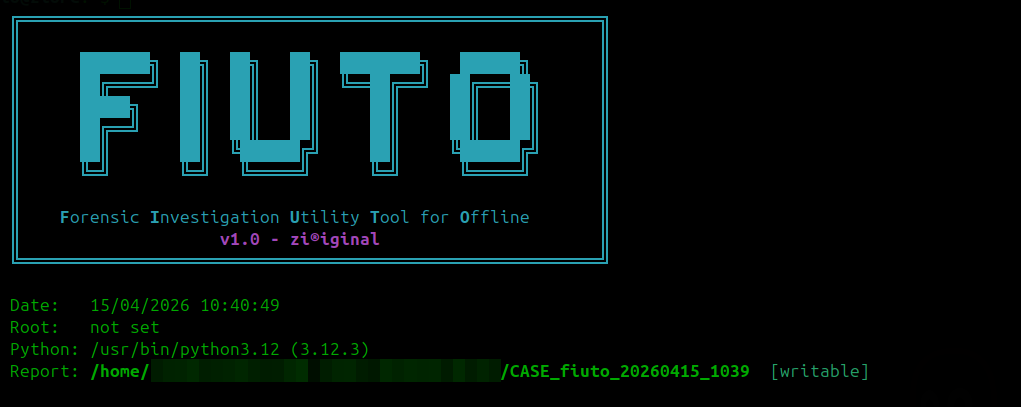
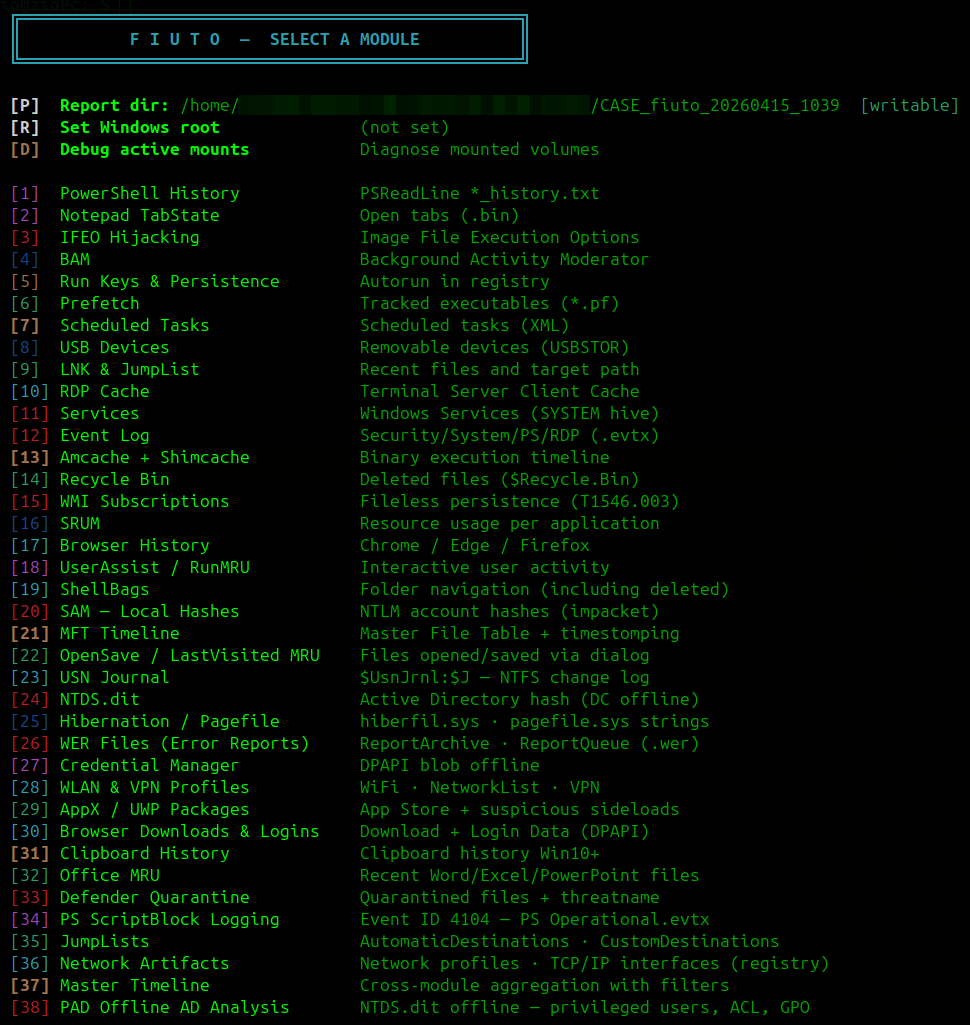
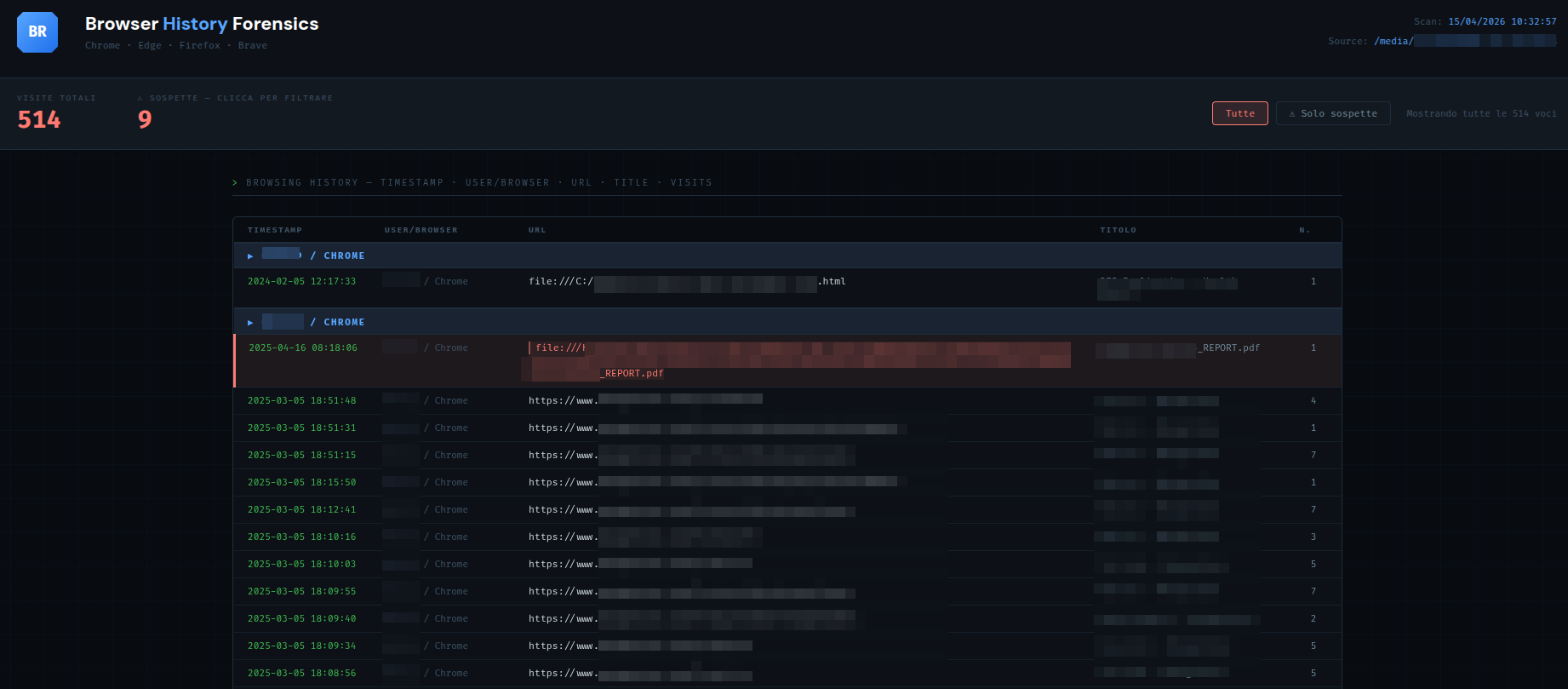
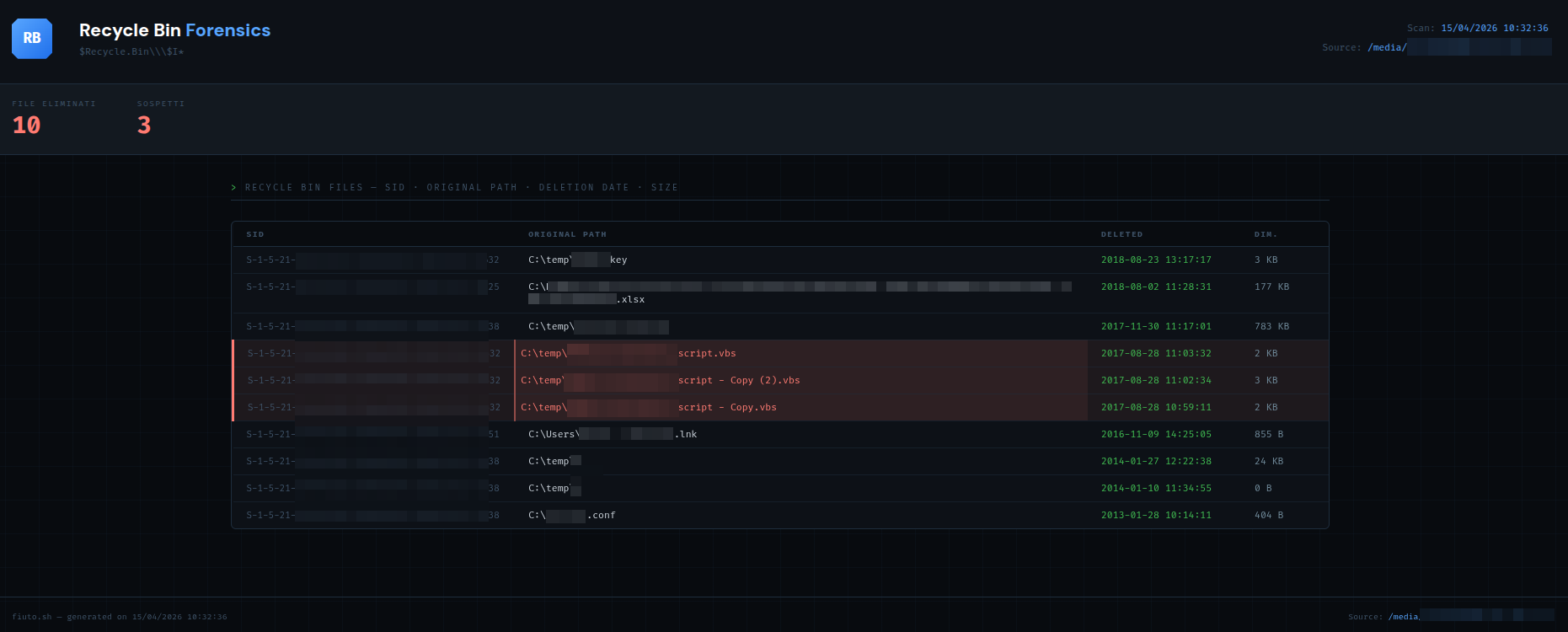
标签:DFIR, HTTPS请求, HTTP请求, Linux取证, macOS取证, Windows取证, 子域名变形, 库, 应急响应, 数字取证, 离线分析, 网络安全审计, 自动化脚本