microsoft/Build26-DEM331-turn-apis-tools-and-data-into-real-agent-velocity
GitHub: microsoft/Build26-DEM331-turn-apis-tools-and-data-into-real-agent-velocity
微软 Build 2026 演示项目,展示如何结合 Azure Content Understanding 和 Microsoft Agent Framework 构建多模态文档处理与推理的 Agent 应用。
Stars: 9 | Forks: 5

# [Microsoft Build 2026](https://build.microsoft.com)
## 🔥 DEM331:将 API、工具和数据转化为真正的 Agent 速度
### 会议描述
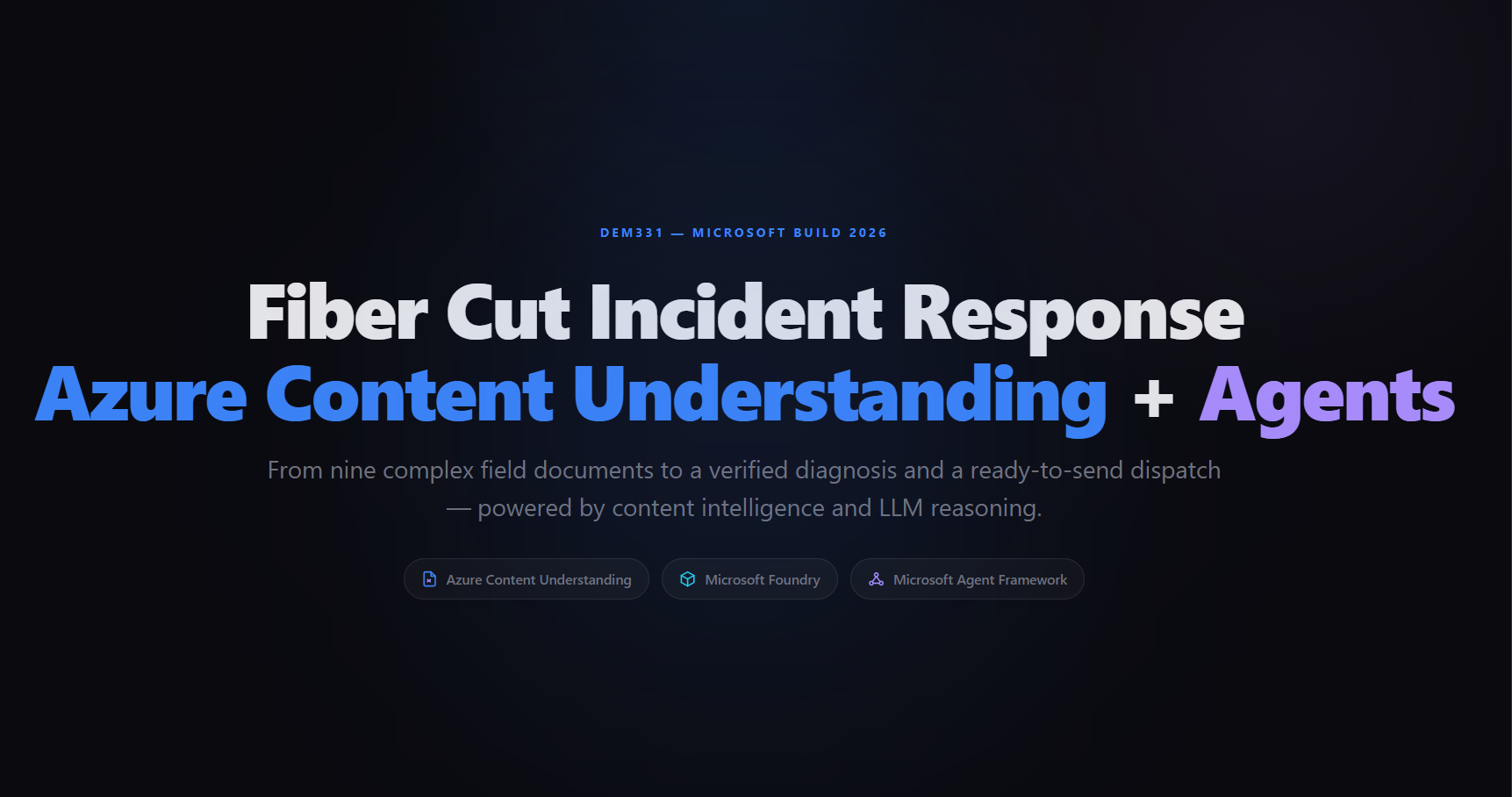
构建高质量的 agentic 应用需要结构良好的数据——但现实世界中的数据通常是多模态、无组织且容易出错的。在此演示中,一个**光纤中断响应 Agent (Fiber Cut Response Agent)** 端到端地对关键网络事件进行分类和处理:复杂的现场文档(包含表格、照片、工程图、拼接表和音频转录的 PDF)由 **Azure Content Understanding** 使用预构建和自定义 analyzer 处理,然后由 LLM(Foundry 模型)进行推理,从而生成根本原因诊断、材料计划和团队派遣邮件。该演示还展示了 **Microsoft Agent Framework** 如何将 Content Understanding 封装为一个可复用的 context provider,用于具有自动分析和缓存功能的多轮 agent 对话。
### 此仓库的内容
| 文件夹 | 用途 |
|---|---|
| [`src/`](src/) | **源 notebook** — `demo_fiber_cut_MAF.ipynb` 端到端地演示了全部五个阶段。最佳的起点。 |
| [`demo-app/`](demo-app/) | 一个 **Dash 演示应用**,将 HTML 幻灯片与每个阶段的交互式“实时代码”页面相结合。这是在舞台上使用的。 |
| [`src/sample-data/documents/`](src/sample-data/documents/) | 整个演示中使用的 9 份现场文档(PDF)。 |
### 演示概览
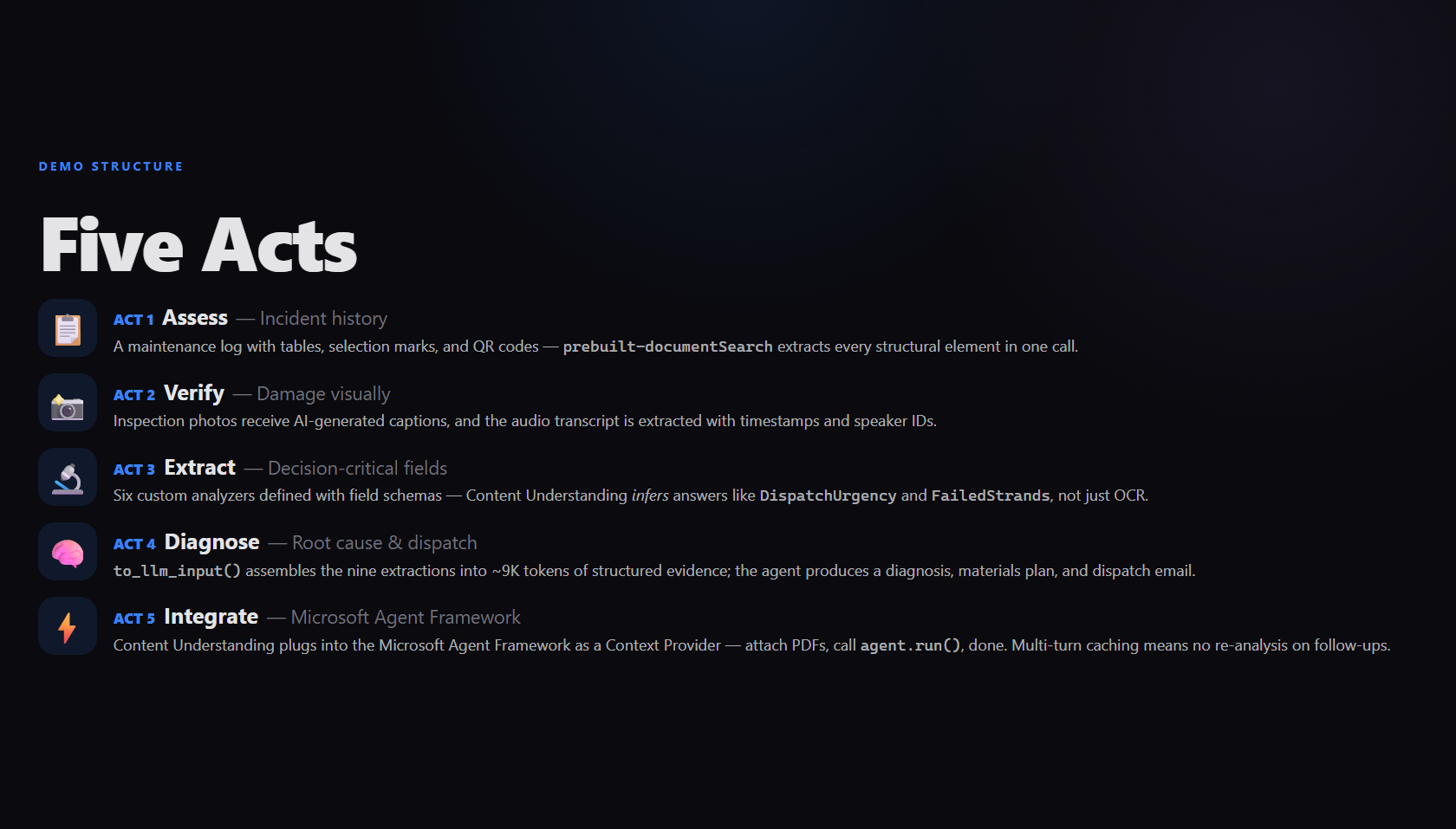
端到端演示的五个阶段:
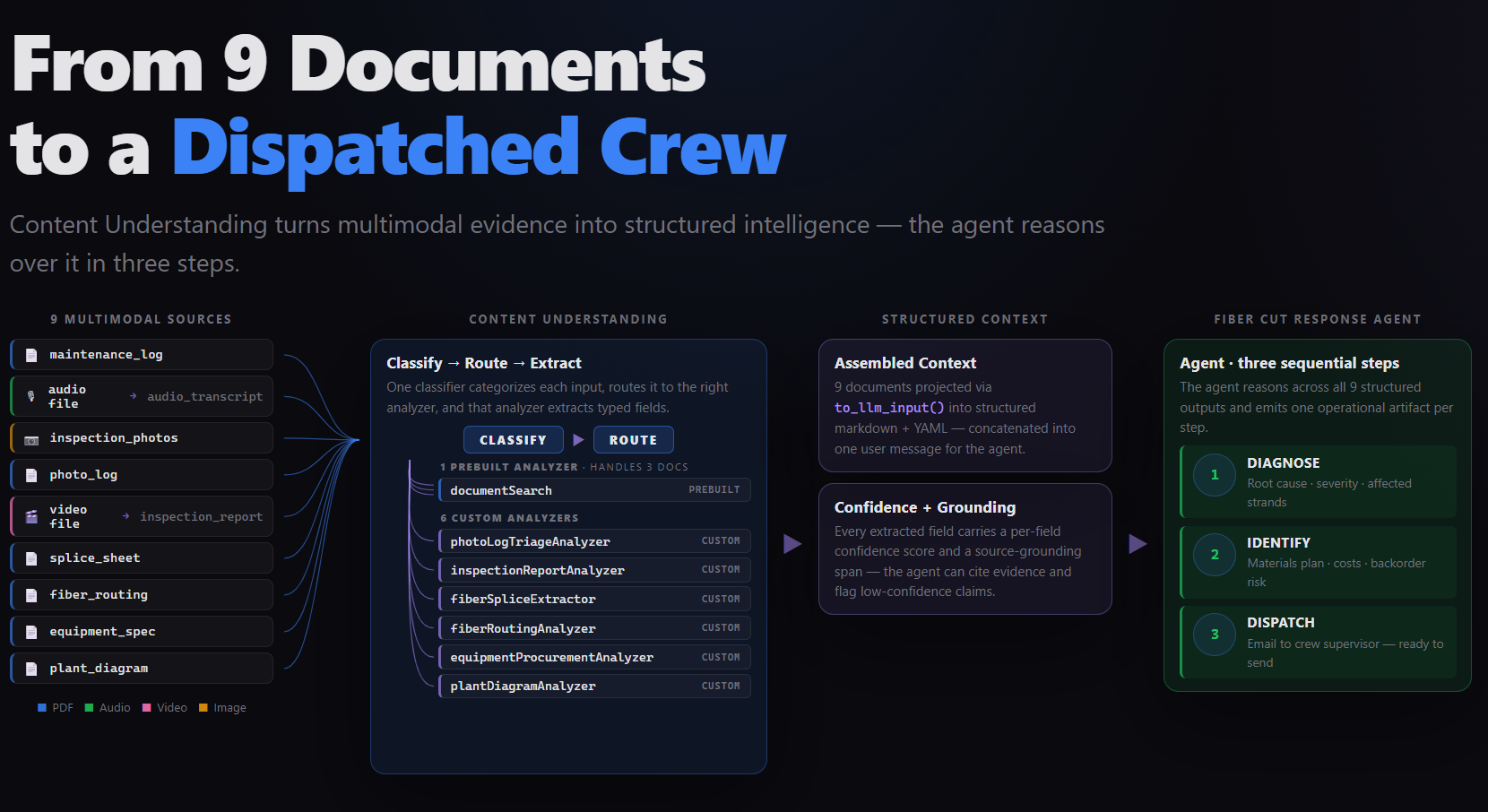
架构:九份多模态文档流经 Content Understanding 的分类-路由-提取 pipeline,转化为结构化的 agent context,并最终输出为派遣的维修团队。
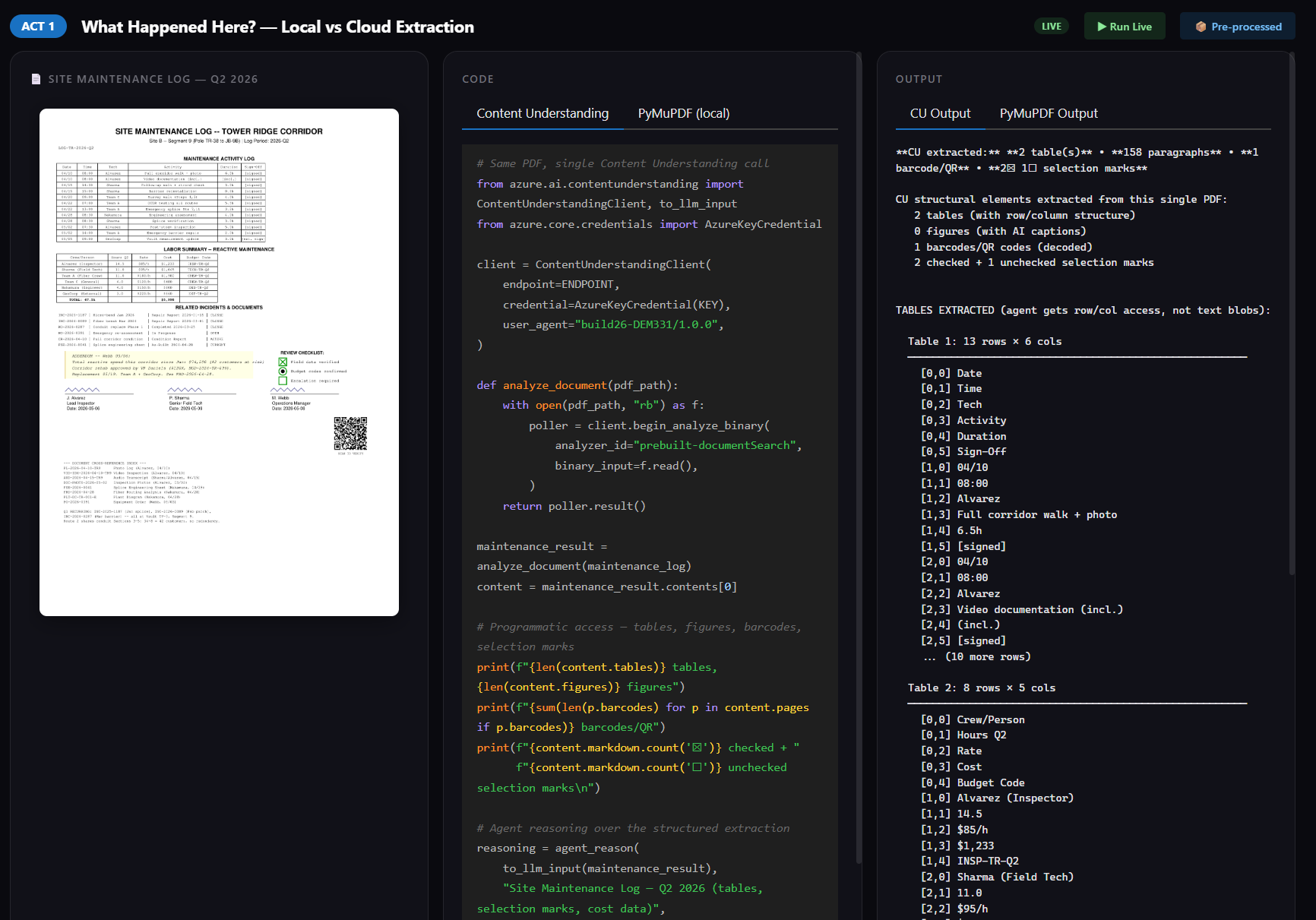
交互式演示应用并排展示了源文档、代码和输出结果——可以在预处理执行和实时执行之间切换。
### 🚀 开始使用
如果您按照自己的节奏执行以下步骤:
**选项 A — 运行源 notebook**(推荐用于学习)
1. 克隆此仓库
2. 安装 Python 依赖项:
pip install azure-ai-contentunderstanding --pre pymupdf python-dotenv openai agent-framework-azure-contentunderstanding agent-framework-foundry --pre
3. 在 `src/` 文件夹中创建一个 `.env` 文件,包含您的 Azure Content Understanding endpoint 和 key:
CONTENTUNDERSTANDING_ENDPOINT=https://
.services.ai.azure.com/
CONTENTUNDERSTANDING_KEY= # 或省略此项以使用 DefaultAzureCredential
4. 打开 [`src/demo_fiber_cut_MAF.ipynb`](src/demo_fiber_cut_MAF.ipynb) 并按顺序运行单元格
**选项 B — 运行交互式演示应用**(舞台体验)
```
cd demo-app
uv run python app.py
```
然后打开 并按 **F11** 进入全屏。有关 27 帧序列、实时执行模式和一次性 analyzer 部署脚本的详细信息,请参阅 [`demo-app/README.md`](demo-app/README.md)。
### 🧠 学习成果
在此演示结束时,您将能够:
- 对比本地 PDF 提取 (PyMuPDF) 与 Azure Content Understanding 在结构化数据恢复方面的差异——表格、选择标记、图形和条形码
- 使用 `prebuilt-documentSearch` 进行通用提取,并定义具有推断字段的**自定义 analyzer**,该字段能够对文档内容进行推理,而不仅仅是提取文本
- 构建文档**分类器**,通过一次 API 调用将未知文档路由到正确的自定义 analyzer
- 使用 `to_llm_input()` 将 Content Understanding 结果转换为 token 高效的 LLM context,并带有元数据和 markdown 控制
- 将 Content Understanding 集成到 **Microsoft Agent Framework** 中,作为用于自动分析、格式化和多轮缓存的 context provider
### 💬 使用 Copilot 继续学习
使用 GitHub Copilot 尝试这些 prompt,以探索本演示中的主题。在 Visual Studio Code 中打开 Copilot Chat(Windows/Linux 上为 `Ctrl+Alt+I`,Mac 上为 `Cmd+Shift+I`),粘贴一个 prompt,看看您能学到什么。尝试连接 [Microsoft Learn MCP Server](#-microsoft-learn-mcp-server) 以获取最新的官方文档。
将这些作为起点——或者编写您自己的!
1. 了解基础知识:
```
Explain how Azure Content Understanding custom analyzers differ from prebuilt analyzers. When would I define my own field schema with "method": "generate"?
```
2. 深入探索:
```
Using the Microsoft Learn MCP Server, find the latest documentation on Azure Content Understanding and walk me through how to create a document classifier that routes to different custom analyzers.
```
3. 构建一些东西:
```
Help me create a Python script that uses azure-ai-contentunderstanding to analyze a PDF with a custom analyzer, then formats the result with to_llm_input() and sends it to Azure OpenAI for reasoning.
```
### 💻 使用的技术
1. [Azure Content Understanding](https://learn.microsoft.com/azure/ai-services/content-understanding/overview)
2. [Microsoft Agent Framework](https://learn.microsoft.com/agent-framework/)
3. [Azure OpenAI Service](https://learn.microsoft.com/azure/ai-services/openai/overview)
4. [Azure AI Foundry](https://learn.microsoft.com/azure/foundry/what-is-foundry)
5. [Python SDK:azure-ai-contentunderstanding](https://pypi.org/project/azure-ai-contentunderstanding/)
### 📚 资源和后续步骤
| 资源 | 描述 |
|:---------|:------------|
| [https://aka.ms/build26-next-steps](https://aka.ms/build26-next-steps) | 探索实验室和会议仓库,以进一步提升您从 Microsoft Build 中获得的知识 |
### 👤 内容所有者
### 🌟 Microsoft Learn MCP Server
Microsoft Learn MCP Server 让您的 AI agent 直接访问 Microsoft 的官方文档——为该演示中涵盖的产品和服务提供有依据且最新的解答。
**VS Code** — 一键安装:
[](https://vscode.dev/redirect/mcp/install?name=microsoft-learn&config=%7B%22type%22%3A%22http%22%2C%22url%22%3A%22https%3A%2F%2Flearn.microsoft.com%2Fapi%2Fmcp%22%7D)
**GitHub Copilot CLI** — 运行以下命令将 Learn MCP Server 安装为插件:
```
/plugin install microsoftdocs/mcp
```
有关更多信息、其他客户端以及提问,请访问 [Learn MCP Server 仓库](https://aka.ms/learnmcp)。
## 商标
本项目可能包含项目、产品或服务的商标或徽标。授权使用 Microsoft 商标或徽标受其约束并必须遵循
[Microsoft 商标和品牌指南](https://www.microsoft.com/legal/intellectualproperty/trademarks/usage/general)。
在本项目的修改版本中使用 Microsoft 商标或徽标不得引起混淆或暗示 Microsoft 的赞助。
任何第三方商标或徽标的使用均受该第三方政策的约束。 标签:AI智能体, Azure AI, Docker 部署, 人工智能, 多模态文档处理, 演示项目, 用户模式Hook绕过, 网络运维, 逆向工具