Thegitfiddler/GuardDuty-Auto-Response
GitHub: Thegitfiddler/GuardDuty-Auto-Response
一个基于AWS原生服务的自动化云安全响应管道,实现威胁秒级检测与隔离。
Stars: 2 | Forks: 0
# GuardDuty 自动化事件响应
一个基于 AWS 构建的自动化云安全 pipeline,能够在几秒钟内检测威胁并隔离受损资源——包含基于严重程度的自动化和人工审批响应操作。
## 项目概述
本项目使用原生 AWS 安全服务模拟真实的安全运营中心 (SOC) 自动化响应工作流。
当 Amazon GuardDuty 检测到威胁时,此 pipeline 会根据严重程度执行操作:
LOW(低危):
- 仅发送通知
MEDIUM(中危):
- 为受影响的 EC2 instance 打上标签以便调查
- 发送警报通知
HIGH / CRITICAL(高危 / 严重):
- 通过 SNS 发送审批请求
- 在采取遏制措施前需要 human-in-the-loop(人工介入)审批
- 获得批准后,使用隔离安全组隔离 EC2 instance
**响应时间:从检测到隔离在 10 秒以内。**
## 架构
GuardDuty(检测威胁)
↓
Security Hub(聚合调查结果)
↓
EventBridge(路由调查结果)
↓
Lambda(决策引擎)
↓
SNS(通知 / 审批)
↓
(API Gateway - 审批链接)
↓
Lambda(执行隔离)
↓
EC2(已隔离)
## Human-in-the-Loop 审批
高危调查结果在采取修复措施前需要明确的批准。
系统会发送一条包含一键式 API Gateway 链接的 SNS 通知。
点击该链接后,请求会触发 Lambda 函数以执行 instance 隔离。
这可以在保持快速响应能力的同时,防止对生产环境工作负载造成意外中断。
## 使用的 AWS 服务
| 服务 | 在项目中的角色 |
|---|---|
| Amazon GuardDuty | 威胁检测与调查结果生成 |
| AWS Lambda | 自动化响应逻辑 (Python 3.12) |
| Amazon EventBridge | 将事件从 GuardDuty 路由至 Lambda |
| Amazon EC2 | 受保护/隔离的目标资源 |
| AWS Security Hub | 集中式安全调查结果仪表板 |
| Amazon CloudWatch | 执行日志与审计追踪 |
| AWS IAM | 最小权限访问控制 |
| Amazon SNS | 发送警报与审批通知 |
| Amazon API Gateway | 提供安全的审批 endpoint |
## 安全实践
### 最小权限 IAM
Lambda 执行角色仅被授予所需的精确权限。
刻意避免了宽泛的托管策略。
| 权限 | 原因 |
|---|---|
| ec2:DescribeInstances | 识别受影响 instance 的 VPC |
| ec2:CreateSecurityGroup | 创建独立的隔离安全组 |
| ec2:RevokeSecurityGroupEgress | 移除所有出站规则 |
| ec2:ModifyInstanceAttribute | 将隔离组附加到 instance |
| securityhub:BatchImportFindings | 将 incident 报告至 Security Hub |
| sts:GetCallerIdentity | 获取账户 ID 以构建 ARN |
| logs:CreateLogGroup/Stream/PutLogEvents | 写入执行日志 |
CloudWatch 访问权限仅限于此函数的日志组。
### 无硬编码凭证
所有 AWS API 调用均通过 IAM 使用 Lambda 执行角色。
此代码库中不存在任何 access key 或机密信息。
### 排除敏感数据
已配置 `.gitignore` 以防止将凭证、`.env` 文件和密钥文件提交到版本库。
## 如何部署
### 前置条件
- 一个 AWS 账户
- AWS Console 访问权限
- 在 us-east-1 启用 GuardDuty 和 Security Hub
### 步骤
1. 在您的 AWS 账户中启用 GuardDuty
2. 启用 Security Hub 并将 GuardDuty 连接为数据源
3. 创建 Lambda 函数 (Python 3.12) 并粘贴 `lambda/lambda_function.py`
4. 将 `iam/least_privilege_policy.json` 中的 IAM policy 附加到 Lambda 角色
5. 使用 `eventbridge/event_pattern.json` 中的模式创建 EventBridge 规则
6. 将 EventBridge 目标设置为您的 Lambda 函数
7. 使用 GuardDuty → Settings → Generate sample findings 进行测试
## 测试
GuardDuty 包含一个内置的示例调查结果生成器。
1. 进入 GuardDuty → Settings → Generate sample findings
2. 导航至 CloudWatch → Log groups → `/aws/lambda/GuardDutyAutoResponse`
3. 确认日志显示对 HIGH 严重程度的调查结果已执行隔离
4. 导航至 Security Hub → Findings,确认报告已发布
## 工作成果证明
以下截图记录了在实时 AWS 环境中运行的完整 pipeline。
示例调查结果是使用 GuardDuty 的内置测试工具生成的,用于模拟真实的 HIGH 严重程度威胁。
所有敏感值(包括 AWS 账户 ID 和 instance ID)均已进行脱敏处理。
## 截图
| 步骤 | 截图 |
|---|---|
| 启用 GuardDuty | 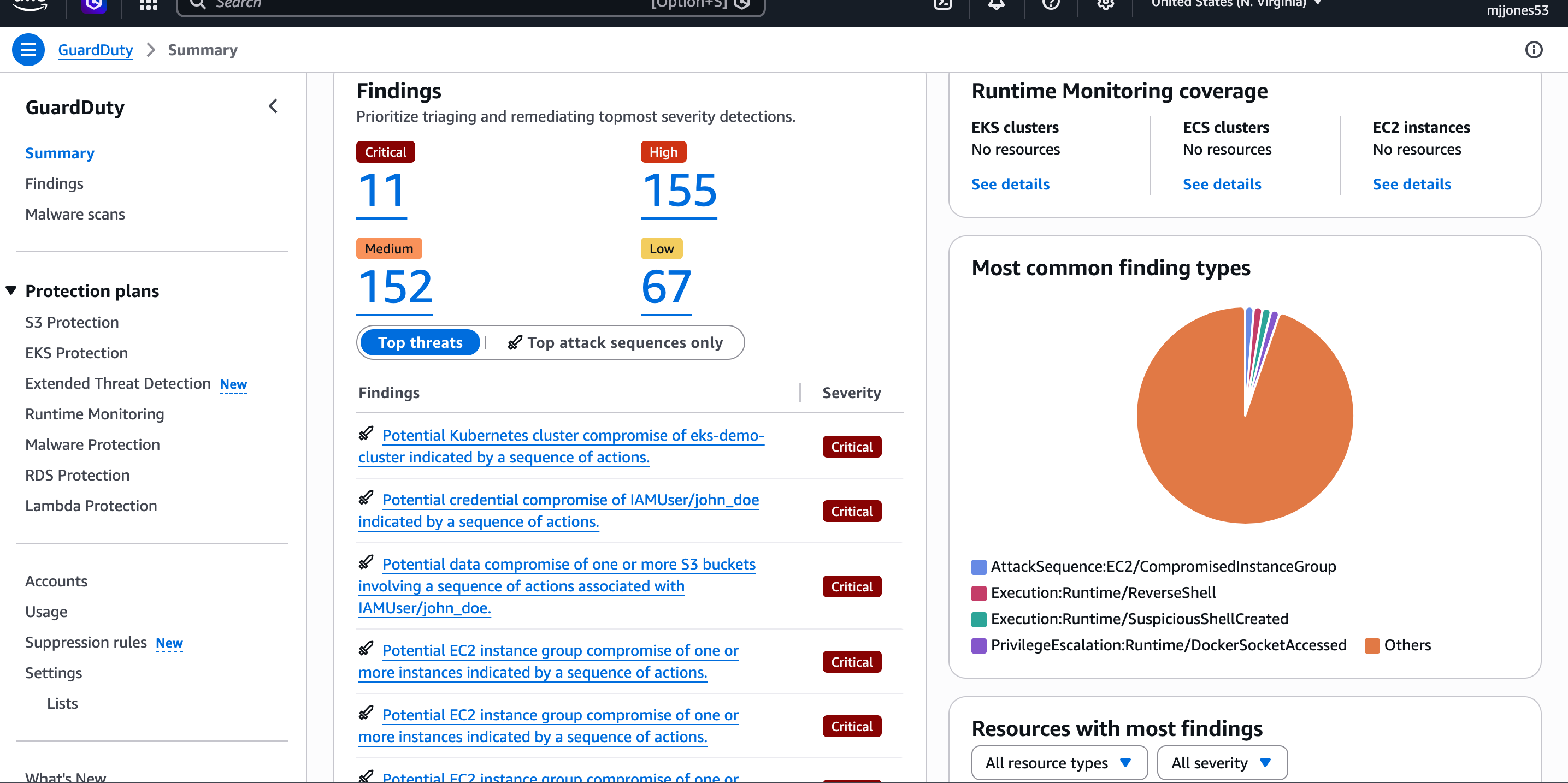 | GuardDuty 已启用,全天候 24/7 主动监控 AWS 账户的威胁 |
| 部署 Lambda 函数 | 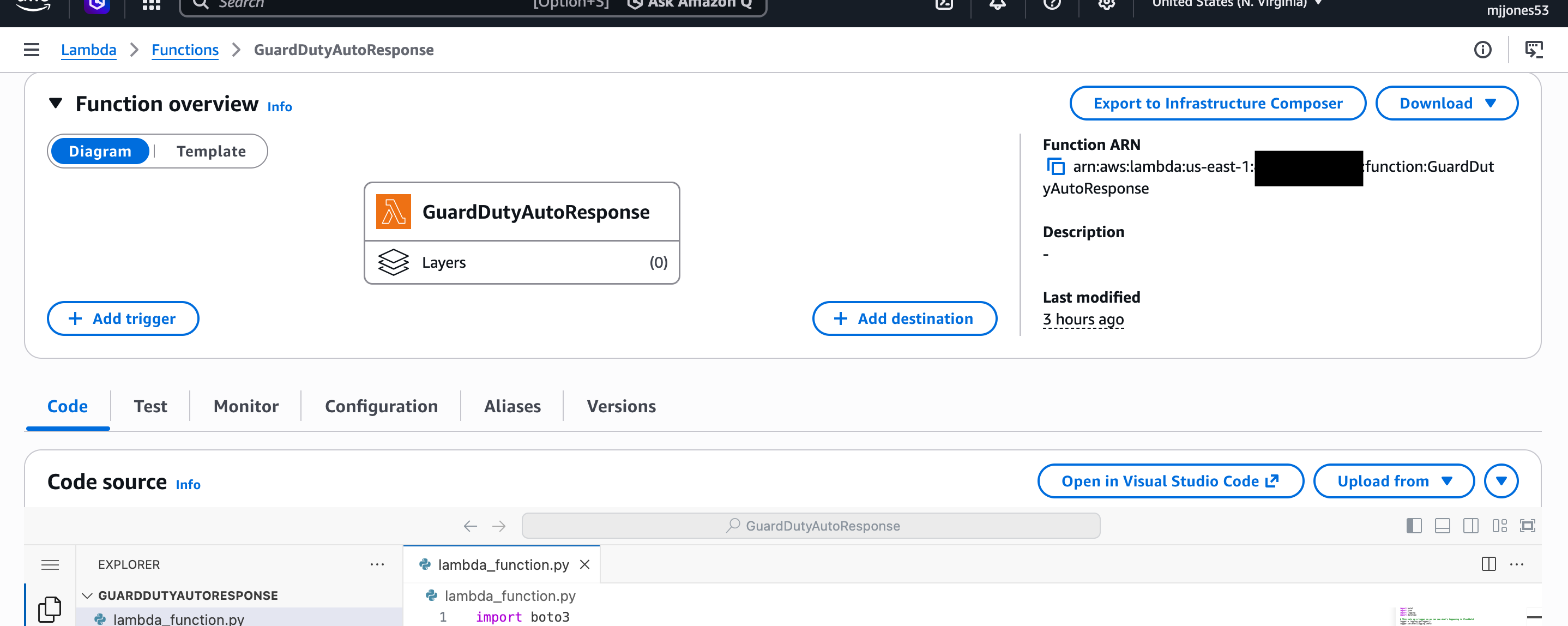 | 使用 Python 3.12 部署的 Lambda 函数 — 包含完整的自动化响应逻辑 |
| 配置 EventBridge 规则 | 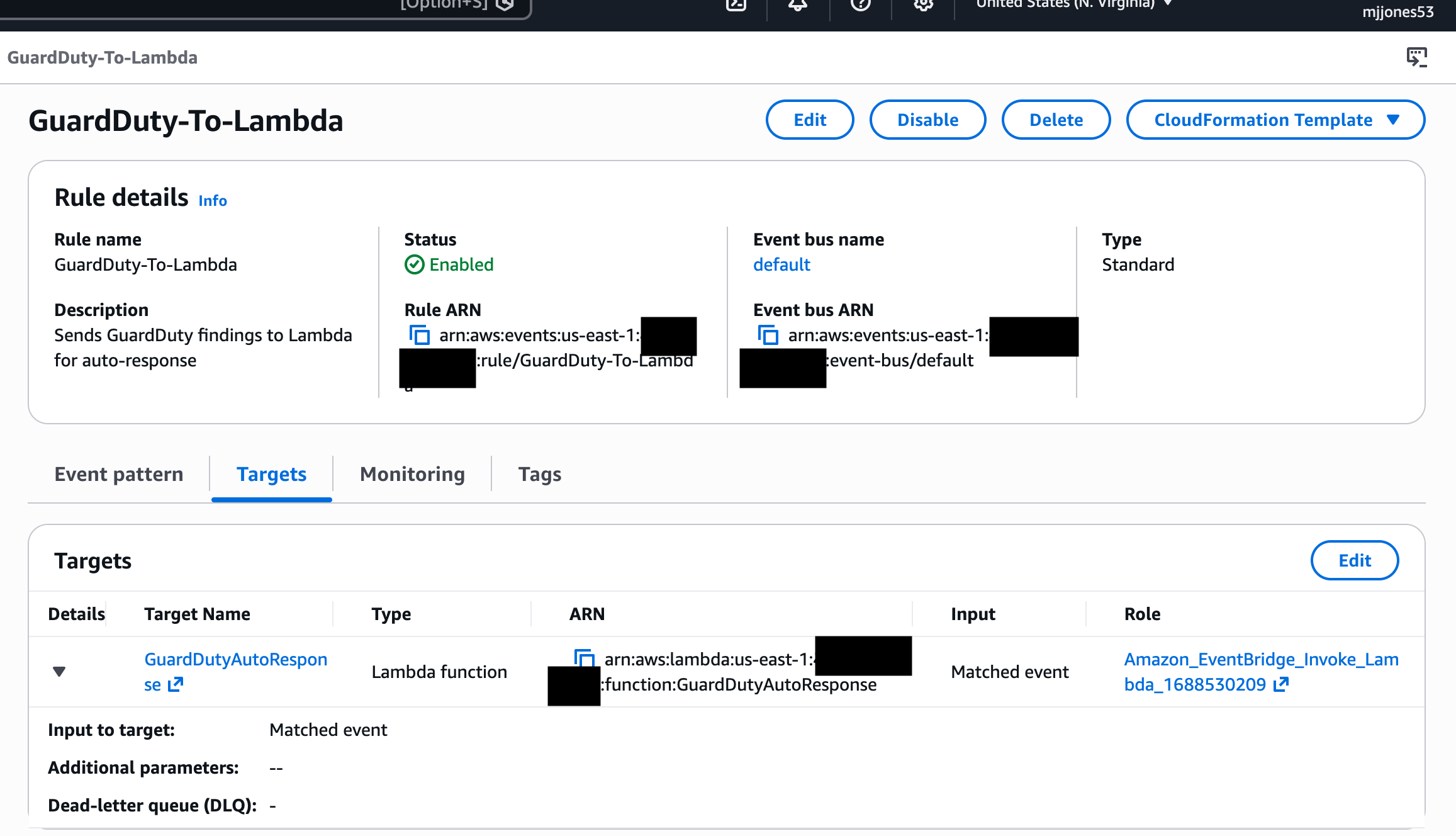 | EventBridge 规则将 GuardDuty 的调查结果直接路由到 Lambda 函数 |
| 显示隔离的 CloudWatch 日志 | 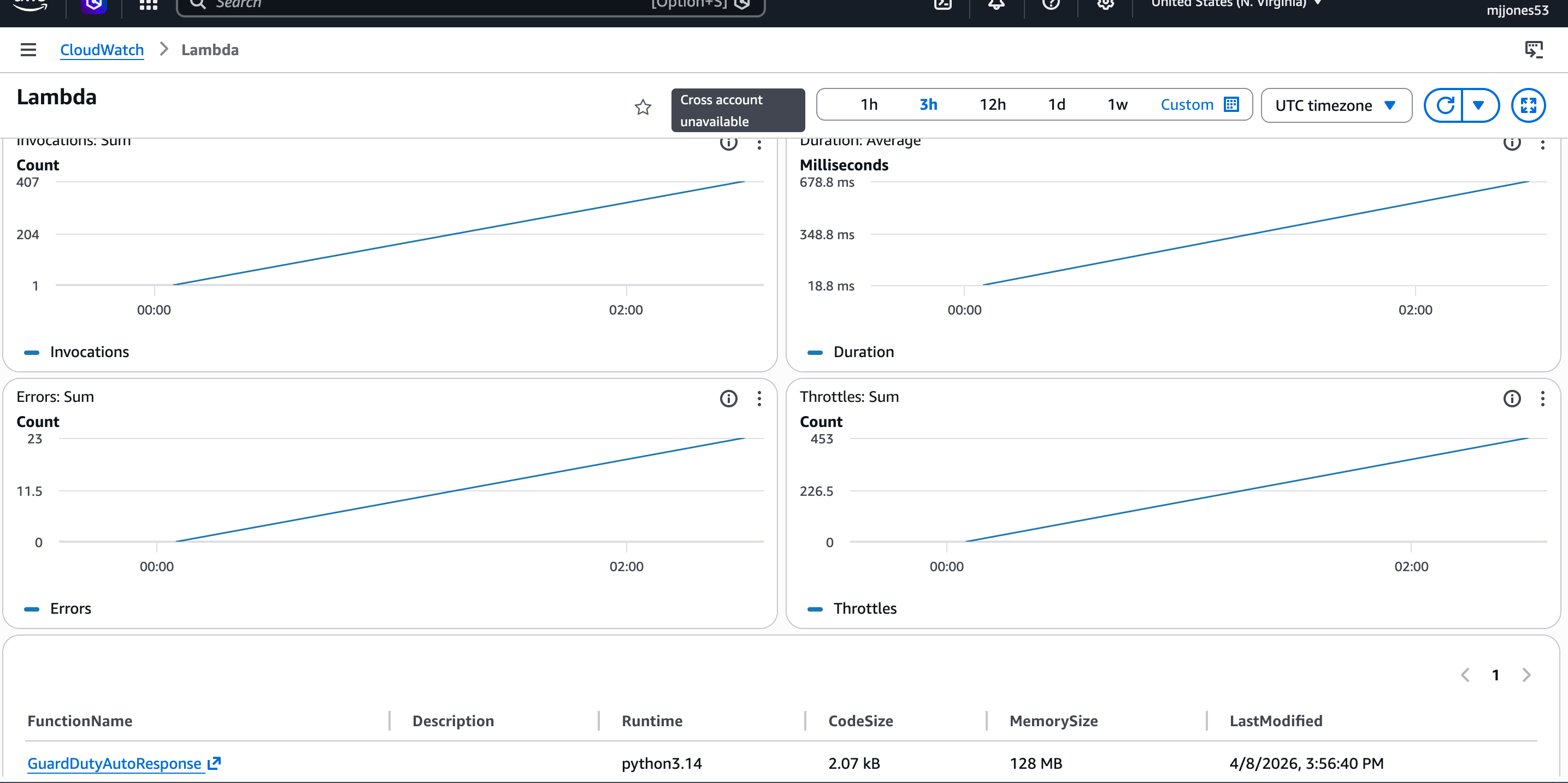 | CloudWatch 日志确认 Lambda 已执行并隔离了受损的 instance |
| 发布 Security Hub 调查结果 | 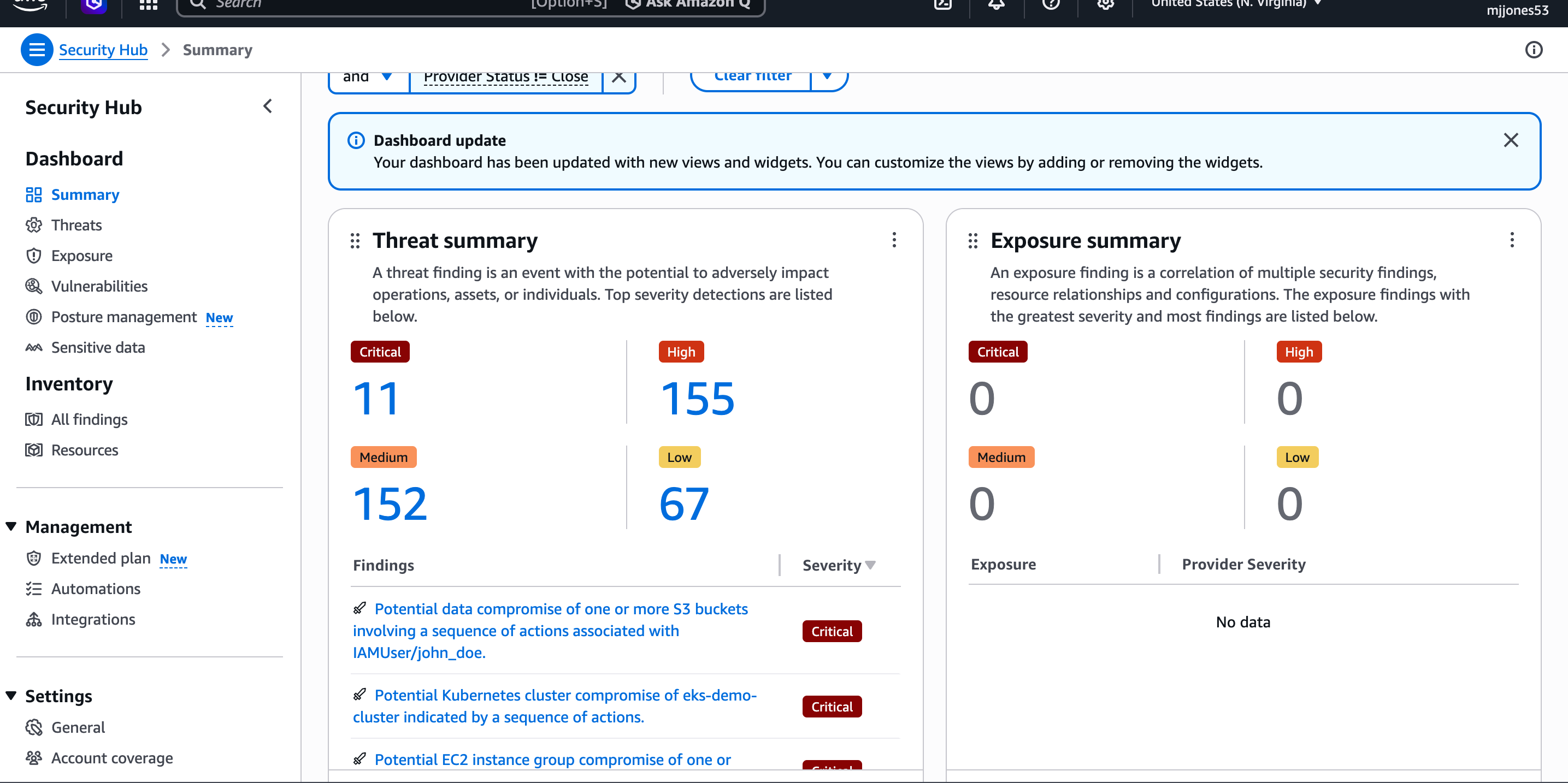 | Lambda 在事件响应完成后自动发布的 Security Hub 调查结果 |
| IAM 最小权限策略 | 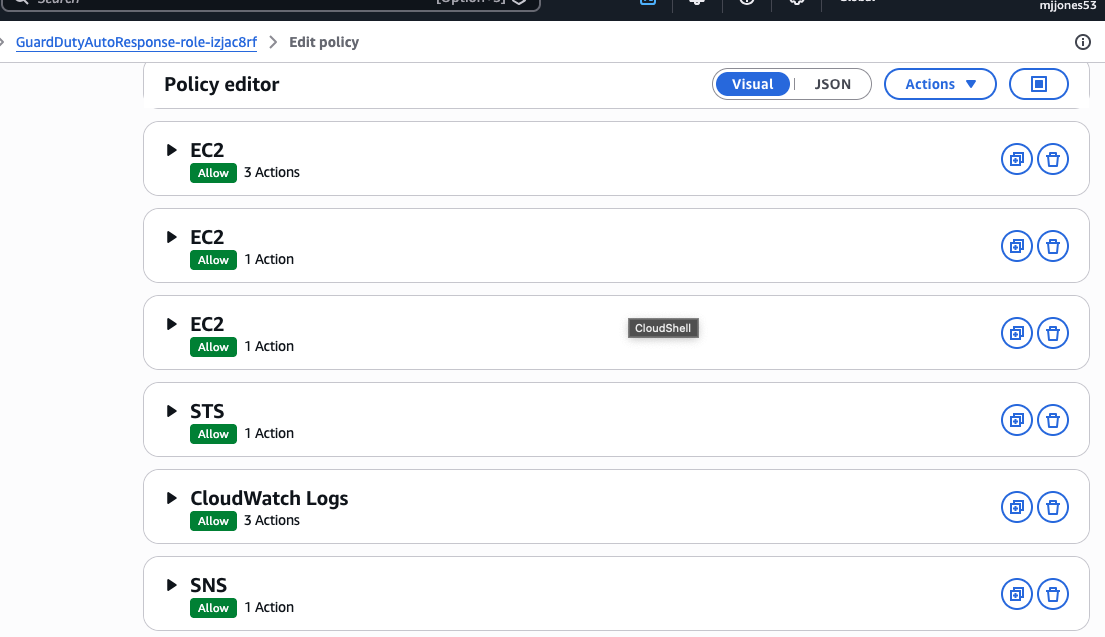 | 自定义最小权限 IAM policy — Lambda 仅被授予 7 项特定权限 |
| SNS 审批邮件 | 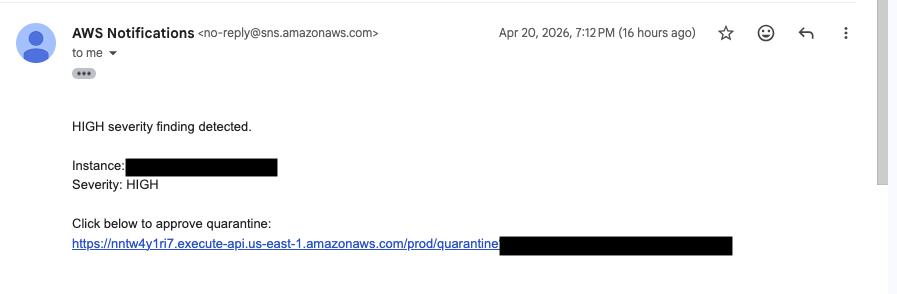 | 包含隔离审批链接的 SNS 邮件 |
| API Gateway endpoint |  | 用于人工审批的 API Gateway endpoint |
| 隔离前的 EC2 | 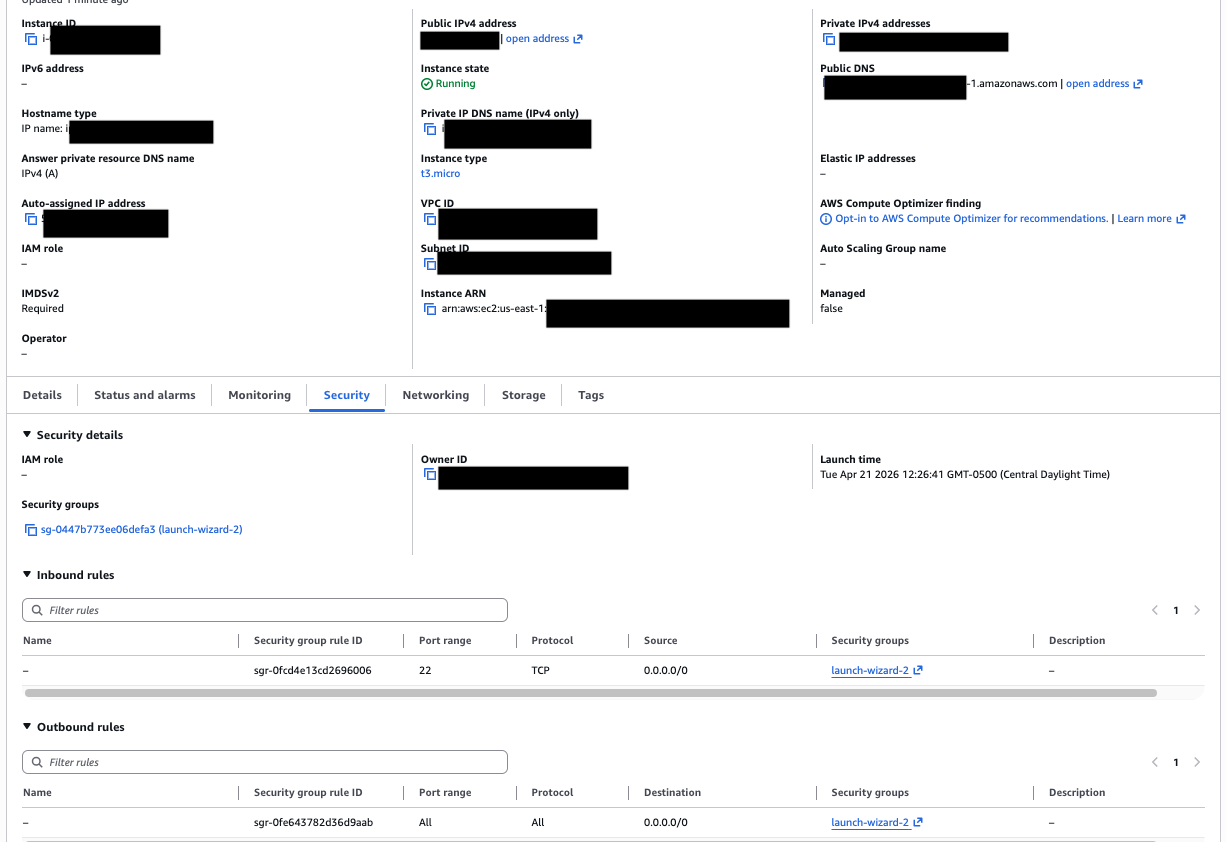 | 具有正常安全组的 Instance |
| 隔离后的 EC2 | 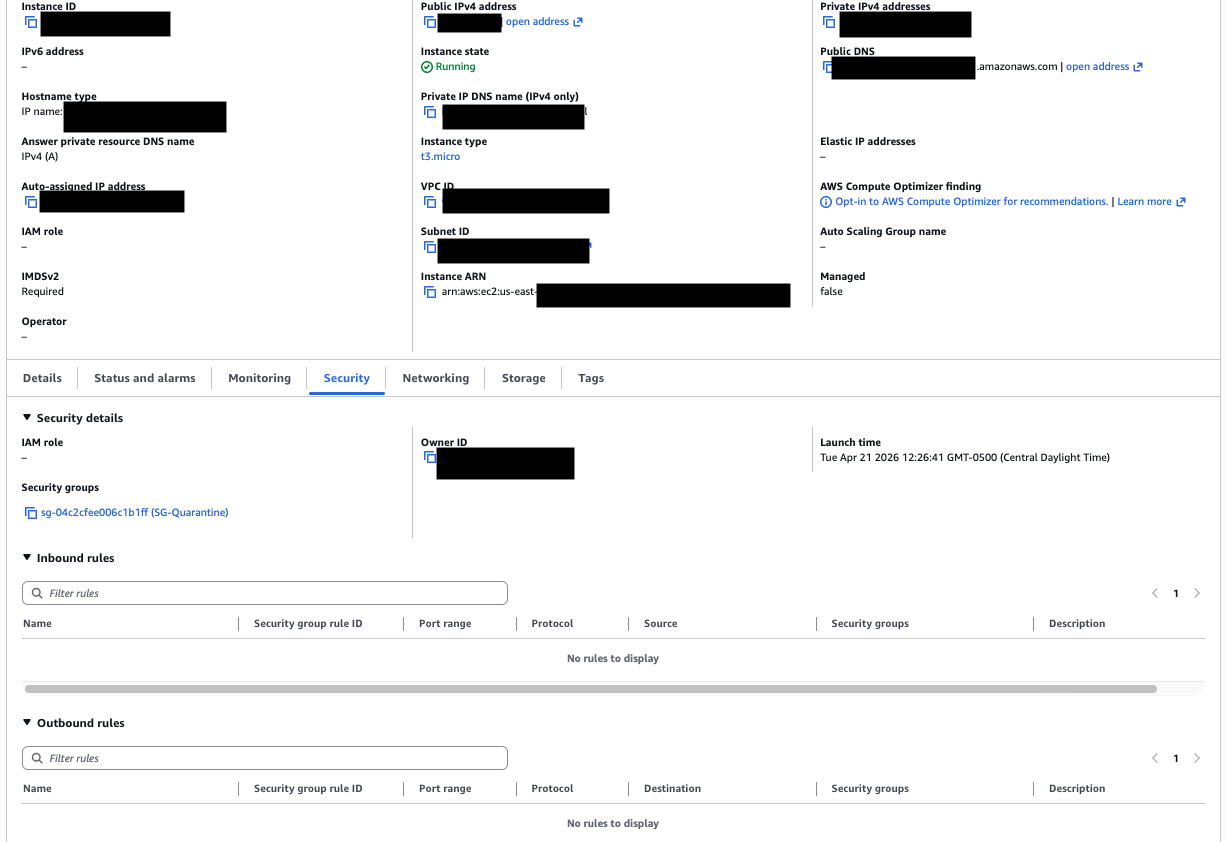 | 使用隔离安全组隔离的 Instance |
## 基于风险的响应设计
本项目实现了一种分层响应模型:
- 低风险 → 仅提升可见性
- 中风险 → 自动化打标
- 高风险 → 需人工审批的受控修复
这种设计平衡了自动化速度与操作安全性,
反映了真实世界的安全工程实践。
## 我学到了什么
构建此项目加深了我对检测与响应 pipeline 如何在基础设施层面运行的理解。
设计 EventBridge 到 Lambda 的触发流程,让我进一步认识到:
与传统轮询方法相比,事件驱动架构如何有效缩短响应时间。
IAM 最小权限的实现是一个深思熟虑的设计决策——
用 7 项限定范围的权限取代宽泛的托管策略,反映了生产环境安全团队在角色遭到入侵时如何将影响范围降至最低。
跨 GuardDuty、Lambda、Security Hub 和 CloudWatch 的协同工作也进一步证明:
可以通过将原生 AWS 服务串联起来,在无需第三方工具的情况下构建检测与响应能力。
引入 human-in-the-loop 审批机制极大地改善了设计,防止了对关键资源的意外中断。
这反映了真实世界的事件响应策略,即在执行高影响操作时,在自动化与控制之间取得平衡。
## 未来改进
- 使用 IAM 或签名请求保护 API Gateway 安全
- 集成 AWS CloudTrail 以实现审计可见性
- 将日志转发至 SIEM 平台(例如 Splunk)
- 添加回滚功能以恢复原始安全组
## 作者
Michael Jones
有志成为安全/检测工程师
标签:AWS, DPI, ECS, Terraform, 事件响应, 云原生安全, 基础设施即代码, 安全自动化