yuvashree031/Cloud-Intrusion-Detection-System
GitHub: yuvashree031/Cloud-Intrusion-Detection-System
Cloud IDS 是一个基于 Flask 的 AWS 云入侵检测系统,通过分析 CloudTrail 日志和 IAM 数据实时检测云端安全威胁并提供 Web 可视化告警。
Stars: 0 | Forks: 0
# Cloud IDS — 云入侵检测系统
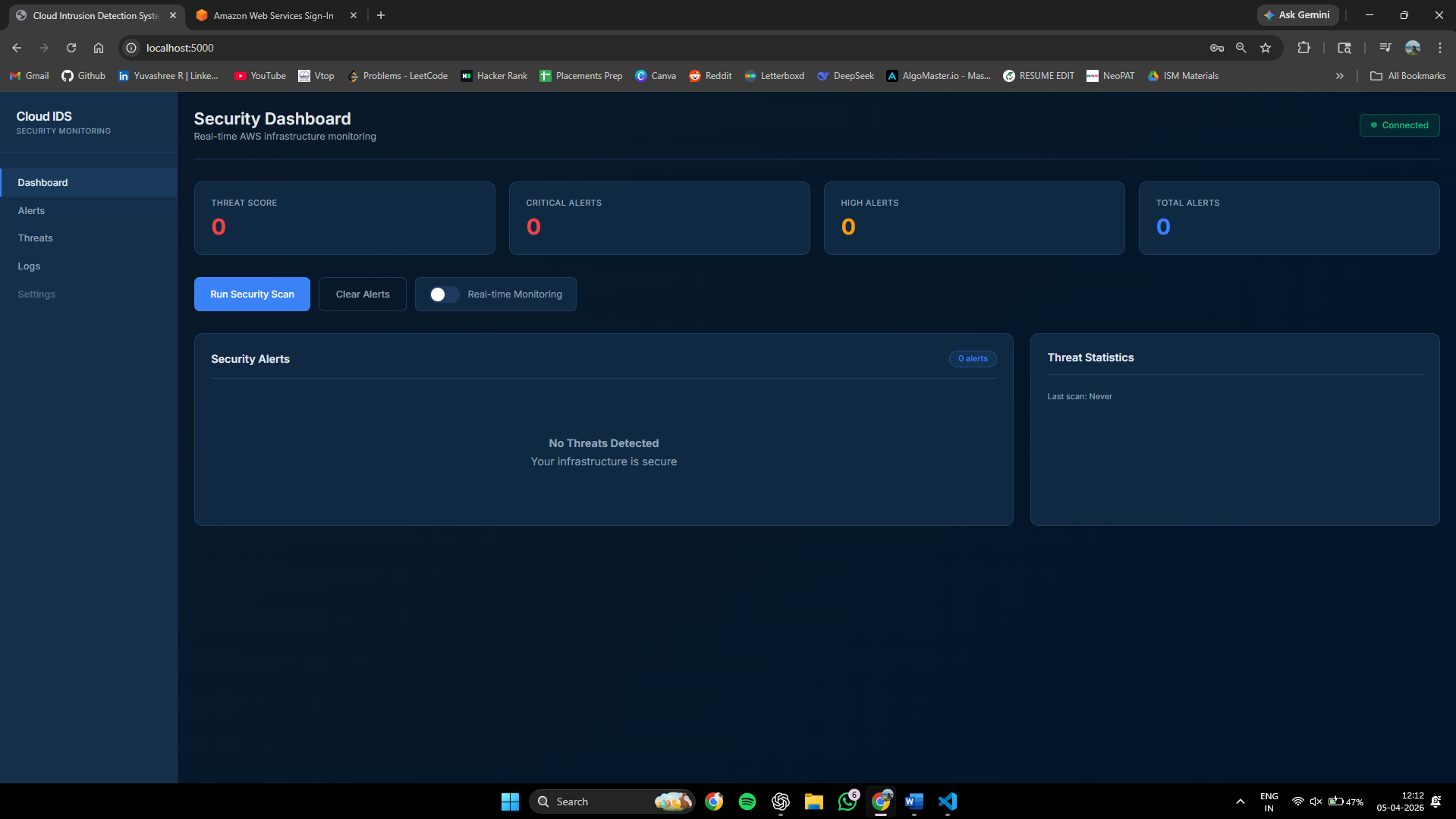
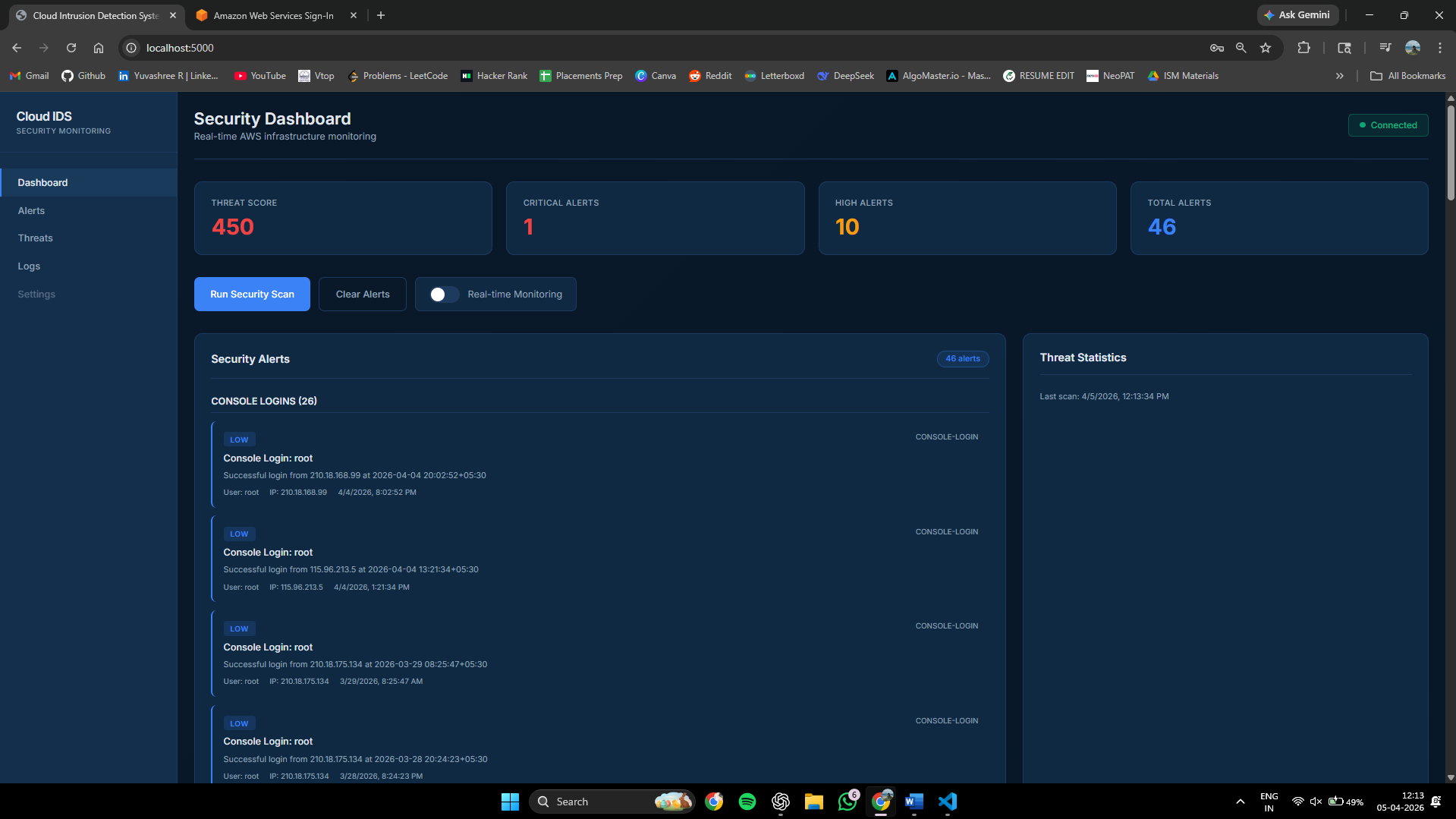
Cloud IDS 是一个基于 Web 的入侵检测系统,旨在监控 AWS 云环境。它利用 AWS CloudTrail 日志和 IAM 服务来检测实时的安全威胁,例如暴力破解攻击、权限提升、未经授权的资源创建以及合规性违规。该应用程序提供了一个友好的用户仪表盘,具备实时告警、威胁评分和手动扫描功能,使管理员能够主动保护其云基础设施。
## 截图
### 🔹 仪表盘
### 🔹 运行安全扫描
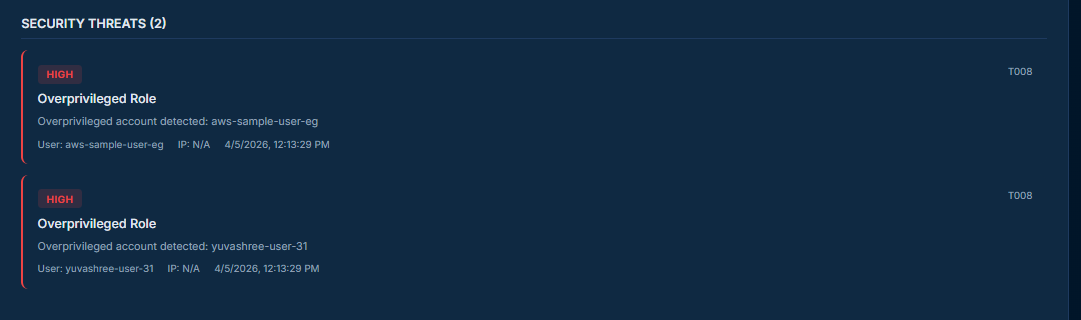
### 🔹 安全威胁
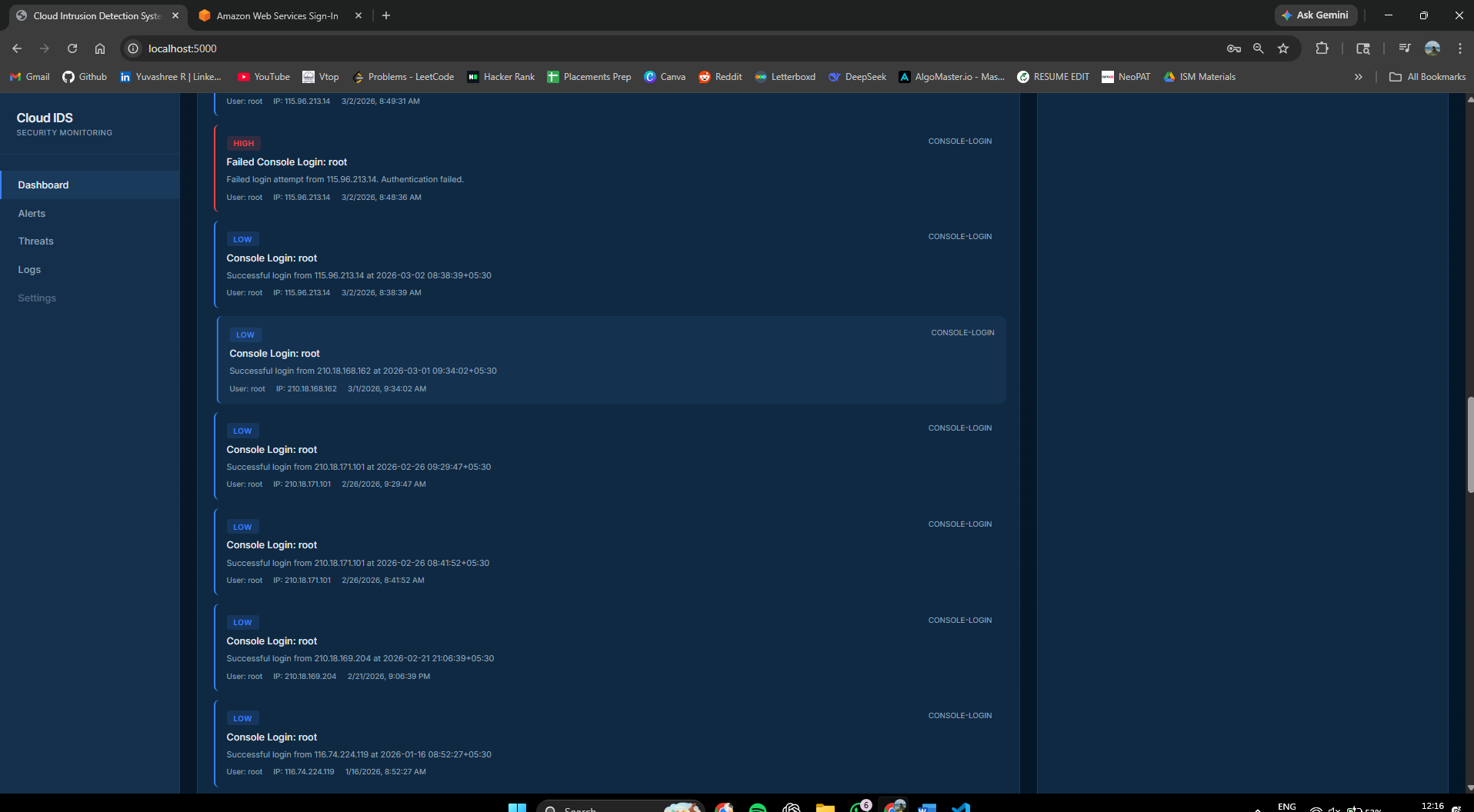
### 🔹 日志
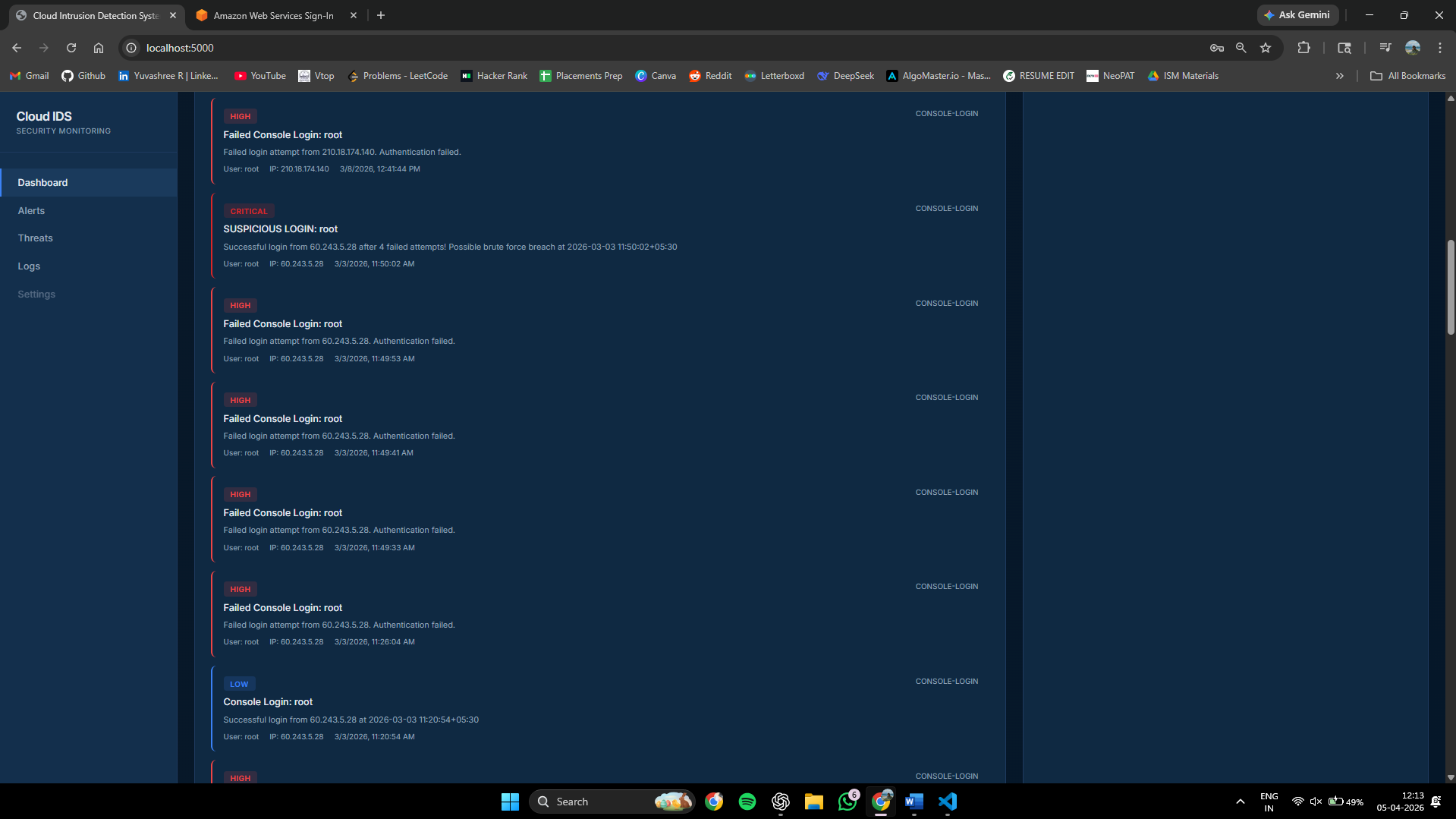
### 🔹 Root 登录告警
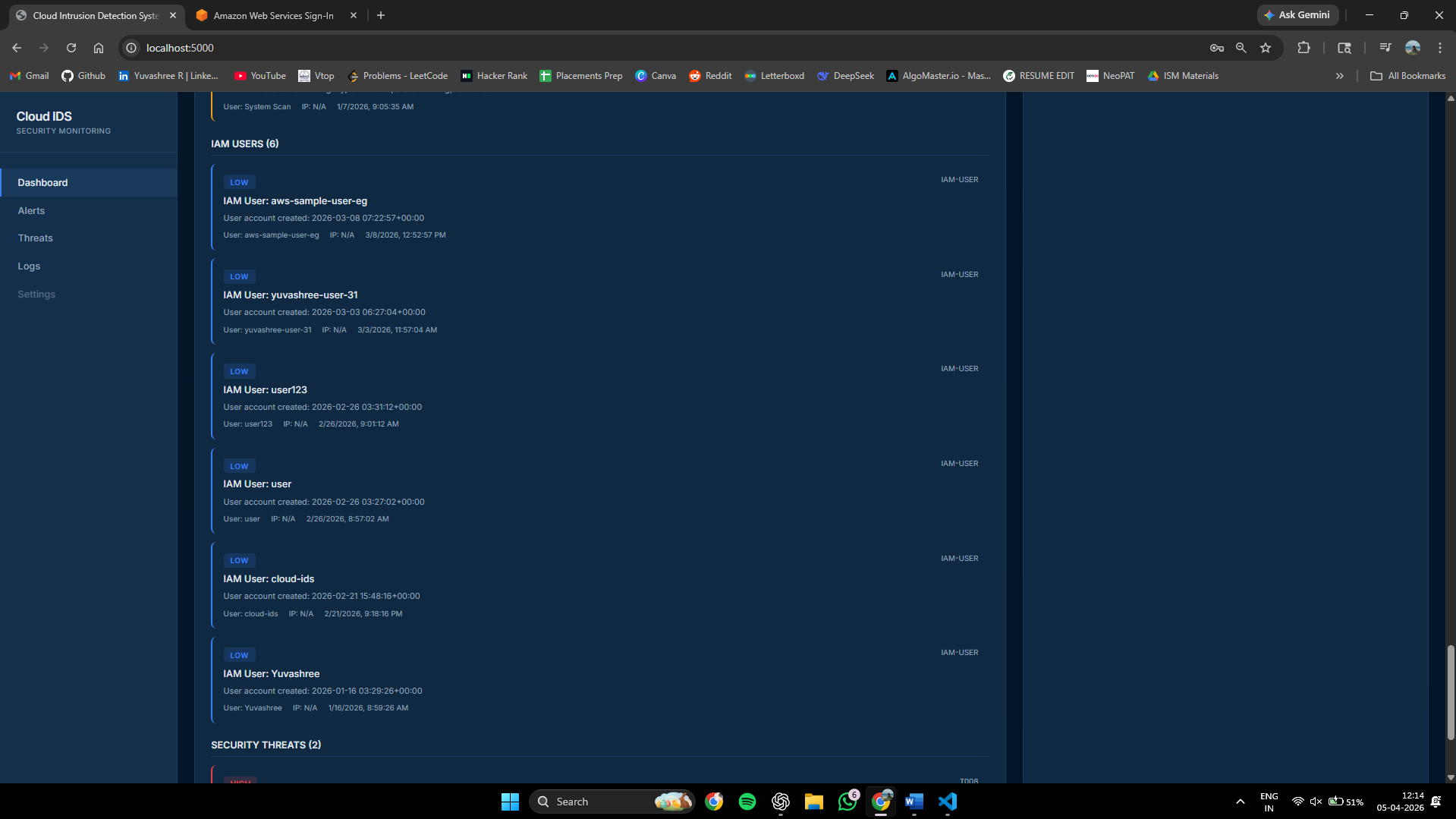
### 🔹 IAM 用户
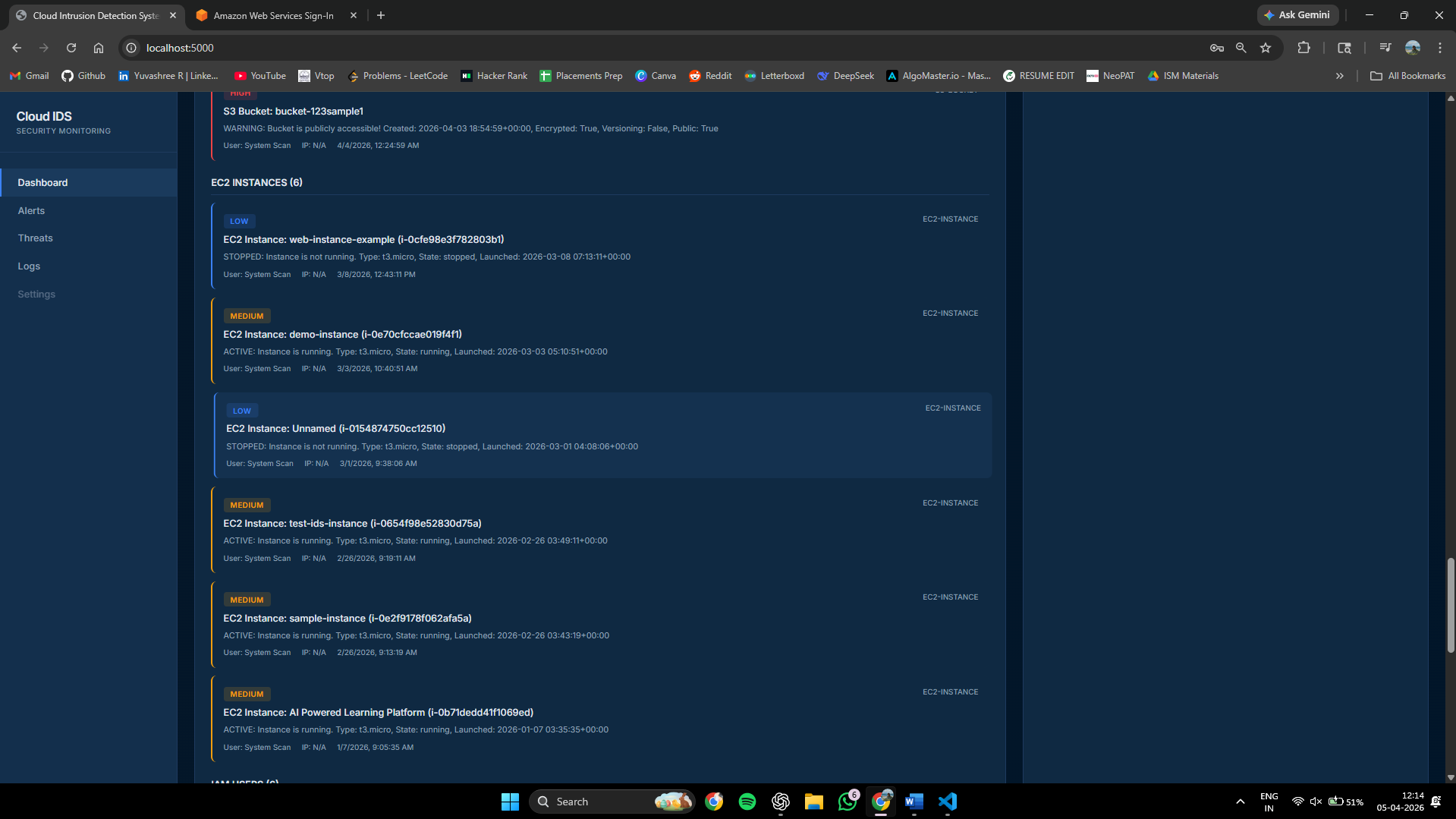
### 🔹 EC2 实例
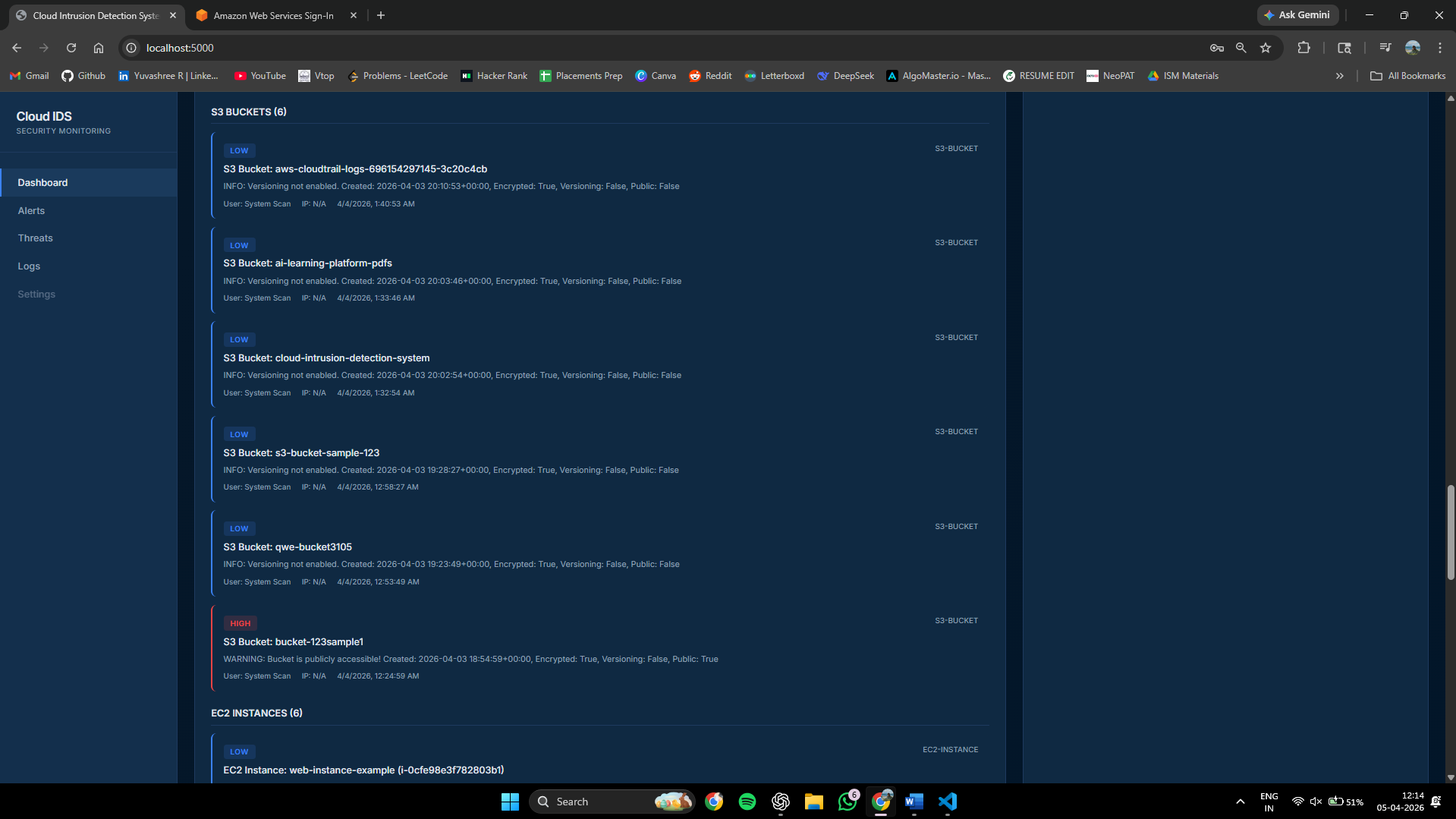
### 🔹 S3 存储桶
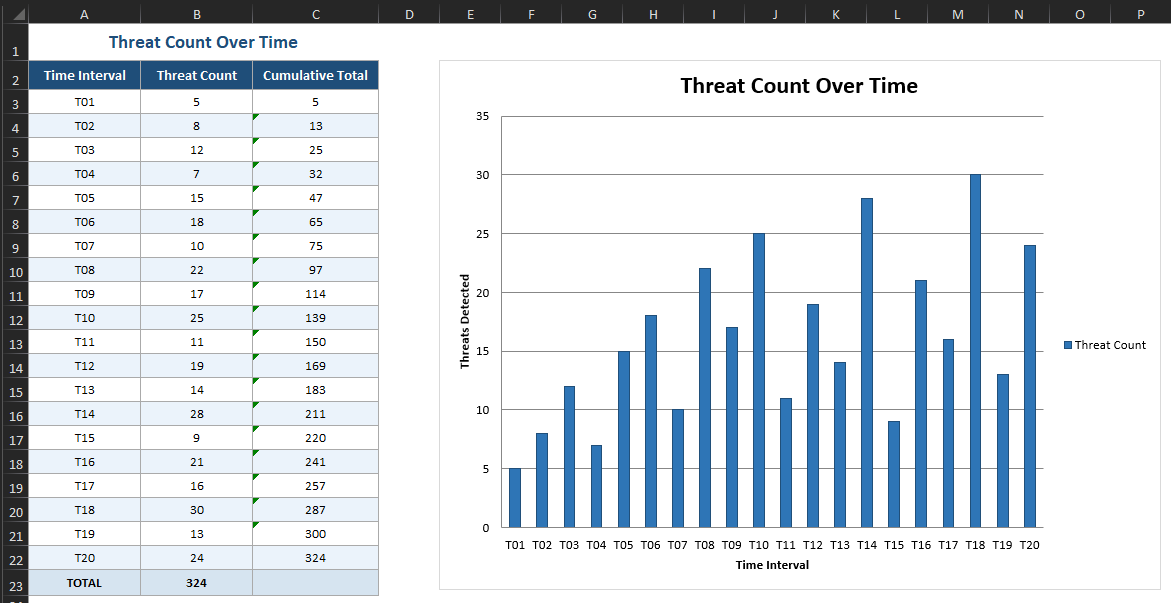
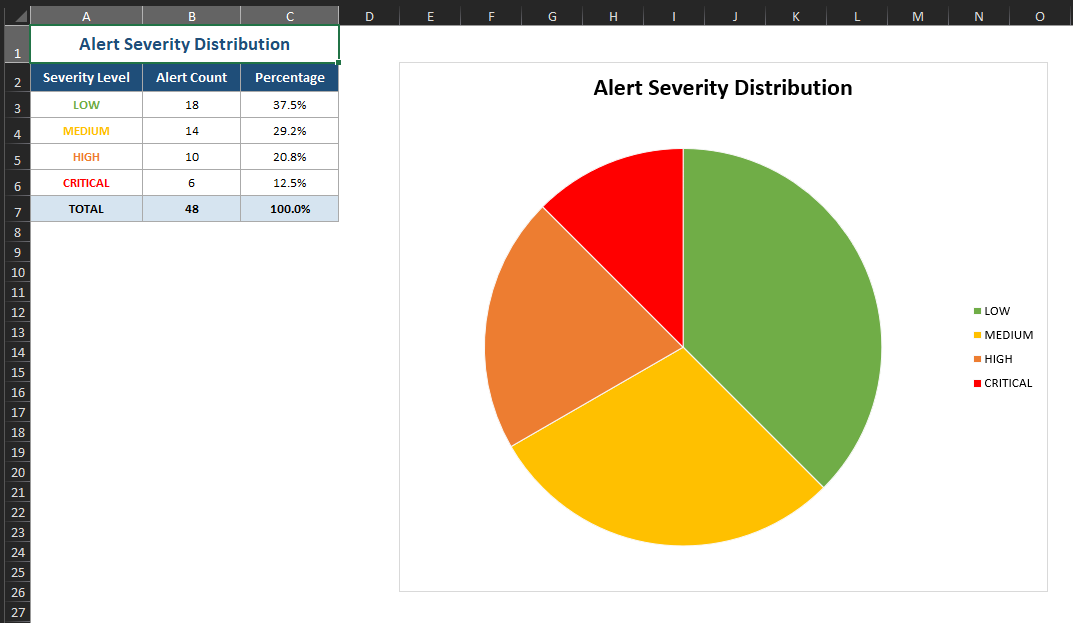
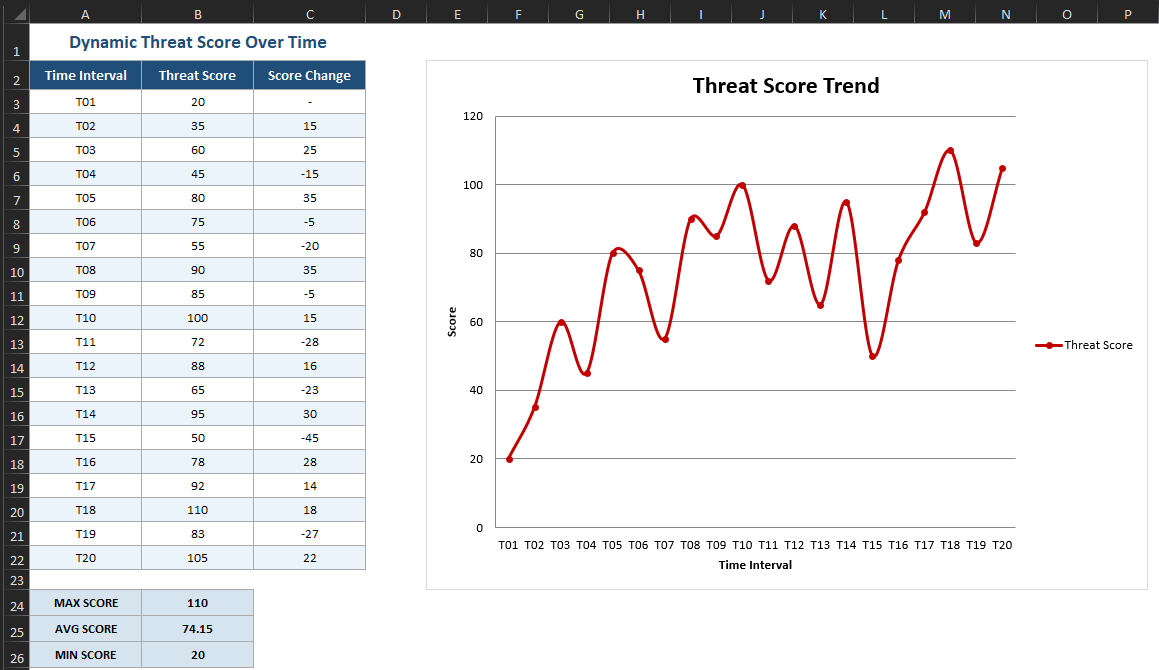
### 🔹 图表分析
## 设置
### 1. 克隆仓库
```
git clone
cd cloud-ids
```
### 2. 安装依赖项
```
pip install -r requirements.txt
```
### 3. 配置环境变量
在项目根目录下创建一个 `.env` 文件:
```
AWS_ACCESS_KEY_ID=your_access_key
AWS_SECRET_ACCESS_KEY=your_secret_key
AWS_REGION=ap-south-1
```
### 4. 运行应用程序
```
python app.py
```
### 5. 打开仪表盘
在浏览器中访问 [http://localhost:5000](http://localhost:5000)。
## 演示模式
如果要在没有 AWS 凭证的情况下运行,请在您的 `.env` 文件中设置以下内容:
```
DEMO_MODE=true
```
这将使用模拟数据填充仪表盘,以便进行评估和测试。
## 所需的 AWS 权限
将以下 IAM 策略附加到 Cloud IDS 使用的用户或角色:
```
{
"Version": "2012-10-17",
"Statement": [
{
"Effect": "Allow",
"Action": [
"cloudtrail:LookupEvents",
"s3:ListAllMyBuckets",
"s3:GetBucketAcl",
"s3:GetBucketPolicy",
"ec2:DescribeInstances",
"ec2:DescribeSecurityGroups",
"iam:ListUsers",
"iam:ListRoles",
"iam:GetUser"
],
"Resource": "*"
}
]
}
```
## 威胁检测规则
| 规则 ID | 威胁 | 严重性 |
|---------|--------|----------|
| T001 | 暴力破解登录 | 高 |
| T002 | Root 账号登录 | 严重 |
| T003 | 安全组被删除 | 高 |
| T004 | CloudTrail 日志记录已停止 | 严重 |
| T005 | 新建 IAM 用户 | 中 |
| T006 | 权限提升 | 高 |
| T007 | 异常区域的 EC2 | 中 |
| T008 | 过度授权的角色 | 高 |
| T009 | 新建 EC2 实例 | 低 |
| T010 | 新建 S3 存储桶 | 低 |
| T011 | 未启用 MFA | 高 |
## 技术栈
| 组件 | 技术 |
|-----------|------------|
| 后端框架 | Flask, Flask-SocketIO |
| AWS 集成 | boto3 (AWS SDK for Python) |
| 异常检测 | scikit-learn |
| 实时告警 | 通过 Flask-SocketIO 的 WebSockets |
| 前端 | HTML, CSS, JavaScript |
| 环境配置 | python-dotenv |
## 项目结构
```
cloud-ids/
├── app.py # Main application entry point
├── requirements.txt # Python dependencies
├── .env # Environment variables (not committed)
├── templates/ # HTML dashboard templates
├── static/ # CSS, JS, and static assets
└── Screenshots/ # Dashboard screenshots
```
## 系统要求
**软件**
- 操作系统:Windows 10+、macOS 10.14+ 或 Ubuntu 18.04+
- Python:3.8 或更高版本
- 包管理器:pip(Python 3.4+ 自带)
- 网络浏览器:Chrome、Firefox 或 Edge
**硬件**
- 处理器:1 GHz 双核 CPU 或更高
- 内存:最低 2 GB(推荐 4 GB)
- 存储:500 MB 可用磁盘空间
- 网络:稳定的互联网连接(AWS API 调用必需)
## 许可证
本项目仅供学术和研究目的使用。
标签:AMSI绕过, AWS监控, Python, 入侵检测系统, 多模态安全, 威胁检测, 安全态势感知, 安全数据湖, 数据可视化, 无后门, 时间线生成, 红队行动, 逆向工具