一份系统性的 Claude Code 架构逆向研究笔记,详细记录了其插件系统、多智能体编排、技能组合机制,并以 Boss Mode 插件为案例展示了如何基于官方接口进行扩展开发。
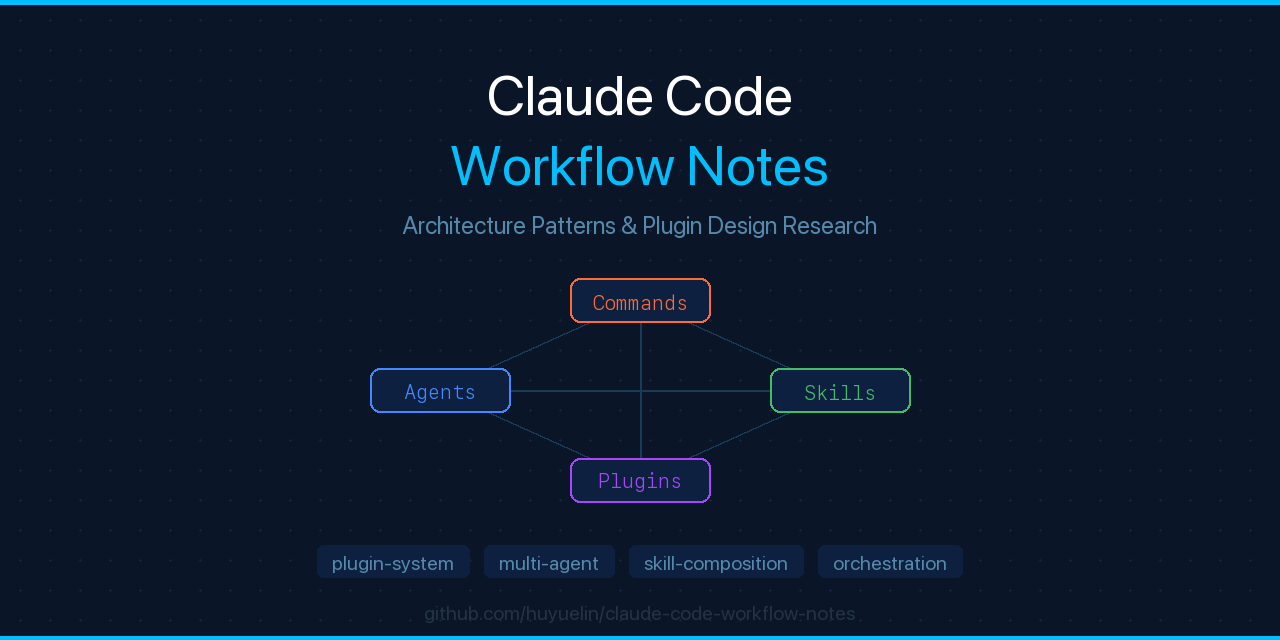
# Claude Code 工作流与内部机制研究
[](LICENSE)
[](https://claude.ai/code)
[](https://github.com/huyuelin/claude-code-boss-mode)
这是一份关于 Claude Code 如何编排多智能体工作流、插件系统和技能组合的研究笔记。它记录了 Boss Mode 用作原生 Claude Code 插件所依赖的各种模式。
## 目录
1. [Claude Code 架构概述](#claude-code-architecture-overview)
2. [插件系统设计](#plugin-system-design)
3. [命令与智能体编排](#command--agent-orchestration)
4. [技能系统](#skills-system)
5. [多智能体工作流模式](#multi-agent-workflow-patterns)
6. [Boss Mode 集成点](#boss-mode-integration-points)
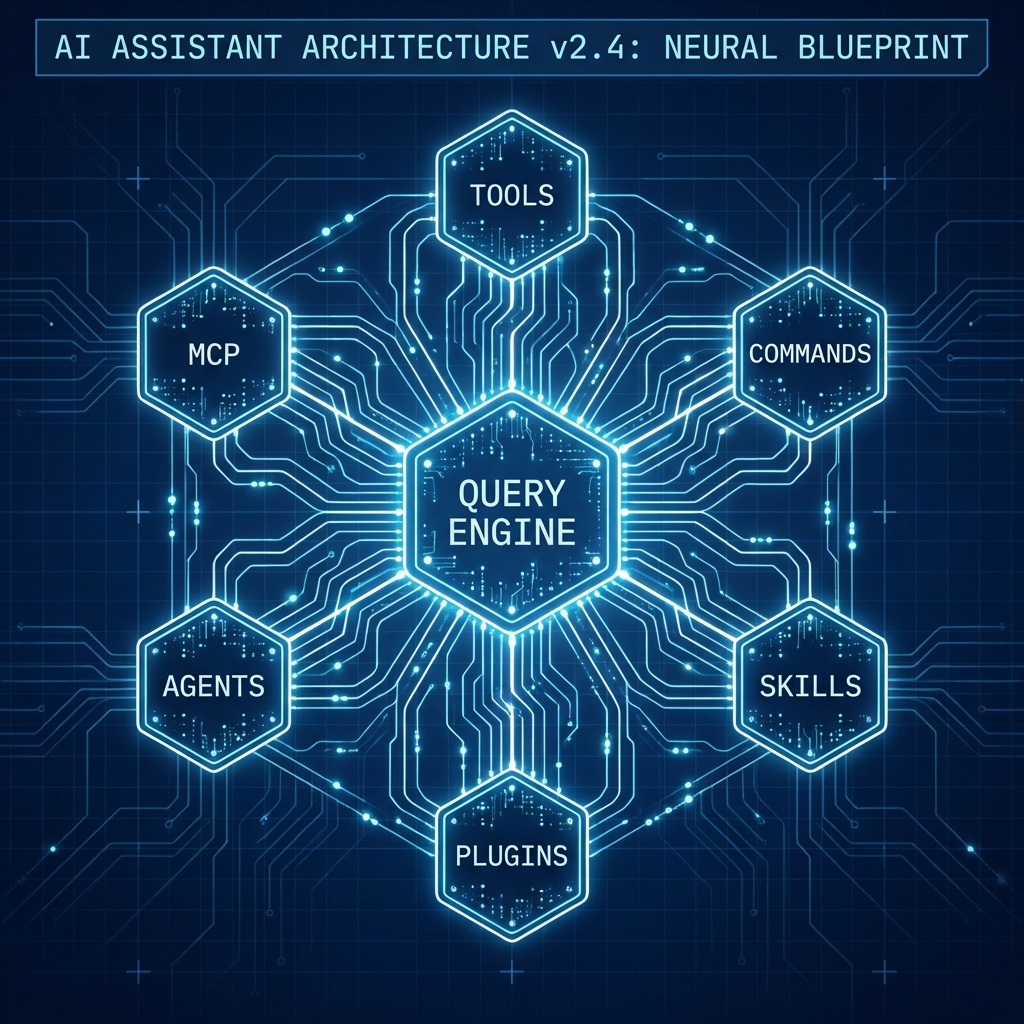
Claude Code's layered architecture: from CLI entrypoint to multi-agent orchestration
## Claude Code 架构概述
### 核心组件
Claude Code 是一个基于 CLI 的 AI 编程助手,构建于:
- **运行时**:Bun (快速的 JavaScript/TypeScript 执行环境)
- **语言**:TypeScript (严格模式)
- **终端 UI**:React + Ink (交互式 CLI 组件)
### 高层级技术栈
```
┌─────────────────────────────────┐
│ Claude API (LLM Interface) │
└──────────────┬──────────────────┘
│
┌──────────────▼──────────────────┐
│ Query Engine / Orchestrator │ ← Coordinates tools, agents, context
└──────────────┬──────────────────┘
│
┌────────┼────────┐
│ │ │
┌─────▼─┐ ┌──▼──┐ ┌──▼──┐
│ Tools │ │Agents│ │Tasks│ ← Extensible subsystems
└───────┘ └──────┘ └─────┘
│ │ │
└────────┼────────┘
│
┌───────────┴──────────┐
│ Plugin / Skill Loader │ ← Extension discovery
└──────────────────────┘
```
### 目录组织
```
src/
├── commands/ # 103+ slash commands
├── tools/ # 45+ tools (Bash, File, Git, Web, etc.)
├── skills/ # Bundled skill definitions
├── plugins/ # Plugin registry & loader
├── agents/ # Agent definitions
├── coordinator/ # Multi-agent orchestration
├── services/ # API, MCP, OAuth, LSP
└── types/ # Type definitions (command, plugin, skill, etc.)
```
## 插件系统设计
### 插件清单格式
Claude Code 插件通过 `plugin.json` 或 `manifest.json` 声明自身信息:
```
{
"name": "boss-mode",
"version": "1.0.0",
"description": "Boss layer for Claude Code",
"author": { "name": "Author", "email": "author@example.com" },
"repository": { "type": "git", "url": "git@github.com:user/repo.git" },
"commandsPath": "commands",
"agentsPath": "agents",
"skillsPath": "skills",
"hooksConfig": { /* post-sampling hooks */ },
"mcpServers": { /* MCP server definitions */ },
"lspServers": { /* LSP server definitions */ }
}
```
### 插件组件
一个插件可以提供:
| 组件 | 位置 | 格式 | 用途 |
|-----------|----------|--------|---------|
| **命令** | `commands/` | `.md` 或 `.ts` 文件 | 斜杠命令 (例如 `/boss`、`/boss-pr`) |
| **智能体** | `agents/` | `.md` 或 `.ts` 文件 | 协调多种工具的多步智能体 |
| **技能** | `skills/` | 带有 frontmatter 的 `.md` 文件 | 可复用的工作流和模式 |
| **钩子** | (内联) | 配置对象 | 用于修改输出的采样后逻辑 |
| **输出样式** | `output-styles/` | `.ts` 文件 | 自定义终端格式 |
### 插件加载策略
1. **发现**:Claude Code 扫描 `.claude/plugins/` (项目级) 和 `~/.claude/plugins/` (全局)
2. **清单解析**:每个插件必须拥有包含有效 schema 的 `plugin.json`
3. **组件注册**:命令、智能体、技能在首次调用时延迟加载
4. **隔离**:插件是相互隔离的;不能直接相互导入内部机制
## 命令与智能体编排
### 命令定义结构
`commands/` 中的每个命令都遵循以下模式:
```
---
name: boss
description: Evaluate an idea before coding
version: 1.0.0
user-invocable: true
allowed-tools: Read, Write, Bash
---
# Prompt 内容
[Full prompt text explaining behavior]
```
**关键字段**:
- `name`:调用时的标识符 (`/boss`)
- `user-invocable`:用户是否可以直接调用
- `allowed-tools`:此命令可以使用哪些工具
- `version`:用于跟踪插件演变
### 智能体定义结构
智能体与此类似,但会协调多个步骤:
```
---
name: ceo-boss
description: CEO perspective on decisions
type: agent
---
# Agent 指令
You are the CEO boss...
[Full behavioral instructions]
```
**与命令的主要区别**:智能体可以生成子智能体,在多轮交互中维护状态,并协调多种工具。
### 命令执行流程
```
User Input: "/boss-pr"
↓
Command Registry Lookup: Find boss-pr.md in commands/
↓
Parse Frontmatter: Extract metadata
↓
Load Prompt Content: Read full command definition
↓
Invoke Claude API: Send prompt + context + tools
↓
Tool Invocation Loop: Execute approved tools (Bash, Read, etc.)
↓
Format & Display: Render output in terminal
```
## 技能系统
### 什么是技能?
技能是一种可复用的提示模式,它可以:
- 作为斜杠命令被调用
- 与其他技能组合
- 被存储和版本化
- 使用参数进行参数化
### 技能定义格式
```
---
name: boss-mode
description: Decision framework for hard product choices
user-invocable: true
version: 1.0.0
---
# Skill 内容
[Reusable prompt logic]
```
### 技能类型
1. **内置技能**:编译到 Claude Code 二进制文件中
- 示例:`/remember`、`/loop`、`/skillify`
- 位置:`src/skills/bundled/`
2. **插件技能**:从磁盘加载
- 位置:`plugin-name/skills/`
- 在首次调用时延迟加载
3. **内联技能**:直接在 SKILL.md 中定义
- 多部分工作流 (colleague-skill, boss-mode)
### 技能组合
技能可以相互嵌套和引用:
```
/boss
↓ (uses)
boss-pr ← evaluates a specific PR change
↓ (generates)
/boss-roast ← summary feedback
```
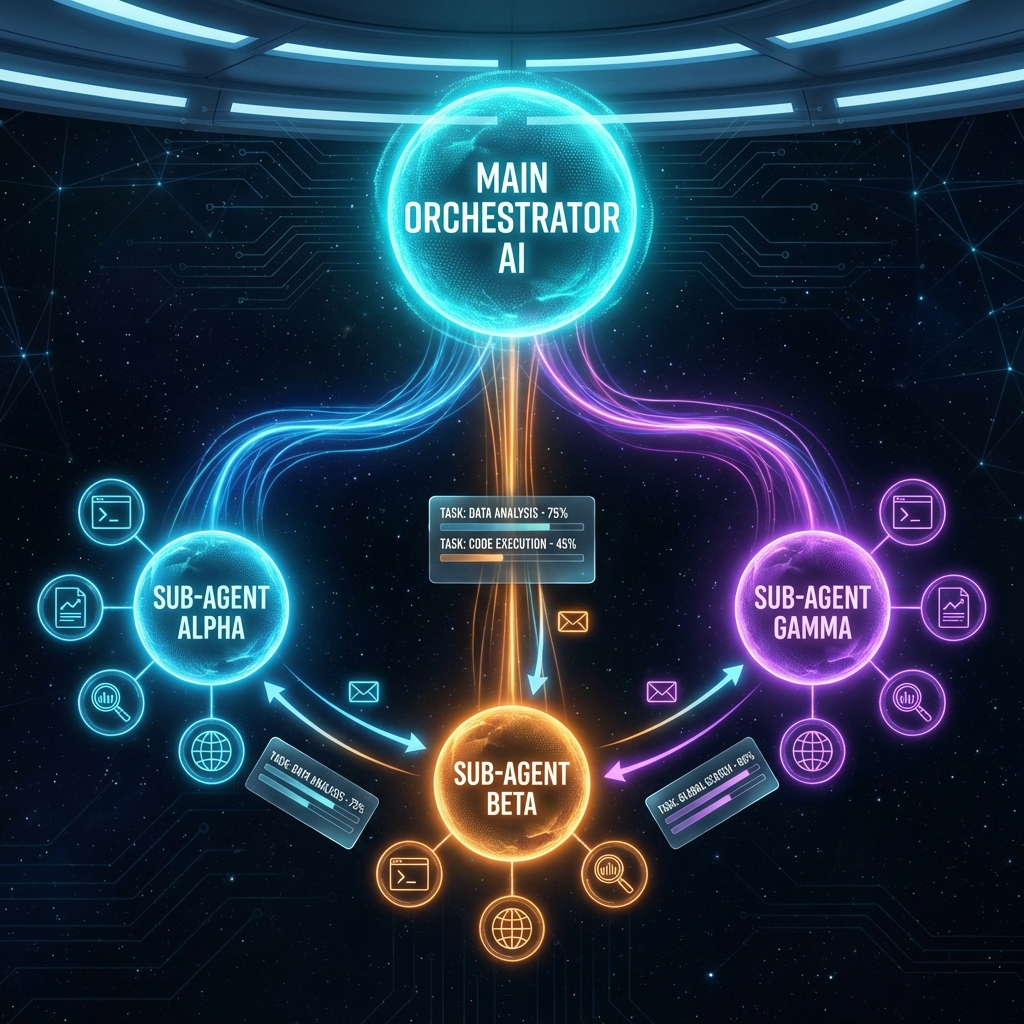
How Claude Code coordinates parallel agents, merges results, and manages shared state
## 多智能体工作流模式
### 智能体协调架构
Claude Code 拥有一个复杂的多智能体系统:
```
┌─────────────────────────────┐
│ Main Agent (User Input) │
└──────────────┬──────────────┘
│
┌──────▼──────┐
│ Coordinator │ ← Routes to subagents, merges results
└──────┬──────┘
│
┌─────────┼─────────┐
│ │ │
┌────▼──┐ ┌───▼───┐ ┌───▼────┐
│Agent 1│ │Agent 2│ │Agent 3 │ ← Parallel or sequential
└───────┘ └───────┘ └────────┘
```
### Boss Mode 的多智能体策略
Boss Mode 使用三个提供不同视角的智能体:
```
User Input: "/boss ceo"
↓
Main Agent: Route to /ceo-boss
↓
CEO Agent: Evaluate ROI/speed perspective
↓
Return: CEO verdict with cuts
```
对于混合模式(未指定 boss):
```
User Input: "/boss"
↓
Coordinator: Spawn three subagents (CEO, EM, PM)
↓
─────────────────────────────────
│ │ │
CEO EM PM
└────────────────────┘
↓ (merge results)
↓
Output: Three one-line takes + consensus verdict
```
### 智能体间通信
智能体通过以下方式通信:
1. **上下文传递**:前一个智能体的输出成为下一个智能体的输入
2. **任务系统**:智能体可以创建/更新/列出任务
3. **消息工具**:智能体向其他智能体发送直接消息
4. **共享记忆**:通过 Claude Code 的记忆系统 (自动记忆)
## Boss Mode 集成点
### Boss Mode 如何利用 Claude Code
#### 1. 命令层
Boss Mode 提供四个斜杠命令:
```
/boss → Evaluate idea
/boss-pr → Review PR
/boss-plan → Cut scope
/boss-roast → Honest feedback
/boss-vs-engineer → Dual-agent debate
```
每个都是一个包含 frontmatter 和提示内容的 `.md` 文件。
#### 2. 智能体层
Boss Mode 提供三个子智能体:
```
/ceo-boss → CEO perspective
/eng-manager-boss → EM perspective
/pm-boss → PM perspective
```
它们的调用方式为:
- **直接调用**:用户调用 `/ceo-boss [issue]`
- **间接调用**:主智能体通过协调器将其作为子智能体生成
#### 3. 技能层
Boss Mode 将可复用模式打包在 `skills/boss-mode/` 中:
```
/boss-mode → Main skill registry entry
```
允许像这样进行组合:
```
/boss "idea"
→ uses boss-mode skill internally
→ may invoke /boss-roast for summary
```
#### 4. 插件清单
Boss Mode 通过 `.claude-plugin/plugin.json` 声明自身:
```
{
"commandsPath": "commands",
"agentsPath": "agents",
"skillsPath": "skills"
}
```
这告诉 Claude Code 去哪里寻找可扩展的组件。
### 工具集成
Boss Mode 使用以下工具:
| 工具 | 用途 | 命令 |
|------|-----|---------|
| **Bash** | 运行 git 命令 | `/boss-pr` 读取 `git diff` |
| **Read** | 读取 PR 差异、议题、规范 | `/boss-pr`、`/boss-plan` |
| **Grep** | 搜索代码库 | `/boss-pr` 可以搜索相关代码 |
| **Agent** | 生成子智能体 | `/boss` 生成 CEO/EM/PM 智能体 |
### 上下文集成
Boss Mode 与 Claude Code 的上下文系统集成:
1. **项目上下文**:读取 `package.json`、`.git/`、CI 配置
2. **代码库上下文**:使用 git diff 和文件读取来了解范围
3. **会话记忆**:记住之前的 boss 评判以避免自相矛盾
4. **用户偏好**:尊重 Claude Code 设置 (模型、超时等)
## 逆向工程中学到的设计模式
### 模式 1:重型命令的延迟加载
Claude Code 不会预先加载所有命令。相反:
```
// commands/boss/index.ts (light metadata)
export const boss = {
name: "boss",
description: "...",
load: () => import("./boss.ts") // lazy
}
// commands/boss/boss.ts (heavy implementation)
export const bossFn = (args) => { /* implementation */ }
```
**原因**:50 多个命令如果全部加载意味着 5 秒的启动时间。延迟加载可将启动时间缩短至 <500ms。
**Boss Mode 应用**:命令是 `.md` 文件(提示),因此在 Claude Code 调用它们时会自动进行延迟加载。
### 模式 2:工具访问的权限模型
每个命令都声明了 `allowed-tools`:
```
allowed-tools: Read, Write, Bash, Bash
```
Claude Code 会**阻止**调用此列表之外的工具。这可以防止:
- 插件 A 偷偷调用 `BashTool` 来窃取数据
- 恶意插件进行网络调用
**Boss Mode 应用**:仅声明所需的工具(用于 git diff 的 `Read`、`Bash`)。
### 模式 3:用于采样后逻辑的钩子系统
Claude Code 在插件清单中支持 `hooks`:
```
{
"hooksConfig": {
"post-sampling": {
"handler": "hooks/post-sampling.ts",
"priority": 10
}
}
}
```
钩子可以在显示前修改 Claude 的输出。例如:过滤敏感数据、重新格式化、自动保存。
**Boss Mode 用例**:可以添加一个钩子,将 boss 的评判自动保存到决策日志中。
### 模式 4:通过 Agent 工具生成子智能体
Claude Code 拥有一个 `AgentTool`,允许一个智能体生成另一个智能体:
```
await agent.spawn({
type: "subagent",
model: "claude-opus",
prompt: "...",
tools: ["BashTool", "ReadTool"]
})
```
结果会被合并回父智能体。
**Boss Mode 应用**:`/boss` 并行生成三个子智能体 (CEO、EM、PM),然后合并评判结果。
### 模式 5:模块化输出样式
输出格式是可插拔的:
```
output-styles/
├── markdown.ts
├── json.ts
├── ascii-table.ts
```
用户可以配置:`output_style = "ascii-table"`
**Boss Mode 用例**:可以提供带有特定视觉分隔符的 `boss-style` 输出格式化器。
## 社区背景:为什么 Boss Mode 在此时出现
### 泄露代码的讨论
当 Claude Code 源代码被曝光(通过 npm source maps)时,社区进行了逆向工程:
1. **多智能体编排**(子智能体如何协调)
2. **配额系统**(跨智能体的成本跟踪)
3. **任务/记忆持久化**(跨会话的自动记忆)
4. **插件发现**(如何发现第三方扩展)
### 为什么这对 Boss Mode 很重要
社区正在积极讨论 *Claude Code 如何做出决策*。Boss Mode 就是答案:
Boss Mode 将自己定位为:“Claude Code 一直缺失的决策层。”
### 合法定位
Boss Mode 并没有:
- ❌ 使用泄露的源代码
- ❌ 克隆内部提示系统
- ❌ 复制专有算法
Boss Mode 确实做到了:
- ✅ 使用官方插件接口
- ✅ 实现已发布的研究模式(三视角决策)
- ✅ 解决一个真实问题(代码生成中的过度工程化)
## Boss Mode 的架构决策
### 为什么是三个独立的智能体?
我们能用一个提示做到吗?是的,但是:
1. **清晰度**:三个清晰的声音比一个混乱的声音更容易理解
2. **模块化**:用户可以单独调用 `/ceo-boss` 以获取聚焦于速度的反馈
3. **未来可扩展性**:易于添加 `/founder-boss`、`/investor-boss` 等
4. **辩论价值**:`/boss-vs-engineer` 之所以有趣,*是因为*存在持有相反观点的真实智能体
### 为什么使用基于 Markdown 的命令?
我们可以使用 `.ts` 文件(比如 OpenClaw)吗?是的,但是:
1. **易用性**:Markdown 比 TypeScript 更容易编辑和分支
2. **版本控制**:提示更改的差异更清晰
3. **可移植性**:相同的 `.md` 文件可在 Claude Code、OpenClaw、colleague-skill 上运行
4. **不可变性**:提示是数据,而不是代码
### 为什么不 Fork 泄露的仓库?
- **法律风险**:Anthropic 可能会发起 DMCA 下架通知
- **声誉风险**:“Fork 泄露代码”与“构建原创插件”之争
- **可持续性**:泄露版本会过时。而官方 API 保持相关性。
## 未来方向
### 潜在扩展
1. **自定义 Boss 创建**:`/create-boss`(类似 `/create-colleague`)
2. **决策审计跟踪**:将所有 boss 评判自动保存到决策日志
3. **团队 Boss**:在团队成员之间同步 boss 评判
4. **Roast 引擎**:带有特定代码模式检测的高级 Roast 功能
5. **多模态 Boss**:视觉模型、性能图表等
### 集成机会
1. **GitHub 集成**:在 PR 上自动评论 boss 评判
2. **Slack 集成**:将 boss 评判发布到 #engineering-decisions
3. **MCP 服务器**:将 Boss Mode 作为其他工具的 MCP 服务器
4. **IDE 集成**:调用 boss-mode 的 VS Code / JetBrains 插件
## 参考文献
- [Claude Code 官方仓库](https://github.com/anthropic-ai/claude-code)
- [colleague-skill 系统](https://github.com/titanwings/colleague-skill)
- [OpenClaw 插件架构](https://github.com/openclaw/openclaw)
- [已发表研究:决策框架](https://scholar.google.com)
**本文档是关于 Claude Code 架构模式的研究笔记,而不是泄露者的自白。**
目标:帮助构建者了解如何负责任且有效地扩展 Claude Code。