evangelos-kotsis/Azure-Sentinel-Siem-Lab
GitHub: evangelos-kotsis/Azure-Sentinel-Siem-Lab
基于Microsoft Sentinel构建的云原生SIEM实验室,演示从日志收集、KQL检测规则编写到SOAR自动化响应和SOC仪表板的完整安全运营流程。
Stars: 0 | Forks: 0
# 🛡️ Azure Sentinel SIEM 实验室




## 📋 项目概述
本实验室演示了在 Azure 中设置和配置功能完备的 SIEM 环境的过程。目标是模拟企业级安全监控,包括从多个来源引入日志、自定义 KQL 检测规则、自动创建事件、带有电子邮件警报的 SOAR 剧本,以及实时 SOC 仪表板。
## 🎯 目标
- ✅ 部署连接到 Windows VM 日志源的 Microsoft Sentinel 工作区
- ✅ 通过 Data Collection Rules 配置 Azure Monitor Agent (AMA)
- ✅ 编写用于暴力破解攻击模式的自定义 KQL 检测规则
- ✅ 创建自动生成事件的 Analytics Rules
- ✅ 模拟暴力破解攻击并进行实时检测
- ✅ 使用 Azure Logic Apps (SOAR) 构建事件响应剧本
- ✅ 在检测到事件时通过 Outlook 配置自动电子邮件警报
- ✅ 添加额外的 KQL 检测规则(权限提升、新用户创建)
- ✅ 创建自定义 SOC 仪表板 (Workbook)
## 🛠️ 使用的技术
| 技术 | 用途 |
|---|---|
| Microsoft Sentinel | SIEM / SOAR 平台 |
| Azure Log Analytics | 日志引入与查询 |
| KQL (Kusto Query Language) | 自定义检测规则 |
| Azure Monitor Agent (AMA) | 从 VM 收集日志 |
| Azure Logic Apps | 自动化事件响应 (SOAR) |
| Outlook / Office 365 | 电子邮件警报发送 |
| Windows Server 2022 | 日志源(攻击模拟) |
| Microsoft Defender Portal | 事件管理 |
## 🏗️ 实验室架构
```
Windows Server 2022 VM
│
▼
Azure Monitor Agent (AMA)
│
▼
Log Analytics Workspace (sentinel-lab-workspace)
│
▼
Microsoft Sentinel
│
┌────┴────────────────────┐
▼ ▼
KQL Analytics Rules Automation Rule
│ │
▼ ▼
INCIDENTS Logic App Playbook
│
▼
📧 Email Notification
(Outlook - High Importance)
```
## 📁 仓库结构
```
azure-sentinel-siem-lab/
├── README.md
├── docs/
│ └── screenshots/ # Step-by-step documentation screenshots
├── kql-queries/
│ └── detection-rules.md # All KQL detection rules
└── playbooks/
└── incident-response.md # SOAR playbook documentation
```
## 🚀 实验室演练
### 阶段 1 — Azure 基础设施设置
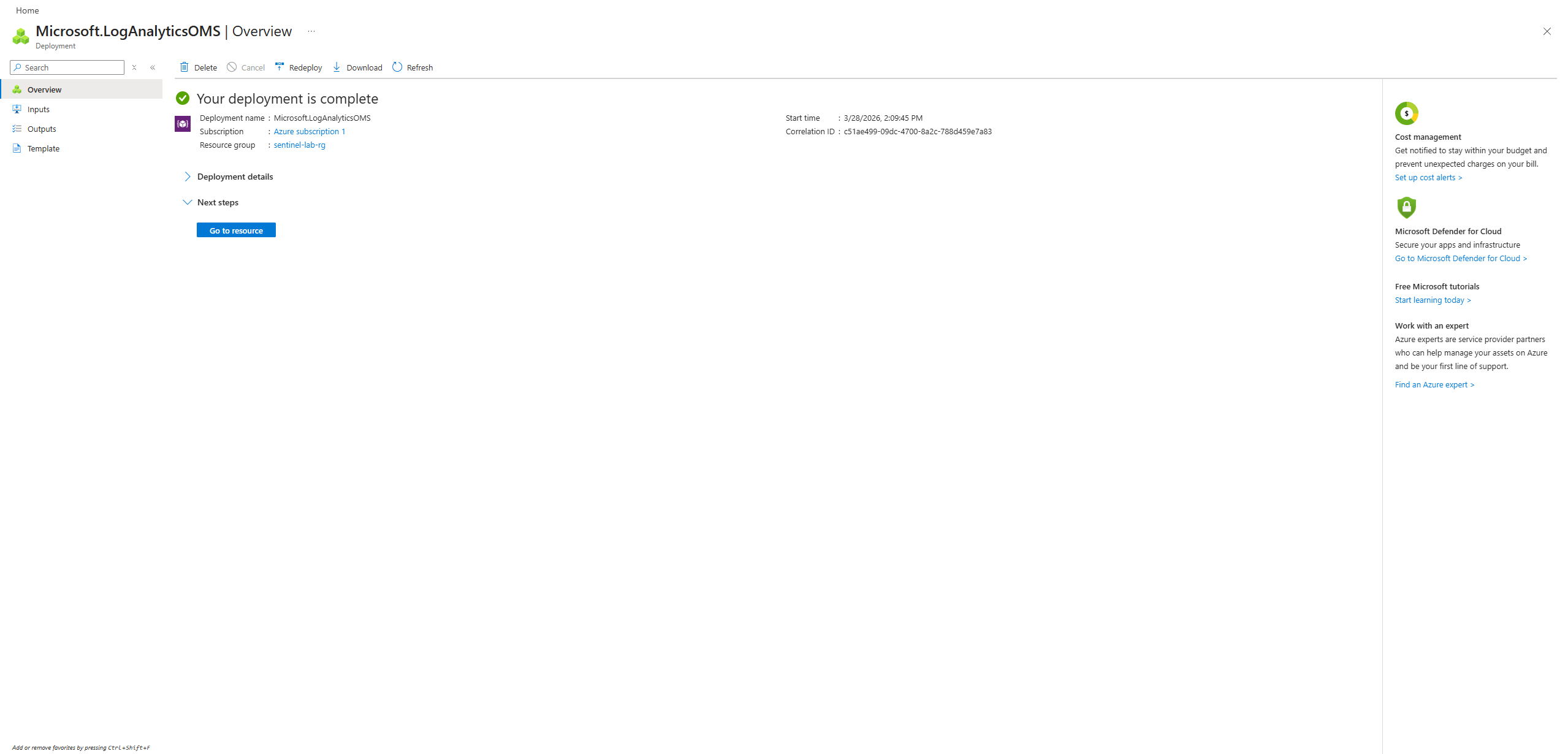
**步骤 1:Log Analytics Workspace 部署**
部署了 `sentinel-lab-workspace` 作为所有日志引入和查询的中央数据存储。资源组 `sentinel-lab-rg` 创建于西欧。
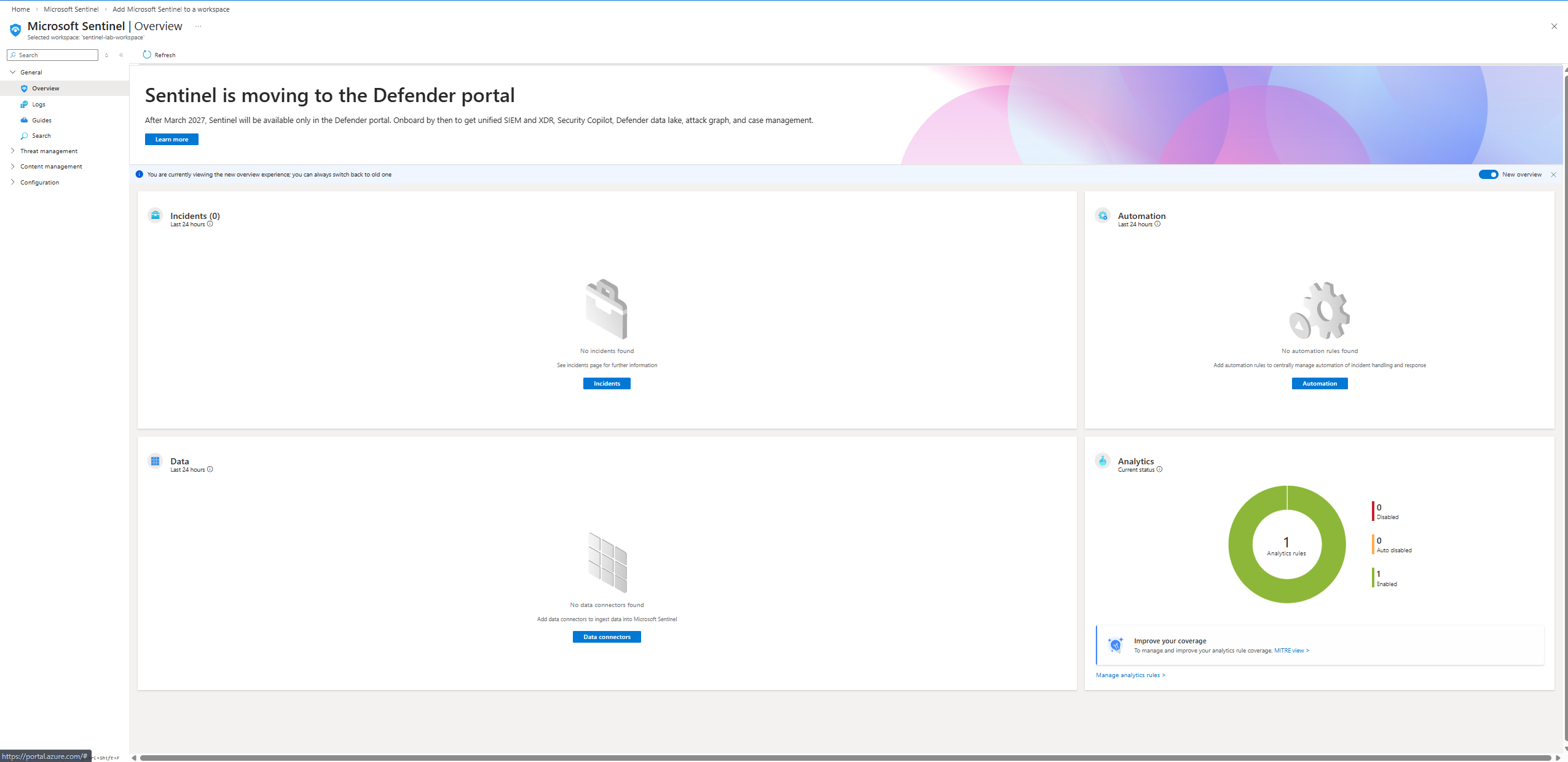
**步骤 2:启用 Microsoft Sentinel**
在 Log Analytics Workspace 之上启用了 Microsoft Sentinel。概览显示干净的状态 — 0 个事件,0 个数据连接器,已准备好进行配置。
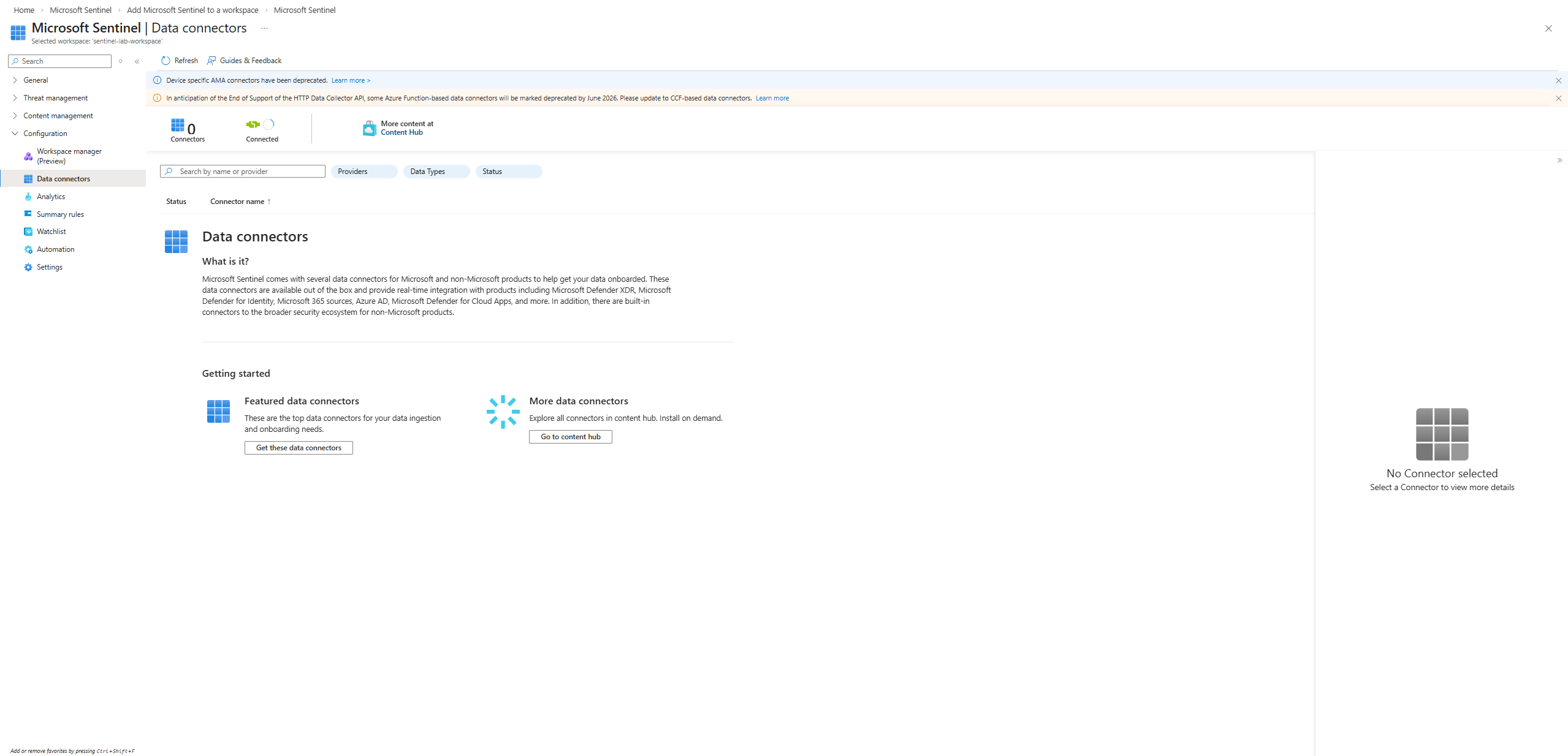
**步骤 3:数据连接器 — 空状态**
确认数据连接器页面在配置前以 0 个已连接源开始。
### 阶段 2 — 数据收集
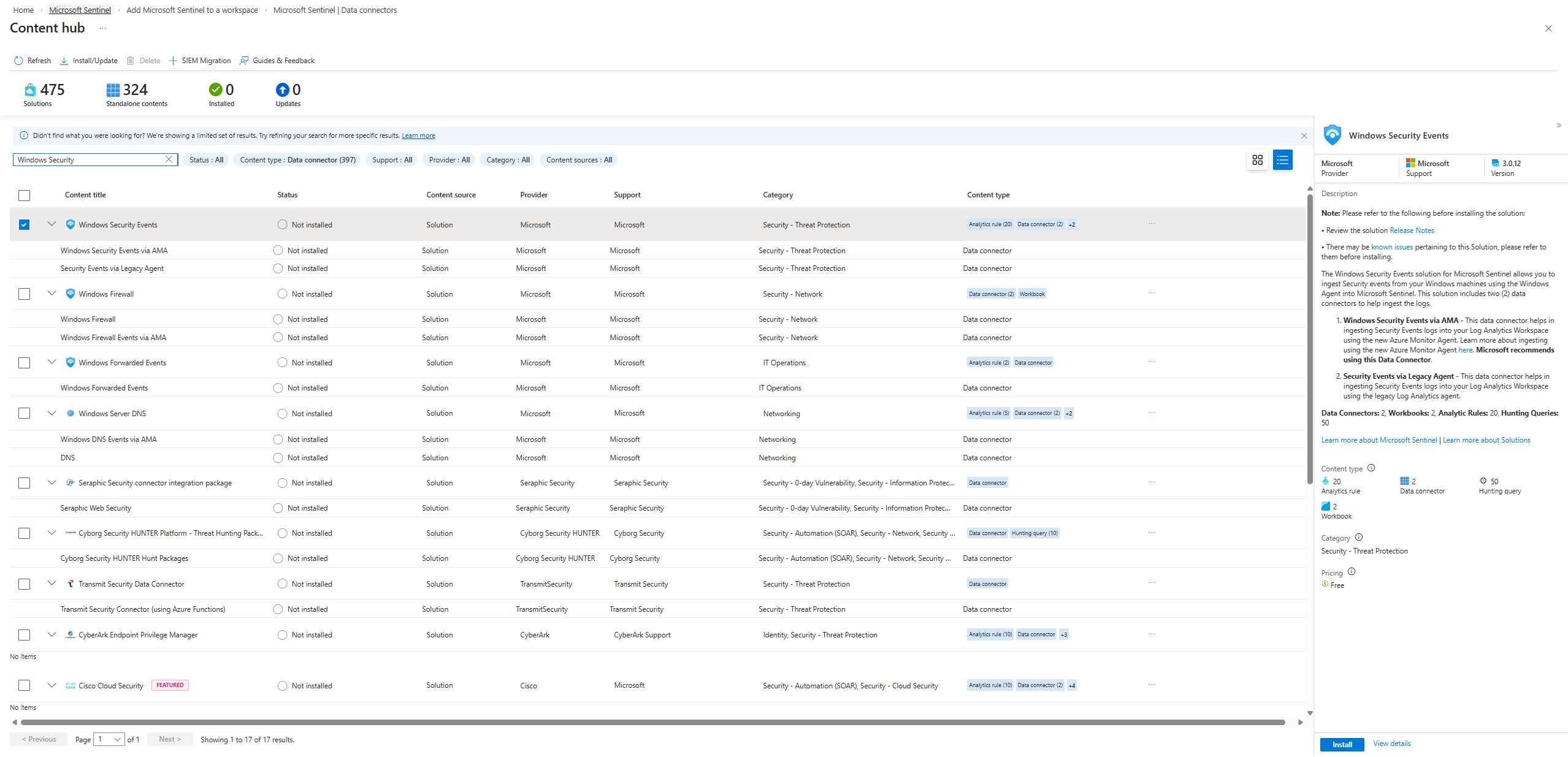
**步骤 4:Windows 安全事件连接器**
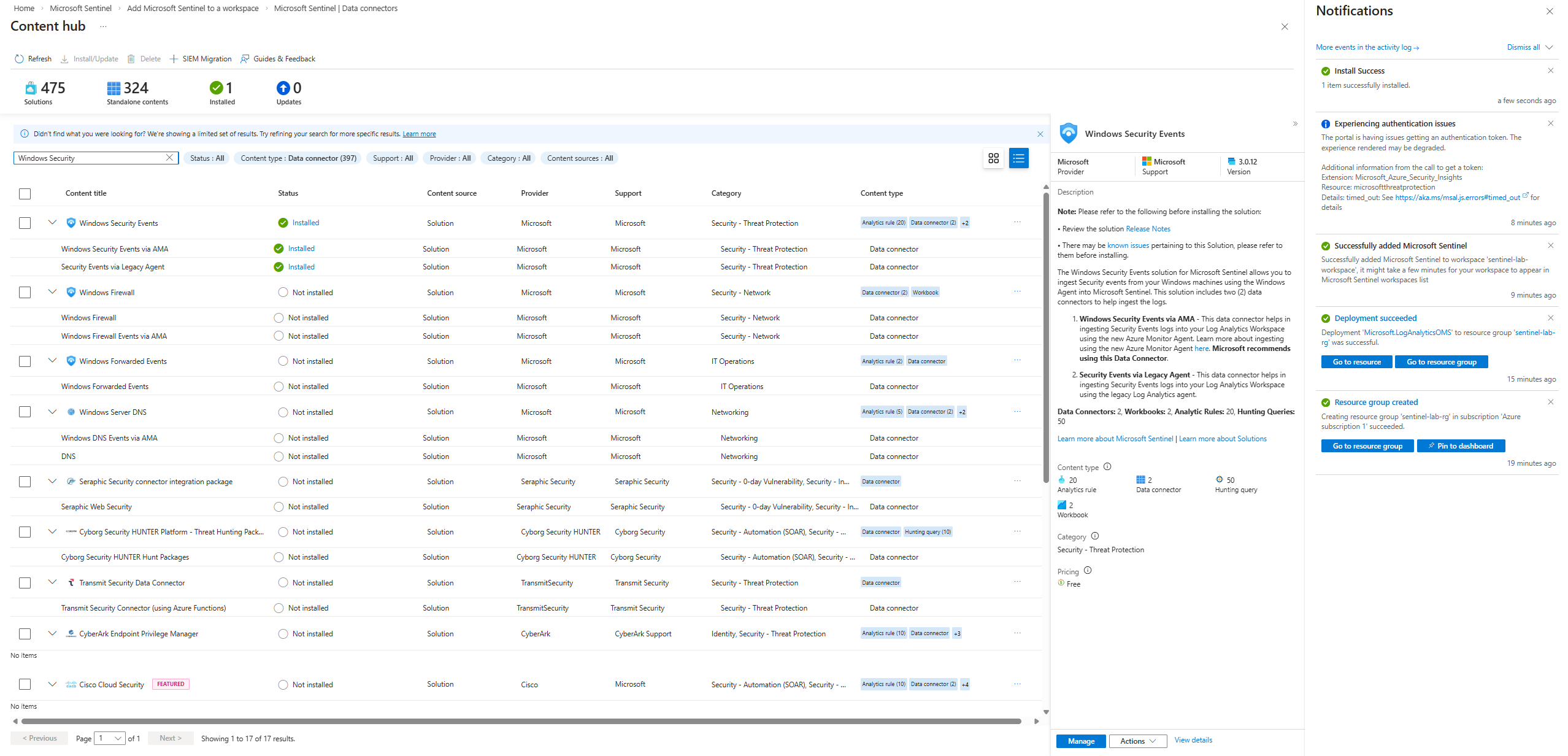
在 Content Hub 中找到了 **Windows Security Events** 解决方案。包含 2 个数据连接器、20 个分析规则模板、2 个工作簿和 50 个搜寻查询。
**步骤 5:Windows Server VM 部署**
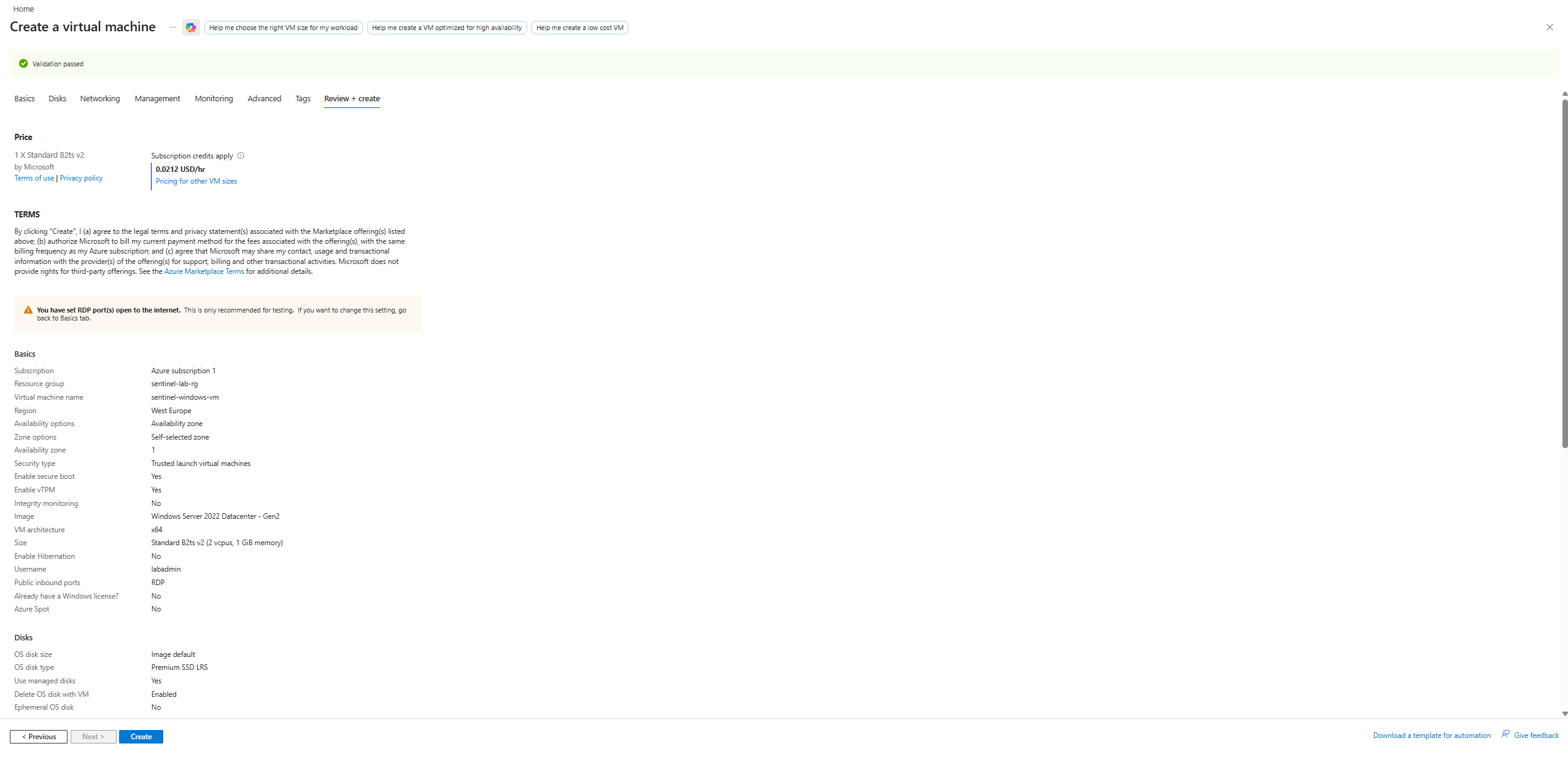
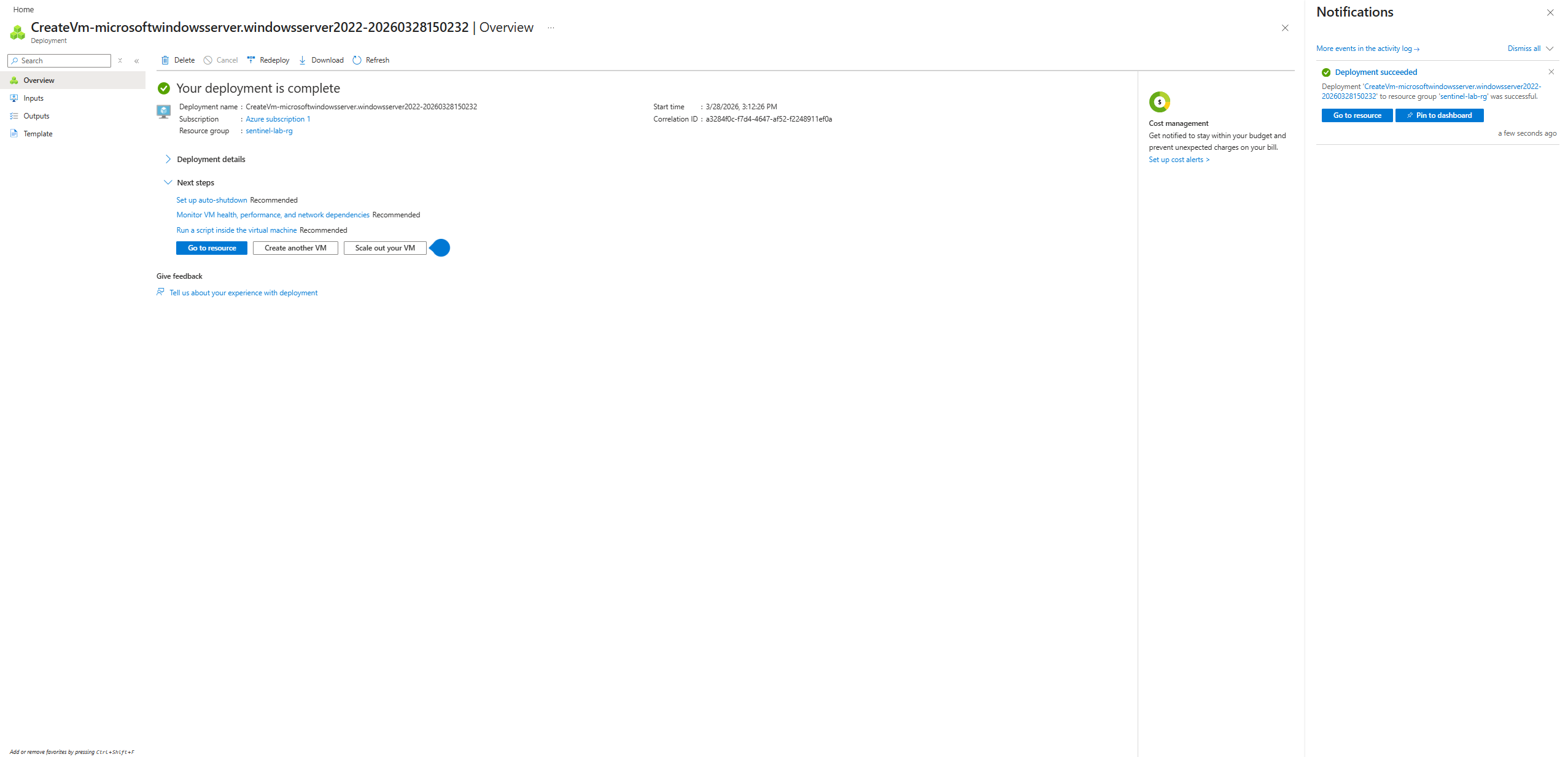
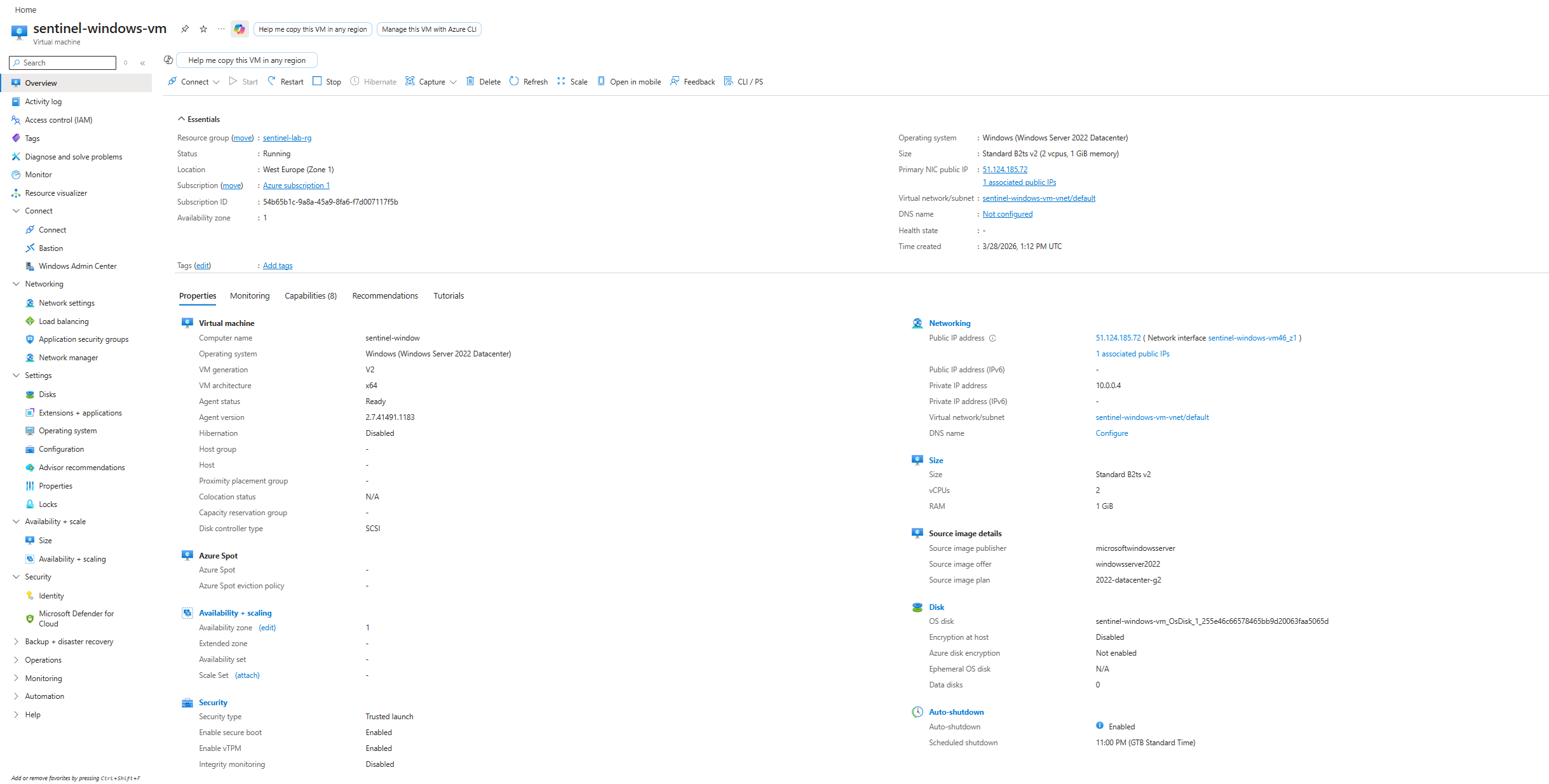
部署了 `sentinel-windows-vm` — Windows Server 2022 Datacenter,Standard B2ts v2,西欧,已启用 RDP 并设置在晚上 11:00 自动关机。
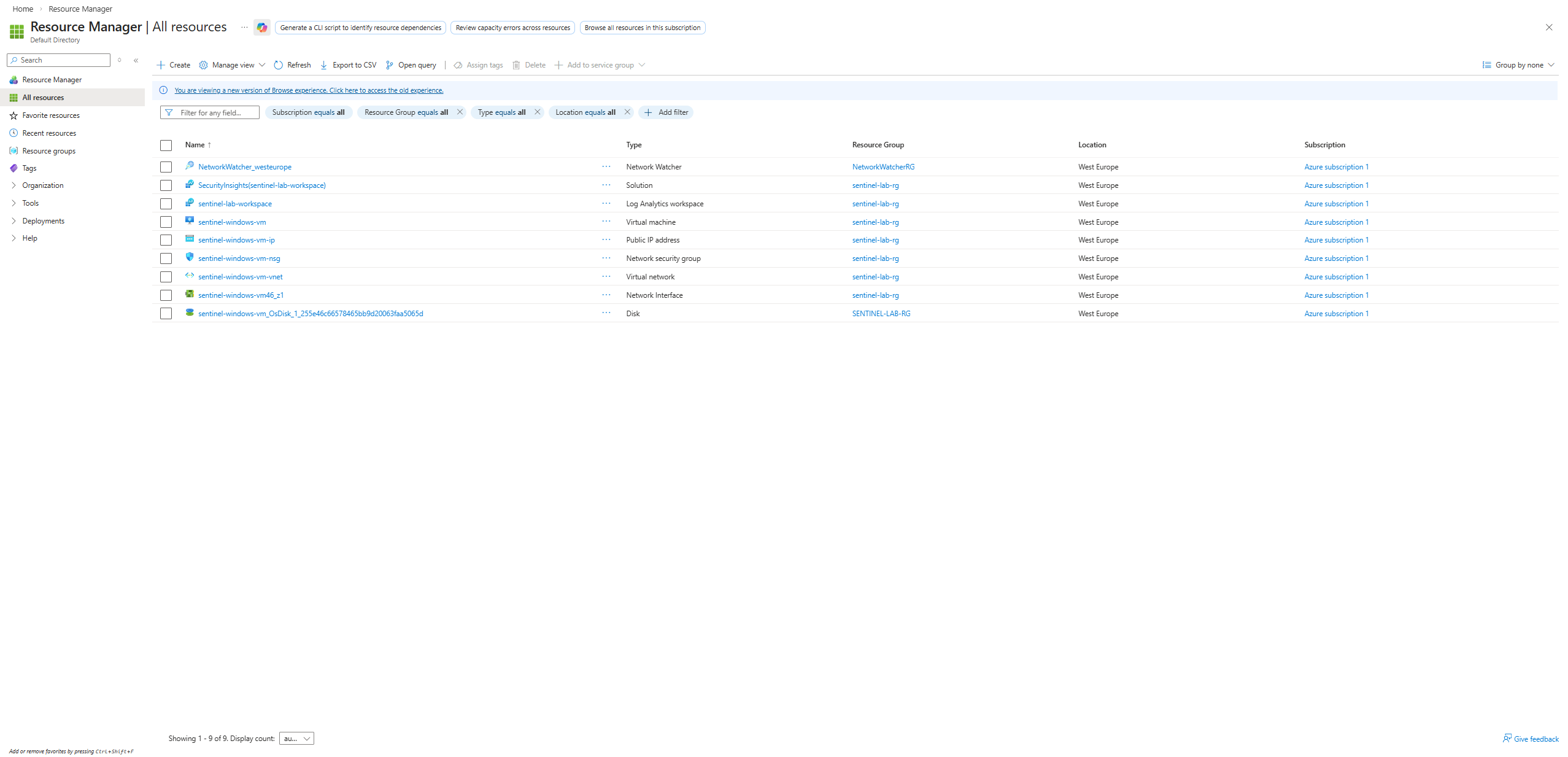
所有实验室资源均可在“所有资源”视图中看到:工作区、VM、网络接口、存储。
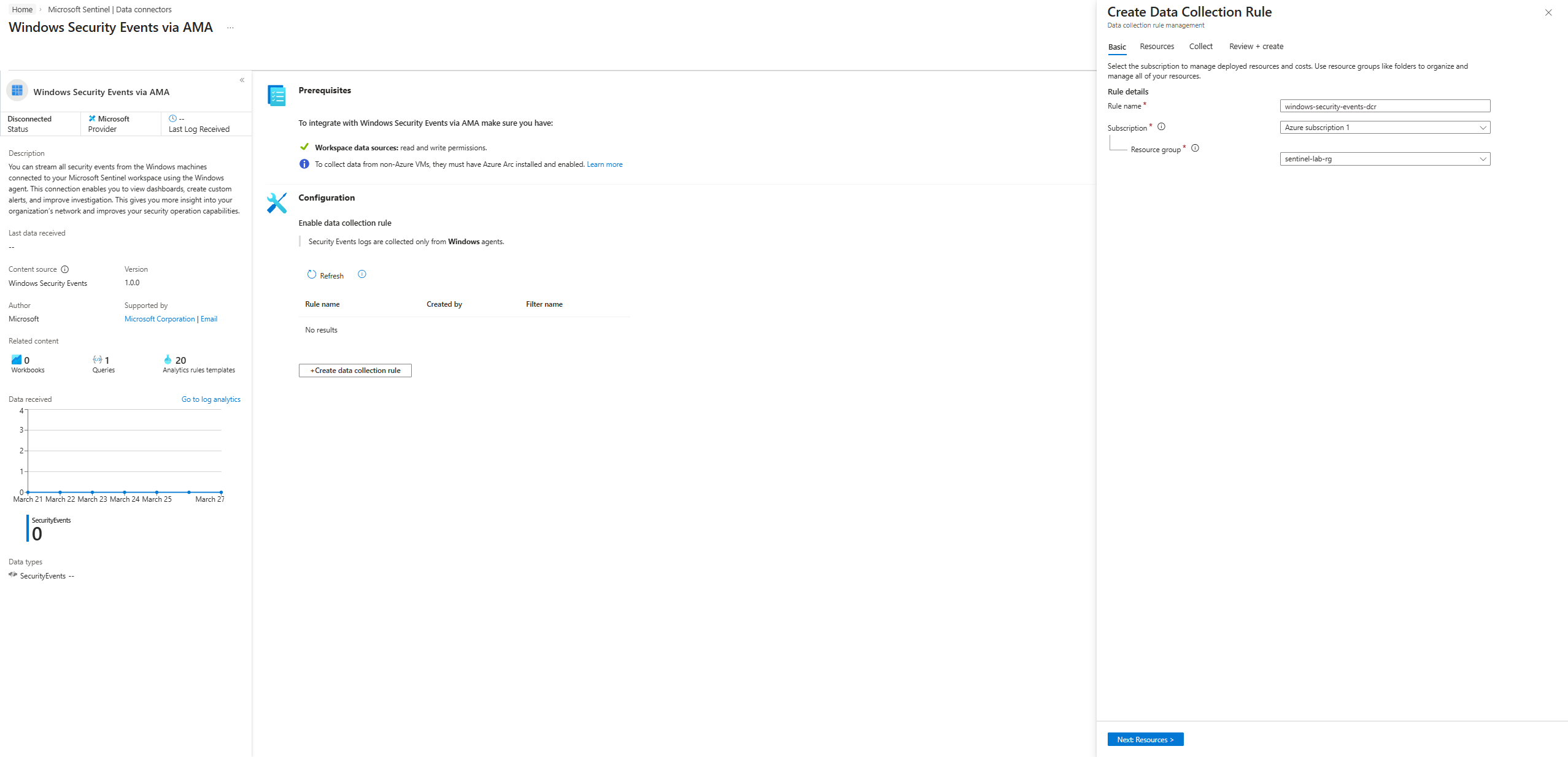
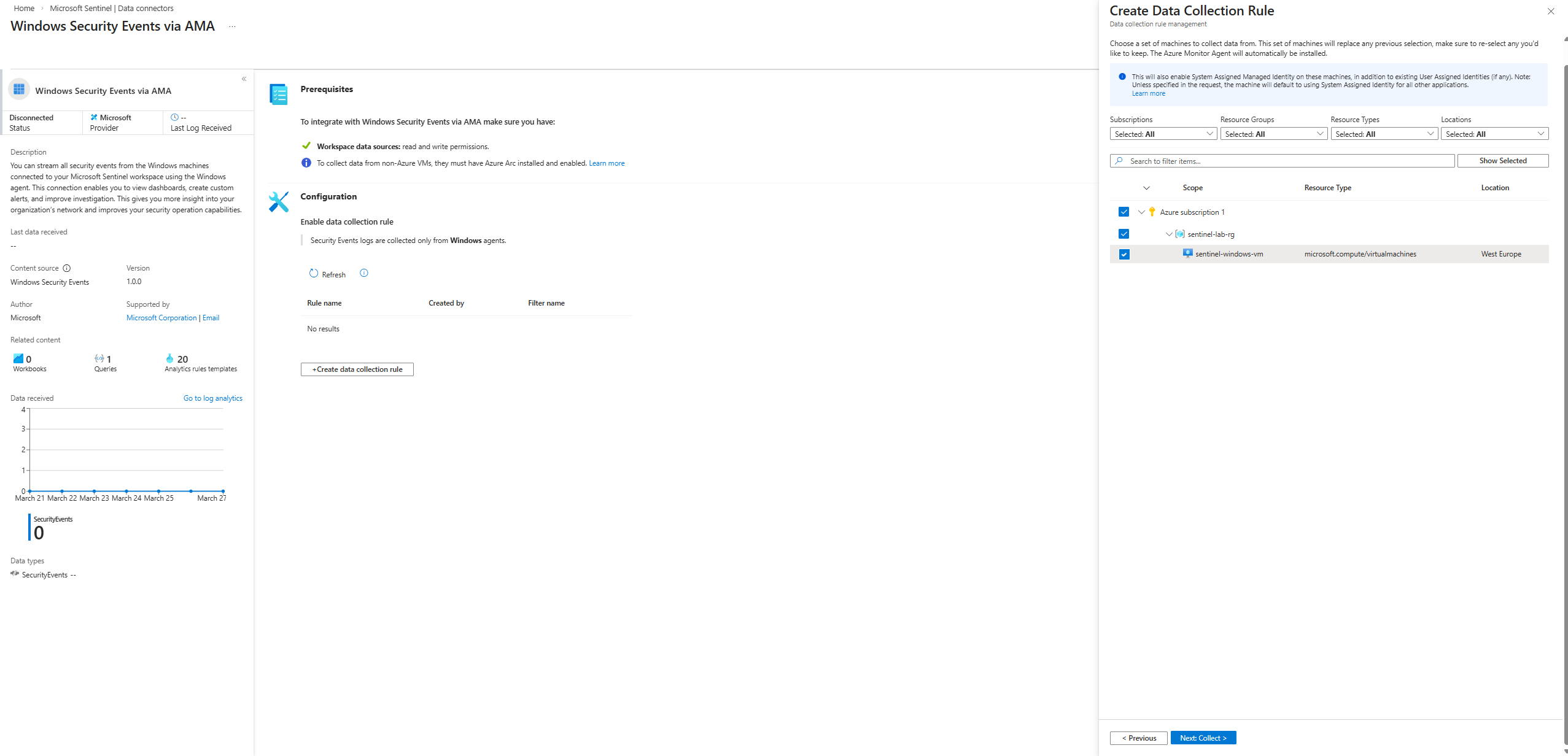
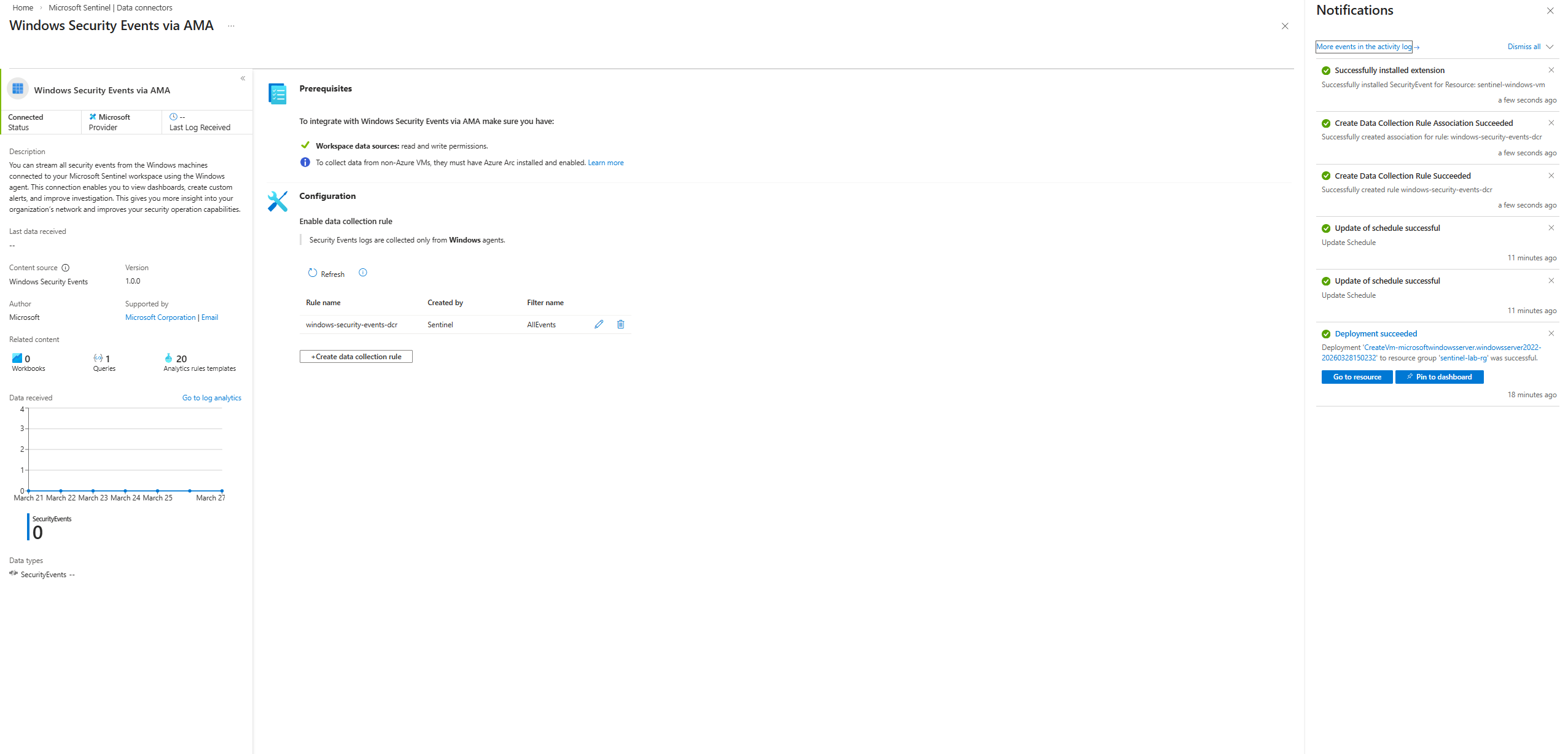
**步骤 6:Data Collection Rule (DCR)**
创建了 `windows-security-events-dcr`,以自动在 VM 上安装 Azure Monitor Agent,并将 **所有安全事件** 传输到工作区。
### 阶段 3 — 威胁检测
**步骤 7:RDP 连接与日志验证**
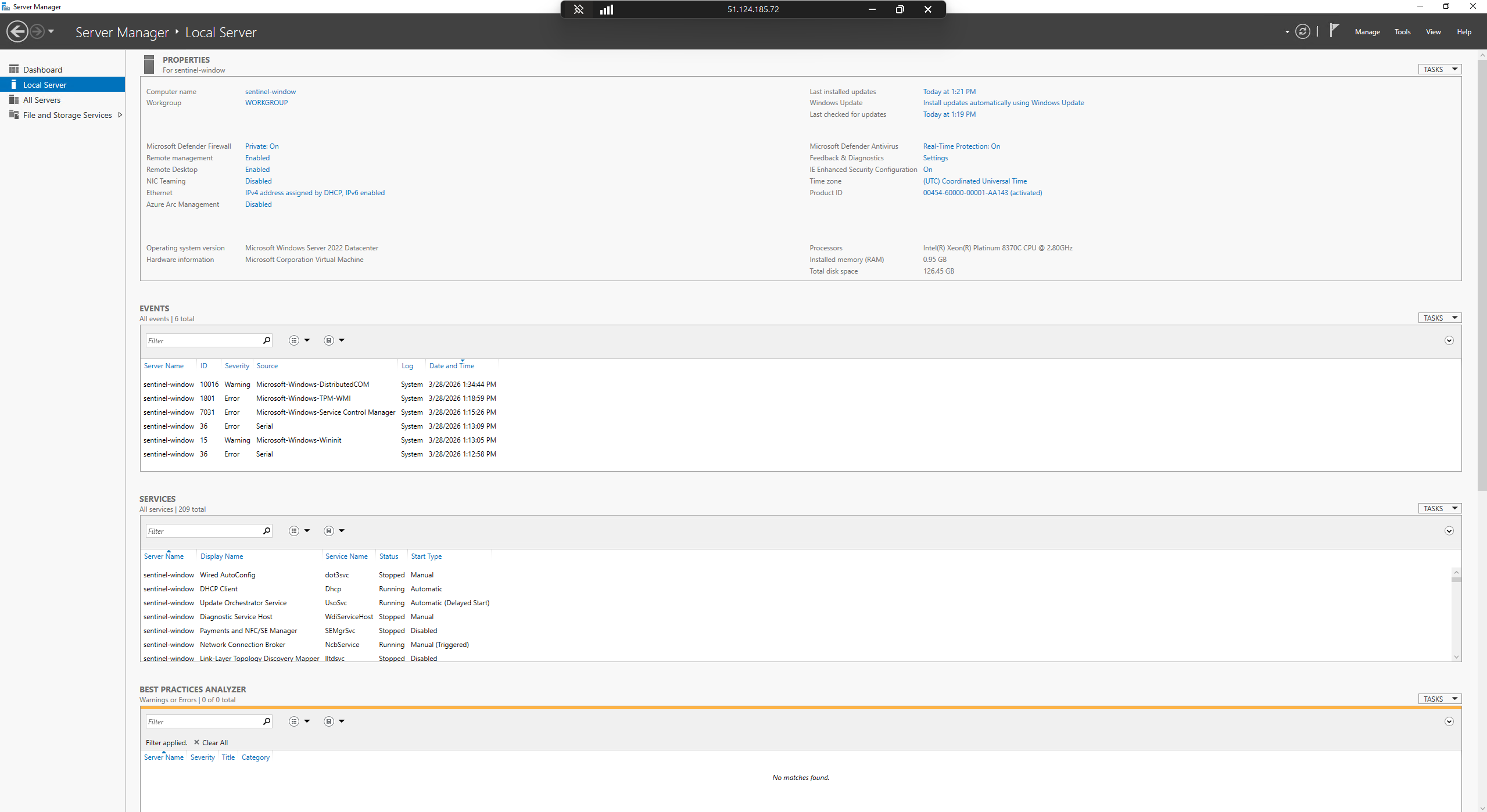
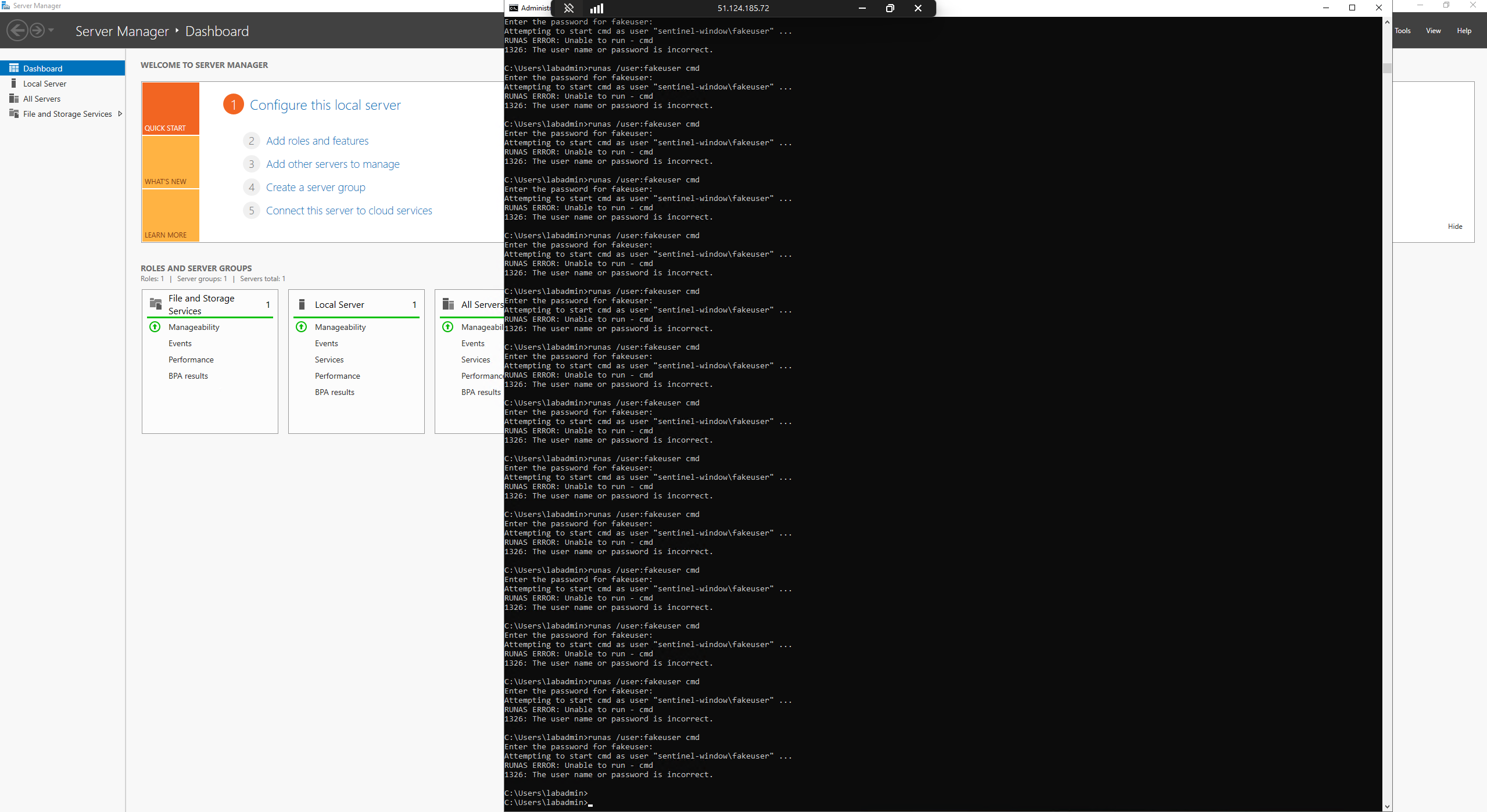
通过 RDP 连接到 VM。服务器管理器的本地服务器确认已连接到 `sentinel-window` (IP 51.124.185.72)。
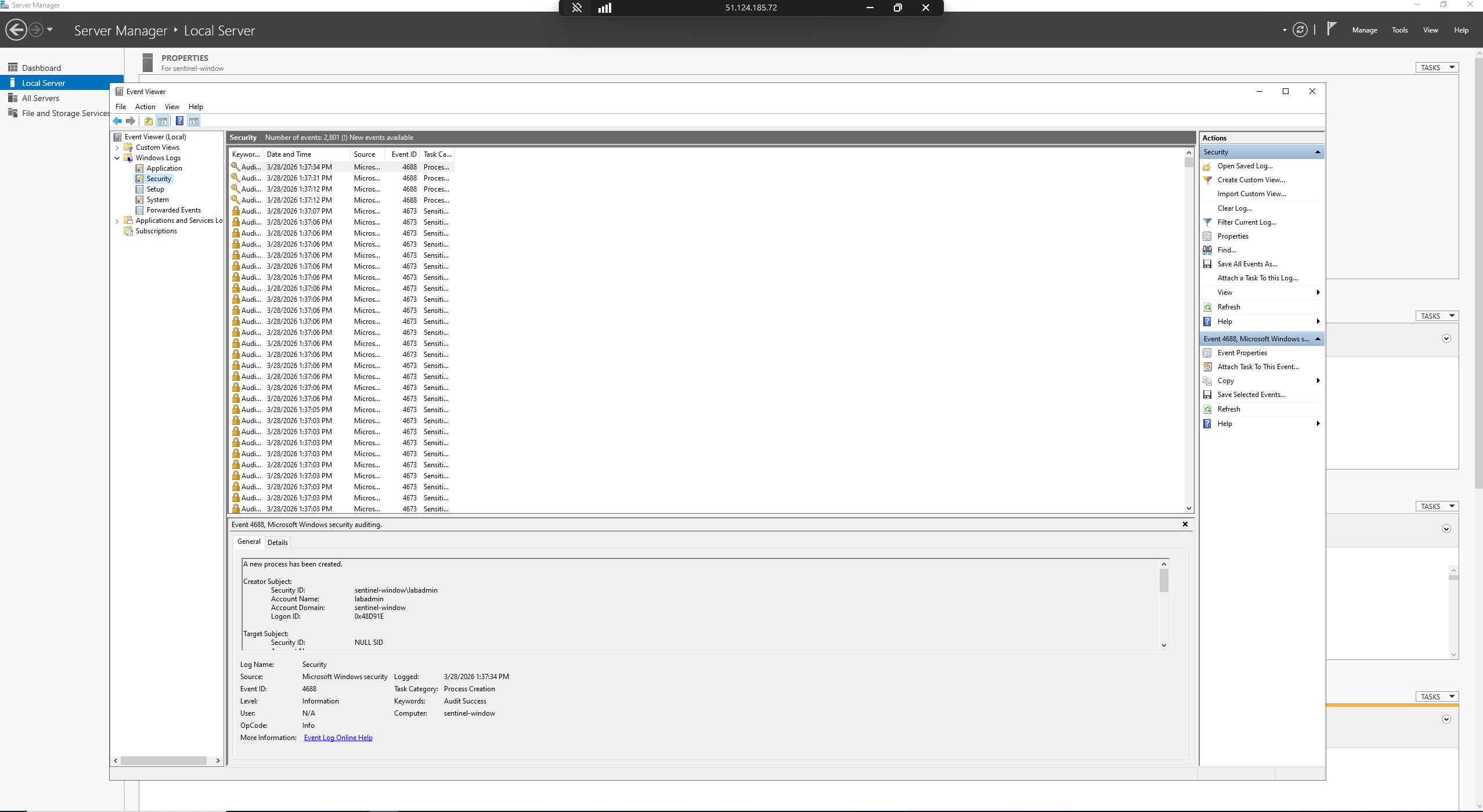
Windows 事件查看器的安全日志显示 EventID 4688(进程创建)— 确认安全审计处于活动状态。
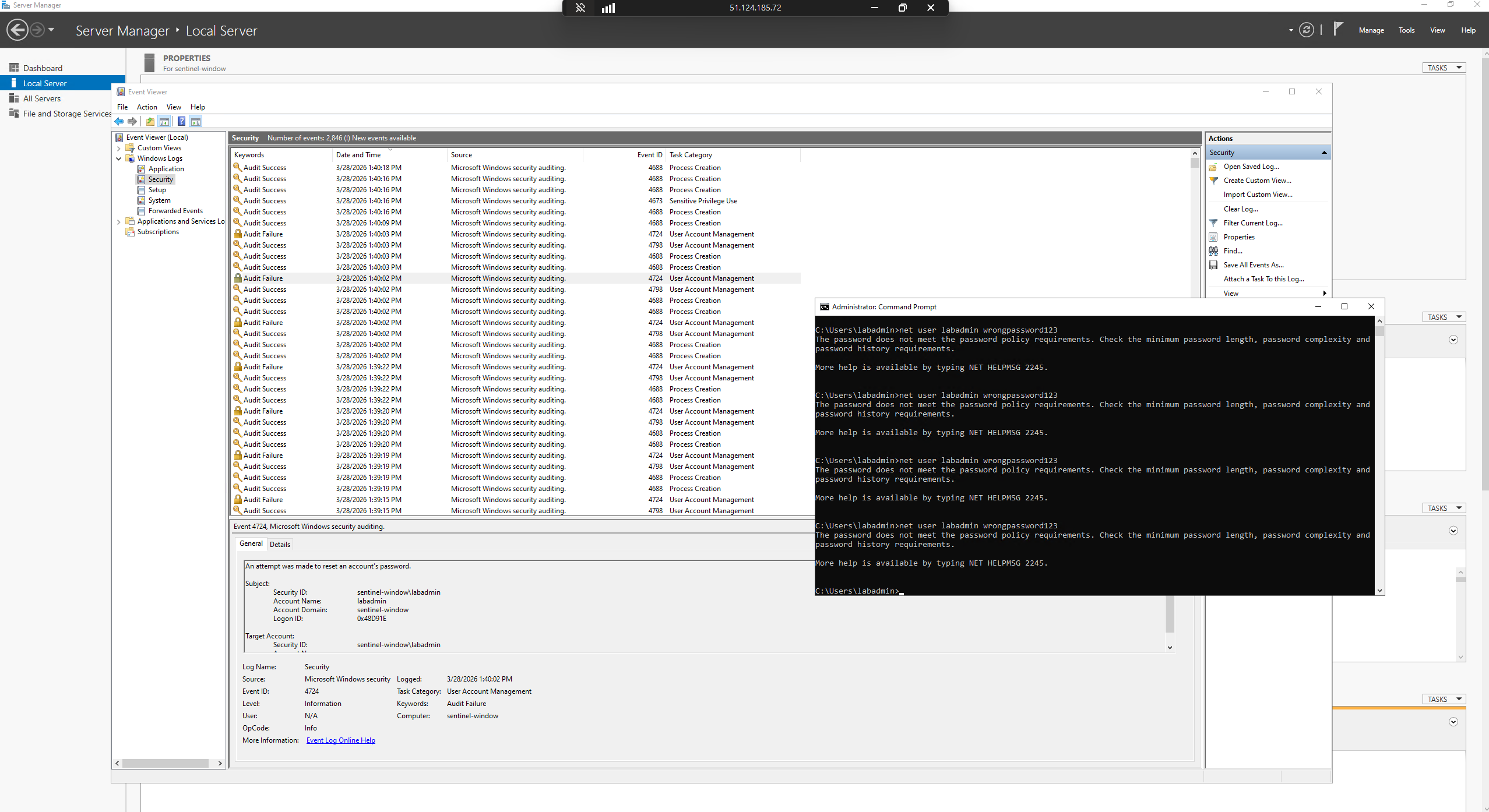
EventID 4625(审核失败)和 EventID 4724 与 CMD 提示符一起可见,显示执行失败的 `net user labadmin wrongpassword123` 尝试。
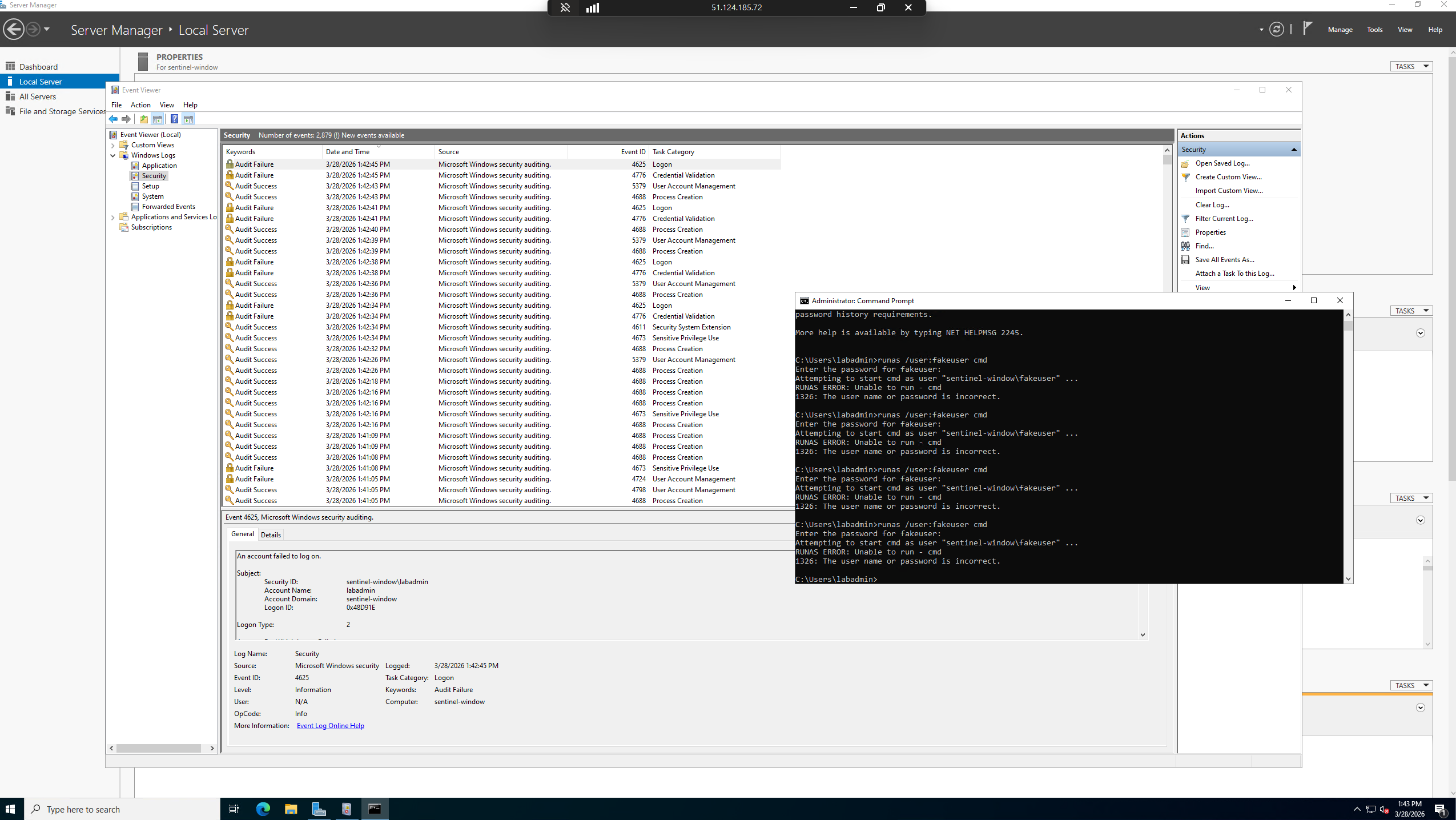
EventID 4625 详情 — `runas /user:fakeuser cmd` 生成了失败的登录事件。
**步骤 8:KQL — 日志流入 Sentinel**
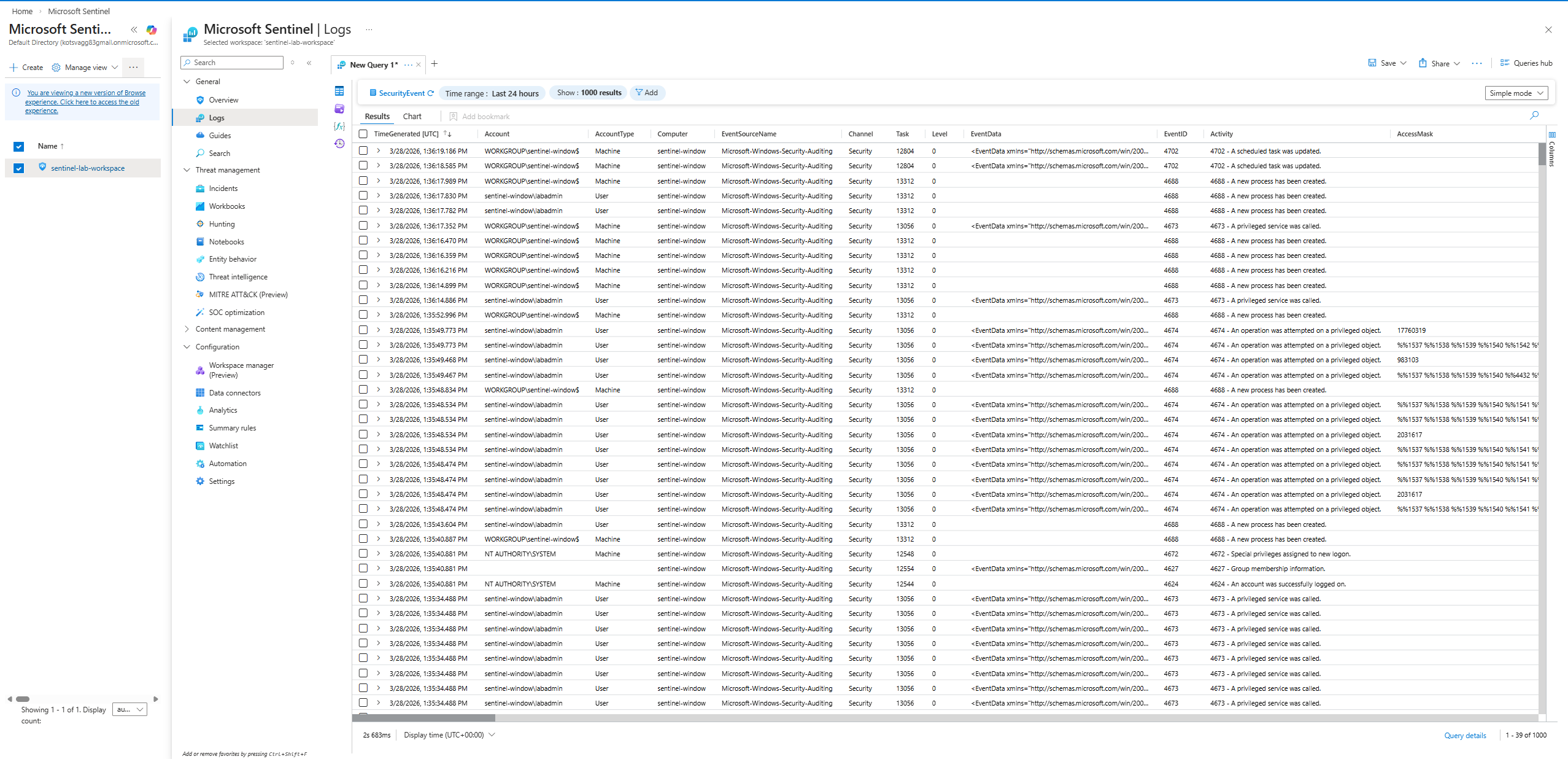
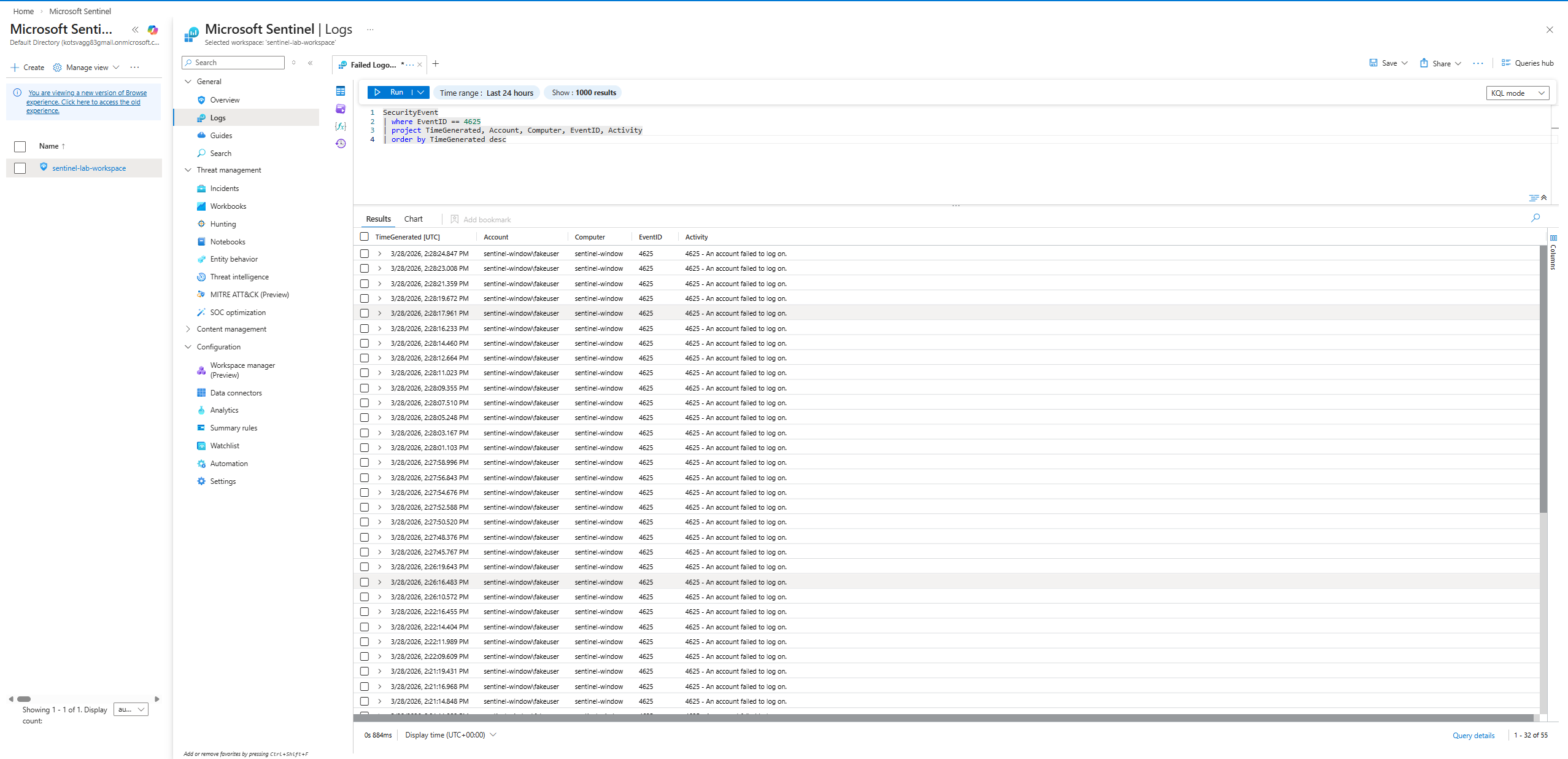
确认 SecurityEvent 表已填充 — 来自 `sentinel-window` 的最近 24 小时内有 39 个结果(显示了 1,000 个结果)。
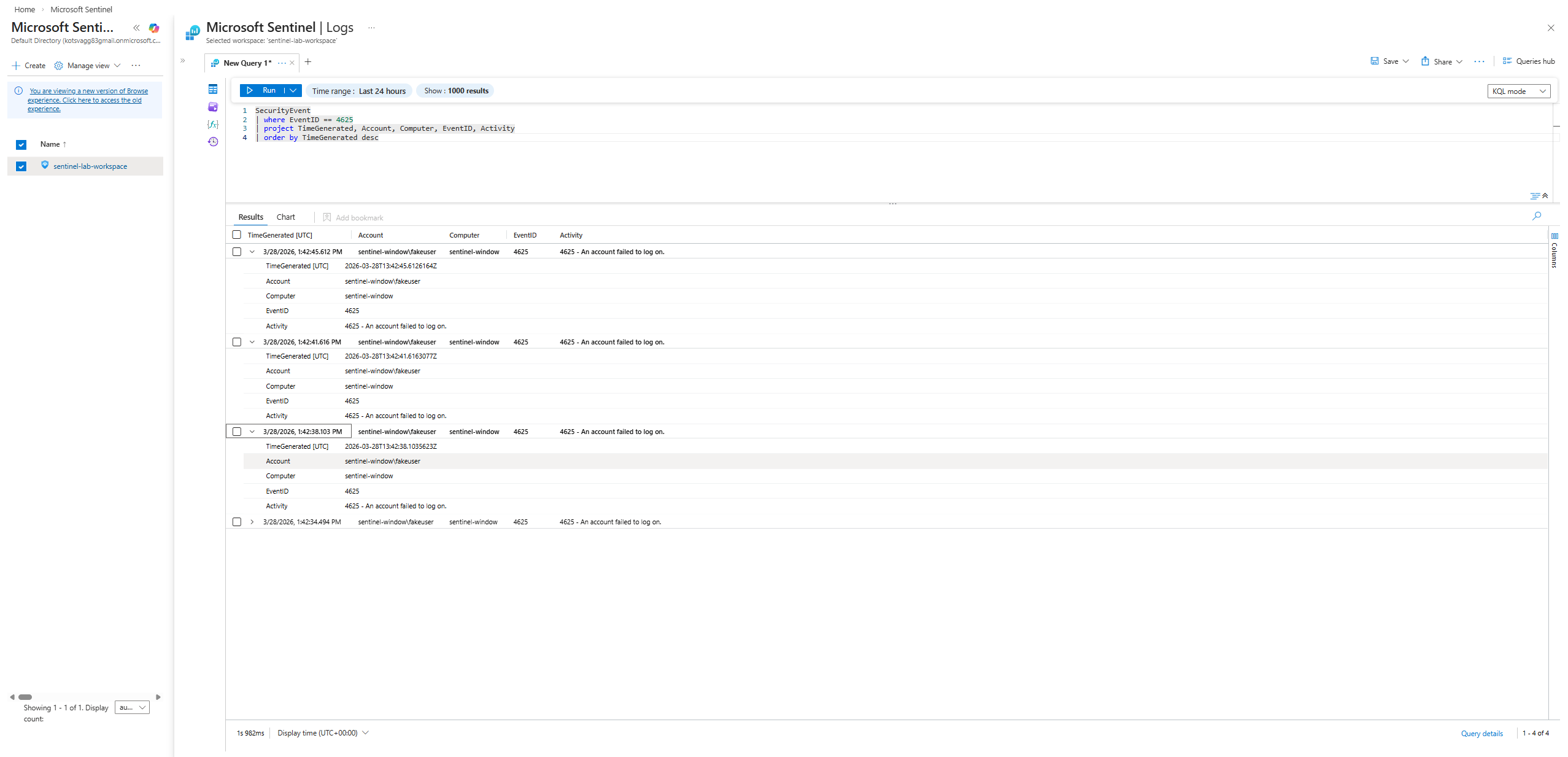
**验证 KQL:**
```
SecurityEvent
| where EventID == 4625
| project TimeGenerated, Account, Computer, EventID, Activity
| order by TimeGenerated desc
```
确认了来自 `sentinel-window\fakeuser` 的 4 个 EventID 4625 结果。
**步骤 9:Analytics Rule — 暴力破解检测**
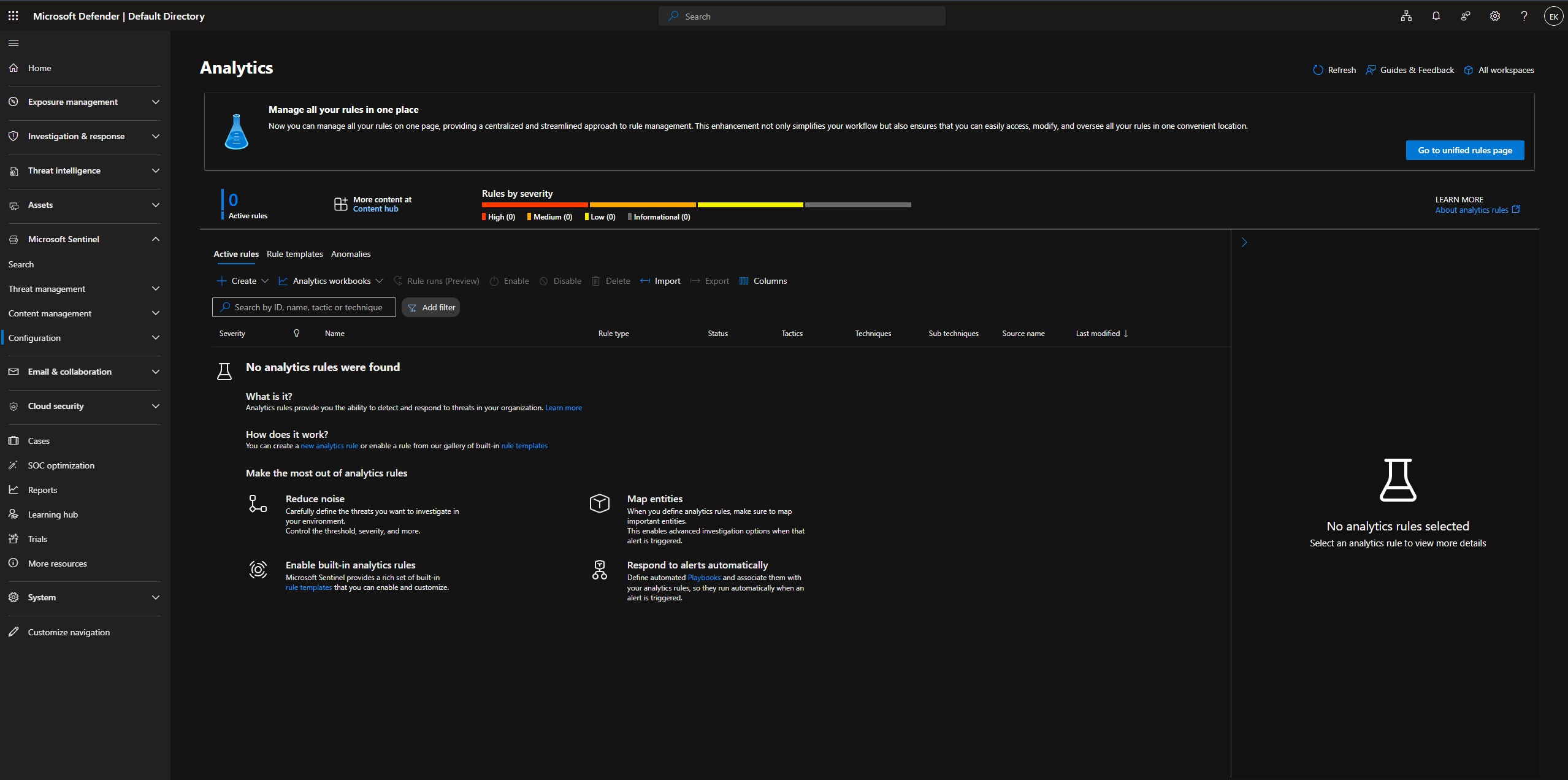
Defender Analytics 开始时为空 — 0 个活动规则。
使用 Analytics 规则向导创建了新的计划规则:
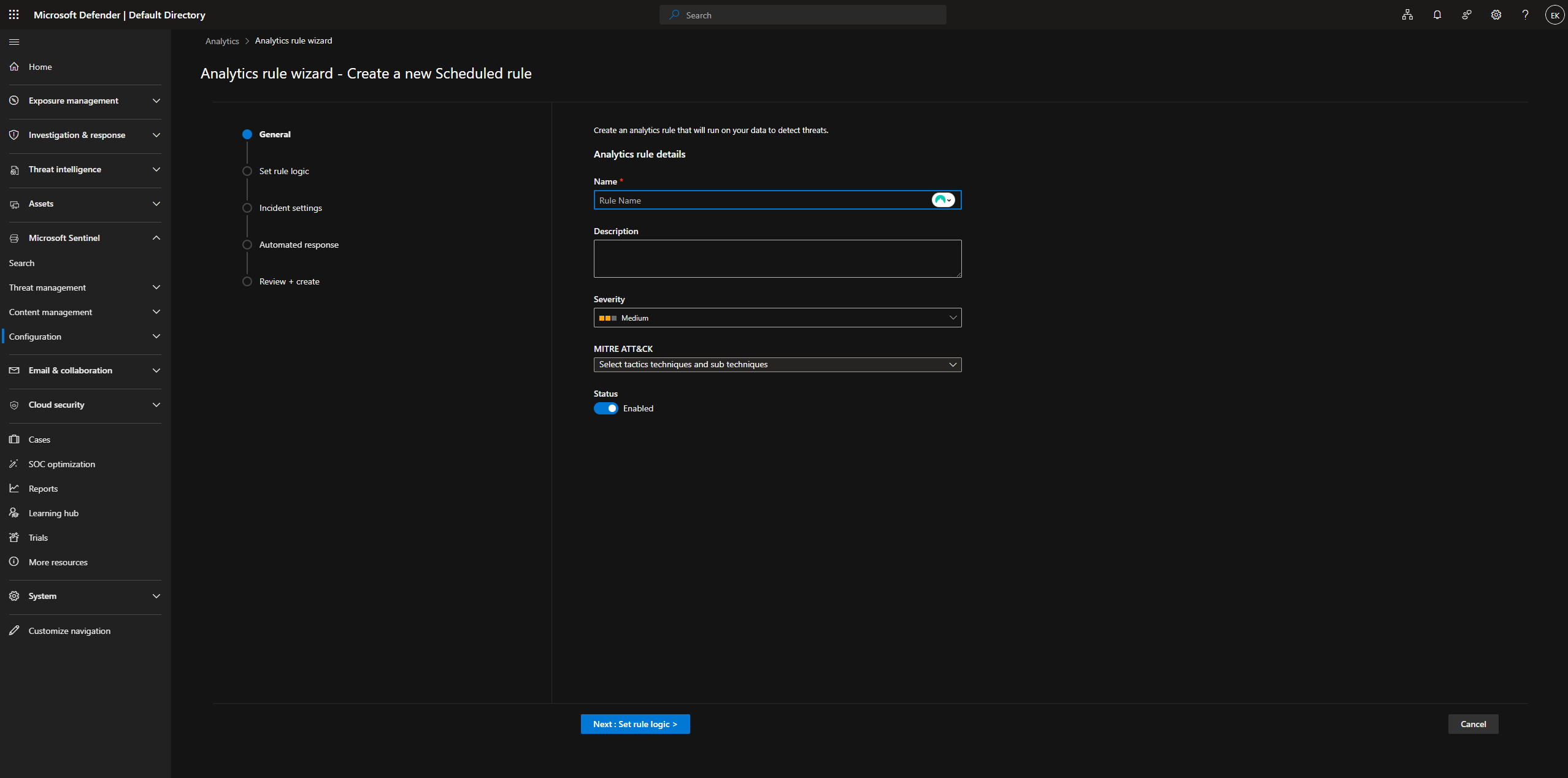
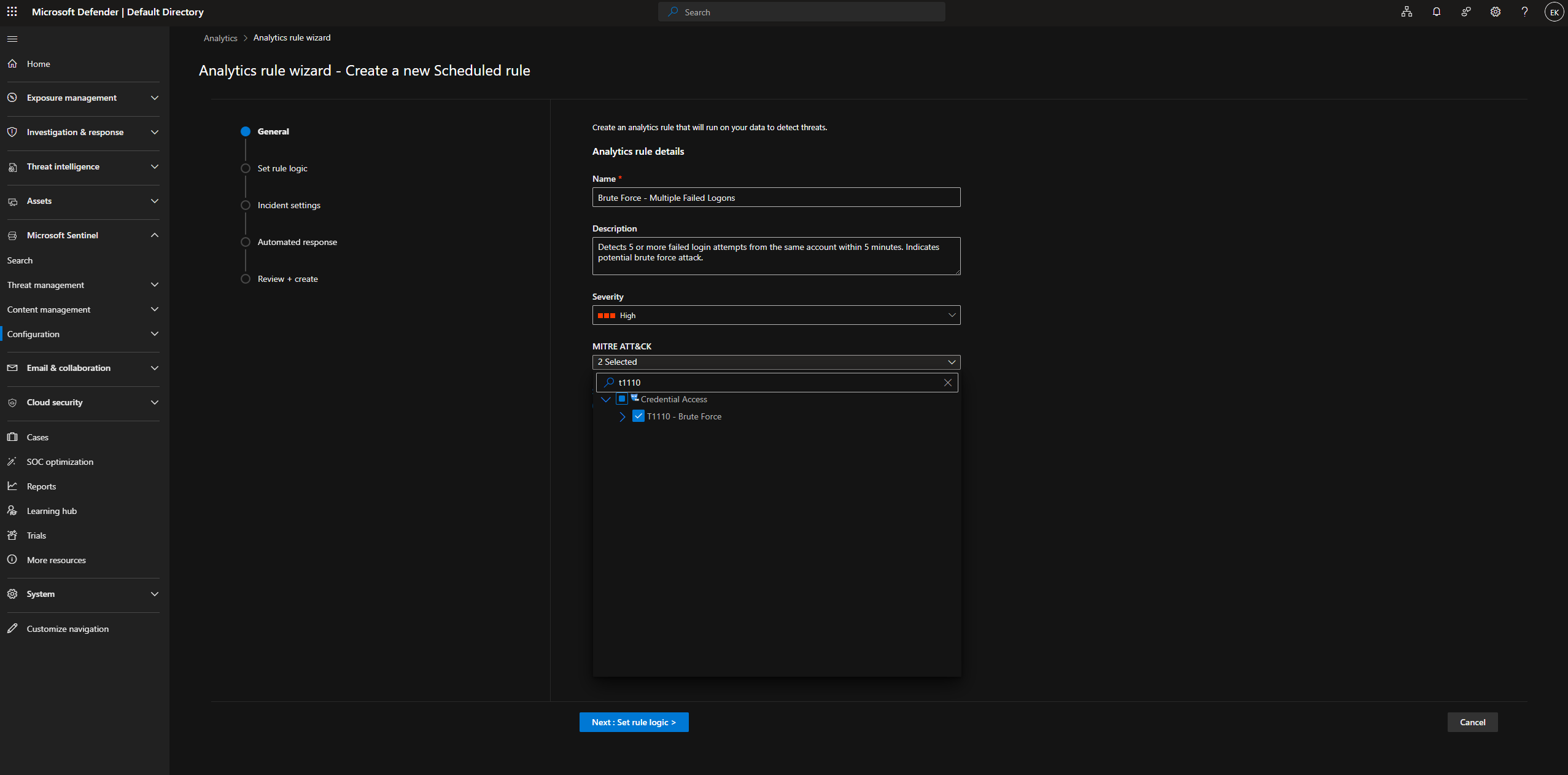
**规则:Brute Force - Multiple Failed Logons** 配置了名称、描述、高严重性、MITRE ATT&CK T1110。
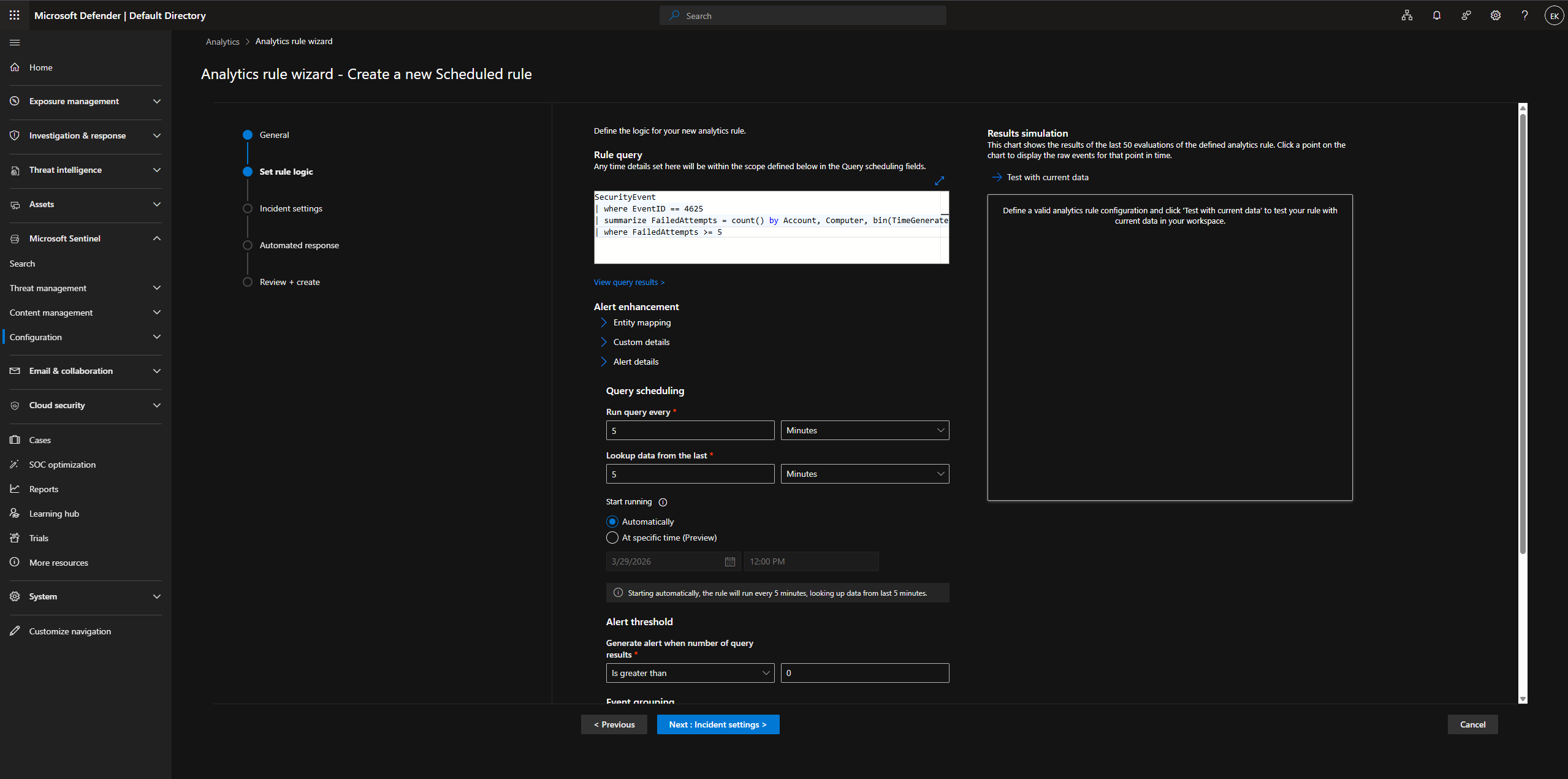
配置了 KQL 查询和计划 — 每 5 分钟运行一次,回溯 5 分钟,阈值 > 0:
```
SecurityEvent
| where EventID == 4625
| summarize FailedAttempts = count() by Account, Computer, bin(TimeGenerated, 5m)
| where FailedAttempts >= 5
```
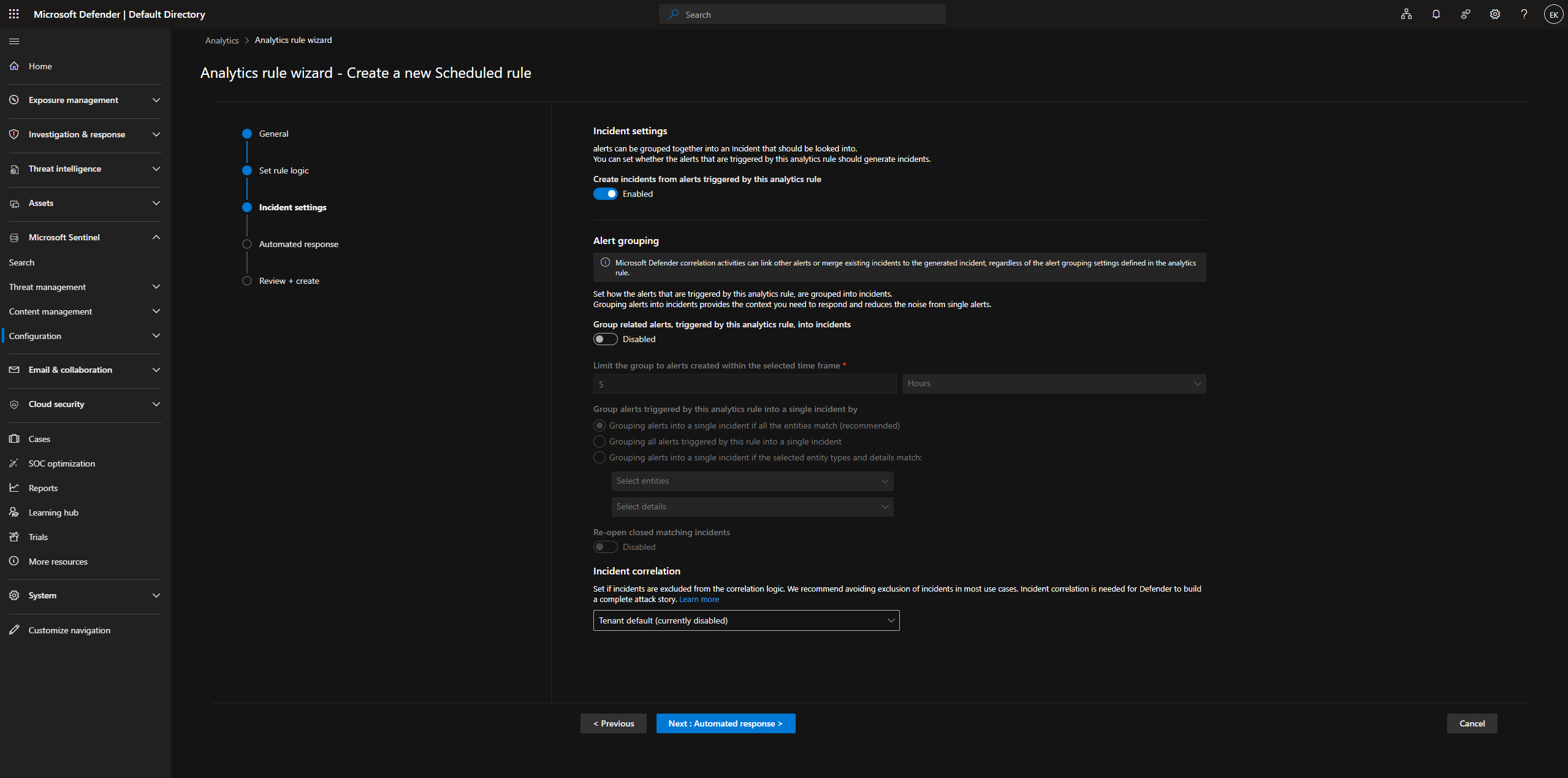
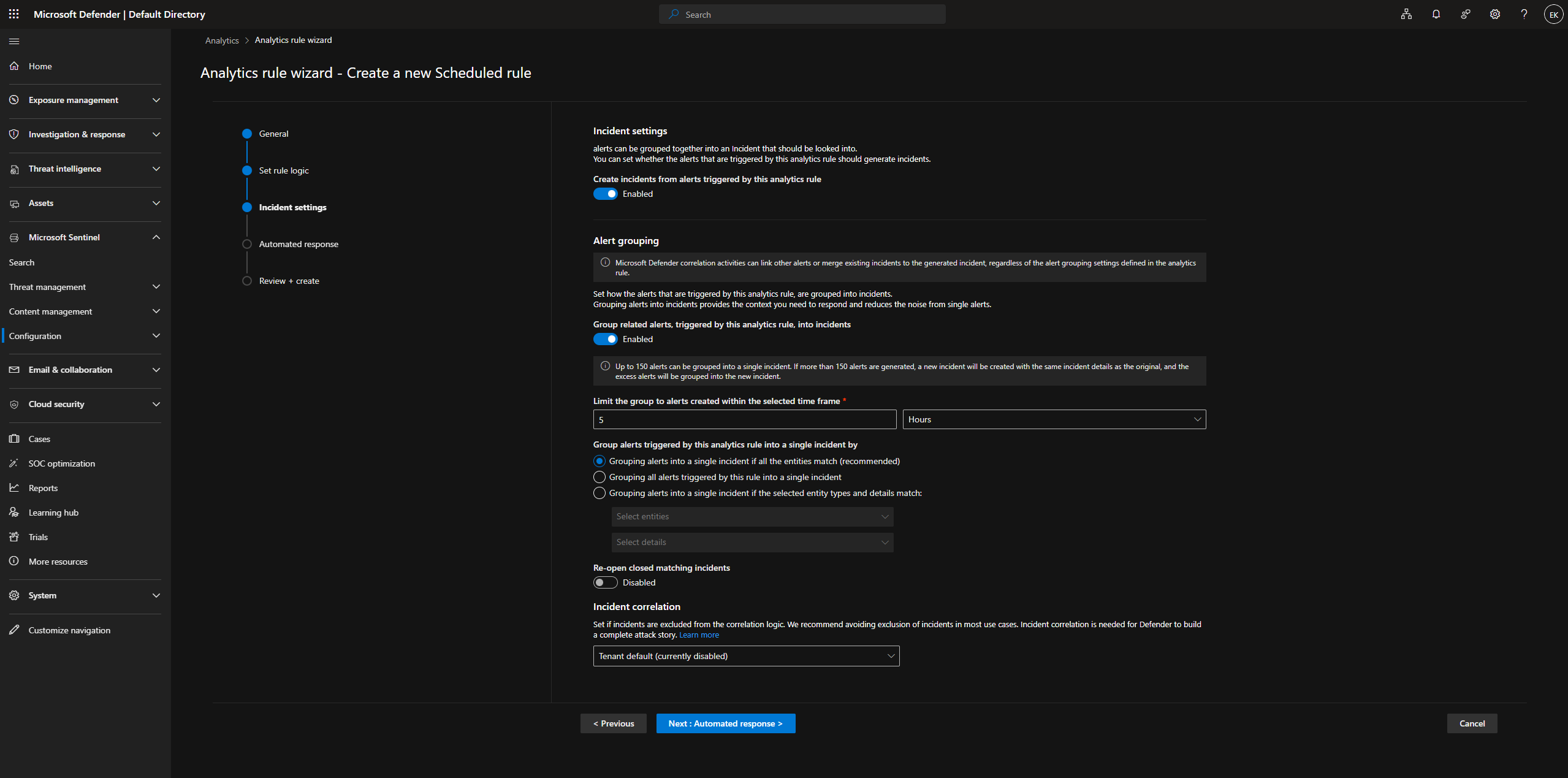
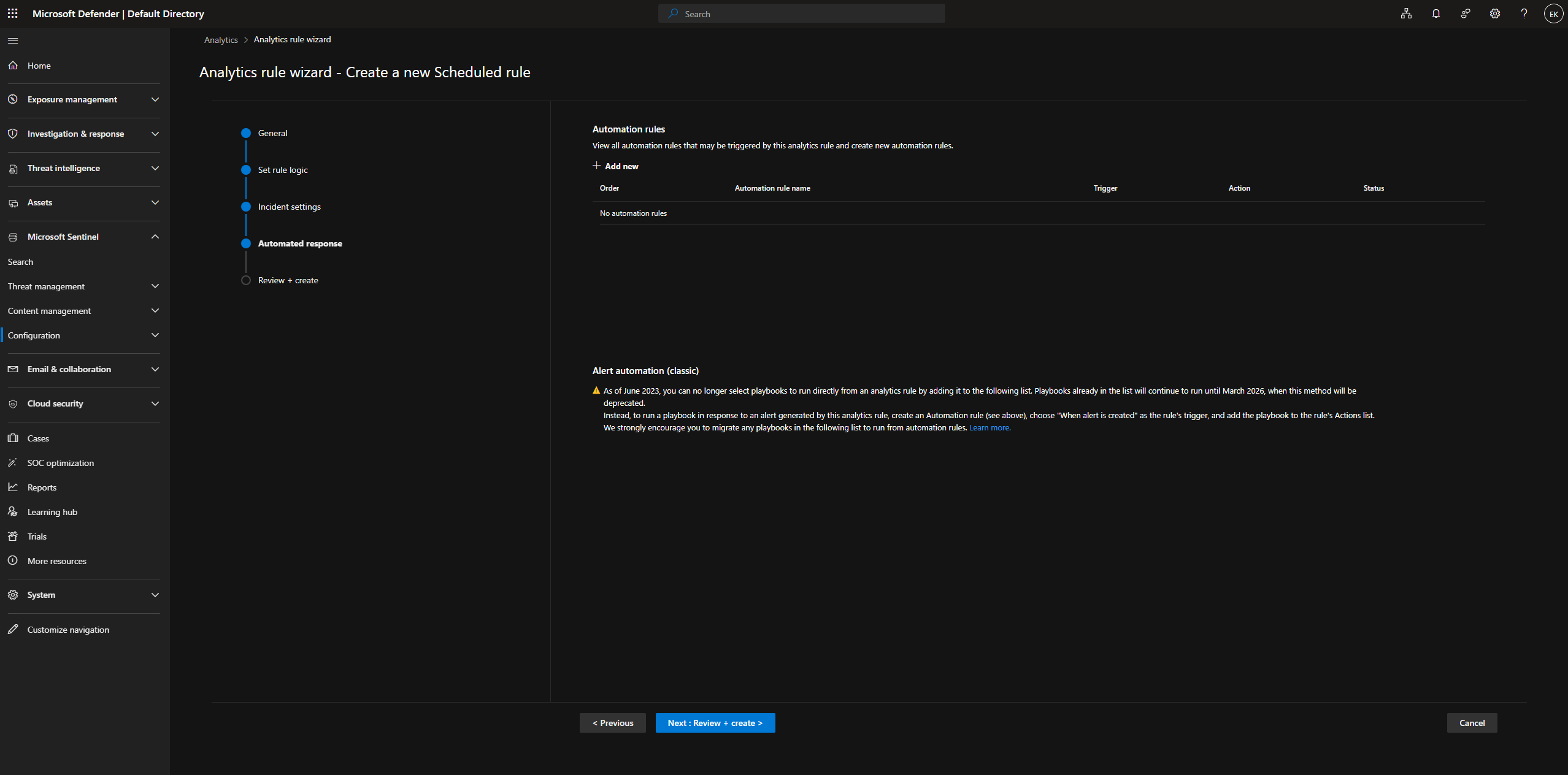
审查确认所有设置 — Brute Force、High、T1110、5分钟频率、警报分组已启用。
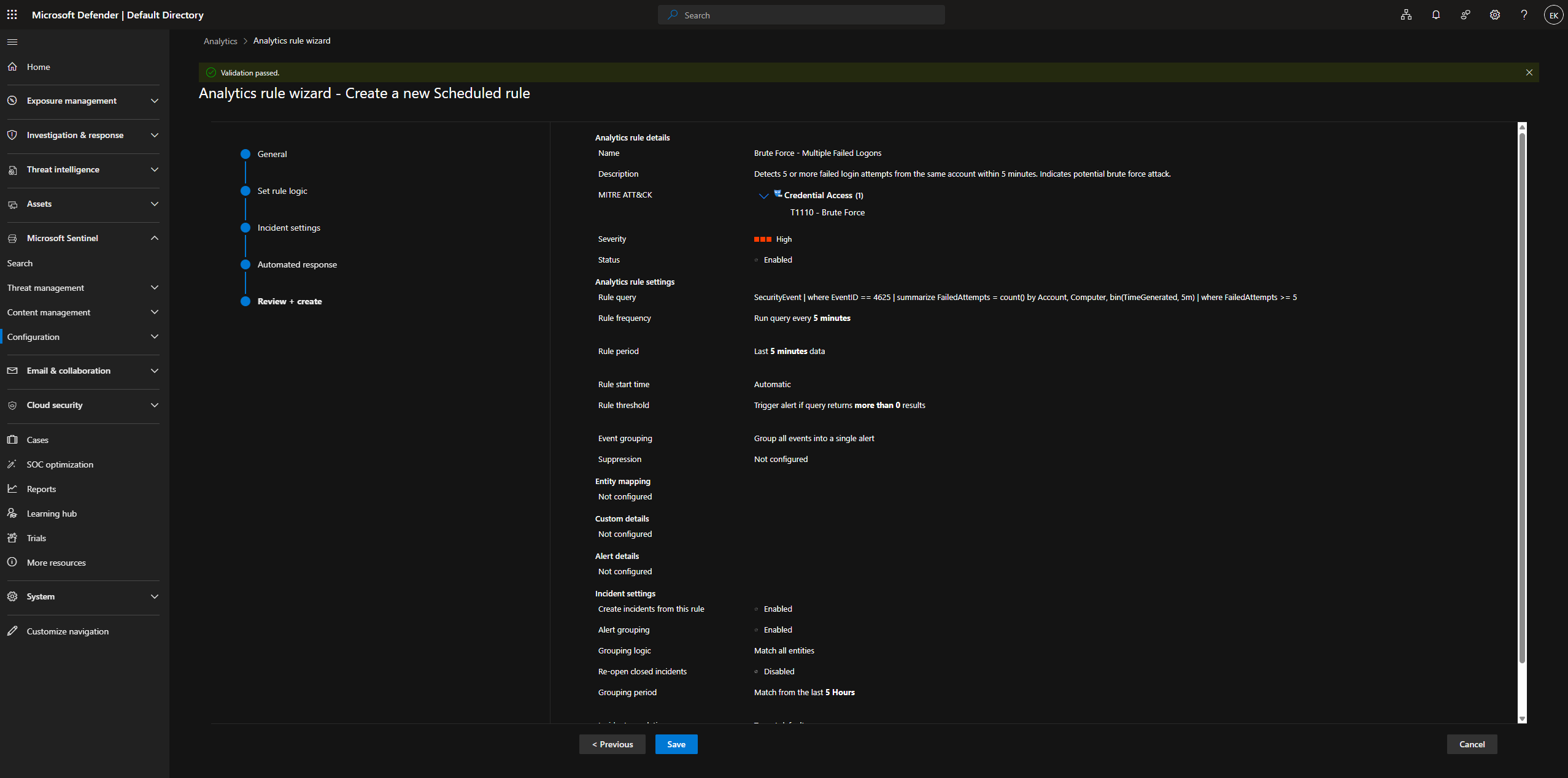
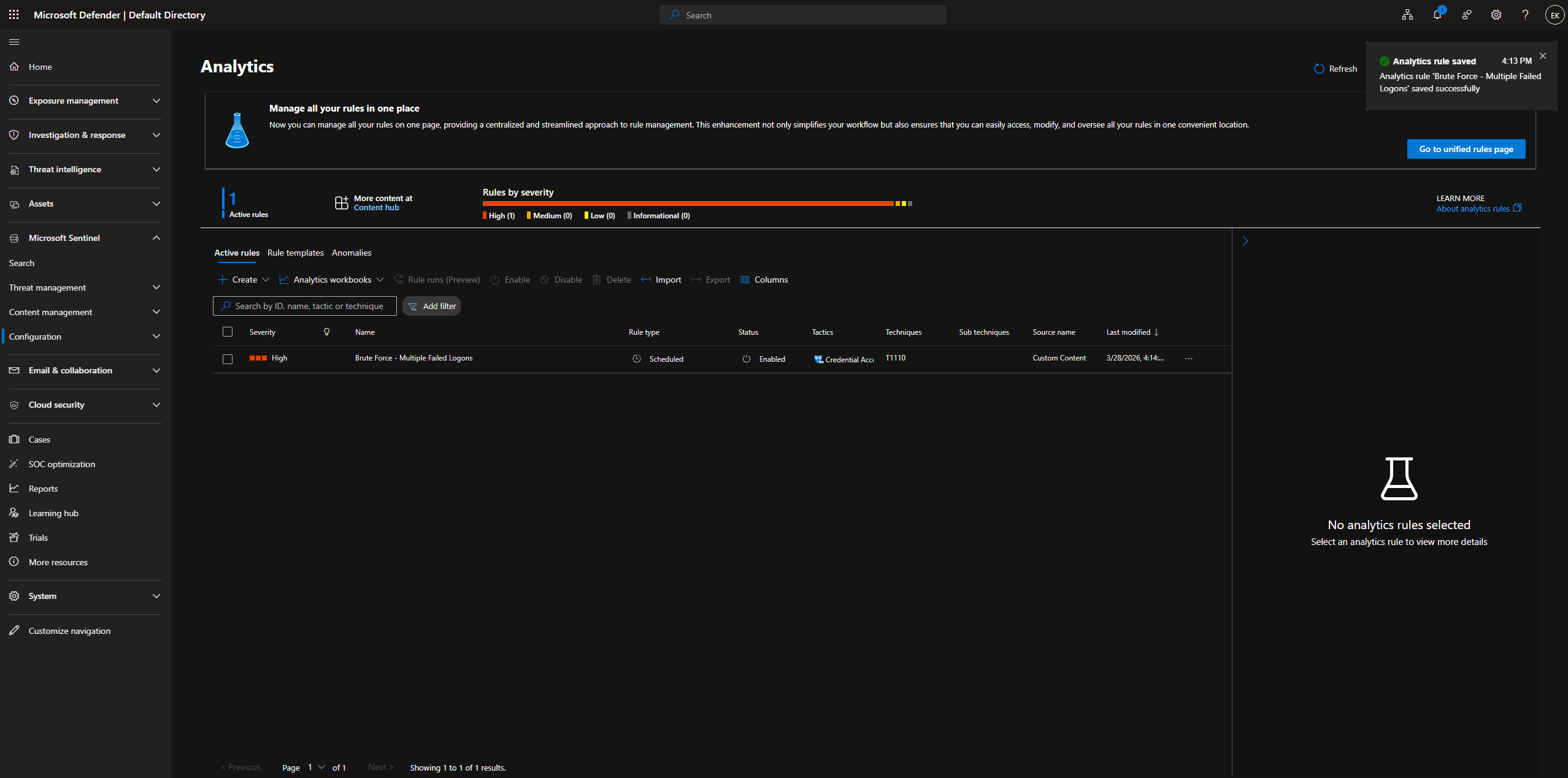
规则已保存 — 确认 **1 个活动规则**。提示:“Analytics rule 'Brute Force - Multiple Failed Logons' saved successfully.”。
### 阶段 4 — 事件响应
**步骤 10:暴力破解攻击模拟**
通过反复执行失败的 `runas /user:fakeuser cmd` 模拟暴力破解 — 在连续循环中出现“The user name or password is incorrect”。
```
for /L %i in (1,1,20) do runas /user:fakeuser cmd
```
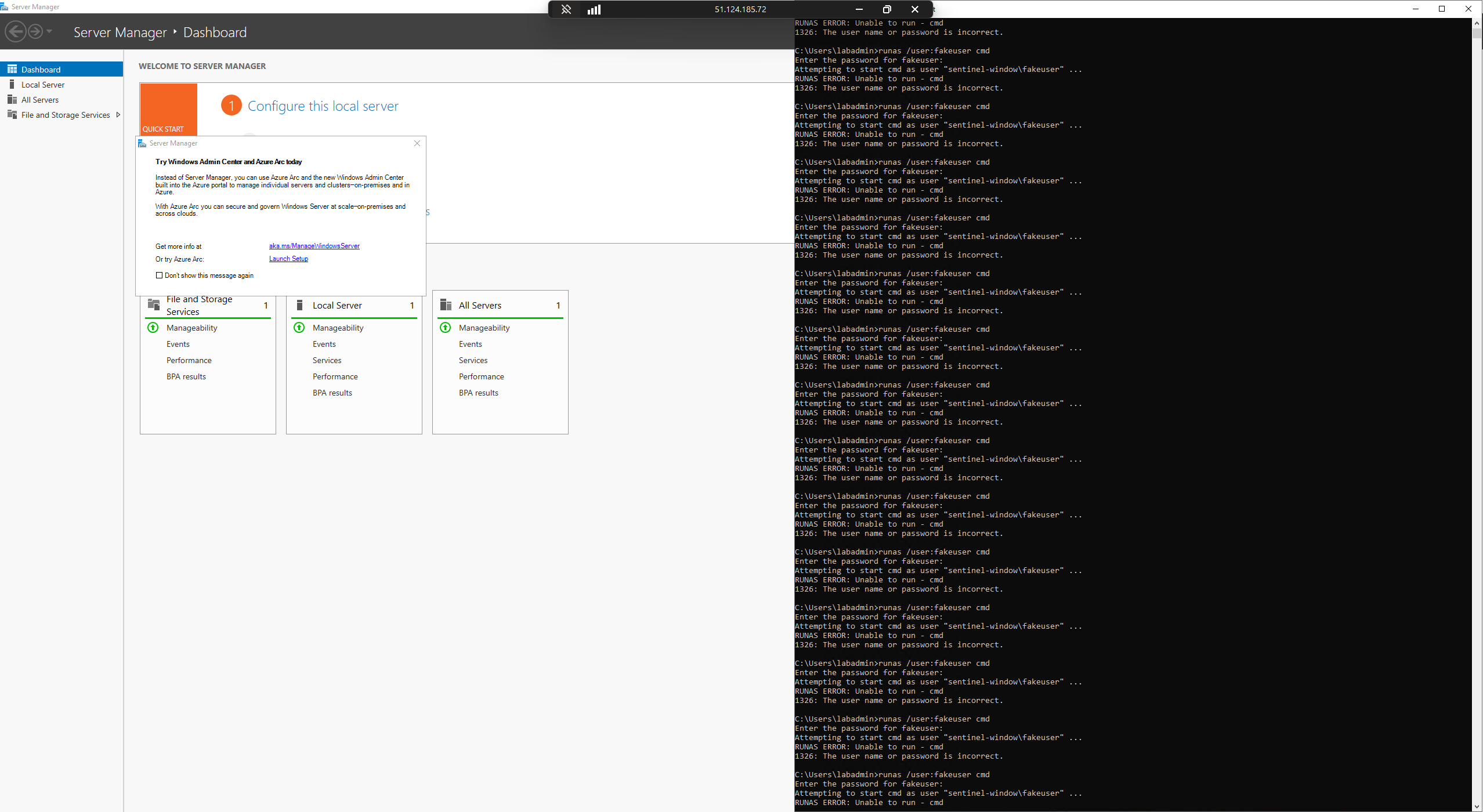
Sentinel 确认了来自 `sentinel-window\fakeuser` 的 **55 个 EventID 4625 事件**。
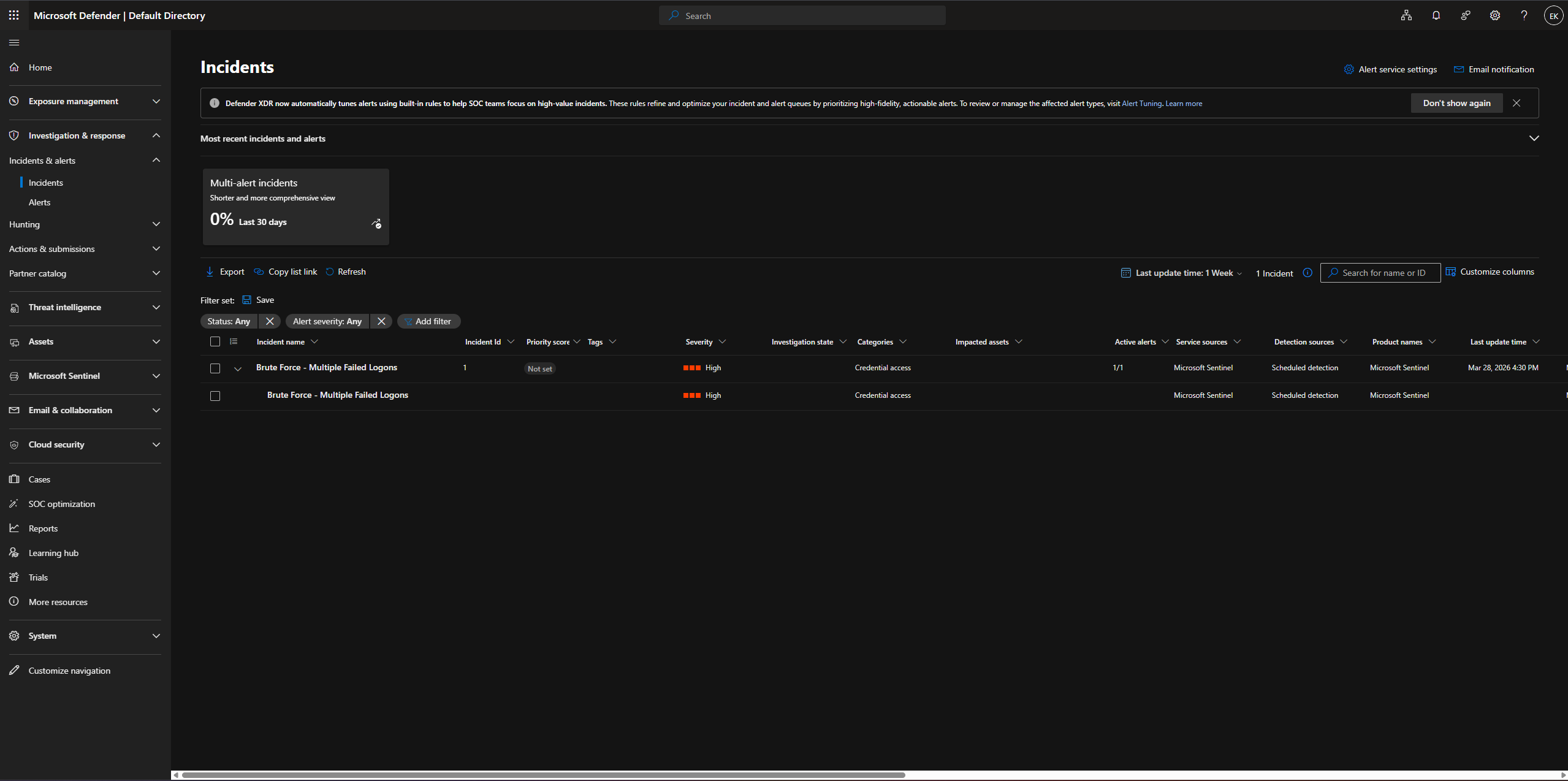
**步骤 11:事件自动生成**
Microsoft Sentinel 自动创建了一个 **高严重性事件** — “Brute Force - Multiple Failed Logons”。
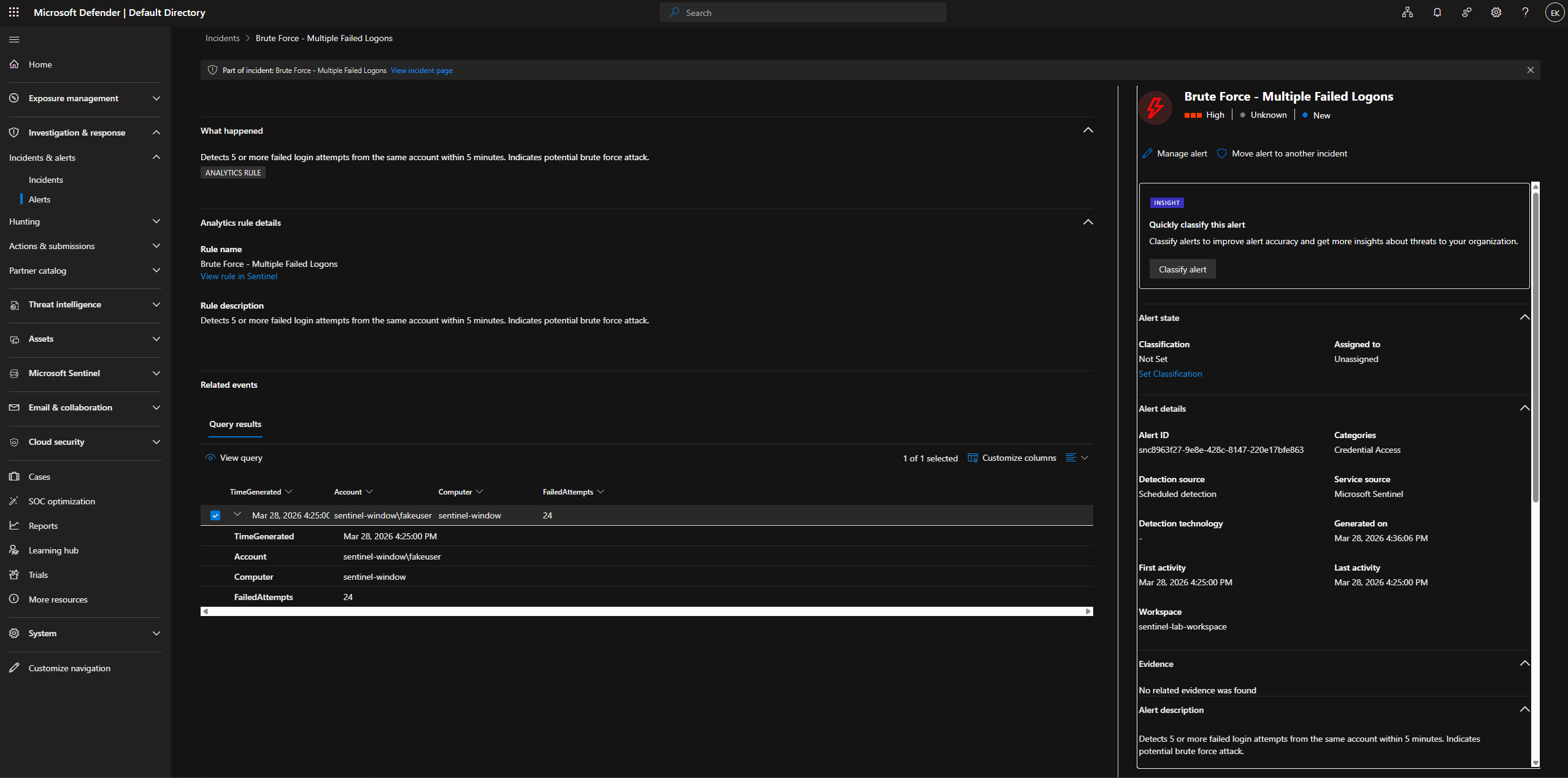
事件详情:账户 `sentinel-window\fakeuser`,**24 次失败尝试**,凭证访问类别。
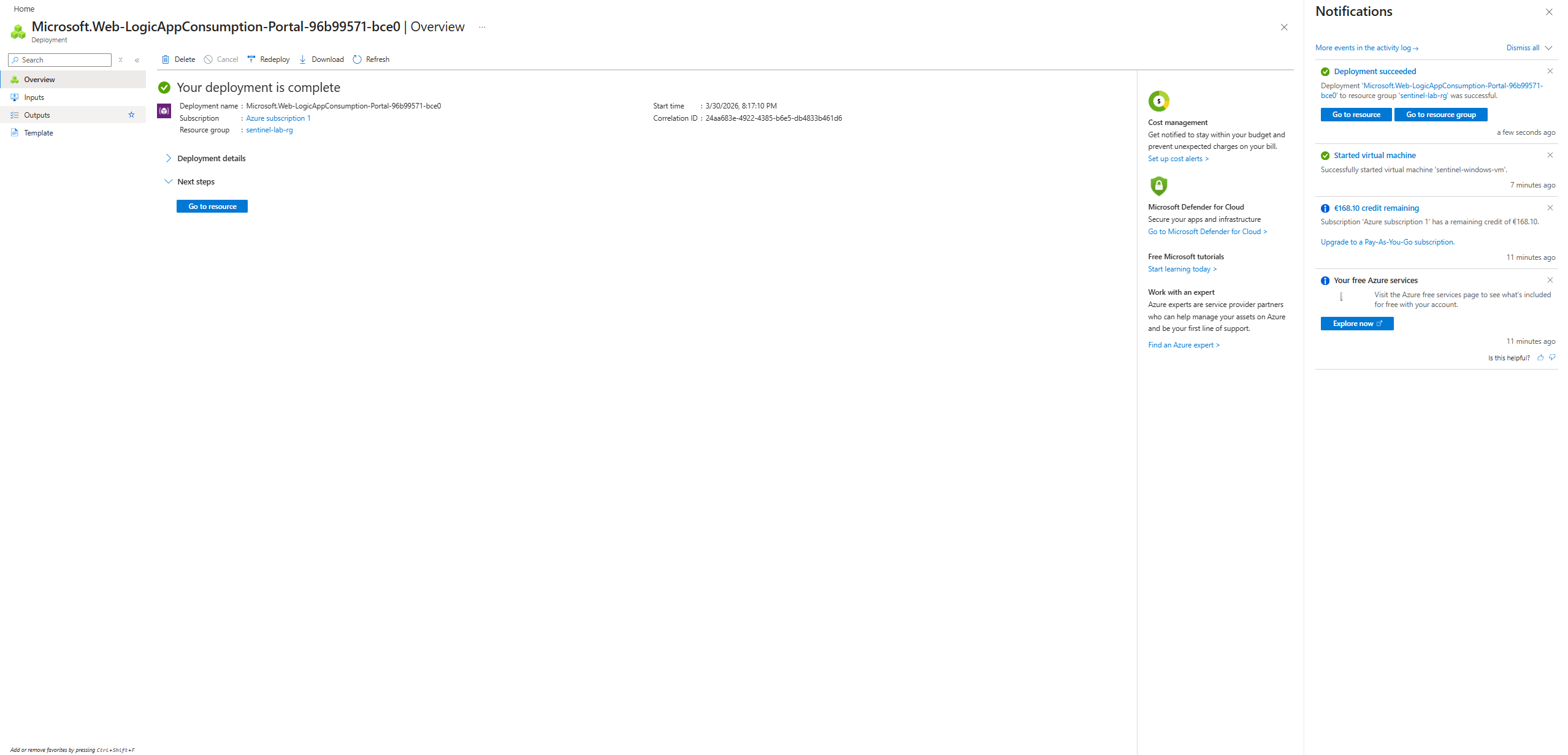
### 阶段 5 — 自动化 (SOAR)
**步骤 12:Logic App 部署**
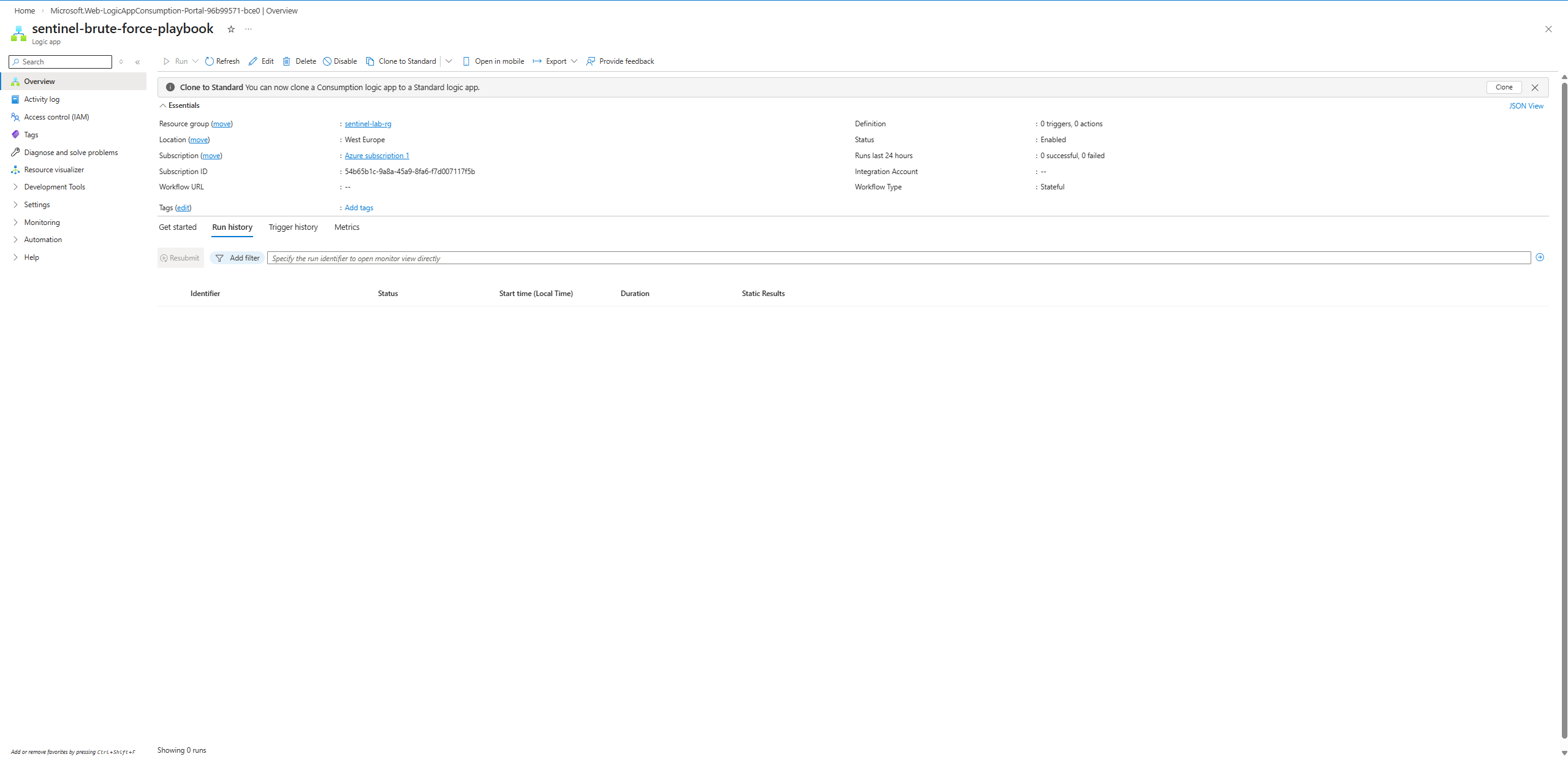
在西欧的 `sentinel-lab-rg` 中部署了 `sentinel-brute-force-playbook` Logic App。
Logic App 概览 — 0 个触发器,0 个操作,有状态工作流,已启用。
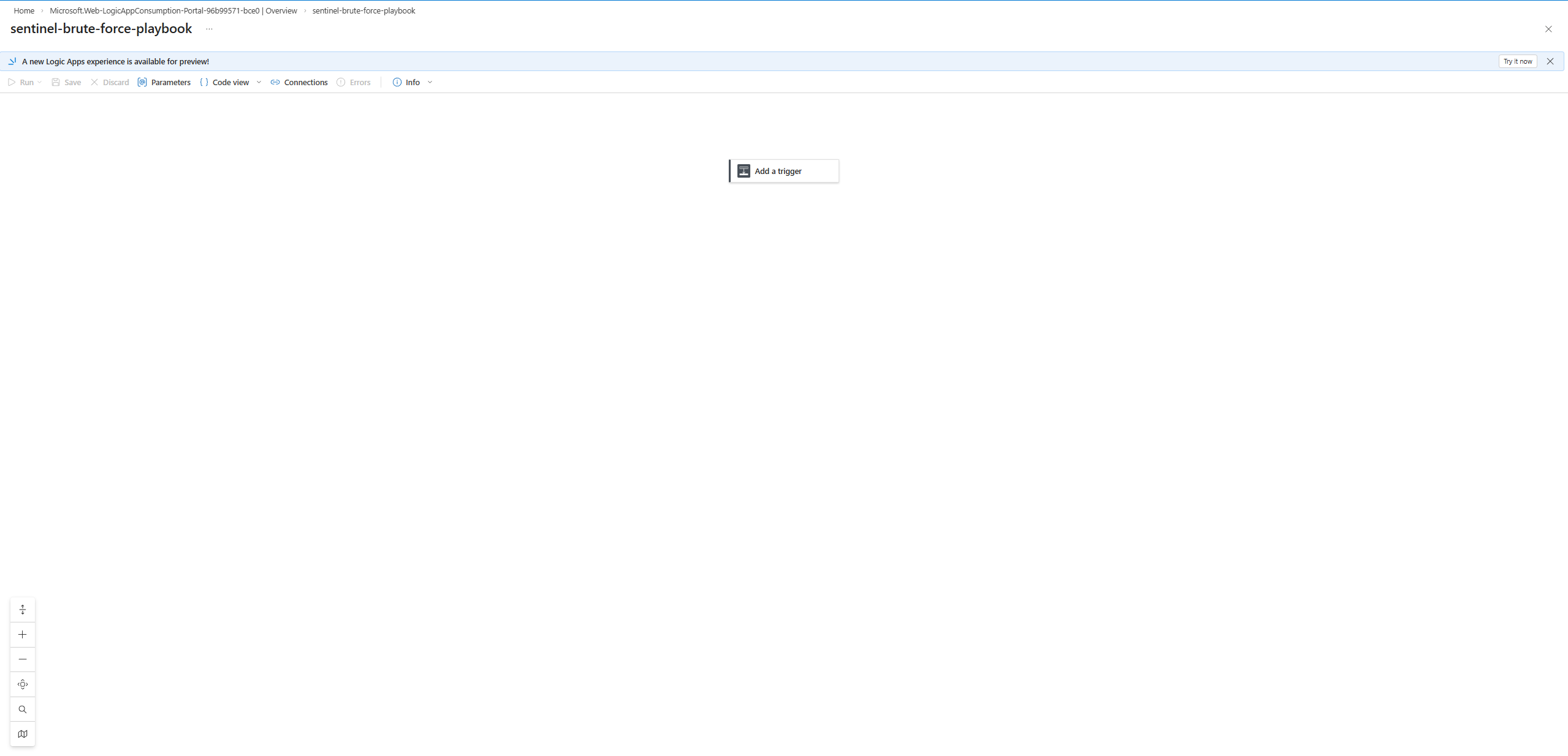
**步骤 13:Logic App 设计器 — 触发器与操作**
空白设计器 — “添加触发器”已准备好进行配置。
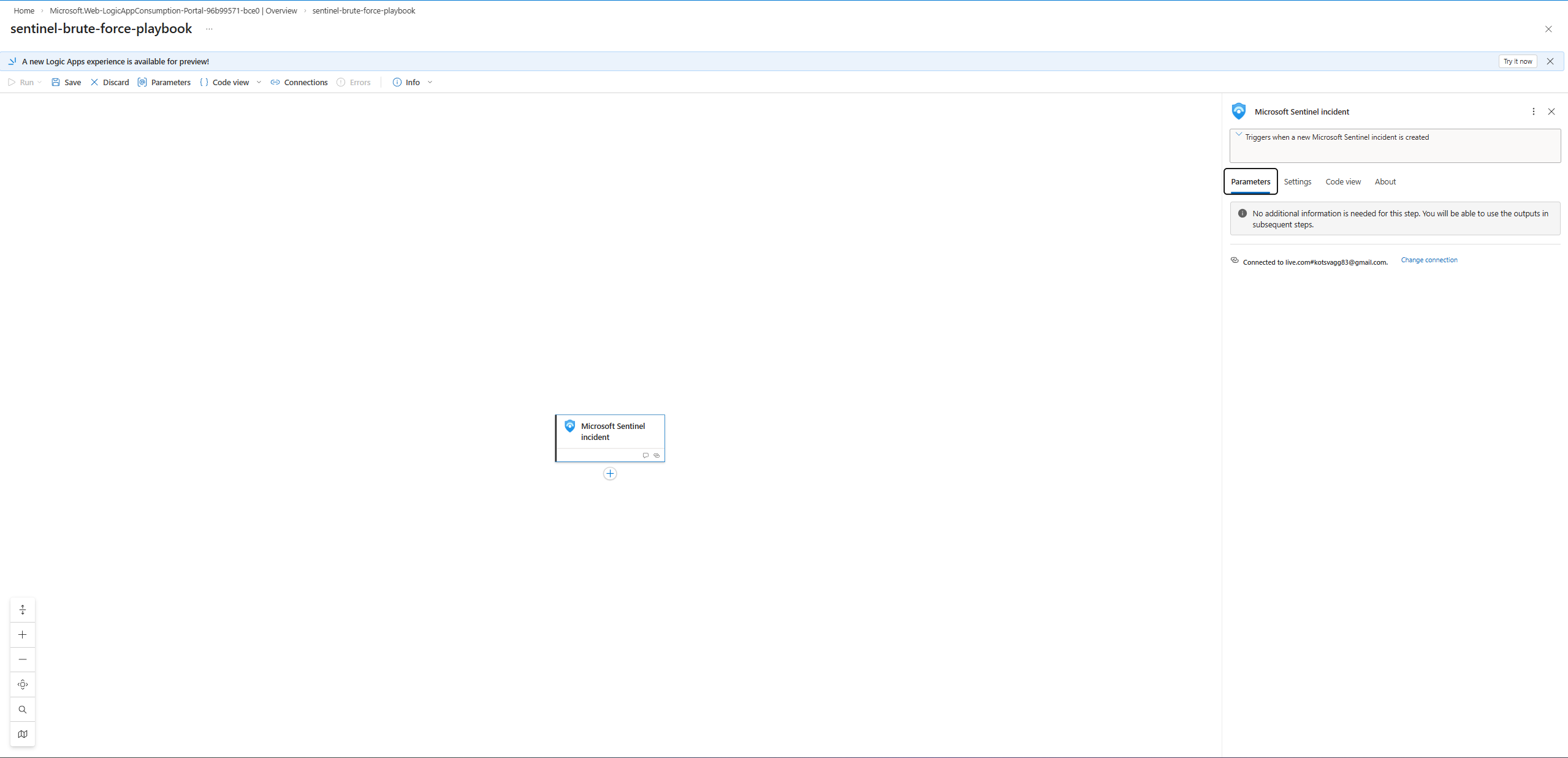
已添加 Microsoft Sentinel 事件触发器 — 通过 OAuth 连接到 `live.com#kotsvagg83@gmail.com`。
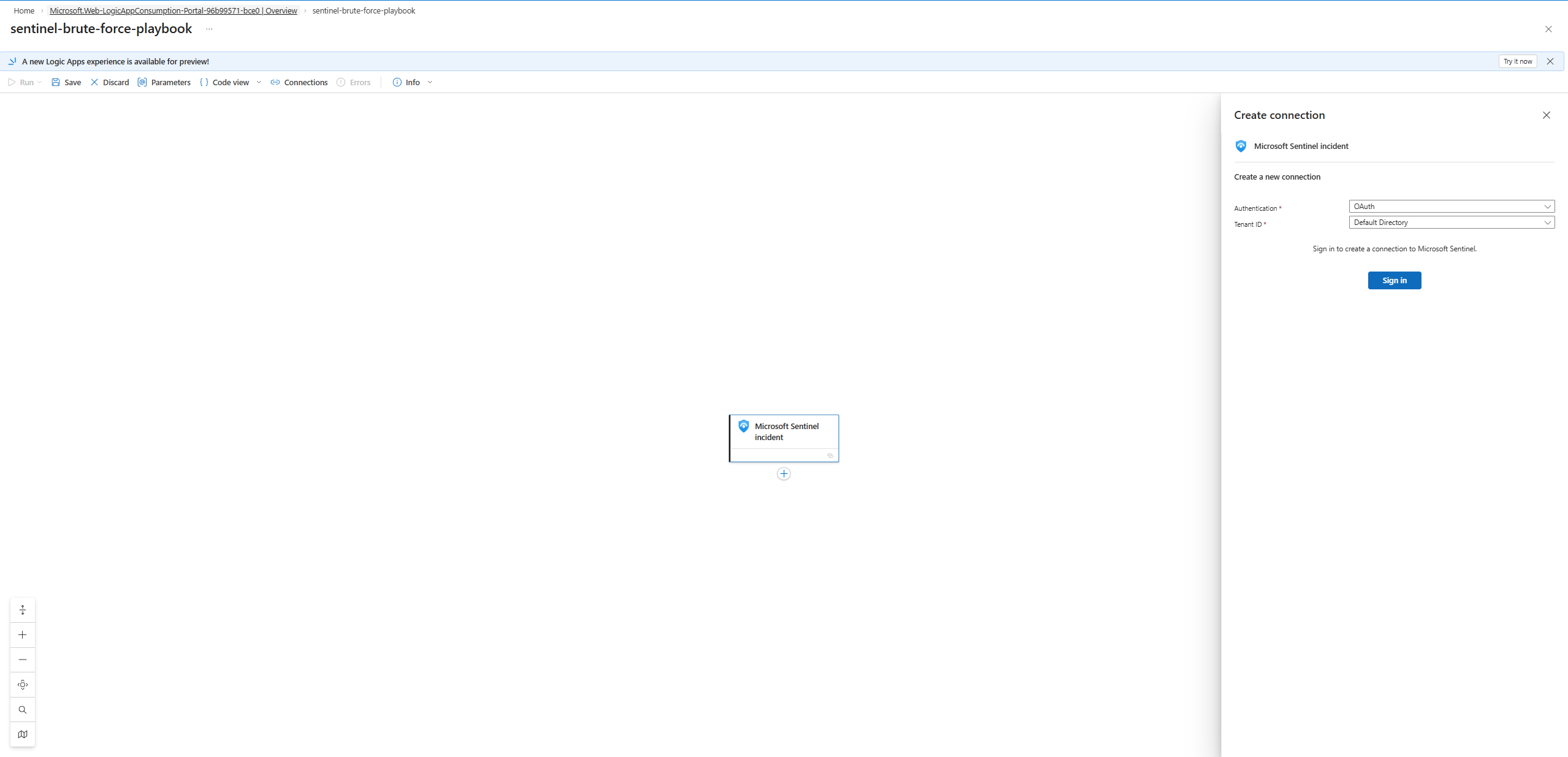
创建连接面板 — OAuth 身份验证,默认目录租户。
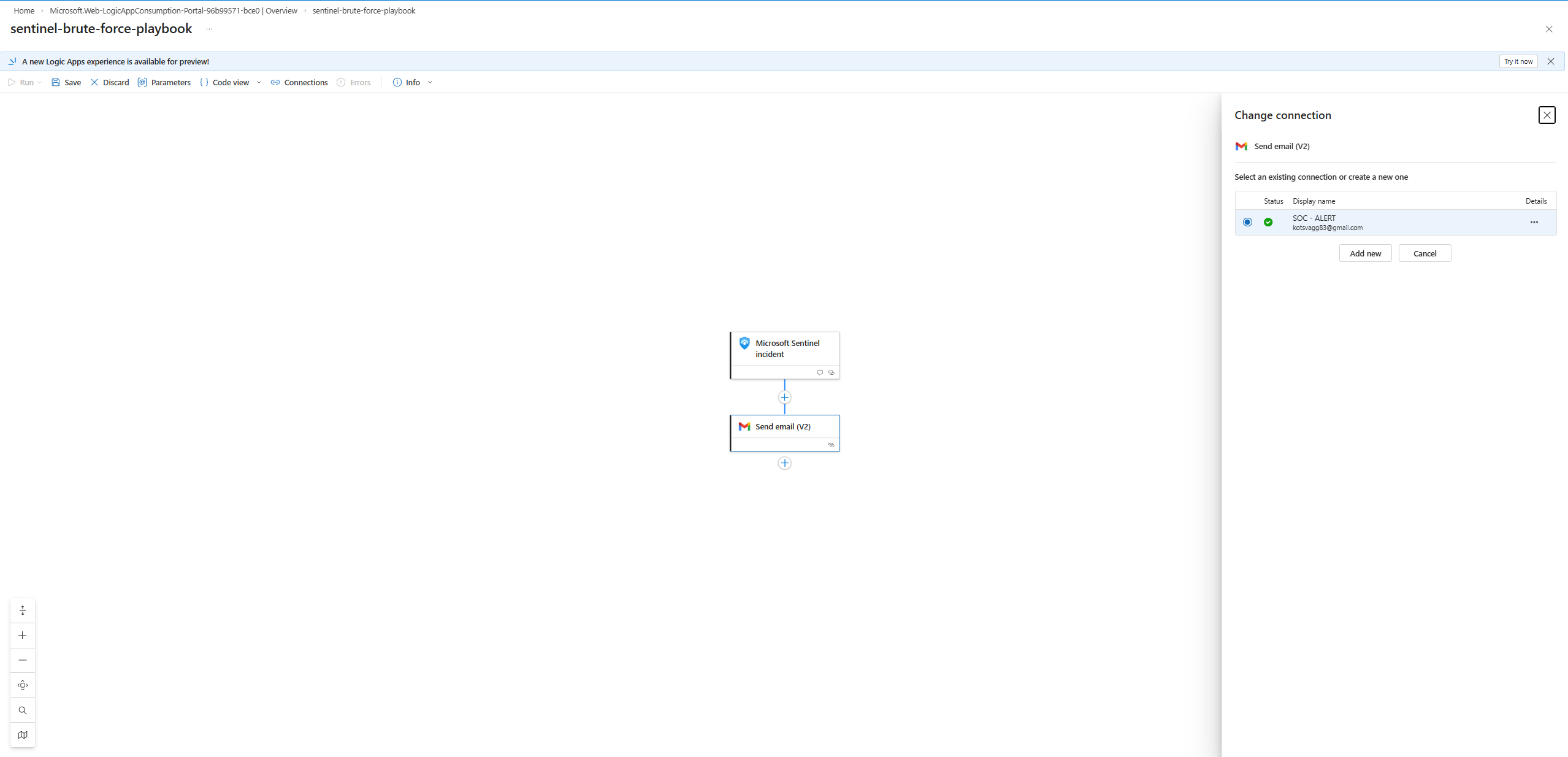
首先尝试 Gmail (SOC-ALERT) 连接 — `kotsvagg83@gmail.com` 已连接。
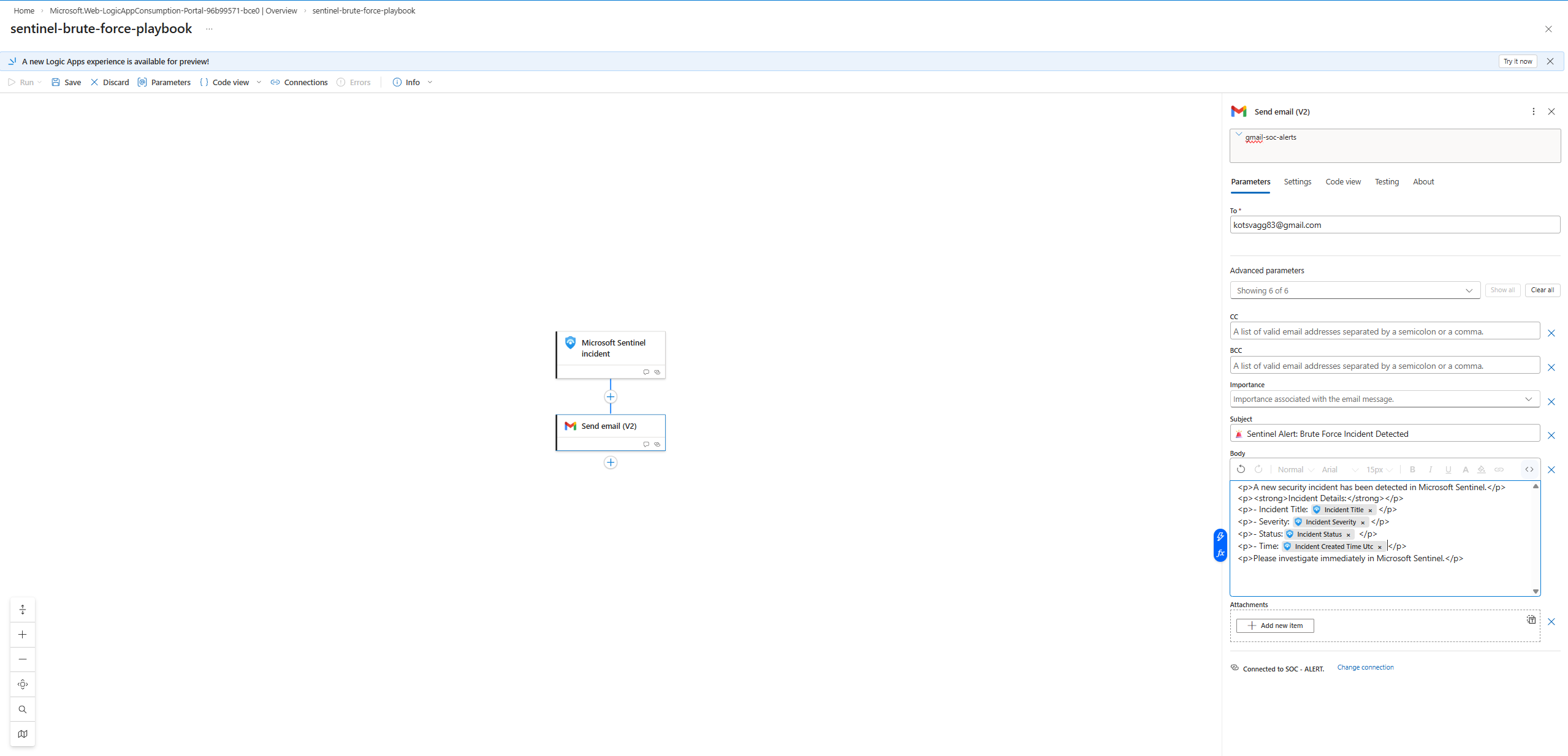
Gmail 电子邮件正文配置了动态 Sentinel 字段(事件标题、严重性、状态、创建时间 UTC)。
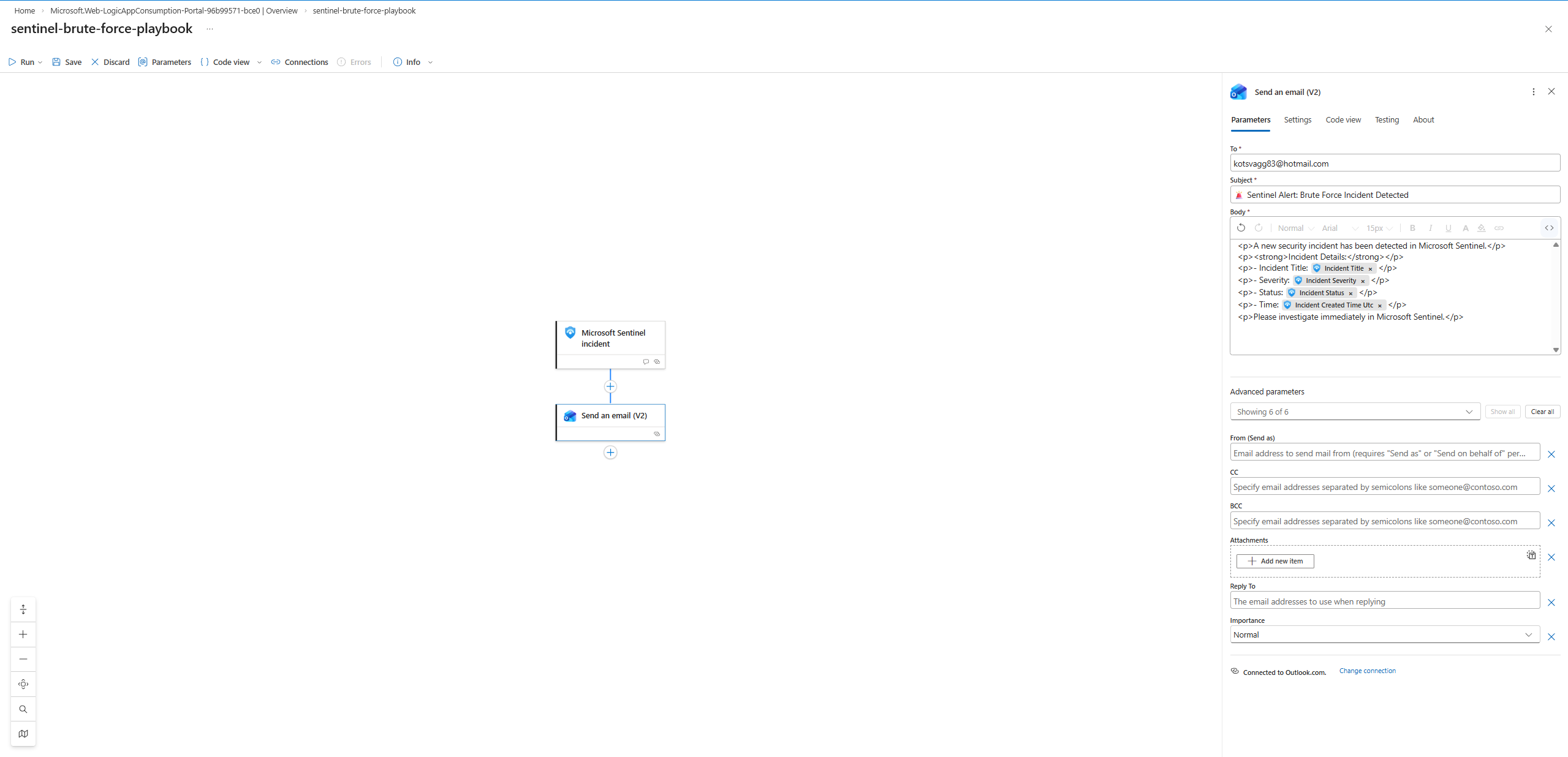
最终配置切换为 **Outlook Send an email (V2)** — `kotsvagg83@hotmail.com`,动态字段,已连接到 Outlook.com。
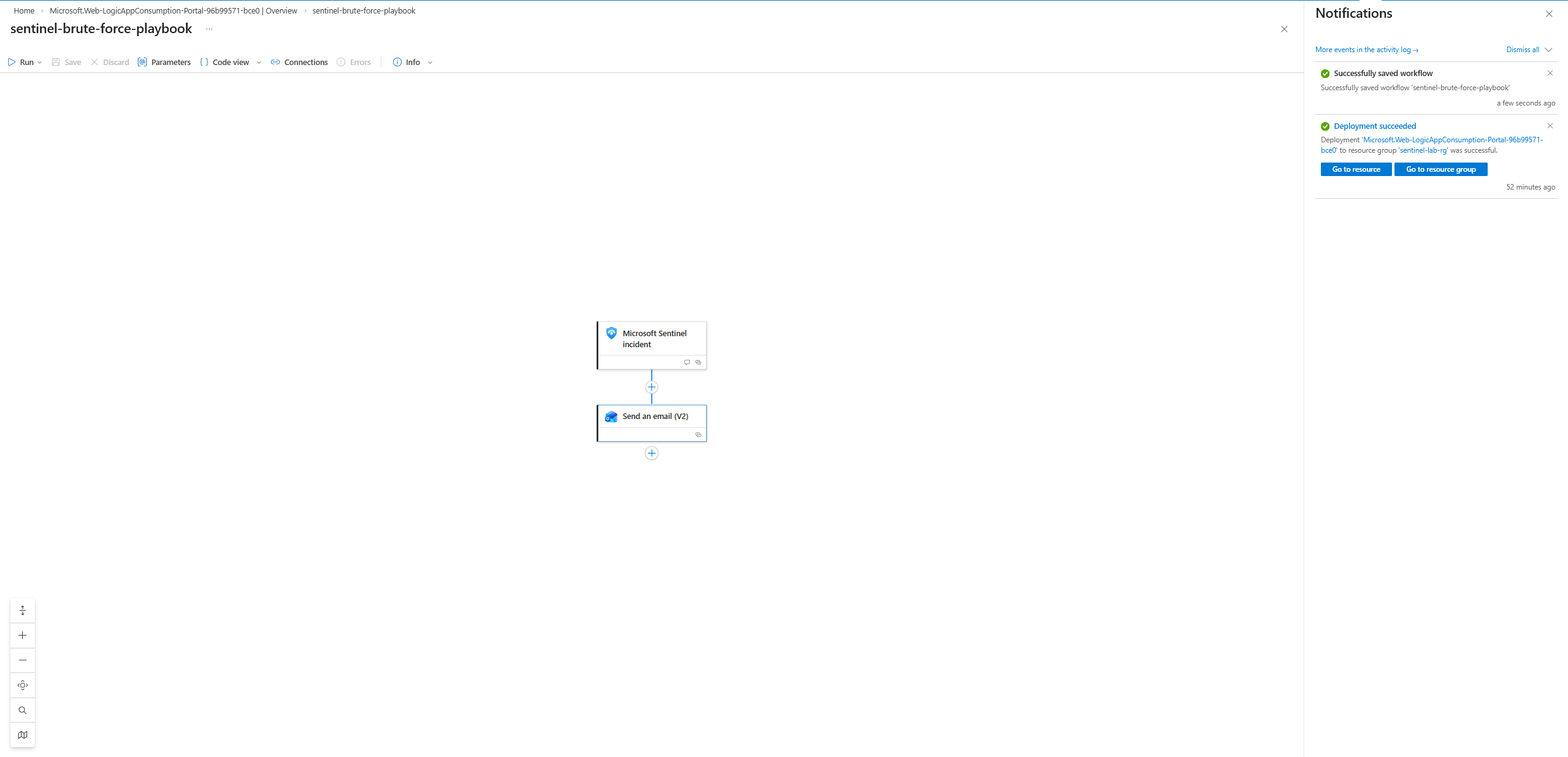
**步骤 14:剧本已保存**
Logic App 保存成功。通知:“Successfully saved workflow 'sentinel-brute-force-playbook'”。最终流程:`[Microsoft Sentinel incident] → [Send an email (V2)]`。
**步骤 15:Sentinel 权限与自动化规则**
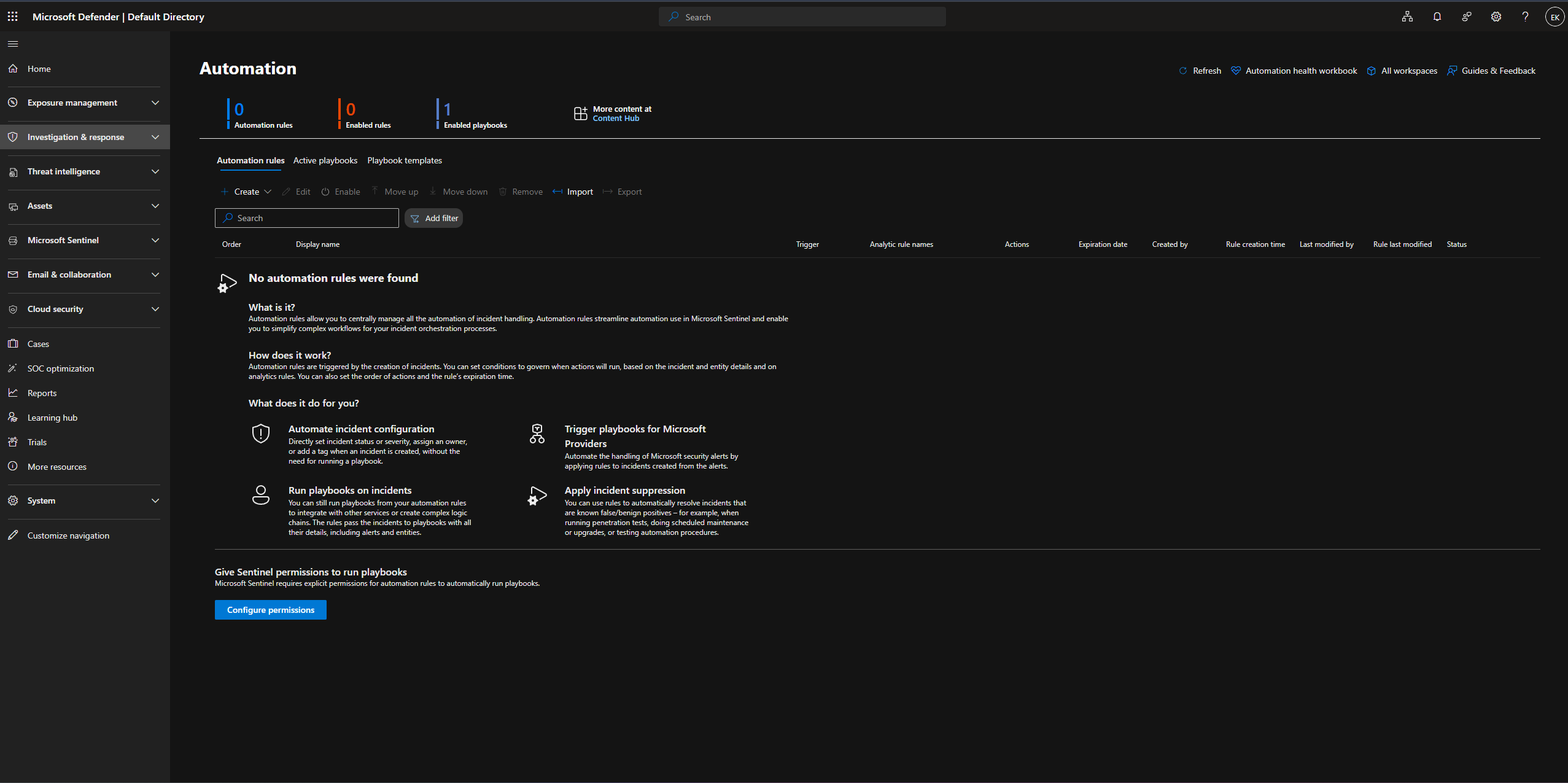
自动化页面 — 0 条规则,1 个已启用的剧本。
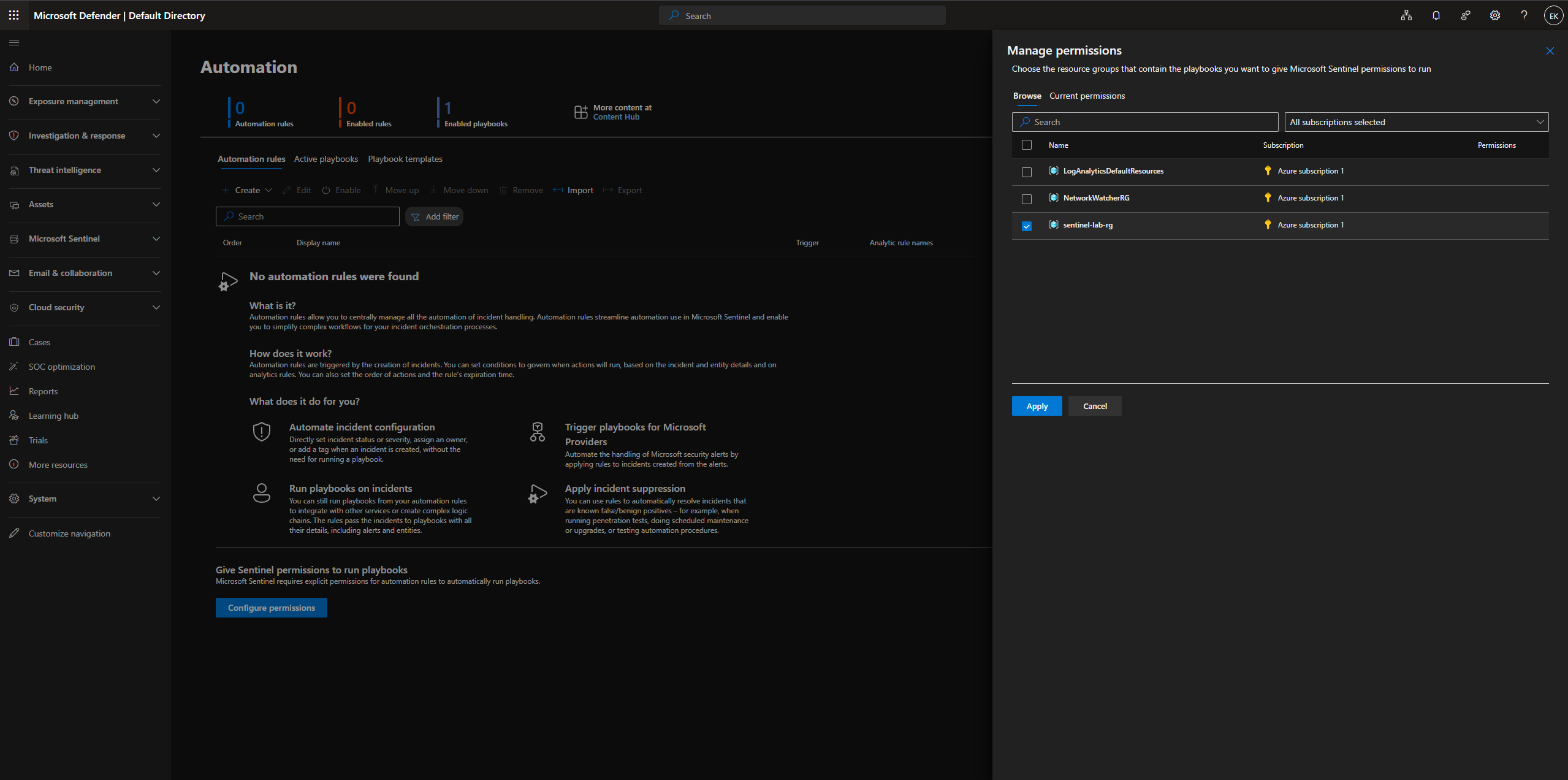
通过选择 `sentinel-lab-rg` 授予了 Sentinel 运行剧本的权限。
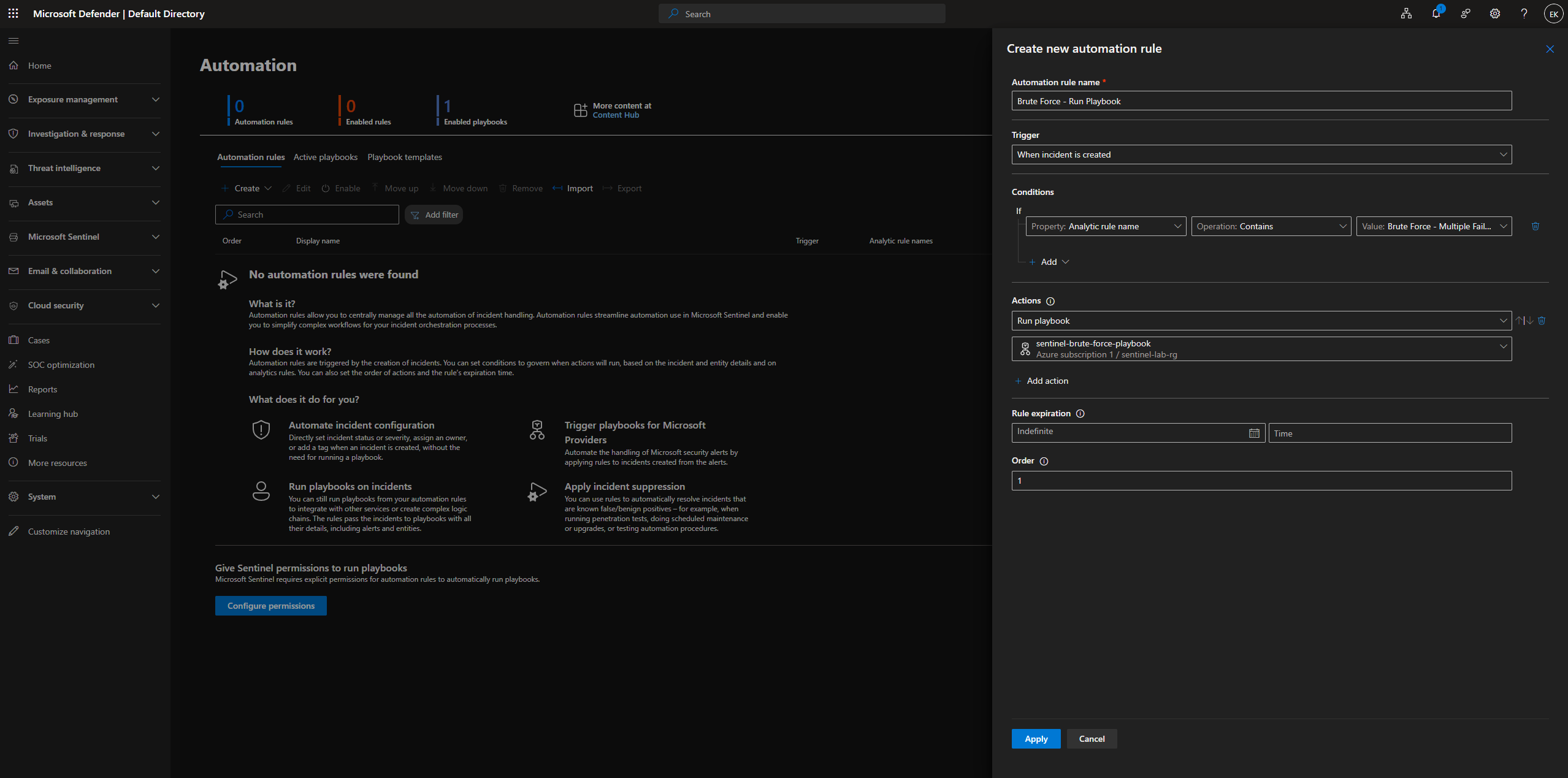
创建了自动化规则 **“Brute Force - Run Playbook”**:
- 触发器:当事件被创建时
- 条件:分析规则名称包含“Brute Force - Multiple Failed Logons”
- 操作:运行剧本 → `sentinel-brute-force-playbook`
- 过期时间:无限期,顺序:1
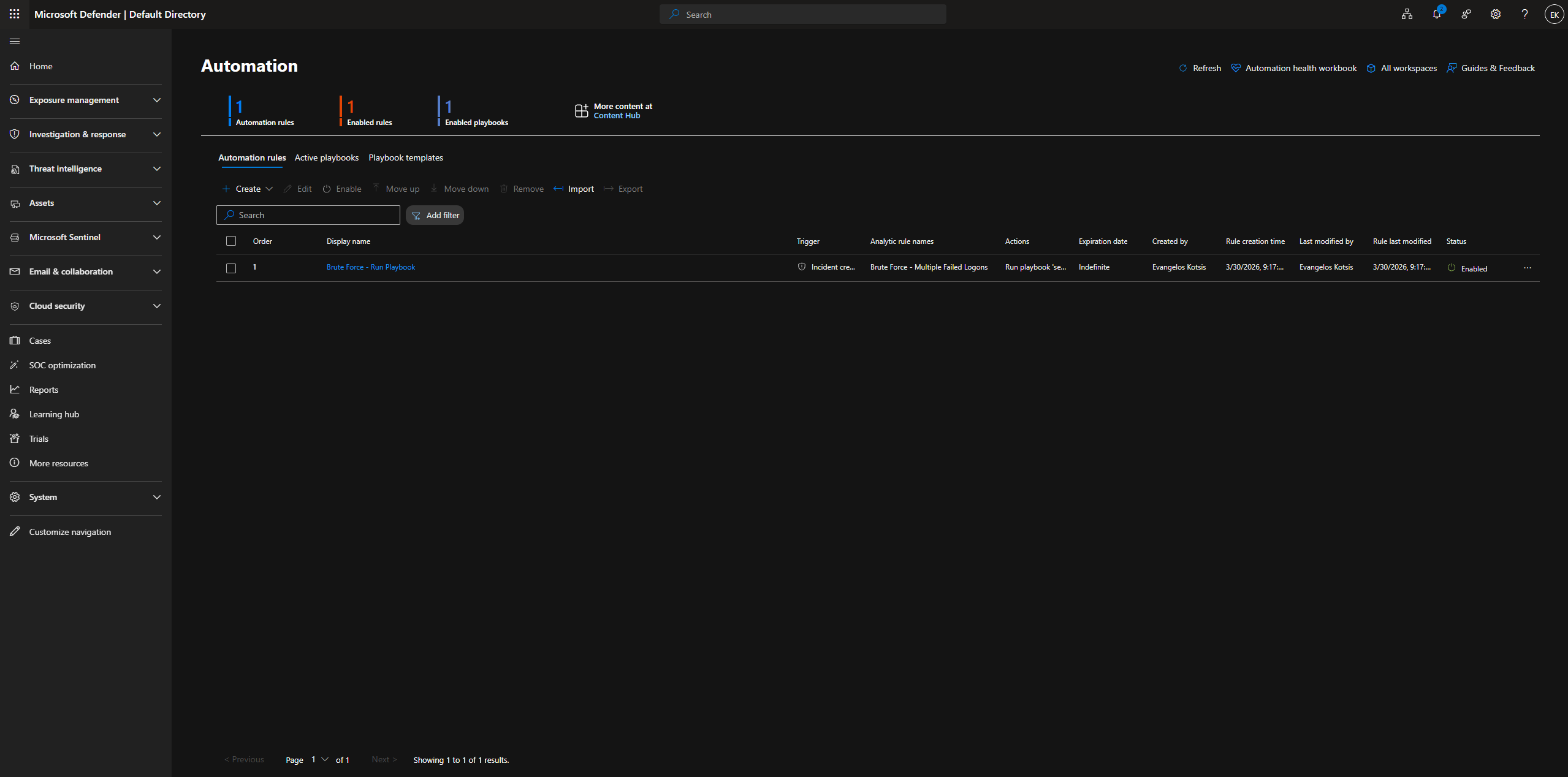
自动化规则处于活动状态 — 确认了 1 条规则,1 条已启用的规则,1 个已启用的剧本。
**步骤 16:端到端验证**
进行第二次暴力破解模拟以测试完整的自动化链:
```
for /L %i in (1,1,20) do runas /user:fakeuser cmd
```
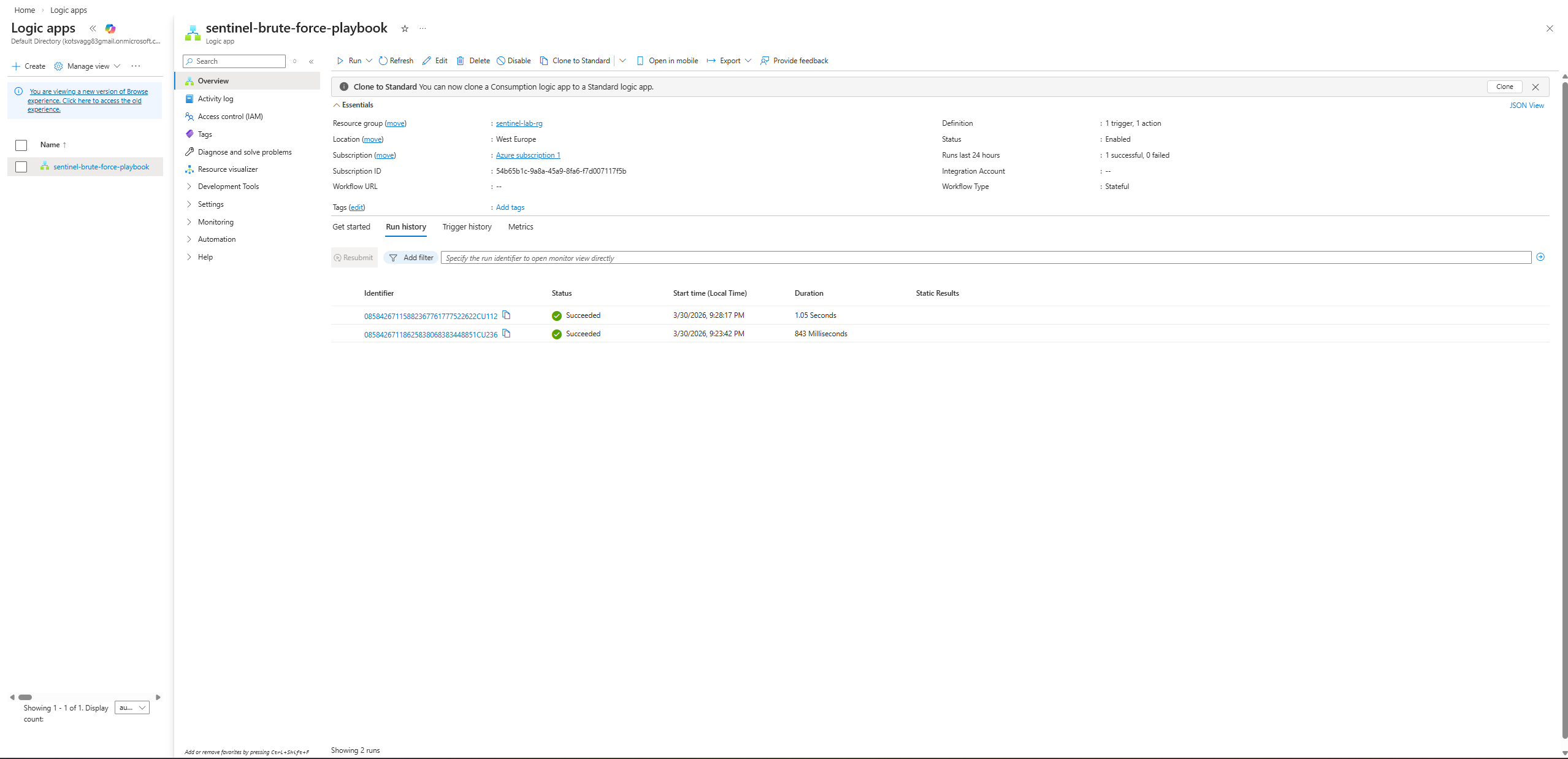
Logic App 运行历史记录 — **2 次成功运行**(晚上 9:28 和晚上 9:23,均为 Succeeded)。
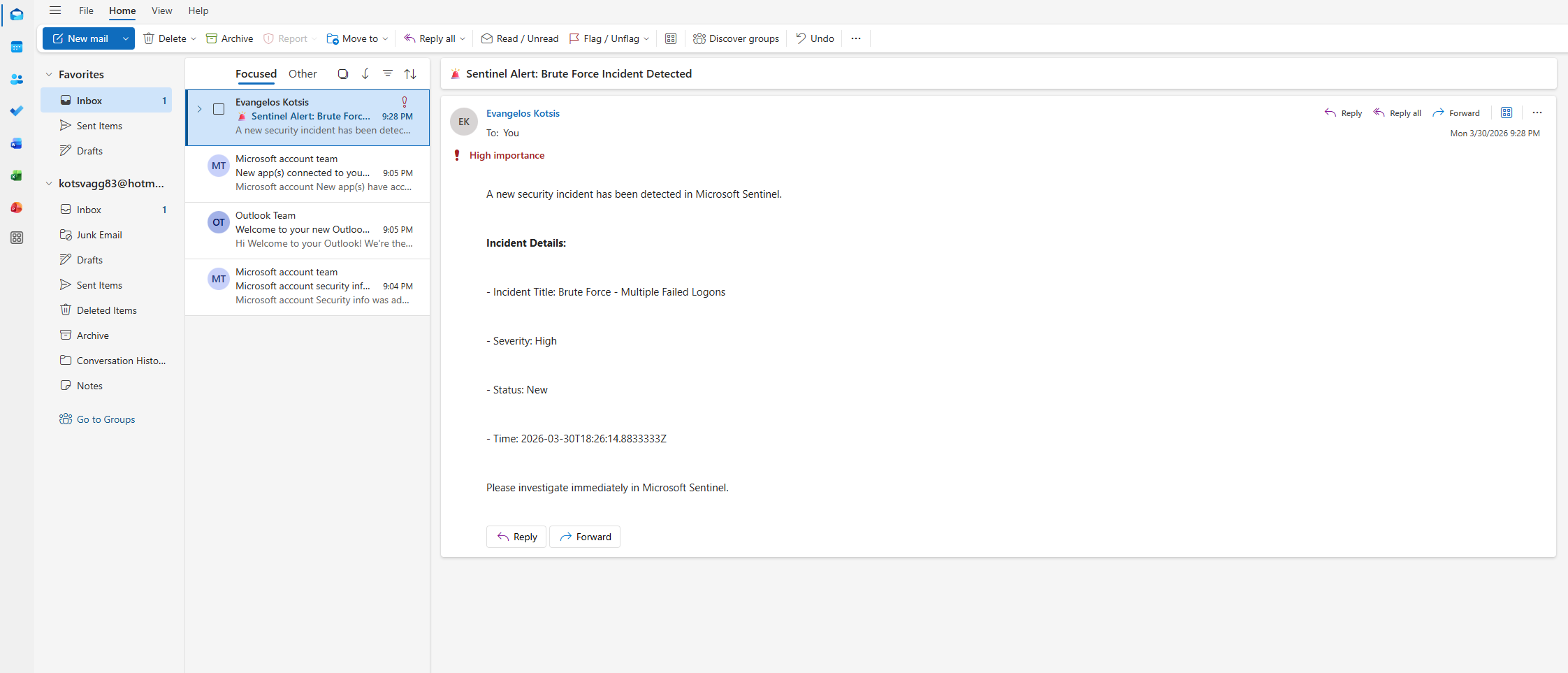
在 Outlook 收件箱中收到了自动电子邮件 — 高重要性,所有动态字段均已填充:
- **主题:** 🚨 Sentinel Alert: Brute Force Incident Detected
- **事件标题:** Brute Force - Multiple Failed Logons
- **严重性:** High
- **状态:** New
**时间:** 2026-03-30T18:26:14.8833333Z
- **消息:** “Please investigate immediately in Microsoft Sentinel.”
**完整的 SOAR 链已验证:** 攻击 → Sentinel 检测 → 创建事件 → 触发自动化规则 → 执行 Logic App → 送达电子邮件 ✅
### 阶段 6 — 额外的 KQL 检测规则
**步骤 17:三个额外的 Analytics Rules**
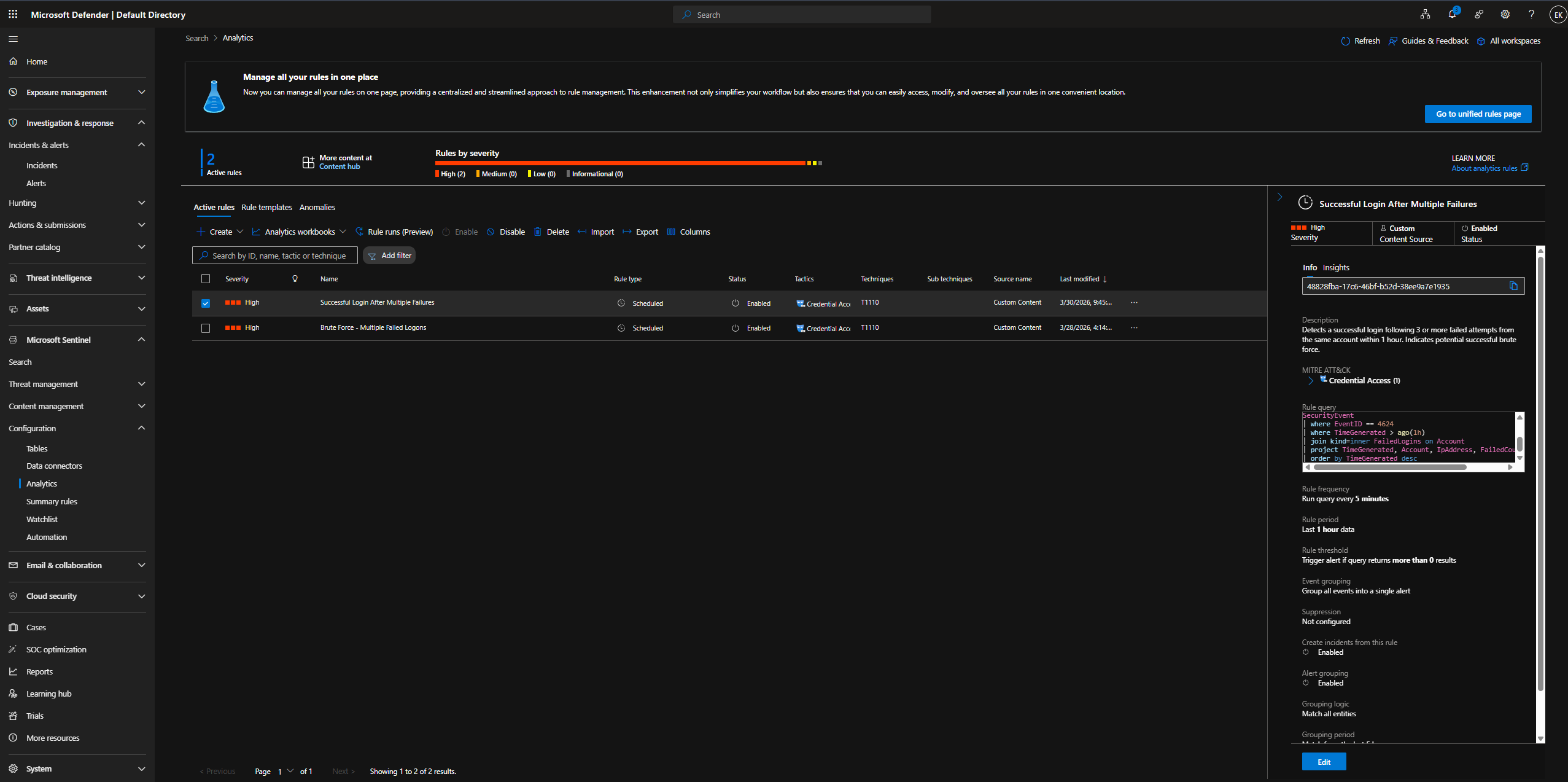
**规则 1 — 多次失败后的成功登录**
检测来自在 1 小时内先前产生 3 次以上失败登录 (EventID 4625) 的账户的成功登录 (EventID 4624)。这是已完成暴力破解攻击的高保真度指标。
```
let FailedLogins = SecurityEvent
| where EventID == 4625
| where TimeGenerated > ago(1h)
| summarize FailedCount = count() by Account, IpAddress = IpAddress
| where FailedCount >= 3;
SecurityEvent
| where EventID == 4624
| where TimeGenerated > ago(1h)
| join kind=inner FailedLogins on Account
| project TimeGenerated, Account, IpAddress, FailedCount, Computer
| order by TimeGenerated desc
```
- **严重性:** High | **MITRE:** Credential Access / T1110
- **频率:** 每 5 分钟 | **查找范围:** 过去 1 小时
Analytics 仪表板显示 2 个活动规则 — 规则 1 已选中,可见完整的详情面板。
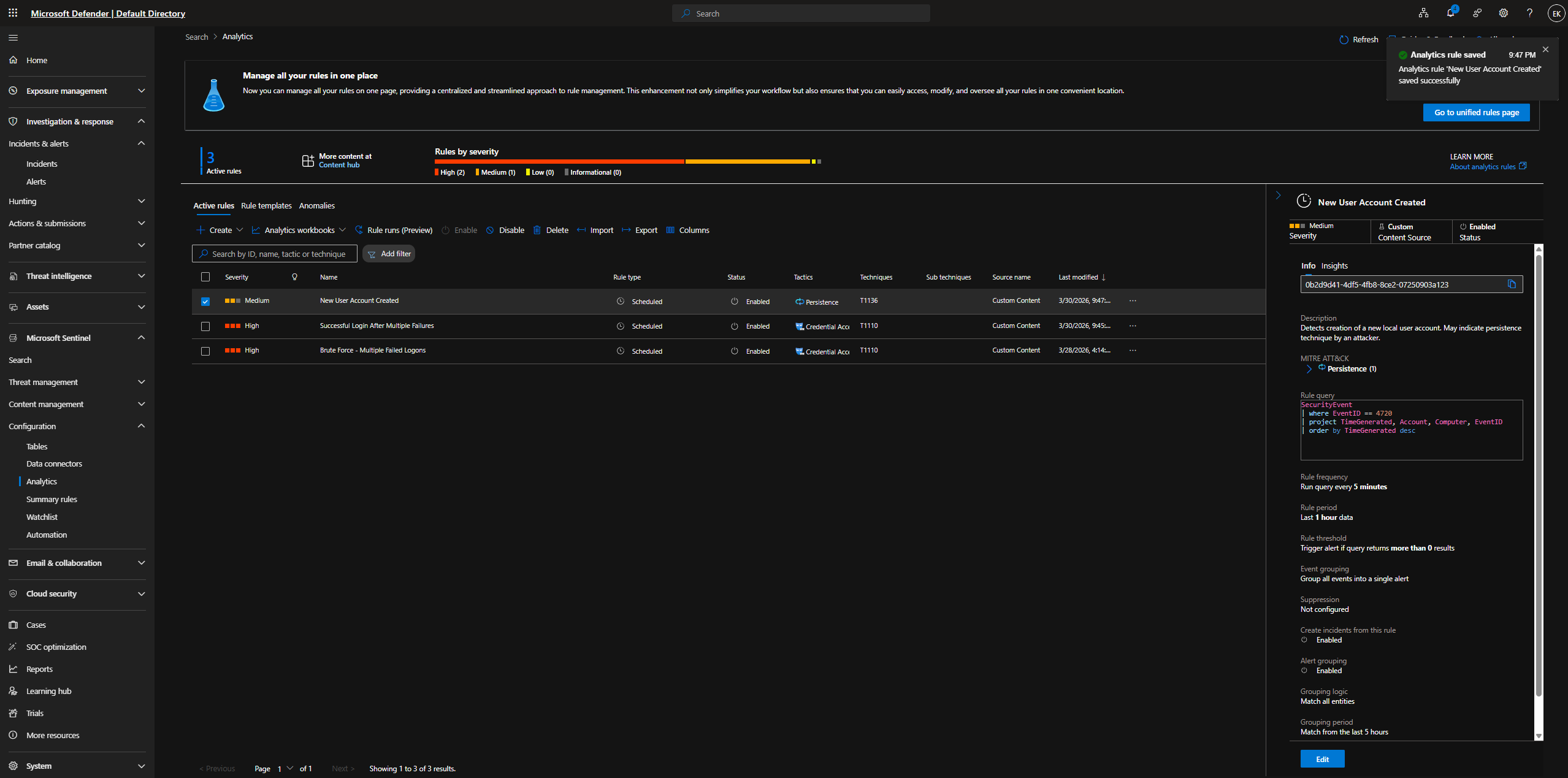
**规则 2 — 创建新用户账户**
检测创建新的本地用户账户 (EventID 4720)。这是初始攻陷后常见的持久化技术。
```
SecurityEvent
| where EventID == 4720
| project TimeGenerated, Account, Computer, EventID
| order by TimeGenerated desc
```
- **严重性:** Medium | **MITRE:** Persistence / T1136 - Create Account
- **频率:** 每 5 分钟 | **查找范围:** 过去 1 小时
Analytics 仪表板显示 3 个活动规则 — 规则 2 已保存,并显示提示通知“Analytics rule 'New User Account Created' saved successfully.”。
**规则 3 — 用户被添加到管理员组**
检测用户何时被添加到本地 Administrators 组 (EventID 4732)。这是权限提升的指标。
```
SecurityEvent
| where EventID == 4732
| project TimeGenerated, Account, Computer, EventID
| order by TimeGenerated desc
```
- **严重性:** High | **MITRE:** Privilege Escalation / T1078 - Valid Accounts
- **频率:** 每 5 分钟 | **查找范围:** 过去 1 小时
**步骤 18:攻击模拟 — 所有规则**
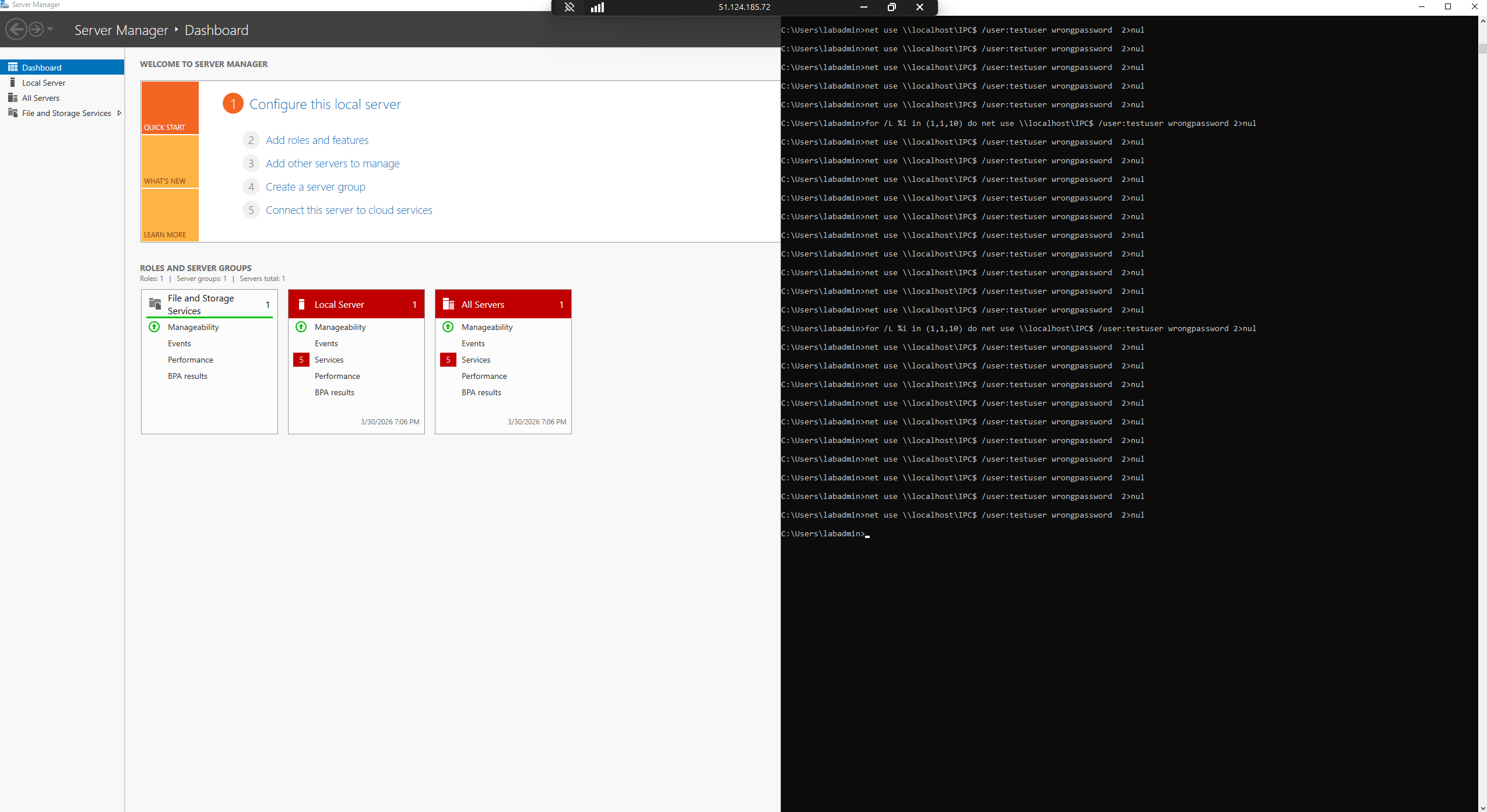
**阶段 1 — 暴力破解**(针对 localhost 使用 `net use`,触发暴力破解规则):
```
for /L %i in (1,1,10) do net use \\localhost\IPC$ /user:testuser wrongpassword 2>nul
```
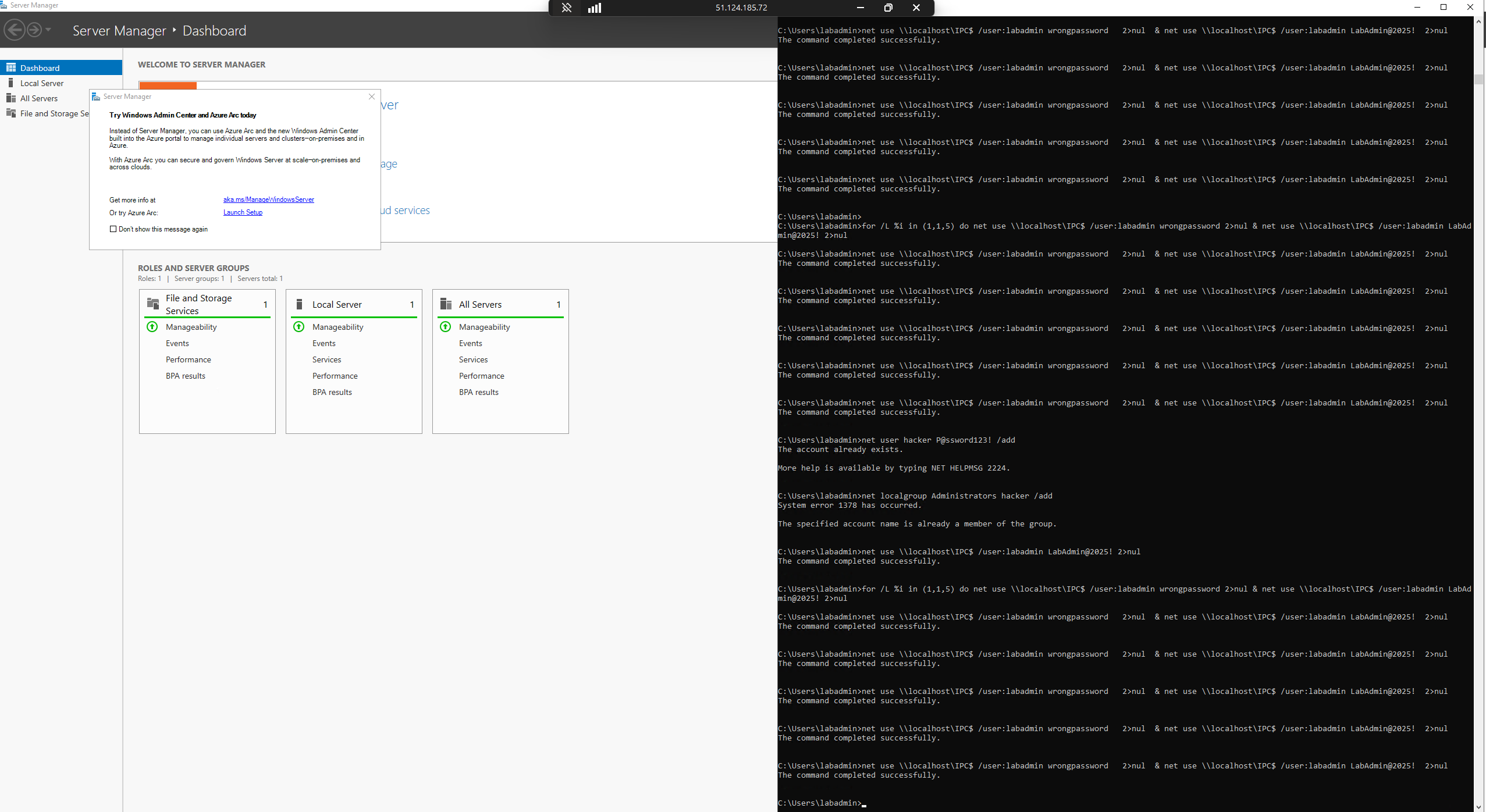
**阶段 2 & 3 — 新用户 + 权限提升:**
```
net user hacker P@ssword123! /add
net localgroup Administrators hacker /add
```
可见完整的攻击链 — 暴力破解循环(`labadmin` + `LabAdmin@2025!`),随后是 `net user hacker /add` 和 `net localgroup Administrators hacker /add`。
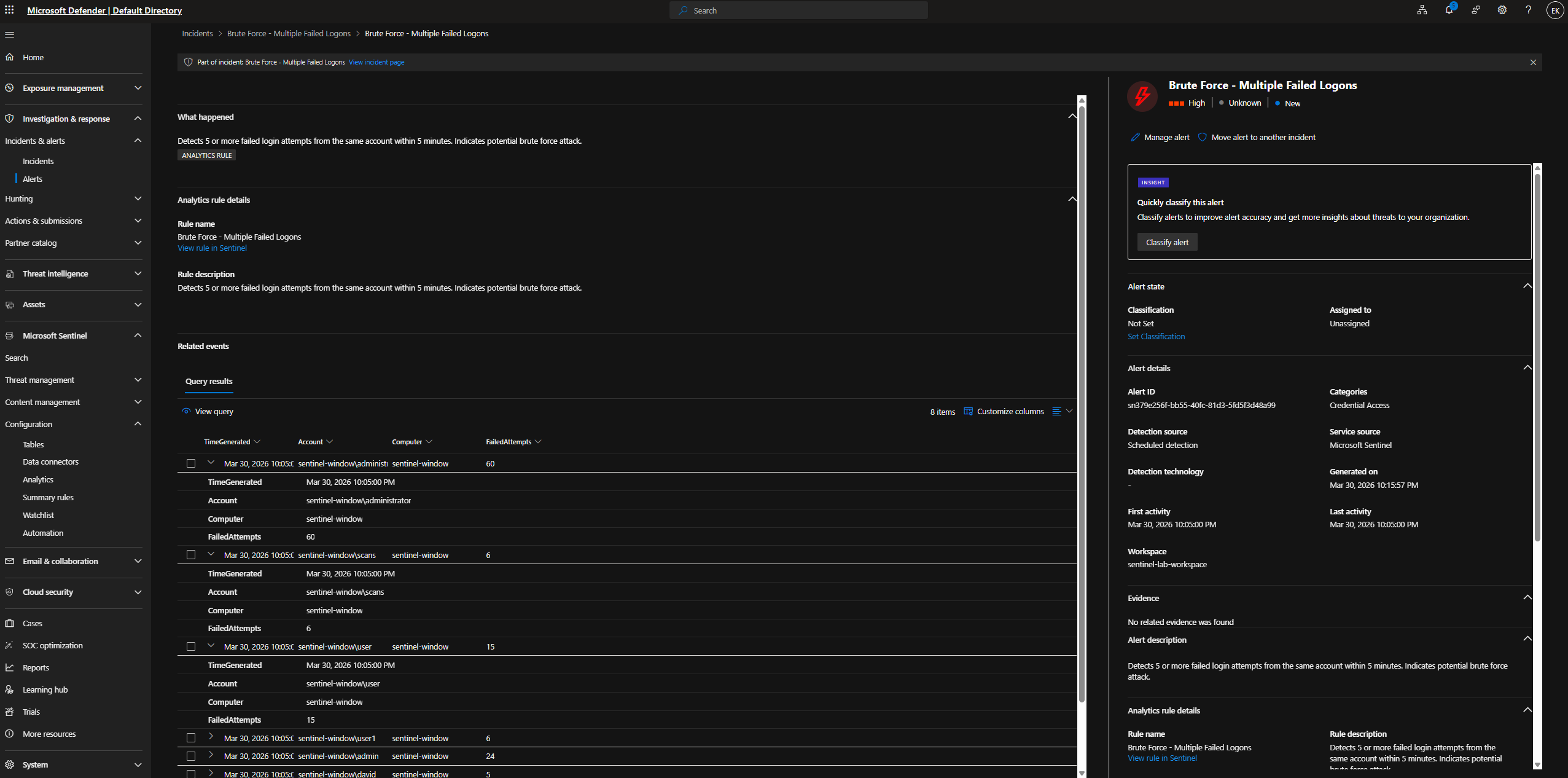
**步骤 19:事件调查**
暴力破解警报详情 — 查询结果显示 8 个项目:`administrator`(60 次失败尝试),`user`(15 次),`scans`(6 次),确认检测到了大规模的身份验证尝试。
生成了所有三种类型的事件 — **User Added to Admin Group**(高,权限提升)、**New User Account Created**(中,持久化)、**Brute Force - Multiple Failed Logons**(高,凭证访问)。
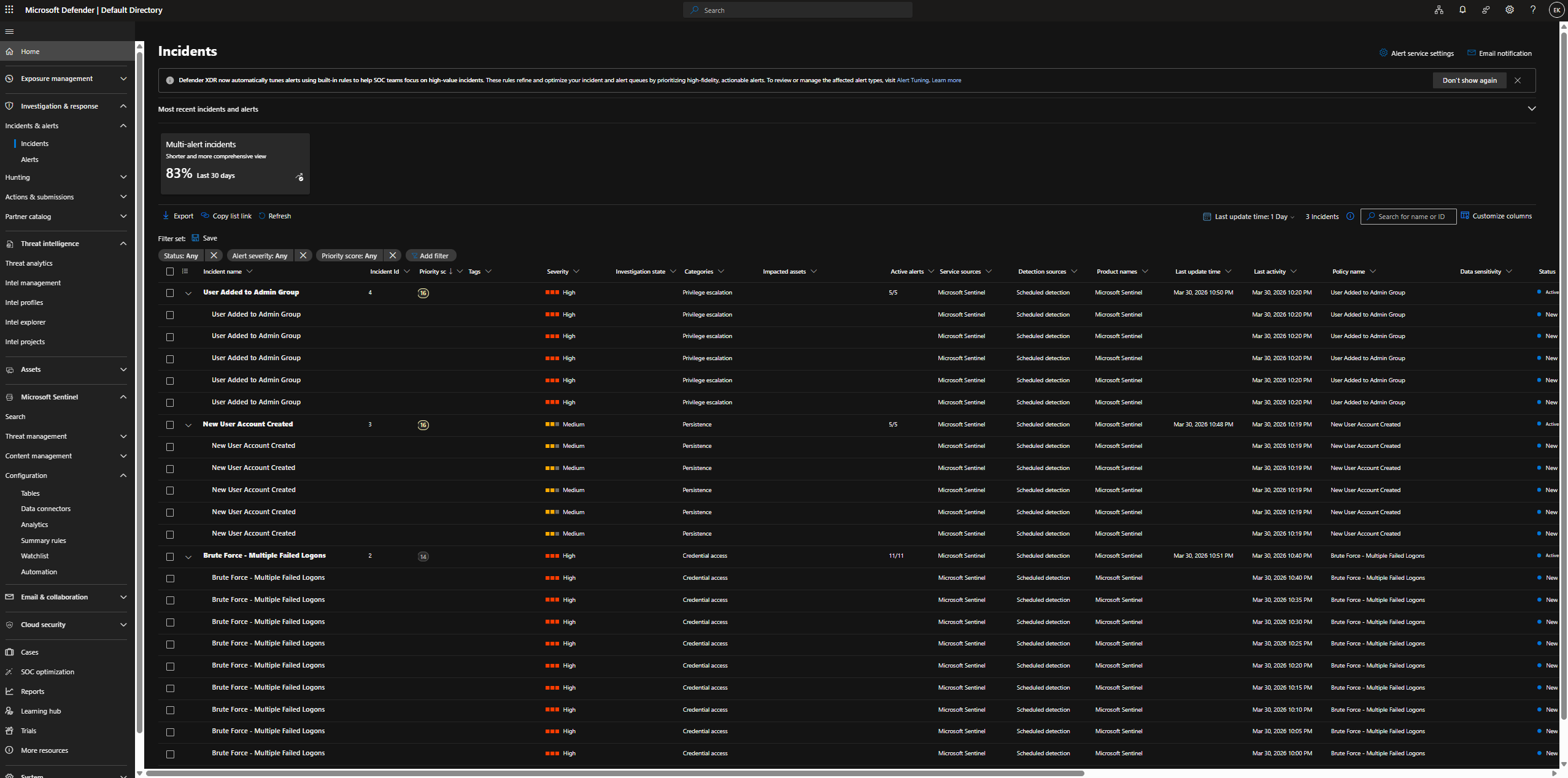
还确认了:暴力破解事件列表显示 1 周内有多次检测(事件 ID 1 和 2)。
.png)
### 阶段 7 — SOC 仪表板
**步骤 20:自定义 Workbook — SOC 仪表板**
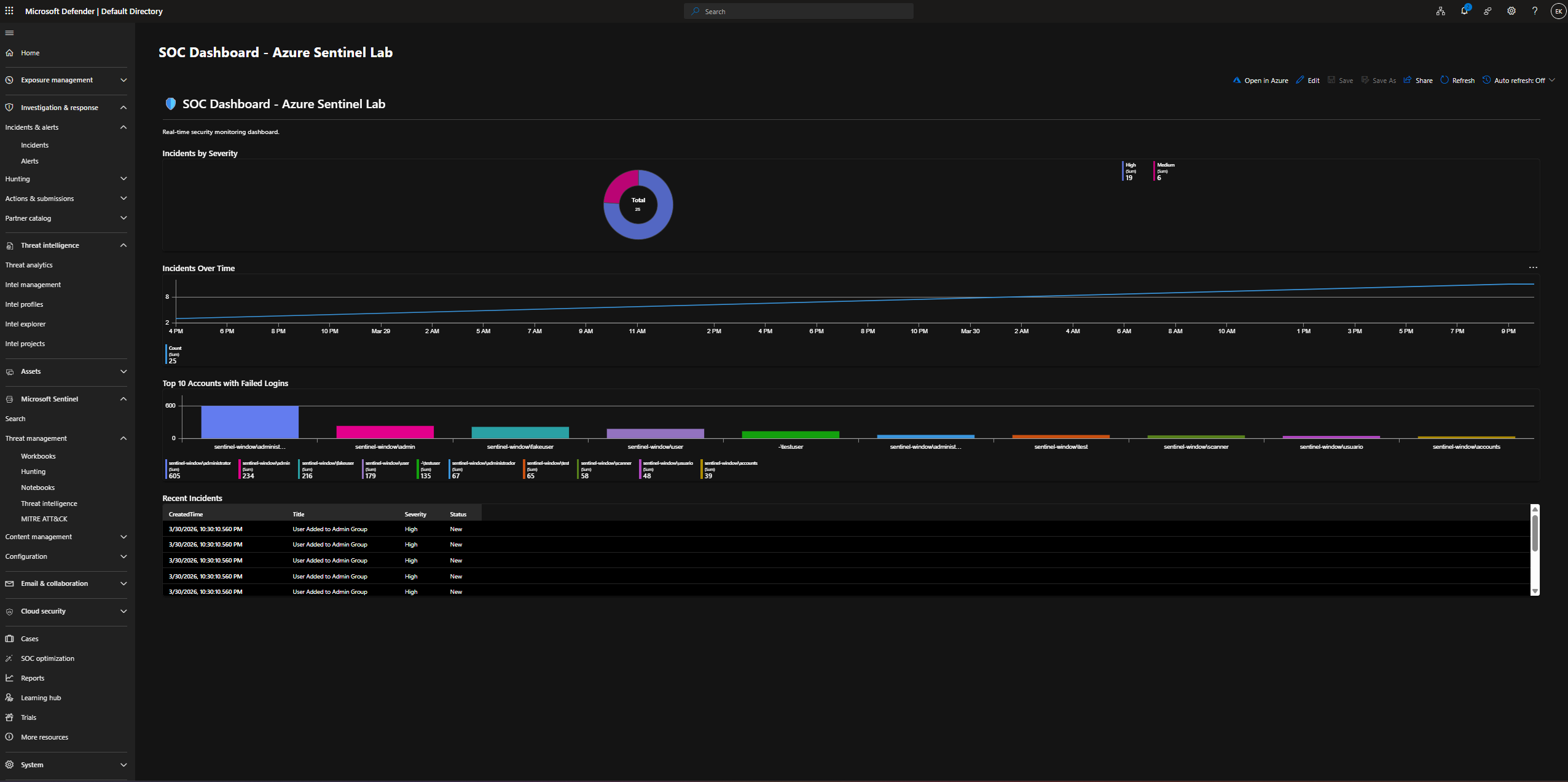
通过 Sentinel Workbooks JSON 编辑器构建了带有 4 个实时可视化面板的 **“SOC Dashboard - Azure Sentinel Lab”**:
| 面板 | 类型 | 显示内容 |
|---|---|---|
| 按严重性划分的事件 | 甜甜圈图 | 高 (19) vs 中 (6) — 总计 25 |
| 事件随时间变化趋势 | 时间图 | 3月29日至30日的攻击高峰时间线 |
| 失败登录次数前 10 名的账户 | 条形图 | `sentinel-window\administrator` — 605 次尝试 |
| 最近的事件 | 表格 | 最新事件:“User Added to Admin Group”,高,New |
## ✅ 进度清单
**阶段 1 — 基础设施设置**
- [x] Azure 订阅与资源组 (`sentinel-lab-rg`)
- [x] Log Analytics Workspace (`sentinel-lab-workspace`)
- [x] 启用 Microsoft Sentinel
**阶段 2 — 数据收集**
- [x] Windows 安全事件连接器
- [x] Windows Server 2022 VM (`sentinel-windows-vm`)
- [x] 通过 Data Collection Rule 配置 Azure Monitor Agent
- [x] 确认引入所有安全事件
**阶段 3 — 威胁检测**
- [x] 针对 EventID 4625(登录失败)的 KQL 查询
- [x] Analytics Rule — 暴力破解(5 分钟内 5 次以上尝试)
- [x] MITRE ATT&CK 映射 (T1110)
**阶段 4 — 事件响应**
- [x] 暴力破解模拟(20 次以上失败登录)
- [x] 实时生成事件并进行调查
**阶段 5 — 自动化 (SOAR)**
- [x] 部署 Azure Logic App (`sentinel-brute-force-playbook`)
- [x] Microsoft Sentinel 事件触发器
- [x] 包含动态事件字段的 Outlook 电子邮件操作
- [x] 授予 Sentinel 权限 (`sentinel-lab-rg`)
- [x] 自动化规则:“Brute Force - Run Playbook”
- [x] 端到端验证:攻击 → 事件 → 电子邮件 ✅
**阶段 6 — 额外的检测规则**
- [x] 多次失败后的成功登录 (T1110)
- [x] 创建新用户账户 (T1136)
- [x] 用户被添加到管理员组 (T1078)
- [x] 所有规则均已通过实时 VM 模拟进行测试
**阶段 7 — SOC 仪表板**
- [x] 按严重性划分的事件(甜甜圈图)
- [x] 事件随时间变化趋势(时间图)
- [x] 失败登录次数前 10 名的账户(条形图)
- [x] 最近的事件(表格)
- [x] 已保存为“SOC Dashboard - Azure Sentinel Lab”
## 🔑 关键 KQL 查询
### 失败登录检测
```
SecurityEvent
| where EventID == 4625
| project TimeGenerated, Account, Computer, EventID, Activity
| order by TimeGenerated desc
```
### 暴力破解检测(5 分钟内 5 次以上尝试)
```
SecurityEvent
| where EventID == 4625
| summarize FailedAttempts = count() by Account, Computer, bin(TimeGenerated, 5m)
| where FailedAttempts >= 5
```
### 多次失败后的成功登录
```
let FailedLogins = SecurityEvent
| where EventID == 4625
| where TimeGenerated > ago(1h)
| summarize FailedCount = count() by Account, IpAddress = IpAddress
| where FailedCount >= 3;
SecurityEvent
| where EventID == 4624
| where TimeGenerated > ago(1h)
| join kind=inner FailedLogins on Account
| project TimeGenerated, Account, IpAddress, FailedCount, Computer
| order by TimeGenerated desc
```
### 创建新用户账户
```
SecurityEvent
| where EventID == 4720
| project TimeGenerated, Account, Computer, EventID
| order by TimeGenerated desc
```
### 用户被添加到管理员组
```
SecurityEvent
| where EventID == 4732
| project TimeGenerated, Account, Computer, EventID
| order by TimeGenerated desc
```
## 🗺️ MITRE ATT&CK 覆盖范围
| 战术 | 技术 | 检测规则 |
|---|---|---|
| Credential Access | T1110 - Brute Force | Brute Force - Multiple Failed Logons |
| Credential Access | T1110 - Brute Force | Successful Login After Multiple Failures |
| Persistence | T1136 - Create Account | New User Account Created |
| Privilege Escalation | T1078 - Valid Accounts | User Added to Admin Group |
## 📌 我学到了什么
- 如何在 Azure 中从头开始部署和配置 Microsoft Sentinel
- Azure Monitor Agent (AMA) 如何收集并转发 Windows 安全事件
- 如何编写用于实时安全事件分析的 KQL 查询
- Analytics Rules 如何自动化威胁检测和事件创建
- 如何使用 Azure Logic Apps 构建 SOAR 剧本以实现自动化响应
- 如何将 Sentinel 与 Outlook 集成,以发送包含动态事件数据的电子邮件警报
- 如何模拟真实的攻击场景(暴力破解、持久化、权限提升)并验证检测
- 如何使用 Sentinel Workbooks 构建实时 SOC 仪表板
- 完整的 SOC 工作流程:引入日志 → KQL 检测 → 事件 → SOAR → 电子邮件警报
*我的网络安全作品集的一部分 — [evank95.github.io/My-CV-Page](https://evank95.github.io/My-CV-Page/)*
标签:AMA, Azure Log Analytics, Azure Logic Apps, Azure Monitor Agent, Azure Sentinel, KQL, Kusto查询语言, Microsoft Sentinel, Playbook, SOAR, SOC分析师, Windows Server安全, 企业级安全监控, 免杀技术, 协议分析, 安全仪表盘, 安全剧本, 安全实验, 安全运营中心, 攻防演练模拟, 日志采集, 暴力破解检测, 权限提升, 检测规则, 红队行动, 网络安全实验, 网络映射, 网络资产发现, 自动化响应, 邮件告警