andrehora/testminer

GitHub: andrehora/testminer

一款用于探索和可视化 GitHub 仓库中软件测试实践的工具,帮助用户了解项目的测试组织方式、演进历史和测试依赖。

Stars: 2 | Forks: 0

[![测试](https://static.pigsec.cn/wp-content/uploads/repos/cas/09/097271ca091990be630ef6043309cc48240faa054413384202036fa2efedb2d2.svg)](https://github.com/andrehora/testminer/actions/workflows/tests.yml) # TestMiner TestMiner: https://andrehora.github.io/testminer/ 探索和可视化跨越 GitHub 仓库的*软件测试*。 了解项目如何组织测试、测试如何演进,以及使用了哪些测试库。

TestMiner

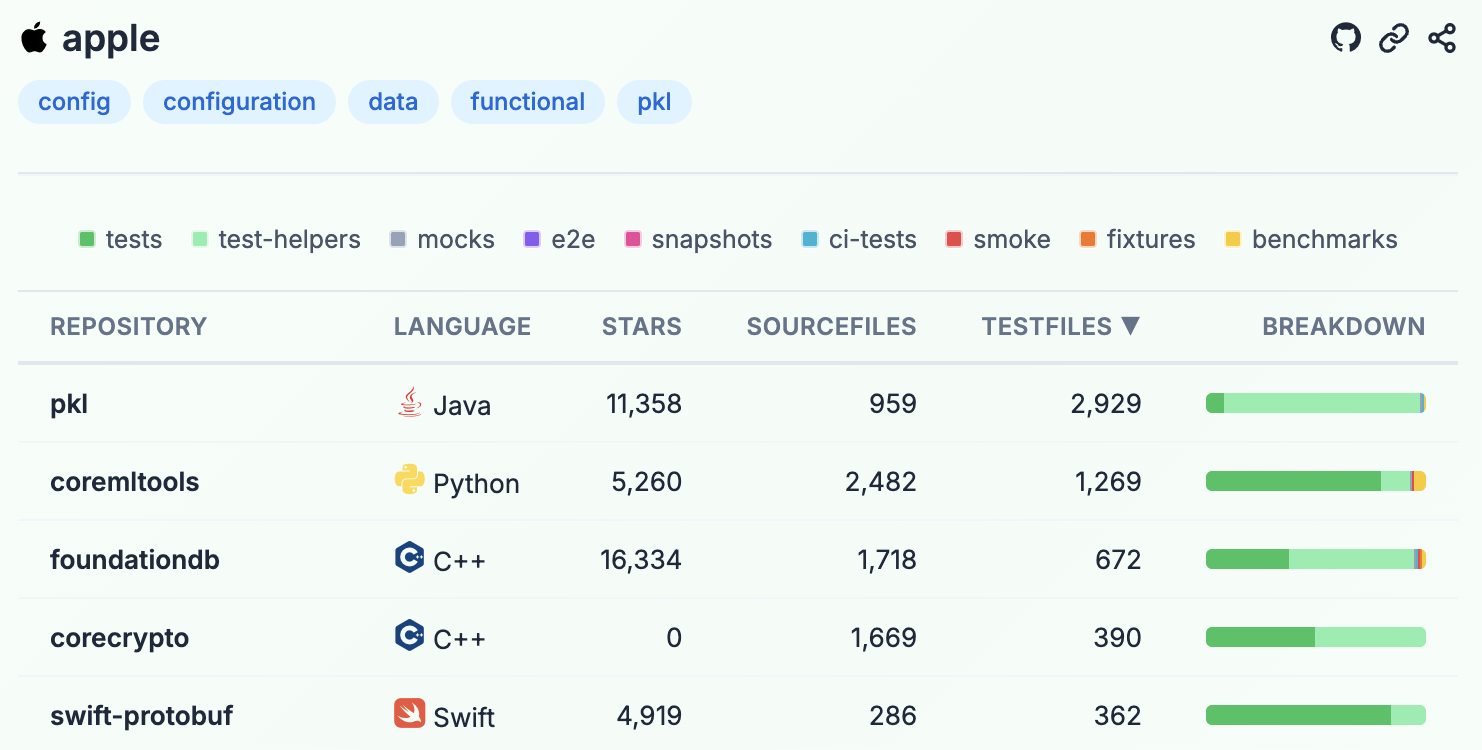
## 示例 - 组织:[Google](https://andrehora.github.io/testminer/#google), [Microsoft](https://andrehora.github.io/testminer/#microsoft), [Apple](https://andrehora.github.io/testminer/#apple), [Facebook](https://andrehora.github.io/testminer/#facebook), [Netflix](https://andrehora.github.io/testminer/#netflix), [GitHub](https://andrehora.github.io/testminer/#github), [Apache](https://andrehora.github.io/testminer/#apache), [HuggingFace](https://andrehora.github.io/testminer/#huggingface) - 主题:[ai](https://andrehora.github.io/testminer/#topic:ai), [llm](https://andrehora.github.io/testminer/#topic:llm), [api](https://andrehora.github.io/testminer/#topic:api), [nodejs](https://andrehora.github.io/testminer/#topic:nodejs), [android](https://andrehora.github.io/testminer/#topic:android), [python](https://andrehora.github.io/testminer/#topic:python), [typescript](https://andrehora.github.io/testminer/#topic:typescript), [rust](https://andrehora.github.io/testminer/#topic:rust) - 仓库:[fastapi/fastapi](https://andrehora.github.io/testminer/#fastapi/fastapi), [prisma/prisma](https://andrehora.github.io/testminer/#prisma/prisma), [github/linguist](https://andrehora.github.io/testminer/#github/linguist) ## 功能 ### 组织视图:浏览 GitHub 组织的仓库

Org view

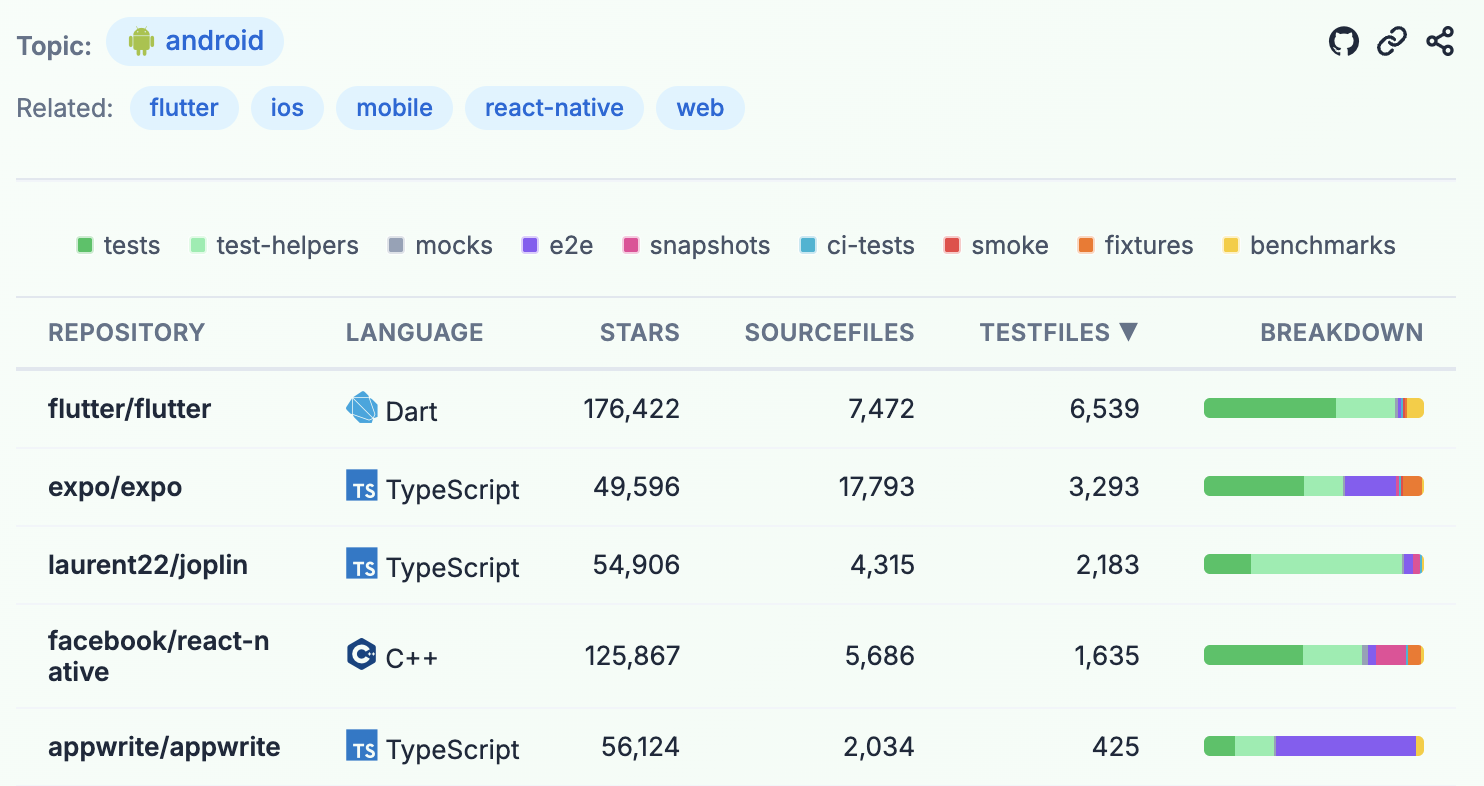
### 主题视图:浏览 GitHub 主题的仓库

Topic view

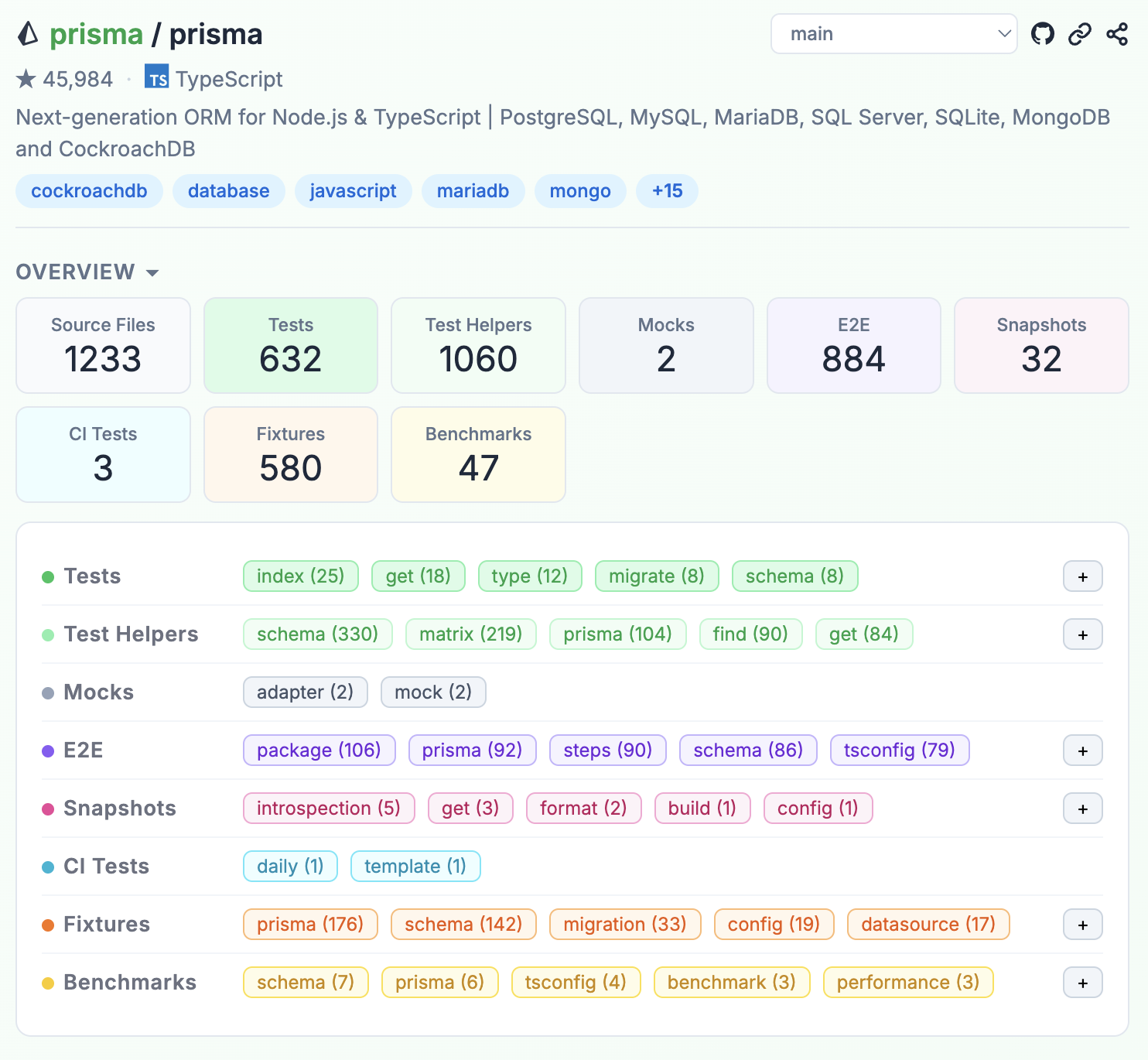
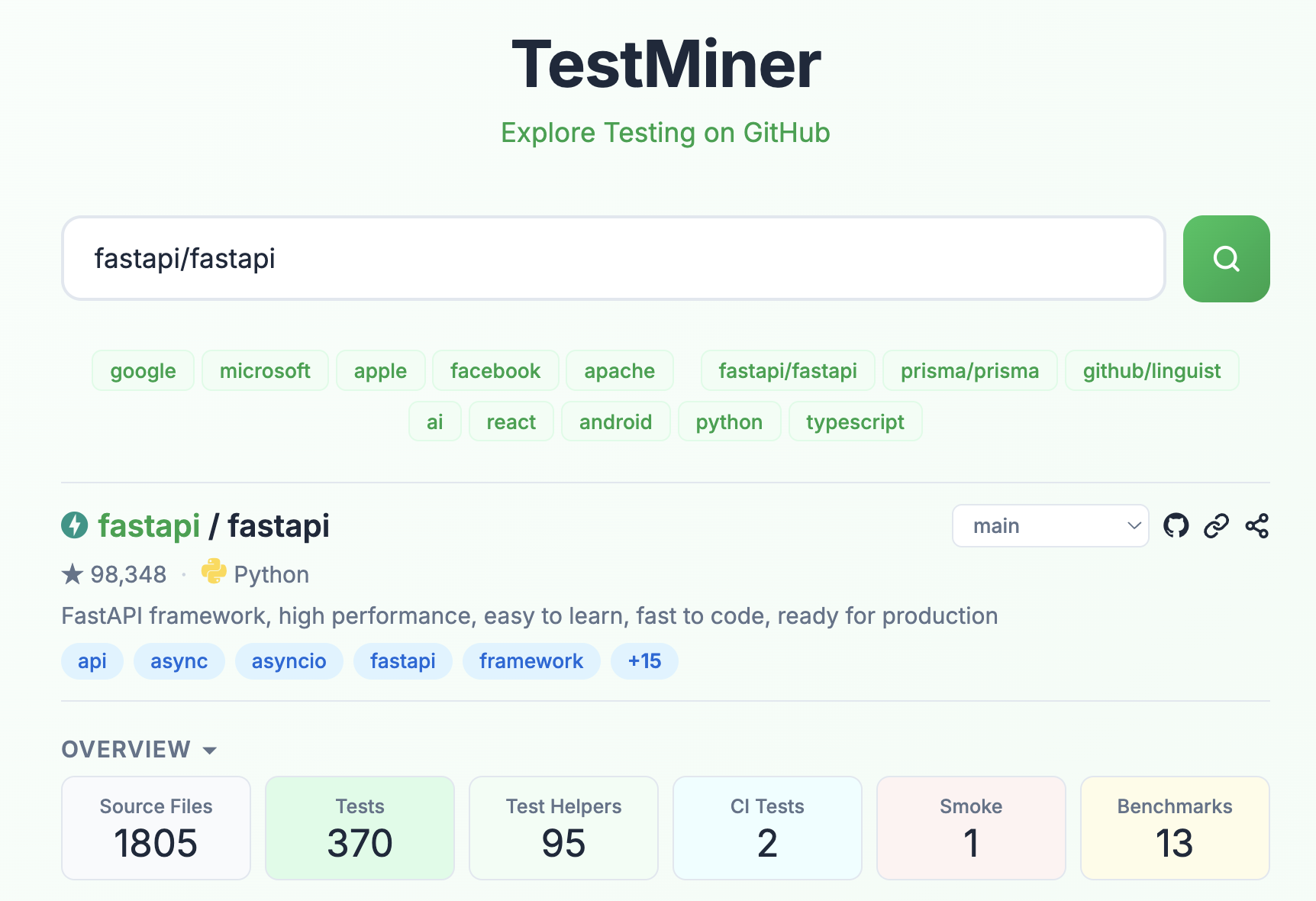
### 仓库视图:深入了解单个仓库 #### 概览:测试统计信息,包括测试文件、测试辅助工具和 CI 测试

Overview

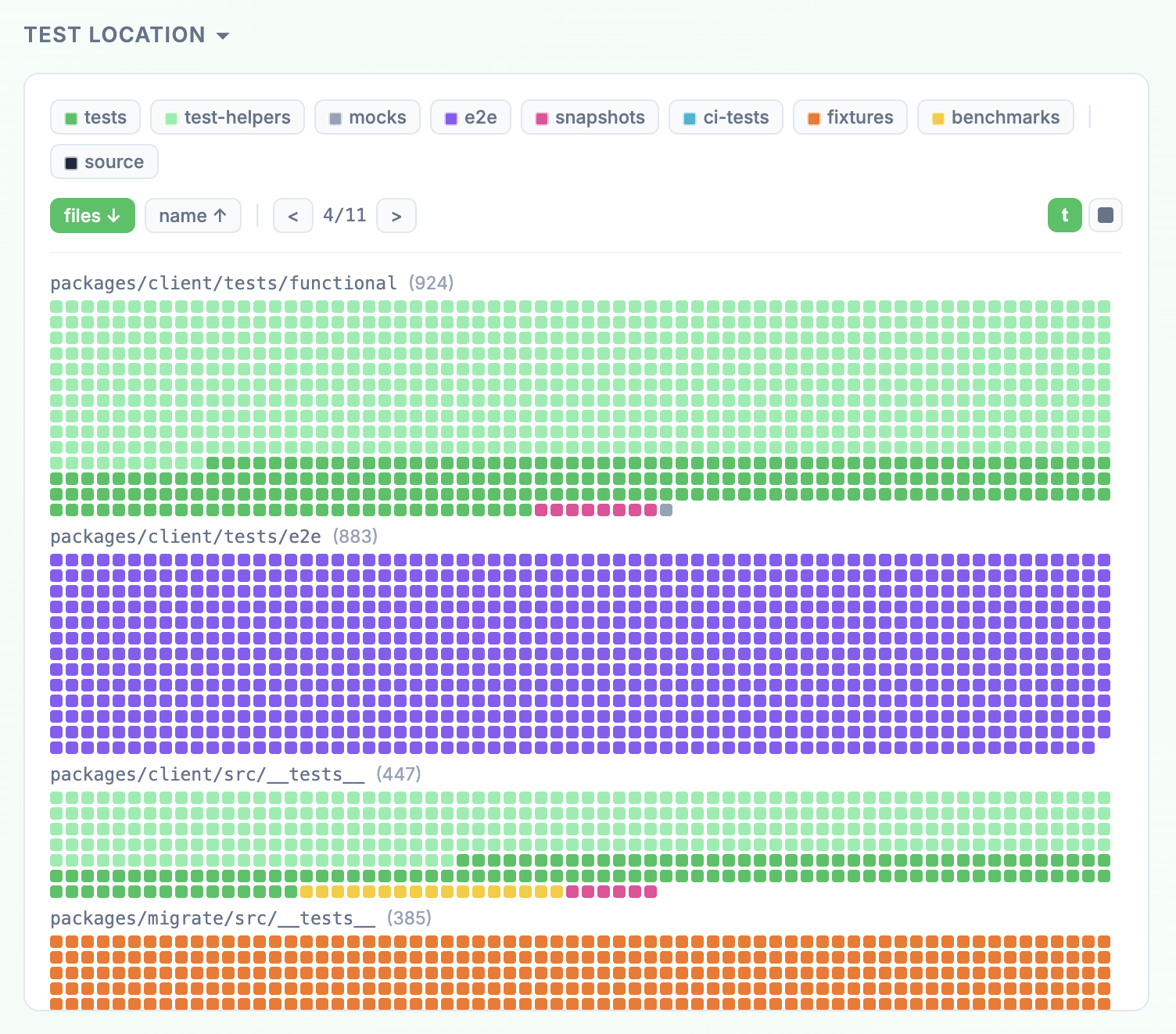
#### 测试位置:展示测试所在位置的文件树图

Test Location

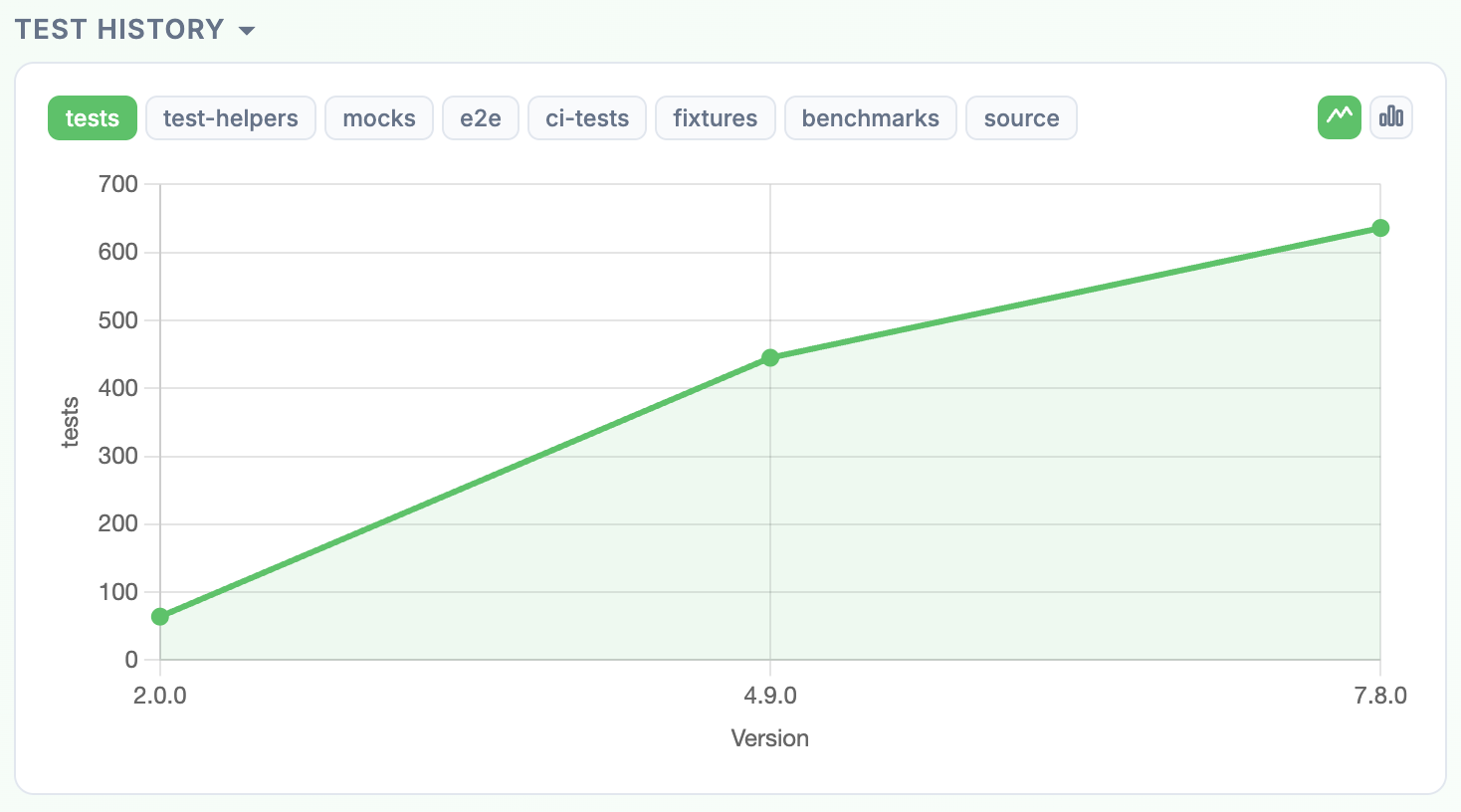
#### 测试历史:跨越发布版本的测试指标

Test History

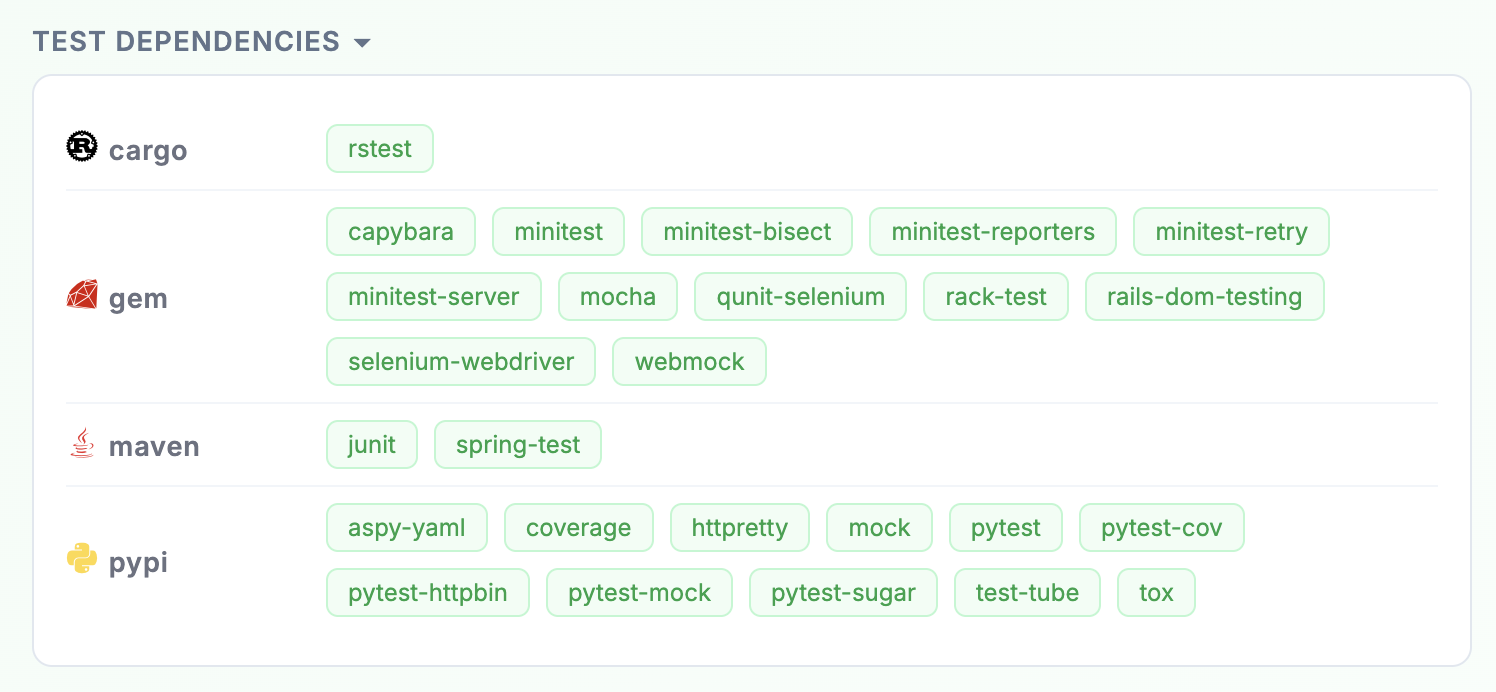
#### 测试依赖项:与测试相关的依赖项(来自 [GitHub SBOM](https://docs.github.com/en/rest/dependency-graph/sboms))

Test Dependencies

文件会自动分类为以下类别:`test`、`test-helper`、`e2e`、`mock`、`snapshot`、`fixture`、`benchmark`、`smoke`、`ci-test` 和 `source`。 ## 用法 只需打开 [testminer](https://andrehora.github.io/testminer) 并通过以下方式进行搜索: - 仓库(例如 `https://github.com/fastapi/fastapi`,或直接用 `fastapi/fastapi`) - 组织/用户(例如 `google`、`microsoft`) - 主题(例如 `ai`、`llm`、`api`) ### GitHub Token 如果没有 token,GitHub API 允许每小时 60 次请求。添加一个只读的个人访问 token 可以将此限制提高到每小时 5,000 次。该 token 仅存储在您浏览器的 `localStorage` 中。 ## 开发 ``` npm run dev # Start dev server (Vite) npm test # Run unit tests (Vitest) npm run e2e # Run end-to-end tests (Cypress) ``` ## 技术栈 - JavaScript, React, HTML5, CSS3 - Vite - [Chart.js](https://www.chartjs.org/) - GitHub API, jsDelivr API - Vitest + Cypress 用于测试
标签:pocsuite3, 代码挖掘, 代码示例, 数据分析, 数据可视化, 数据管道, 自定义脚本, 软件工程, 软件测试