ovexro/dockpanel
GitHub: ovexro/dockpanel
一款基于 Rust + React 的免费自托管服务器管理面板,将站点、数据库、Docker 应用、Git 部署、监控、备份等功能整合到单个 Docker 原生平台中。
Stars: 412 | Forks: 69
DockPanel
史上功能最全的免费服务器面板。
自托管。Docker 原生。使用 Rust 编写。面板服务运行占用 ~19MB 内存。776 个 API endpoint。152 个应用模板。454 个 E2E 测试。~41MB 二进制文件。零订阅。



官网 •
文档 •
更新日志 •
讨论区
## 安装
```
curl -sL https://dockpanel.dev/install.sh | sudo bash
```
打开 `http://YOUR_SERVER_IP:8443`,创建你的管理员账号,即可完成。
支持 Ubuntu 20+、Debian 11+、CentOS 9+、Rocky 9+、Fedora 39+、Amazon Linux 2023。支持 x86_64 和 ARM64 架构。
## 为什么选择 DockPanel?
没有任何其他免费面板能为你提供 Git 推送部署与蓝绿零停机更新、152 个一键 Docker 应用模板、针对每个镜像的 CVE 扫描与部署门禁、WAF、passkey 登录、GPU 直通、多服务器管理、经销商账户、开发者 CLI 以及基础设施即代码——同时面板服务自身的内存占用不到 20MB。DockPanel 可以做到。
| | DockPanel | HestiaCP | CloudPanel | RunCloud |
|---|---|---|---|---|
| **价格** | **免费** | 免费 | 免费 | $8/月起 |
| **技术栈** | **Rust + React** | PHP | PHP | PHP (SaaS) |
| **Docker 原生** | **152 个模板** | 否 | 否 | 否 |
| **Git 部署** | **蓝绿部署,零停机** | 否 | 否 | 基础 |
| **多服务器** | **无限** | 否 | 否 | 是 |
| **经销商 + 白标** | **是** | 仅经销商 | 否 | 否 |
| **CLI + IaC** | **完整 CLI + YAML 导出** | 有限 | 否 | 否 |
| **内存占用(面板)** | **~19MB** | ~200MB+ | ~150MB+ | SaaS |
| **ARM64 / Homelab** | **是** | 部分 | 否 | 否 |
| **自托管** | **是** | 是 | 是 | 否 |
## 截图
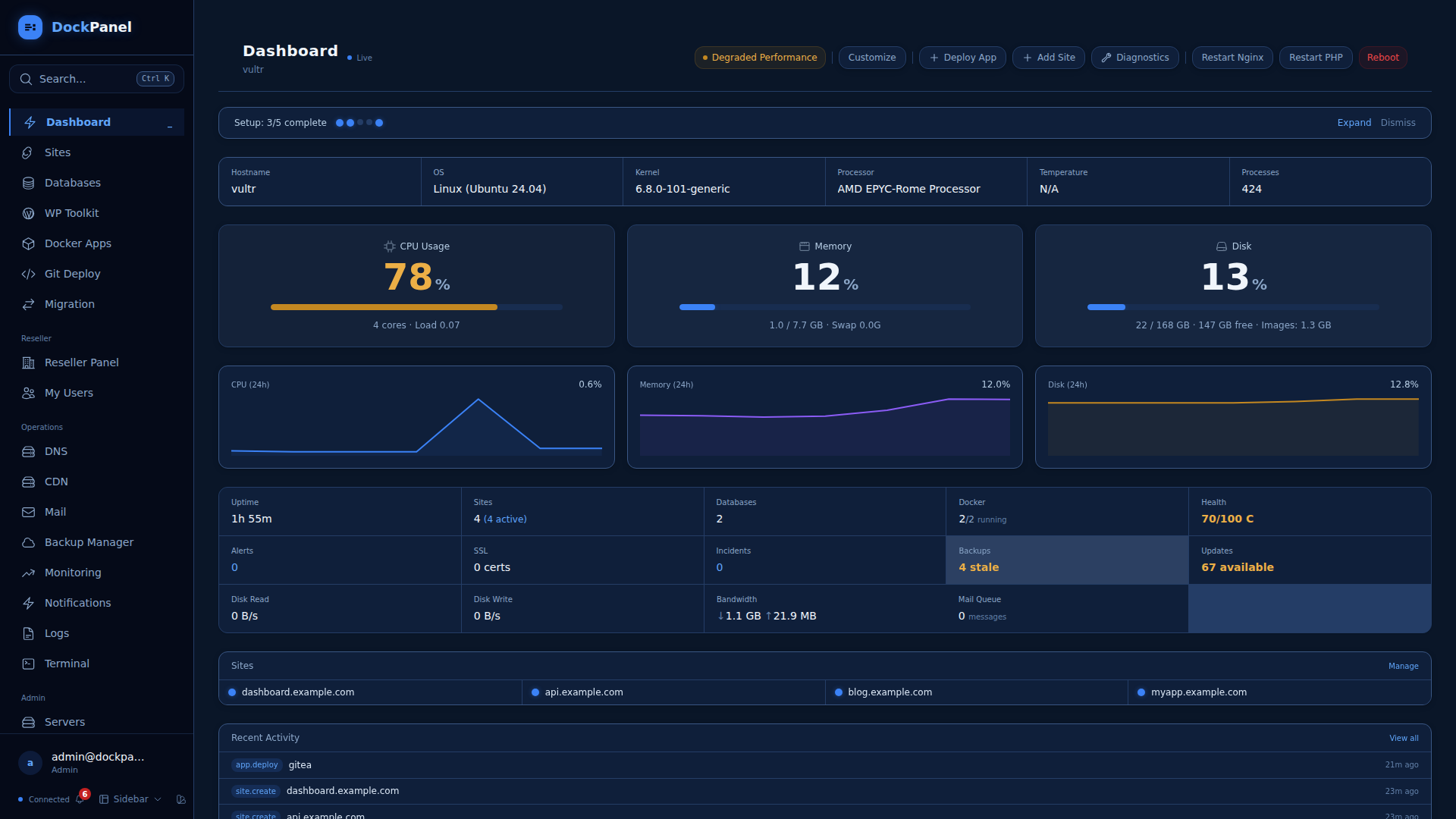
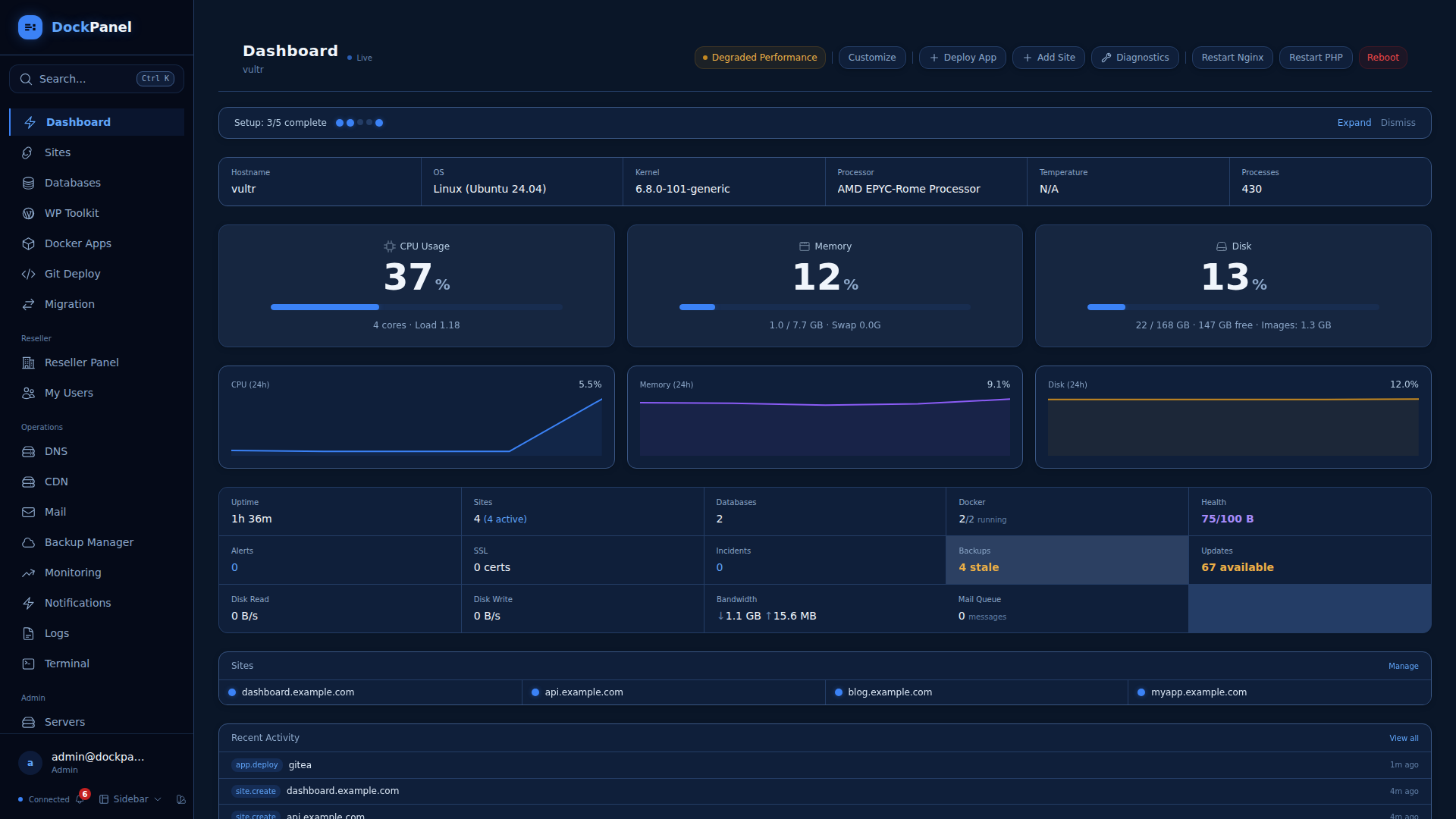
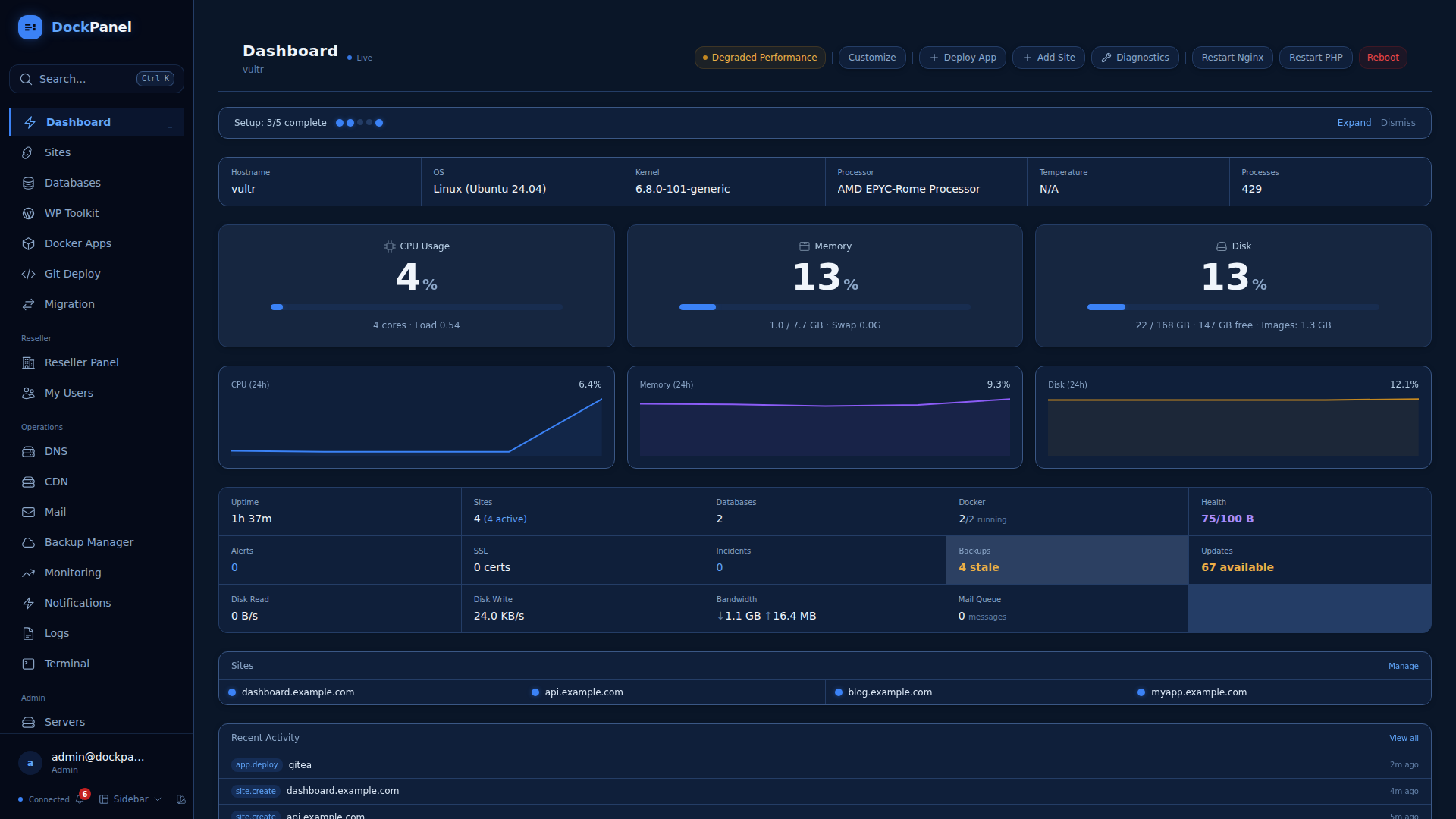
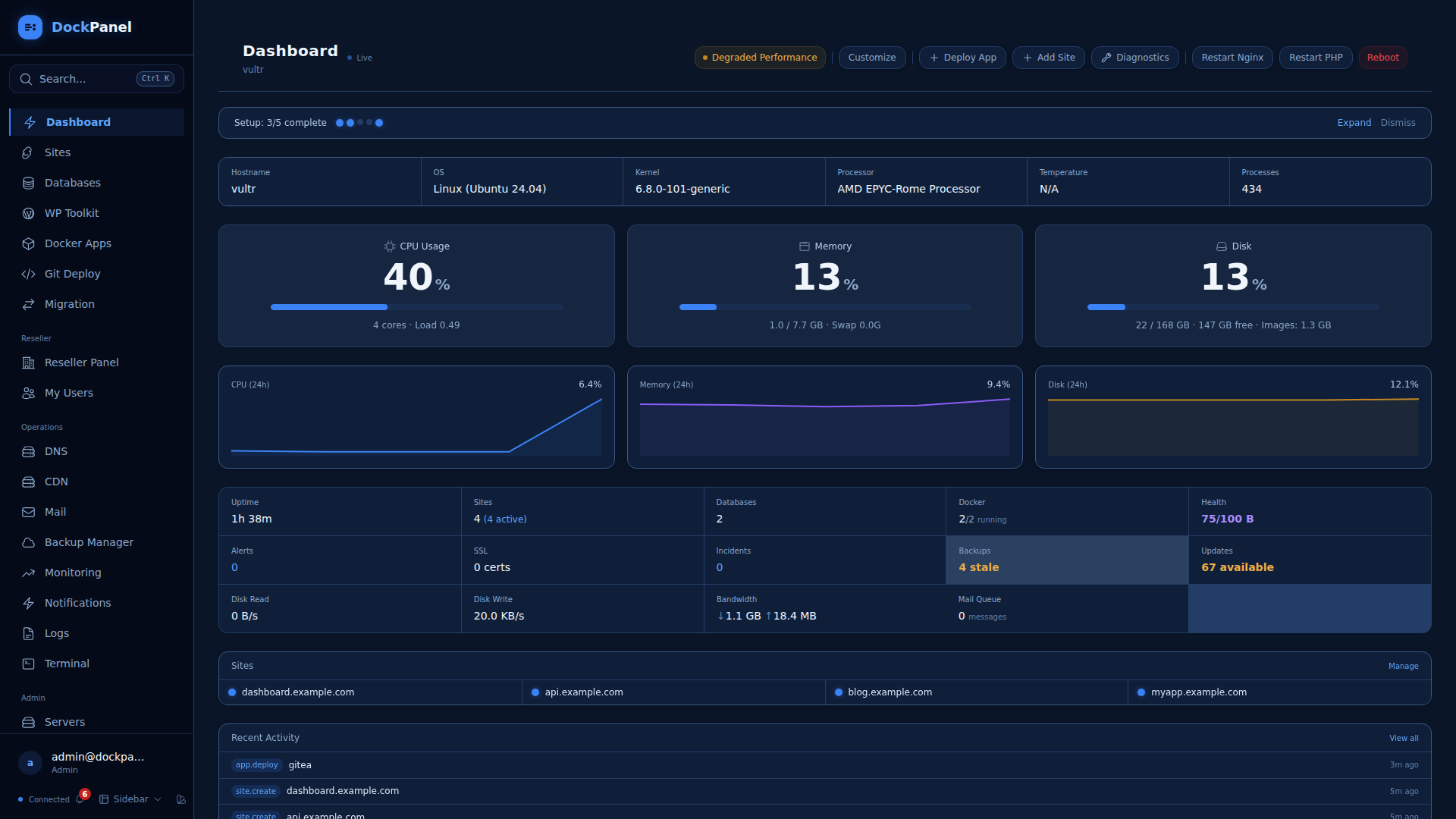
仪表板 — 实时服务器指标,24小时图表,站点概览,最近活动

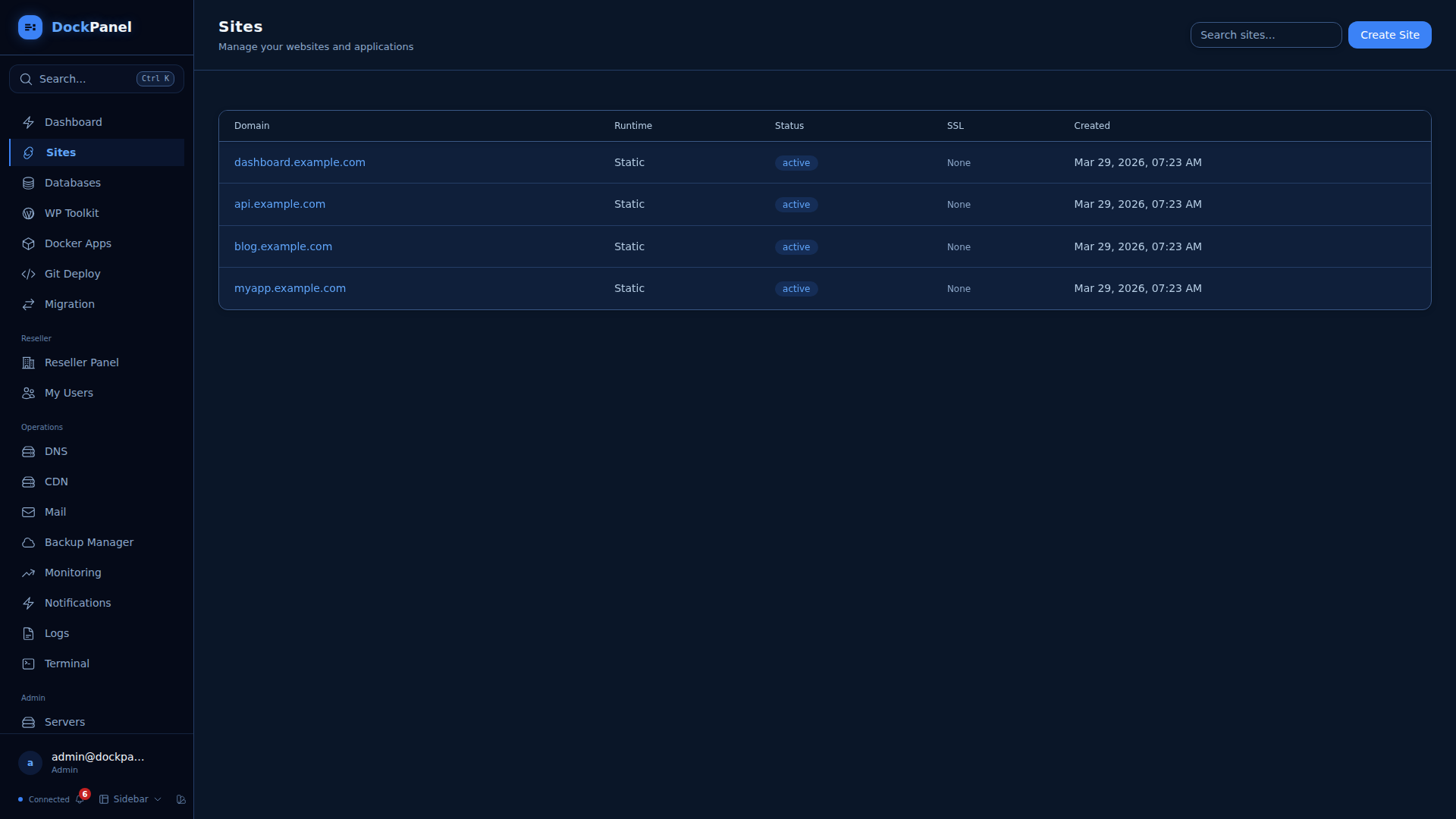
站点 — 静态站点、PHP、Node.js、Python,配合 Nginx + SSL 反向代理
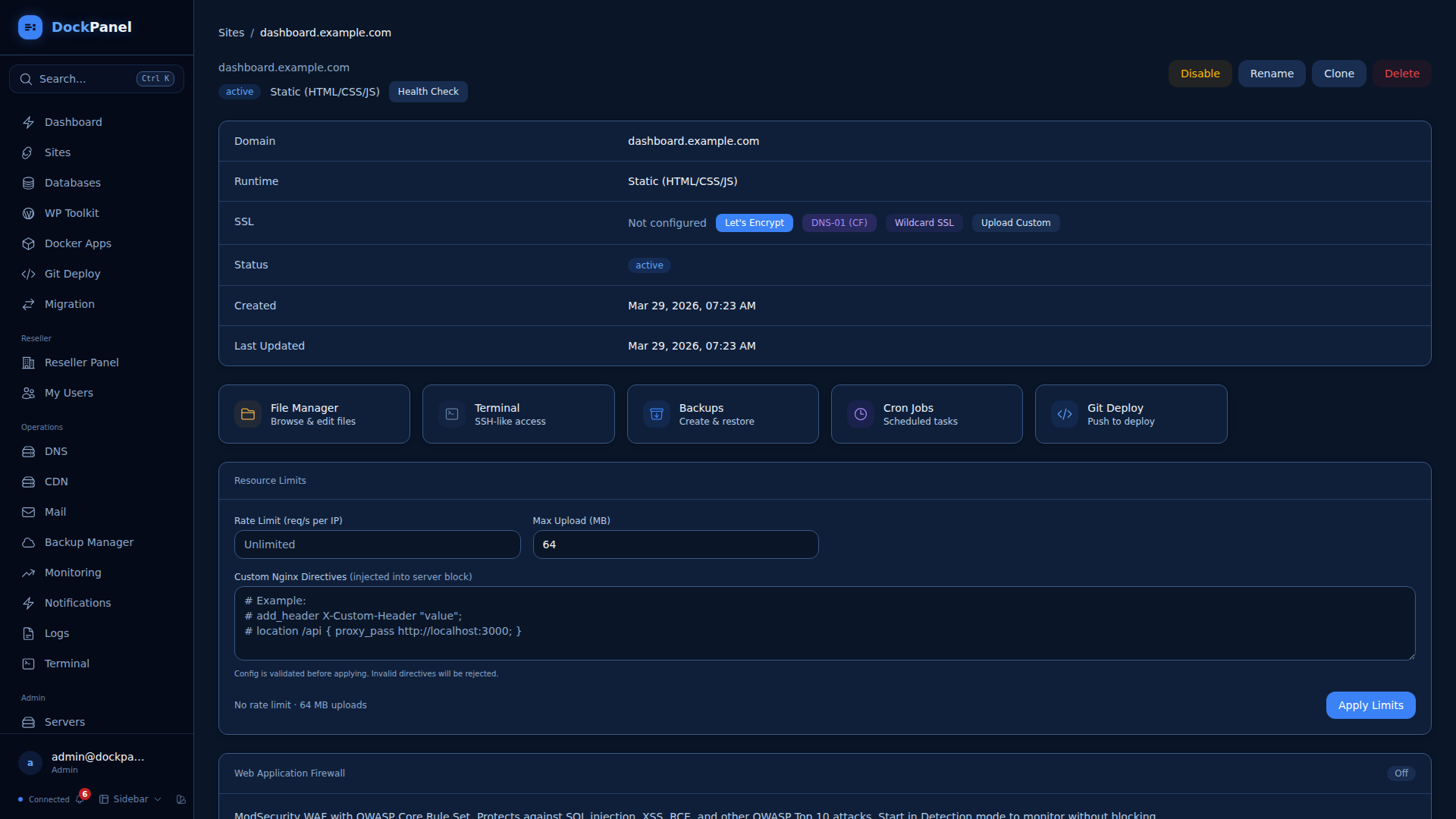
站点详情 — SSL、WAF、文件管理器、终端、备份、资源限制、自定义 nginx
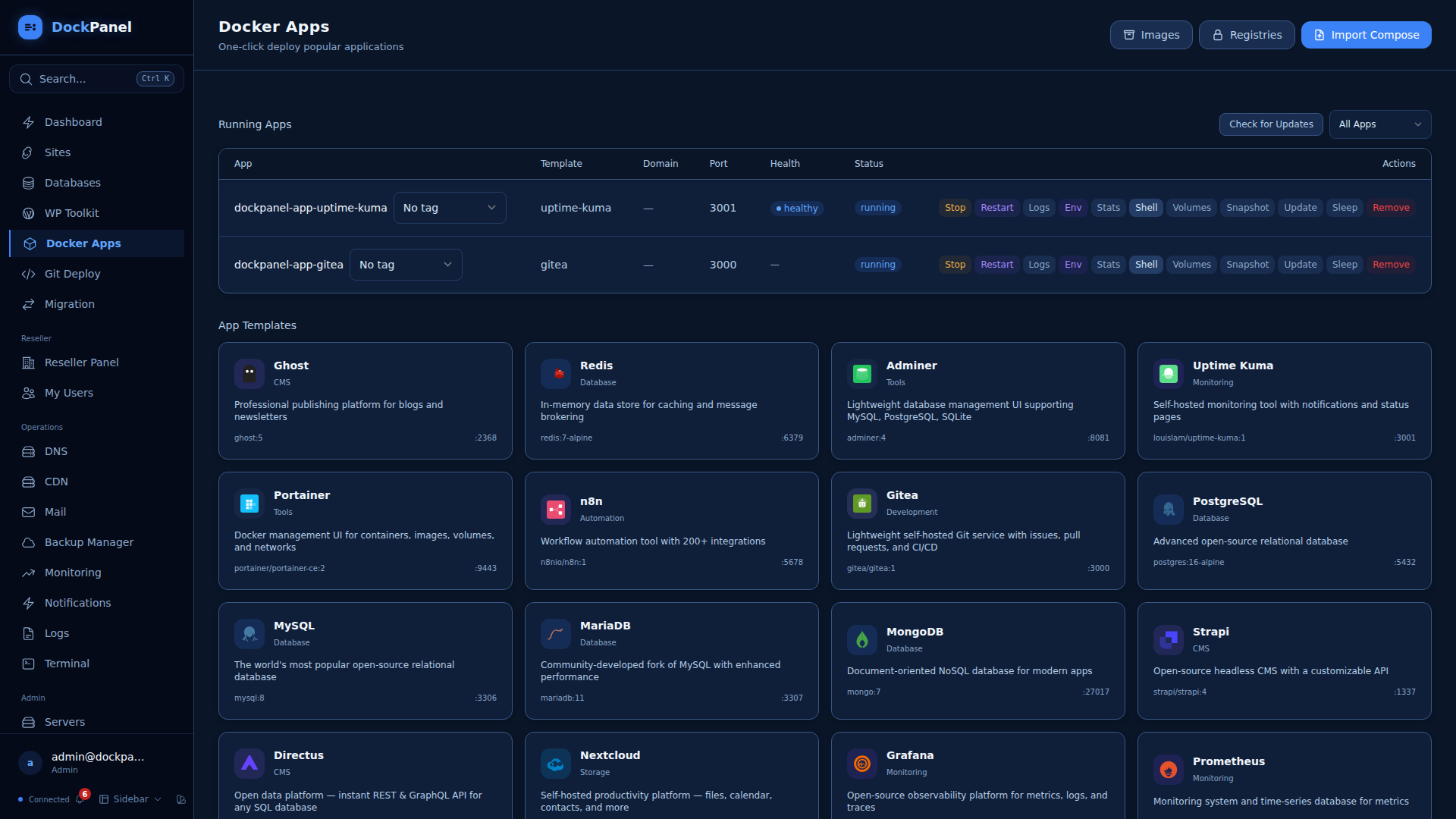
Docker 应用 — 跨 14 个类别的 152 个一键模板
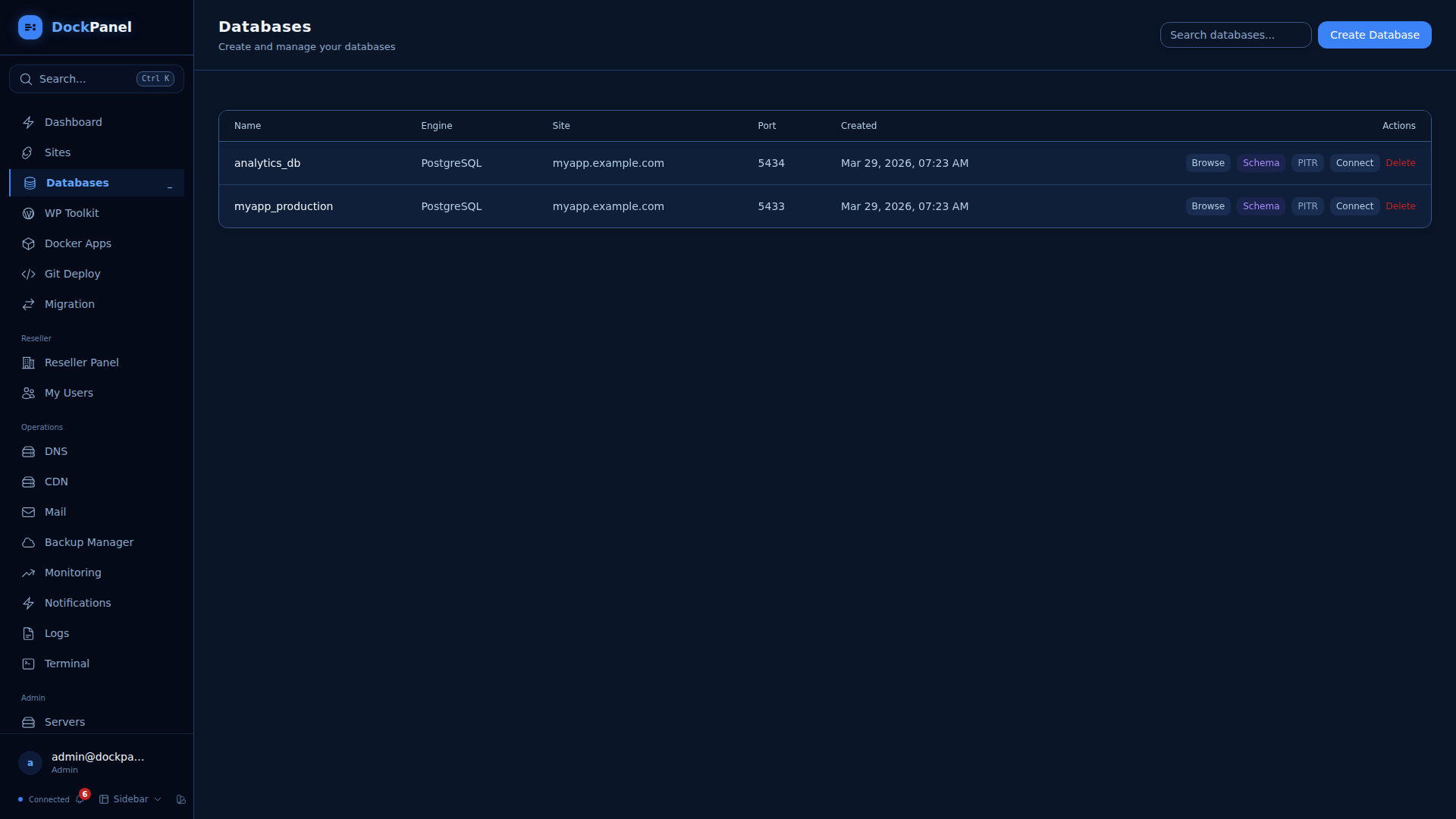
数据库 — MySQL/PostgreSQL,SQL 浏览器,schema 查看器,时间点恢复
文件管理器 — 从浏览器浏览、编辑、上传文件
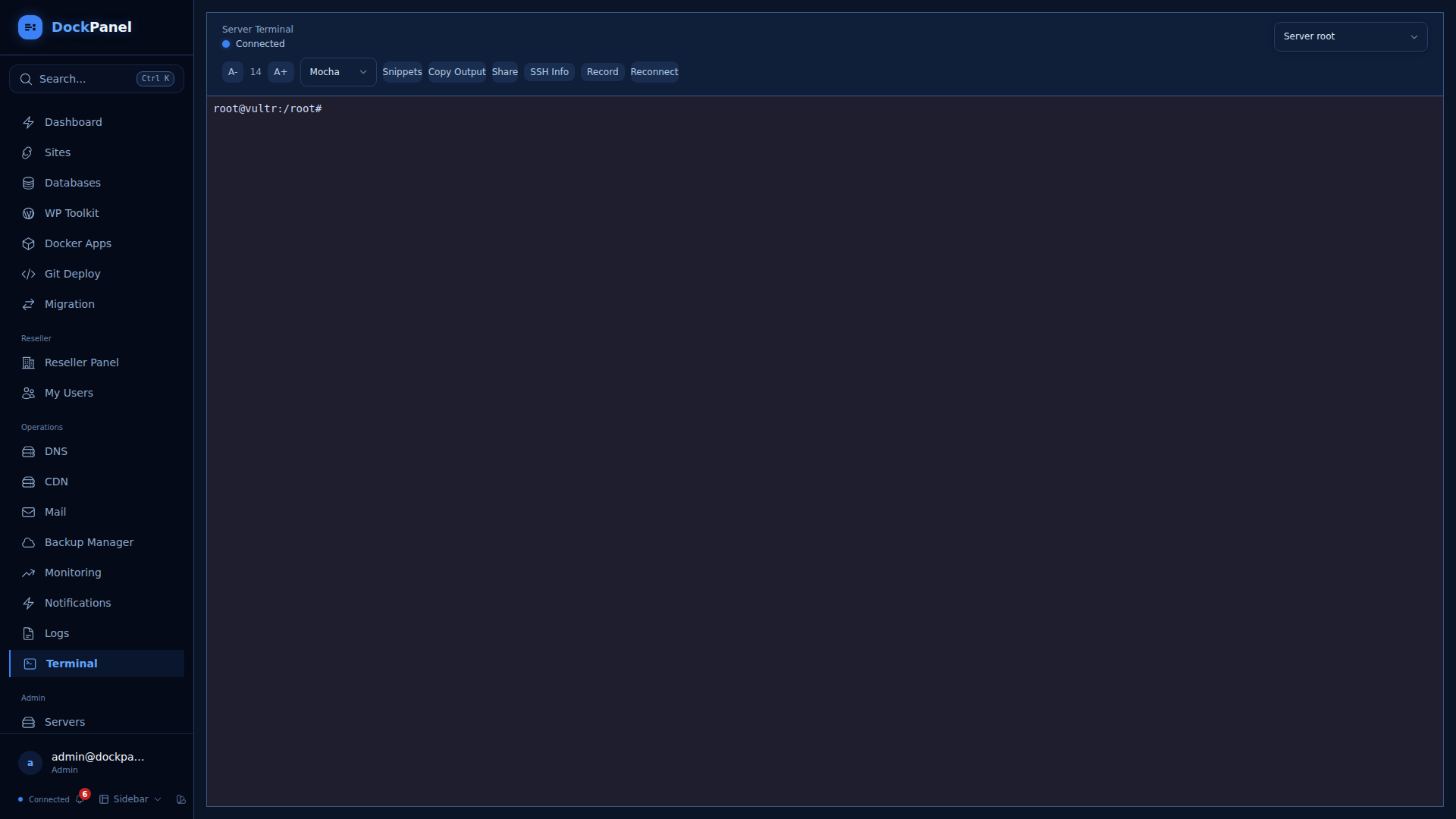
终端 — 浏览器中的完整 SSH,支持标签页、主题、会话记录
Git 部署 — 推送即部署,原子性零停机部署,预览环境
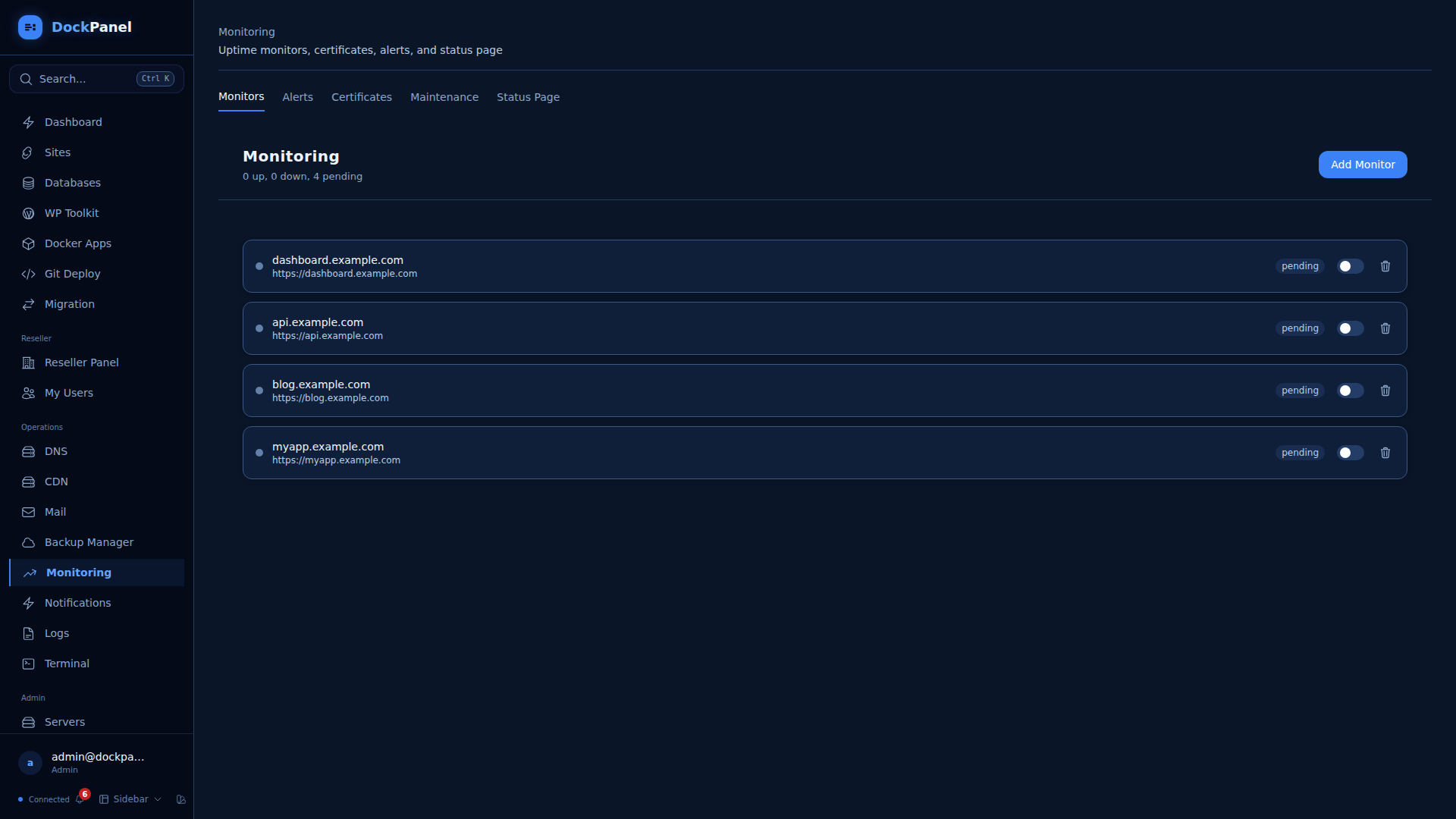
监控 — HTTP/TCP/ping 在线检查,SLA 追踪,PagerDuty 集成
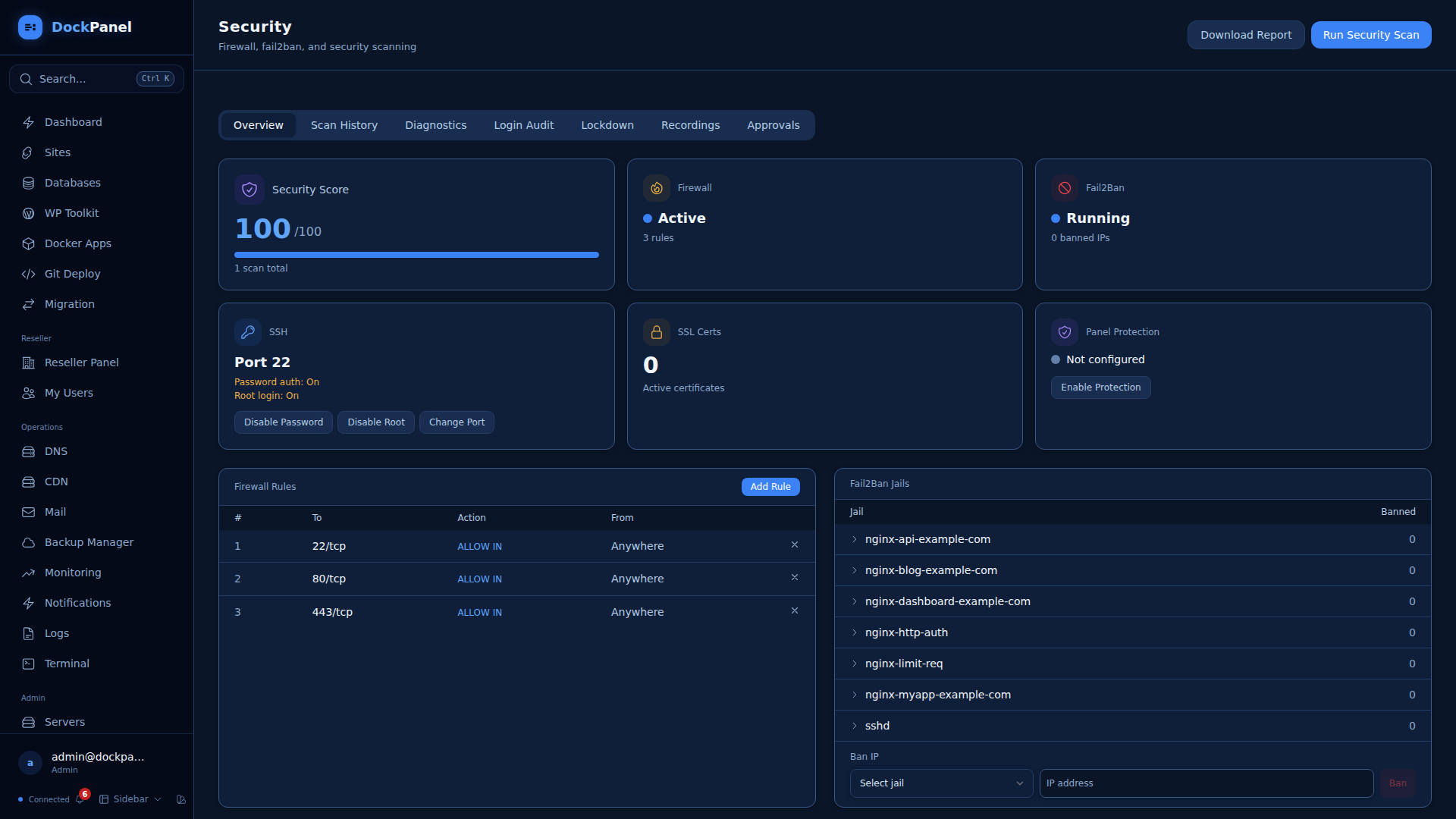
安全 — 防火墙、Fail2Ban、SSH 加固、漏洞扫描、审计日志
备份 — 计划备份,S3/SFTP 目标,Restic 增量备份,一键恢复
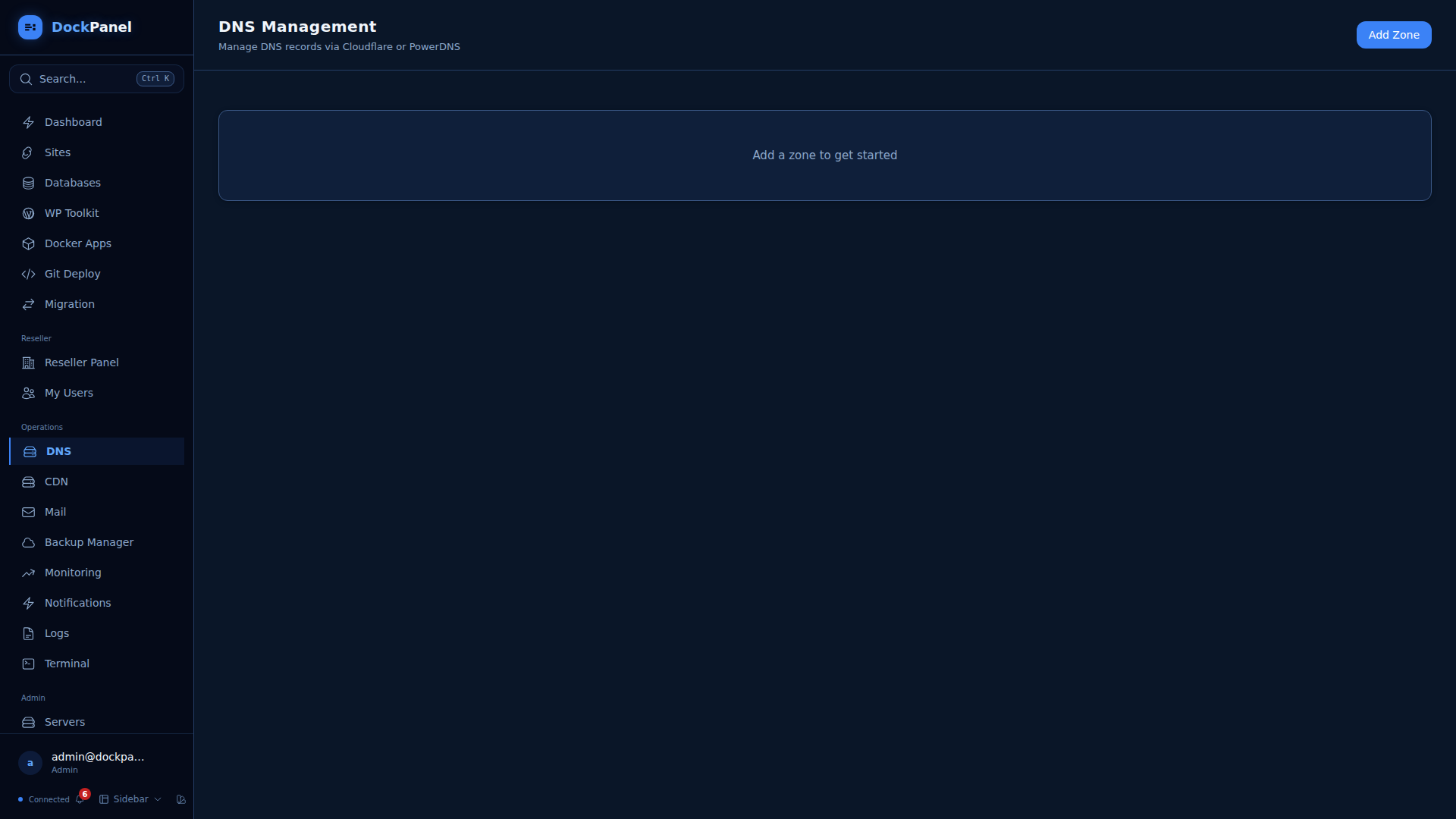
DNS — Cloudflare + PowerDNS,zone 管理,缓存清理,安全设置
邮件 — Postfix + Dovecot + DKIM,Roundcube 网页邮箱,Rspamd 垃圾邮件过滤器
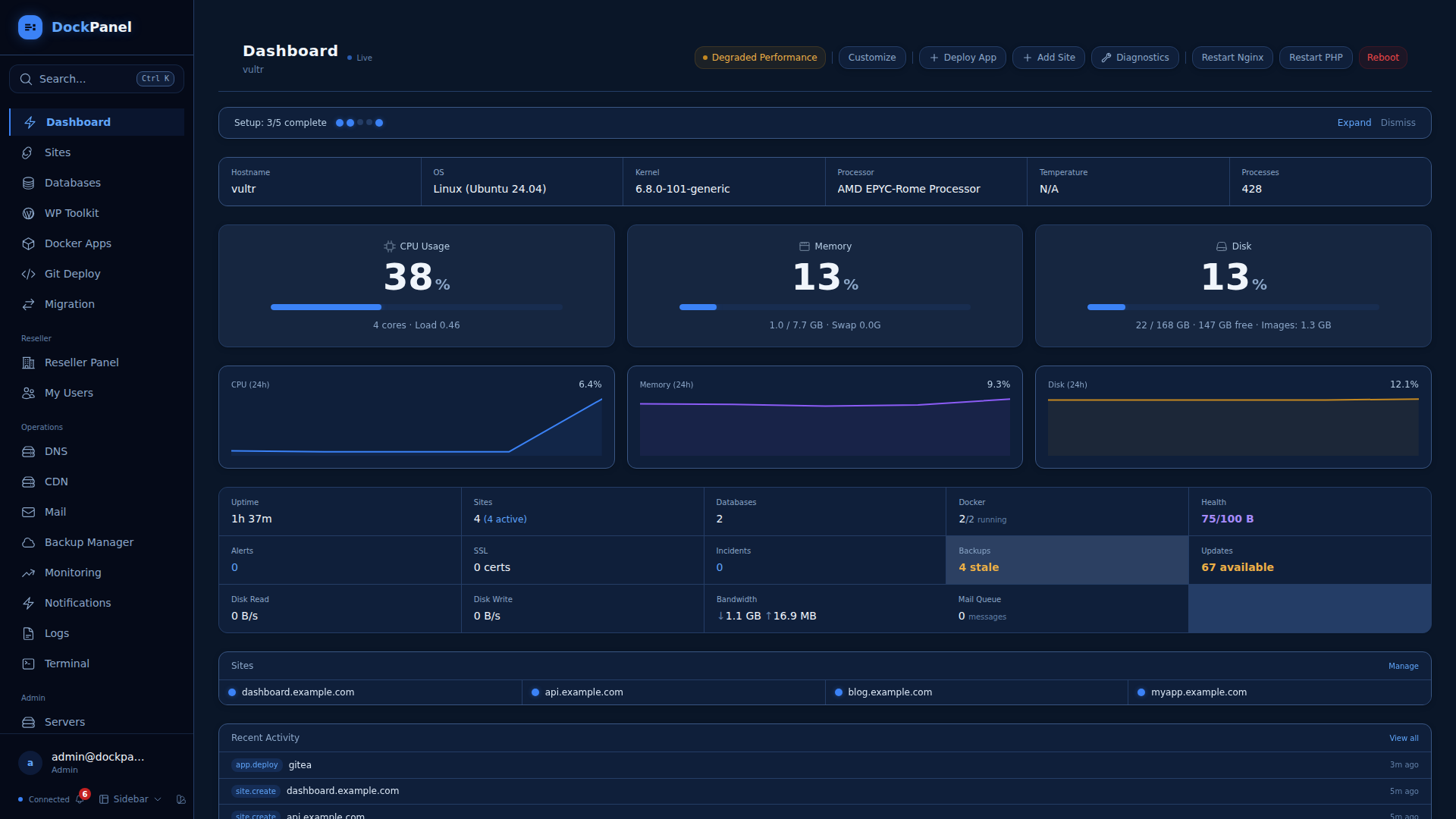
Cron 任务 — 记录输出的计划任务
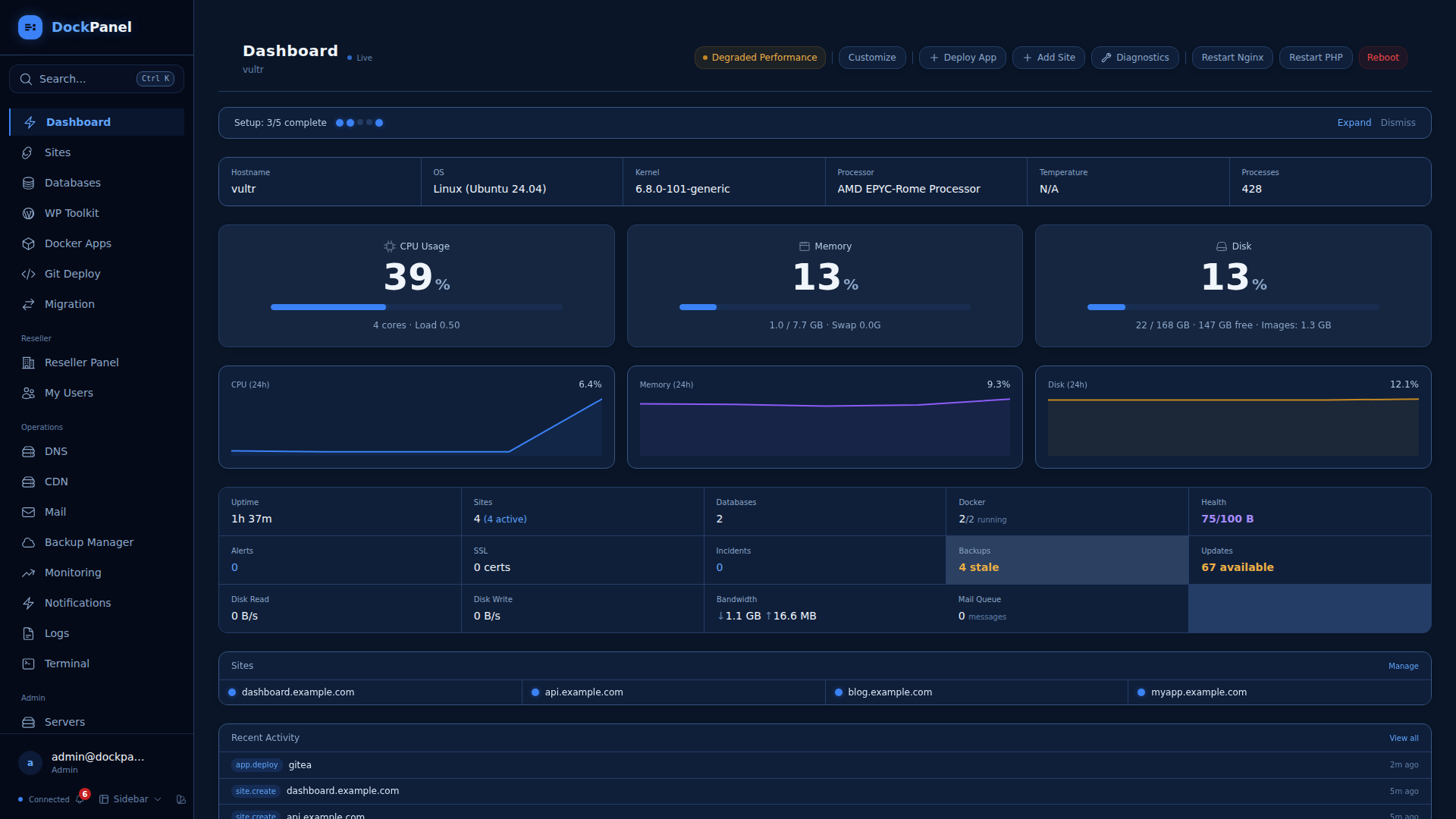
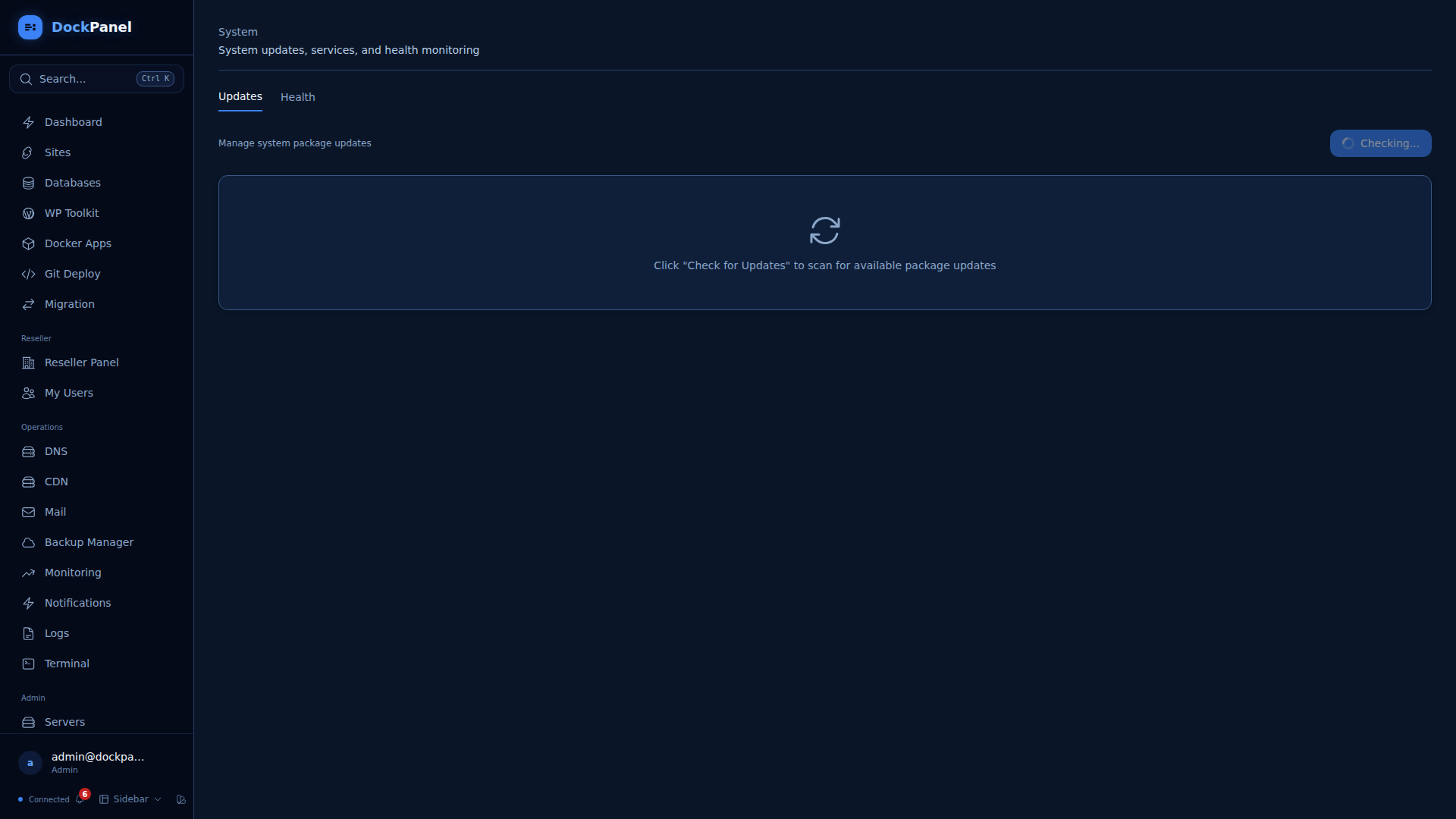
系统 — 服务、更新、诊断、自动修复
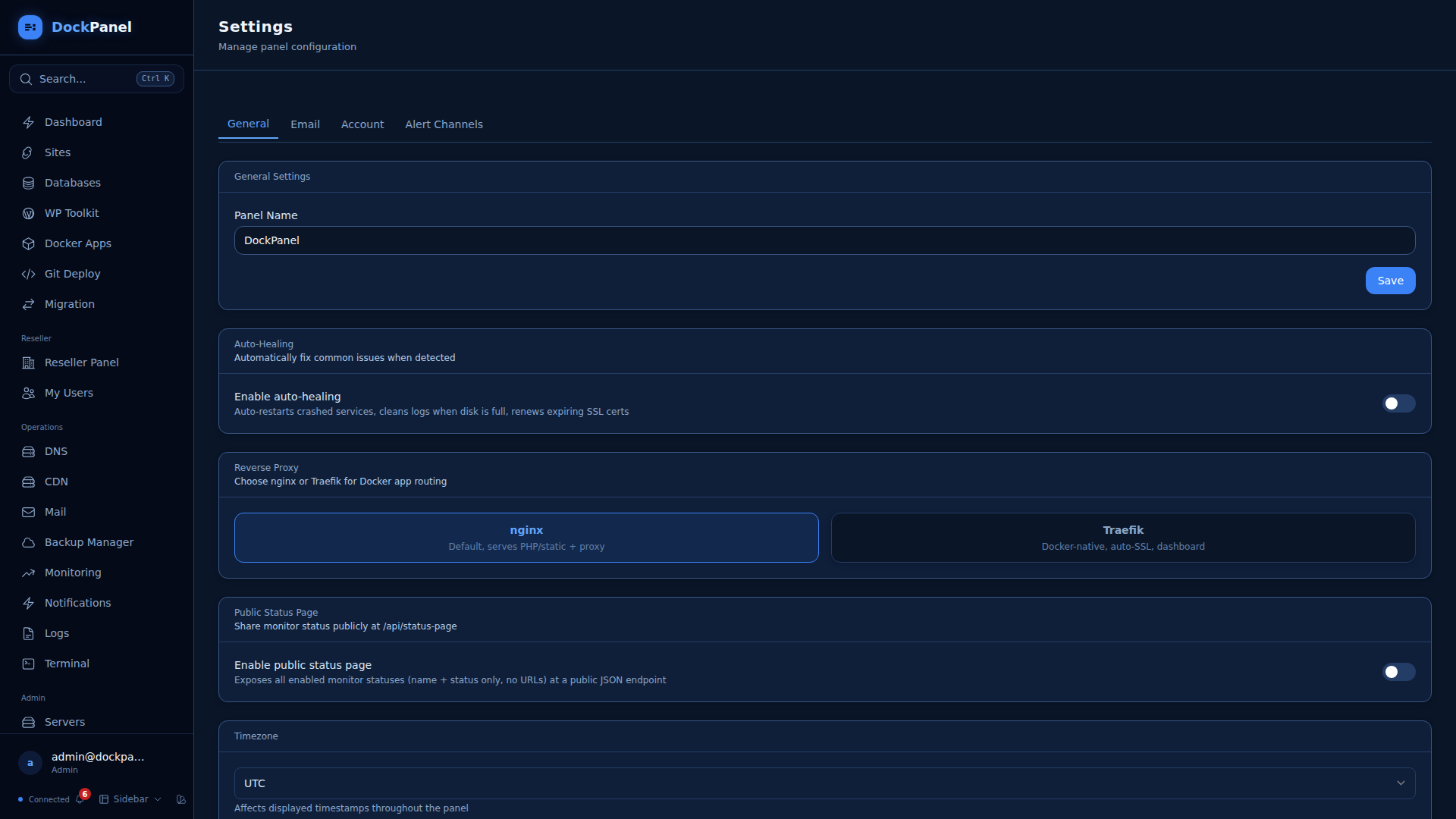
设置 — 品牌标识、通知、告警渠道、账户安全
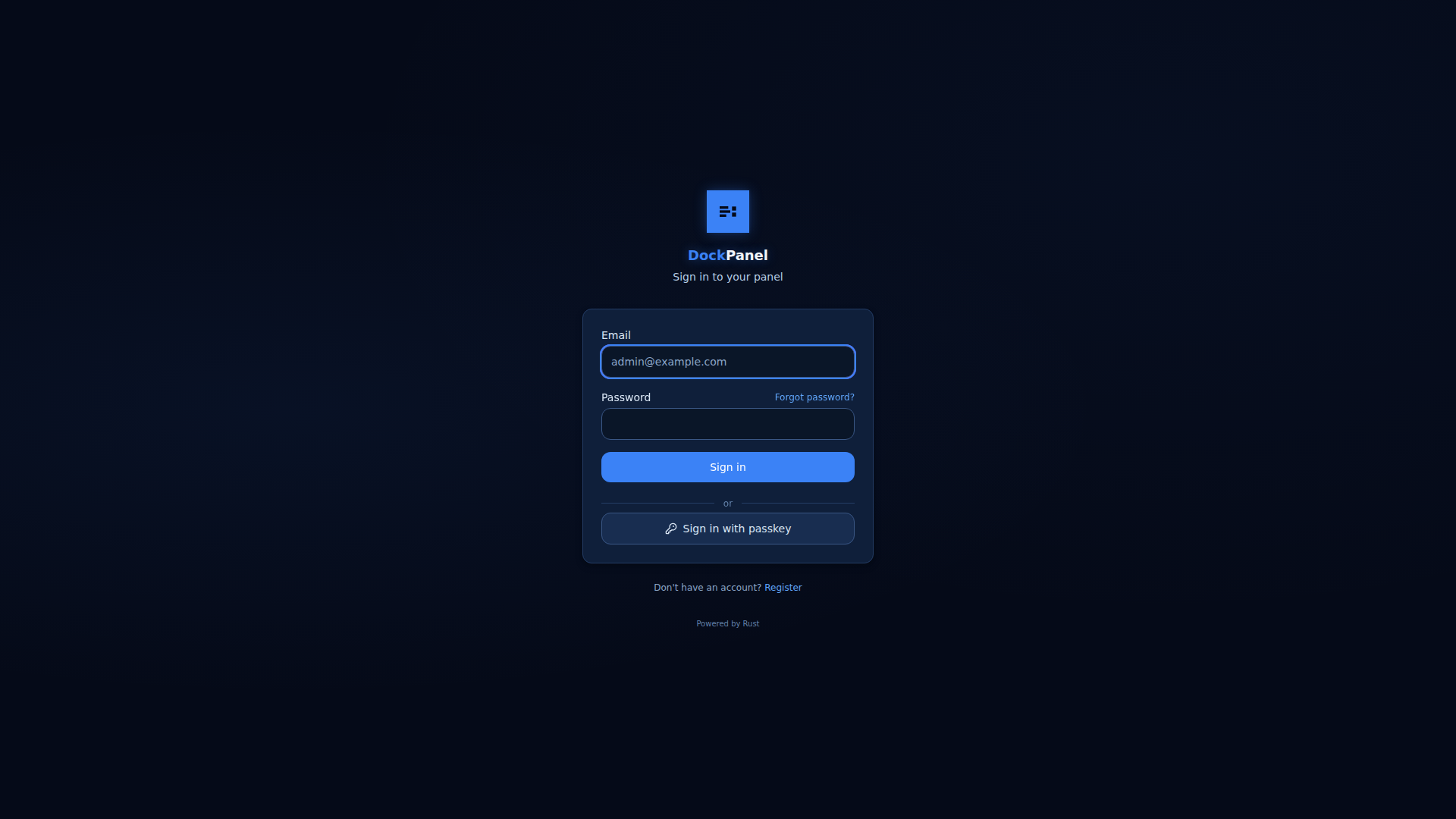
登录 — 邮箱/密码 + passkey (WebAuthn) 支持
## 功能
### 托管
- **站点** — 静态站点、PHP (8.1-8.4)、Node.js、Python、反向代理。自动配置 Nginx、SSL、PHP-FPM 池。
- **数据库** — Docker 中的 MySQL/PostgreSQL。内置 SQL 浏览器、可视化 schema 浏览器、时间点恢复(WAL/binlog)。删除站点时自动清理。
- **Docker 应用** — 跨 14 个类别(AI、CMS、数据库、媒体、监控等)的 152 个模板。Compose 技术栈。资源限制。GPU 直通。
- **Git 部署** — 推送即部署。原子性零停机部署(Capistrano 风格)。Nixpacks(支持 30 多种语言)。预览环境。
- **WordPress 工具包** — 多站点仪表板、漏洞扫描、安全加固、批量更新。
- **CMS 安装** — WordPress、Laravel、Drupal、Joomla、Symfony、CodeIgniter — 一键安装。
- **备份** — 计划任务,S3/SFTP 远程目标,一键恢复。Restic 增量(加密、去重)。
- **备份编排器** — 数据库/卷备份,AES-256 加密,恢复验证,跨资源策略,S3/SFTP/B2/GCS 目标,健康仪表板。
- **CDN** — BunnyCDN 和 Cloudflare CDN 管理。缓存清理,带宽统计,拉取区域发现。
- **图像优化** — 按站点进行服务端 WebP/AVIF 转换。
- **密钥管理器** — AES-256-GCM 加密仓库、版本历史、自动注入到 .env、脱敏 API、CLI 拉取 endpoint。
- **Webhook 网关** — 具有唯一 URL 的入站 endpoint、HMAC-SHA256/SHA1 验证、请求检查器、路由构建器、重试/重放。
### 运维
- **多服务器** — 从一个面板管理远程服务器。Agent 自动注册。
- **DNS** — Cloudflare + PowerDNS。zone 模板、传播检查器、DNSSEC。Cloudflare 缓存清理、安全设置、Cloudflare Tunnel。
- **容器管理** — 自动休眠(缩容至零)、自动更新检测、按用户隔离策略、应用在服务器间迁移。
- **邮件** — Postfix + Dovecot + OpenDKIM。网页邮箱、垃圾邮件过滤器、SMTP 中继。
- **监控** — HTTP/TCP/ping 在线检查、SLA 追踪、PagerDuty 集成。
- **Prometheus + Grafana** — Token 控的 `/api/metrics` 抓取 endpoint(默认关闭),外加一个即插即用的 [舰队仪表板](dashboards/dockpanel-grafana.json),涵盖 CPU/内存/磁盘、GPU 利用率/VRAM/温度/功耗、站点和告警。详见 [docs/guides/prometheus.md](docs/guides/prometheus.md)。
- **事件管理** — 完整生命周期(调查中、已识别、监控中、已解决、复盘)、严重级别、时间线、受影响组件。
- **公开状态页** — 位于 `/status` 的独立暗色主题页面、组件分组、邮件订阅者、根据检查自动计算的整体状态。
- **终端** — 具有标签页、主题、共享、会话记录功能的完整 SSH。
### 安全
- **Passkey/WebAuthn** — 使用生物识别或安全密钥进行无密码登录。外加带有恢复代码的 2FA/TOTP。
- **WAF** — 按站点配置 ModSecurity3 + OWASP CRS v4。检测或预防模式。事件查看器。
- **CSP 与 Bot 防护** — 按站点配置 Content Security Policy header 与 bot 速率限制。
- **防火墙** — 带有智能端口开启功能的 UFW 管理。
- **Fail2Ban** — 查看/封禁/解禁 IP,面板专用监牢。
- **SSH 加固** — 禁用密码/root 登录,更改端口 — 一键完成。
- **漏洞扫描** — 文件完整性、安全 header、全服务器审计。
- **按镜像进行 CVE 扫描** — 使用 Anchore grype 扫描每个正在运行的 Docker 应用镜像。在应用页面上为每个应用行显示严重程度徽章。计划的后台重新扫描(可配置间隔)。软部署门禁将拒绝部署超过严重/高/中阈值的镜像。grype 将通过设置 UI 自包含安装到 `/var/lib/dockpanel/scanners/`。**默认关闭** — 可在 Settings → Services → Image Vulnerability Scanning 中选择开启。
- **签名发布 + SBOM** — 每个发布版本二进制文件及其 SPDX SBOM 均在 CI 中通过 Sigstore 使用 cosign 无密模式进行签名(没有长期有效的签名密钥,并记录在公共 Rekor 透明度日志中)。验证代码片段见 [SECURITY.md](SECURITY.md#verifying-release-signatures)。
- **按镜像生成 SBOM** — 按需为任何已部署 Docker 应用的镜像生成 SPDX 2.3 JSON SBOM (syft)。在任何应用的扫描抽屉中点击“Download SBOM”。在 `/var/lib/dockpanel/scanners/syft` 自包含安装。**默认关闭** — 可在 Settings → Services → SBOM Generation 中选择开启。作为镜像 CVE 扫描的配套功能:组合 vs. 风险。
- **自动修复** — 重启崩溃的服务、清理磁盘、续期即将过期的 SSL、自动休眠空闲容器。
### 开发者体验
- **CLI** — `dockpanel status`, `sites`, `apps`, `diagnose`, `export`, `apply`
- **基础设施即代码** — 以 YAML 格式导出/导入服务器配置。带有作用域 IaC token 的 Terraform/Pulumi provider API。
- **智能诊断** — 6 个检查类别,支持一键修复。自动优化建议。
- **文件管理器** — 从浏览器浏览、编辑、上传文件。
- **命令面板** — Ctrl+K 可导航至任何位置。
- **Nginx FastCGI 缓存** — 按站点切换,对已登录用户智能绕过。
- **Redis 对象缓存** — 按站点隔离的 Redis 数据库,带有 WP 自动配置。
### 主题与布局
- **6 种主题** — Terminal(黑客绿)、Midnight(海军蓝)、Ember(暖琥珀色)、Arctic(浅青色)、Clean(浅蓝色 SaaS)、Clean Dark(GitHub 暗黑)。
- **3 种布局** — Sidebar(完整侧边栏导航)、Compact(可折叠图标栏)、Topbar(水平导航栏)。
### 商业
- **经销商账户** — 管理员 → 经销商 → 用户层级结构,带有配额。
- **白标** — 为每个经销商自定义 logo、颜色、面板名称。
- **OAuth/SSO** — Google、GitHub、GitLab 登录。
- **Extension API** — 带有 HMAC 签名作用域 API 密钥的 Webhook 事件。
- **WHMCS 集成** — 配置、暂停、终止钩子。从计费系统自动创建用户。
- **水平自动伸缩** — 基于规则的 CPU 阈值,带有最小/最大副本数和冷却时间。
- **迁移向导** — 从 cPanel、HestiaCP 导入。Plesk(测试版)。应用在服务器间迁移。
- **团队** — 具有基于角色的权限的多用户访问。
## 架构
```
Browser → React 19 SPA → Nginx
├── /api/* → API (Rust/Axum)
│ ├── PostgreSQL 16
│ └── Agent (Unix socket / HTTPS)
│ └── Docker, Nginx, SSL, files, terminal
└── /* → Frontend (static files)
```
**3 个 Rust 二进制文件**:Agent (~21MB)、API (~20MB)、CLI (~1MB)。运行时内存占用:~12MB Agent + ~7MB API ≈ 面板自身 19MB;包含捆绑的 PostgreSQL 时约为 85MB。11 个后台服务。
| 组件 | 技术 | 角色 |
|-----------|------|------|
| Agent | Rust/Axum | Root 级别的主机操作(Docker、Nginx、SSL、文件) |
| API | Rust/Axum + SQLx | 认证、业务逻辑、多服务器调度、后台任务 |
| CLI | Rust/Clap | 用于自动化的命令行界面 |
| Frontend | React 19 + Vite + Tailwind 4 | 具有 6 种主题 + 3 种布局的浏览器 UI |
## 安全
DockPanel 已经过七轮安全审计(发现并修复了 280 多个漏洞)。凭证使用 AES-256-GCM 加密静态存储。所有子进程都在经过净化处理的环境中运行。按镜像进行 CVE 扫描,并带有可选的部署门禁,可在易受攻击的镜像发布前将其拦截。详情请参阅 [SECURITY.md](SECURITY.md)。
## 开发
```
git clone https://github.com/ovexro/dockpanel.git && cd dockpanel
# 启动 database
docker run -d --name dockpanel-postgres \
-e POSTGRES_USER=dockpanel -e POSTGRES_PASSWORD=dockpanel -e POSTGRES_DB=dockpanel \
-p 5450:5432 postgres:16
# Build
cargo build --release --manifest-path panel/agent/Cargo.toml
cargo build --release --manifest-path panel/backend/Cargo.toml
cargo build --release --manifest-path panel/cli/Cargo.toml
cd panel/frontend && npm install && npx vite build
```
完整的开发设置请参阅 [CONTRIBUTING.md](CONTRIBUTING.md)。
## CLI
```
dockpanel status # Server status (CPU, RAM, disk)
dockpanel sites # List all sites
dockpanel apps # List Docker apps
dockpanel diagnose # Run smart diagnostics
dockpanel export -o config.yml # Export server config as YAML
dockpanel apply config.yml # Apply config (Infrastructure as Code)
```
## 更新 / 卸载
```
sudo bash /opt/dockpanel/scripts/update.sh # Update
sudo bash /opt/dockpanel/scripts/uninstall.sh # Remove
```
## 文档
- [在线文档](https://docs.dockpanel.dev) — 入门指南、使用指南、配置说明
- [FEATURES.md](FEATURES.md) — 完整功能清单(60+ 项功能,~280 项能力)
- [CHANGELOG.md](CHANGELOG.md) — 版本历史
- [SECURITY.md](SECURITY.md) — 安全模型与漏洞报告
- [CONTRIBUTING.md](CONTRIBUTING.md) — 开发设置与 PR 流程
## 许可证
Business Source License 1.1。可免费在你自己的服务器上使用。详情请参阅 [LICENSE](LICENSE)。
标签:AppImage, Docker, React, Rust, Syscalls, Web应用防火墙, 可视化界面, 安全防御评估, 服务器管理, 测试用例, 特权提升, 网络流量审计, 自动化部署, 自定义请求头, 请求拦截, 运维面板, 通知系统