brennhill/sloppy-joe
GitHub: brennhill/sloppy-joe
一款用 Rust 编写的多生态依赖安全扫描工具,在 CI/CD 中拦截 AI 幻觉产生的虚假包和各类抢注攻击。
Stars: 31 | Forks: 1
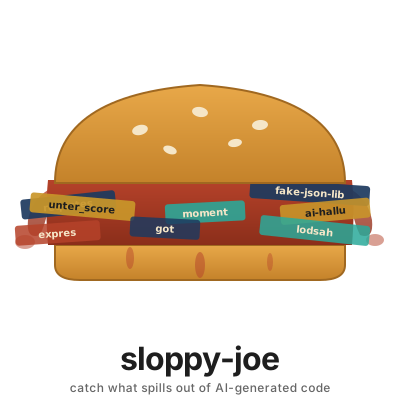
在幻觉拼写错误、抢注和非规范依赖
进入生产环境之前将其拦截。
cargo install sloppy-joe
AI 代码生成器大约有 [20% 的时间](https://arxiv.org/abs/2406.10279) 会产生包名幻觉。攻击者注册这些名称并伺机而动。sloppy-joe 在 CI 中运行 `npm install` 或 `pip install` 之前将其拦截。
## 如何使用
```
# 安装(单一静态二进制文件,无运行时依赖)
cargo install sloppy-joe
# 检查当前项目 — 从 manifest 文件自动检测生态系统
sloppy-joe check
# 检查指定目录
sloppy-joe check --dir ./my-project
# 仅检查 npm 依赖
sloppy-joe check --type npm
# 通过配置强制执行规范规则和组织标准
sloppy-joe check --config /etc/sloppy-joe/config.json
# 从 URL 获取配置(在 CI 中有用 — 无需管理机密信息)
sloppy-joe check --config https://raw.githubusercontent.com/yourorg/security-configs/main/sloppy-joe.json
# 用于 CI 流水线的 JSON 输出
sloppy-joe check --json
# 生成初始配置
sloppy-joe init > config.json
```
**退出代码:** `0` = 全部通过,`1` = 发现问题,`2` = 运行时错误。
**支持:** npm, PyPI, Cargo, Go, Ruby, PHP, JVM (Gradle/Maven), .NET — 根据清单文件自动检测。
**配置来源:** 本地文件路径、HTTPS URL 或 `SLOPPY_JOE_CONFIG` 环境变量。配置绝不会从项目目录中读取(原因见 [CONFIG.md](CONFIG.md))。
## 为什么选择 sloppy-joe?
**单一二进制文件。8 个生态系统。16 种攻击类型。生成式检查零误报。AI 智能体无法篡改的配置。**
大多数依赖安全工具只检查一两件事 —— 存在性或编辑距离。sloppy-joe 在单次通过中检查 16 个攻击向量:幻觉包、10 种类型的抢注(同形字、范围抢占、重复字符、分隔符混淆、单词重排、相邻交换、省略字符、混淆形式、大小写变体、版本后缀)、规范强制执行、版本年限门槛、安装脚本放大、依赖爆炸、维护者变更以及通过 OSV.dev 发现的已知漏洞。
它作为单个 Rust 二进制文件运行,没有运行时依赖。它支持所有 8 个主要包生态系统。其配置专为安全而设计:绝不从项目目录读取,可从 URL 加载用于 CI,并在出现问题时提供清晰的错误消息。
| | sloppy-joe | Socket.dev | GuardDog | Phantom Guard | antislopsquat |
|---|:---:|:---:|:---:|:---:|:---:|
| **存在性检查** | :white_check_mark: | :white_check_mark: | :x: | :white_check_mark: | :white_check_mark: |
| **相似度 / 抢注** | :white_check_mark: | :white_check_mark: | :white_check_mark: | :white_check_mark: | :x: |
| **同形字检测** | :white_check_mark: | :x: | :x: | :x: | :x: |
| **范围抢占** | :white_check_mark: | :x: | :x: | :x: | :x: |
| **规范强制执行** | :white_check_mark: | :x: | :x: | :x: | :x: |
| **版本年限门槛** | :white_check_mark: | :x: | :x: | :x: | :x: |
| **安装脚本放大器** | :white_check_mark: | :white_check_mark: | :x: | :x: | :x: |
| **依赖爆炸** | :white_check_mark: | :x: | :x: | :x: | :x: |
| **维护者变更** | :white_check_mark: | :white_check_mark: | :x: | :x: | :x: |
| **OSV 漏洞检查** | :white_check_mark: | :white_check_mark: | :x: | :x: | :x: |
| **配置安全性(库外)** | :white_check_mark: | N/A | :x: | :x: | :x: |
| **内部 + 允许列表** | :white_check_mark: | :x: | :x: | :x: | :x: |
| **npm** | :white_check_mark: | :white_check_mark: | :white_check_mark: | :white_check_mark: | :x: |
| **PyPI** | :white_check_mark: | :white_check_mark: | :white_check_mark: | :white_check_mark: | :white_check_mark: |
| **Cargo** | :white_check_mark: | :white_check_mark: | :x: | :white_check_mark: | :x: |
| **Go** | :white_check_mark: | :white_check_mark: | :white_check_mark: | :x: | :x: |
| **Ruby** | :white_check_mark: | :white_check_mark: | :white_check_mark: | :x: | :x: |
| **PHP** | :white_check_mark: | :large_orange_diamond: | :x: | :x: | :x: |
| **JVM (Gradle/Maven)** | :white_check_mark: | :white_check_mark: | :x: | :x: | :x: |
| **.NET (NuGet)** | :white_check_mark: | :white_check_mark: | :x: | :x: | :x: |
| **单一二进制** | :white_check_mark: | :x: | :x: | :x: | :x: |
| **开源** | Apache 2.0 | 商业 | Apache 2.0 | MIT | OSS |
| **语言** | Rust | SaaS | Python | Python | Python |
:large_orange_diamond: = Beta/实验性
## 每种攻击的工作原理(以及 sloppy-joe 如何拦截它)
### 1. 幻觉包
**攻击方式:** AI 生成 `import ai_json_helper`。该包不存在。攻击者在 PyPI 上注册 `ai-json-helper` 并植入恶意软件。下次有人运行 `pip install` 时,他们就会下载到恶意包。
**sloppy-joe 如何拦截:** 存在性检查访问 PyPI API 并返回 404。构建被阻止。
```
ERROR ai-json-helper [existence]
Package 'ai-json-helper' does not exist on the pypi registry.
It may be hallucinated by an AI code generator.
Fix: Remove 'ai-json-helper' from your dependencies.
```
### 2. 抢注(生成式检查 + 编辑距离回退)
**攻击方式:** 攻击者在 npm 上注册 `expresz` —— 与 `express` 仅一个字符之差。AI 生成了它,或者开发人员手误输错了。该包存在,通过存在性检查,并安装恶意软件。
**sloppy-joe 如何拦截:** sloppy-joe 在回退到编辑距离之前运行 10 项生成式检查。每项生成式检查都会生成依赖名称的特定变体(交换字符、折叠重复、去除后缀、重排单词、标准化分隔符、替换同形字、检查范围),并测试是否与已知的热门包完全匹配。这种受 [Rust Foundation 的 Typomania](https://github.com/rustfoundation/typomania) 库启发的方法几乎零误报,因为它仅在变体后产生完全匹配时才会触发。
Levenshtein 编辑距离最后运行,作为针对未被特定检查预见到的新变体的安全网。两者结合,既精确覆盖已知攻击模式,又广泛覆盖未知模式。
```
ERROR expresz [similarity/edit-distance]
'expresz' is 1 character away from 'express'. This could be a typosquat.
Fix: If you meant 'express', fix the name in your manifest.
```
### 3. 重复字符
**攻击方式:** `expresss`(多了一个 s)或 `reeact`(多了一个 e)。这些是常见的 AI 幻觉模式 —— 模型生成了看起来合理但包含重复字符的名称。
**sloppy-joe 如何拦截:** 重复字符检查每次折叠一个重复字符,并检查结果是否匹配已知包。`expresss` → 移除一个 `s` → `express` → 匹配。
```
ERROR expresss [similarity/repeated-chars]
'expresss' matches 'express' after removing a repeated character.
Fix: Use 'express' — remove the repeated characters.
```
### 4. 分隔符混淆
**攻击方式:** `python-dateutil` vs `python_dateutil` vs `pythondateutil`。在某些注册表中,这些是不同的包。攻击者注册变体名称。
**sloppy-joe 如何拦截:** 在比较之前标准化所有分隔符(`-`、`_`、`.`)。如果标准化后的形式匹配已知包,则将其标记。
```
ERROR socket_io [similarity/separator-confusion]
'socket_io' matches 'socket.io' after normalizing separators.
Fix: Use the canonical name 'socket.io' with the correct separators.
```
### 5. 单词重排
**攻击方式:** `parse-json` vs `json-parse`。Levenshtein 距离为 8 —— 对编辑距离检查不可见。但攻击者可以注册重排后的名称。
**sloppy-joe 如何拦截:** 按分隔符分割,生成所有分段排列,并根据语料库检查每一个。`parse-json` → 排列 → `json-parse` → 匹配。
```
ERROR parse-json [similarity/word-reorder]
'parse-json' is a reordering of 'json-parse'.
Fix: Use 'json-parse' — the segments are in the wrong order.
```
### 6. 相邻字符交换
**攻击方式:** 用 `reqeust` 代替 `request`。两个相邻字符交换位置 —— 这是攻击者武器化的一种常见拼写错误。
**sloppy-joe 如何拦截:** 生成依赖名称的所有相邻交换变体,并根据语料库检查每一个。
```
ERROR reqeusts [similarity/char-swap]
'reqeusts' matches 'requests' with two adjacent characters swapped.
Fix: Use 'requests' — two characters are transposed.
```
### 7. 省略字符
**攻击方式:** 用 `reqests`(缺少 `u`)代替 `requests`。AI 丢掉了一个字符,结果是一个看起来有效的名称。
**sloppy-joe 如何拦截:** 在名称的每个位置插入每个 a-z 字符,并检查是否有任何结果匹配已知包。`reqests` + 在位置 3 插入 `u` → `requests` → 匹配。
```
ERROR reqests [similarity/omitted-char]
'reqests' matches 'requests' with one character inserted.
Fix: Use 'requests' — a character appears to be missing.
```
### 8. 同形字(视觉相似字符)
**攻击方式:** `rеquests` 使用西里尔字母 `е` (U+0435) 代替拉丁字母 `e` (U+0065)。视觉上完全相同。包名看起来和 `requests` 一模一样,但解析到另一个恶意包。
**sloppy-joe 如何拦截:** 将 17 个已知同形字符(西里尔字母、全角、手写变体)替换为其拉丁等效字符,并检查结果是否匹配已知包。
```
ERROR rеquests [similarity/homoglyph]
'rеquests' contains characters that look identical to 'requests'
but are different Unicode codepoints (homoglyphs).
Fix: Replace the lookalike characters with standard ASCII.
```
### 9. 生态系统混淆形式
**攻击方式:** `py-utils` vs `python-utils`。在 PyPI 上,这些是不同的包。当你想要其中一个时,AI 却生成了另一个。类似地,Go modules 中的 `github.com` vs `gitlab.com`。
**sloppy-joe 如何拦截:** 应用特定于生态系统的替换规则(PyPI 的 py↔python,Go 的 github↔gitlab),并检查是否有任何变体匹配已知包。
```
ERROR py-flask [similarity/confused-form]
'py-flask' is a confused form of 'flask'.
Fix: Use the canonical name 'flask'.
```
### 10. 大小写变体攻击(区分大小写的注册表)
**攻击方式:** 在 Go、Maven 和 Ruby 中,`Rails` 和 `rails` 是不同的包。攻击者注册首字母大写的变体。
**sloppy-joe 如何拦截:** 在区分大小写的注册表上,已知包的任何大小写变体都会被标记为错误。在不区分大小写的注册表(npm, PyPI, Cargo, NuGet, PHP)上,大小写变体是安全的,会被跳过。
```
ERROR Rails [similarity/case-variant]
'Rails' differs from 'rails' only in letter casing.
On case-sensitive registries (ruby) these resolve to different packages.
Fix: Use the exact casing 'rails' in your manifest.
```
### 11. 版本后缀抢注
**攻击方式:** `requests2` 或 `lodash-4`。AI 在包名后追加版本号,而不是正确指定版本。
**sloppy-joe 如何拦截:** 去除尾部的数字和分隔符,并检查基础名称是否匹配已知包。
```
ERROR requests2 [similarity/version-suffix]
'requests2' looks like 'requests' with a version suffix appended.
Fix: Use 'requests' and specify the version in your manifest's version field.
```
### 12. 范围抢占
**攻击方式:** 攻击者在 npm 上注册 `@typos/lodash` —— 与 `@types/lodash` 仅一个字符之差。或者在 Packagist 上注册 `larvael/framework` —— 与 `laravel/framework` 差两个字符。或者在 Go 上注册 `github.com/gooogle/protobuf` —— 多了一个 `o`。范围乍看之下合法。包能解析。恶意软件被安装。
这种情况罕见但合理 —— 而“罕见但合理”正是 sloppy-joe 存在的意义。2021 年的 `ua-parser-js` 事件就与范围有关。如果它发生在周下载量数百万的包上,它也可能发生在你的包上。
**sloppy-joe 如何拦截:** 从依赖名称中提取范围/命名空间,并使用编辑距离将其与已知良好范围列表进行比较。适用于 npm(`@scope`)、PHP(`vendor/`)、Go(`github.com/org`)和 JVM(`com.group`)。
```
ERROR @typos/lodash [similarity/scope-squatting]
Scope '@typos' is 1 character away from the known scope '@types'.
Scope squatting is a known supply chain attack vector.
Fix: If you meant '@types/lodash', fix the scope in your manifest.
```
```
ERROR github.com/gooogle/protobuf [similarity/scope-squatting]
Scope 'github.com/gooogle' is 1 character away from 'github.com/google'.
Fix: If you meant 'github.com/google/protobuf', fix the org name.
```
### 13. 非规范包(非攻击 —— 一致性门槛)
**攻击方式:** 不是攻击 —— 而是一致性问题。AI 选择了 `moment`,因为它在训练数据中很流行,但你的团队使用 `dayjs`。不同的团队使用不同的包来完成相同的工作,这会造成维护债务和依赖膨胀。
**sloppy-joe 如何拦截:** 你的配置将每个规范包映射到其被拒绝的替代方案。如果依赖项匹配某个替代方案,构建将失败。
```
ERROR moment [canonical]
'moment' is not the approved package for this purpose.
Your team uses 'dayjs'.
Fix: Replace 'moment' with 'dayjs' in your manifest file.
```
### 14. 过新的版本(供应链定时炸弹)
**攻击方式:** 攻击者入侵包维护者的账户(或维护者变节)并发布恶意补丁版本。这看起来像正常更新。如果你的 CI 立即安装它,你会在任何人注意到之前受到入侵。
**sloppy-joe 如何拦截:** 版本年限门槛阻止任何发布时间少于 `min_version_age_hours` 小时(默认值:72 小时)的依赖版本。这为社区、Socket.dev 和其他扫描器留出了标记恶意版本的时间。
### 15. 全新包
**攻击方式:** 昨天创建的包,只有 3 次下载,但名称与流行包相似。极有可能是抢注或未来攻击的占位符。
**sloppy-joe 如何拦截:** 标记任何创建时间少于 30 天的包。
```
ERROR sketchy-lib [metadata/new-package]
'sketchy-lib' was first published 2 days ago.
New packages are higher risk.
Fix: Verify 'sketchy-lib' at its registry page and source repository.
```
### 16. 低下载量包
**攻击方式:** 只有 12 次下载的包,恰好与 `requests` 差一个字符。几乎可以确定是抢注。
**sloppy-joe 如何拦截:** 标记下载量少于 100 的包(针对提供下载数据的注册表 —— 目前包括 npm, crates.io, RubyGems)。
```
ERROR requsets [metadata/low-downloads]
'requsets' has only 12 downloads.
Fix: Verify 'requsets' is the package you intend to use.
```
## 支持的生态系统
| 生态系统 | 清单文件 | 存在性 | 元数据 | 年限门槛 |
|-----------|----------|:---------:|:--------:|:--------:|
| npm | package.json | :white_check_mark: | :white_check_mark: | :white_check_mark: |
| PyPI | requirements.txt | :white_check_mark: | :white_check_mark: | :white_check_mark: |
| Cargo | Cargo.toml | :white_check_mark: | :white_check_mark: | :white_check_mark: |
| Go | go.mod | :white_check_mark: | :x: | :x: |
| Ruby | Gemfile | :white_check_mark: | :white_check_mark: | :white_check_mark: |
| PHP | composer.json | :white_check_mark: | :x: | :x: |
| JVM | build.gradle / pom.xml | :white_check_mark: | :white_check_mark: | :white_check_mark: |
| .NET | *.csproj | :white_check_mark: | :x: | :x: |
所有生态系统都进行存在性 + 相似度 + 规范性检查。元数据和年限门槛取决于注册表 API 暴露的信息。
## 快速开始
```
# 安装
cargo install sloppy-joe
# 检查当前项目(自动检测生态系统)
sloppy-joe check
# 检查并强制执行规范和 age gate
sloppy-joe check --config /etc/sloppy-joe/config.json
# 为 CI 输出为 JSON
sloppy-joe check --json
```
### 退出代码
| 代码 | 含义 |
|------|---------|
| `0` | 所有检查通过 |
| `1` | 发现问题 |
| `2` | 运行时错误 |
## 配置
```
{
"canonical": {
"npm": {
"lodash": ["underscore", "ramda", "lazy.js"],
"dayjs": ["moment", "luxon"],
"axios": ["request", "got", "node-fetch", "superagent"]
},
"pypi": {
"httpx": ["urllib3", "requests"],
"ruff": ["flake8", "pylint"]
}
},
"internal": {
"go": ["github.com/yourorg/*"],
"npm": ["@yourorg/*"]
},
"allowed": {
"npm": ["some-vetted-external-pkg"]
},
"min_version_age_hours": 72
}
```
**`canonical`** —— 键是已批准的包;值是被拒绝的替代方案。
**`internal`** —— 你组织的包。跳过所有检查。这些包经常变化。
**`allowed`** —— 经过审查的外部包。跳过存在性 + 相似度检查,但仍受版本年限门槛限制。
**`min_version_age_hours`** —— 阻止任何发布时间少于此小时数的版本。默认值:72(3 天)。设置为 0 以禁用。内部包豁免。
### 配置安全性
配置**绝不从项目目录中读取**。拥有 Shell 访问权限的 AI 智能体可能会重写存储库内的配置,以将其想要的任何内容列入白名单。
配置解析顺序:
1. `--config /path/to/config.json` —— 本地文件(CLI 标志,优先级最高)
2. `--config https://example.com/config.json` —— 从 URL 获取
3. `SLOPPY_JOE_CONFIG=...` —— 环境变量(文件路径或 URL)
4. 无配置 = 仅进行存在性 + 相似度 + 元数据检查
格式错误的配置会**强制失败**并显示可操作的错误消息 —— 损坏的配置绝不会静默回退到无保护状态。
有关完整的格式参考、CI 集成模式和示例,请参阅 [CONFIG.md](CONFIG.md)。
生成模板:
```
sloppy-joe init > /secure/location/config.json
```
## CI 集成
### GitHub Actions
```
name: Dependency Guard
on: [pull_request]
jobs:
sloppy-joe:
runs-on: ubuntu-latest
steps:
- uses: actions/checkout@v4
- name: Install sloppy-joe
run: cargo install sloppy-joe
- name: Check dependencies
run: sloppy-joe check --config ${{ secrets.SLOPPY_JOE_CONFIG }}
```
### GitLab CI
```
dependency-guard:
script:
- cargo install sloppy-joe
- sloppy-joe check --config $SLOPPY_JOE_CONFIG
```
### Pre-commit Hook
```
#!/bin/sh
sloppy-joe check || exit 1
```
## 架构
sloppy-joe 采用**生成式优先**的方法进行相似度检测,灵感来自 [Rust Foundation 的 Typomania](https://github.com/rustfoundation/typomania) 库。它不是使用编辑距离将每个依赖项与每个流行包进行比较(这会产生误报),而是生成每个依赖名称的特定变体,并检查是否有任何变体匹配已知包。
```
For each dependency:
1. Homoglyph normalization → check against corpus
2. Separator normalization → check against corpus
3. Repeated character collapse → check against corpus
4. Version suffix stripping → check against corpus
5. Word reordering → check against corpus
6. Adjacent character swaps → check against corpus
7. Omitted character insertion → check against corpus
8. Ecosystem confused forms → check against corpus
9. Case-variant detection → check against corpus
10. Scope squatting detection → check scope against known-good scopes
11. Levenshtein distance → fallback for novel mutations
```
生成式检查仅在变体与已知包**完全匹配**时触发 —— 零误报。Levenshtein 最后运行,作为针对无人预见的变体的安全网。
## 构建基础
- [typomania](https://crates.io/crates/typomania) — Rust Foundation 的抢注检测原语
- [strsim](https://crates.io/crates/strsim) — 字符串相似度度量
## 测试
167 个测试。涵盖所有相似度检查(包括范围抢占)、元数据信号(安装脚本、依赖爆炸、维护者变更)、OSV 漏洞检查、配置解析、所有 8 个解析器和报告格式。
```
cargo test
```
## 许可证
Apache 2.0
标签:AI幻觉检测, Cargo, CI/CD安全, DevSecOps, Golang, Gradle, Llama, Maven, npm, NuGet, OpenVAS, PHP, PyPI, Risk Management, RubyGems, Rust, Slopsquatting, Typosquatting, 上游代理, 云安全监控, 代码安全, 依赖混淆, 包管理器安全, 可视化界面, 安全编程, 左侧安全, 开发者安全, 恶意依赖, 投毒检测, 漏洞枚举, 漏洞测试, 漏洞预防, 漏洞验证, 网络流量审计, 跨平台支持, 软件开发工具包, 通知系统, 静态分析