nlink-jp/ai-ir
GitHub: nlink-jp/ai-ir
一款基于大语言模型的事件响应分析工具,自动解析 Slack 对话记录生成事件摘要、活动报告、角色推断和可复用的调查策略知识。
Stars: 0 | Forks: 0
# ai-ir:AI 驱动的事件响应分析工具集
[日本語](README.ja.md)
`ai-ir` 分析通过以下工具导出的事件响应 Slack 对话历史记录
[scat](https://github.com/nlink-jp/scat) 或 [stail](https://github.com/nlink-jp/stail)
以生成可操作的报告和可复用的知识。
## 功能特性
- **事件摘要** — AI 生成的时间线、根本原因和执行摘要
- **活动分析** — 按参与者划分的方法、工具和发现明细
- **角色推断** — 推断 IR 角色(事件指挥官、主题专家等)及其关系
- **知识提取** — 提取可复用的调查策略为 YAML 文档;导出为 Markdown 以供 RAG 摄取
- **流程审查** — 评估 IR 流程质量(阶段时机、沟通、角色清晰度、改进清单)
- **翻译** — 在保留技术内容的同时,将报告 JSON 翻译为另一种语言
- **本地 Web UI** — 使用 `aiir serve` 浏览分析输出(只读,仅限 localhost)
- **安全优先** — 内置 IoC 去敏(Defanging)与 Prompt 注入防御机制
## 安装说明
需要 Python 3.11+ 及 [uv](https://docs.astral.sh/uv/)。
```
git clone https://github.com/nlink-jp/ai-ir
cd ai-ir
uv sync
```
## 配置
将 `.env.example` 复制为 `.env` 并配置您的 LLM endpoint:
```
cp .env.example .env
# 使用你的设置编辑 .env
```
```
AIIR_LLM_BASE_URL=https://api.openai.com/v1
AIIR_LLM_API_KEY=sk-...
AIIR_LLM_MODEL=gpt-4o
```
也可以直接设置环境变量,而无需使用 `.env` 文件。
## 使用说明
### 导出 Slack 频道历史记录
```
# 使用 stail
stail export -c "#incident-response" --output incident.json
# 使用 scat
scat export log --channel "#incident-response" --output incident.json
```
### 步骤 1:摄取与预处理
解析导出文件、对 IoC 进行去敏,并检测 Prompt 注入风险:
```
uv run aiir ingest incident.json -o incident.preprocessed.json
```
默认情况下,输出到标准输出(支持管道操作):
```
uv run aiir ingest incident.json | uv run aiir summarize -
```
### 步骤 2:生成分析
每个分析命令均可接收原始导出文件或预处理文件:
```
# 生成 incident 摘要
uv run aiir summarize incident.json
# 生成 incident 摘要
uv run aiir summarize incident.json --format json -o summary.json
# 按参与者分析活动
uv run aiir activity incident.json -o activity.md
# 推断参与者角色与关系
uv run aiir roles incident.json -o roles.md
# 生成完整报告 并同时将 tactics 保存为 YAML knowledge docs
uv run aiir report incident.json --format json -o report.json -k ./knowledge/
# 生成完整报告
uv run aiir report incident.json -o report.md
# 仅提取 tactics(无完整报告)
uv run aiir report incident.json --knowledge-only -k ./knowledge/
```
### 完整流程示例
```
# 预处理一次,然后运行所有分析
uv run aiir ingest incident.json -o preprocessed.json
uv run aiir summarize preprocessed.json -o summary.md
uv run aiir activity preprocessed.json -o activity.md
uv run aiir roles preprocessed.json -o roles.md
# 一步完成完整报告 + knowledge docs
uv run aiir report preprocessed.json --format json -o report.json -k ./knowledge/
```
### 步骤 3:翻译报告(可选)
为了获得最高准确率,分析过程始终以英文进行。使用 `aiir translate` 来
生成报告 JSON 的本地化版本。技术内容(工具名称、命令、IOC、ID、标签)将保留英文。
```
# 翻译为日语 — 将 report.ja.json 与 report.json 一同保存
uv run aiir translate report.json --lang ja
# 支持的语言代码:ja, zh, ko, de, fr, es
# 对于内置列表之外的语言,接受任何 BCP-47 代码
uv run aiir translate report.json --lang zh -o report.zh.json
```
### 步骤 4:审查响应流程(可选)
生成报告后,分析*团队响应方式*的质量——阶段
时机、沟通质量、角色清晰度以及具体的改进建议:
```
# 将 report.review.json 与 report.json 一同保存
uv run aiir review report.json
# 用于分享的 Markdown 输出
uv run aiir review report.json --format markdown -o review.md
```
当存在 `report.review.json` 时,Web UI 会自动显示 **対応評価** 标签页。
### 导出策略为 Markdown 以供 RAG 使用(可选)
将策略 YAML 文件转换为单独的 Markdown 文档,以便摄取到 RAG 知识库中。
每个文件对应一个策略,可保持检索的聚焦与精确。
```
# 将 ./knowledge 中的所有 tactic YAML 转换为 ./knowledge-md 中的 Markdown
uv run aiir knowledge export -k ./knowledge -o ./knowledge-md
```
### 在 Web UI 中浏览结果
生成报告和知识文档后,启动本地 Web UI:
```
# 提供当前目录服务(递归扫描 report JSON 和 tactic YAML 文件)
uv run aiir serve
# 在自定义端口上提供特定目录服务
uv run aiir serve ./output --port 9000
# 启动时不自动打开浏览器标签页
uv run aiir serve --no-browser
```
服务器仅绑定至 `127.0.0.1` 且为只读模式。在浏览器中打开 http://localhost:8765
即可查看仪表板。
### Web UI 截图
## 安全性
- **无外部传输**:仅配置的 LLM endpoint 会接收数据
- **IoC 去敏(Defanging)**:IPv4 地址、URL、域名、电子邮件和哈希值在传输至 LLM 前会进行去敏处理
- **Prompt 注入防御**:所有 Slack 消息文本均被包裹在 XML 标签中,并扫描注入模式
- **本地处理**:所有解析和预处理均在本地运行
详细的安全注意事项请参阅 [docs/en/security.md](docs/en/security.md)。
## 文档
- [Architecture](docs/en/architecture.md) / [アーキテクチャ](docs/ja/architecture.md)
- [Data Format](docs/en/data-format.md) / [データフォーマット](docs/ja/data-format.md)
- [Knowledge Format](docs/en/knowledge-format.md) / [ナレッジフォーマット](docs/ja/knowledge-format.md)
- [Security](docs/en/security.md) / [セキュリティ](docs/ja/security.md)
- [Maintenance](docs/en/maintenance.md) / [メンテナンス](docs/ja/maintenance.md)
## 构建
```
# 安装 dev dependencies
uv sync
# 运行测试
uv run pytest tests/ -v
# 运行带覆盖率的测试
uv run pytest tests/ --cov=aiir --cov-report=term-missing
```
## 许可证
MIT License
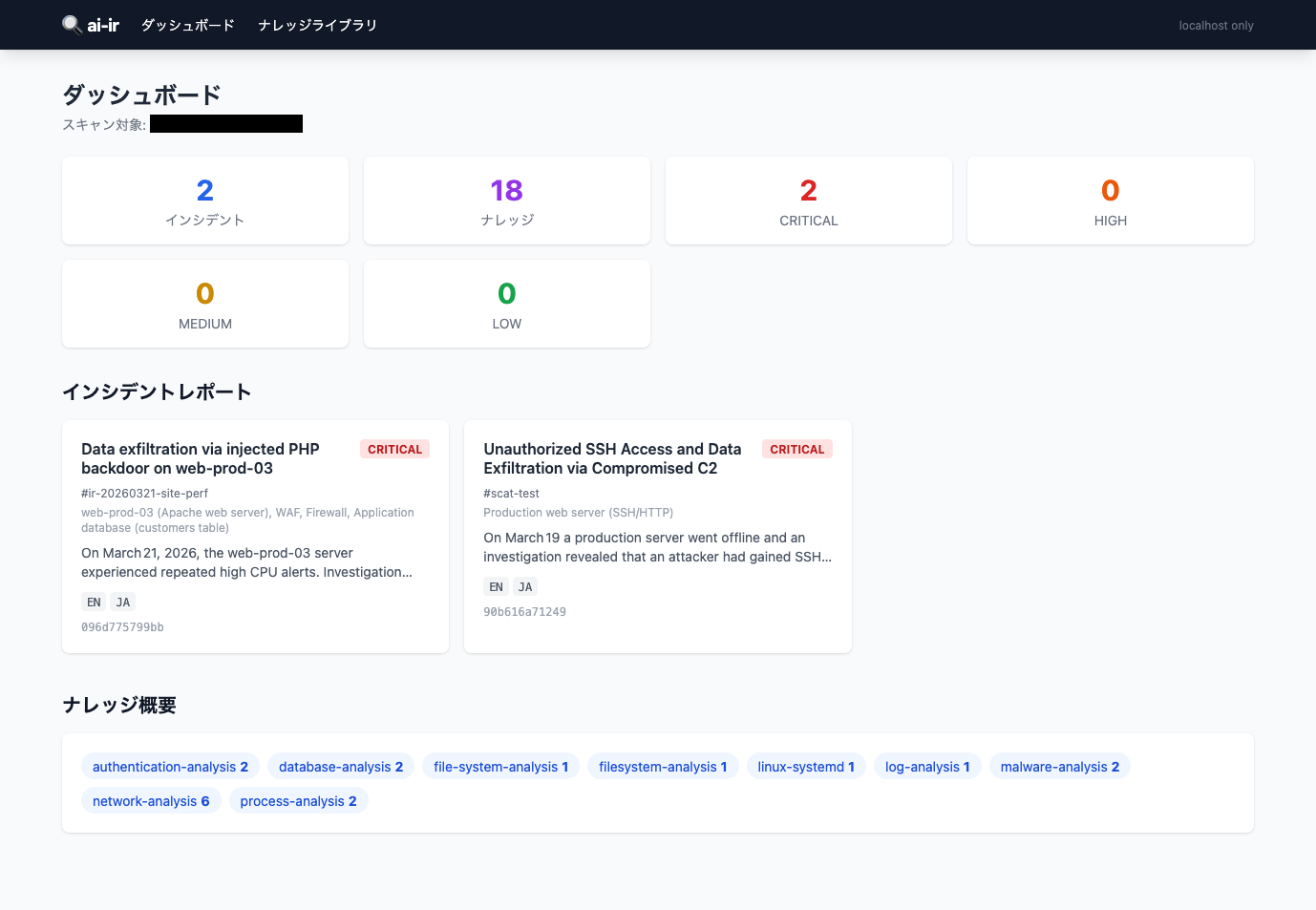 Dashboard — incident list and knowledge summary |
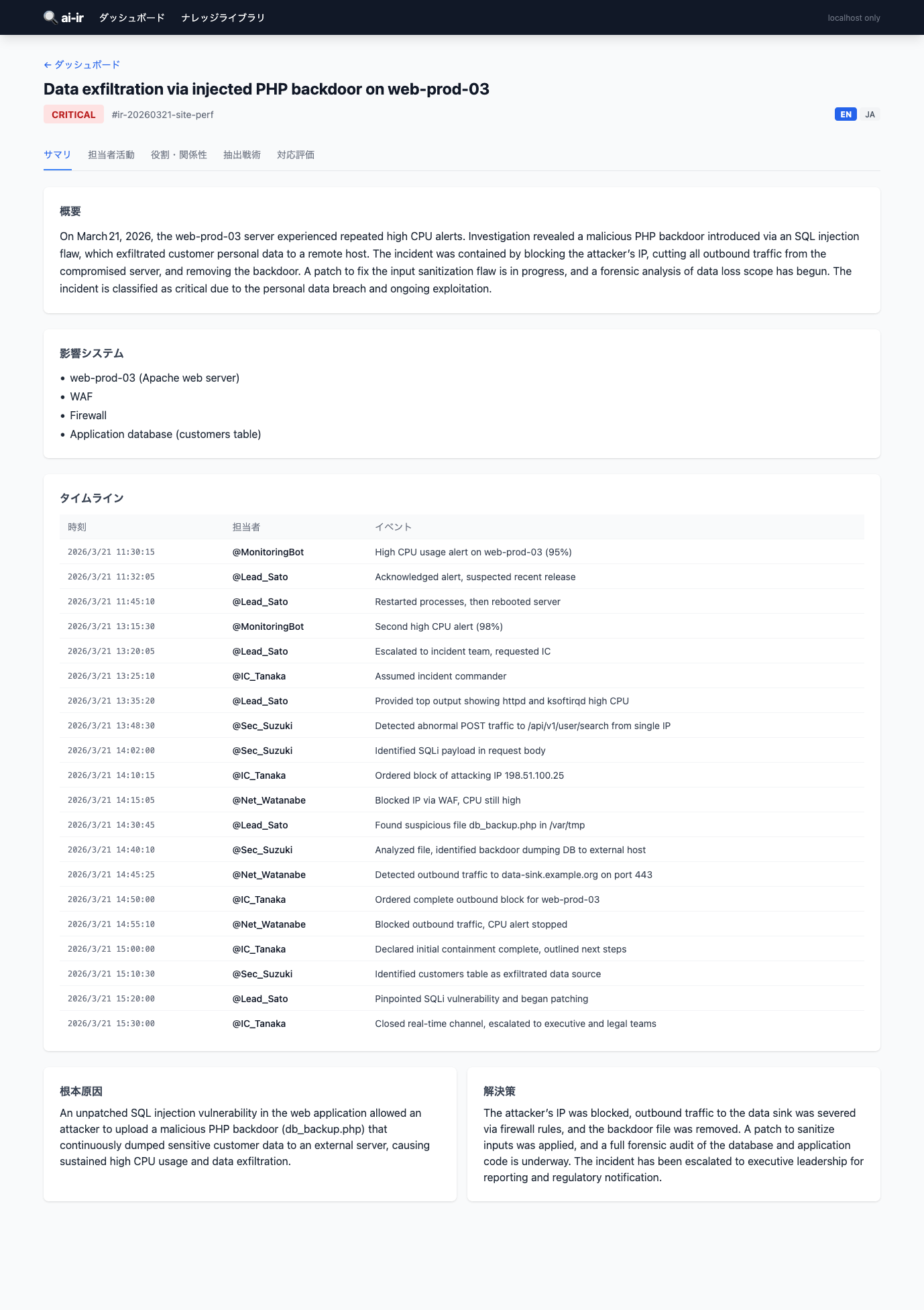 Summary tab — timeline, root cause, resolution |
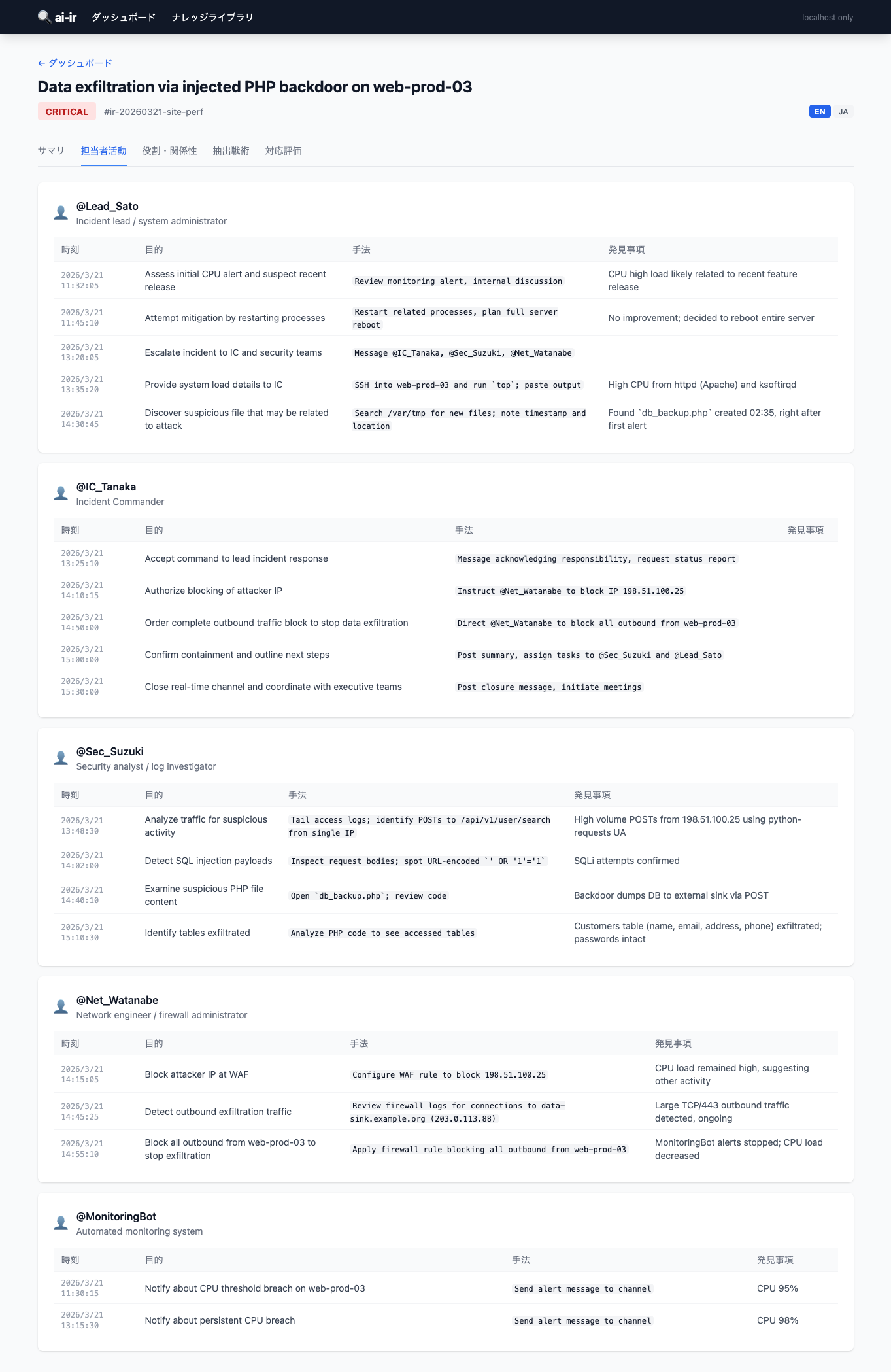 Activity tab — per-participant actions and findings |
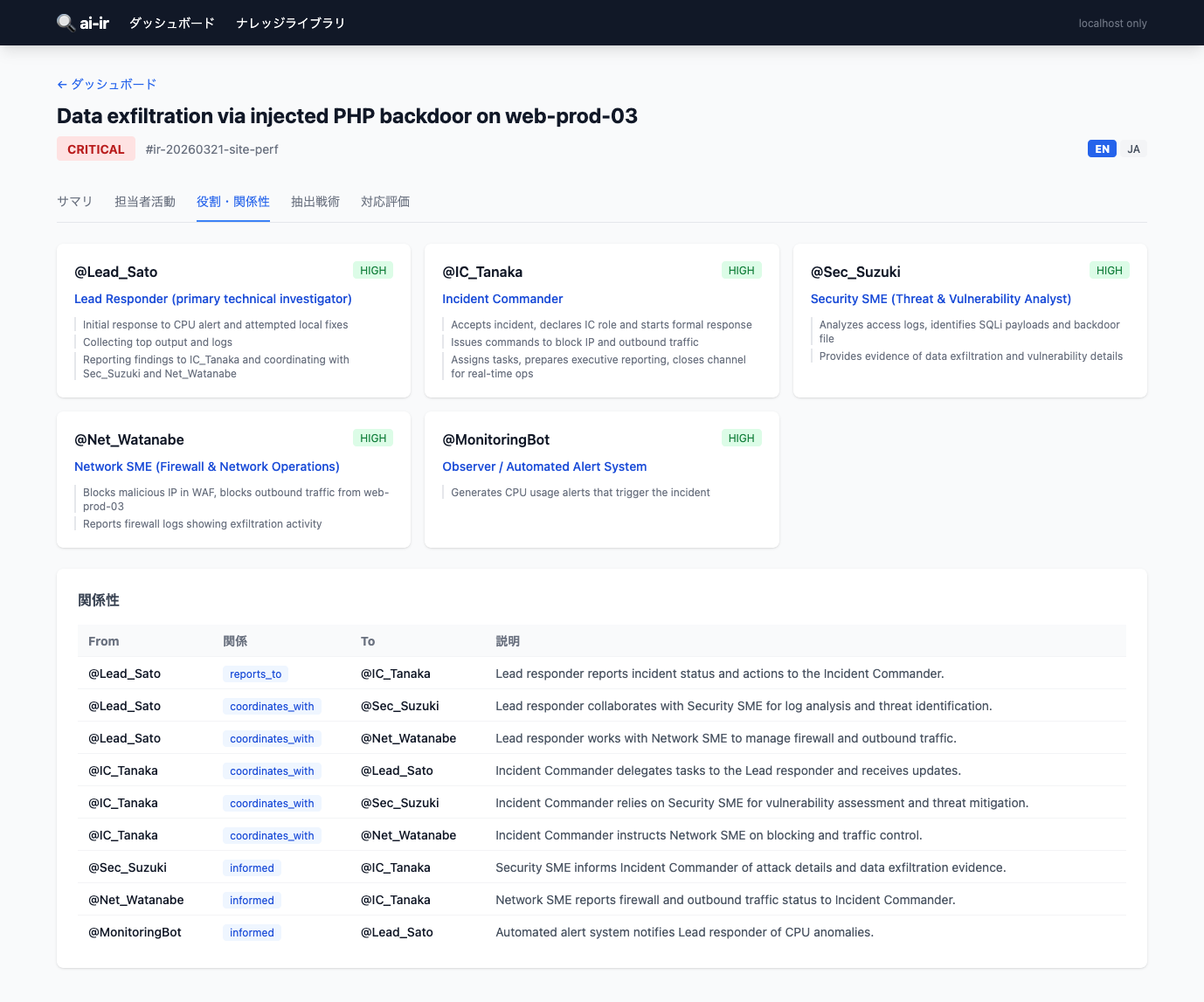 Roles tab — inferred roles and team relationships |
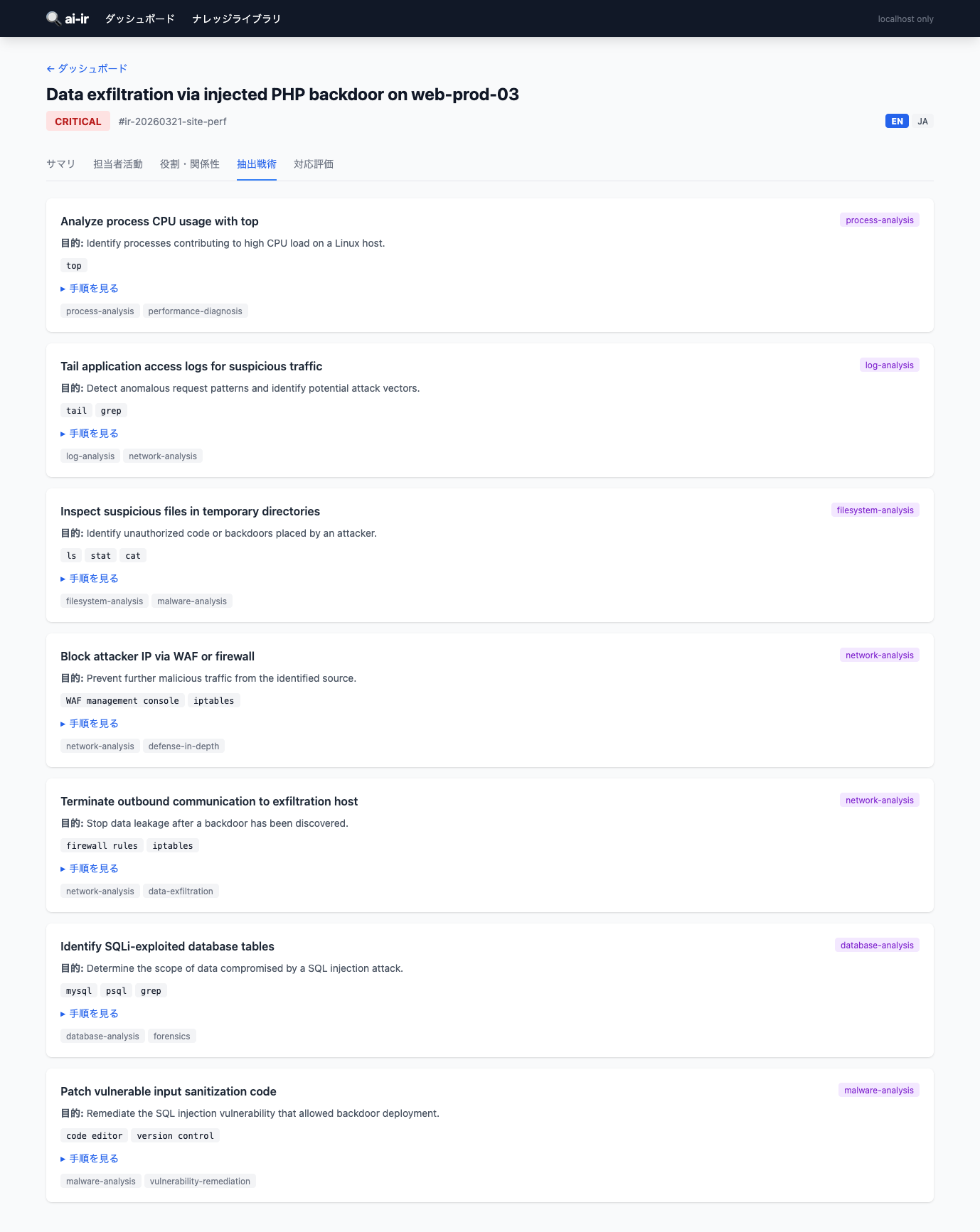 Tactics tab — reusable investigation tactics extracted from the conversation |
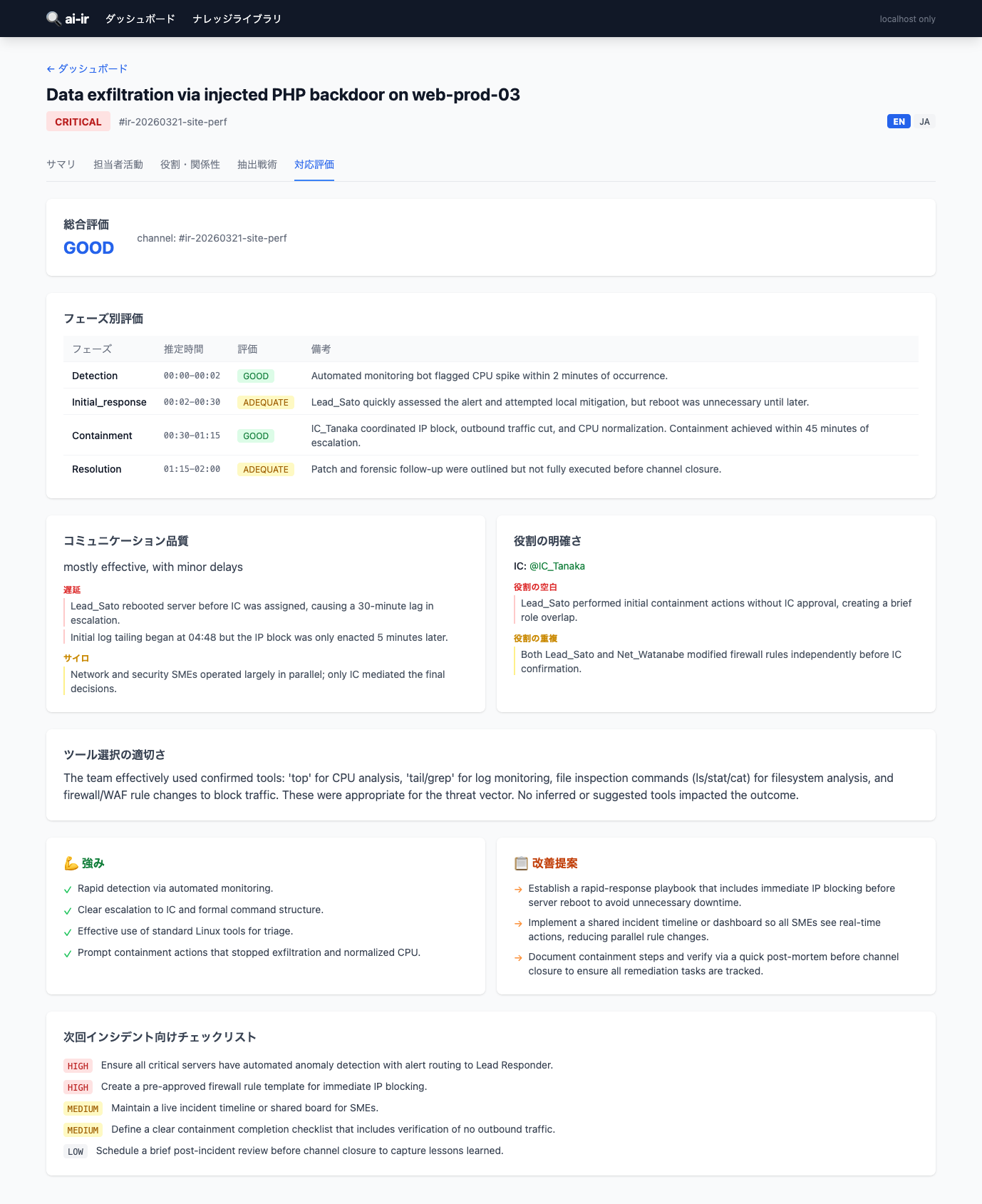 Review tab — IR process quality assessment and improvement checklist |
标签:DLL 劫持, GPT-4, IoC脱敏, LLM, Markdown, Petitpotam, Python, RAG, Ruby, scat, Slack导出分析, SME, stail, Unmanaged PE, YAML, 人工智能, 大语言模型, 安全, 安全事件分析, 安全库, 库, 应急响应, 指挥官, 提示注入防御, 无后门, 时间轴, 本地Web UI, 根因分析, 活动分析, 源代码安全, 用户模式Hook绕过, 知识库, 知识提取, 网络安全, 翻译, 自动化分析, 角色推断, 调查战术, 超时处理, 跨站脚本, 过程审查, 逆向工具, 防御加固, 隐私保护