MichaelLod/byoky GitHub: MichaelLod/byoky
一个开源的 BYOKY 钱包,通过加密保险库与代理路由解决 AI 密钥安全管理与跨提供商共享问题。
Stars: 12 | Forks: 4
Your AI budget is going to waste.
Website · Docs · Apps · Marketplace · Demo · Quick Start · Discord · Issues
## 什么是 Byoky?
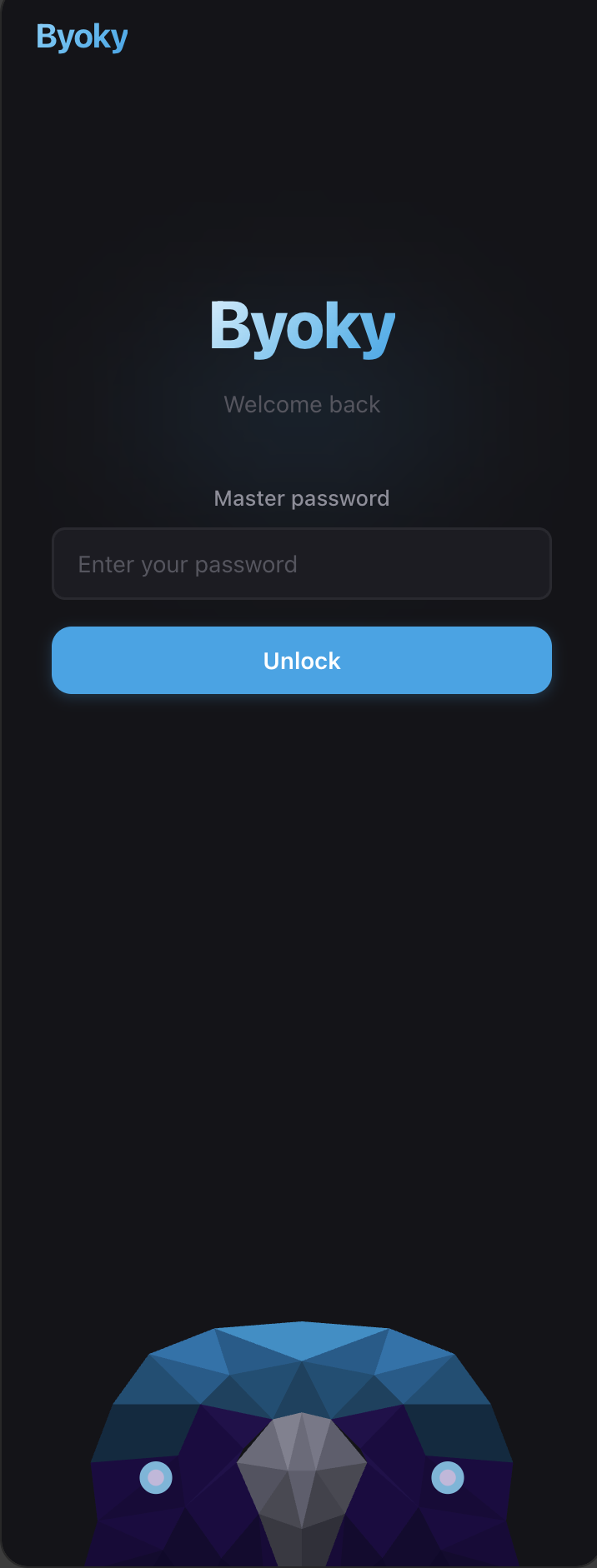
**Byoky**(Bring Your Own Key)是一个开源浏览器扩展,用于将你的 AI API 密钥和设置令牌存储在加密保险库中。开发者通过 `@byoky/sdk` 集成——他们的应用可以使用你的凭据,而无需直接访问它们。
- **对用户而言**——一个钱包管理所有 AI 凭据。支持添加密钥、批准应用、撤销访问、导出加密备份。完全掌控每个请求。
- **对开发者而言**——只需两行代码。使用你喜爱的提供商 SDK,密钥永远不会接触你的应用。
- **分组功能**——按用途将关联应用分组(例如“个人”、“工作”)。为每组绑定特定凭据,然后在组之间拖动应用以切换密钥。实时会话会自动重路由,无需修改任何应用代码。
- **跨提供商路由**——将应用从 Claude 组拖到 GPT 组,钱包会透明地转换请求。Anthropic ↔ OpenAI ↔ Gemini ↔ Cohere ——请求体、响应体和 SSE 流都会被即时重写。应用继续调用它们偏好的 SDK;钱包负责选择上游。
- **令牌赠送**——在不共享 API 密钥的前提下与朋友或队友共享令牌访问权限。可设置用量上限和过期时间。所有请求均通过你的钱包中转。
### 它是如何工作的
```
1. Install the Byoky wallet → set a master password
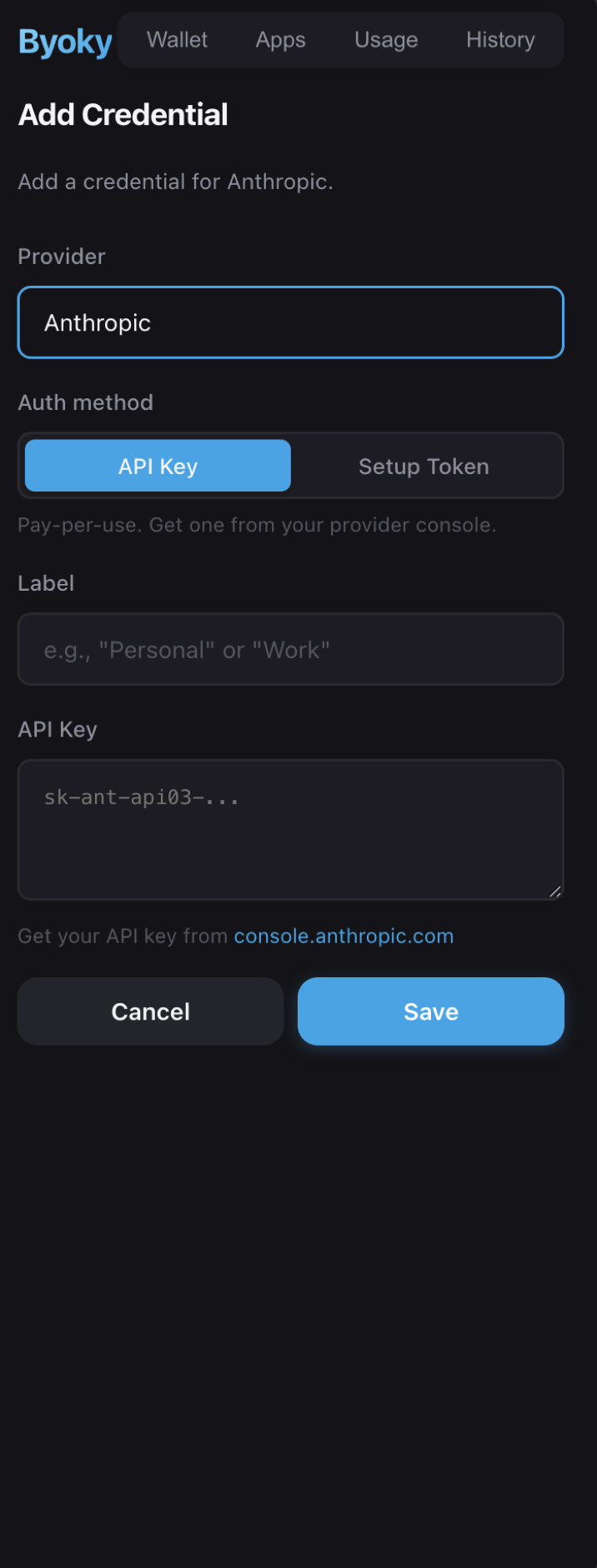
2. Add your API keys or a Claude setup token → encrypted locally
3. Visit any Byoky-enabled app → approve access → keys stay in the vault
```
## 安装
| 平台 | 版本 | 链接 |
|------|------|------|
| Chrome |  | [Chrome Web Store](https://chromewebstore.google.com/detail/byoky/igjohldpldlahcjmefdhlnbcpldlgmon) · [从源码安装](INSTALL.md#chrome-install-from-source) |
| Firefox |  | [Mozilla Add-ons](https://addons.mozilla.org/en-US/firefox/addon/byoky/) |
| iOS |  | [App Store](https://apps.apple.com/app/byoky/id6760779919) |
| Android |  | [Google Play](https://play.google.com/store/apps/details?id=com.byoky.app) |
| Safari(macOS) | 即将推出 | — |
| npm |  | [`@byoky/sdk`](https://www.npmjs.com/package/@byoky/sdk) · [`@byoky/core`](https://www.npmjs.com/package/@byoky/core) · [`@byoky/bridge`](https://www.npmjs.com/package/@byoky/bridge) · [`@byoky/relay`](https://www.npmjs.com/package/@byoky/relay) |
## 快速开始
### 对于用户
**Chrome:**[从 Chrome Web Store 安装](https://chromewebstore.google.com/detail/byoky/igjohldpldlahcjmefdhlnbcpldlgmon)
**Firefox:**[从 Mozilla Add-ons 安装](https://addons.mozilla.org/en-US/firefox/addon/byoky/)
**iOS:**[从 App Store 安装](https://apps.apple.com/app/byoky/id6760779919) —— 钱包 + Safari 扩展合二为一
**Android:**[从 Google Play 安装](https://play.google.com/store/apps/details?id=com.byoky.app) —— 独立钱包(Chrome Android 不支持扩展;可通过二维码或中继配对使用)
### 对于开发者
**创建一个新应用:**
```
npx create-byoky-app
```
**或将其添加到现有项目:**
```
npm install @byoky/sdk
```
```
import Anthropic from '@anthropic-ai/sdk';
import { Byoky } from '@byoky/sdk';
const byoky = new Byoky();
const session = await byoky.connect({
providers: [{ id: 'anthropic', required: true }],
modal: true,
});
// Use the native Anthropic SDK — just swap in Byoky's fetch
const client = new Anthropic({
apiKey: session.sessionKey,
fetch: session.createFetch('anthropic'),
});
// Everything works exactly like normal, including streaming
const message = await client.messages.create({
model: 'claude-sonnet-4-20250514',
max_tokens: 1024,
messages: [{ role: 'user', content: 'Hello!' }],
});
```
### 移动钱包(无需浏览器扩展)
没有浏览器扩展?用户可以使用 Byoky 的 iOS 或 Android 应用连接。SDK 通过中继连接——显示一个配对码,用户用手机扫描即可。
使用 `modal: true`,连接模态框会自动检测是否安装了扩展。如果未安装,则回退到中继模式,并显示内置二维码用于移动配对——无需自定义 UI。iOS 和 Android 应用运行相同的翻译引擎,因此跨提供商路由在移动端同样有效。
```
Web App ←WebSocket→ Relay Server ←WebSocket→ Phone Wallet → LLM API
```
```
// Works with both extension and mobile — modal handles detection and QR code
const session = await byoky.connect({ modal: true });
```
### 后端中继
需要从服务器调用 LLM?用户的浏览器会中继请求——你的后端永远不会看到 API 密钥。
```
Backend ←WebSocket→ User's Frontend ←Extension→ LLM API
```
```
// Frontend — open a relay so the backend can make LLM calls
const session = await new Byoky().connect({ providers: [{ id: 'anthropic' }], modal: true });
const relay = session.createRelay('wss://your-app.com/ws/relay');
```
```
// Backend (Node.js)
import { ByokyServer } from '@byoky/sdk/server';
const byoky = new ByokyServer();
wss.on('connection', async (ws) => {
const client = await byoky.handleConnection(ws);
const fetch = client.createFetch('anthropic');
const res = await fetch('https://api.anthropic.com/v1/messages', {
method: 'POST',
headers: { 'content-type': 'application/json', 'anthropic-version': '2023-06-01' },
body: JSON.stringify({
model: 'claude-sonnet-4-20250514',
max_tokens: 1024,
messages: [{ role: 'user', content: 'Hello!' }],
}),
});
});
```
### CLI / 本地应用(桥接代理)
CLI 工具和桌面应用可以通过桥接代理路由 API 调用——一个本地 HTTP 中继,将请求转发到扩展。密钥永远不会离开扩展。
```
CLI App → HTTP → Bridge (localhost) → Native Messaging → Extension → LLM API
```
```
npm install -g @byoky/bridge
byoky-bridge install # register native messaging host
```
### 令牌赠送(中继)
在不共享 API 密钥的前提下共享令牌访问权限。发送方的扩展会代理所有请求——密钥永远不会离开钱包。
**创建赠送:**
1. 打开钱包 → 选择凭据 → 点击“赠送”
2. 设置令牌用量上限和过期时间
3. 分享生成的赠送链接
**兑换赠送:**
1. 打开钱包 → 点击“兑换赠送”
2. 粘贴赠送链接 → 确认
**自建中继:**
```
npm install -g @byoky/relay
byoky-relay # default port 8787
```
### 令牌市场
**[byoky.com/marketplace](https://byoky.com/marketplace)** —— 一个公开面板,用户可在此分享免费的令牌赠送。浏览可用赠送、查看在线状态、检查剩余用量与过期时间,并直接兑换到你的钱包。
**如何列出一个赠送:**
1. 在钱包中创建一个赠送(扩展或移动端)
2. 勾选“列在令牌市场”
3. 添加显示名称(或保持匿名)
4. 赠送会出现在市场,供任何人兑换
市场会显示实时在线/离线状态(绿/红点)、剩余令牌用量和过期倒计时。已过期或已用尽的赠送会以灰色区域显示。
### OpenClaw 集成
使用你的 Byoky 钱包作为密钥提供者接入 [OpenClaw](https://openclaw.dev)。插件通过桥接连接——你的密钥永远不会离开扩展,即使是通过 CLI 也是如此。
所有 15 个提供商均可通过插件使用。安装桥接,连接你的钱包,OpenClaw 会透明地使用你的 Byoky 凭据。详见 [OpenClaw 插件](packages/openclaw-plugin) 的安装说明。
**设置令牌。** 自 v0.4.19 起,OpenClaw(及其他第三方代理框架)可使用 Claude.ai 的设置令牌作为 byoky-anthropic 凭据,而不仅仅是 `sk-ant-api03-...` 类型的 API 密钥。桥接会透明地重写工具名称,并将框架的系统提示移出系统字段;在输出时再还原工具名称。这样 Anthropic 的原生检测可以接受请求,而不会破坏代理的行为。
#### 远程 OpenClaw(云端部署)
在远程服务器(如 Railway、Fly.io)上运行 OpenClaw,并将 API 密钥保留在本地设备。桥接填补了这一差距——你的云实例永远不会看到你的凭据。
```
OpenClaw (Railway) ←WebSocket→ Relay Server ←WebSocket→ Your Wallet → LLM API
```
无环境变量、无密钥管理、无泄露的 `.env` 文件。密钥保留在钱包中,OpenClaw 可在任何你需要的地方运行。
## 安全
| | |
|---|---|
| **AES-256-GCM** | 使用 PBKDF2 派生的密钥(600K 次迭代)通过 Web Crypto API 对密钥加密 |
| **零暴露** | API 密钥永远不会离开扩展。应用仅获得临时会话令牌 |
| **密码强度** | 至少 12 个字符,实时强度计(熵、模式、常见密码) |
| **保险库备份** | 加密导出/导入(`.byoky` 文件),导出密码与主密码分离 |
| **审计日志** | 每个请求都会被记录——应用来源、提供商、状态、时间戳 |
| **用量限制** | 每个应用的令牌配额——总用量和每个提供商的限制,由代理强制执行 |
| **令牌赠送** | 通过中继共享访问权限,配额 enforced,发送方代理 |
| **仅本地** | 无云、无遥测、无追踪。你的设备,你的密钥 |
## 支持的提供商
| 提供商 | API 密钥 | OAuth | 状态 |
|--------|----------|-------|------|
| Anthropic | ✓ | 设置令牌 | 可用 |
| OpenAI | ✓ | — 可用 |
| Google Gemini | ✓ | Google OAuth | 可用 |
| Mistral | ✓ | — | 可用 |
| Cohere | ✓ | — | 可用 |
| xAI (Grok) | ✓ | — | 可用 |
| DeepSeek | ✓ | — | 可用 |
| Perplexity | ✓ | — | 可用 |
| Groq | ✓ | — | 可用 |
| Together AI | ✓ | — | 可用 |
| Fireworks AI | ✓ | — | 可用 |
| OpenRouter | ✓ | — | 可用 |
| Azure OpenAI | ✓ | — | 可用 |
| *Custom* | ✓ | — | 可扩展 |
## 架构
Byoky 使用 **代理模型**。密钥永远不会离开扩展。三种集成路径,提供相同的安全保证:
```
Browser apps → SDK (createFetch) → Content Script → Extension → LLM API
Mobile wallet → SDK (createFetch) → WebSocket → Relay → Phone App → LLM API
Backend apps → SDK/server (WebSocket) → User's Browser → Extension → LLM API
CLI/desktop → HTTP → Bridge (localhost) → Native Messaging → Extension → LLM API
Remote apps → WebSocket → Relay Server → WebSocket → Your Wallet → LLM API
Token gifts → WebSocket → Relay Server → WebSocket → Sender's Extension → LLM API
```
SDK 提供 `createFetch()` —— 一个可直接替换 `fetch` 的函数,通过扩展路由请求。与 **任何提供商的原生 SDK** 兼容。
## 项目结构
```
byoky/
├── packages/
│ ├── core/ # Shared types, crypto, protocol, provider registry
│ ├── sdk/ # @byoky/sdk (+ @byoky/sdk/server for backend relay)
│ ├── extension/ # Browser extension (Chrome, Firefox, Safari) — WXT
│ ├── bridge/ # @byoky/bridge — HTTP proxy + native messaging for CLI/desktop apps
│ ├── relay/ # @byoky/relay — WebSocket relay server
│ ├── ios/ # iOS app (wallet + Safari extension)
│ ├── openclaw-plugin/ # OpenClaw provider plugin
│ ├── create-byoky-app/ # CLI scaffolder — npx create-byoky-app
│ ├── vault/ # Encrypted cloud vault backup server
│ └── web/ # Landing page (byoky.com) + MiniApps + Developer Hub
├── e2e/ # Playwright cross-device tests (Chrome + iOS + Android)
└── marketing/ # Screenshot + composite + video pipeline (gitignored outputs)
```
## 营销流水线
`marketing/` 包含一个自包含流水线,用于生成 Chrome Web Store、Firefox AMO、iOS App Store、Google Play 以及 Product Hunt 所需的所有资源——包括叙述式 walkthrough 视频——通过复用端到端 Playwright 场景和 iOS/Android 模拟器。
```
pnpm marketing:install # one-time: Sharp, Playwright, Chromium
pnpm marketing:desktop # Chrome + web + composites + narration + video
pnpm marketing:capture:ios # requires booted iOS simulator
pnpm marketing:capture:android # requires adb-visible emulator
pnpm marketing:all # end-to-end
```
**生成的内容**(全部位于 `marketing/` 下,忽略版本控制):
- `raw/popup-frames/*.png` — Chrome 扩展弹窗状态(16 个屏幕)
- `raw/web/*.png` — 落地页 / 演示 / 聊天 / 市场主页 + 商店截图
- `raw/ios/*.png` — iOS 模拟器截图 @ 1320×2868(App Store 6.9″)
- `raw/android/*.png` — Android 模拟器截图 @ 1080×1920(Play 竖屏)
- `composites/*.png` — 6 张 Chrome/Firefox 商店幻灯片 · 6 张 iOS App Store 幻灯片 ·
Chrome 促销小图(440×280)+ 横幅(1400×560)· Product Hunt 封面(1270×760)+ 头部(1200×630)+ 缩略图(240×240)· 多屏眼球捕捉图(1920×1080)
- `voiceover/narration.wav` — Gemini 2.5 Flash TTS(Puck 音色)带每段风格指引
- `videos/walkthrough.mp4` — 16:9 叙述式 walkthrough(正方形 + 竖屏)
- `videos/product-hunt.mp4` — Product Hunt 发布变体(正方形 + 竖屏)
- `videos/walkthrough-batman.mp4` — 紧凑的 Batman-TV 风格混剪,带漫画书星爆叠加(POW! BAM! ZOOM!)、硬切缩放、屏幕闪烁转场
**关键设计决策:**
- iOS 市场素材通过 [`ByokyMarketingTests.swift`](packages/ios/ByokyUITests/ByokyMarketingTests.swift) 生成——一个轻量 XCUITest,遍历应用所有商店级屏幕并在关键节点暂停,以便并行 bash runner 可通过 `xcrun simctl io screenshot` 截图。
- 视频使用 `scale+lanczos+eval=frame` 实现次像素平滑的 Ken-Burns 运动(ffmpeg 的 `zoompan` 对偏移量取整会导致可见的 1px 抖动——此处已规避)。
- 宽高比变体(1:1 正方、9:16 竖屏)在保留 16:9 全画面的同时使用模糊填充背景,而非简单中心裁剪。
## 开发
```
pnpm install # Install dependencies
pnpm dev # Start extension in dev mode (Chrome)
pnpm build # Build all packages
pnpm typecheck # Type check everything
```
**浏览器专属构建:**
```
pnpm --filter @byoky/extension dev:firefox
pnpm --filter @byoky/extension build:all # Chrome + Firefox + Safari
```
**在 Chrome 中加载:**
1. `pnpm dev`
2. 访问 `chrome://extensions`
3. 启用“开发者模式”
4. 点击“加载已解压的扩展程序” → 选择 `packages/extension/.output/chrome-mv3`
## 技术栈
| | |
|---|---|
| **扩展** | [WXT](https://wxt.dev) · React · Zustand · Web Crypto API |
| **SDK** | TypeScript · 内置连接模态框(带二维码的手机配对) · 零依赖(仅依赖 @byoky/core) |
| **单体仓库** | pnpm workspaces · TypeScript 严格模式 |
| **浏览器** | Chrome(MV3)· Firefox · Safari |
## 路线图
- [x] 后端中继(`@byoky/sdk/server`)
- [x] 每应用令牌配额(总用量 + 每个提供商限制)
- [x] 加密保险库导出/导入(`.byoky` 文件)
- [x] 浏览器扩展商店列表(Chrome、Firefox)
- [x] OpenClaw 提供者插件(桥接代理,密钥保留在扩展中)
- [x] 令牌赠送(基于中继,零密钥暴露)
- [x] 移动钱包中继连接(无需扩展,通过二维码配对)
- [x] iOS 应用(钱包 + Safari 扩展 + 中继配对)
- [x] Android 应用(独立钱包 + 中继配对)
- [x] create-byoky-app CLI 脚手架
- [x] 别名分组——拖动应用在不同组之间切换凭据
- [x] 第三方代理的 setup 令牌兼容(OpenClaw 等)——透明工具名 + 系统提示重写
- [x] 跨提供商翻译——将应用从 Claude 组拖到 GPT 组,请求会透明重写(请求体、响应体、SSE 流)
- [x] 远程 OpenClaw 通过中继(云端部署,零密钥暴露)
- [x] 应用生态系统——策展市场、应用内运行(沙箱 iframe/WebView)、开发者提交流程
- [x] 令牌市场——公开赠送面板,用户可分享免费令牌
- [x] 移动端赠送托管——iOS/Android 应用可直接提供赠送(此前仅扩展支持)
- [x] 跨赠送的跨提供商翻译——赠送 Anthropic 密钥,接收方可用 OpenAI SDK 调用(反之亦然)
- [x] 通过桥接代理的赠送凭据——CLI/桌面应用可通过 `@byoky/bridge` 使用赠送
- [ ] 修改密码(重新用新主密码加密保险库)
## 应用生态系统
**[byoky.com/apps](https://byoky.com/apps)** —— 一个策展的应用市场,应用可在你的自有 API 密钥上运行。直接从钱包安装应用到沙箱 iframe/WebView 中——密钥永远不会离开钱包。
**工作原理:**
1. 从钱包的 **应用** 标签页浏览应用商店
2. 安装应用——它会出现在应用网格中(iPhone 风格)
3. 点击启动——应用在钱包沙箱中运行
4. 应用使用 `@byoky/sdk` 请求提供商访问——你批准其可使用的提供商
5. 所有 API 调用均通过钱包中继——密钥不会接触应用
**对于开发者:**
```
npx create-byoky-app my-app # scaffold a new app
npx create-byoky-app init # create a byoky.app.json manifest
npx create-byoky-app submit # submit to the marketplace
```
或通过 [byoky.com/apps/submit](https://byoky.com/apps/submit) 提交。
**安全模型:**
- 应用在沙箱 iframe(`allow-scripts allow-forms`)或 WKWebView/WebView 中运行
- 跨源隔离防止访问钱包存储、DOM 或密钥
- 应用只能通过 SDK 的 `postMessage` 桥接通信
- 用户可随时禁用或卸载应用
- 每个应用的使用跟踪和提供商访问控制
**托管要求:**你的应用 URL 必须允许 iframe 嵌入。不要设置 `X-Frame-Options: DENY`/`SAMEORIGIN`;要么省略 CSP `frame-ancestors`,要么设为 `*`(或包含 Byoky 扩展源)。提交流程会自动验证这一点。
## 使用 Byoky 构建的项目
| 项目 | 描述 |
|------|------|
| [LamboChart](https://lambochart.com) | AI 驱动的分析,面向 vibe coders ——用户通过 Byoky 携带自己的 LLM 密钥 |
[添加你的项目 →](https://byoky.com/built-with)
## 星标历史
##贡献
欢迎贡献!请参考 [CONTRIBUTING.md](CONTRIBUTING.md) 获取指南。
## 许可证
[MIT](LICENSE) —— 永久免费。
标签: AI支付, AI钱包, Android, DSL, iOS, Token预算共享, 令牌共享, 免费开源, 去中心化身份, 多提供商, 密码学安全, 密钥隔离, 开源钱包, 快速集成, 无需暴露密钥, 浏览器扩展, 自动化攻击, 跨提供商翻译, 钱包SDK, 集成SDK