Brkgng/ZapPDF
GitHub: Brkgng/ZapPDF
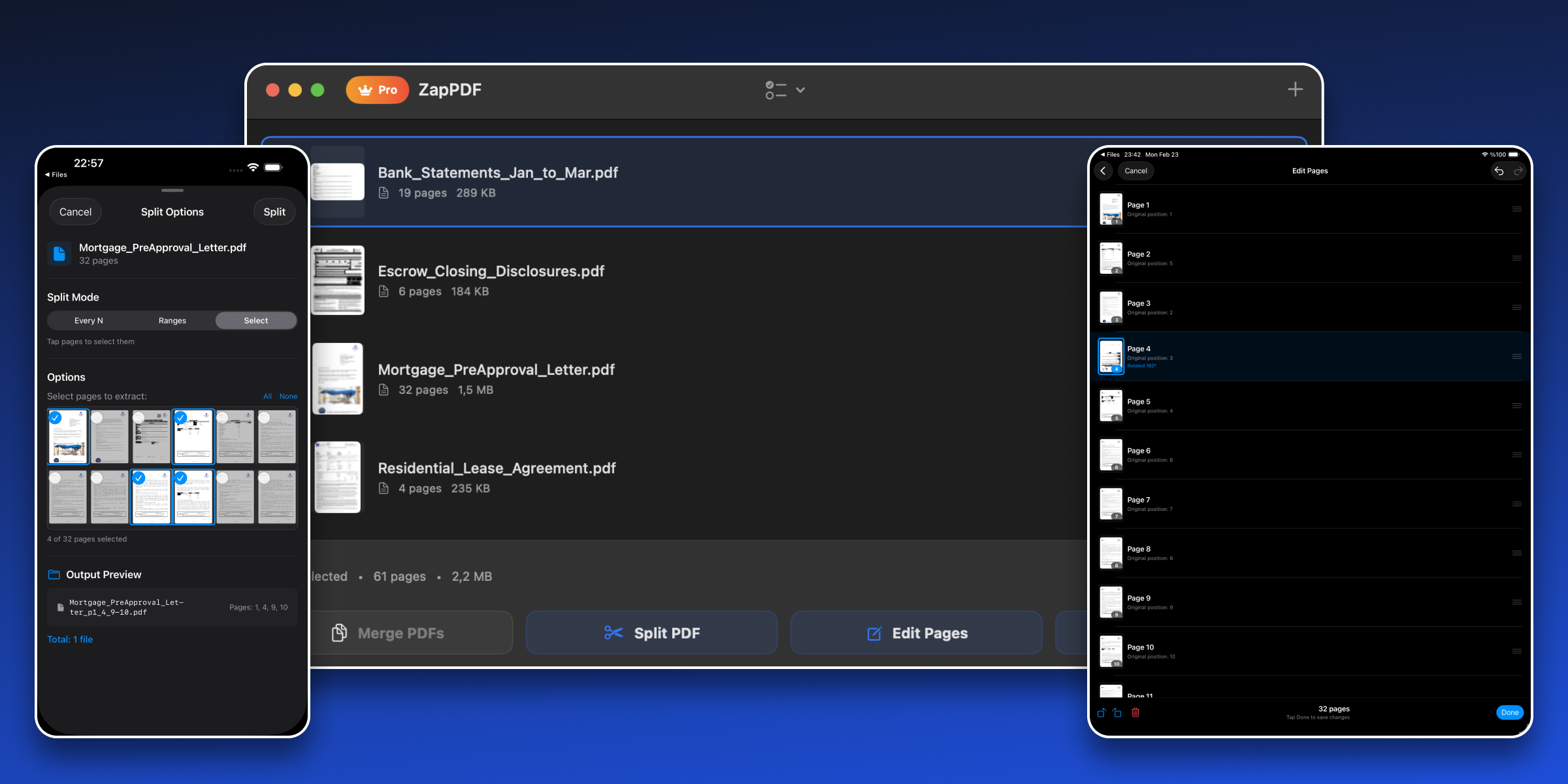
ZapPDF 是一款隐私优先、完全本地处理的跨苹果平台 PDF 工具应用,支持合并、拆分、编辑、扁平化和文档扫描等功能。
Stars: 22 | Forks: 3
# ZapPDF
[](https://github.com/brkgng/ZapPDF)
[](./LICENSE)
## 下载
[](https://apps.apple.com/us/app/zappdf-merge-split-edit/id6759740507)
一款适用于 macOS、iOS 和 iPadOS 的隐私优先 PDF 实用工具应用。
## 功能
- **合并 PDF** - 将多个 PDF 文件合并为一个
- **拆分 PDF** - 提取页面范围或拆分为单个页面
- **编辑页面** - 在单个文件中对页面进行重新排序、旋转和删除
- **扁平化 PDF** - 将注释和表单内容合并到页面内容中
- **Share Sheet 支持** - 直接从“文件”、“邮件”和其他应用程序中在 ZapPDF 打开 PDF
- **文档扫描 (iOS/iPadOS)** - 扫描纸质文档或导入照片并保存为 PDF
- **应用内语言切换** - 支持英语、土耳其语、德语、法语、西班牙语、日语、中文(简体)。更多语言即将推出,欢迎贡献。
## 系统要求
- **macOS**: 14.0+
- **iOS/iPadOS**: 17.0+
- **Xcode**: 建议使用最新的稳定版本
## 开始使用
1. 克隆代码仓库。
2. 在 Xcode 中打开 `ZapPDF.xcodeproj`。
3. 选择目标设备或模拟器。
4. 构建并运行 (`Cmd+R`)。
## 项目结构
该应用程序遵循 MVVM 架构并具有共享的代码库:
```
ZapPDF/
├── App/ # App entry point, lifecycle, assets, localization files
├── Common/
│ ├── Extensions/ # Shared Foundation/SwiftUI extensions
│ ├── Localization/ # Localization accessors and language manager
│ └── Utils/ # Cross-cutting helper utilities
├── Models/ # Pure data models (PDFFile, AppLanguage, UserAction, etc.)
├── Monetization/ # RevenueCat and subscription abstractions
├── Services/
│ ├── PDFEngine/ # Merge, split, flatten, reorder implementations
│ ├── Persistence/ # Usage limits, keychain, review prompt persistence
│ └── DocumentScanner/ # iOS/iPadOS document scanning support
├── UI/
│ ├── Screens/ # Top-level app screens
│ ├── Components/ # Reusable SwiftUI components
│ └── Representables/ # Bridging views (for example, PDFKit wrappers)
├── ViewModels/ # MVVM state and business-flow coordination
├── ZapPDFTests/
│ ├── Extensions/
│ ├── Helpers/
│ ├── Models/
│ ├── Monetization/
│ ├── Services/
│ ├── UI/
│ ├── Utils/
│ └── ViewModels/
└── ZapPDF.xcodeproj/ # Xcode project
```
## 构建和测试
```
# Debug 构建 (macOS)
xcodebuild build -project ZapPDF.xcodeproj -scheme ZapPDF -configuration Debug -destination 'platform=macOS' CODE_SIGNING_ALLOWED=NO
# 完整 test suite (macOS)
xcodebuild test -project ZapPDF.xcodeproj -scheme ZapPDF -destination 'platform=macOS' CODE_SIGNING_ALLOWED=NO
# Release 构建 (macOS)
xcodebuild build -project ZapPDF.xcodeproj -scheme ZapPDF -configuration Release -destination 'platform=macOS' CODE_SIGNING_ALLOWED=NO
```
## 商业化
- ZapPDF 目前包含具有有限操作次数的免费版本。
- Pro 版解锁无限 PDF 操作。
## 安全与隐私
- 所有 PDF 处理均在设备本地进行。
- 文件不会上传到任何外部服务器。
- 当配置了 API 密钥时,订阅网络请求仅限于 RevenueCat 的 endpoint。
## 许可证
[MIT](./LICENSE)
标签:iOS, IPv6支持, PDF工具, SwiftUI, 本地优先, 移动应用, 苹果生态