saichand04/openCTI
GitHub: saichand04/openCTI
一款轻量级开源威胁情报平台,聚合13个以上OSINT数据源,提供IOC查询、安全新闻聚合和REST API接口。
Stars: 1 | Forks: 0
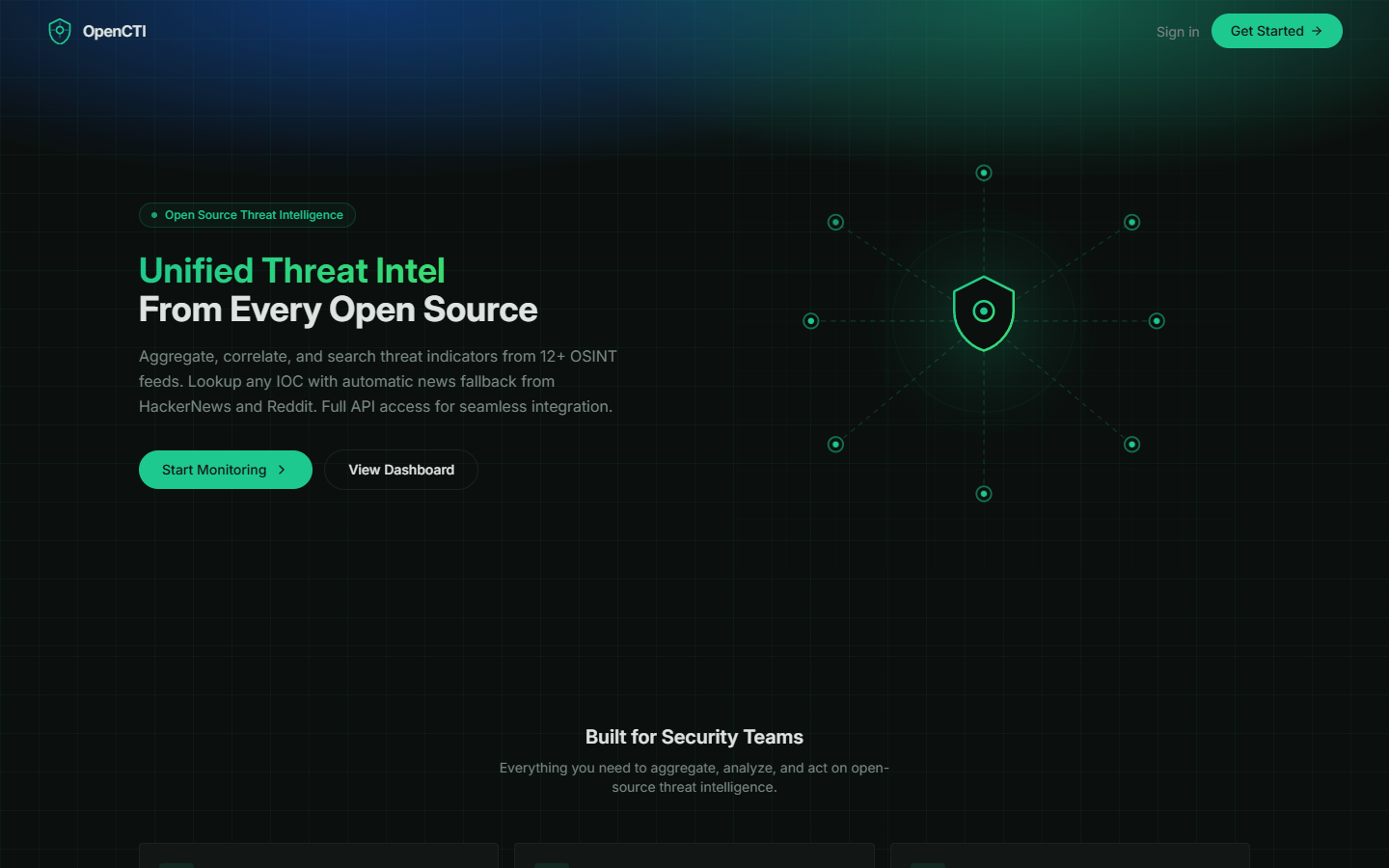
OpenCTI — 开源威胁情报平台
聚合、关联并搜索来自 12 个以上 OSINT 源的威胁指标。
查询任意 IOC,支持自动新闻回退。提供完整的 REST API 以实现无缝集成。





## 目录
- [功能特性](#features)
- [系统架构](#architecture)
- [技术栈](#tech-stack)
- [OSINT 源列表](#osint-feed-sources)
- [Threat Advisor 新闻来源](#threat-advisor-news-sources)
- [快速入门](#getting-started)
- [前置条件](#prerequisites)
- [本地开发](#local-development)
- [Docker 部署](#docker-deployment)
- [AWS EC2 部署](#aws-ec2-deployment)
- [环境变量](#environment-variables)
- [平台页面](#platform-pages)
- [REST API](#rest-api)
- [基于角色的访问控制](#role-based-access-control)
- [项目结构](#project-structure)
- [贡献指南](#contributing)
- [许可证](#license)
## 功能特性
- **13 个 OSINT 威胁源** — 聚合来自 Abuse.ch (URLhaus, Feodo Tracker, SSL Blacklist, ThreatFox)、Blocklist.de、C2 IntelFeeds、OpenPhish、DigitalSide、Emerging Threats、CINSscore、MalwareBazaar、Disposable Email Domains 和 AlienVault OTX 的指标
- **IOC 查询** — 跨所有源搜索任意 IP、域名、URL 或哈希,若未命中则自动回退至 HackerNews 和 Reddit 的相关新闻
- **Threat Advisor** — 实时聚合来自 12 个网络安全新闻源的 RSS,支持严重性分类、来源过滤和电子邮件顾问报告生成
- **交互式仪表板** — KPI 卡片、Sankey 攻击面图、按来源和严重性划分的 IOC 分布图
- **REST API v1** — 完整的编程访问接口,支持 API 密钥认证(前缀为 `octi_` 的密钥)
- **管理设置面板** — 管理 API 密钥、切换认证提供商、配置数据保留策略、管理数据源以及设置 OTX API 密钥
- **基于角色的访问** — 区分管理员和普通用户角色,包含管理员专属功能(设置、数据源管理、数据清理)
- **数据保留与清理** — 可配置的 3 个月 / 6 个月 / 1 年保留策略,支持手动清理
- **Docker 容器化** — 多阶段 Docker 构建,包含 PostgreSQL,可用于生产部署
- **深色模式** — 默认提供完整的深色主题体验
## 系统架构
```
┌────────────────────────────────────────────────────────┐
│ Client (React) │
│ Landing · Auth · Dashboard · Feeds · IOCs · Lookup │
│ Threat Advisor · API Access · Settings │
└───────────────────────┬────────────────────────────────┘
│ HTTP / REST
┌───────────────────────▼────────────────────────────────┐
│ Server (Express.js) │
│ Routes · Feed Parsers · RSS Aggregator · Auth │
│ OTX Integration · Data Retention · Report Generator │
└───────────────────────┬────────────────────────────────┘
│
┌───────────────────────▼────────────────────────────────┐
│ Storage (In-Memory / PostgreSQL) │
│ Users · Feeds · Indicators · Settings · Subscribers │
└────────────────────────────────────────────────────────┘
│
┌───────────────┼───────────────┐
▼ ▼ ▼
OSINT Feeds RSS Sources AlienVault OTX
(12 sources) (12 sources) (Pulse API)
```
## 技术栈
| 层级 | 技术 |
|-------|-----------|
| **Frontend** | React 18, TypeScript, Tailwind CSS, shadcn/ui, Recharts, Wouter |
| **Backend** | Node.js 20, Express.js, TypeScript |
| **Database** | 内存 (dev) / PostgreSQL 16 (production) |
| **ORM** | Drizzle ORM with Zod validation |
| **Build** | Vite 5 (frontend), esbuild (backend) |
| **Container** | Docker (multi-stage), Docker Compose |
| **Fonts** | Inter (UI), JetBrains Mono (code) |
## OSINT 源列表
| # | 源 | 类别 | 描述 |
|---|------|----------|-------------|
| 1 | Abuse.ch URLhaus | URL | 用于恶意软件分发的恶意 URL |
| 2 | Abuse.ch Feodo Tracker | IP | 僵尸网络 C2 IP 黑名单 |
| 3 | Abuse.ch SSL Blacklist | IP | 与 C2 服务器关联的 SSL 证书 |
| 4 | Abuse.ch ThreatFox | Mixed | 来自恶意软件的 IOC,包括 C2 基础设施 |
| 5 | Blocklist.de All Attacks | IP | 过去 48 小时内被报告为攻击源的 IP |
| 6 | C2 IntelFeeds | IP | 命令与控制 (C2) 服务器 IP 地址 |
| 7 | OpenPhish | URL | 已验证的钓鱼 URL |
| 8 | DigitalSide Threat-Intel | URL | 基于 OSINT 的恶意软件分发 URL |
| 9 | Emerging Threats | IP | 来自 ProofPoint 的已知受损 IP |
| 10 | CINSscore Bad IPs | IP | 来自 Sentinel IPS 的最活跃恶意 IP |
| 11 | MalwareBazaar | Hash | 带有 SHA256 哈希的近期恶意软件样本 |
| 12 | Disposable Email Domains | Domain | 已知的临时/一次性邮箱域名 |
| 13 | AlienVault OTX | Mixed | 通过 OTX Pulse API 获取的社区驱动威胁数据 |
## Threat Advisor 新闻来源
| # | 来源 | URL |
|---|--------|-----|
| 1 | The Hacker News | https://thehackernews.com |
| 2 | Qualys Blog | https://blog.qualys.com |
| 3 | Rapid7 Blog | https://www.rapid7.com/blog/ |
| 4 | CISA Alerts | https://www.cisa.gov |
| 5 | Securelist (Kaspersky) | https://securelist.com |
| 6 | ENISA News | https://www.enisa.europa.eu |
| 7 | CyberSecurity News | https://cybersecuritynews.com |
| 8 | SecurityOnline | https://securityonline.info |
| 9 | Techzine EU | https://www.techzine.eu |
| 10 | AlienVault OTX Pulse | https://otx.alienvault.com |
| 11 | BleepingComputer | https://www.bleepingcomputer.com |
| 12 | Krebs on Security | https://krebsonsecurity.com |
## 快速入门
### 前置条件
- **Node.js** 20+ 和 **npm** (用于本地开发)
- **Docker** 和 **Docker Compose** (用于容器化部署)
### 本地开发
```
# Clone the repository
git clone https://github.com/saichand04/openCTI.git
cd openCTI
# Install dependencies
npm install
# Start the development server (hot reload)
npm run dev
# Access at http://localhost:5000
```
### Docker 部署
```
# Clone the repository
git clone https://github.com/saichand04/openCTI.git
cd openCTI
# (Optional) Create a .env file from the example
cp .env.example .env
# Edit .env to set your OTX_API_KEY and ADMIN_PASSWORD
# Build and start containers
docker-compose up -d
# Access at http://localhost:5000
```
**Docker 服务已启动:**
- `opencti-app` — 运行在端口 5000 的 Node.js 应用
- `opencti-db` — 带有持久化卷的 PostgreSQL 16 数据库
**常用 Docker 命令:**
```
# View logs
docker-compose logs -f opencti-app
# Stop the platform
docker-compose down
# Stop and wipe all data (including database)
docker-compose down -v
# Rebuild after code changes
docker-compose up -d --build
```
### AWS EC2 部署
1. 启动一个 EC2 实例 (推荐 Ubuntu 22.04, t3.small 或更高配置)
2. 安装 Docker 和 Docker Compose:
sudo apt update && sudo apt install -y docker.io docker-compose
sudo usermod -aG docker $USER
newgrp docker
3. 克隆仓库并启动:
git clone https://github.com/saichand04/openCTI.git
cd openCTI
cp .env.example .env
# 编辑 .env 文件填入你的密钥
docker-compose up -d
4. 配置安全组以允许端口 5000 上的入站 TCP 流量
5. 通过 `http://
:5000` 访问
## 环境变量
| 变量 | 描述 | 默认值 |
|----------|-------------|---------|
| `NODE_ENV` | Node 环境 (`development` 或 `production`) | `development` |
| `DATABASE_URL` | PostgreSQL 连接字符串 | 如果未设置则使用内存 |
| `OTX_API_KEY` | AlienVault OTX API 密钥 ([在此获取](https://otx.alienvault.com)) | 空 |
| `ADMIN_PASSWORD` | 管理员账户密码 | `admin123` |
从 `.env.example` 创建一个 `.env` 文件来配置这些变量。
## 平台页面
| 页面 | 路由 | 描述 |
|------|-------|-------------|
| **Landing** | `/` | 公共主页,包含平台概述和功能亮点 |
| **Auth** | `/#/auth` | 用户登录 和管理员登录 选项卡 |
| **Dashboard** | `/#/dashboard` | KPI 卡片、Sankey 攻击面图、IOC 分布图 |
| **Feeds** | `/#/feeds` | 所有 13 个威胁源的列表,包含状态、IOC 计数和获取控制 |
| **IOCs** | `/#/indicators` | 所有收集指标的可搜索、可过滤表格 |
| **Lookup** | `/#/lookup` | IOC 搜索,支持跨源查询和 HackerNews/Reddit 新闻回退 |
| **Threat Advisor** | `/#/threat-advisor` | 实时新闻聚合,包含严重性分类和咨询报告 |
| **API Access** | `/#/api-access` | API 密钥管理和端点文档 |
| **Settings** | `/#/settings` | 仅管理员:API 配置、认证提供商、数据保留、源管理 |
## REST API
所有 API 端点都以 `/api/` 为前缀。需要认证的端点需要在请求头中包含 API 密钥:
```
X-API-Key: octi_your_api_key_here
```
### 主要端点
| 方法 | 端点 | 描述 |
|--------|----------|-------------|
| `GET` | `/api/feeds` | 列出所有配置的威胁源 |
| `POST` | `/api/feeds/fetch-all` | 触发获取所有已启用的源 |
| `POST` | `/api/feeds/:slug/fetch` | 获取特定源的数据 |
| `GET` | `/api/indicators` | 列出指标 (支持 `?search=`, `?source=`, `?severity=`) |
| `GET` | `/api/lookup/:ioc` | 跨所有源查询单个 IOC |
| `GET` | `/api/stats` | 平台统计信息 (总 IOC 数、源数、严重性细分) |
| `GET` | `/api/threat-advisor/articles` | 获取聚合的威胁新闻文章 |
| `GET` | `/api/threat-advisor/sources` | 列出配置的新闻来源 |
| `GET` | `/api/threat-advisor/report` | 生成 HTML 咨询报告 |
| `POST` | `/api/auth/login` | 用户登录 |
| `POST` | `/api/auth/admin-login` | 管理员登录 |
| `GET` | `/api/settings` | 获取平台设置 (仅管理员) |
| `PATCH` | `/api/settings` | 更新平台设置 (仅管理员) |
| `POST` | `/api/settings/purge` | 清理旧的指标数据 (仅管理员) |
## 基于角色的访问控制
| 功能 | 普通用户 | 管理员 |
|---------|:------------:|:-------------:|
| 查看仪表板 | ✅ | ✅ |
| 查看数据源 | ✅ | ✅ |
| 搜索 IOC | ✅ | ✅ |
| IOC 查询 | ✅ | ✅ |
| Threat Advisor | ✅ | ✅ |
| API 访问 | ✅ | ✅ |
| 获取所有源数据 | ❌ | ✅ |
| 添加/删除源 | ❌ | ✅ |
| 设置页面 | ❌ | ✅ |
| 数据清理 | ❌ | ✅ |
| 管理认证提供商 | ❌ | ✅ |
## 项目结构
```
openCTI/
├── client/ # Frontend (React + Vite)
│ ├── src/
│ │ ├── components/ui/ # shadcn/ui components
│ │ ├── pages/ # Route pages
│ │ │ ├── landing.tsx # Public landing page
│ │ │ ├── auth.tsx # User & Admin login
│ │ │ ├── dashboard.tsx # Main dashboard with charts
│ │ │ ├── feeds.tsx # Feed management
│ │ │ ├── indicators.tsx# IOC table
│ │ │ ├── lookup.tsx # IOC lookup
│ │ │ ├── threat-advisor.tsx # News aggregator
│ │ │ ├── api-access.tsx # API documentation
│ │ │ └── settings.tsx # Admin settings
│ │ ├── hooks/ # Custom React hooks
│ │ ├── lib/ # Utilities and query client
│ │ ├── App.tsx # Router and layout
│ │ ├── main.tsx # Entry point
│ │ └── index.css # Global styles + Tailwind
│ └── index.html # HTML template
├── server/ # Backend (Express)
│ ├── routes.ts # API routes, feed parsers, RSS aggregator
│ ├── storage.ts # In-memory storage with seed data
│ ├── index.ts # Server entry point
│ ├── vite.ts # Vite dev server middleware
│ └── static.ts # Static file serving
├── shared/ # Shared types
│ └── schema.ts # Drizzle schema + Zod types
├── script/
│ └── build.ts # Production build script
├── docs/
│ └── screenshots/ # Screenshots for documentation
├── Dockerfile # Multi-stage Docker build
├── docker-compose.yml # App + PostgreSQL services
├── .env.example # Environment variable template
├── .dockerignore # Docker build exclusions
├── .gitignore # Git exclusions
├── package.json # Dependencies and scripts
├── tsconfig.json # TypeScript configuration
├── vite.config.ts # Vite configuration
├── tailwind.config.ts # Tailwind CSS configuration
└── README.md # This file
```
## 贡献指南
1. Fork 本仓库
2. 创建一个功能分支 (`git checkout -b feature/my-feature`)
3. 提交你的更改 (`git commit -m 'Add my feature'`)
4. 推送到分支 (`git push origin feature/my-feature`)
5. 打开一个 Pull Request
## 许可证
本项目基于 MIT 许可证授权。详情请参阅 [LICENSE](LICENSE) 文件。
用 ❤️ 为网络安全社区构建
标签:Abuse.ch, DAST, Docker, ESC4, GNU通用公共许可证, Go语言工具, GPT, HTTP/HTTPS抓包, IOC查询, IP 地址批量处理, masscan, MITM代理, Node.js, OSINT, React, REST API, SOAR, Syscalls, TypeScript, 失陷指标检测, 威胁情报平台, 威胁源聚合, 安全插件, 安全编排与自动化响应, 安全运营中心, 安全防御评估, 实时处理, 密码管理, 态势感知, 恶意软件分析, 搜索语句(dork), 攻击溯源, 测试用例, 漏洞管理, 网络威胁情报, 网络安全, 网络安全防御, 网络映射, 网络测绘, 自动化攻击, 请求拦截, 隐私保护, 黑名单管理